Lead for Business (LFBBD) vs Seamless.AI: 2026 Comparison
One sells you a custom-built lead list. The other rents you a live search platform by the seat. Here's how Lead for Business (lfbbd.com) and Seamless.AI actually compare on cost, freshness, and fit.
TL;DR
- Lead for Business (lfbbd.com) is a done-for-you data vendor. You tell it who you want to reach, and it builds and delivers a list of B2B, eCommerce, or Amazon-seller contacts. You pay per project, not per seat.
- Seamless.AI is a self-serve prospecting platform. You search, it finds emails and phone numbers in real time, and you pay a per-user subscription with a credit allowance.
- Pick Lead for Business when you need one large, specific list (Amazon sellers in Germany, Shopify stores over $1M in revenue) and have no one in-house to build it.
- Pick Seamless.AI when reps prospect every day and need fresh lookups inside Chrome, LinkedIn, and the CRM.
- Whichever you choose, verify every email before sending. A bought list and a live lookup can both bounce, and your domain pays the price either way.
What is Lead for Business (LFBBD)?#
Lead for Business Ltd runs at lfbbd.com. That's where the "LFBBD" you see in search results comes from. The company describes itself as a lead generation and data provider covering three segments: classic B2B companies, eCommerce stores, and Amazon sellers. Each record comes with a contact person's email and, where available, a direct dial or mobile number.
On its Datarade provider profile, Lead for Business claims more than 250 million business contacts. Listed prices run from about $100 to $40,000 per purchase, depending on volume and how narrow the criteria are. Free samples are offered for custom requests, which is standard for list vendors and worth taking every time.
Its reputation signal is small but positive. The company's Trustpilot page shows a TrustScore around 4.5 from roughly 15 reviews. Most of them praise responsiveness and custom service. Fifteen reviews isn't much evidence either way, so treat it as a green flag for service quality rather than proof that the data is accurate.
The key thing to understand is the delivery model. Lead for Business is closer to an agency than a SaaS tool. You describe your ideal customer profile, they compile the data, and you receive a file. You don't get a search interface you log into every morning.
What is Seamless.AI?#
Seamless.AI is a real-time B2B search engine for contact data. You type in a name, a company, or a set of filters (title, industry, headcount, location), and it looks up emails and phone numbers when you ask. It doesn't just serve rows from a static file. It ships with a Chrome extension that works on LinkedIn and company websites, plus native CRM integrations, including Salesforce and HubSpot on higher tiers.
Pricing is per seat and credit-based. Several 2026 pricing breakdowns report roughly this structure:
- Free: a limited credit allowance for testing. Reported amounts vary between sources, so check the current sign-up page.
- Basic: reported at around $147 per user per month, with a monthly credit cap.
- Pro and Enterprise: custom quotes, higher credit volumes, more integrations and intent features.
One credit usually equals one contact reveal. For a team of five reps on paid plans, you're looking at a four-figure monthly bill before you add a sequencer or a verifier.
How do the two models actually differ?#
This is the most important section of the comparison. Most confusion between these two vendors comes from treating them as the same kind of product.
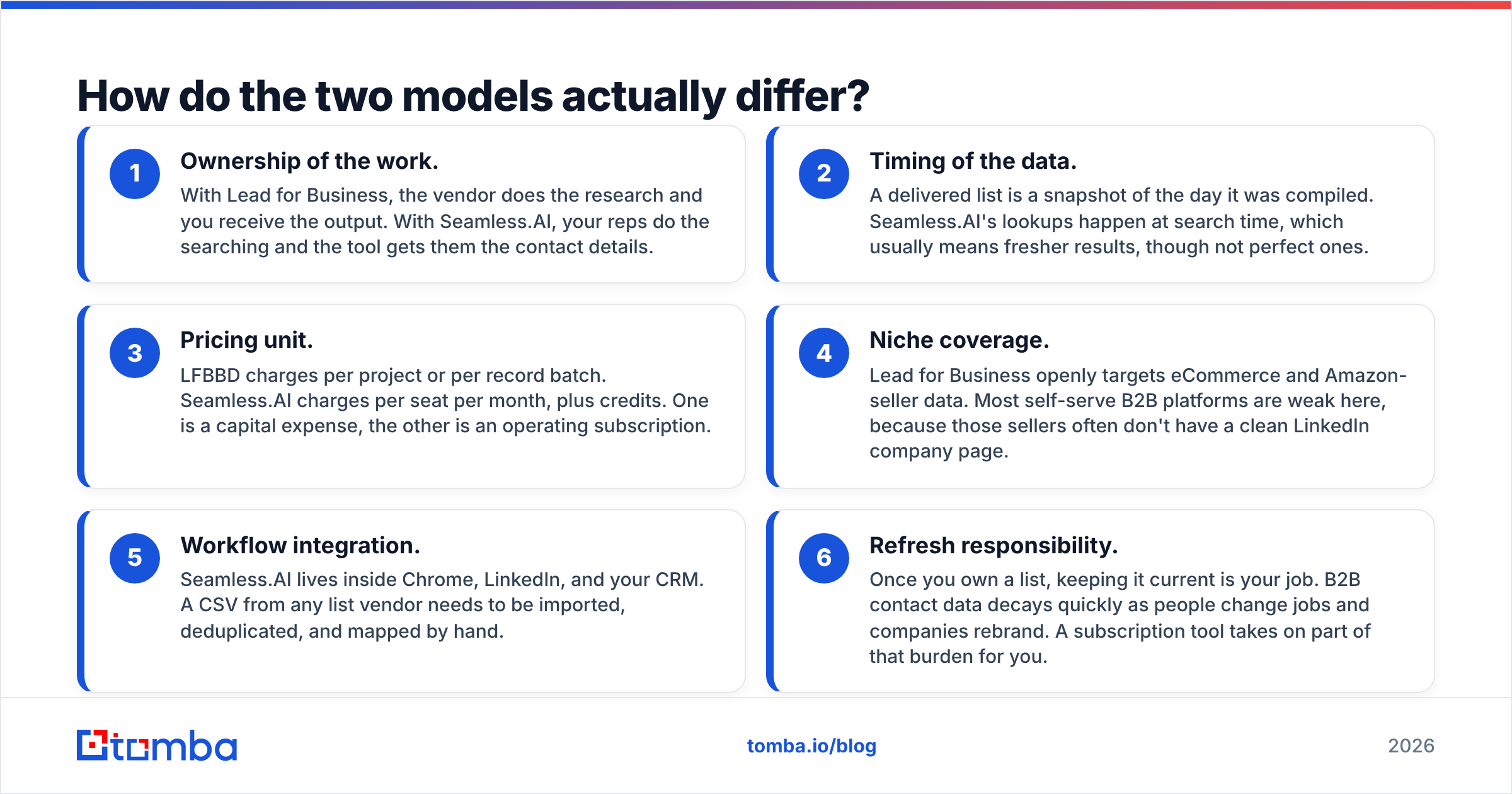
- Ownership of the work. With Lead for Business, the vendor does the research and you receive the output. With Seamless.AI, your reps do the searching and the tool gets them the contact details.
- Timing of the data. A delivered list is a snapshot of the day it was compiled. Seamless.AI's lookups happen at search time, which usually means fresher results, though not perfect ones.
- Pricing unit. LFBBD charges per project or per record batch. Seamless.AI charges per seat per month, plus credits. One is a capital expense, the other is an operating subscription.
- Niche coverage. Lead for Business openly targets eCommerce and Amazon-seller data. Most self-serve B2B platforms are weak here, because those sellers often don't have a clean LinkedIn company page.
- Workflow integration. Seamless.AI lives inside Chrome, LinkedIn, and your CRM. A CSV from any list vendor needs to be imported, deduplicated, and mapped by hand.
- Refresh responsibility. Once you own a list, keeping it current is your job. B2B contact data decays quickly as people change jobs and companies rebrand. A subscription tool takes on part of that burden for you.
Think of it like a caterer versus a well-stocked kitchen. The caterer delivers one excellent meal for one event. The kitchen lets you cook every day, but someone on your team has to do the cooking.

Lead for Business vs Seamless.AI: how do features and pricing compare?#
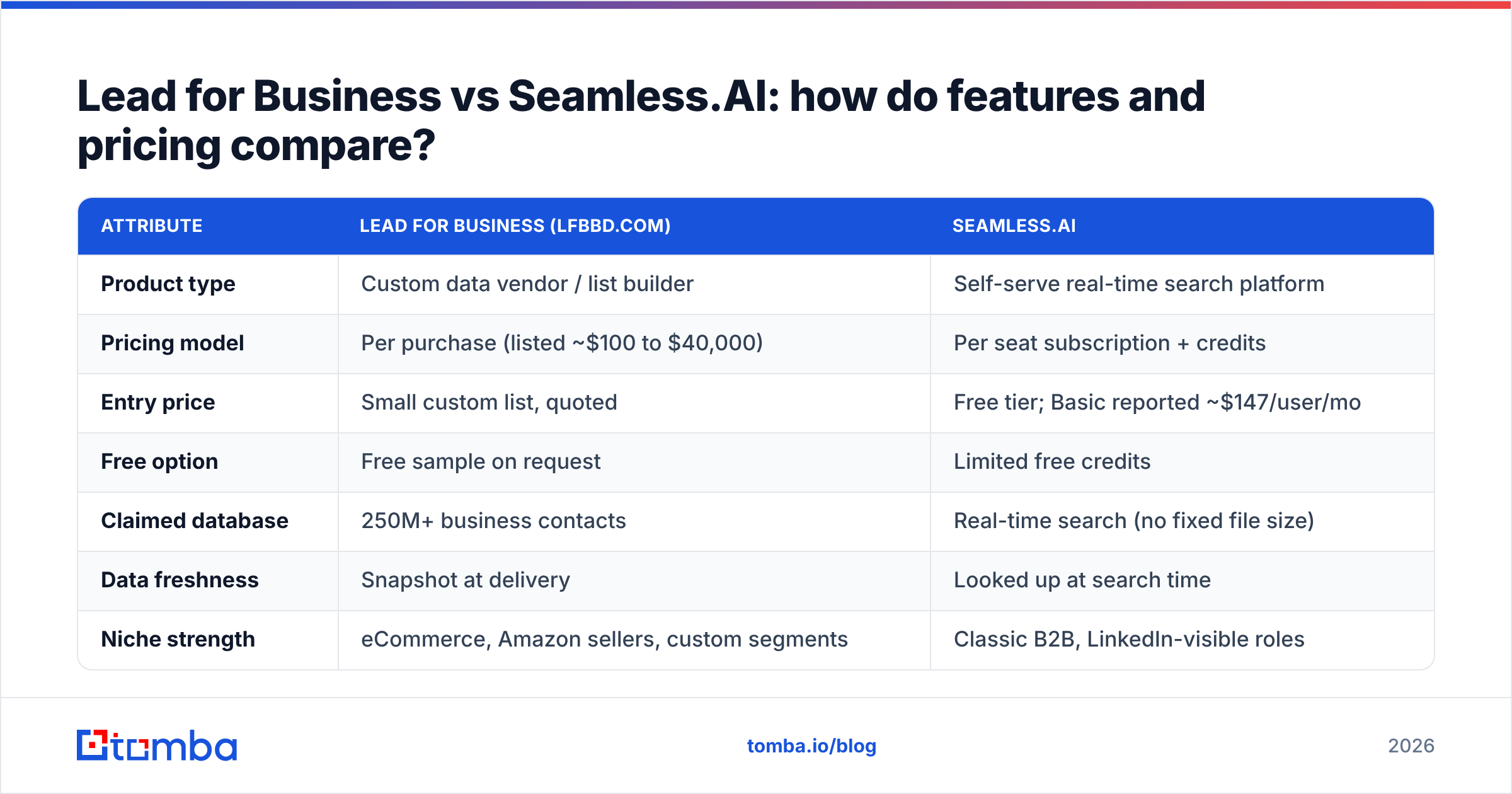
| Attribute | Lead for Business (lfbbd.com) | Seamless.AI |
|---|---|---|
| Product type | Custom data vendor / list builder | Self-serve real-time search platform |
| Pricing model | Per purchase (listed ~$100 to $40,000) | Per seat subscription + credits |
| Entry price | Small custom list, quoted | Free tier; Basic reported ~$147/user/mo |
| Free option | Free sample on request | Limited free credits |
| Claimed database | 250M+ business contacts | Real-time search (no fixed file size) |
| Data freshness | Snapshot at delivery | Looked up at search time |
| Niche strength | eCommerce, Amazon sellers, custom segments | Classic B2B, LinkedIn-visible roles |
| Chrome / LinkedIn extension | No | Yes |
| CRM integration | Manual CSV import | Native (Salesforce, HubSpot on higher tiers) |
| Phone numbers | Direct dial / mobile where available | Direct dials and cell phones (credit cost) |
| Best for | One-off campaigns, market entry, niche lists | Daily SDR prospecting at scale |
| Main risk | List decays after delivery; you own QA | Seat costs pile up; credit caps |
Two things stand out. First, the price ranges barely overlap. A $500 Lead for Business order and a $147/month Seamless.AI seat are aimed at different buyers. Second, neither option removes the need for verification. A vendor-built list goes stale from the day it's delivered. A real-time lookup can still return a best-guess address on a catch-all domain.
Which is more accurate: a bought list or a real-time lookup?#
Neither vendor publishes an independent, audited bounce-rate benchmark. Treat accuracy claims from both as marketing until your own test proves them. Here's a fair way to test them side by side:
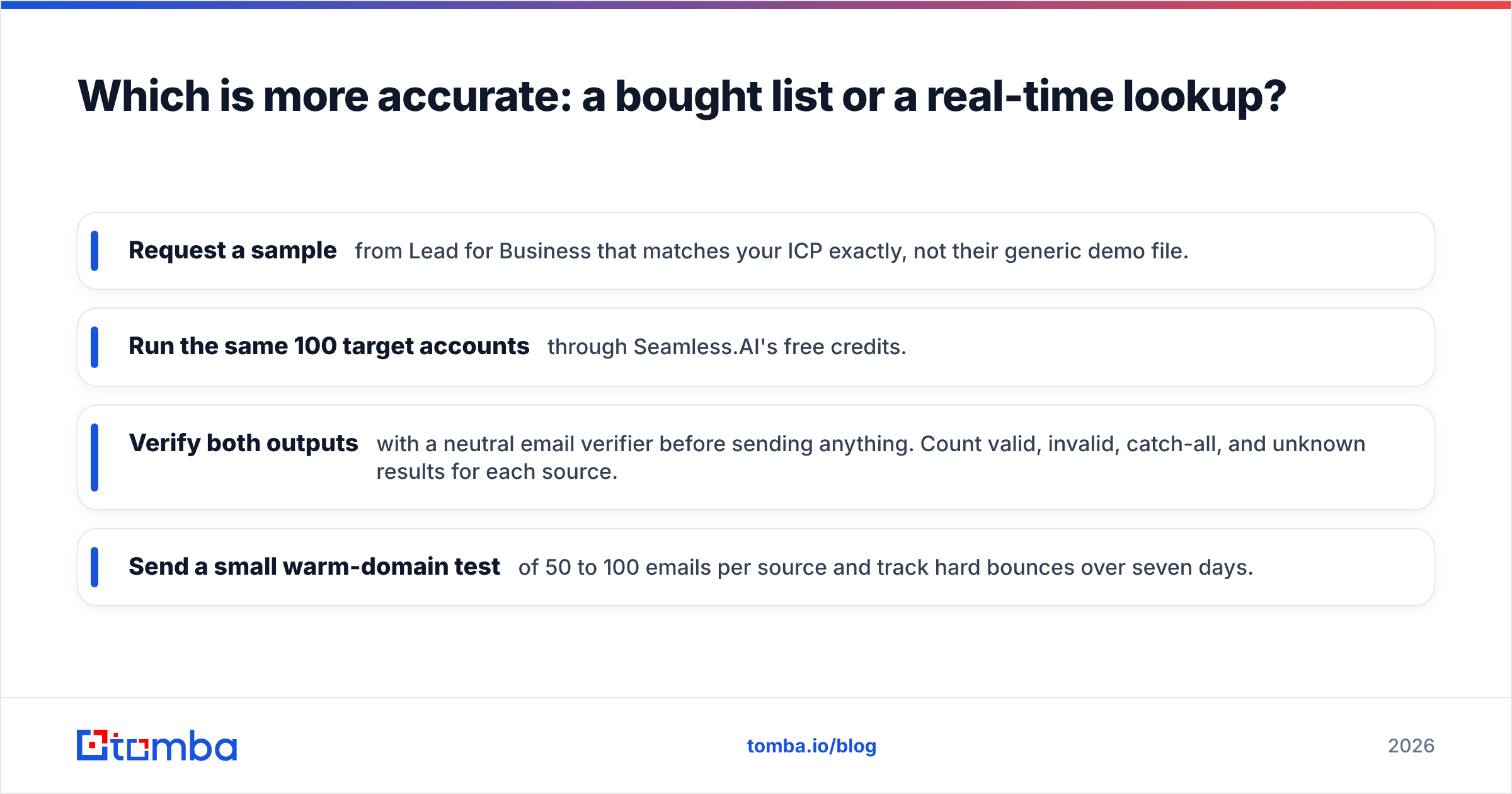
- Request a sample from Lead for Business that matches your ICP exactly, not their generic demo file.
- Run the same 100 target accounts through Seamless.AI's free credits.
- Verify both outputs with a neutral email verifier before sending anything. Count valid, invalid, catch-all, and unknown results for each source.
- Send a small warm-domain test of 50 to 100 emails per source and track hard bounces over seven days.
What you'll usually see is predictable. Delivered lists do well on niche coverage but carry more stale records the older they get. Real-time platforms do well on currency for mainstream B2B roles but struggle with small eCommerce operators and non-LinkedIn businesses. Catch-all domains are a problem for everyone. That's why a dedicated catch-all verifier matters more than any single vendor's accuracy claim.
Keep this principle in mind: your bounce rate is your responsibility, not your vendor's. Mailbox providers don't care where the data came from. Google's sender guidelines ask bulk senders to keep spam complaint rates low and to authenticate their mail, and a list full of dead addresses damages your reputation fast.
When should you choose Lead for Business?#
Lead for Business makes the most sense if you fit one of these profiles:
- You're entering a new market and need a single, well-defined list, such as "Amazon FBA sellers in the UK with 50+ reviews" or "Shopify Plus stores in DACH."
- You sell to eCommerce operators. This segment is poorly covered by LinkedIn-centric tools, and it's one Lead for Business explicitly targets.
- You have no SDR team. A founder or marketer who needs 5,000 contacts for one campaign gets more value from a one-off purchase than from a seat they'll barely use.
- Your budget is project-based. Agencies and consultants running client campaigns can bill a data purchase as a project cost.
Watch-outs: ask how the data was sourced and when it was last refreshed. Confirm the GDPR/CCPA position if you're emailing EU or California contacts. Get the replacement policy for bounced records in writing before you pay.
When should you choose Seamless.AI?#
Seamless.AI is the stronger fit when:
- Reps prospect every day and need contact details at the moment they find an account on LinkedIn.
- You want data inside the CRM without a CSV round-trip every week.
- Your ICP is mainstream B2B: SaaS, services, mid-market and enterprise roles with a visible LinkedIn presence.
- You value recency over volume. Looking up a contact when you need it beats working through a six-month-old spreadsheet.
Watch-outs: per-seat pricing scales linearly with headcount. Credit caps on lower tiers can stall a rep in the middle of the month. Custom Pro/Enterprise quotes make it hard to budget without a sales call. Users on review sites like G2 often mention data quality varying by region and industry, so pilot before you sign an annual deal.
If the seat math is what's putting you off, a lighter Seamless.AI alternative with lower entry pricing may cover the same daily lookups for less.

Is there a middle path between a list vendor and a seat-based platform?#
Yes, and for many small and mid-sized teams it's the best choice. Instead of buying a static file or paying premium per-seat prices, you can combine three lightweight steps:
- Build your account list yourself from sources you trust: your CRM, a marketplace directory, a conference attendee list, or a tech-stack filter.
- Enrich it on demand. Run company domains through a domain search to pull known emails and the company's email pattern, then look up specific decision-makers by name.
- Verify before every send. Clean the list right before a campaign launches, not months earlier, so decay never builds up.
This approach gives you the niche control of a custom list and the freshness of a real-time lookup, at a lower cost than either extreme. Tomba fits this pattern. Its free tier covers 25 searches a month for testing, and paid plans start at $49/month (Starter), then $99 (Growth) and $249 (Pro). You can compare the tiers on the Tomba pricing page. It isn't a replacement for a vendor that hand-builds Amazon-seller datasets, and it isn't a full sales-engagement suite like Seamless.AI's higher tiers. For finding and verifying emails, though, it's a practical middle layer.
What questions should you ask before buying from either vendor?#
Use this checklist in every sales conversation:
- Source and refresh date: Where did this record come from, and when was it last confirmed?
- Bounce guarantee: Do you replace or refund hard-bounced emails? Within what window?
- Compliance: How do you handle GDPR lawful basis, opt-out requests, and CCPA?
- Export and ownership: Can I keep the data if I cancel? Are there usage restrictions?
- Catch-all handling: How do you label addresses on accept-all domains?
- Sample on my ICP: Will you run a free test on 50 to 100 of my actual target accounts?
If a vendor avoids any of these questions, that tells you more about the data than any headline database-size claim.
So, Lead for Business or Seamless.AI: which one wins?#
It depends on your motion, and the split is fairly clear:
- Lead for Business wins for one-off, niche, or eCommerce-heavy campaigns where you want someone else to do the research, and you'll use the list quickly before it decays.
- Seamless.AI wins for teams of full-time reps who prospect daily inside LinkedIn and the CRM, and who can absorb per-seat pricing.
- A lean finder-plus-verifier stack wins when you want both control and freshness without committing to thousands per month.
Whichever you choose, the non-negotiable step is the same: verify before you send.
If you want the daily-lookup benefits of a platform like Seamless.AI without per-seat pricing, try the Tomba Email Finder. Search by domain, name, or company, get verification status alongside each result, and start on the free tier before committing to the $49/month Starter plan. It's a low-risk way to benchmark your current lead source against fresh, verified data.
Related guides#
// get started
Find, verify and enrich your first contacts today
Start on the free plan with 25 searches a month, then scale when your team is ready.
Free plan · No credit card required · GDPR & CCPA
// about the author