LFBBD Lead for Business vs Zintlr: 2026 B2B Data Comparison
LFBBD sells custom lead lists built for you. Zintlr gives you a self-serve prospecting platform with personality insights. Here's how they compare on data, pricing, workflow and fit, and where each one breaks down.
Weighing LFBBD Lead for Business vs Zintlr? Both sell B2B contact data, but they work in very different ways. Here's the short version first, then the details.
TL;DR
- LFBBD (Lead for Business) is a data vendor that works like an agency. You describe your ideal customer, and it delivers a researched lead list (B2B, eCommerce or Amazon sellers), usually within 24-48 hours.
- Zintlr is a self-serve SaaS platform. You get search filters, a Chrome extension, a database it says holds 500M+ contacts, and a less common extra: DISC/OCEAN personality insights for each prospect.
- Choose LFBBD for a one-off, niche list (for example, Shopify stores or Amazon sellers in one category) when you don't want to pull it yourself.
- Choose Zintlr for daily prospecting inside a tool, especially if you sell into India or care about call-prep context.
- Neither replaces live email lookup and verification at the moment you send. Most teams add a dedicated email finder and verifier on top.
What is LFBBD (Lead for Business)?#
LFBBD, sold under the Lead for Business name at lfbbd.com, sells B2B contact data. It works more like a list-building service than a software product. According to its Datarade provider profile, it claims 250M+ contacts and about 50M business profiles. Those break down roughly into 200M B2B contacts, 4M eCommerce leads and 200K+ Amazon seller contacts.
Here's how it works. You send your targeting criteria: job title, industry, location, revenue, tech stack and 20+ other filters. The team builds the list, checks it, and sends a file, usually within 24-48 hours. The company says its data comes from web data, government open datasets, public sources and manual research. It also says records include direct dials and mobile numbers where available.
That makes LFBBD a strong fit for requests that general B2B databases handle badly. Examples: "every Amazon seller in home & kitchen doing over $1M a year," or "Shopify Plus stores in Germany using Klaviyo." eCommerce and marketplace data is the clearest thing that sets it apart.
What you don't get is a platform to live in. You don't log in each morning, run searches and push contacts into sequences. You order data and it arrives.
What is Zintlr?#
Zintlr is a sales intelligence platform. It started in India and now sells in India and the US. It lists 500M+ contacts and 75M+ companies. It has the self-serve pieces you'd expect from this kind of tool: advanced filters (company size, location, job title, revenue, technology), a Chrome extension for pulling contacts while you browse, saved lists and CRM export.
Two features make it different:
- Personality Intel: DISC and OCEAN personality profiles for prospects. These suggest how a person likes to be approached: blunt and fast, or detailed and data-heavy.
- Calendar Intel: pre-meeting briefs on the people and companies on your calendar.
Zintlr's India data is a real strength. It covers Indian companies with financials, industry and revenue data. Many US-centric tools cover India poorly, so this matters if you sell there.
On pricing, third-party directories such as Software Advice list a free trial, a Lite plan at about $49/month and a Plus plan at about $170/month, plus custom Enterprise pricing. Check Zintlr's pricing page before you buy, because credit limits change.
How do LFBBD and Zintlr differ in their core model?#
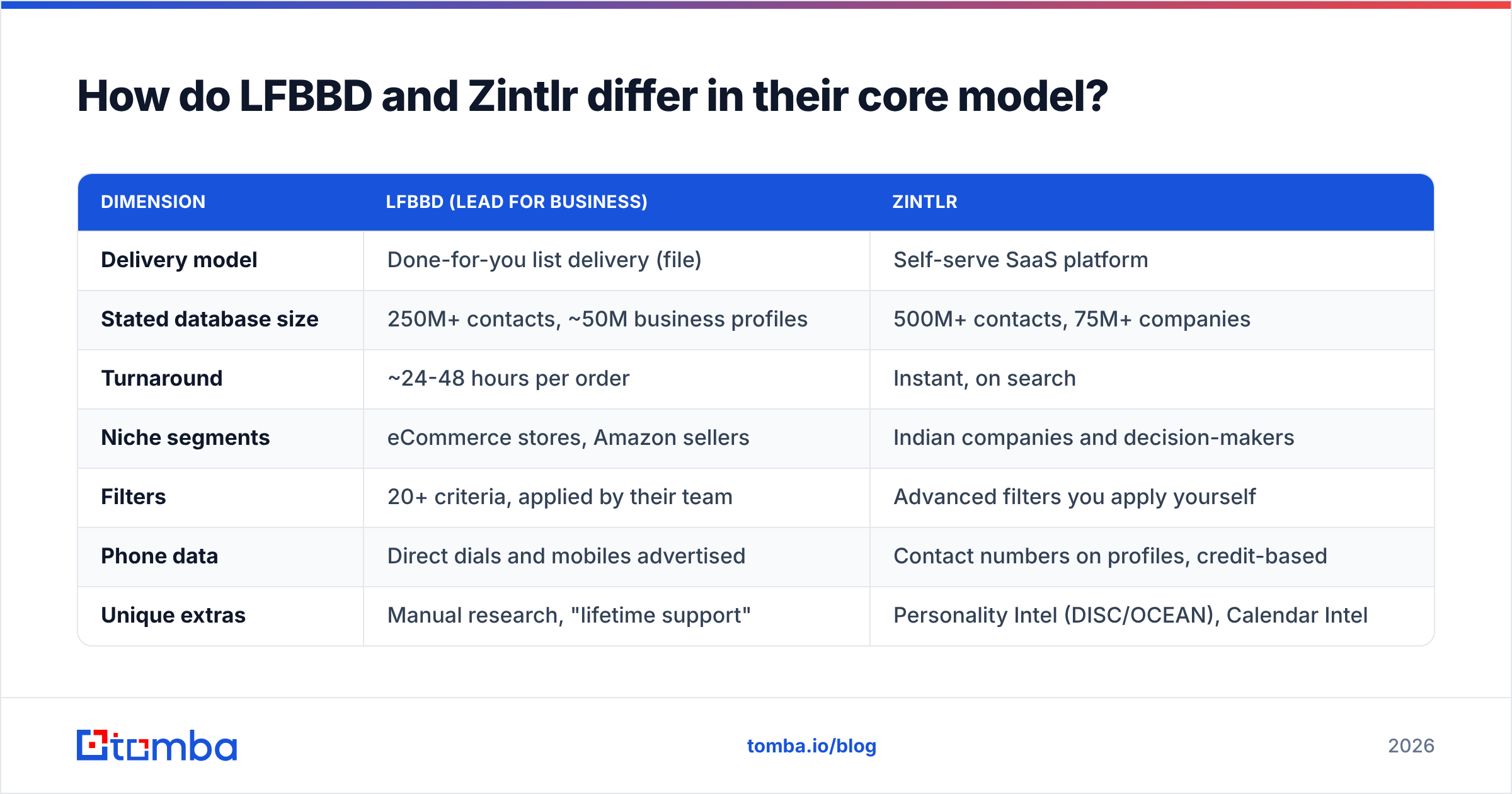
The real choice is between two ways of buying data, not between two feature lists.
| Dimension | LFBBD (Lead for Business) | Zintlr |
|---|---|---|
| Delivery model | Done-for-you list delivery (file) | Self-serve SaaS platform |
| Stated database size | 250M+ contacts, ~50M business profiles | 500M+ contacts, 75M+ companies |
| Turnaround | ~24-48 hours per order | Instant, on search |
| Niche segments | eCommerce stores, Amazon sellers | Indian companies and decision-makers |
| Filters | 20+ criteria, applied by their team | Advanced filters you apply yourself |
| Phone data | Direct dials and mobiles advertised | Contact numbers on profiles, credit-based |
| Unique extras | Manual research, "lifetime support" | Personality Intel (DISC/OCEAN), Calendar Intel |
| Chrome extension | No (not the product focus) | Yes |
| Pricing style | Quote/order-based per dataset | Subscription: trial, ~$49 Lite, ~$170 Plus, Enterprise |
| Best for | One-off campaigns, niche lists, lean teams | Daily SDR prospecting, India-focused sales |
A simple way to think about it: LFBBD is like hiring a caterer, and Zintlr is like getting a well-stocked kitchen. The caterer brings the finished meal on the day you ask for it. The kitchen lets you cook whatever you want, whenever you want, but you do the cooking.
Which one has better data quality?#
Neither vendor publishes an independent, third-party accuracy audit that lets you compare them directly. Be skeptical of any "98% accurate" claim on either site until you test it yourself.
Here's what we can say about how each one works:
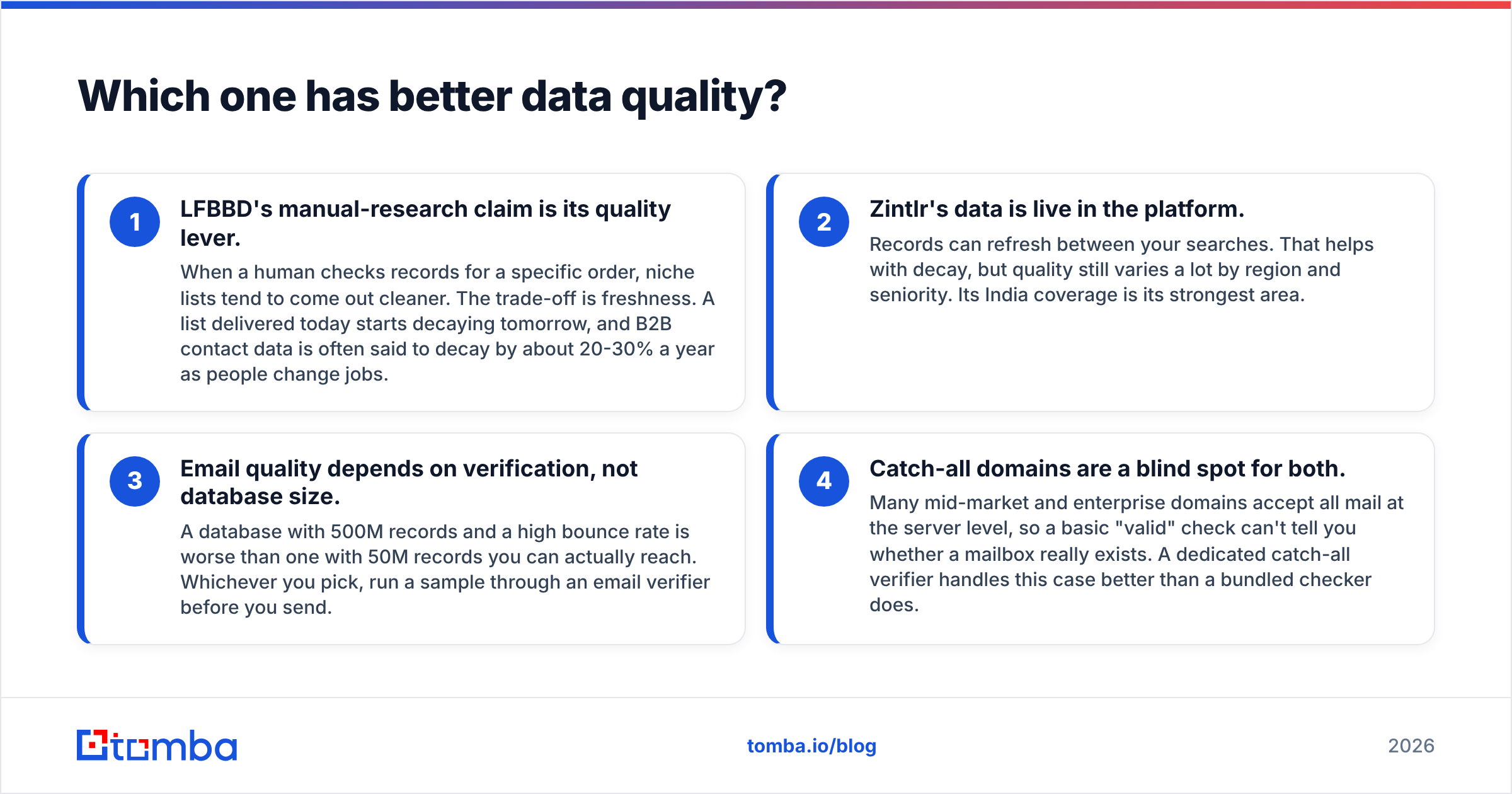
- LFBBD's manual-research claim is its quality lever. A human checks records for each order, so niche lists tend to come out cleaner. The trade-off is freshness. A list delivered today starts to decay tomorrow. B2B contact data is often said to decay by about 20-30% a year as people change jobs.
- Zintlr's data is live in the platform. Records can refresh between your searches. That helps with decay. Still, quality varies a lot by region and seniority, and India is its strongest area.
The next two points apply to both tools.
- Email quality depends on verification, not database size. A database with 500M records and a high bounce rate is worse than one with 50M records you can actually reach. Whichever you pick, run a sample through an email verifier before you send.
- Catch-all domains are a blind spot for both. Many mid-market and enterprise domains accept all mail at the server level. So a basic "valid" check can't tell you whether a mailbox really exists. A dedicated catch-all verifier handles this case better than a bundled checker does.
How to test before you commit: ask LFBBD for a 100-record sample in your exact niche. Use Zintlr's free trial to pull 100 records matching the same ICP. Verify both sets the same way. Compare hard bounce rate, share of catch-all addresses, and how many titles are still current on LinkedIn. That half day of testing will tell you more than any vendor comparison page.
How does pricing compare between LFBBD and Zintlr?#
The two price completely differently, so a straight dollar comparison can mislead you.
LFBBD is priced per order or dataset. You usually get a quote based on record count, segment (eCommerce and Amazon seller data are specialized) and the fields you want, such as direct dials. For one campaign, this can cost less than a year of software. For ongoing prospecting, repeat orders add up and you keep paying to refresh stale lists.
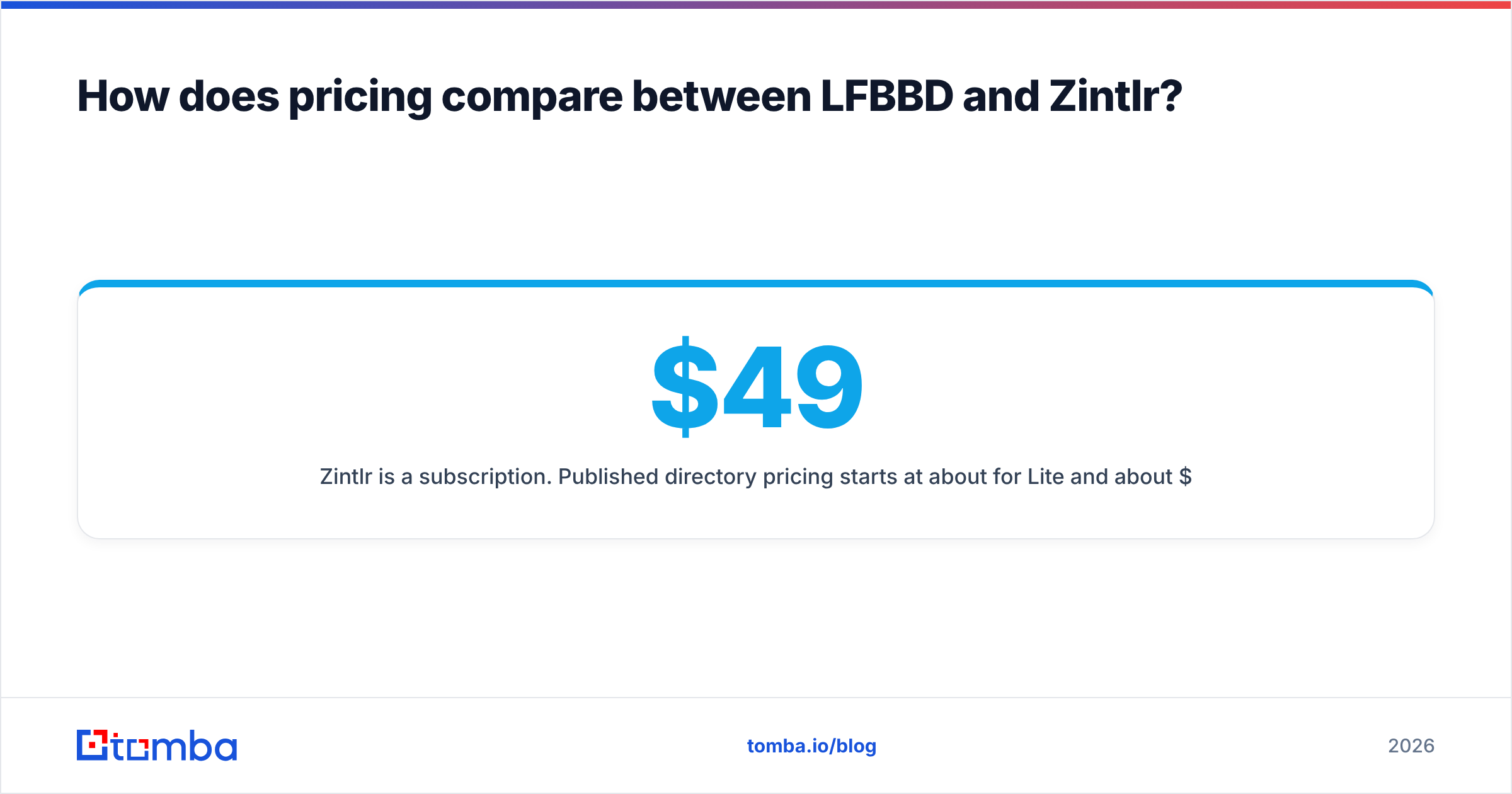
Zintlr is a subscription. Published directory pricing starts at about $49/month for Lite and about $170/month for Plus, with Enterprise quoted separately. What you actually pay depends on credits: how many contact reveals, exports and phone numbers each plan includes. A $49 plan whose credits run out in week two isn't really a $49 plan.
| Scenario | Likely better value |
|---|---|
| One campaign to 2,000 Amazon sellers | LFBBD |
| An SDR prospecting 20-50 new contacts daily | Zintlr |
| Ongoing India-focused outbound | Zintlr |
| A lean founder who hates building lists | LFBBD |
| A team that needs API access into its own stack | Neither by default; check for an API or use a dedicated data API |
Which is better for your workflow?#
Match the tool to how your team actually works, not to the bigger database number.
- Campaign-driven teams (agencies, eCommerce SaaS, marketplace services) plan outbound in bursts. Ordering a researched list for each campaign fits that rhythm, which favors LFBBD.
- SDR-driven teams prospect every day, research accounts before calls and add contacts as signals appear. They need a tool open all day, which favors Zintlr.
- Relationship-heavy sales such as enterprise deals, consultative selling and founder-led sales get real value from Zintlr's personality and calendar features. Knowing a VP prefers short, numbers-first emails is useful. Treat those profiles as hints, not facts.
- Ops-heavy teams that want data flowing into their CRM through automation may find both limiting. List files need manual imports. Platform exports are better but still add friction if you need enrichment at the moment a record is created.
What are the pros and cons of each?#
LFBBD (Lead for Business)
Pros:
- Strong on eCommerce and Amazon seller data, which few B2B tools cover well
- Done-for-you research saves internal time
- Direct dials and mobiles are part of the offer
- Fast turnaround for a custom list (24-48 hours)
Cons:
- No self-serve platform for daily prospecting
- Lists start going stale the day they arrive
- Pricing is quote-based, so budgeting takes a conversation
- Quality depends on how precisely you define the order
Zintlr
Pros:
- Self-serve search, Chrome extension and instant results
- Personality Intel and Calendar Intel add call-prep context
- Strong India company and decision-maker data
- Free trial and a relatively low entry price
Cons:
- Credit limits on lower tiers can bottleneck heavy users
- Data quality outside its core regions should be tested
- Personality profiles are inferred, not confirmed. Don't lean on them too hard
- Less focused on eCommerce and marketplace-seller segments
LFBBD Lead for Business vs Zintlr: which is better?#
LFBBD is better if you need niche data delivered to you. Zintlr is better if you need a prospecting tool your team uses every day.
- Pick LFBBD if you sell to online merchants, Amazon sellers or another narrow segment, run outbound in campaigns, and would rather pay per list than per seat.
- Pick Zintlr if your reps prospect daily, you sell into India or APAC, or your team values personality-aware outreach.
- Pick both in one real case: use LFBBD for a one-off vertical list Zintlr doesn't cover well, and Zintlr for everyday prospecting.
The Datarade alternatives page for Lead for Business is useful if you want to compare other list vendors before you commit.
Where does an email finder fit alongside either tool?#
Both LFBBD and Zintlr answer "who should I contact?" Neither is built to answer "is this exact email address valid right now?" at the moment you send. That gap is where bounces, spam-folder placement and damaged sender reputation come from.
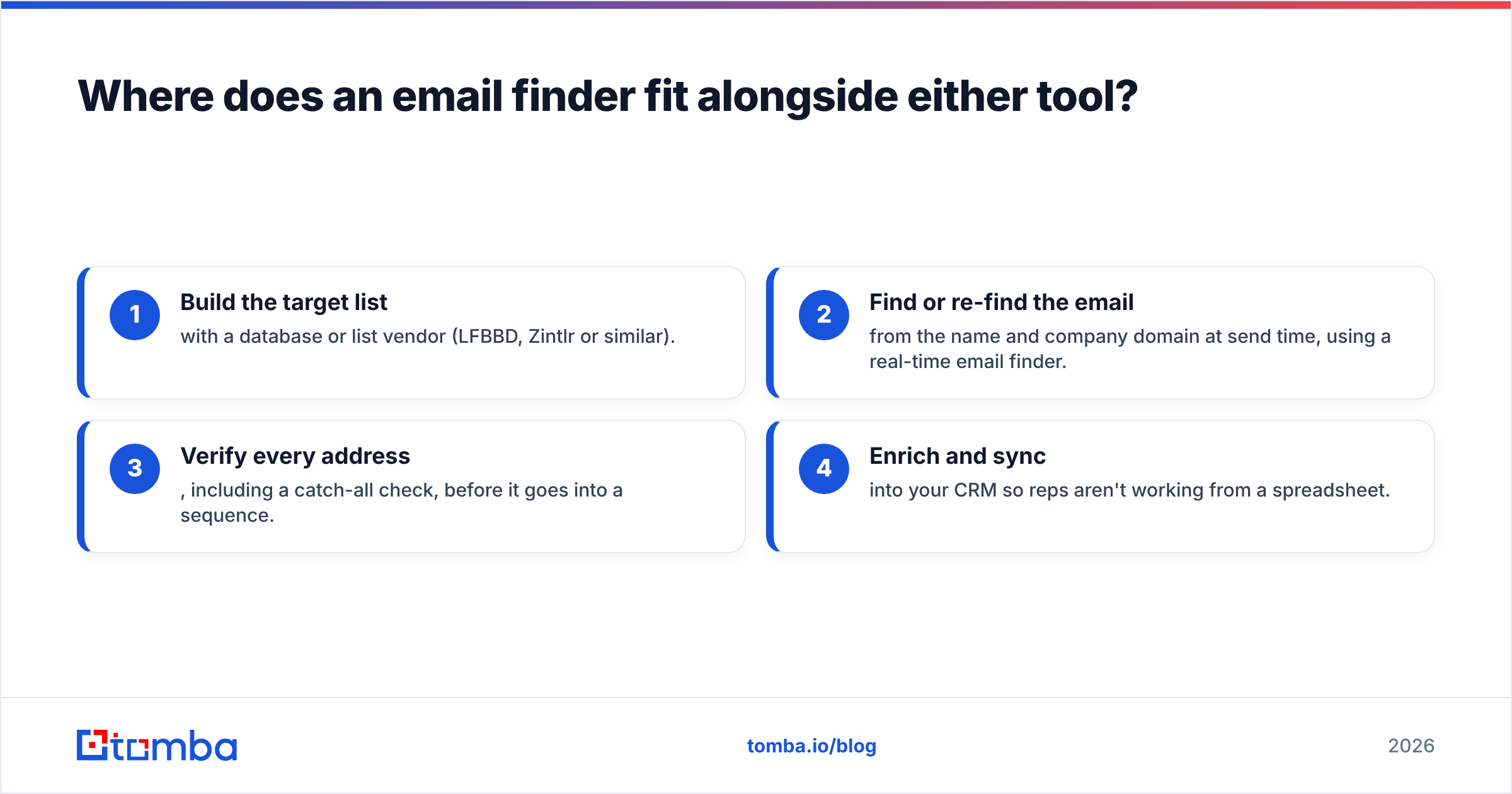
Most working outbound stacks separate the two jobs:
- Build the target list with a database or list vendor (LFBBD, Zintlr or similar).
- Find or re-find the email from the name and company domain at send time, using a real-time email finder.
- Verify every address, including a catch-all check, before it goes into a sequence.
- Enrich and sync into your CRM so reps aren't working from a spreadsheet.
This stack also protects you when vendor data ages. If a contact on last quarter's list changed jobs, a live lookup either catches it or finds the new address. A static file can't do either.
How should you decide?#
Run this checklist before you sign anything:
- Define your ICP precisely: industry, region, headcount, titles, tech. Vague criteria produce vague lists from any vendor.
- Get a same-ICP sample from both: 100 records each, verified the same way.
- Measure usable yield: count contacts that are reachable, current and in-ICP, not raw record count.
- Model a realistic month: how many contacts you'll actually work, then price both options against that number.
- Check the workflow fit: file delivery vs a platform your reps log into, and how each gets data into your CRM.
- Plan for decay: decide how you'll refresh or re-verify contacts after 60-90 days.
Final verdict#
In the LFBBD Lead for Business vs Zintlr matchup, the two aren't really competing for the same buyer. LFBBD is a data service best suited to niche, campaign-based list buying, especially eCommerce and Amazon seller segments. Zintlr is a prospecting platform best suited to teams who search daily and want extra context, with a clear edge in India. Pick based on how you work, test with samples, and don't send to any list without verifying it first.
If you want the live-lookup layer that makes either list safe to send to, try Tomba Email Finder. Enter a name and company domain, get a professional email address, and verify it before it reaches your sequencer. There's a free tier with 25 searches a month so you can test it on your own ICP. Paid plans start at $49/month; see Tomba pricing for Growth, Pro and Enterprise options.
Related guides#
// get started
Find, verify and enrich your first contacts today
Start on the free plan with 25 searches a month, then scale when your team is ready.
Free plan · No credit card required · GDPR & CCPA
// about the author