Limeleads vs Nymeria (2026): US Lead Database vs Contact Finder
Limeleads sells filtered US lead lists. Nymeria finds contact details one profile at a time. We compare pricing, credits, coverage and workflow fit so you can pick the right one for your outbound motion.
TL;DR
- Limeleads is a US-focused B2B lead database. You filter by industry, title, location and company size, then export verified contacts. Paid plans start at $99/mo for 500 credits.
- Nymeria is a contact finder built around a browser extension and API. It returns emails, phone numbers and social links for people you've already picked out. Paid plans start at $39/mo, and a lookup that finds nothing costs no credit.
- Pick Limeleads if you need someone else to build the list. Pick Nymeria if you already know who you want to reach and just need their contact details.
- Neither tool is strong on non-US data plus domain-level search plus bulk verification in one place. If you need all three, compare an email finder like Tomba before you commit.
What is the real difference between Limeleads and Nymeria?#
The two tools answer different questions.
Limeleads answers "who should I contact?" It's a searchable database of US businesses and decision-makers. You set filters such as "VP of Marketing, SaaS, 50–200 employees, Texas", preview the matches and export a list. The product is built for top-of-funnel list building, and its main claim is freshness: Limeleads says it re-verifies the database weekly and advertises 98%+ accuracy on its homepage.
Nymeria answers "how do I reach this specific person?" You're already on a LinkedIn profile, a GitHub page or a company site. You click the extension, and Nymeria returns work email, personal email, mobile number and social profiles if it has them. It's a lookup and enrichment tool, not a list-building one. It also has an API and bulk enrichment for teams that want to push CSVs or CRM records through it.
An analogy helps. Limeleads is a wholesale store: you walk the aisles and fill a cart. Nymeria is a personal shopper: you name the item and it goes and gets it. Both are useful, but for different jobs.
How do Limeleads and Nymeria compare feature by feature?#
Here's the side-by-side on the attributes that matter to an outbound team.
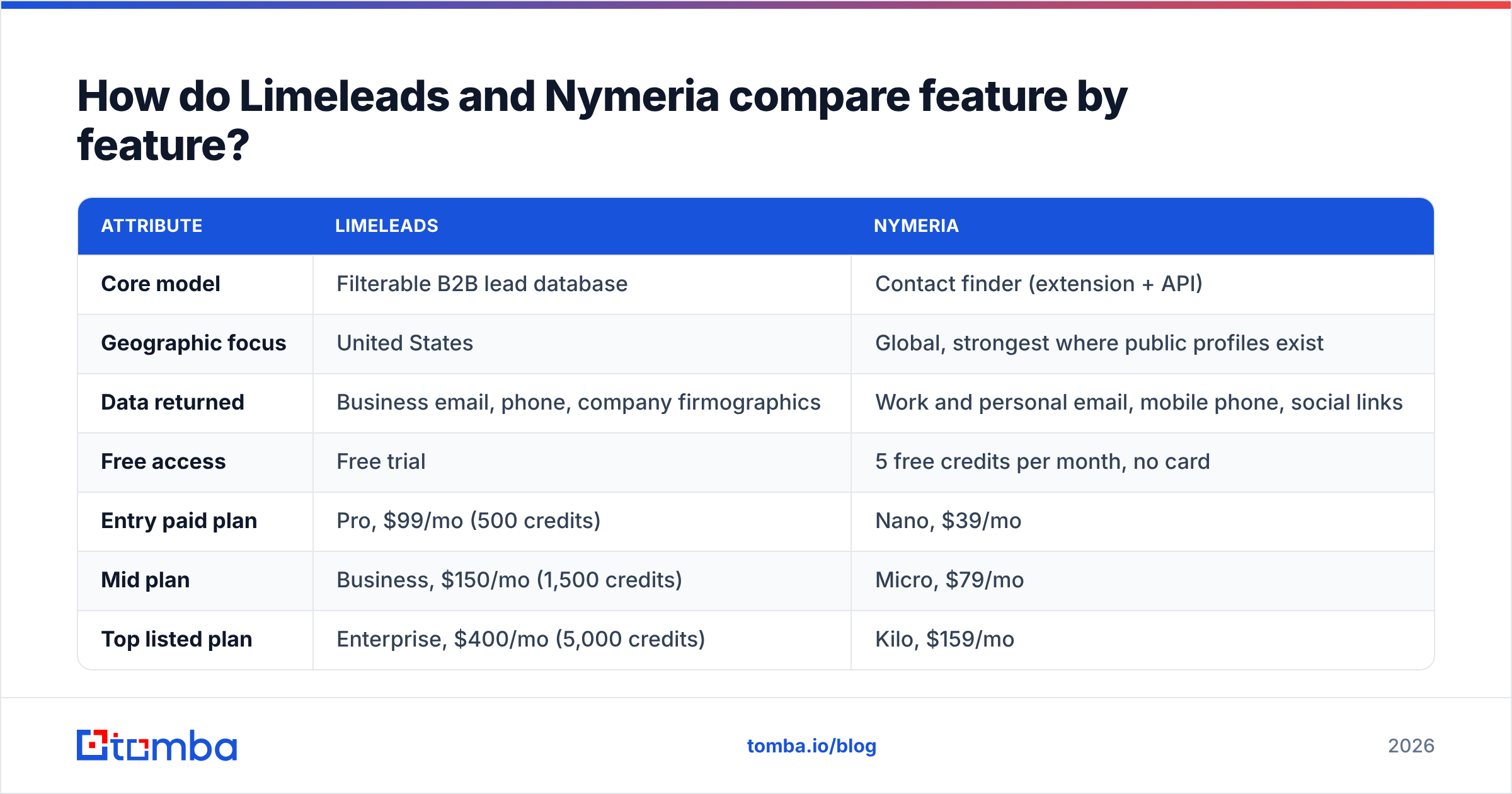
| Attribute | Limeleads | Nymeria |
|---|---|---|
| Core model | Filterable B2B lead database | Contact finder (extension + API) |
| Geographic focus | United States | Global, strongest where public profiles exist |
| Data returned | Business email, phone, company firmographics | Work and personal email, mobile phone, social links |
| Free access | Free trial | 5 free credits per month, no card |
| Entry paid plan | Pro, $99/mo (500 credits) | Nano, $39/mo |
| Mid plan | Business, $150/mo (1,500 credits) | Micro, $79/mo |
| Top listed plan | Enterprise, $400/mo (5,000 credits) | Kilo, $159/mo |
| Annual discount | About 35% | About 20% |
| Failed lookups | Credits tied to exported records | No charge when no data is found |
| Browser extension | Not the core workflow | Chrome, Edge, Firefox |
| API | Limited, list-export focus | Yes, developer API |
| Team seats | Plan-dependent | Unlimited users share one credit pool |
| Best fit | SDR teams that need net-new US lists | Recruiters, founders, account-based prospectors |
Pricing reflects public listings as of September 2026. Nymeria's credit allowances per tier have changed more than once, and third-party reviews quote different numbers, so check the live Nymeria pricing page before you budget.

How accurate is each tool's data?#
Accuracy is the claim every vendor makes and the one you should test yourself. What each tool actually offers:
Limeleads leads with a weekly re-verification cycle and a 98%+ accuracy claim. For US mid-market companies with stable web domains, that's believable. Where database tools struggle is fast-moving segments like startups, remote-first teams and anywhere with high job churn. People change jobs faster than a weekly refresh can catch.
Nymeria pulls from public sources at lookup time and verifies emails as part of the process. Because you only pay for successful enrichments, the economics push it toward returning data it's confident in. The trade-off is coverage: if someone has almost no public footprint, Nymeria may return nothing. You keep the credit, but you also still have no contact.
Independent benchmarks are the best way to see how contact tools perform on the same sample of real prospects:

A practical test for either tool:
- Pull 100 contacts you already have verified emails for. Use recent customers or closed-won deals.
- Run them through both tools blind. Don't let the tool see the email you already have.
- Score three things. Match rate (did it return anything?), exact-match accuracy (was it the right address?), and verifier status (valid, risky or catch-all).
- Send a small live batch. Mail 50 net-new contacts from each tool and compare hard bounces after 48 hours.
That takes an afternoon and tells you more than any vendor's accuracy page. Run the outputs through an independent email verifier as a control so you aren't only relying on each vendor's own verification.
Which is cheaper, Limeleads or Nymeria?#
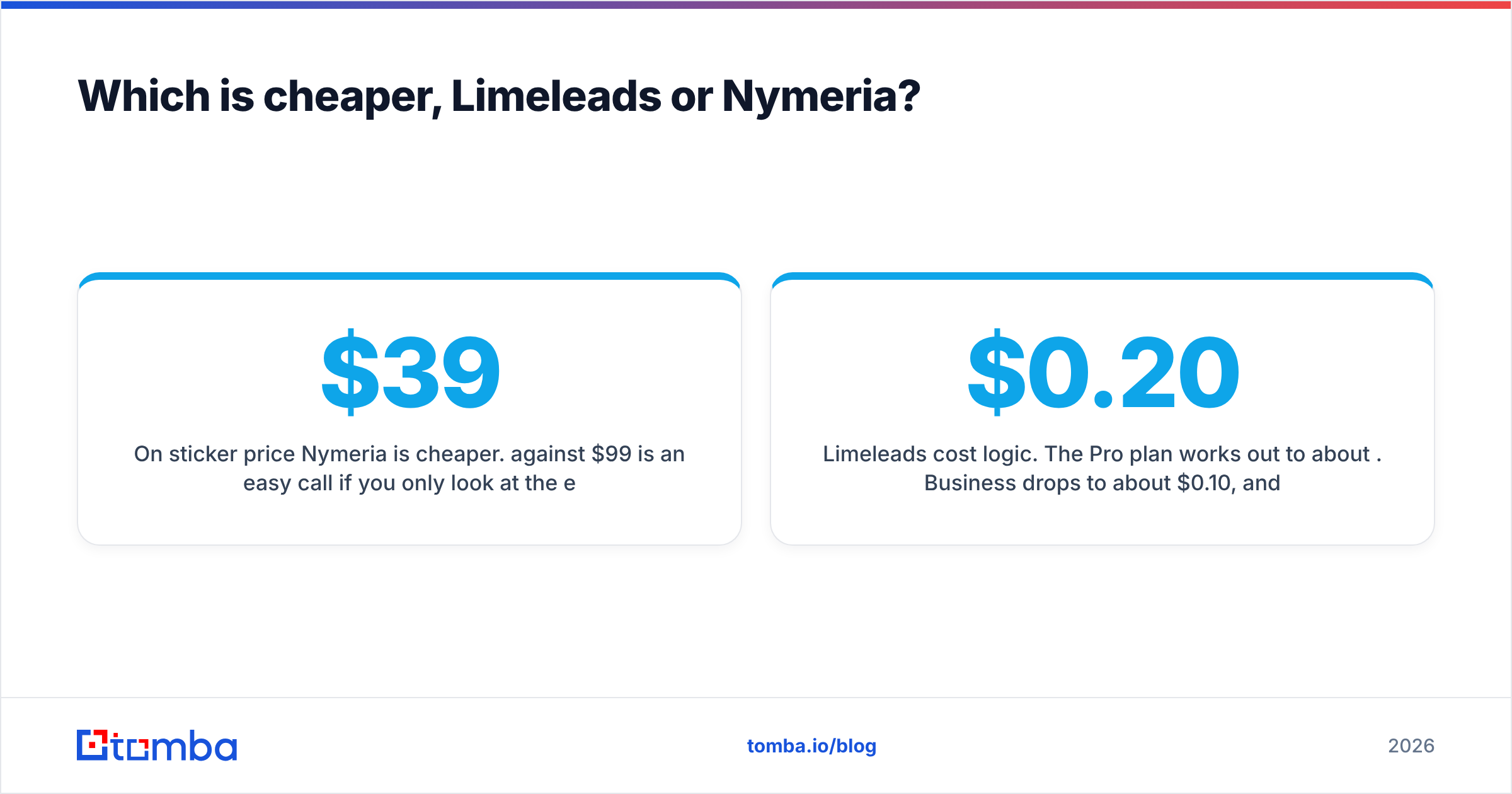
On sticker price Nymeria is cheaper. $39/mo against $99/mo is an easy call if you only look at the entry tier. But the two tools charge for different things, so the cost per useful contact is a better comparison.
Limeleads cost logic. The Pro plan works out to about $0.20 per credit. Business drops to about $0.10, and Enterprise to about $0.08. Overage credits are cheaper than plan credits ($0.10, $0.06 or $0.03 depending on tier), which rewards teams that export in volume. The hidden cost is filtering waste. If your filters are loose, you'll export contacts you never email, and each one still used a credit.
Nymeria cost logic. You pay per successful enrichment, and one email verification also uses one credit. Since misses are free, your effective cost per found contact tracks the listed price closely. The hidden cost here is time. Nymeria assumes you've already found the prospect. If an SDR spends 30 minutes building a target list on LinkedIn before touching Nymeria, that labor belongs in the cost.
A rough way to think about it:
- Volume list building (1,000+ net-new contacts a month): Limeleads' Business or Enterprise tier usually wins on cost per contact, as long as your ICP is US-based.
- Targeted outreach (50–300 hand-picked contacts a month): Nymeria is cheaper and wastes less.
- Mixed motion: you'll likely end up paying for two tools, which is when a single platform that does both domain search and individual lookups starts to look better on total cost.
Which workflow fits your team?#
Tool choice should follow how your reps actually work. Four common setups:
- The outbound SDR pod. Reps need 200+ fresh contacts per week in a defined US vertical. They live in a sequencer and don't want to research one profile at a time. Limeleads fits. Its filters and exports feed straight into a cadence.
- The founder or small-team seller. You're doing founder-led sales and pick every prospect by hand from LinkedIn, events or intros. Nymeria fits. The extension removes friction, and unlimited seats help when a cofounder or contractor joins.
- The technical recruiter. You need personal emails and mobile numbers for engineers, often from GitHub or personal sites. Nymeria fits better, since it returns personal contact data and social links that a business-focused database won't.
- The RevOps enrichment job. You have 20,000 CRM records with missing emails or outdated titles. Neither is ideal on its own. Nymeria's API handles enrichment, but you'll want domain-level search, catch-all handling and bulk verification in the same pipeline. See the section below.
If you work through a CRM like HubSpot or Salesforce, check how each tool pushes data in. Native integrations save a lot of CSV juggling over a quarter. HubSpot's guide to data enrichment is a useful primer on what good CRM enrichment looks like.
What are the pros and cons of each?#
Limeleads pros
- Strong filtering for US B2B list building
- Weekly verification cycle reduces stale-data risk
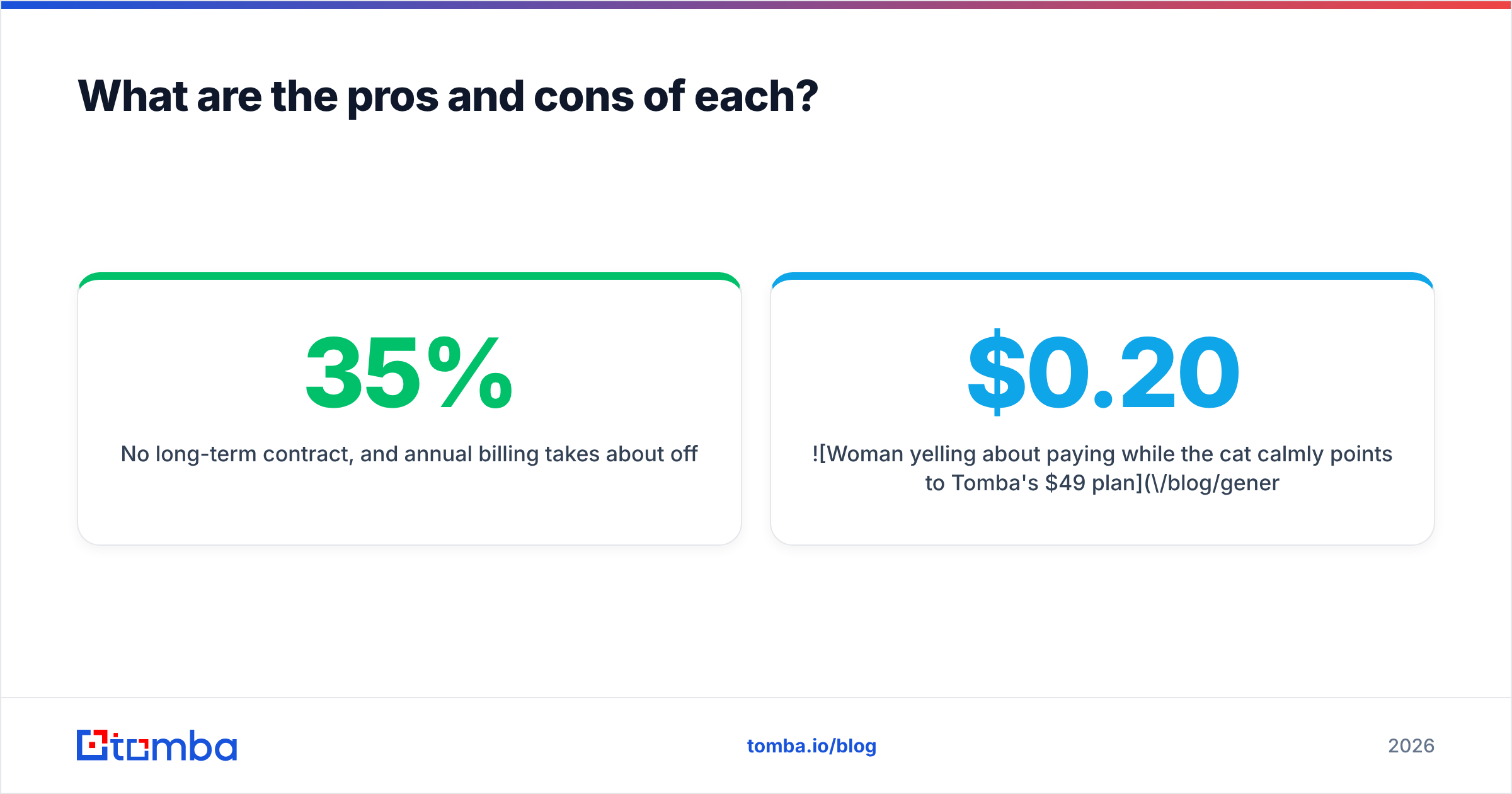
- No long-term contract, and annual billing takes about 35% off
- Cheaper overage credits reward high-volume teams
Limeleads cons
- US-centric: weak if your ICP spans EMEA or APAC
- Higher entry price than contact-finder tools
- Less useful when you already have a named target list
- Doesn't aim to return personal emails or social profiles
Nymeria pros
- Low entry price and a small permanent free allowance
- Misses cost nothing
- Returns emails, mobiles and social links in one lookup
- Extensions for Chrome, Edge and Firefox, plus an API
- Unlimited team members on a shared credit pool
Nymeria cons
- You have to find prospects yourself: no big filterable database for net-new lists
- Coverage drops for people with little public footprint
- Small review base on G2, so less third-party validation than larger vendors
- Credit allowances per plan have shifted over time, which makes budgeting harder

Are there alternatives worth considering alongside Limeleads and Nymeria?#
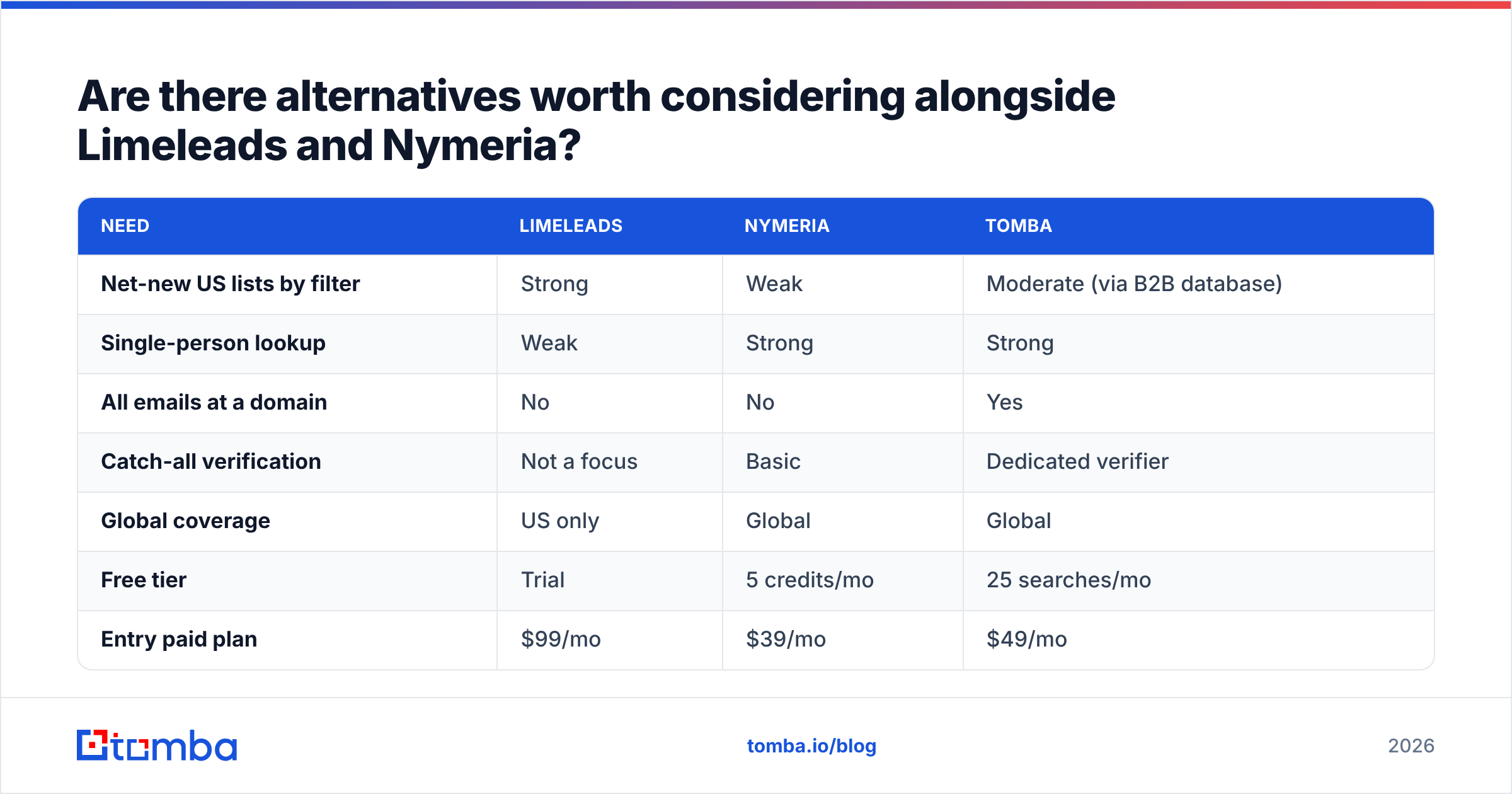
Yes, especially if you're stuck between them because you need both list building and individual lookups. The gap both tools leave is domain-level search: enter a company domain and get every discoverable email at that company, with source URLs and a confidence score, then verify the whole set in bulk.
That's where a dedicated email finder earns its place. Here's how the wider category stacks up:

| Need | Limeleads | Nymeria | Tomba |
|---|---|---|---|
| Net-new US lists by filter | Strong | Weak | Moderate (via B2B database) |
| Single-person lookup | Weak | Strong | Strong |
| All emails at a domain | No | No | Yes |
| Catch-all verification | Not a focus | Basic | Dedicated verifier |
| Global coverage | US only | Global | Global |
| Free tier | Trial | 5 credits/mo | 25 searches/mo |
| Entry paid plan | $99/mo | $39/mo | $49/mo |
Tomba won't replace Limeleads' US filtering for teams whose entire motion is volume list exports in one vertical. And if the extension's social links and personal contact data are the main reason you like Nymeria, keep it. But if your team runs account-based outbound, where you pick the company first and then need the right people there, domain search plus a verifier covers more ground on one bill. Plans run from a free tier to Starter at $49/mo, Growth at $99/mo and Pro at $249/mo. Full breakdown on the Tomba pricing page.
So is Limeleads or Nymeria better?#
It depends on where your bottleneck is.
- Your bottleneck is finding who to contact in US B2B markets → Limeleads. Pay for Business or Enterprise if you're exporting in volume. Pro is expensive per credit.
- Your bottleneck is getting contact details for people you've already chosen → Nymeria. Start on the free credits, run the 100-contact test above, then move to Nano or Micro.
- Your bottleneck is both, plus non-US accounts and verification → you've outgrown a single-purpose tool. Look at a platform that combines domain search, individual lookup and bulk verification.
One thing applies to every option: verify before you send. A tool that's 95% accurate on paper still puts 50 bad addresses into every 1,000-contact campaign, and that's enough to hurt your sender reputation over a few weeks.
Ready to test the alternative?#
If you're comparing Limeleads and Nymeria because you want accurate contact data without paying for a database you'll only half use, try Tomba Email Finder. Look up any professional by name and company, or pull every discoverable address at a domain, with sources and verification built in. The free plan includes 25 searches a month, which is enough to run the same 100-contact accuracy test against Limeleads and Nymeria over a few weeks and pick based on your own results.
Related guides#
// get started
Find, verify and enrich your first contacts today
Start on the free plan with 25 searches a month, then scale when your team is ready.
Free plan · No credit card required · GDPR & CCPA
// about the author