Limeleads vs The Org (2026): Contact Data or Org Charts?
Limeleads sells verified emails and phone numbers. The Org maps who reports to whom. Here's which one fits your prospecting workflow in 2026, what each costs, and when you need both.
TL;DR
- Limeleads is a contact database. You filter for leads and get verified emails and phone numbers, and you pay per verified credit. Paid plans start around $99/mo for 500 credits.
- The Org is a network of public org charts. It shows you who reports to whom, which teams are growing, and who just joined. It is a research and mapping tool, not a bulk source of contact data.
- The two tools answer different questions. The Org tells you who to contact. Limeleads tells you how to reach them.
- For outbound volume, Limeleads is the more direct fit. For account-based selling into complex buying committees, The Org has context that Limeleads doesn't.
- If you already know your targets and just need accurate emails, a dedicated email finder with built-in verification is often cheaper than either tool.
What is the real difference between Limeleads and The Org?#
Most "vs" posts compare two tools that do the same job. This one doesn't. Limeleads and The Org both sit in the B2B data space, but they solve different problems in the prospecting workflow.
Limeleads is a B2B lead database. You filter by industry, job title, company size, and location, and it returns contacts with emails and mobile numbers. It verifies those contacts in real time before charging you. The whole product aims to get a usable list into your sequencer quickly.
The Org is a platform of public organizational charts. Each company profile shows its leadership, its teams, and its reporting lines. Much of it is maintained wiki-style, by employees and the community. You can follow companies to track team changes and search for people across companies. The Org also offers data access through an API and CRM integrations. Its strength is structure and context, not contact volume.
Think of the difference like this. The Org is the building directory in the lobby: it tells you who works on which floor and who manages whom. Limeleads is the phone book: it gives you the number to call. You can prospect with only one of them, but you'll be working with half the picture.
How do Limeleads and The Org compare feature by feature?#
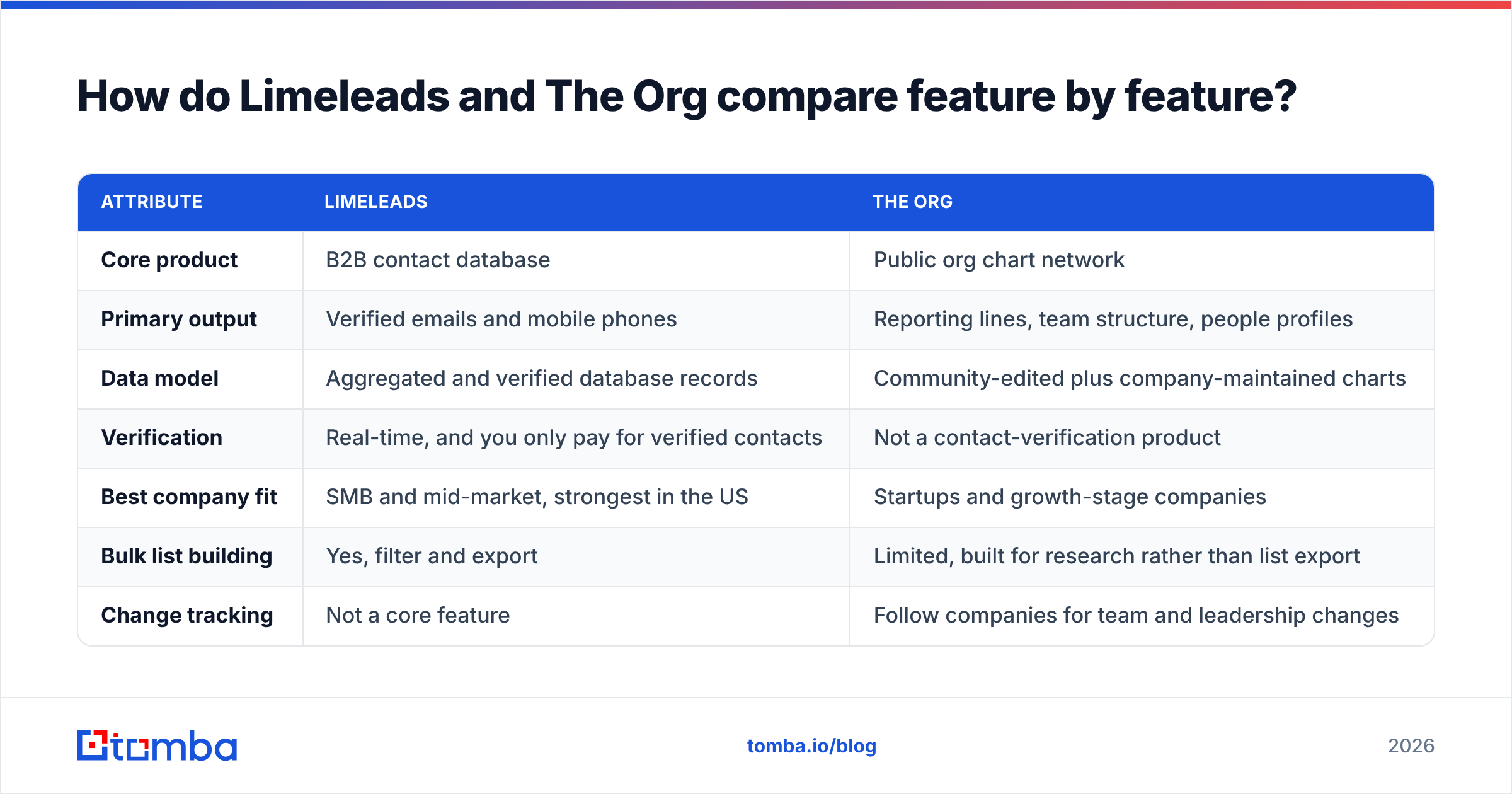
Here's the side-by-side on the attributes that matter to a sales or RevOps team.
| Attribute | Limeleads | The Org |
|---|---|---|
| Core product | B2B contact database | Public org chart network |
| Primary output | Verified emails and mobile phones | Reporting lines, team structure, people profiles |
| Data model | Aggregated and verified database records | Community-edited plus company-maintained charts |
| Verification | Real-time, and you only pay for verified contacts | Not a contact-verification product |
| Best company fit | SMB and mid-market, strongest in the US | Startups and growth-stage companies |
| Bulk list building | Yes, filter and export | Limited, built for research rather than list export |
| Change tracking | Not a core feature | Follow companies for team and leadership changes |
| Entry pricing | Pro ~$99/mo (500 credits) | Free to browse; paid access and API by plan or quote |
| Ideal user | SDRs running outbound volume | AEs, account-based marketers, recruiters, researchers |
The main takeaway from the table is that you're not choosing between two versions of the same thing. You're choosing which gap in your workflow to fill first.
What does Limeleads do well?#
Limeleads is built around one promise: don't pay for bad data. Here's what it gets right.
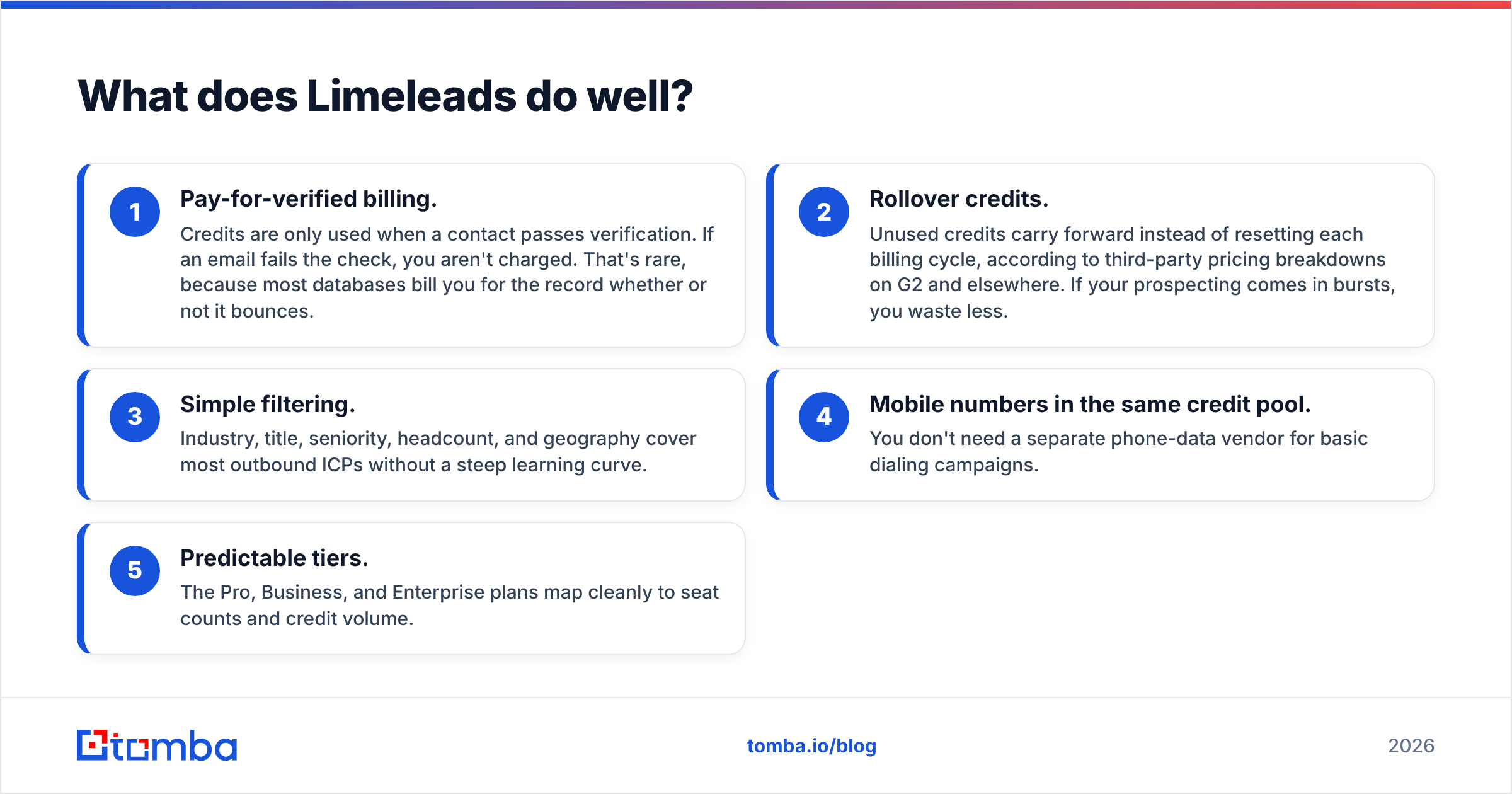
- Pay-for-verified billing. Credits are only used when a contact passes verification. If an email fails the check, you aren't charged. That's rare, because most databases bill you for the record whether or not it bounces.
- Rollover credits. Unused credits carry forward instead of resetting each billing cycle, according to third-party pricing breakdowns on G2 and elsewhere. If your prospecting comes in bursts, you waste less.
- Simple filtering. Industry, title, seniority, headcount, and geography cover most outbound ICPs without a steep learning curve.
- Mobile numbers in the same credit pool. You don't need a separate phone-data vendor for basic dialing campaigns.
- Predictable tiers. The Pro, Business, and Enterprise plans map cleanly to seat counts and credit volume.
Where it falls short: coverage is strongest in the US, and filters are shallower than enterprise platforms that offer intent data or technographics. You also get no organizational context. Limeleads will give you a VP of Engineering's email, but it won't tell you that she took over the platform team two weeks ago and reports to a new CTO.

What does The Org do well?#
The Org's value is context. When you sell into a buying committee instead of a single inbox, that context is often worth more than another thousand rows in a CSV.
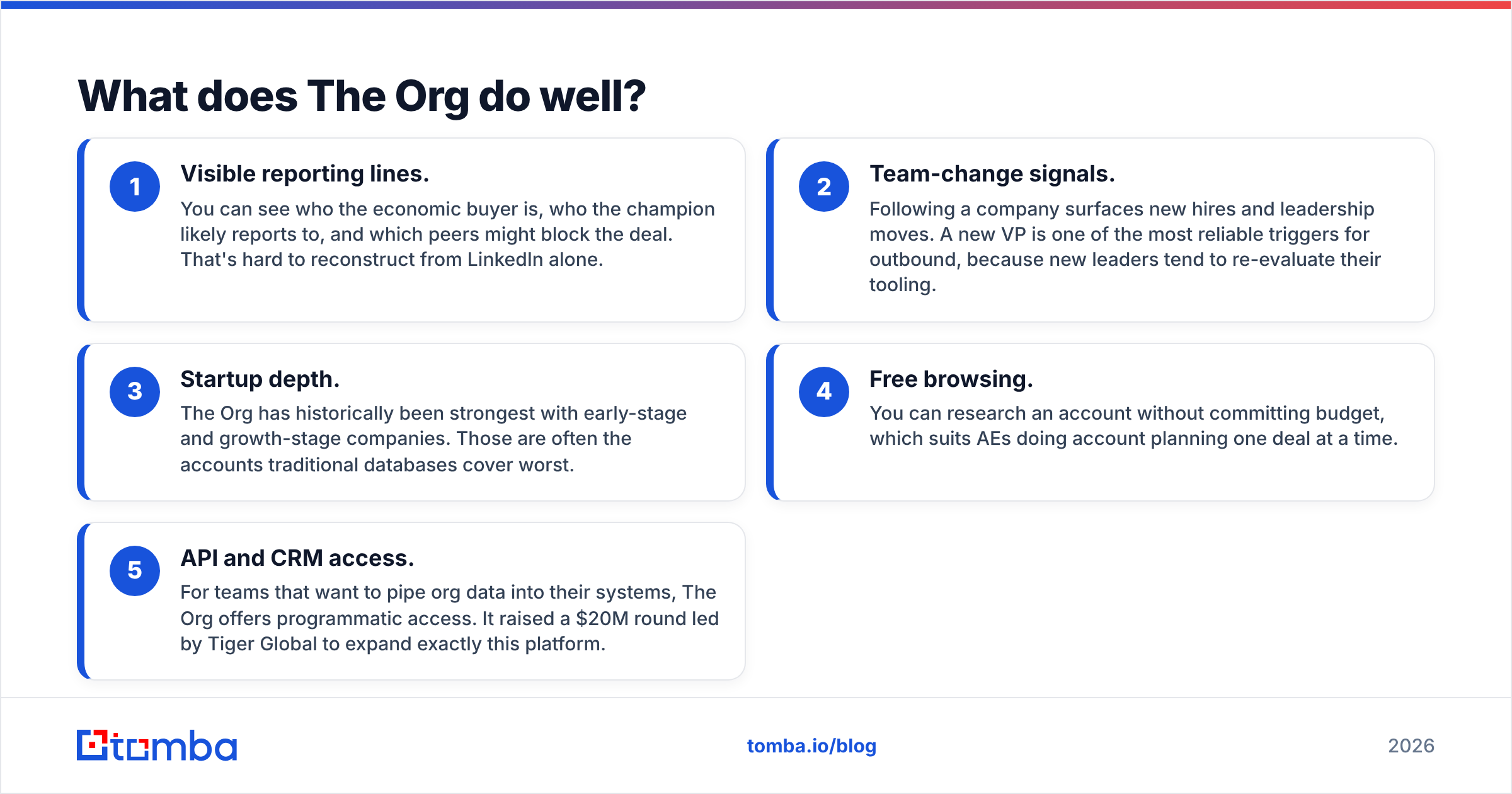
- Visible reporting lines. You can see who the economic buyer is, who the champion likely reports to, and which peers might block the deal. That's hard to reconstruct from LinkedIn alone.
- Team-change signals. Following a company surfaces new hires and leadership moves. A new VP is one of the most reliable triggers for outbound, because new leaders tend to re-evaluate their tooling.
- Startup depth. The Org has historically been strongest with early-stage and growth-stage companies. Those are often the accounts traditional databases cover worst.
- Free browsing. You can research an account without committing budget, which suits AEs doing account planning one deal at a time.
- API and CRM access. For teams that want to pipe org data into their systems, The Org offers programmatic access. It raised a $20M round led by Tiger Global to expand exactly this platform.
Where it falls short: The Org is not a contact-data vendor. You'll learn who matters at an account, but you'll still need another tool to find and verify their email. Community-edited charts can also lag reality at larger enterprises, where fewer employees keep profiles current.
How much do Limeleads and The Org cost?#
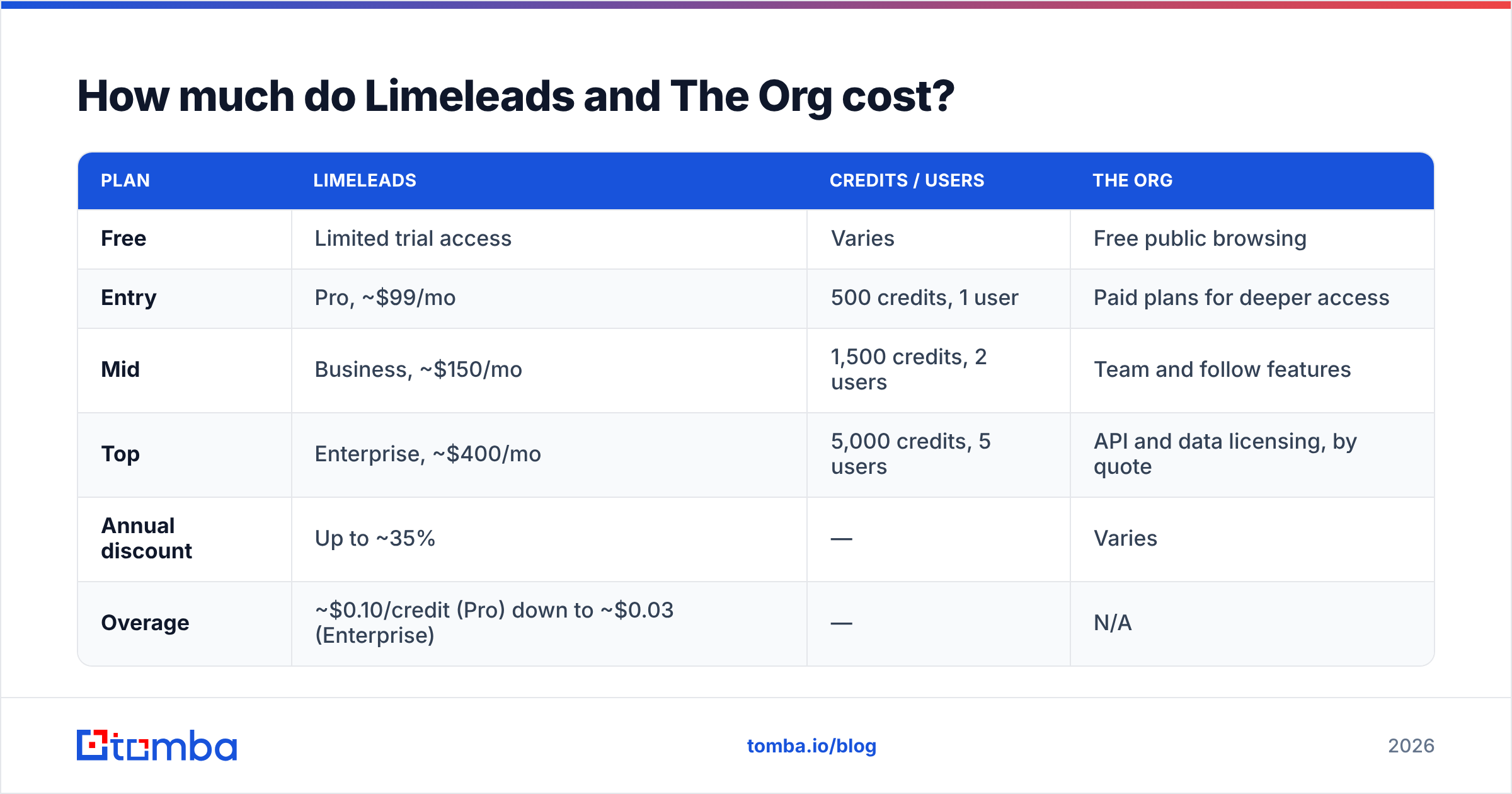
Pricing is where the "different jobs" point becomes concrete. At the time of writing, published third-party breakdowns list these tiers for Limeleads. Always check the vendor's own page before you buy.
| Plan | Limeleads | Credits / users | The Org |
|---|---|---|---|
| Free | Limited trial access | Varies | Free public browsing |
| Entry | Pro, ~$99/mo | 500 credits, 1 user | Paid plans for deeper access |
| Mid | Business, ~$150/mo | 1,500 credits, 2 users | Team and follow features |
| Top | Enterprise, ~$400/mo | 5,000 credits, 5 users | API and data licensing, by quote |
| Annual discount | Up to ~35% | — | Varies |
| Overage | ~$0.10/credit (Pro) down to ~$0.03 (Enterprise) | — | N/A |
Some quick math on Limeleads: Pro works out to about $0.20 per verified contact, and Enterprise to about $0.08. Because failed verifications aren't billed, your effective cost per deliverable email is close to the sticker rate. That isn't true of every database.
With The Org, the cost question is different. You pay for research depth and data access, not per contact. If an AE spends 20 minutes mapping a six-figure account, the tool pays for itself on one extra meeting. If an SDR needs 2,000 fresh emails a month, The Org simply isn't the right purchase.
Which tool gives you better data accuracy?#
It depends on what "accuracy" means for your use case.
For email and phone accuracy, Limeleads has the edge by design. It runs real-time verification and only bills for contacts that pass. That's a structural incentive to return deliverable data. Still, run any exported list through an independent email verifier before a large send, especially on catch-all domains, where no single verification method is conclusive.
For organizational accuracy, meaning who reports to whom and who holds which title today, The Org is usually ahead at startups and growth-stage firms. Employees and companies there actively maintain their charts. At large enterprises, treat any org chart as a hypothesis to confirm, not a fact.
In practice, a lot of bounce problems come from stale roles, not from bad email syntax. Someone left the company, so their inbox was deactivated. Combining org-change signals with fresh email verification catches both failure modes.
Is Limeleads better than The Org for outbound sales?#
For high-volume outbound, yes. If your motion is "build a list of 1,500 heads of operations at US logistics companies with 50 to 500 employees, then sequence them," Limeleads does that in one tool. The Org can't produce that list at that speed, and it doesn't hand you verified emails.
For account-based and enterprise selling, The Org often wins. Say you're working 30 named accounts and each deal needs sign-off from a VP, a director, and a procurement lead. Knowing the reporting structure changes your messaging, your sequencing, and who you multi-thread to. Limeleads gives you names and emails, but not the map.
Here's a quick rule of thumb:
- More than 500 new contacts a month, broad ICP: start with Limeleads.
- Fewer than 50 target accounts, complex buying committees: start with The Org.
- Mid-market with a named-account list: use The Org for mapping, and add a separate way to find email addresses for the people you identify.
Can you use Limeleads and The Org together?#
Yes, and plenty of teams effectively do. A practical workflow looks like this:
- Map the account in The Org. Identify the economic buyer, likely champions, and any recent leadership changes.
- Shortlist 3 to 6 people per account. Prioritize new hires in decision-making roles.
- Pull contact data. Search those names in Limeleads, or run them through an email finder by name and domain.
- Verify before sending. Re-check anything more than 30 days old, because job changes turn good emails into hard bounces.
- Enrich and sync to CRM. Attach title, seniority, and company data so reps don't redo the research. A data enrichment step keeps records current as people move.
- Watch for changes. Following accounts in The Org gives you the next trigger to re-engage.
The friction in this setup is switching between tools. Every copy-paste from one tab to another is a chance for a typo, a stale record, or a skipped verification step. That's why many teams consolidate the "how do I reach them" half into a single email-finding and verification layer that plugs into their CRM directly.

What are the main pros and cons of each?#
Limeleads
- Pros: pay only for verified contacts, rollover credits, mobile numbers included, fast list building, simple UI.
- Cons: strongest in the US, fewer advanced filters (such as intent or technographics), no org context, and higher per-contact cost on the entry tier.
The Org
- Pros: visible reporting lines, team-change tracking, strong startup coverage, free to browse, API access for data teams.
- Cons: not a contact-data source, community-edited data can lag at large enterprises, and it isn't built for bulk export.
Independent review sites such as G2 are useful for checking recent user sentiment on both. Filter reviews to your company size, because a 5-person agency and a 500-seat sales org will judge these tools differently.
Which should you choose in 2026?#
Choose Limeleads if your bottleneck is contact volume and deliverability. You know your ICP, you need verified emails and phones at scale, and you want billing that doesn't punish you for bad records.
Choose The Org if your bottleneck is targeting. You sell into complex accounts, you need to understand buying committees, and you want signals when leadership changes.
Choose both, or The Org plus a lean email finder, if you run account-based outbound where both the map and the contact data matter.
And if you already know exactly who you want to reach, whether from The Org, LinkedIn, a conference list, or your CRM, you may not need a full database at all. A name-plus-domain email finder with built-in verification is often the cheapest and most accurate way to fill that gap.
Ready to get from org chart to inbox?#
If you've mapped your accounts and just need verified emails for the people who matter, Tomba Email Finder is the most direct route. Enter a name and company domain, or run a whole domain, and you get a professional email with a confidence score and verification status. It works in the browser extension, Google Sheets, the API, and CRM integrations like HubSpot and Salesforce. You can start on the free tier with 25 searches a month, and paid plans begin at $49/mo. See Tomba pricing to size a plan for your team.
Related guides#
// get started
Find, verify and enrich your first contacts today
Start on the free plan with 25 searches a month, then scale when your team is ready.
Free plan · No credit card required · GDPR & CCPA
// about the author