Limeleads vs Tomba: Pricing, Data Coverage, and Our Verdict
Limeleads builds filtered US prospect lists. Tomba finds and verifies the email of a specific person at a specific company. Here's how to tell which one your team needs, and when to run both.
TL;DR
- Limeleads is a list builder. You filter a mostly US B2B database by industry, title, headcount and revenue, then export contacts that were verified when you exported them. Paid plans start at $99/mo for 500 credits.
- Tomba is an email finder. You start with a domain, a name or a LinkedIn profile and get the professional email, plus verification, enrichment and an API. There's a free tier (25 searches/mo), and paid plans start at $49/mo.
- Pick Limeleads if you don't have a target list yet and you mainly sell into the US.
- Pick Tomba if you already know which accounts or people you want, sell outside the US, or need to plug email lookups into a CRM, a spreadsheet or your own code.
- Many teams need both jobs done. Limeleads can build the list and Tomba can fill gaps and re-verify, but check whether one tool covers enough before you pay for two.
What is the real difference between Limeleads and Tomba?#
These two tools look like competitors, but they start from opposite ends of the prospecting workflow.
Limeleads works like a searchable directory. You set filters (industry, location, job title, company size, revenue, technologies), preview the matching records, and spend one credit for each contact you export. The pitch is simple: filter, preview, download a CSV, and get fresh emails because each record is re-verified in real time when you export it.
Tomba works like a lookup. You already have a company domain, a person's name, a LinkedIn URL or a blog article, and you want the matching professional email address. The Tomba Email Finder returns the most likely address along with its sources and a confidence signal. Domain search lists every public email it has found for a company, and the verifier, phone finder and enrichment endpoints sit alongside that.
Here's an analogy. Limeleads is the phone book: you browse by category and pull out a page of names. Tomba is directory assistance: you name the person or company and it gives you the right contact details. You can build a pipeline with either one, but they solve different problems.
How do Limeleads and Tomba compare feature by feature?#
This is the side-by-side view, based on public product pages and third-party listings as of 2026. Pricing changes often, so confirm on each vendor's site before you buy.
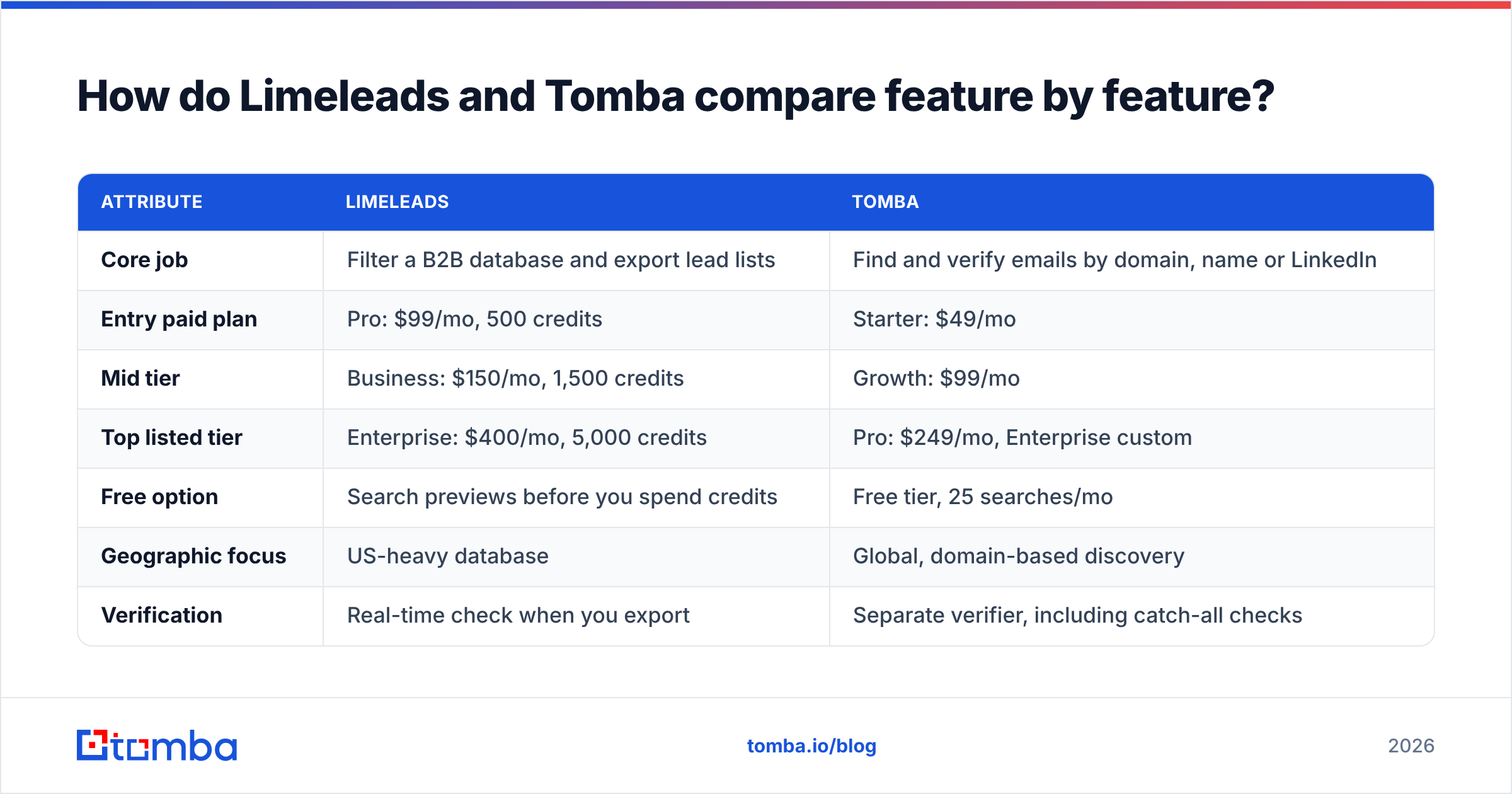
| Attribute | Limeleads | Tomba |
|---|---|---|
| Core job | Filter a B2B database and export lead lists | Find and verify emails by domain, name or LinkedIn |
| Entry paid plan | Pro: $99/mo, 500 credits | Starter: $49/mo |
| Mid tier | Business: $150/mo, 1,500 credits | Growth: $99/mo |
| Top listed tier | Enterprise: $400/mo, 5,000 credits | Pro: $249/mo, Enterprise custom |
| Free option | Search previews before you spend credits | Free tier, 25 searches/mo |
| Geographic focus | US-heavy database | Global, domain-based discovery |
| Verification | Real-time check when you export | Separate verifier, including catch-all checks |
| Phone data | Direct dials and mobiles on some records | Phone finder and phone validator |
| Annual discount | Around 35% on annual billing | Discount on annual plans |
| Unused credits | Roll over to the next month | Plan-based monthly quota |
| Delivery | Web app plus CSV export | Web app, Chrome extension, Sheets, Excel, API, CLI, MCP |
| Seats | 1 / 2 / 5 depending on tier | Varies by plan |
Two points in this table matter more than they seem to.
Credit rollover favours Limeleads when your volume swings. If you prospect in bursts, such as a campaign one month and a quiet month after, credits that carry forward reduce waste. Third-party pricing trackers like Capterra's Limeleads listing point to this as a real advantage over tools where credits expire every cycle.
The way you access the data favours Tomba when you automate. A CSV export is fine for a one-off campaign. It breaks down when you want every new inbound lead enriched automatically, or when you want an AI agent to look up contacts in the middle of a workflow. Tomba's API, Sheets add-on and integrations cover those cases.

How much do Limeleads and Tomba actually cost per contact?#
Per-contact cost is where most comparisons fall apart, because the two tools charge for different things.
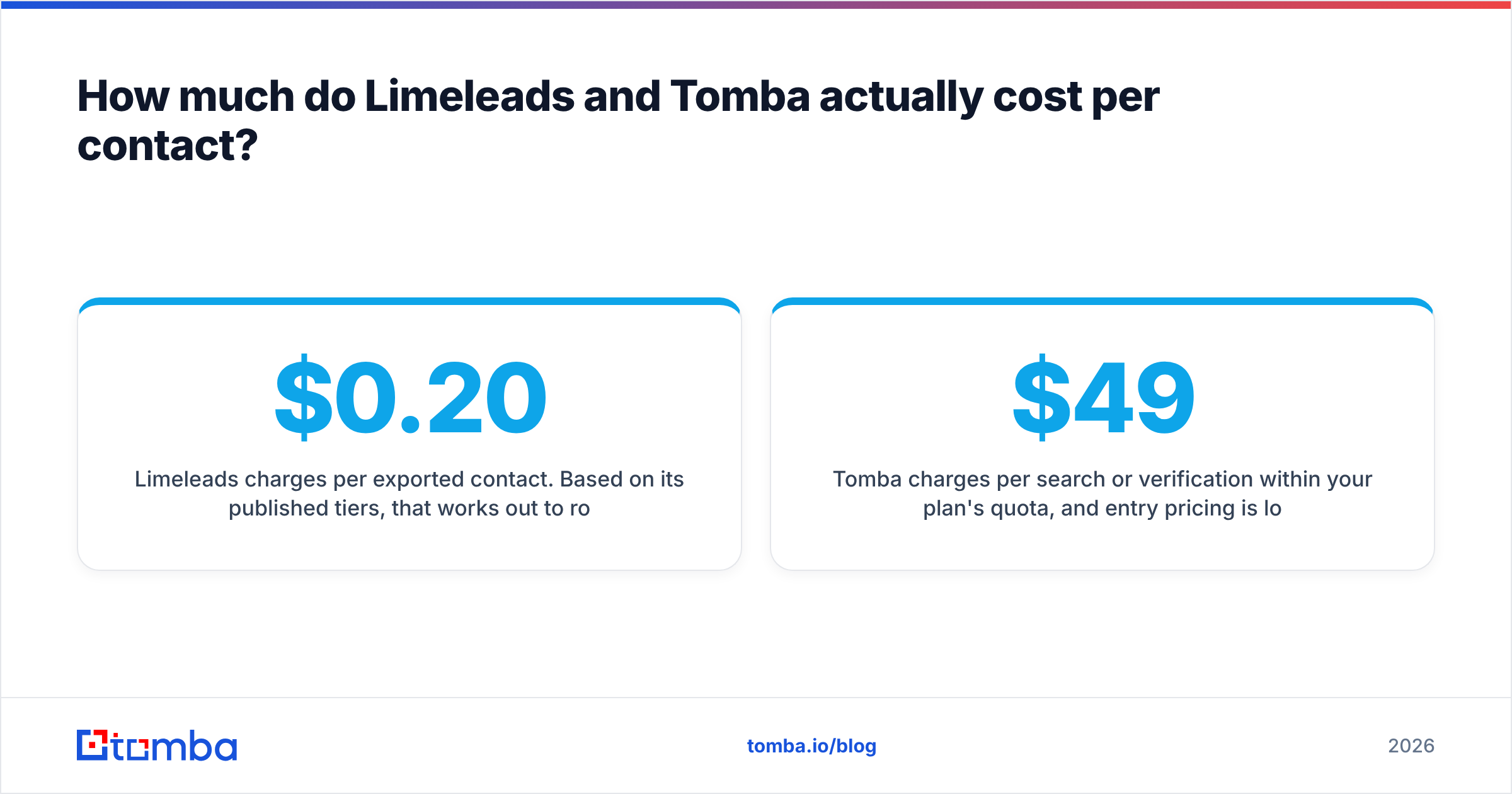
Limeleads charges per exported contact. Based on its published tiers, that works out to roughly $0.20 per contact on Pro, about $0.10 on Business and about $0.08 on Enterprise. You pay once and get name, title, company, email and sometimes a phone number, so one credit gives you a complete lead row.
Tomba charges per search or verification within your plan's quota, and entry pricing is lower: $49/mo for Starter, $99/mo for Growth and $249/mo for Pro. The free tier's 25 searches a month is enough to test accuracy on your own target accounts before you pay. Current quotas for each tier are on the Tomba pricing page.
In practice, it comes down to where your list comes from:
- You have no list. Limeleads' per-contact price includes the prospecting itself. You aren't only paying for an email. You're paying for the filtering that found the person.
- You have a list of accounts but no contacts. Tomba's domain search surfaces the people and emails at each company. That's usually cheaper than re-buying those contacts from a database.
- You have names but no emails. For example, from a conference list, a LinkedIn search or a CRM full of half-complete records. This is exactly what an email finder is for, and paying database prices for it wastes money.
- You have old emails. You need verification, not new data. A standalone email verifier is the cheapest way to fix this.
How fresh and accurate is each tool's data?#
Accuracy claims in this category are marketing numbers until you test them on your own market. Treat anything above 95% as a claim, not a fact.
Limeleads says its database is refreshed on a weekly cycle and that it checks each email in real time when you export it, backed by an accuracy guarantee. That model has a real strength: the moment you pay is the moment the address is checked, so you aren't paying for addresses that went stale since the last crawl. Reviews on G2 mostly praise the easy filters and clean exports. The recurring complaints are about coverage outside the US and in niche verticals.
Tomba's accuracy model works differently. It finds emails from public web sources and pattern data, shows you where each address was seen, and lets you verify separately, including a dedicated check for catch-all domains. Catch-all domains accept mail sent to any address, so a standard SMTP check can't tell a real inbox from a guess. That matters in B2B because many mid-market and enterprise domains are configured as catch-all.
Neither tool can promise zero bounces. You get the lowest bounce rates by verifying close to send time, removing risky catch-all addresses from your first-touch sends, and warming up new sending domains before you scale.
Which tool handles international prospecting better?#
Tomba does, and it isn't close.
Limeleads is designed around the US market. That's a focused choice, not a flaw. If your ICP is US SMBs and mid-market companies, a tightly maintained US database is exactly what you want. But if you sell into DACH, the Nordics, APAC or LATAM, the filters will return thin results and you'll end up supplementing from somewhere else.
Tomba's domain-first approach is less tied to geography. If a company has a website and a public footprint, domain search and the email finder can work on it whether it's based in Berlin, São Paulo or Singapore. Coverage still varies by market, because smaller or privacy-conscious regions always have less public data, but you aren't limited to one country's database.
How do the workflows and integrations compare?#
This is the second biggest difference after geography.
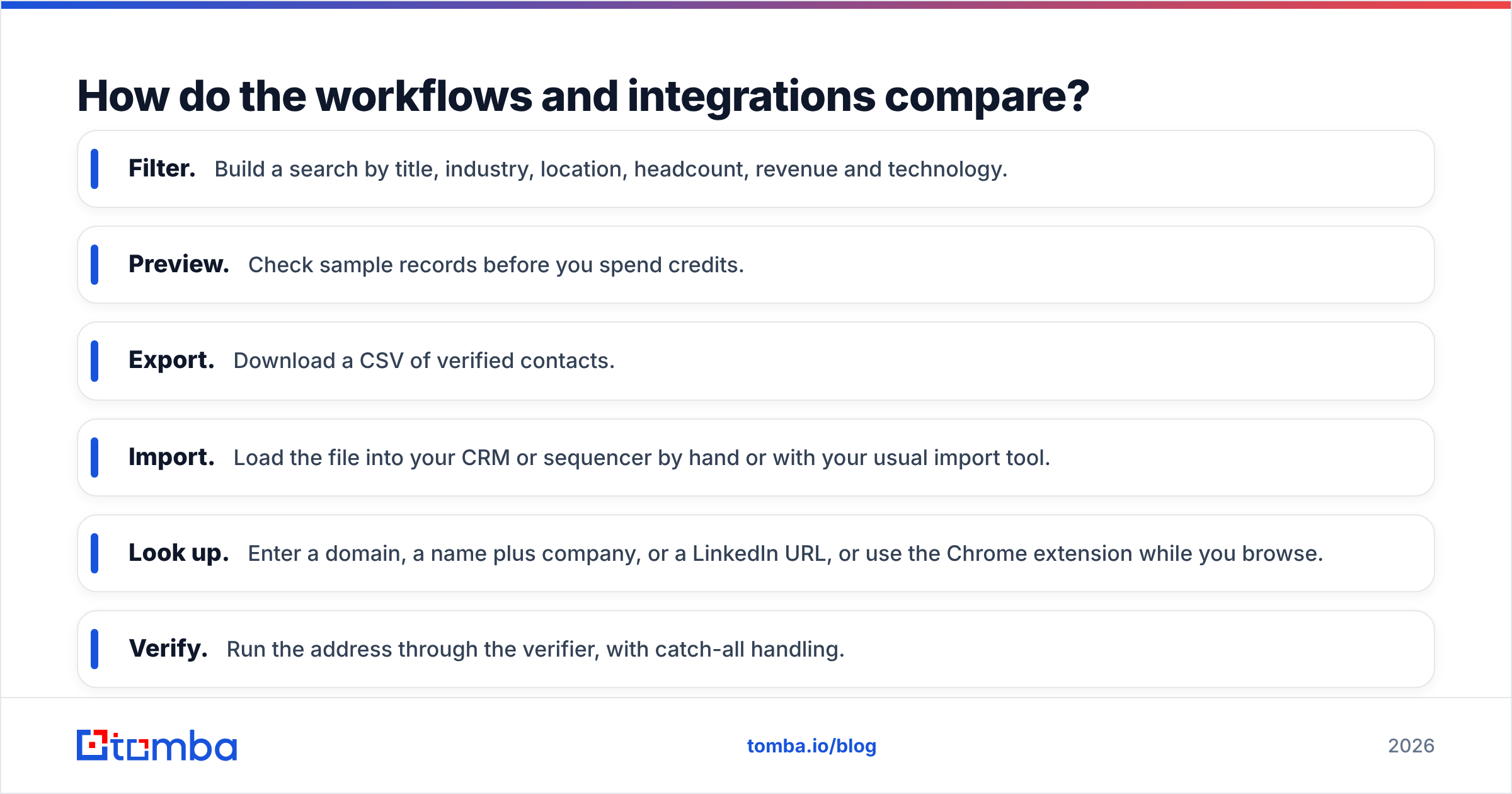
Limeleads workflow:
- Filter. Build a search by title, industry, location, headcount, revenue and technology.
- Preview. Check sample records before you spend credits.
- Export. Download a CSV of verified contacts.
- Import. Load the file into your CRM or sequencer by hand or with your usual import tool.
Tomba workflow:
- Look up. Enter a domain, a name plus company, or a LinkedIn URL, or use the Chrome extension while you browse.
- Verify. Run the address through the verifier, with catch-all handling.
- Enrich. Add company and person attributes to existing records.
- Automate. Call the same actions from the API, Google Sheets, Excel, Zapier, Make, HubSpot, Salesforce, Pipedrive, or an MCP server for AI agents.
If one SDR builds a list every Monday, Limeleads' export flow is quick and hard to get wrong. If a RevOps team wants every inbound demo request enriched before it reaches a rep, you need an API, and that's the job Tomba is built for. If you're comparing how different platforms fit into a wider CRM setup, HubSpot's documentation on data enrichment is a useful neutral reference for the import-versus-sync tradeoff.
Is Limeleads better than Tomba for SDR teams?#
It depends on how your SDRs work, and the answer splits cleanly.
Limeleads suits SDR teams that:
- Prospect mainly in the US
- Build lists from scratch using firmographic filters
- Like to preview contacts before paying for them
- Prospect in bursts and want unused credits to roll over
- Don't need an API or live CRM enrichment
Tomba suits SDR teams that:
- Already have account lists from their ABM, intent or territory planning
- Prospect internationally
- Research individual people as they go (LinkedIn, company sites, articles)
- Need verification as its own step, including catch-all checks
- Want lookups in the tools they already use, like Sheets, the CRM or the browser

A common hybrid setup: use Limeleads for the first pull of a new US segment, then use Tomba to fill contacts at accounts Limeleads missed, find buying-committee members who weren't in the export, and re-verify the whole list before a second campaign months later. Before you pay for both, run the test in the next section. A single tool is often enough.
How should you test Limeleads vs Tomba before buying?#
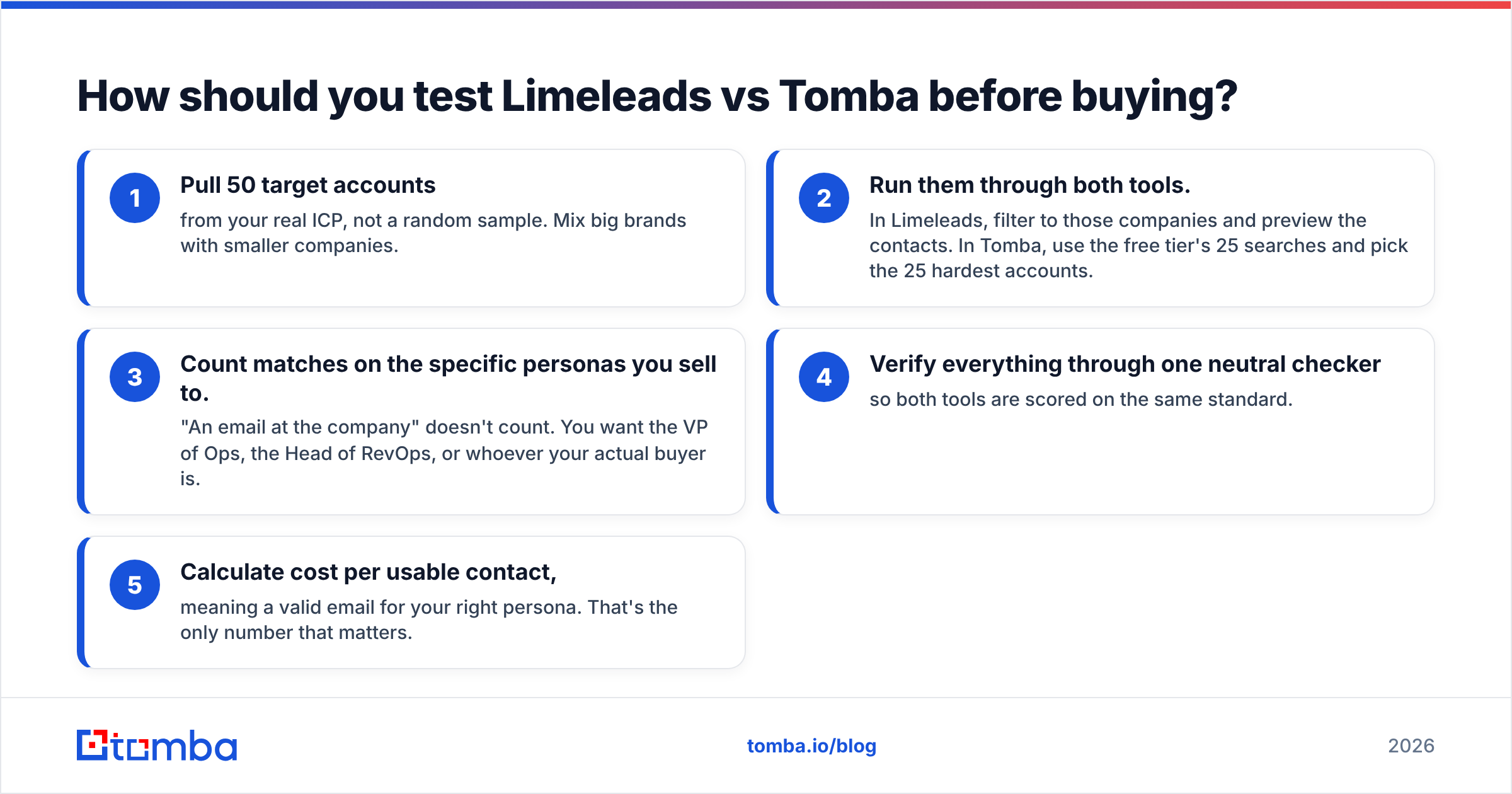
Don't pick a tool from a comparison post, including this one. Run a 30-minute bake-off on your own data:
- Pull 50 target accounts from your real ICP, not a random sample. Mix big brands with smaller companies.
- Run them through both tools. In Limeleads, filter to those companies and preview the contacts. In Tomba, use the free tier's 25 searches and pick the 25 hardest accounts.
- Count matches on the specific personas you sell to. "An email at the company" doesn't count. You want the VP of Ops, the Head of RevOps, or whoever your actual buyer is.
- Verify everything through one neutral checker so both tools are scored on the same standard.
- Calculate cost per usable contact, meaning a valid email for your right persona. That's the only number that matters.
If Limeleads wins on your US persona coverage, buy it. If Tomba wins on the accounts you care about, or if half your list is outside the US, the answer is just as clear.
What are the pros and cons of each?#
Limeleads pros
- Simple filter, preview and export flow that new reps learn quickly
- Real-time verification at export means fewer stale emails
- Unused credits roll over, which helps bursty prospecting
- No long-term contract required
Limeleads cons
- Coverage is mostly US
- The $99/mo entry price is steeper for solo users testing the category
- Built around CSV export, with less automation than API-first tools
- Seat caps on the lower tiers
Tomba pros
- Free tier plus a $49/mo entry plan
- Domain-first discovery that works across countries
- Separate verifier with catch-all handling
- Broad integrations: Chrome, Sheets, Excel, API, CLI, MCP, and the major CRMs
- Adds phone finder and enrichment without switching platforms
Tomba cons
- Not a filter-first database, so you need to know which accounts you're targeting
- Finding contacts at scale means combining domain search with your own account list
- Monthly quotas require some planning for high-volume teams
Our verdict: Limeleads or Tomba?#
They're both good tools built for different jobs, so the real question is which job you need done.
If your bottleneck is "I don't know who to contact" and your market is the US, Limeleads is a clean, honestly priced way to go from zero to a verified CSV, and the credit rollover is a real advantage.
If your bottleneck is "I know who I want, I just can't reach them", or you sell internationally, or you want contact data flowing into your CRM automatically instead of through spreadsheets, Tomba is the better fit. It's also the cheaper one to try.
Try Tomba on your own target accounts#
The fastest way to settle Limeleads vs Tomba is to test it on your own accounts. Take your ten hardest accounts, the ones where your current data keeps coming up empty, and run them through the Tomba Email Finder. The free tier gives you 25 searches a month with no card required. That's enough to see whether Tomba finds the buyers your list is missing before you commit to any plan.
Related guides#
// get started
Find, verify and enrich your first contacts today
Start on the free plan with 25 searches a month, then scale when your team is ready.
Free plan · No credit card required · GDPR & CCPA
// about the author