Limeleads vs Xverum (2026): Lead Database or Raw B2B Data Feed?
Limeleads sells a prospecting app for US sales teams. Xverum sells bulk datasets and APIs to companies building data products. Here's how to tell which one you need before you sign anything.
TL;DR
- Limeleads is a self-serve B2B lead database for US prospecting. You filter by title, industry, and company size, then export verified emails and mobile numbers. Paid plans start at $99/month for 500 credits.
- Xverum is a data-as-a-service provider. It sells large datasets on people, companies, and jobs through APIs and file delivery, mostly to SaaS platforms, AI/ML teams, and data buyers. Pricing is quote-based.
- The two barely compete. Limeleads is for an SDR who needs 300 leads this week. Xverum is for a product team that needs millions of records flowing into its own system.
- Our pick: most sales teams should choose Limeleads, or a lookup-based email finder. Pick Xverum only if you're building a data product, training models, or have data engineers to process raw feeds.
- Whichever you choose, verify contacts before you send. Neither a database export nor a raw dataset guarantees a clean bounce rate on its own.
Search "Limeleads vs Xverum" and you'll find a lot of listicles that treat these two as interchangeable "B2B data providers." They aren't. One is a finished prospecting tool and the other is raw material. If you buy the wrong one, you either pay enterprise data prices for a CSV you could have exported for $99, or you get a seat-based app when your engineers wanted a firehose.
This guide covers what each product does, who it's built for, what it costs, and which one fits your use case.
What is Limeleads?#
Limeleads is a B2B lead generation platform built around a searchable database of US business contacts. It works like most prospecting databases:
- You filter by job title, seniority, industry, company size, revenue, location, and technology used.
- You preview matching contacts.
- You spend credits to reveal verified emails (and mobile numbers on higher tiers).
- You export to CSV or push the leads into your CRM or sequencer.
The product is designed for people who send the emails. Small agencies, founders doing their own outbound, and SDR teams at SMBs make up most of the user base according to reviews on Capterra. The coverage is strongest in the US. If your total addressable market sits mostly in North America, that focus helps. If you sell into DACH or APAC, it's a limitation.
Two details make Limeleads cheaper to run than many database tools. Unused credits roll over instead of expiring each month. And annual billing takes roughly 35% off the monthly price.
What is Xverum?#
Xverum is a data provider, not a prospecting app. Founded in 2020, it collects, structures, and enriches public web data on people, companies, jobs, and locations. It then sells that data to businesses that build on top of it: sales-tech and HR-tech platforms, market intelligence teams, and AI/ML companies that need training or grounding data.
Xverum describes two layers:
- Core data: ready-to-use datasets of professional profiles, company records, and active job postings, filterable by role, company, industry, and geography.
- Inferred data: derived signals such as job changes, decision-maker flags, headcount growth, and hiring trends.
Delivery happens through an API or secure bulk file transfer, not through a point-and-click search UI where a rep reveals one contact at a time. Xverum advertises scale figures in the hundreds of millions of profiles, with records refreshed continuously. Treat those as vendor claims and test them against a sample before you commit to a contract.
If you want a comparison: Limeleads sells you a finished meal, and Xverum sells ingredients by the truckload. Both are useful, but only one of them is dinner tonight.
How do Limeleads and Xverum compare side by side?#
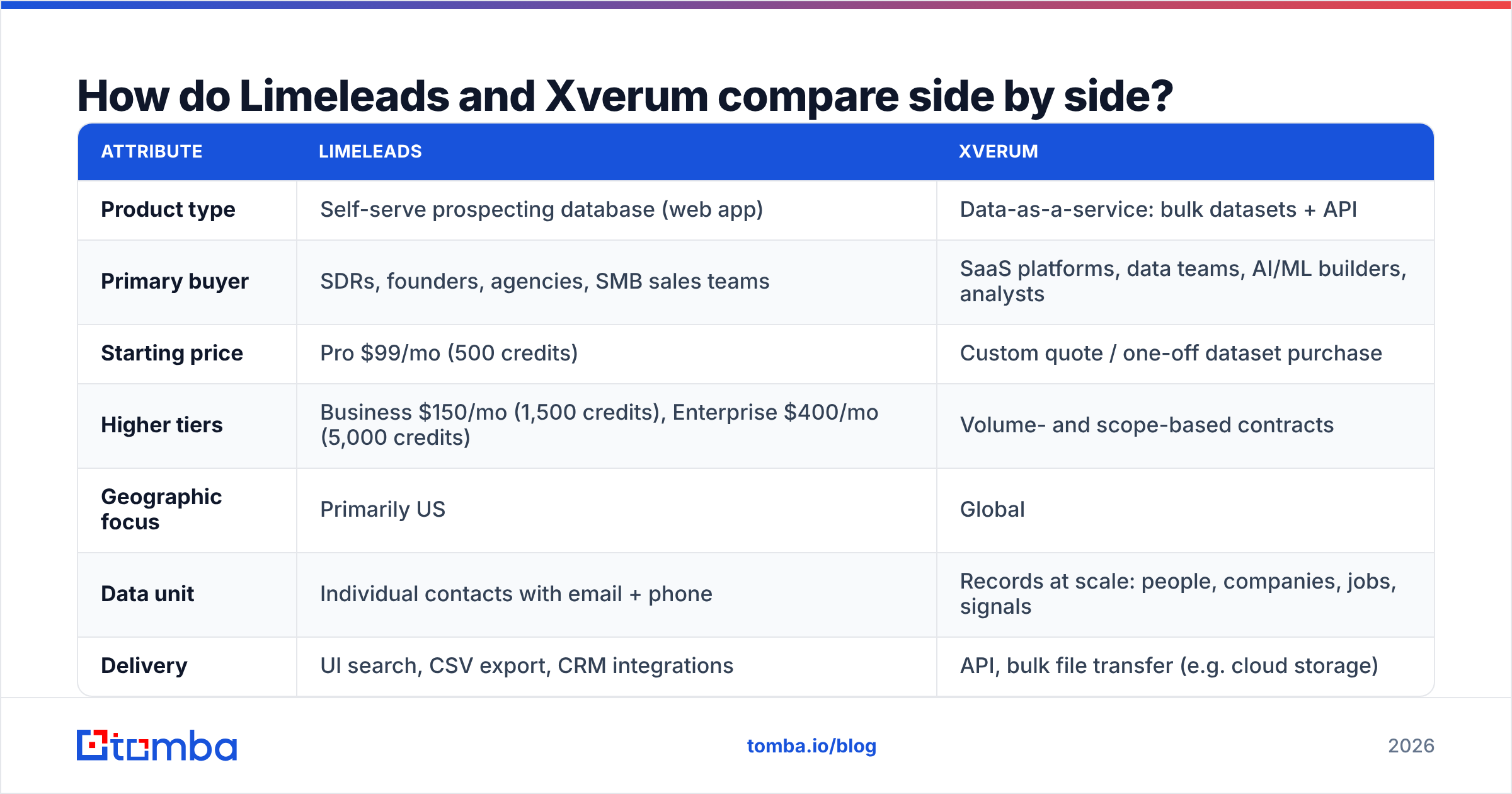
The fastest way to see the difference is to line up the attributes that decide a purchase.
| Attribute | Limeleads | Xverum |
|---|---|---|
| Product type | Self-serve prospecting database (web app) | Data-as-a-service: bulk datasets + API |
| Primary buyer | SDRs, founders, agencies, SMB sales teams | SaaS platforms, data teams, AI/ML builders, analysts |
| Starting price | Pro $99/mo (500 credits) | Custom quote / one-off dataset purchase |
| Higher tiers | Business $150/mo (1,500 credits), Enterprise $400/mo (5,000 credits) | Volume- and scope-based contracts |
| Geographic focus | Primarily US | Global |
| Data unit | Individual contacts with email + phone | Records at scale: people, companies, jobs, signals |
| Delivery | UI search, CSV export, CRM integrations | API, bulk file transfer (e.g. cloud storage) |
| Contact channels | Verified email, mobile numbers | Profile and firmographic attributes; contact fields depend on the dataset |
| Buying signals | Lead alerts on saved searches | Inferred signals: job changes, headcount growth, hiring trends |
| Technical effort to use | Low: log in and search | High: needs ingestion, storage, and processing |
| Credit rollover | Yes, unused credits carry over | N/A (contract-based) |
| Best for | Filling a sequence this week | Powering a product or analytics pipeline |
Limeleads pricing is taken from its published plans as of 2026. Xverum doesn't publish list prices, so get a written quote that spells out record counts, refresh frequency, and licensing terms.
Which has better data quality, Limeleads or Xverum?#
Neither vendor publishes an independent accuracy benchmark, so be skeptical of anyone who gives you a single "accuracy %" for either one. What you can compare is how each product handles quality:
- Limeleads verifies at the contact level. Emails are verified before you export them, which suits its use case: a rep wants a list they can send to today. The trade-off is coverage. A US-focused database will have gaps once you go outside it, and any static database decays as people change jobs.
- Xverum works on freshness at scale. The value is in regular refreshes and derived signals across huge record volumes. But a raw dataset isn't a send-ready list. Records built from public web data still need email discovery, verification, and deduplication before they go anywhere near your sending domain.
B2B contact data decays quickly. Industry estimates usually put annual decay at 20-30%, driven by job changes, layoffs, and domain migrations. Whichever product you buy, the last step before sending should be a pass through an email verifier. A bounce rate above 2-3% damages sender reputation faster than any data vendor's accuracy claim can fix it.
How to test either one yourself:
- Pick 200 accounts you already know well, such as current customers or closed-lost deals.
- Pull the matching contacts from the vendor.
- Check title accuracy against LinkedIn manually for a 50-row sample.
- Run every email through a verifier and record valid / invalid / catch-all rates.
- Compare the cost per verified, correctly titled contact, not the cost per record.
That last number is the only one that matters.
How does pricing compare between Limeleads and Xverum?#
The pricing models are as different as the products.
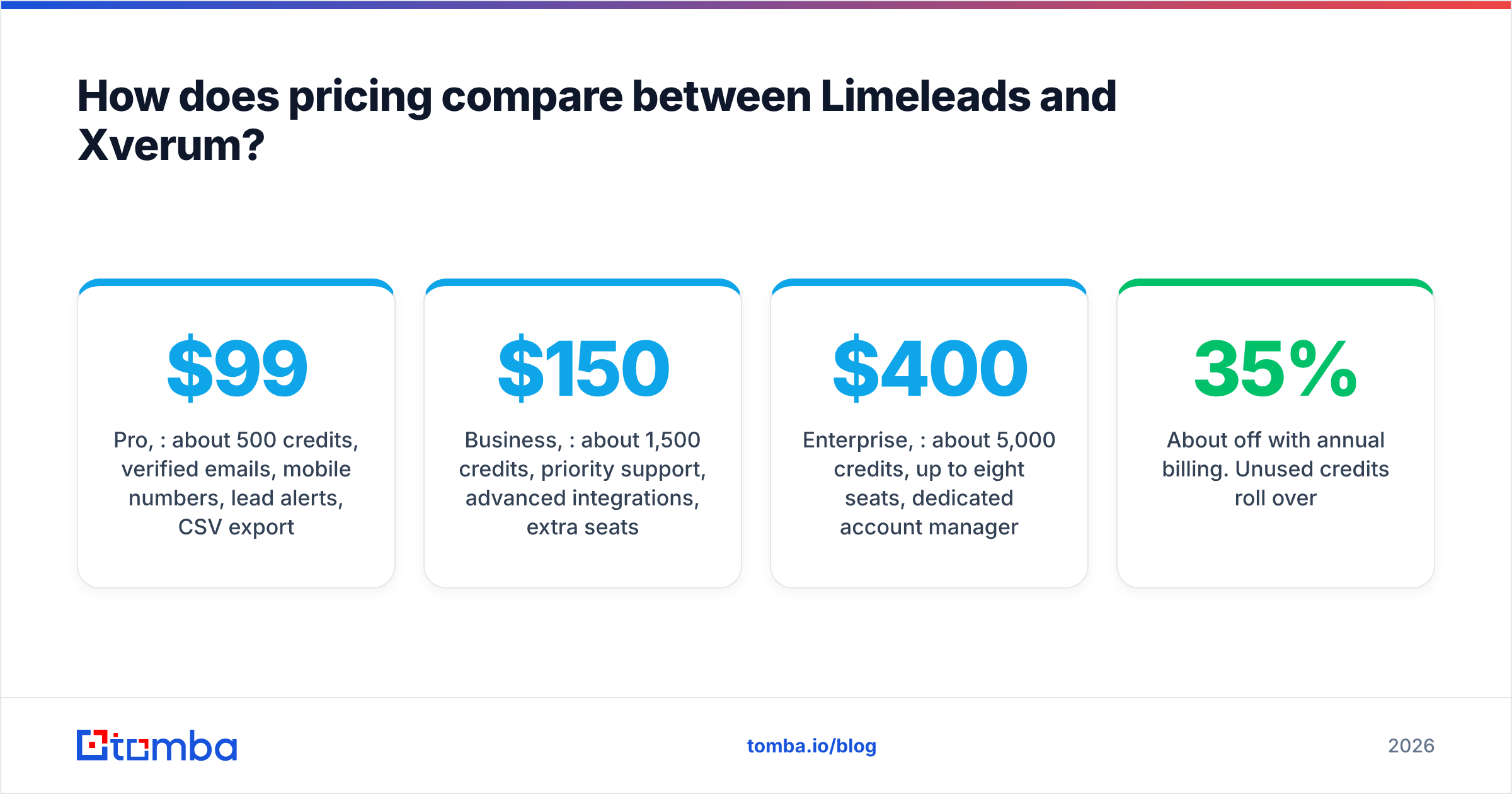
Limeleads uses transparent SaaS pricing:
- Pro, $99/month: about 500 credits, verified emails, mobile numbers, lead alerts, CSV export.
- Business, $150/month: about 1,500 credits, priority support, advanced integrations, extra seats.
- Enterprise, $400/month: about 5,000 credits, up to eight seats, dedicated account manager.
- About 35% off with annual billing. Unused credits roll over.
At the Business tier that works out to roughly $0.10 per contact, which is competitive for verified US contacts with mobile numbers.
Xverum uses data-licensing pricing:
- One-off dataset purchases, recurring feeds, or API access.
- Price depends on record volume, fields included, geography, refresh cadence, and licensing scope (internal use vs redistribution inside your product).
- Expect a sales conversation, a sample file, and a contract.
Per record, bulk data is often much cheaper than a prospecting app. Per usable, verified contact it can cost more, because you also pay for the engineering time to ingest and clean it plus the tools to verify it. Don't compare the two on price per record.
Who should choose Limeleads?#
Choose Limeleads if most of these apply:
- You sell mainly into the US. The database is built around that market.
- The people buying are the people prospecting. Reps, founders, and agency operators who want a UI, not a data pipeline.
- You need phone numbers as well as email. Mobile numbers on paid plans make it useful for call-plus-email sequences.
- Your volume varies month to month. Credit rollover means slow months don't waste budget.
- You have no data engineering resources. Log in, filter, export, sequence. That's the whole workflow.
Limeleads is a weaker fit if you prospect globally, need API-first access to embed data in your own product, or want intent-style signals at account level across millions of companies.
Who should choose Xverum?#
Choose Xverum if most of these apply:
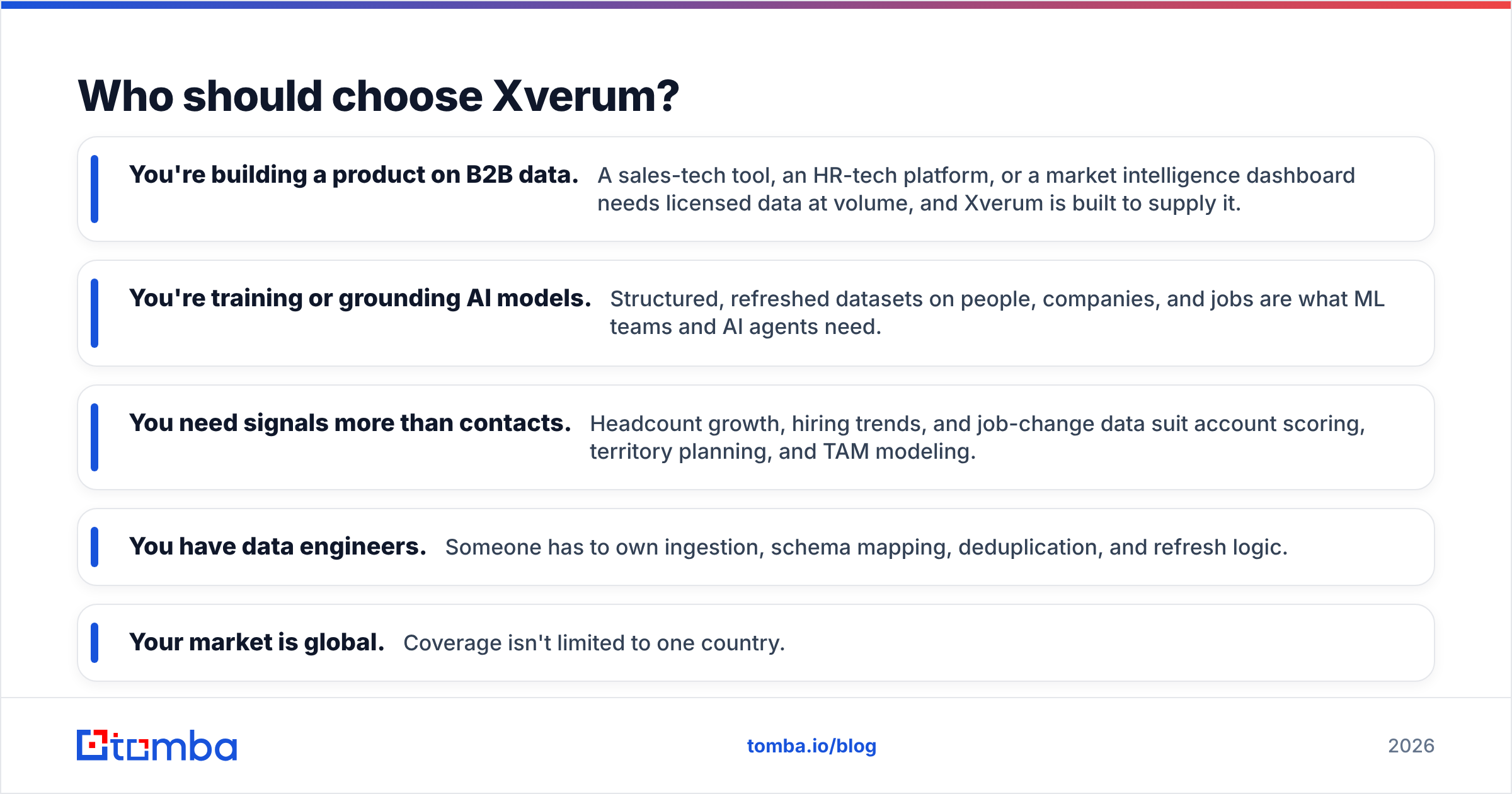
- You're building a product on B2B data. A sales-tech tool, an HR-tech platform, or a market intelligence dashboard needs licensed data at volume, and Xverum is built to supply it.
- You're training or grounding AI models. Structured, refreshed datasets on people, companies, and jobs are what ML teams and AI agents need.
- You need signals more than contacts. Headcount growth, hiring trends, and job-change data suit account scoring, territory planning, and TAM modeling.
- You have data engineers. Someone has to own ingestion, schema mapping, deduplication, and refresh logic.
- Your market is global. Coverage isn't limited to one country.
Xverum is the wrong choice if your real need is "give my three SDRs 1,000 verified emails for next month's campaign." You'd be buying a warehouse to get one box.
Can you use Limeleads and Xverum together?#
Yes, and some mid-market and enterprise teams do something close to this. A typical split:
- Xverum-type data sits at the account layer. Load firmographics and hiring signals into your warehouse or CRM to score and prioritize accounts, such as companies that grew headcount 20% in two quarters.
- Contact discovery happens on demand. For the accounts that score highest, reps pull specific decision-makers through a prospecting tool like Limeleads, or an email finder that looks people up by name and domain.
- Everything is verified before sending. No record goes into a sequence without a fresh check.
This keeps your bulk data spend focused on signals, where bulk data is strongest, and your per-contact spend focused on people you'll actually email.

What are the alternatives to Limeleads and Xverum?#
If neither option fits, it's usually because you want something in between: global coverage without a data contract, or API access without buying bulk datasets. The main categories are:
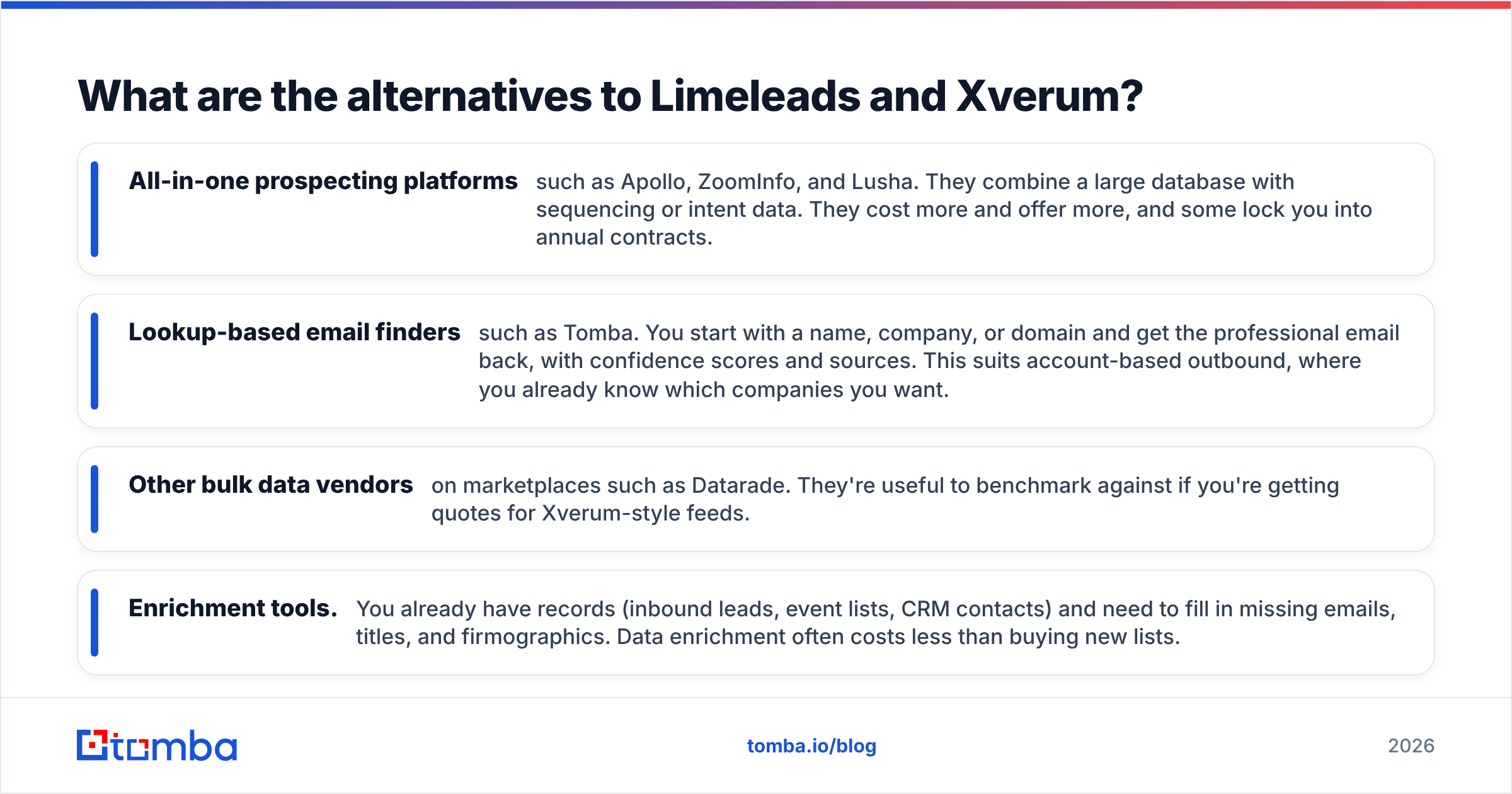
- All-in-one prospecting platforms such as Apollo, ZoomInfo, and Lusha. They combine a large database with sequencing or intent data. They cost more and offer more, and some lock you into annual contracts.
- Lookup-based email finders such as Tomba. You start with a name, company, or domain and get the professional email back, with confidence scores and sources. This suits account-based outbound, where you already know which companies you want.
- Other bulk data vendors on marketplaces such as Datarade. They're useful to benchmark against if you're getting quotes for Xverum-style feeds.
- Enrichment tools. You already have records (inbound leads, event lists, CRM contacts) and need to fill in missing emails, titles, and firmographics. Data enrichment often costs less than buying new lists.
The pattern is simple. The closer you are to sending, the more you should pay for accuracy per contact. The further you are from sending, the more you should pay for coverage and freshness per record.
What is the verdict: Limeleads or Xverum?#
For a sales team, Limeleads wins. It's built for your workflow, the pricing is public, credits roll over, and you can be sequencing verified US contacts within an hour of signing up. The main caveats are its US focus and the usual database decay, so verify before you send.
For a product or data team, Xverum wins. If you're building software on B2B data, training models, or running account-level analytics across global markets, you need licensed datasets with regular refreshes and API delivery. A seat-based prospecting app won't do that job.
If you're still unsure, answer one question: who will touch the data first? If it's a rep, buy Limeleads. If it's an engineer, talk to Xverum.
Frequently asked questions#
Is Xverum a direct competitor to Limeleads? Not really. They overlap in the broad "B2B data" category, but Limeleads is a self-serve prospecting app and Xverum is a bulk data and API provider. Most buyers need one or the other, not both.
Does Limeleads have an API? Limeleads is mainly a UI-and-export product with CRM integrations. If API-first access is central to your use case, confirm the current API scope with their team before buying. An email finder API may suit programmatic lookups better.
Can I send cold email directly to Xverum data? Not safely without processing it first. Treat raw datasets as input: find and verify emails, deduplicate, and check against suppression lists before any record reaches a sequence.
Which is cheaper? Limeleads is cheaper to start, at $99/month with public pricing. Xverum can be cheaper per record at high volume, but once you add engineering and verification costs, it's usually more expensive per usable contact for a small sales team.
If you're choosing between these two because you need verified emails for specific people at specific companies, you may not need either a database subscription or a data contract. Tomba Email Finder returns professional email addresses from a name and domain, with confidence scores and public sources, through a web app, browser extension, or API. You can start on the free tier with 25 searches a month, and paid plans begin at $49/month when you need more volume.
Related guides#
// get started
Find, verify and enrich your first contacts today
Start on the free plan with 25 searches a month, then scale when your team is ready.
Free plan · No credit card required · GDPR & CCPA
// about the author