Listclean vs Skrapp: Email Verifier or Email Finder in 2026?
Listclean cleans lists you already have. Skrapp finds emails you don't have yet. Here is how they compare on pricing, accuracy, and workflow, and which one your team needs.
TL;DR
- Listclean is an email verifier. It cleans lists you already have and does not find new contacts.
- Skrapp is an email finder built around LinkedIn and Sales Navigator. It also has a basic verifier.
- Listclean costs far less per email checked (third-party listings put it at roughly $5 per 10,000 verifications). Skrapp charges per email found, on monthly plans.
- Choose Listclean if you have lists that are bouncing. Choose Skrapp if you need new leads from LinkedIn. Many teams end up paying for both.
- Want one tool for both jobs? A combined finder plus verifier such as Tomba means one login, one credit pool, and one export.
People search "Listclean vs Skrapp" because both tools show up when they're trying to fix email outreach. The two products solve different problems, though. One cleans up data you already own. The other goes out and gets data you don't have yet. If you mix up the two, you end up paying for the wrong tool and your bounce rate stays the same.
This guide compares them on what each actually does, how they charge, how accurate they are, and where each fits in an outbound workflow. At the end you'll know which one to buy, or whether you should skip both.
What is Listclean?#
Listclean is a bulk email verification service. You upload a CSV (or connect by API), and it checks each address for syntax errors, domain and MX records, disposable providers, role accounts, and an SMTP-level mailbox response. Each email comes back labelled clean, dirty, or unknown.
It doesn't search for emails at all. There's no LinkedIn extension, no domain search, and no name-plus-company lookup. You give Listclean addresses and it tells you which ones are safe to send to.
Its main selling point is price. Public listings on Capterra and G2 describe pay-as-you-go credit packs that start at around $5 for 10,000 verifications and drop to fractions of a cent per email at the million-address tier. The listings also say:
- the first 100 verifications are free, with no credit card needed
- "unknown" results and duplicate addresses aren't charged
- credits don't expire
For a marketing team cleaning a large newsletter list once a quarter, that's hard to beat.
What is Skrapp?#
Skrapp is a B2B email finder. It started as a Chrome extension that pulled professional email addresses from LinkedIn profiles and Sales Navigator searches, and it still works mainly that way. You can also:
- find an email from a first name, last name, and company domain
- run a domain search to list known emails at a company
- bulk-find from a CSV of names and companies
- verify addresses with its built-in verifier
Skrapp charges per email found, and third-party pricing breakdowns say you're only charged for addresses it marks as deliverable. According to G2's Skrapp pricing page and recent reviewer roundups, the free plan includes a small monthly credit allowance (reported at 50 to 100 credits). Paid plans start around $30 to $50 per month depending on billing cycle and seats, and annual billing is cheaper. Check the live pricing page before you buy, because Skrapp has changed its tier names and credit counts several times.
How do Listclean and Skrapp compare side by side?#
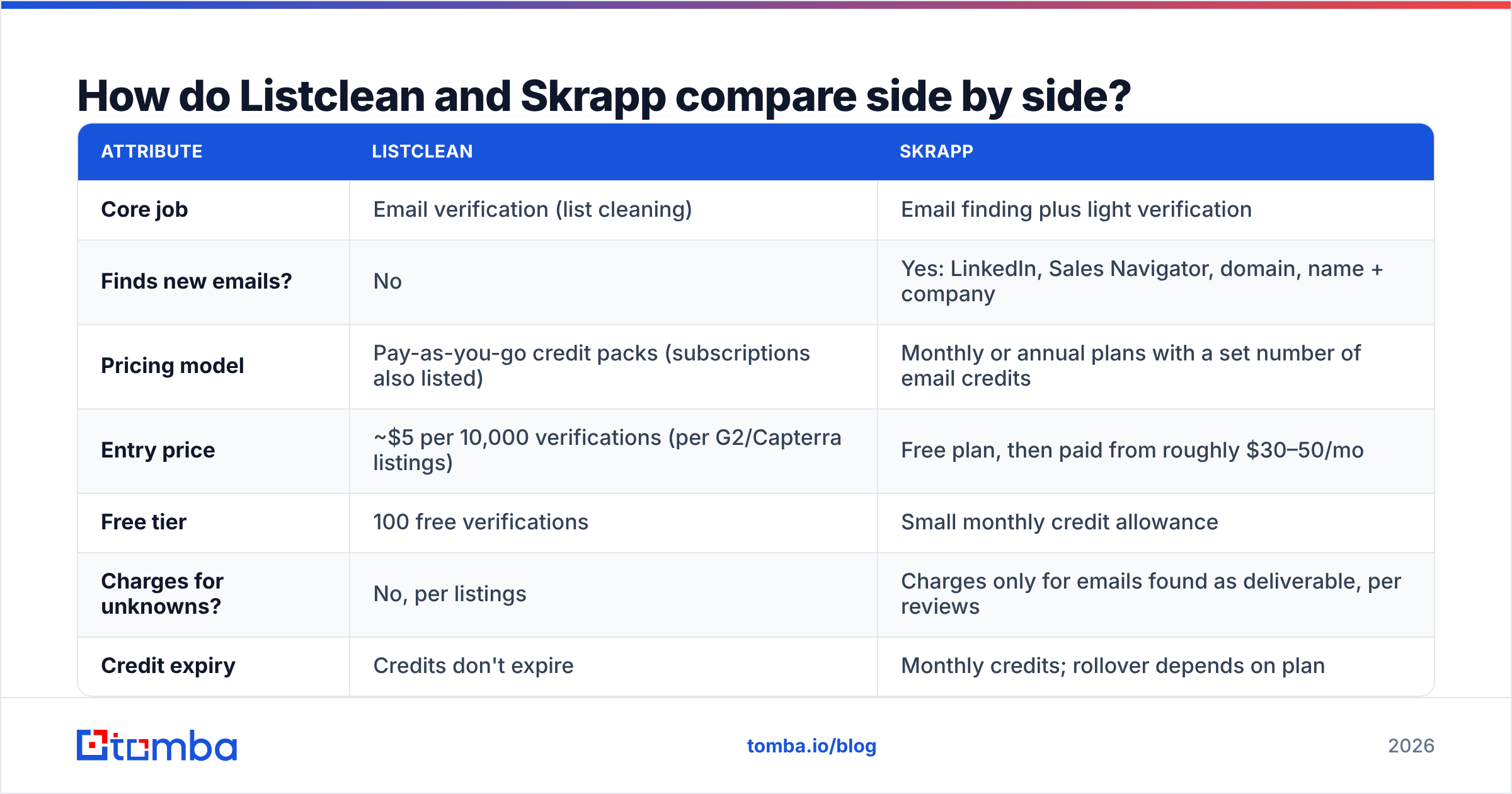
The quick version: Listclean is the cheaper tool for verifying existing lists, and Skrapp is the only one of the two that finds new contacts.
| Attribute | Listclean | Skrapp |
|---|---|---|
| Core job | Email verification (list cleaning) | Email finding plus light verification |
| Finds new emails? | No | Yes: LinkedIn, Sales Navigator, domain, name + company |
| Pricing model | Pay-as-you-go credit packs (subscriptions also listed) | Monthly or annual plans with a set number of email credits |
| Entry price | ~$5 per 10,000 verifications (per G2/Capterra listings) | Free plan, then paid from roughly $30–50/mo |
| Free tier | 100 free verifications | Small monthly credit allowance |
| Charges for unknowns? | No, per listings | Charges only for emails found as deliverable, per reviews |
| Credit expiry | Credits don't expire | Monthly credits; rollover depends on plan |
| Chrome extension | No | Yes (LinkedIn + websites) |
| API | Yes | Yes |
| Best for | Marketers and ops teams with large existing lists | SDRs and recruiters prospecting on LinkedIn |
| Main weakness | Can't generate leads | Verifier is basic and per-email cost is higher |
The two tools barely overlap. Skrapp's verifier covers the addresses it finds, but you wouldn't push a 300,000-row event list through Skrapp credits. Listclean's price makes that easy, but it can't give you a single new contact.
Which one is more accurate?#
Accuracy means something different for each tool, so the answer depends on what you need.
For Listclean, accuracy is about classification. Can it tell a live mailbox from a dead one without marking too many as "unknown"? Like every SMTP-based verifier, it struggles with catch-all domains, where the server accepts mail for any address. Those come back as unknown or risky. Listclean doesn't charge for unknowns, which is fair, but you still have to decide what to do with them. A dedicated catch-all verifier exists for exactly that gap.
For Skrapp, accuracy is about hit rate and correctness. How often does it return an email, and how often is that email actually right? Reviewers generally rate it well on LinkedIn profiles at mid-sized and larger companies with standard first.last@ patterns. It does worse on:
- small companies with unusual email formats
- non-English markets
- people who recently changed jobs, where LinkedIn has updated before the email data has
Before you trust either tool, run your own test. Take 200 contacts where you already know the correct email (closed-won customers work well). Run them through the finder, verify the results, send a light test campaign, and count hard bounces. That tells you more than any vendor claim.

How does pricing actually work out?#
Per-email price only matters if you compare the same job. Here are three realistic scenarios.
- Cleaning a 50,000-contact CRM export. Listclean is the clear winner. Listed packs put this in the low tens of dollars, and nobody should spend finder credits on this job.
- Prospecting 500 new VP-level contacts a month from Sales Navigator. Only Skrapp can do this. Listclean has nothing to verify until you have addresses. Expect to need a paid Skrapp plan once you're past the free credits.
- An SDR team doing both. This is where most teams end up. You pay a Skrapp subscription for finding and then a Listclean pack to re-verify older CRM records before each sequence. You're managing two vendors, two sets of credits, and two CSV round-trips.
The third scenario is the hidden cost of the "Listclean vs Skrapp" question. For many teams the honest answer is "both," and running two tools in sequence adds friction that doesn't appear on either pricing page.
What does the day-to-day workflow look like?#
With Listclean, the workflow is batch-oriented:
- export a list from your ESP or CRM
- upload the CSV
- wait for processing (large lists take longer)
- download the cleaned file
- re-import only the clean rows
The API handles real-time checks on signup forms. It's a good fit for marketing ops and less so for an SDR working one profile at a time.
With Skrapp, the workflow is built around browsing LinkedIn:
- open a profile or a Sales Navigator search
- click the extension
- save contacts to a list
- export to CSV or push to a connected CRM
Reps like it because it fits how they already prospect. The weak point is list hygiene over time. Once those contacts sit in your CRM for six months, people change jobs, and Skrapp won't re-check them unless you spend more credits.
Neither tool replaces a sequencer or a CRM. Both are data-layer tools. For context on where data quality fits in the funnel, HubSpot's overview of email deliverability explains why list hygiene has as much effect on inbox placement as copy does.
Which tool is right for your team?#
Use your main job as the deciding factor:
- Choose Listclean if you already have lots of email data (newsletter subscribers, event attendees, a legacy CRM) and your problem is bounces, spam traps, or a damaged sender reputation. It's cheap and specialised, and it does that one job well.
- Choose Skrapp if your problem is pipeline, your prospects are on LinkedIn, and your reps want a point-and-click extension. It's a solid mid-market finder with a small learning curve.
- Choose neither if you want finding and verifying in one place with a larger data layer behind them. Look at an all-in-one platform instead of combining a single-purpose verifier with a LinkedIn-first finder.
What is the one-tool alternative?#
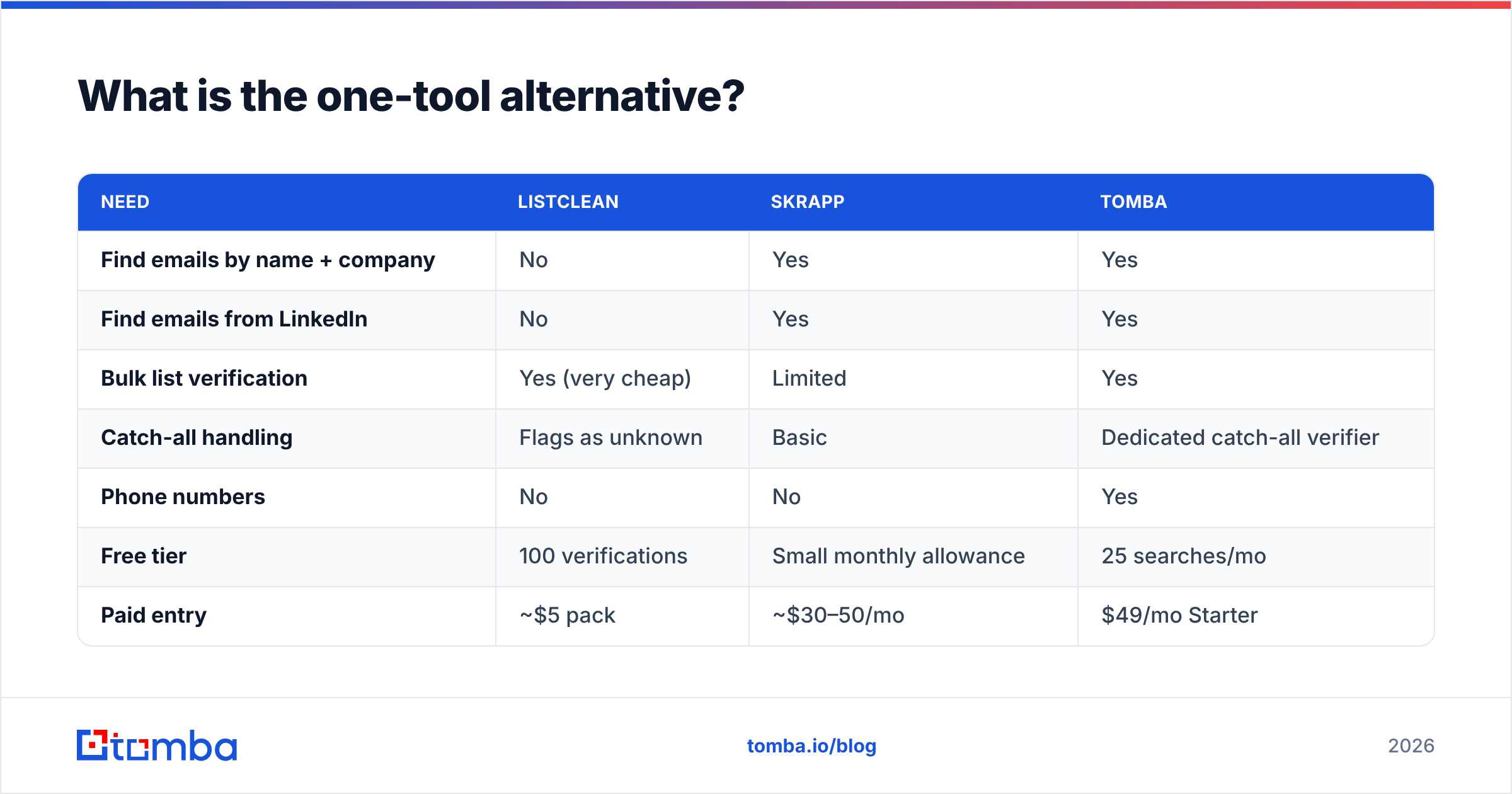
If you'd otherwise pay for both, an all-in-one platform is worth pricing out. Tomba, for example, combines an email finder, an email verifier, domain search, a catch-all verifier, and a phone finder under one credit system, with a Chrome extension, Google Sheets add-on, and API.
| Need | Listclean | Skrapp | Tomba |
|---|---|---|---|
| Find emails by name + company | No | Yes | Yes |
| Find emails from LinkedIn | No | Yes | Yes |
| Bulk list verification | Yes (very cheap) | Limited | Yes |
| Catch-all handling | Flags as unknown | Basic | Dedicated catch-all verifier |
| Phone numbers | No | No | Yes |
| Free tier | 100 verifications | Small monthly allowance | 25 searches/mo |
| Paid entry | ~$5 pack | ~$30–50/mo | $49/mo Starter |
To be fair, Listclean will still beat any all-in-one tool on raw cost per verification for huge one-off cleanups. If that's your whole use case, stay with it. The case for consolidating is strongest when you prospect every week and also re-verify regularly, because then you pay for the workflow rather than the per-email rate. Full tier details are on the Tomba pricing page: Starter at $49/mo, Growth at $99/mo, Pro at $249/mo, and Enterprise on custom pricing.
What mistakes should you avoid when choosing?#
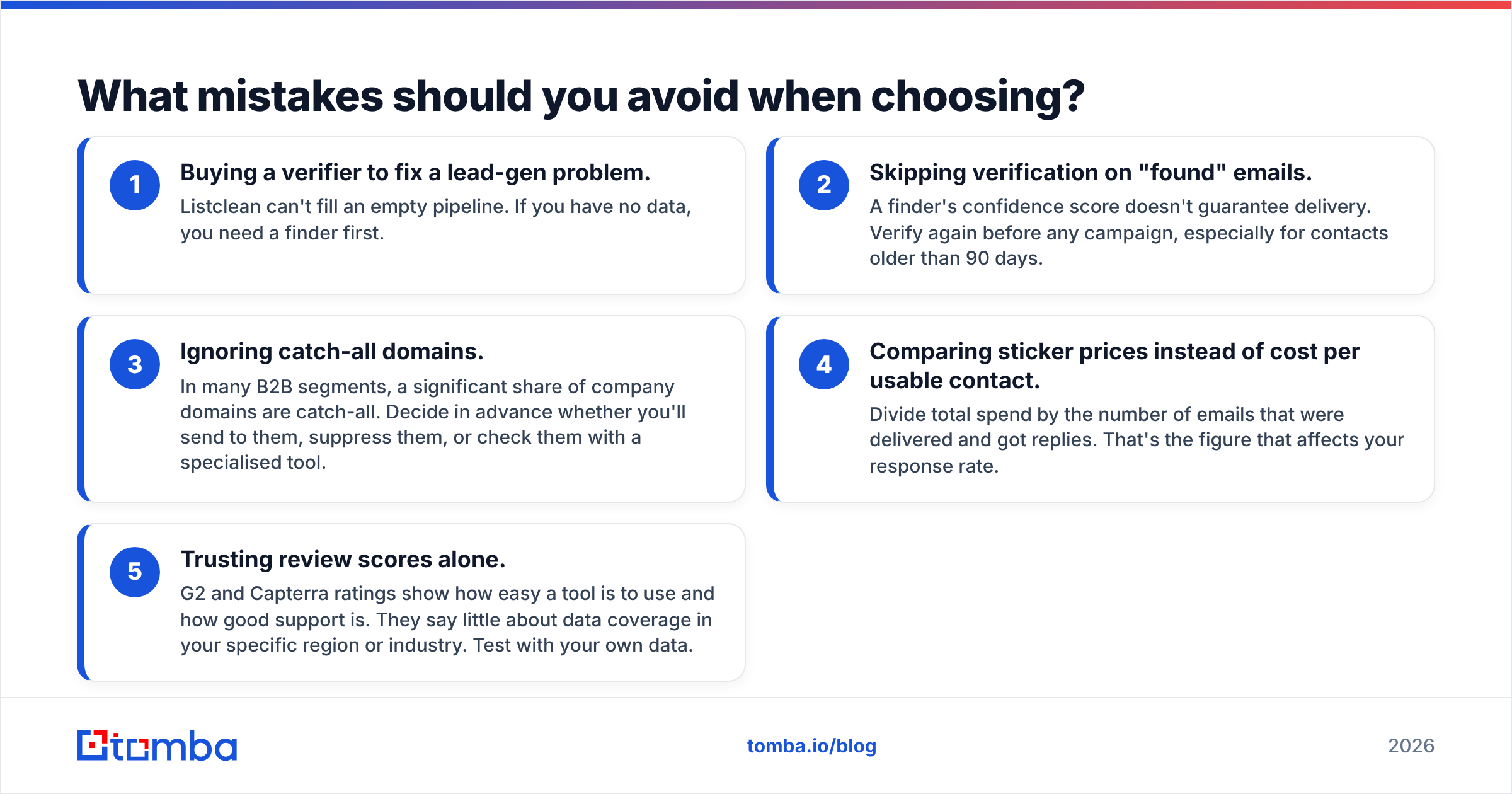
Most bad purchases here come down to five mistakes:
- Buying a verifier to fix a lead-gen problem. Listclean can't fill an empty pipeline. If you have no data, you need a finder first.
- Skipping verification on "found" emails. A finder's confidence score doesn't guarantee delivery. Verify again before any campaign, especially for contacts older than 90 days.
- Ignoring catch-all domains. In many B2B segments, a significant share of company domains are catch-all. Decide in advance whether you'll send to them, suppress them, or check them with a specialised tool.
- Comparing sticker prices instead of cost per usable contact. Divide total spend by the number of emails that were delivered and got replies. That's the figure that affects your response rate.
- Trusting review scores alone. G2 and Capterra ratings show how easy a tool is to use and how good support is. They say little about data coverage in your specific region or industry. Test with your own data.
How should you run a fair trial?#
Run both tools, or your shortlist, through the same two-week test:
- Week 1, finding. Pick 100 target accounts that match your ICP. Use each finder to get one decision-maker email per account. Record the hit rate and time spent.
- Week 1, verifying. Run every found email plus a 5,000-row sample of your existing CRM through each verifier. Record the valid/invalid/unknown split.
- Week 2, sending. Send a low-volume, plain-text campaign from a warmed secondary domain. Track hard bounces per source.
- Score it. Work out the cost per delivered email and the rep hours spent per 100 contacts.
That gives you a number to compare instead of relying on marketing claims.
Final verdict: Listclean or Skrapp?#
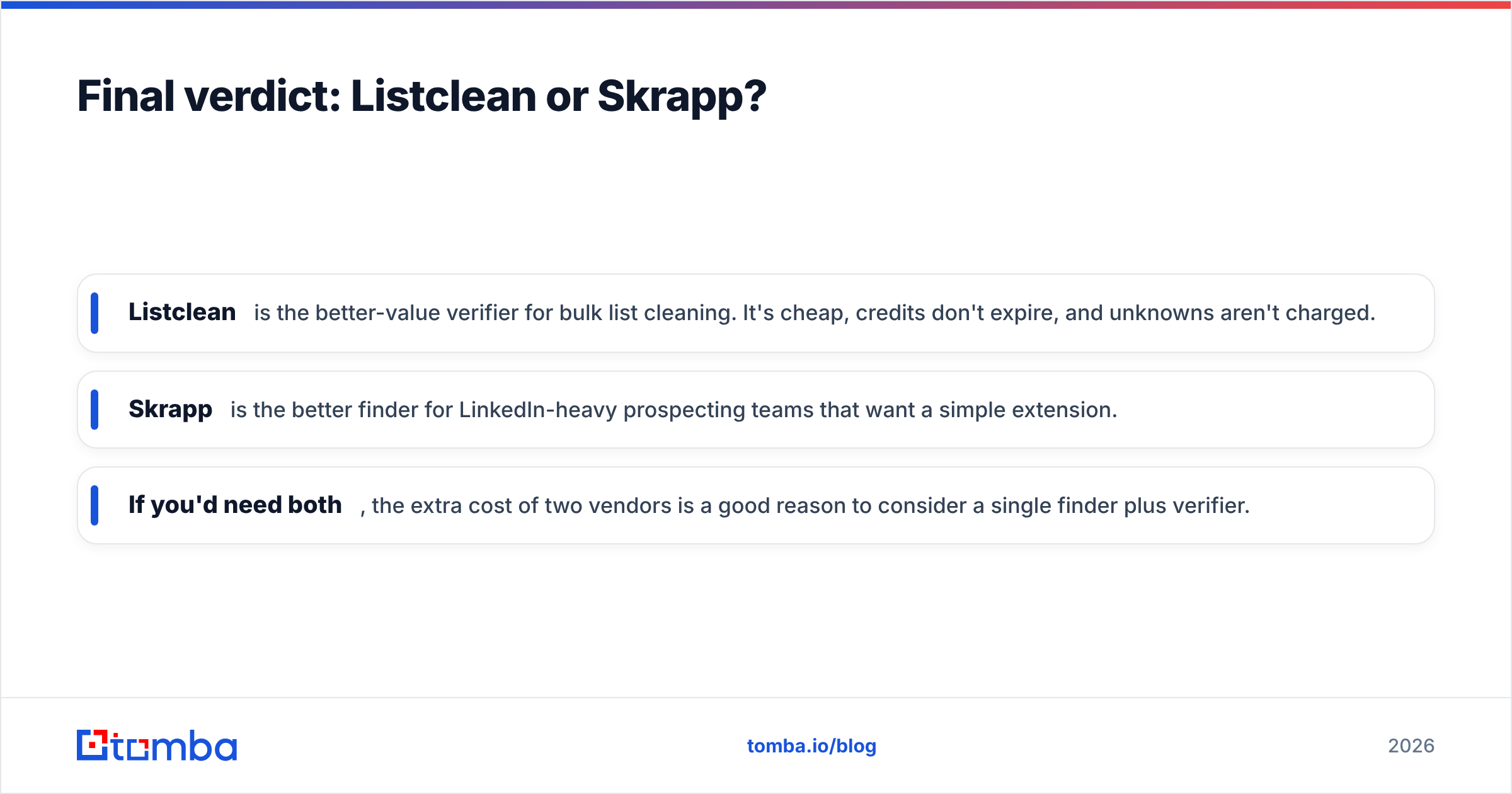
In this matchup the choice depends on your problem, not on which tool is "better":
- Listclean is the better-value verifier for bulk list cleaning. It's cheap, credits don't expire, and unknowns aren't charged.
- Skrapp is the better finder for LinkedIn-heavy prospecting teams that want a simple extension.
- If you'd need both, the extra cost of two vendors is a good reason to consider a single finder plus verifier.
If your team is prospecting and needs addresses you can send to without a separate clean-up step, try the Tomba Email Finder. It searches by name, company, or domain, verifies each result, and flags catch-all domains, all under one plan. Start with the free 25 searches a month, run the two-week trial above, and compare the bounce rate to your current setup before paying.
Related guides#
// get started
Find, verify and enrich your first contacts today
Start on the free plan with 25 searches a month, then scale when your team is ready.
Free plan · No credit card required · GDPR & CCPA
// about the author