Listclean vs ZoomInfo: Email Verifier or B2B Database in 2026?
Listclean and ZoomInfo sit at opposite ends of the budget and the workflow. One checks a list you already have for a few dollars. The other sells you the list for five figures a year. Here's how to decide which one your team needs, or whether it needs both.
TL;DR
- Listclean and ZoomInfo solve different problems. Listclean verifies email addresses you already have. ZoomInfo is a B2B contact and company database you buy leads from.
- The price gap is huge. Listclean is pay-as-you-go, from about $5 per 10,000 verifications. ZoomInfo's Professional plan is commonly reported at around $15,000 per year, with a multi-seat minimum and an annual contract.
- If you already have contacts and they bounce, you want a verifier. That means Listclean or something like it. If you have no contacts and a broad, enterprise-scale target market, ZoomInfo is the one to evaluate.
- Most small and mid-size teams need something in between: a way to find a specific person's email and verify it before you send, without an enterprise contract.
- Verify ZoomInfo exports anyway. No database stays fresh, and a verification pass costs very little next to a burned sending domain.
What is the real difference between Listclean and ZoomInfo?#
"Listclean vs ZoomInfo" is a lopsided matchup, because the two tools aren't really competitors. They sit at different stages of your outbound workflow.
Listclean is an email verification service. You upload a CSV or call its API with addresses you already have. It runs syntax, DNS, MX and SMTP checks and returns a status for each address: valid, invalid, catch-all, or unknown. It doesn't find new contacts. It tells you which of your contacts are safe to email.
ZoomInfo is a go-to-market intelligence platform. At its core is a large database of companies and contacts with emails, direct dials, firmographics, technographics, org charts, and intent signals. You search it, build lists, and export or sync those contacts to your CRM. It also runs its own verification on the data it holds. Even so, its main job is supplying contacts, not auditing the ones you bring in.
Think of it like a kitchen. ZoomInfo is the wholesale grocery supplier that delivers ingredients by the pallet. Listclean is the person who checks for spoiled produce before it goes in the pot. You may need one, the other, or both. What you should never do is pay a supplier-sized bill when all you needed was a quality check.
How do Listclean and ZoomInfo compare side by side?#
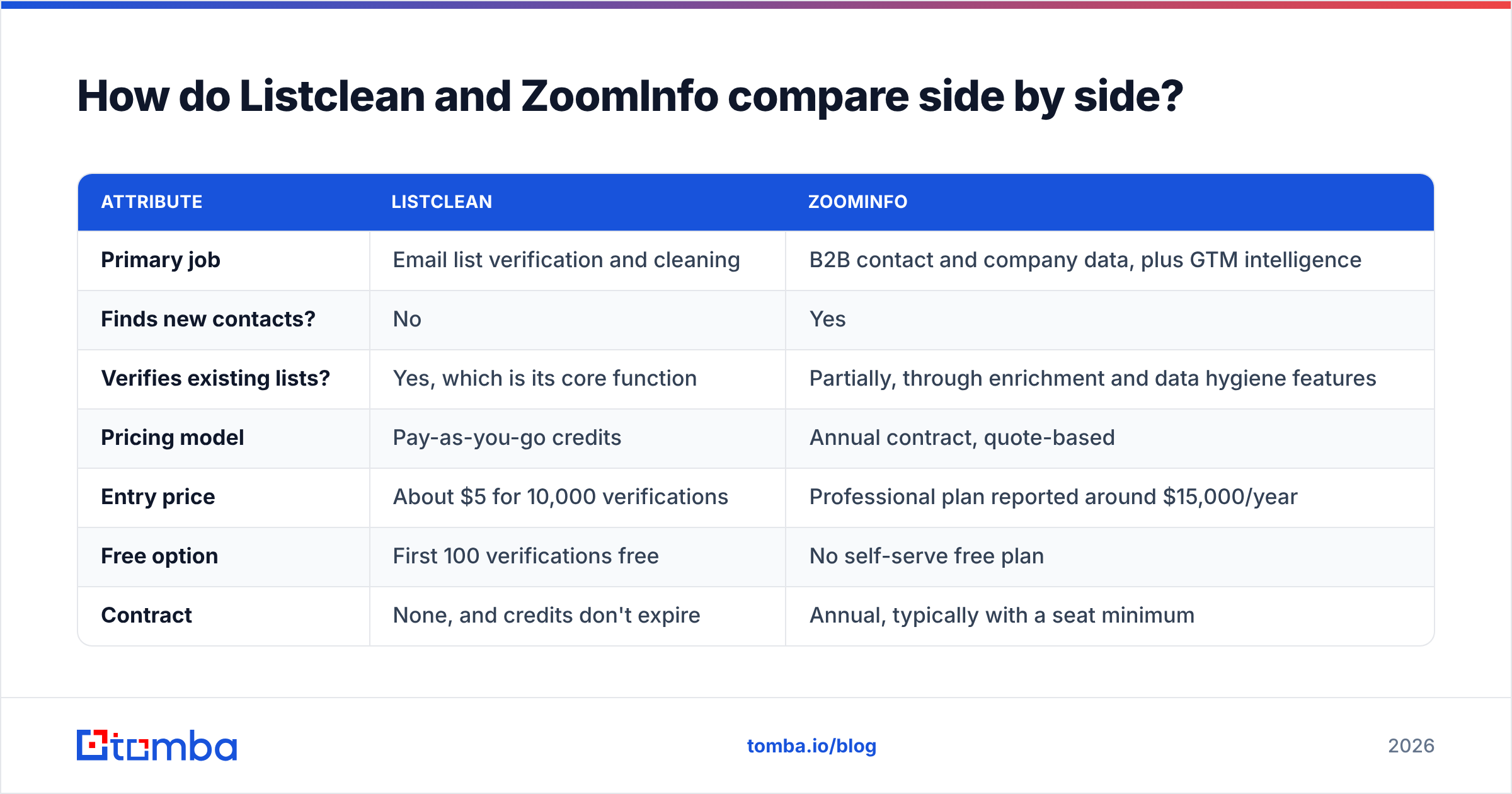
Here is the practical comparison on the attributes buyers ask about most.
| Attribute | Listclean | ZoomInfo |
|---|---|---|
| Primary job | Email list verification and cleaning | B2B contact and company data, plus GTM intelligence |
| Finds new contacts? | No | Yes |
| Verifies existing lists? | Yes, which is its core function | Partially, through enrichment and data hygiene features |
| Pricing model | Pay-as-you-go credits | Annual contract, quote-based |
| Entry price | About $5 for 10,000 verifications | Professional plan reported around $15,000/year |
| Free option | First 100 verifications free | No self-serve free plan |
| Contract | None, and credits don't expire | Annual, typically with a seat minimum |
| Phone numbers | No | Yes, including direct dials and mobiles |
| Intent / technographics | No | Yes, on higher tiers or as add-ons |
| API | Yes, with multiple API keys | Yes, usually on enterprise packaging |
| Best for | Senders cleaning lists before campaigns | Large sales orgs building pipeline at scale |
Listclean's figures come from its public price list as summarized on Capterra's Listclean pricing page. ZoomInfo doesn't publish prices. The ~$15K figure is the number buyers and analysts report most often for the Professional tier, and real contracts can land well above it once you add seats, credits, and intent data.
What does Listclean actually do well?#
Listclean does one narrow job, and it prices that job cheaply.
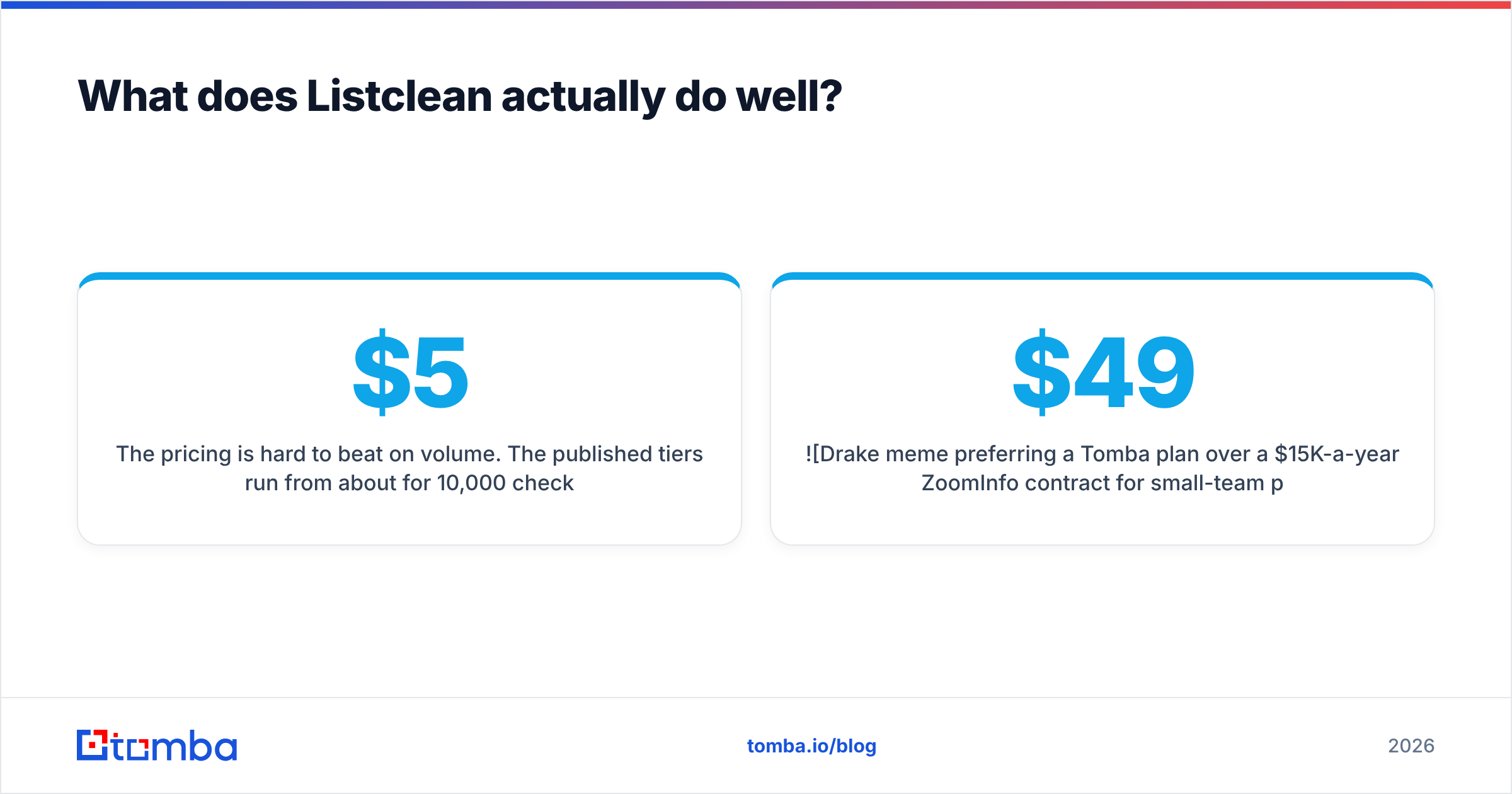
The pricing is hard to beat on volume. The published tiers run from about $5 for 10,000 checks to about $145 for 1,000,000. That drops the per-email cost from roughly $0.0005 to $0.00014. For anyone cleaning large newsletter or legacy CRM lists, that's close to rounding-error pricing.
You pay only for real results. According to its listing, Listclean doesn't charge for "unknown" results or duplicate addresses. That matters more than it sounds. Some verifiers bill every row, including the ones they couldn't resolve.
Credits don't expire. You don't feel pushed to use up a monthly allowance, which suits teams that clean lists quarterly instead of daily.
It covers the standard checks. SMTP verification, DNS checks, and MTA validation are included from the lowest tier.
Where it stops:
- No discovery. If you don't have the address, Listclean can't help you get it.
- No enrichment. You won't get job titles, company size, phone numbers, or LinkedIn URLs.
- Catch-all domains stay fuzzy. Like most verifiers, Listclean can flag a catch-all domain but can't always confirm the specific mailbox. You'll need a policy for those rows, or a dedicated catch-all verifier.
What does ZoomInfo actually do well?#
ZoomInfo is the default enterprise choice for a reason. It's built for revenue teams that need breadth, depth, and workflow tooling in one contract.
Coverage is broad, especially in North America. For US mid-market and enterprise accounts, ZoomInfo's contact and company coverage is among the deepest available. That includes direct dials, which many email-first tools don't offer.
It goes well past contact data. Org charts, technographics, funding and hiring signals, website visitor intelligence, and buyer-intent topics let RevOps teams prioritize accounts, not just fill them. G2's ZoomInfo reviews consistently rate it highly for data breadth and CRM integrations.
CRM hygiene at scale. ZoomInfo can enrich and update records in Salesforce or HubSpot on a schedule. For large orgs, that alone can justify part of the cost.
Where it hurts:
- Price and commitment. The reported ~$15K entry point is only the beginning. Annual contracts, seat minimums, credit caps, and add-ons often push real spend to $30K or more. That's a board-level purchase for a five-person startup.
- Credit-based exports. You don't get unlimited downloads. Each export draws from an allowance, and overages cost extra.
- Data still decays. B2B contact data goes stale quickly as people change jobs. Plan to verify ZoomInfo exports before a big send, especially older ones.
- Weaker outside core markets. Coverage for small businesses and many non-US regions is thinner than the headline database size suggests.
Is Listclean or ZoomInfo more accurate?#
This is where comparing the two gets misleading, because they measure accuracy differently.
Listclean's accuracy is about classification. When it says an address is valid or invalid, how often is that right? For standard corporate domains, SMTP-based verification is reliable. The weak spots are catch-all domains and servers that throttle or greylist verification attempts. Those come back as "unknown" or "risky."
ZoomInfo's accuracy is about data quality. Is the person still at the company? Is the title current? Is the email the one they actually use? ZoomInfo runs its own verification and research processes. Still, no database of that size can re-check every record every week, so some share of any export will have gone stale since it was last touched.
The practical takeaway: accuracy in one tool doesn't replace the other. A high-quality database export still benefits from a verification pass right before you send. A perfect verifier can't make up for a list aimed at the wrong people.
Which one should you pick for your situation?#
Match the tool to the job you actually have. Here's the decision in five situations.
- You have a big legacy list and your bounce rate is climbing. Use a verifier like Listclean. You don't need new data. You need to stop damaging your sender reputation with dead addresses.
- You're a 50+ rep sales org selling into US enterprise. Evaluate ZoomInfo seriously. Direct dials, intent data, and CRM sync fit your motion, and the cost spreads across many seats.
- You're a founder or small SDR team targeting specific accounts. Neither tool is a good fit. Listclean can't find contacts, and ZoomInfo's contract is oversized for you. A lightweight email finder with built-in verification is the better fit.
- You're a RevOps lead with ZoomInfo already in place. Add a cheap verification step before large sequences. This protects your domains, and the cost is small next to your ZoomInfo spend.
- You're an agency running outbound for several clients. You'll probably want pay-as-you-go verification plus a finder you can use per domain. Per-seat enterprise pricing rarely makes sense across client work.
What does it cost to run each one for a year?#
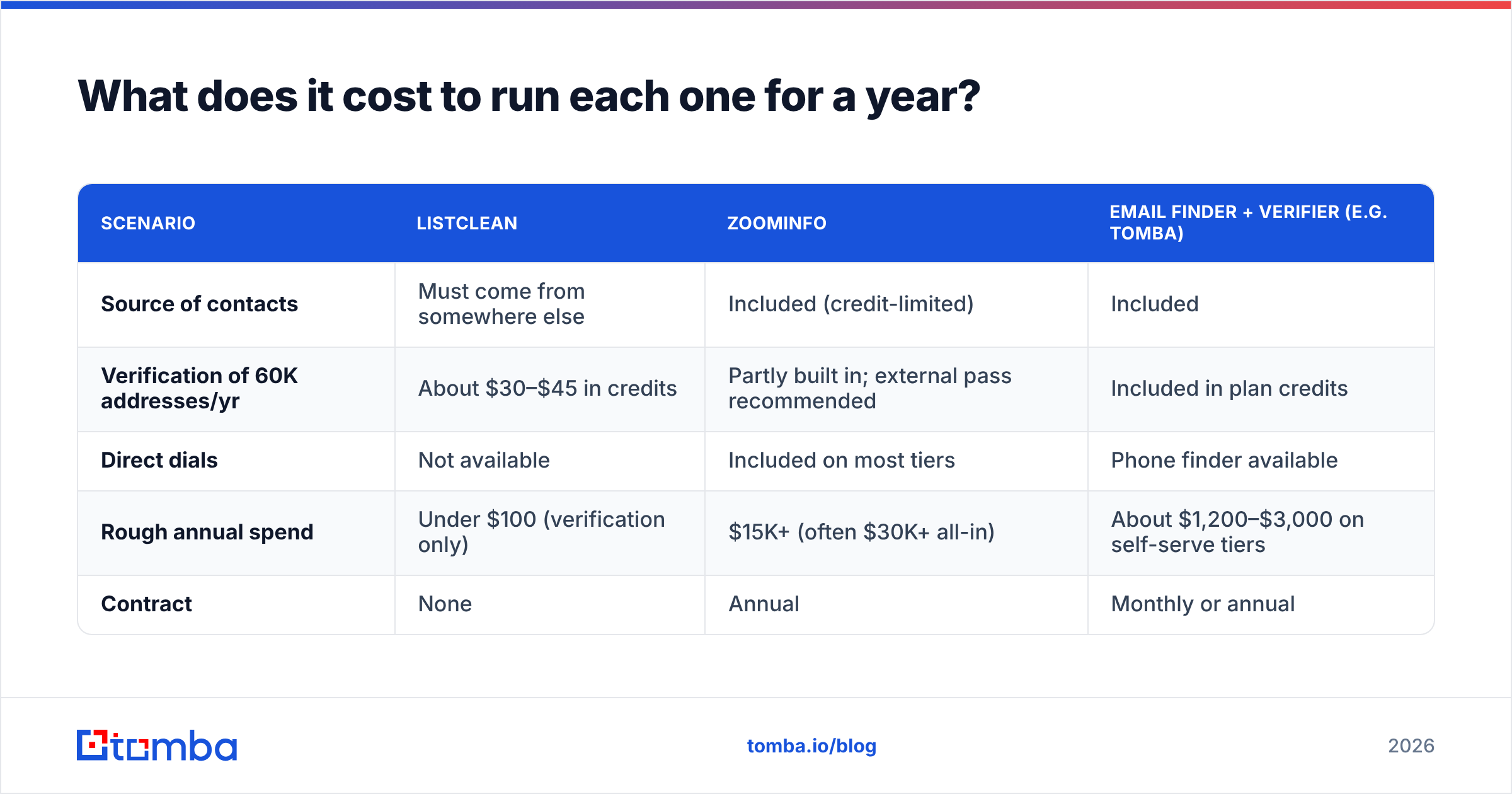
To make the gap concrete, here's a rough annual cost for a team that sends to about 5,000 new prospects a month.
| Scenario | Listclean | ZoomInfo | Email finder + verifier (e.g. Tomba) |
|---|---|---|---|
| Source of contacts | Must come from somewhere else | Included (credit-limited) | Included |
| Verification of 60K addresses/yr | About $30–$45 in credits | Partly built in; external pass recommended | Included in plan credits |
| Direct dials | Not available | Included on most tiers | Phone finder available |
| Rough annual spend | Under $100 (verification only) | $15K+ (often $30K+ all-in) | About $1,200–$3,000 on self-serve tiers |
| Contract | None | Annual | Monthly or annual |
The middle column is right for some teams. The first column is only half a workflow. For many small and mid-size teams, the third column covers the full workflow: find, verify, send.

Where does an email finder like Tomba fit between them?#
If Listclean is the quality check and ZoomInfo is the wholesale supplier, an email finder is the specialty shop. You ask for exactly the person you want and get an address that has been verified before you use it.
That's the gap Tomba Email Finder fills. You enter a name and company or domain and get the most likely professional address with a confidence signal. You can also run a domain search to see the known contacts and email pattern at a target account. Every result can be passed through the email verifier, so you don't need a separate verification subscription for day-to-day prospecting.
It's worth being honest about the limits. Tomba doesn't try to be a full GTM intelligence suite. If you need buyer-intent topics across thousands of accounts, or org-chart mapping for enterprise ABM, ZoomInfo and similar platforms go deeper. And if your only need is scrubbing a million-row legacy list as cheaply as possible, a bulk-only verifier like Listclean is purpose-built for that.
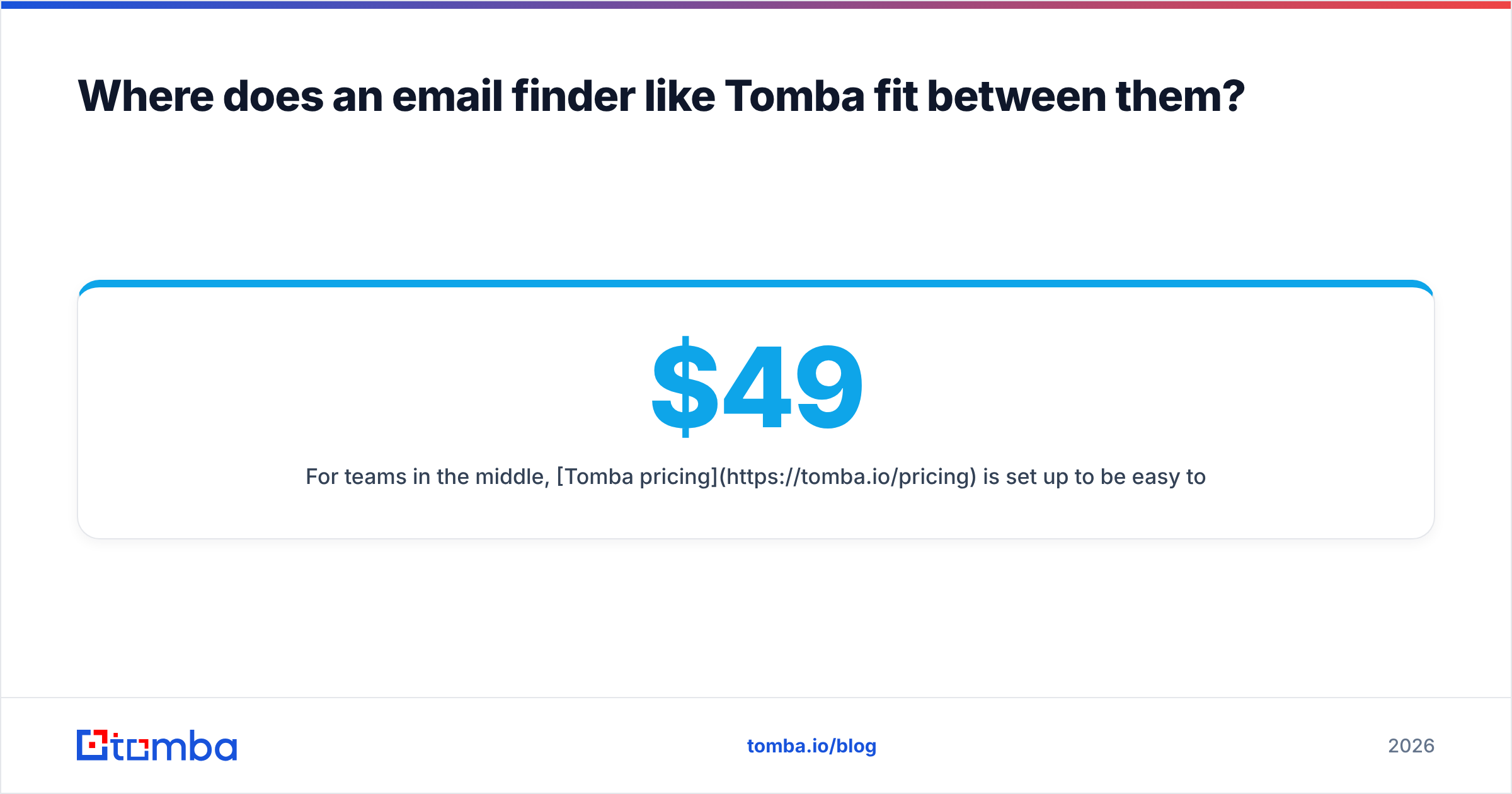
For teams in the middle, Tomba pricing is set up to be easy to start: a free tier with 25 searches a month, Starter at $49/mo, Growth at $99/mo, Pro at $249/mo, and custom Enterprise plans. No seat minimums, and no annual lock-in needed to get started.
What questions should you ask before buying either one?#
Before you sign anything, work through this checklist:
- Do you already have the contacts? If yes, start with verification. If no, you need a finder or a database.
- How many reps will use it? Per-seat enterprise pricing only makes sense when many people are drawing on the same data.
- Do you need phone numbers? If calling is central to your motion, Listclean is off the table, and you should look at ZoomInfo or a dedicated phone finder.
- How often do you send? Occasional list cleaning favors non-expiring credits. Daily prospecting favors a finder with built-in verification.
- What's your bounce tolerance? Keep hard bounces well under 2% to protect email deliverability. That means verifying, whatever your data source.
- Can you get out of the contract? Read the renewal and cancellation terms carefully. Auto-renewal clauses on annual data contracts are a common complaint in buyer reviews.
So, Listclean vs ZoomInfo: which wins?#
Neither wins outright, because they don't do the same job.
Pick Listclean if you own a list and want to clean it cheaply, with no contract and credits that don't expire. It's among the lowest-cost ways to cut bounces.
Pick ZoomInfo if you run a sizable sales org, sell mostly into North American mid-market and enterprise accounts, and will use the direct dials, intent data, and CRM enrichment enough to justify a five-figure annual commitment.
Pick neither, and use a finder with built-in verification, if you're a lean team that needs accurate emails for specific people at specific companies this week, without paying for an enterprise database you'll only partly use.
If that last group sounds like you, start with Tomba Email Finder. Search by name and domain, verify each address before it goes into a sequence, and scale from the free tier to $49/mo only when your pipeline needs it. You get the finding and the verification in one place, without a year-long contract.
Related guides#
// get started
Find, verify and enrich your first contacts today
Start on the free plan with 25 searches a month, then scale when your team is ready.
Free plan · No credit card required · GDPR & CCPA
// about the author