ListKit vs Mailcheck (2026): Lead Database or Email Verifier?
ListKit sells you leads. Mailcheck tells you which emails are real. We compare what each one does, how they charge, and whether you need one, the other, or both in your 2026 outbound stack.
TL;DR
- ListKit and Mailcheck do different jobs. ListKit is a B2B lead database that sells pre-verified contacts. Mailcheck is an email verifier that checks lists you already have.
- Pick ListKit if your problem is finding ICP-matched contacts at volume and you want emails that are already verified when you export them.
- Pick Mailcheck if you already have lists (from events, inbound, old CRM exports) and need a cheap way to clean them before you send.
- The pricing models differ too. ListKit charges credits per exported lead. Mailcheck charges per verified email. Treat any "which is cheaper" claim with care, because you are buying two different things.
- If you want finding and verification in one place, an all-in-one email finder plus verifier removes the CSV round trip between the two tools.
What is the real difference between ListKit and Mailcheck?#
Most "ListKit vs Mailcheck" searches come from people who assume the two tools compete head-on. Mostly they don't. They sit at different points in the same pipeline:
- Sourcing. You decide who to contact and get their details. This is ListKit's job.
- Verification. You confirm those addresses will accept mail before you send. This is Mailcheck's job.
- Sending. Your sequencer (Instantly, Smartlead, Lemlist, and so on) delivers the campaign.
ListKit is a lead database. You filter by title, industry, headcount, technology, and intent signals, then export contacts. ListKit markets its emails as "triple-verified," meaning each address has gone through several verification passes before you get it.
Mailcheck is a bulk and API email verifier. You upload a list or call the API, and every address comes back with a status and a "trust rate." Mailcheck's pitch is that it goes past SMTP/MX checks and cross-references signals such as social network presence to judge whether a real person is behind an address.
So the honest answer to "which is better?" is another question: what are you missing right now, contacts or confidence in the contacts you already have?
How do ListKit and Mailcheck compare feature by feature?#
Here is the side-by-side, based on each vendor's public materials and third-party listings as of September 2026. Plans change often, so confirm current numbers on each vendor's pricing page before you buy.
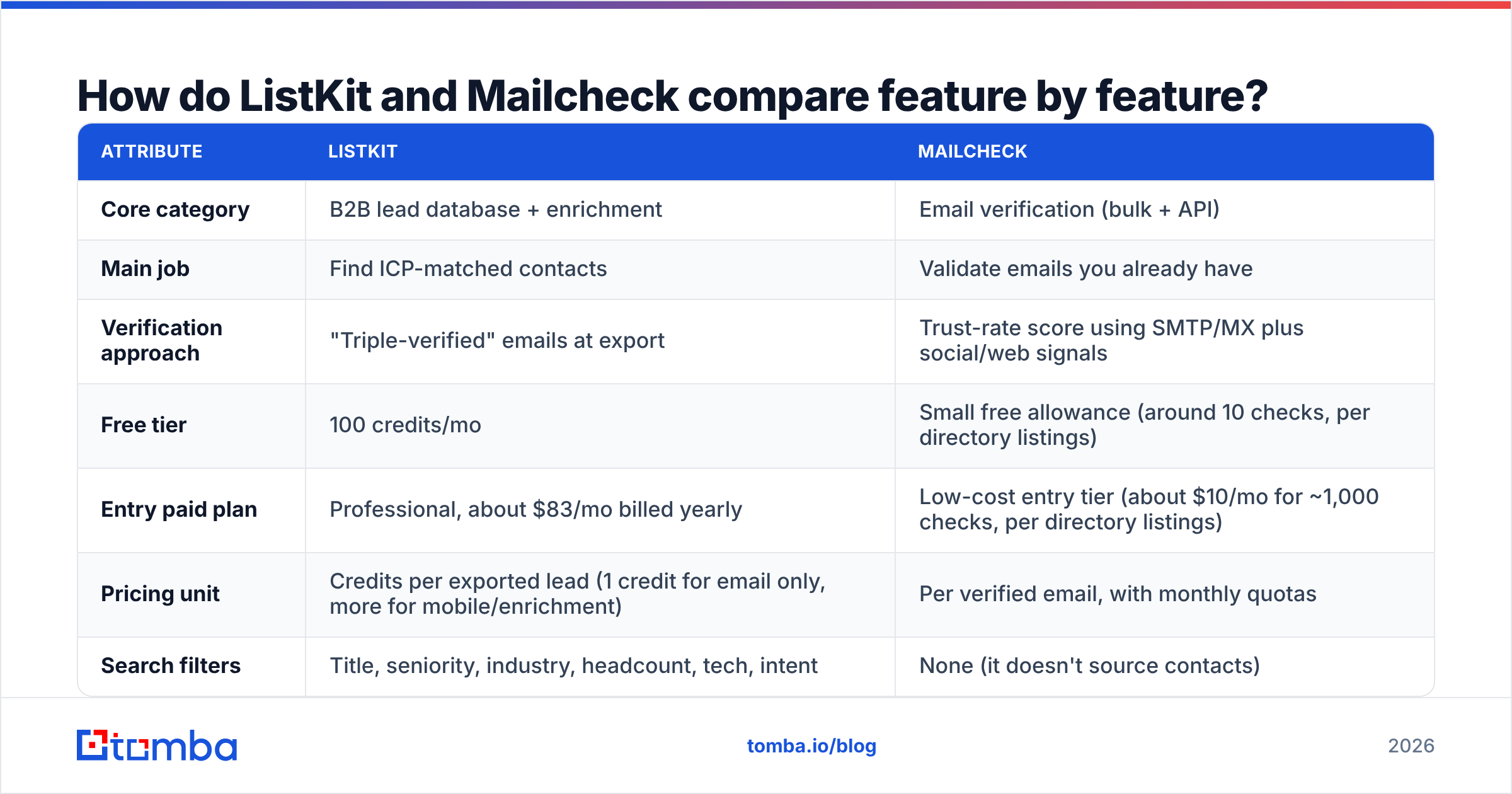
| Attribute | ListKit | Mailcheck |
|---|---|---|
| Core category | B2B lead database + enrichment | Email verification (bulk + API) |
| Main job | Find ICP-matched contacts | Validate emails you already have |
| Verification approach | "Triple-verified" emails at export | Trust-rate score using SMTP/MX plus social/web signals |
| Free tier | 100 credits/mo | Small free allowance (around 10 checks, per directory listings) |
| Entry paid plan | Professional, about $83/mo billed yearly | Low-cost entry tier (about $10/mo for ~1,000 checks, per directory listings) |
| Pricing unit | Credits per exported lead (1 credit for email only, more for mobile/enrichment) | Per verified email, with monthly quotas |
| Search filters | Title, seniority, industry, headcount, tech, intent | None (it doesn't source contacts) |
| Phone numbers | Yes, at higher credit cost | No |
| API | Yes | Yes (real-time verification) |
| Unlimited users | Yes, on every plan | Plan-dependent |
| Best for | Outbound teams building net-new lists | Cleaning event, inbound, or legacy CRM lists |
The biggest row is the pricing unit. ListKit's credit system is documented in its help center: a business email alone costs 1 credit, email plus LinkedIn URL costs 2, and full enrichment with a mobile number can cost 8 to 10 credits per lead. A 2,000-credit month could therefore mean 2,000 leads or about 200, depending on what you export.
Mailcheck's cost is easier to predict: one email, one check. What it can't do is give you a single new contact.
Is ListKit better than Mailcheck for cold email?#
For outbound from zero, yes, because Mailcheck doesn't give you anyone to email. ListKit covers the part that takes the longest: building a targeted list.
Where ListKit is strong:
- Filters built for outbound. Intent data and technographic filters let you narrow a list to accounts that are likely in-market, not just accounts that match on firmographics.
- Verified at export. Emails arrive already checked, so for a fresh export you usually don't need a separate verification pass on day one.
- Unlimited seats. Agencies and SDR teams can share one account without paying per user.
- Enrichment in the same tool. You can pull mobile numbers and LinkedIn URLs next to emails, which helps multichannel sequences.
Where ListKit is weaker:
- Credit burn is uneven. Mobile-heavy exports use up credits quickly. Budget by the data fields you actually need, not by headline lead counts.
- Data ages. People change jobs. A list you exported in January and send to in June should be verified again, and ListKit is not built mainly as a re-verification tool for outside lists.
- It's a database, not a verifier. If your sales team drops 8,000 trade-show badges into a spreadsheet, ListKit isn't the obvious tool for cleaning them.
When does Mailcheck make more sense than ListKit?#
Mailcheck wins whenever the contacts already exist and you just need to know which addresses are safe to send to.
Typical Mailcheck scenarios:
- Event and webinar lists. Hand-typed emails are full of typos and personal addresses.
- Legacy CRM data. Records that haven't been emailed in 12+ months carry real bounce risk.
- Signup forms. Real-time API checks keep fake and disposable addresses out of your database at the point of entry.
- Agency client lists. When a client gives you "their list," you verify it before it touches your sending domains.
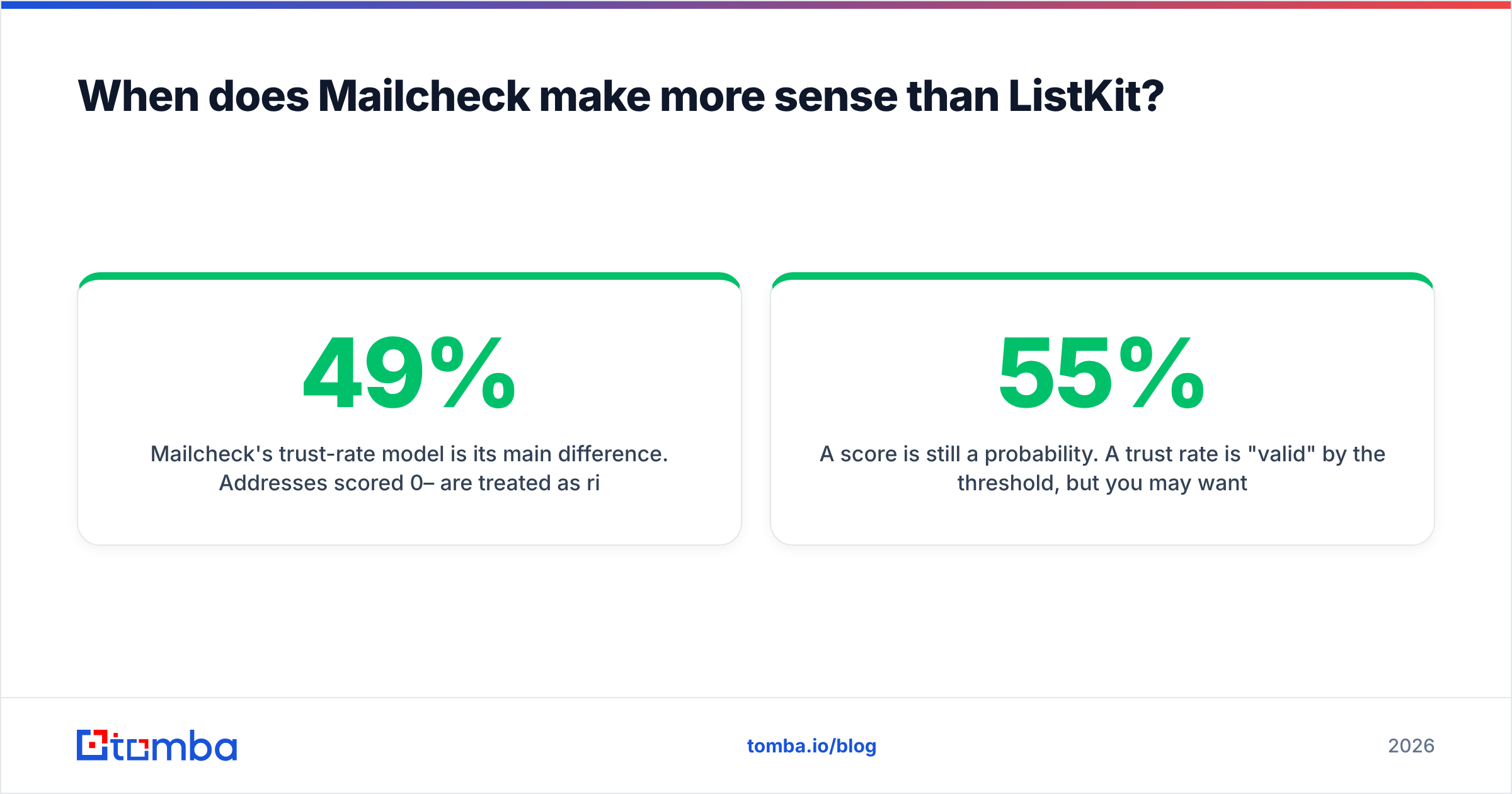
Mailcheck's trust-rate model is its main difference. Addresses scored 0–49% are treated as risky or likely invalid, and 50–100% as valid. Checking social and web signals, not just whether the mail server accepts the address, is meant to handle the gray zone that pure SMTP checks struggle with, especially catch-all domains, where the server accepts every address whether or not a mailbox exists.
The trade-offs:
- No sourcing. You'll still need a database or finder upstream.
- Thinner third-party review base. Mailcheck has fewer public reviews on the big review sites than the major verifiers, so run your own test on a known-good and known-bad sample before you commit to a large plan.
- A score is still a probability. A 55% trust rate is "valid" by the threshold, but you may want a stricter cutoff for cold outreach from a new domain.
How should you think about accuracy and bounce risk?#
Treat accuracy as a pipeline property, not a vendor claim. Every vendor says its data is accurate. What counts is your bounce rate on the send after you verify.
A practical framework:
- Measure bounce rate per source. Tag every lead with where it came from (ListKit export, event list, inbound form) and track hard bounces separately for each.
- Verify at send time, not just at capture time. An email that was valid 90 days ago may not be valid now. Re-verify anything older than about 60 to 90 days.
- Handle catch-alls separately. Catch-all domains are where "valid" statuses are least reliable. Send to them from a separate, lower-volume segment, or run them through a dedicated catch-all verifier.
- Keep hard bounces under 2%. Above that, mailbox providers start to lower your sender reputation, and warmup won't fix bad data.
In that framework, ListKit covers step 1 for its own exports, since the data arrives verified. Mailcheck covers step 2 for everything else. Teams sending at volume often end up paying for both, which is where the workflow cost shows up.
What does it actually cost to run ListKit and Mailcheck together?#
Here is a rough monthly model for a small outbound team sending about 3,000 new-prospect emails a month plus cleaning about 2,000 inbound or event contacts. Figures are estimates from public pricing as of this writing.
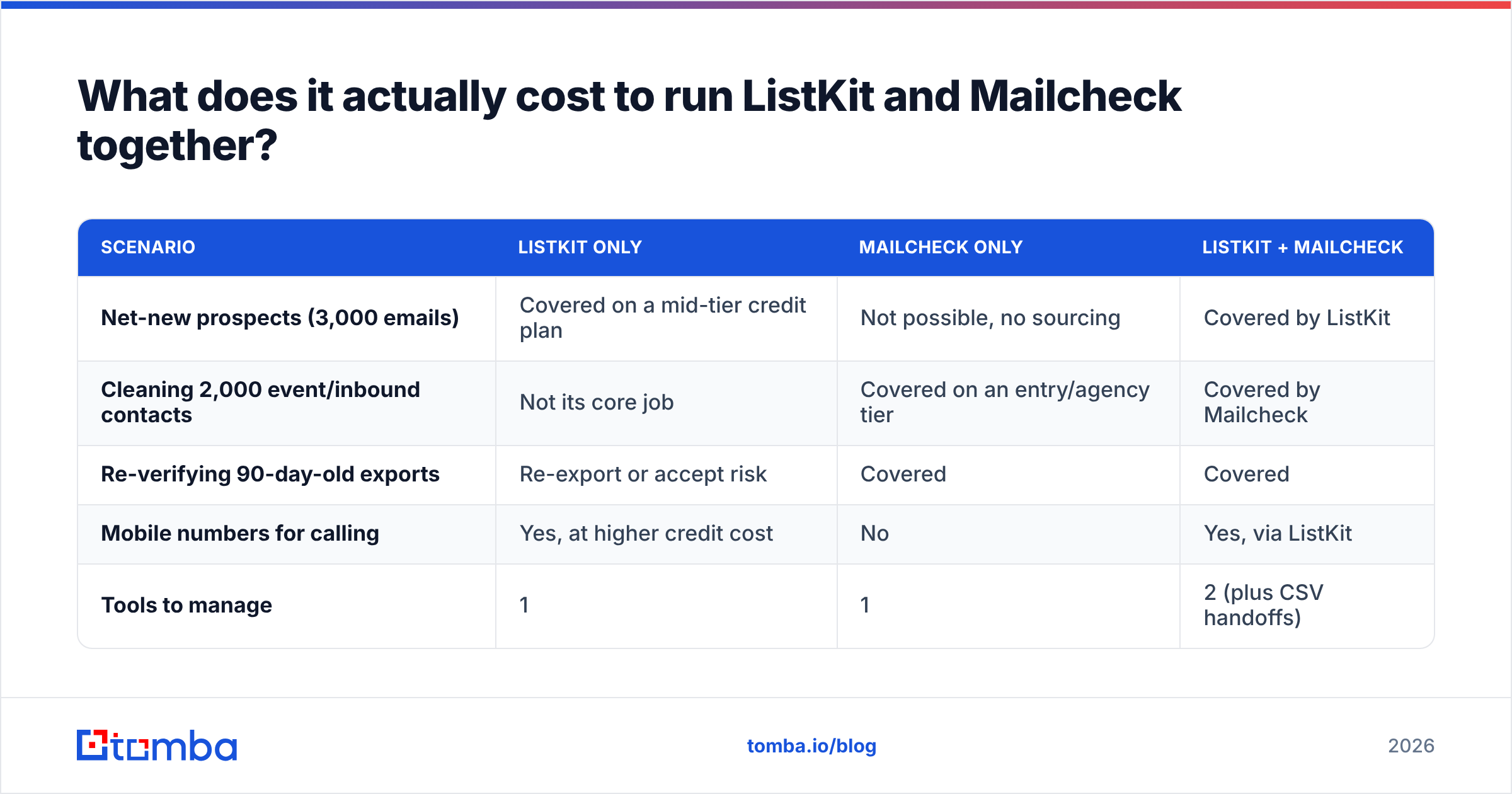
| Scenario | ListKit only | Mailcheck only | ListKit + Mailcheck |
|---|---|---|---|
| Net-new prospects (3,000 emails) | Covered on a mid-tier credit plan | Not possible, no sourcing | Covered by ListKit |
| Cleaning 2,000 event/inbound contacts | Not its core job | Covered on an entry/agency tier | Covered by Mailcheck |
| Re-verifying 90-day-old exports | Re-export or accept risk | Covered | Covered |
| Mobile numbers for calling | Yes, at higher credit cost | No | Yes, via ListKit |
| Tools to manage | 1 | 1 | 2 (plus CSV handoffs) |
The dollar cost of running both is manageable. The hidden cost is the handoff: export from ListKit, dedupe, upload to Mailcheck, download results, merge statuses back, re-import to your sequencer. Do that weekly and it adds hours of RevOps time, plus the risk of someone skipping a step on a busy Friday.
Which tool should you choose?#
Use this decision list:
- You have no list and need pipeline this quarter. Start with ListKit. Its filters and verified exports get you from ICP to first send fastest.
- You have plenty of contacts but bounce rates are creeping up. Start with Mailcheck, or any serious verifier. Clean before you buy more data.
- You run an agency handling client-supplied lists. You need a verifier regardless. Mailcheck's per-email pricing fits this well.
- You do both prospecting and list hygiene every week. Look for a single platform that finds and verifies, so you aren't paying twice and moving CSVs between tools.
- You need phone numbers too. ListKit, or a tool with a dedicated phone finder. Mailcheck doesn't cover phones.
Is there a simpler setup than ListKit plus Mailcheck?#
If your team is in scenario 4, a combined finder and verifier removes the handoff. This is where Tomba fits. It is not a replacement for everything ListKit does, but it covers the find-then-verify loop in one account.
What that looks like in practice:
- Find by domain or by name. Domain search returns the known addresses at a company. The email finder resolves a specific person from their name and company.
- Verify in the same workflow. The email verifier checks addresses on the spot or in bulk, including outside lists such as event exports, the job you'd otherwise send to Mailcheck.
- Handle catch-alls explicitly with a dedicated catch-all verifier instead of a single probability score.
- Plug into your stack through the API, Chrome extension, Google Sheets, and CRM integrations.
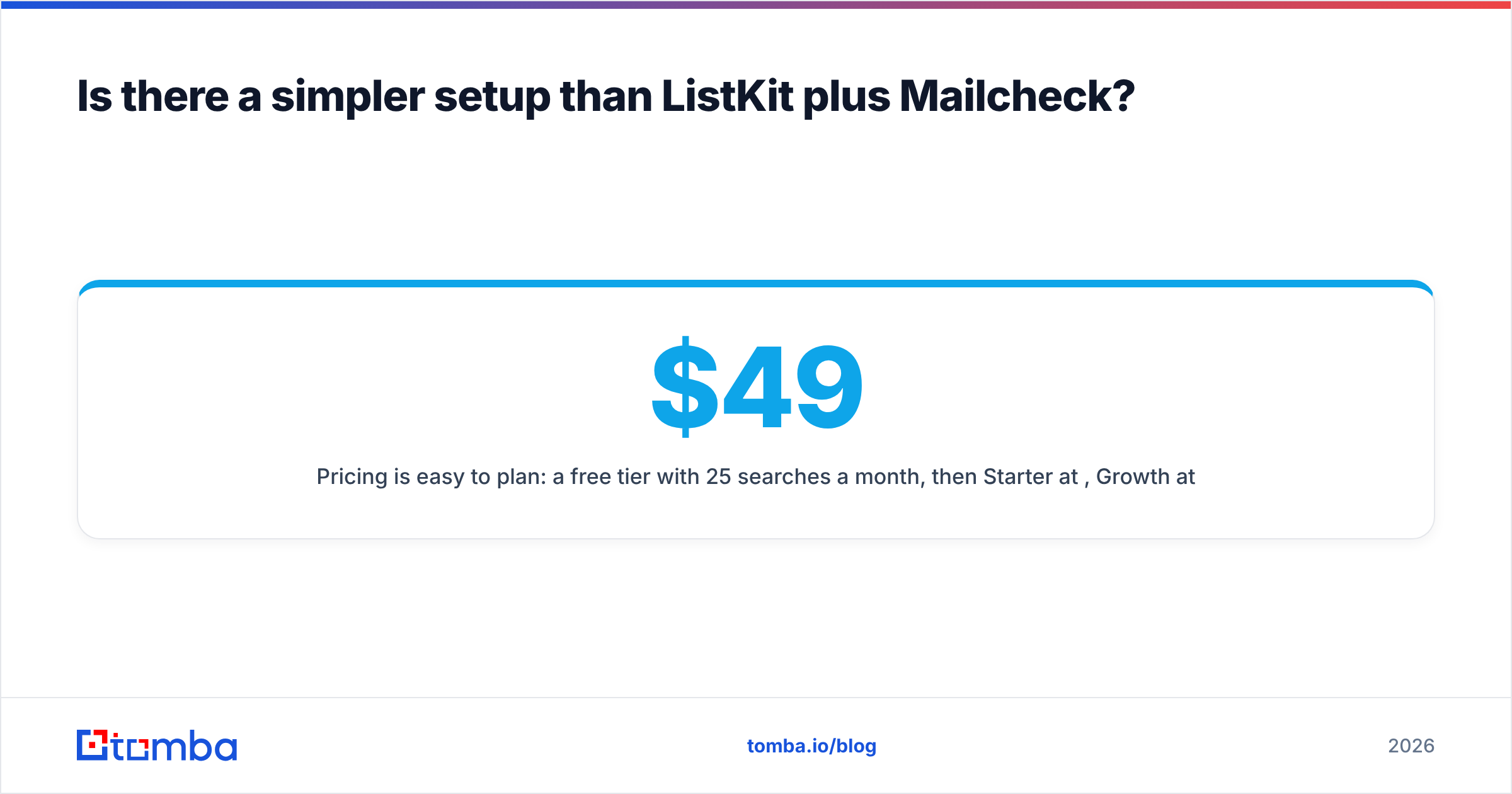
Pricing is easy to plan: a free tier with 25 searches a month, then Starter at $49/mo, Growth at $99/mo, and Pro at $249/mo, with Enterprise on custom terms. See Tomba pricing for what each tier includes.
To be fair about it: if you rely heavily on intent-data filters to build large net-new lists, a dedicated database like ListKit still has an edge in list building. If all you need is a cheap, API-first verifier for signup forms, Mailcheck is a focused, low-cost option. The combined approach works best when your weekly routine is "find these people, confirm they're real, send."
What are the most common mistakes when comparing these tools?#
- Comparing cost per credit to cost per check. A ListKit credit and a Mailcheck check buy different things. Compare cost per delivered email to a real prospect.
- Skipping re-verification on old exports. "Verified at export" is not "verified forever." Job changes alone can invalidate a noticeable share of a B2B list within months.
- Treating catch-all "valid" results as safe. They are the riskiest part of any list. Segment them.
- Ignoring seat and workflow costs. ListKit's unlimited users are a real advantage for teams. The time spent passing CSVs between two tools is a real cost.
- Not testing on your own data. Before annual billing, run the same 500 known contacts (some good, some known bounces) through each tool and compare.
FAQ#
Is ListKit an email verifier? Not mainly. ListKit is a lead database whose exported emails are verified before delivery. It isn't designed as a standalone tool for cleaning lists you bring from elsewhere.
Does Mailcheck find email addresses? No. Mailcheck verifies addresses you already have. You need a database or email finder to source contacts first.
Which is cheaper, ListKit or Mailcheck? Mailcheck's entry plans cost less per month, but it can't source leads, so the comparison doesn't hold up. Work out your cost per delivered email for your actual workflow.
Do I need to verify ListKit exports with Mailcheck? For fresh exports, usually not. For exports older than about 60 to 90 days, or before sending from a new domain, re-verifying is a sensible precaution.
Can one tool replace both? For many small and mid-size teams, yes. A platform that combines an email finder and verifier covers most of the find-and-clean workflow. Teams that depend on deep intent filtering may still want a dedicated database.
Final verdict: ListKit vs Mailcheck#
ListKit is the better choice when your bottleneck is who to email. Mailcheck is the better choice when your bottleneck is whether the emails you have are safe to send to. Neither one replaces the other, and many teams end up paying for both.
If you'd rather find and verify in one place, try the Tomba Email Finder. Search by domain, name, or company, verify results in the same workflow, and start on the free tier with 25 searches a month before moving to Starter at $49/mo when your volume grows.
Related guides#
// get started
Find, verify and enrich your first contacts today
Start on the free plan with 25 searches a month, then scale when your team is ready.
Free plan · No credit card required · GDPR & CCPA
// about the author