ListKit vs OneMoreLead (2026): Which B2B Lead Database Wins?
ListKit gives you tens of thousands of triple-verified credits. OneMoreLead sells a few hundred credits for $99. Here is what that gap means for your cost per lead, and which tool fits which team.
TL;DR
- ListKit is a high-volume list builder for cold email teams. It has a free plan, unlimited users, triple-verified emails at about 1 credit per lead, and a database that third-party reviews put at more than 600 million contacts.
- OneMoreLead is a smaller, credit-light database. Its plans start at $99/month for 250 credits, which works out to about $0.40 per credit. Its paid tiers add direct dials, enrichment and an API.
- If you send thousands of cold emails a month, ListKit's cost per contact is far lower. OneMoreLead only makes sense if you need a small number of direct dials and filtered lists.
- Both tools are closed databases. If a contact isn't in their data, you get nothing back. That's why many teams add a separate email finder and verifier.
- Check any list for catch-all and risky addresses before you send, whichever tool you buy.
What are ListKit and OneMoreLead?#
Both tools answer the same question: "Give me a list of people who match my ideal customer profile, with emails I can send to." They take very different approaches.
ListKit is built for cold email agencies and outbound teams. You describe your ICP (in plain language through its AI Company Search, or with standard filters), build a list and export contacts whose emails have passed its triple-verification process. It charges for successful exports and includes unlimited users on every plan, the free one too.
OneMoreLead is a classic B2B contact database. You get a search interface with filters for industry, company size, job title and technology stack, plus verified emails, phone numbers and direct dials. The company advertises more than 55 million verified B2B prospects. Its pricing is built around a small monthly pool of credits.
Think of it like buying groceries. ListKit is the warehouse club: you pay a membership and walk out with bulk quantities at a low unit price. OneMoreLead is the corner deli: you pay more per item, but you only take what you need, and some items (direct dials) come ready to use.
How do ListKit and OneMoreLead compare side by side?#
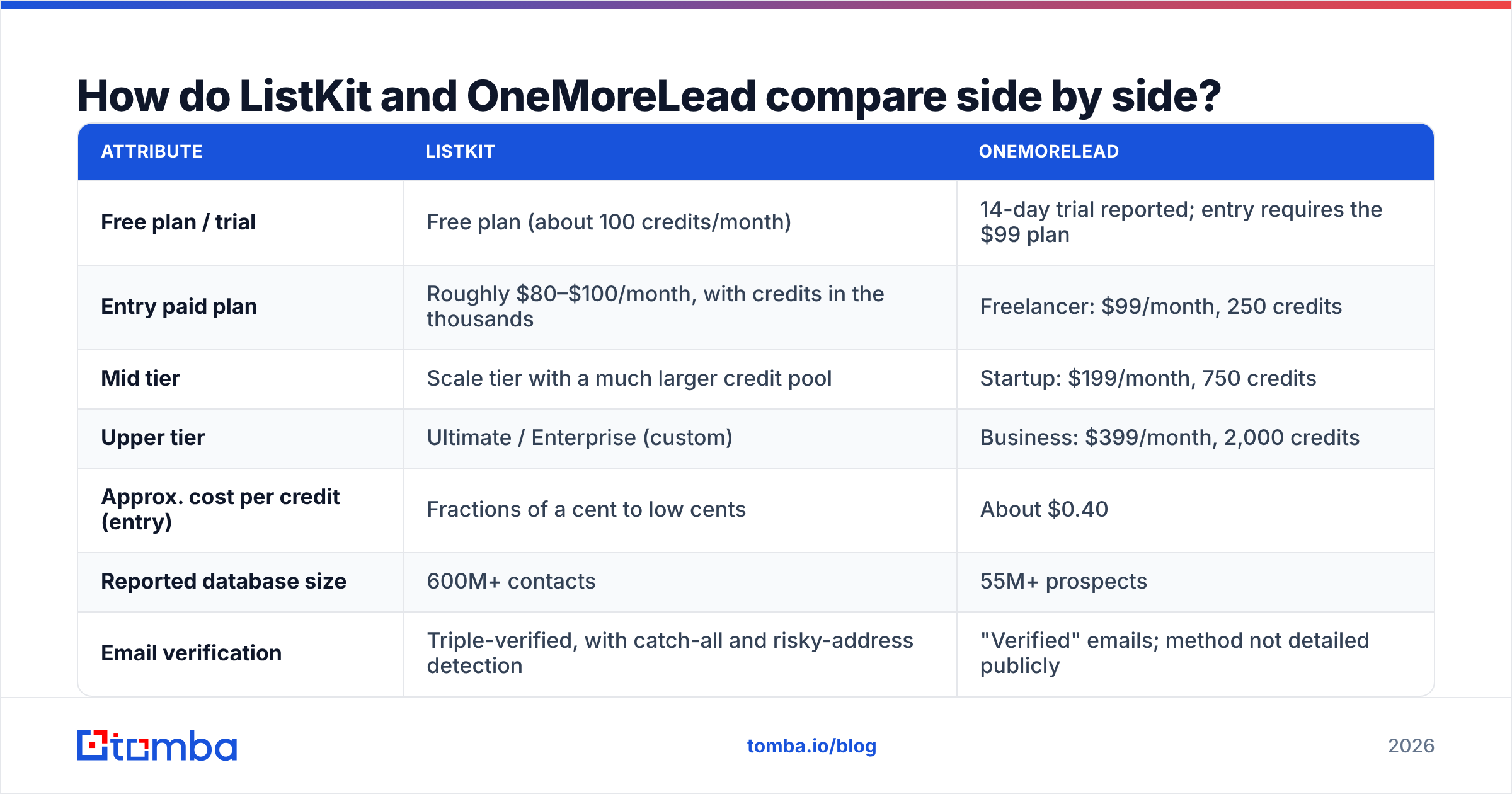
Here's the head-to-head on the attributes that decide most purchases. Pricing reflects publicly reported figures as of 2026. Both vendors change plans often, so confirm on their pricing pages before you buy.
| Attribute | ListKit | OneMoreLead |
|---|---|---|
| Free plan / trial | Free plan (about 100 credits/month) | 14-day trial reported; entry requires the $99 plan |
| Entry paid plan | Roughly $80–$100/month, with credits in the thousands | Freelancer: $99/month, 250 credits |
| Mid tier | Scale tier with a much larger credit pool | Startup: $199/month, 750 credits |
| Upper tier | Ultimate / Enterprise (custom) | Business: $399/month, 2,000 credits |
| Approx. cost per credit (entry) | Fractions of a cent to low cents | About $0.40 |
| Reported database size | 600M+ contacts | 55M+ prospects |
| Email verification | Triple-verified, with catch-all and risky-address detection | "Verified" emails; method not detailed publicly |
| Phone numbers | Yes, about 3 credits per number found | Yes, including direct dials, on every plan |
| Users | Unlimited on all plans | 1 user (Freelancer); up to 10 on Business at $25/extra user |
| API | CRM integrations and enrichment | Enrichment API (Startup); full API (Business) |
| Public reviews | Active on G2 and Trustpilot | Very few public reviews |
| Best for | Cold email agencies, high-volume SDR teams | Small teams needing filtered lists plus direct dials |
The biggest difference is unit economics. OneMoreLead's entry plan gives you 250 credits for $99. At about one credit per email and more for phones, that's a few hundred contacts a month. ListKit's paid plans give you credit pools in the tens of thousands at a similar price point, and each triple-verified email costs about 1 credit.
Which tool gives you better data quality?#
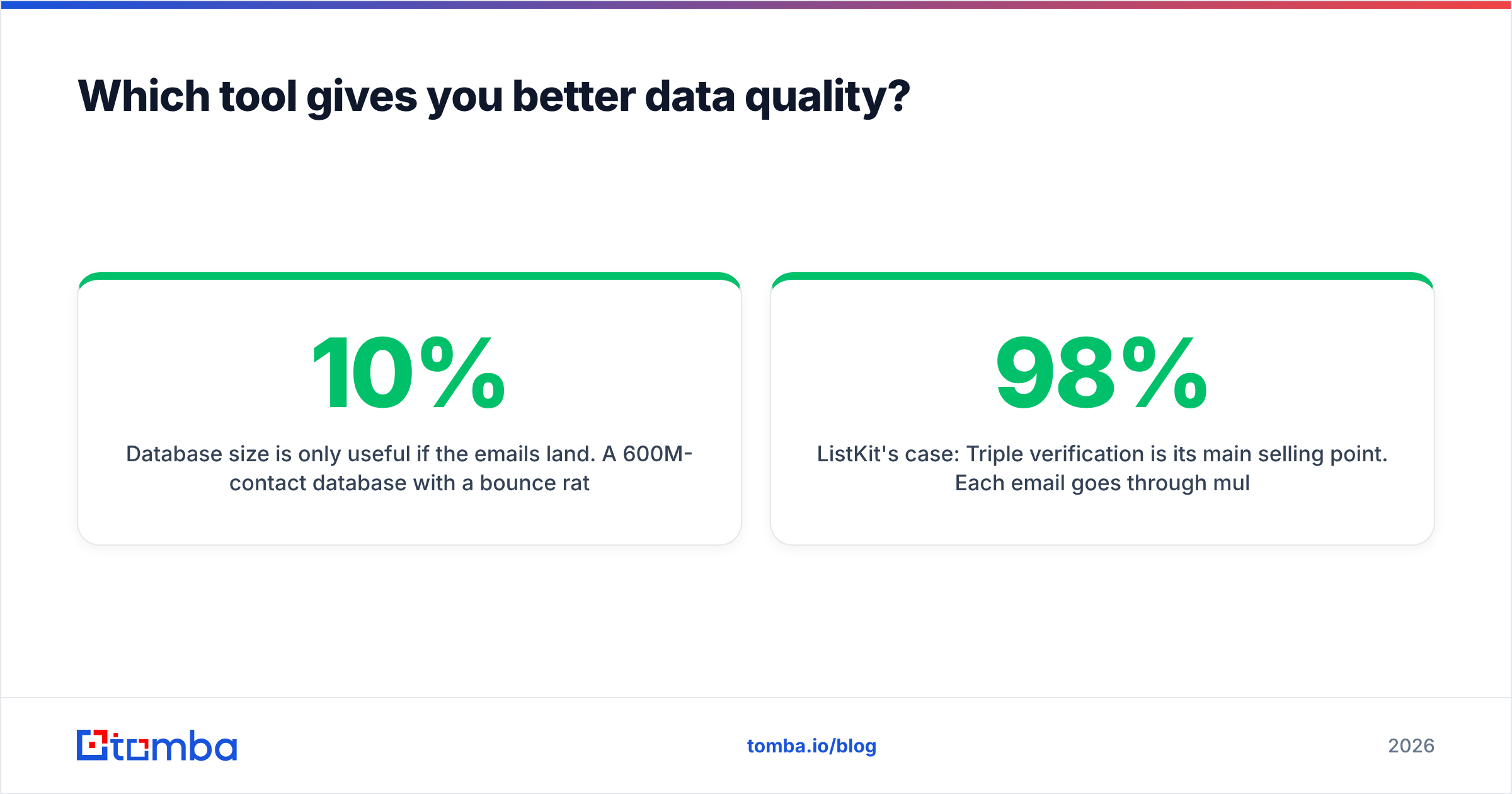
Database size is only useful if the emails land. A 600M-contact database with a 10% bounce rate will hurt your email deliverability more than a 50M database that bounces at 2%.
ListKit's case: Triple verification is its main selling point. Each email goes through multiple verification passes that check syntax, mailbox existence and catch-all status, and risky addresses are flagged before you export. Third-party reviews report deliverability around 98% on verified exports. ListKit also doesn't charge for contacts it can't verify, so your credits line up with usable data.
OneMoreLead's case: It says its emails and phone numbers are verified, but it doesn't publish how verification works or what a "verified" status means for catch-all domains. That matters because catch-all domains accept every address at the SMTP level, so a basic check will call them valid even when no mailbox exists. If you buy from OneMoreLead, run the export through an independent email verifier before it goes into a sequence.
Due diligence note: OneMoreLead has very few public reviews on sites like G2. That makes independent validation harder. Security researchers at vpnMentor also reported an exposed database linked to the company in 2021. Neither point proves the data is bad today. It does mean you should run a small paid test and verify the results yourself before committing to an annual contract.
How much does each tool actually cost per usable lead?#
Sticker price is misleading here. What matters is cost per contact that is verified, relevant and in your ICP. Here's how to work it out for either tool:
- Find your monthly volume. Count emails sent, not contacts exported. A team sending 3,000 new-contact emails a month needs at least 3,000 exported contacts, and more once you allow for duplicates and bad fits.
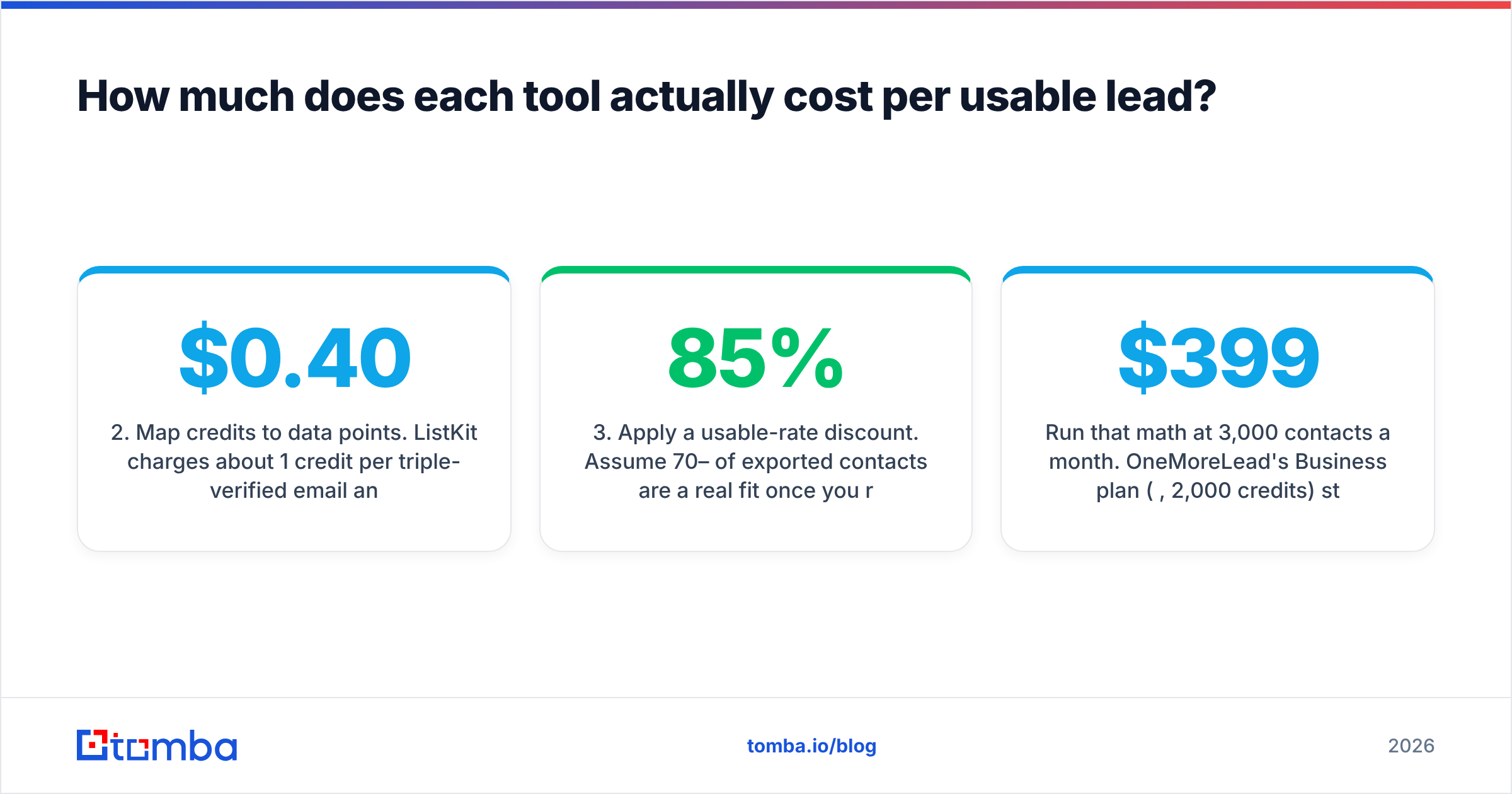
- Map credits to data points. ListKit charges about 1 credit per triple-verified email and about 3 per phone number found. OneMoreLead's credits cover "email & phone" at about $0.40 each, and public materials don't clearly break down what each data point costs.
- Apply a usable-rate discount. Assume 70–85% of exported contacts are a real fit once you remove wrong titles, stale records and duplicates. Divide your cost by that rate.
- Add verification cost if needed. If the vendor's verification doesn't handle catch-alls, add the cost of re-verifying with a separate tool.
- Compare against your sending cap. If your credit pool is smaller than your send volume, you'll need a second data source. That is the hidden cost of credit-light plans.
Run that math at 3,000 contacts a month. OneMoreLead's Business plan ($399, 2,000 credits) still falls short, so you'd need extra credits or another vendor. ListKit's lower paid tiers cover that volume with room to spare. At 200 highly targeted contacts a month with direct dials, the gap narrows, and OneMoreLead's single $99 plan could be enough.
Which one fits your team?#
Pick based on your motion, not on the logo.
- Cold email agency running 10+ client campaigns: ListKit. The unlimited users, large credit pools and triple verification are built for this. You'll still need separate sending infrastructure, because ListKit doesn't include inboxes or a sequencer.
- Founder-led sales or a solo SDR doing 50–150 highly targeted touches a month: Either tool can work. OneMoreLead's direct dials help if you mix calls and email. ListKit's free plan lets you test before you pay.
- Team that calls first: OneMoreLead's direct dials on the entry plan are a real advantage. ListKit has phone numbers too, but its product is built around email.
- RevOps team enriching an existing CRM: Compare the APIs. OneMoreLead only gives you full API access on the $399 Business tier. ListKit leans on native CRM integrations. Also consider a dedicated enrichment or domain search tool that can fill gaps neither database covers.
What do both tools miss?#
The weakness they share is structural. Both are closed databases. When your target account or contact isn't in their index, you get nothing. Neither one cascades to other providers or builds an email from company patterns on the fly.
That matters more than it sounds. Your best-fit accounts are often newer companies, niche verticals or recently promoted buyers, and those are exactly the records that lag in any static database. Reviews of ListKit call out the lack of a fallback when a contact isn't found. OneMoreLead's much smaller database means you'll hit that wall more often.
Other gaps worth noting:
- No credit rollover on ListKit. Unused monthly credits don't carry over, so size your plan to your real volume.
- Opaque credit math on OneMoreLead. You can't calculate cost per lead with confidence until you're a paying customer.
- Catch-all handling. ListKit flags catch-alls. OneMoreLead doesn't document how it handles them. In both cases, a dedicated catch-all verifier tells you which catch-all addresses are likely to work, so you don't have to drop all of them.

How should you build a lead stack around either tool?#
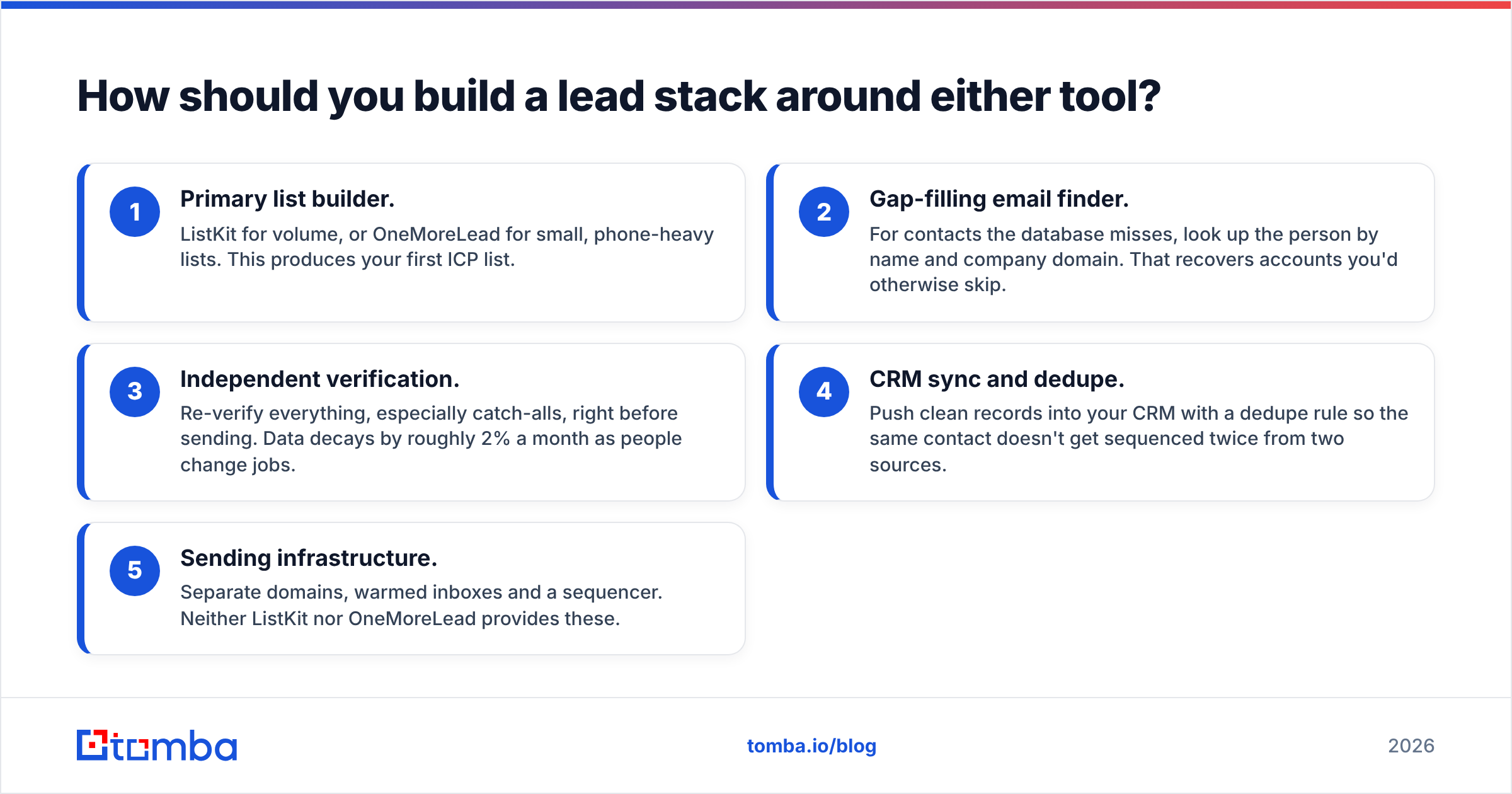
Most mature outbound teams don't rely on a single data vendor. A practical 2026 stack looks like this:
- Primary list builder. ListKit for volume, or OneMoreLead for small, phone-heavy lists. This produces your first ICP list.
- Gap-filling email finder. For contacts the database misses, look up the person by name and company domain. That recovers accounts you'd otherwise skip.
- Independent verification. Re-verify everything, especially catch-alls, right before sending. Data decays by roughly 2% a month as people change jobs.
- CRM sync and dedupe. Push clean records into your CRM with a dedupe rule so the same contact doesn't get sequenced twice from two sources.
- Sending infrastructure. Separate domains, warmed inboxes and a sequencer. Neither ListKit nor OneMoreLead provides these.
The point of this setup is redundancy without paying twice. You use the database for broad coverage and a pay-per-find tool for the long tail. Your cost per usable lead drops because you stop buying credit packs you don't use.
Is ListKit better than OneMoreLead?#
For most outbound teams in 2026, yes. ListKit wins on database size, verification transparency, credit volume per dollar, unlimited seats and the fact that you can test it on a free plan. If cold email is your main channel, it's hard to beat on unit cost among list-builder databases.
OneMoreLead is the better fit in one narrow case: a small team that wants direct dials alongside emails, only needs a few hundred contacts a month, and values a simple filtered search over bulk exports. Even then, pilot it with a single month, verify a sample independently and look at bounce rates before you commit.
Whichever you choose, don't treat the database as your only source of truth. The teams with the lowest bounce rates and the highest response rate use a list builder for coverage and a separate finder and verifier for accuracy.
Where does Tomba fit in?#
Tomba isn't a bulk list-builder database like ListKit or OneMoreLead. It's the precision layer next to one. When your database can't find a contact at a target account, Tomba Email Finder finds the professional address from a name plus a company domain, or lists every public email at a domain. You can verify the results, catch-alls included, in the same workflow. There's a free tier with 25 searches a month, and paid plans start at $49/month (see Tomba pricing). That makes it a low-cost way to fill the gaps your main database leaves. Start with the contacts that ListKit or OneMoreLead couldn't return, and run them through Tomba Email Finder before your next campaign goes out.
Related guides#
// get started
Find, verify and enrich your first contacts today
Start on the free plan with 25 searches a month, then scale when your team is ready.
Free plan · No credit card required · GDPR & CCPA
// about the author