ListKit vs Power Almanac (2026): Which B2B Data Tool Fits You?
ListKit sells triple-verified private-sector leads on credits. Power Almanac sells phone-verified local government contacts on annual contracts. They look alike on paper but solve different problems. Here's how to pick.
This ListKit vs Power Almanac guide compares two contact data tools. They look alike, but they serve very different buyers.
TL;DR
- ListKit is a self-serve B2B lead database for private-sector outbound. It runs on credits and sells "triple-verified" emails. Paid plans start around $83/mo on annual billing.
- Power Almanac is a niche database of local government decision-makers. It holds about 343K records across about 22K US cities, counties, and townships. Every record is phone-verified. Paid tiers are reported at $5,400 to $16,000 per year.
- These tools rarely compete head to head. If you sell to companies, ListKit fits. If you sell to cities and counties (GovTech, public works, public safety, civic SaaS), Power Almanac fits.
- The "listkit vs power almanac" choice comes down to who your buyer is, not which tool has more features.
- Whichever you choose, run exports through an independent verifier before you send. Once the data is in your sequencer, neither vendor controls your bounce rate.
What are ListKit and Power Almanac?#
They get grouped together because both sell contact data. That's about where the likeness ends.
ListKit (listkit.io) is a lead database built for cold email teams, agencies, and SDRs. You filter by title, industry, headcount, location, and tech stack. Then you export leads. ListKit runs each email through what it calls triple verification: several checks before export. Pricing is credit-based. You pay per contact revealed, not per seat.
Power Almanac only covers US local government. Its records map officials to roles. These include city manager, mayor, council member, and the heads of IT, finance, purchasing, public works, police, fire, HR, and communications. The company says its staff phone-checks each record about every 90 days. Each record shows the date it was last checked. Power Almanac became part of GovExec, the government media and data company, in 2021.
Think of it this way. ListKit is a big-box hardware store: wide selection, self-serve, priced per item. Power Almanac is a specialist shop with one aisle, and every item on it is hand-checked. You don't pick based on which store is "better." You pick based on what you're building.
How do ListKit and Power Almanac compare side by side?#
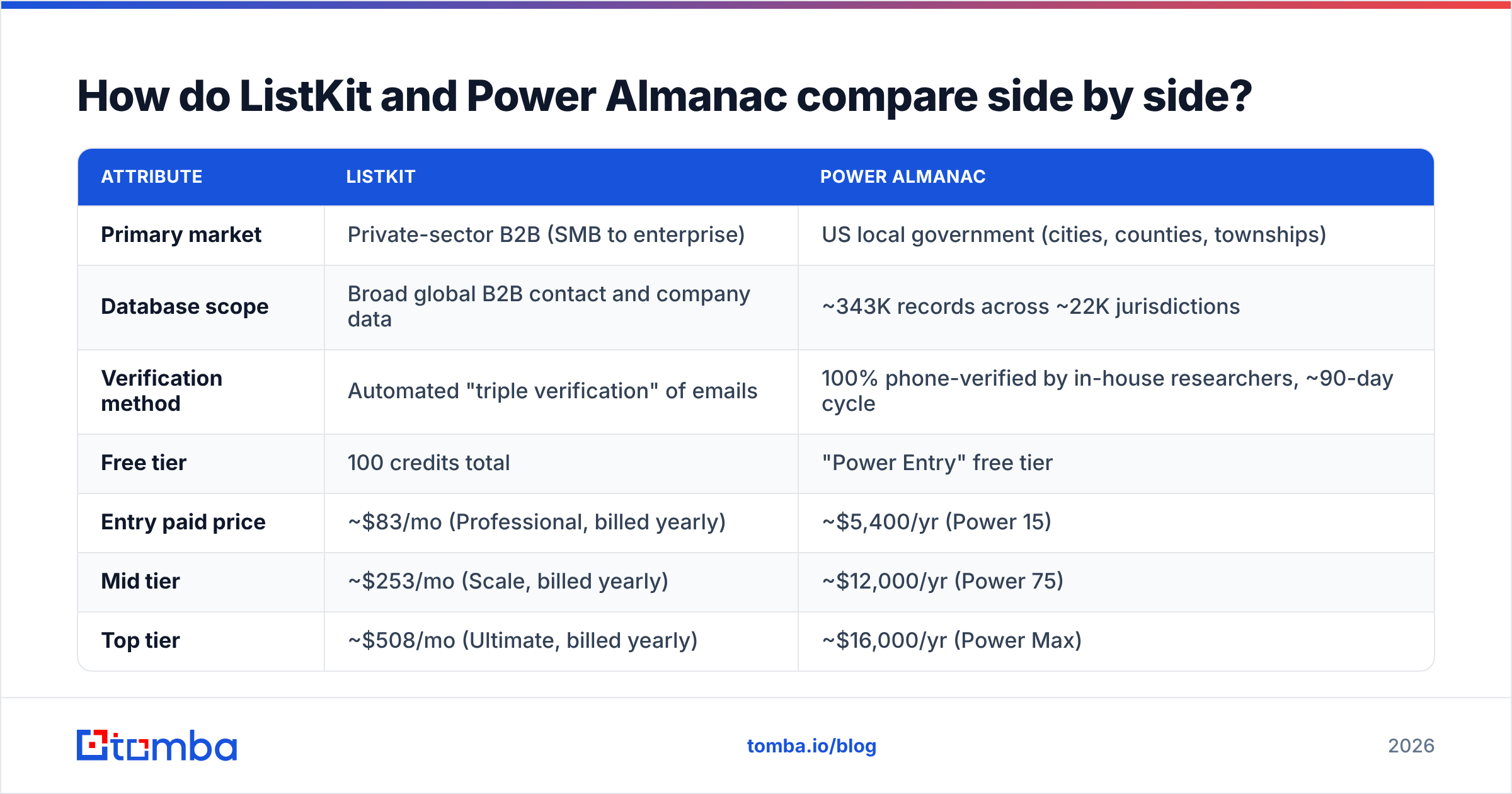
This ListKit vs Power Almanac table uses vendor information and third-party pricing reports as of 2026. Credit costs and plan names change. Check current numbers on each vendor's site before you buy.
| Attribute | ListKit | Power Almanac |
|---|---|---|
| Primary market | Private-sector B2B (SMB to enterprise) | US local government (cities, counties, townships) |
| Database scope | Broad global B2B contact and company data | ~343K records across ~22K jurisdictions |
| Verification method | Automated "triple verification" of emails | 100% phone-verified by in-house researchers, ~90-day cycle |
| Free tier | 100 credits total | "Power Entry" free tier |
| Entry paid price | ~$83/mo (Professional, billed yearly) | ~$5,400/yr (Power 15) |
| Mid tier | ~$253/mo (Scale, billed yearly) | ~$12,000/yr (Power 75) |
| Top tier | ~$508/mo (Ultimate, billed yearly) | ~$16,000/yr (Power Max) |
| Pricing model | Credits (email ~1 credit, phones cost more) | Annual subscription tiers |
| Phone numbers | Yes, charged only when found | Yes, core to the dataset |
| Best for | Cold email agencies, SDR teams, founders | GovTech, public-sector vendors, civic consultants |
| Self-serve onboarding | Yes | Partly (free tier, sales-assisted upgrades) |
Two things stand out. First, the pricing units differ. ListKit charges per contact. Power Almanac charges for a year of access to a fixed set of records. Second, the ways they check data are opposites. ListKit uses automated checks at scale. Power Almanac uses human research on a small, stable group.
Who should choose ListKit?#
ListKit makes sense when your buyers work at companies and you need volume. Common fits:
- Cold email agencies running campaigns for several clients
- SaaS SDR teams building lists by title, headcount, and tech stack
- Founders doing outbound who want access without a sales call
- Teams that need phones as an add-on, not as the main channel
The credit model is the key thing to understand. ListKit's credit docs say you spend credits when you export contacts. Phone numbers cost more than emails. Several third-party reviews also say annual billing is much better value than monthly. So if you test the tool month to month, your real cost per lead will be higher than the headline price.
ListKit gets harder to use in very narrow niches and in government. It also struggles where buyers have no clean, public company footprint. A local fire chief or a county purchasing director won't show up reliably in a general B2B database. That data just isn't gathered the same way.
Who should choose Power Almanac?#
Power Almanac is the specialist pick. If you sell to cities and counties, its value is simple. It maps who does which job in each place, and it keeps that current by phone.
It fits you if:
- You sell public safety, public works, utilities, permitting, or civic software
- Your deals depend on reaching the exact role (for example, the purchasing director in a 40,000-person county)
- You care more about fresh data and the right role than total record count
- Your team plans territories by size, state, or type of government
That role-based setup is the real difference. General B2B databases list people by job title text. In local government, those titles are messy. One town has a "Director of Public Works." The next has a "Town Engineer." A third has a "Superintendent of Streets." Power Almanac maps all of these to one standard role. That saves you hours of cleanup.
The trade-off is cost and scope. Reported prices start around $5,400 a year and go up to about $16,000. That's a big commitment next to a credit-based tool. The dataset also stops at local government. If half your pipeline is private-sector, you'll need a second tool anyway.
Is ListKit or Power Almanac more accurate?#
They measure accuracy in different ways. A direct ListKit vs Power Almanac accuracy comparison can mislead you.
ListKit's accuracy is about email deliverability. Triple verification aims to cut bounces on exported addresses. It's automated, so it scales to millions of records. But it has the usual limits. Catch-all domains, people who just left, and shared role inboxes all make results less certain.
Power Almanac's accuracy is about the right person in the role. A researcher calls city hall and confirms who holds the job today. That's very strong for role accuracy. It says less about whether an email will pass an SMTP check today. City mail servers are often locked down or set to accept everything.
In practice:
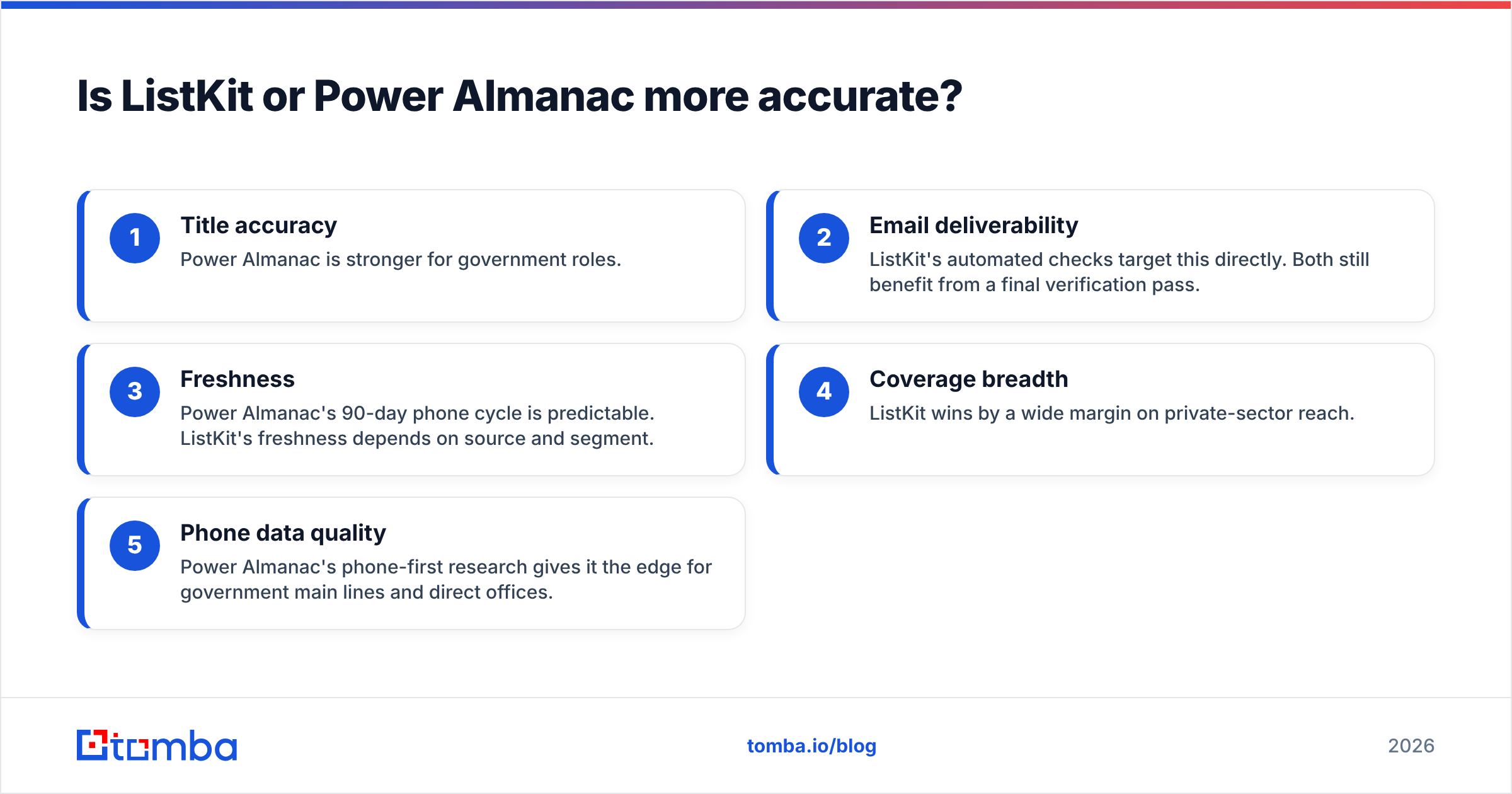
- Title accuracy: Power Almanac is stronger for government roles.
- Email deliverability: ListKit's automated checks target this directly. Both still benefit from a final check.
- Freshness: Power Almanac's 90-day phone cycle is predictable. ListKit's freshness depends on source and segment.
- Coverage breadth: ListKit wins by a wide margin on private-sector reach.
- Phone data quality: Power Almanac's phone-first research gives it the edge for government main lines and offices.
Whichever tool you pick, don't treat vendor checks as final. Data decays every week. Running exports through an independent email verifier before each send is cheap insurance. For government domains, a catch-all verifier helps you tell "accepts everything" servers from real mailboxes.
How does pricing compare in real terms?#
Headline prices don't show what you actually get. Here's a rough way to frame it.
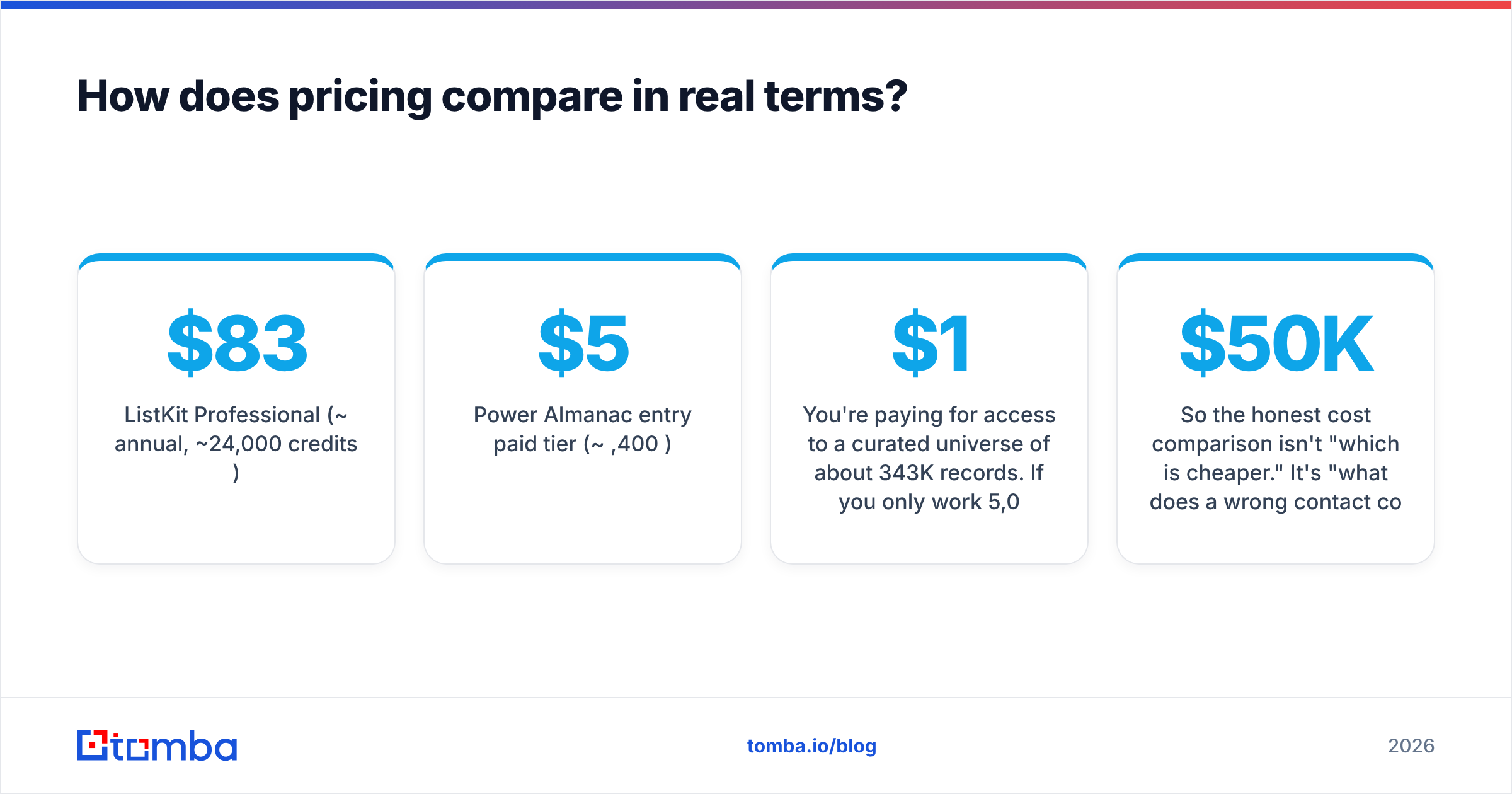
ListKit Professional (~$83/mo annual, ~24,000 credits/year) If a verified email costs 1 to 2 credits, that's about 12,000 to 24,000 contacts a year. That's a fraction of a cent to a few cents per lead. It's very efficient for volume outbound.
Power Almanac entry paid tier (~$5,400/yr) You pay for access to about 343K curated records. Say you only work 5,000 relevant officials in your territory. Then each useful contact costs you about $1. That's much more than ListKit. But you're paying for human-checked, role-mapped data in a niche that general databases cover poorly.
So the honest ListKit vs Power Almanac cost question isn't "which is cheaper." It's "what does a wrong contact cost you?" A city deal may be worth $50K to $500K, with only one real buyer per place. There, paying more per record often makes sense. In high-volume SaaS outbound at a $5K deal size, it doesn't.
For more on how buyers rate each vendor, check reviews on G2. The Power Almanac G2 page is a good place to see feedback from public-sector users.
What are the pros and cons of each tool?#
ListKit pros
- Low entry price and a free trial allowance
- Self-serve, fast to start
- Broad private-sector coverage with company filters
- You pay for what you export
ListKit cons
- You need annual billing to get the best credit value
- Phone reveals burn credits quickly
- Weak fit for government, education, and other non-corporate buyers
- As with any automated check, catch-all domains stay uncertain
Power Almanac pros
- Built for local government, with standard decision-maker roles
- Human, phone-based checks on a set cycle, with date stamps
- Territory planning by government type and size
- Free entry tier for testing
Power Almanac cons
- Five-figure yearly cost at the upper tiers
- Fixed dataset with no private-sector coverage
- US local government only
- Emails still need a separate check on locked-down city servers
Can you use both tools together?#
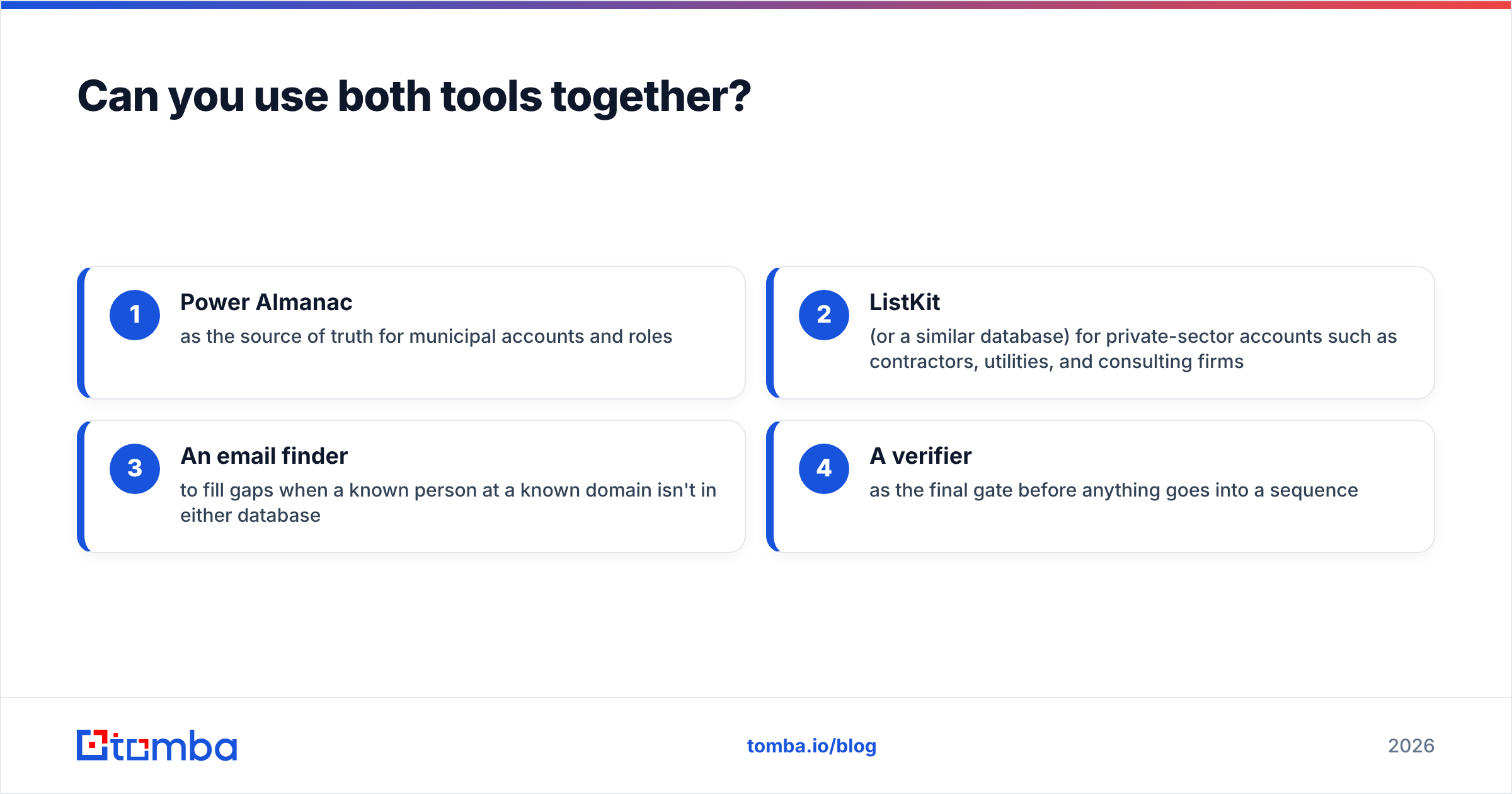
Yes. For some teams it's the best setup. Vendors selling into both markets often work like this:
- Power Almanac as the source of truth for city and county accounts and roles
- ListKit (or a similar database) for private-sector accounts such as contractors, utilities, and consulting firms
- An email finder to fill gaps when a known person at a known domain isn't in either database
- A verifier as the final gate before anything goes into a sequence
Step 3 matters more than most teams expect. You'll often know a name and an organization but not the email. The name might come from a council agenda, a news story, or a bid portal. A domain search shows you the org's email pattern and known addresses. Then a name-plus-domain finder can fill in the missing contact.
ListKit vs Power Almanac: which should you pick?#
Here's the short version of the listkit vs power almanac decision:
- You sell to companies, need volume, and want self-serve: choose ListKit. Buy annual if you'll use it all year.
- You sell to cities, counties, or townships and need the right role in each one: choose Power Almanac. Start on the free tier to check coverage in your territory before you commit.
- You sell to both: use both. Keep them in separate CRM segments, and put a verification step in front of your sequencer.
- You mainly need to find people you've already identified: you may not need a large database at all. A targeted email finder plus a verifier costs less and gives you more control.
Don't buy either one based on record counts. Before you sign, pull 100 contacts from your real ICP and verify them yourself. Measure three things: role accuracy, deliverability, and how many target accounts are covered. That one test will tell you more than any ListKit vs Power Almanac comparison page, including this one.
Where does Tomba fit in?#
If your workflow is "I know who I want, I just need a working address," a full database may be more than you need. The Tomba Email Finder finds work emails from a name and domain, company, or LinkedIn profile. It sits next to an email verifier and a catch-all verifier. So you can check addresses from ListKit, Power Almanac, or anywhere else before they reach your sequencer. There's a free tier with 25 searches a month, and paid plans start at $49/mo. See Tomba pricing for details. Use it to fill gaps in either database, or as a lighter option when you'd rather target precisely than buy bulk lists.
Related guides#
// get started
Find, verify and enrich your first contacts today
Start on the free plan with 25 searches a month, then scale when your team is ready.
Free plan · No credit card required · GDPR & CCPA
// about the author