ListKit vs Skrapp (2026): Pricing, Data Quality and Best Fit
ListKit sells lists you filter and export in bulk. Skrapp finds emails one prospect at a time from LinkedIn and websites. We compare cost per email, credit rules and workflow fit to help you pick one before you buy.
TL;DR
- ListKit is a filter-and-export B2B lead database. You build a list of your ideal customers, and ListKit returns emails it has triple-verified. It suits teams that send cold email in volume.
- Skrapp is an email finder and verifier built around LinkedIn, Sales Navigator and company websites. It suits reps who research each account by hand.
- Annual ListKit plans start at about $83/mo (24,000 credits a year). Skrapp has a free tier of 100 credits a month, and its paid plans start in the $30–$49/mo range for about 1,000 credits. Check both pricing pages before you buy, because the tiers change often.
- Choose ListKit if your bottleneck is list volume. Choose Skrapp if your bottleneck is finding the right person's email.
- If you need both, plus catch-all verification at a mid-market price, compare them against a general-purpose email finder like Tomba before you commit to an annual plan.
What is the real difference between ListKit and Skrapp?#
ListKit and Skrapp both give you B2B email addresses, but they start from opposite ends.
ListKit works top-down. You describe your ideal customer profile (industry, headcount, job title, location, technology) and it hands back a finished list of contacts with verified emails, ready to import into Instantly, Smartlead or a similar sender. The product is the list.
Skrapp works bottom-up. You already know the company or the person. You're on their LinkedIn profile, a Sales Navigator search or their website, and you need the email. The Chrome extension, domain search and bulk finder all serve that job. The product is the lookup.
The practical difference: ListKit replaces the hours you would spend building a list, and Skrapp replaces the hours you would spend guessing email formats. Neither is strictly better. They solve different problems, and buyers get stuck when they compare them as if they did the same thing.
How do ListKit and Skrapp compare feature by feature?#
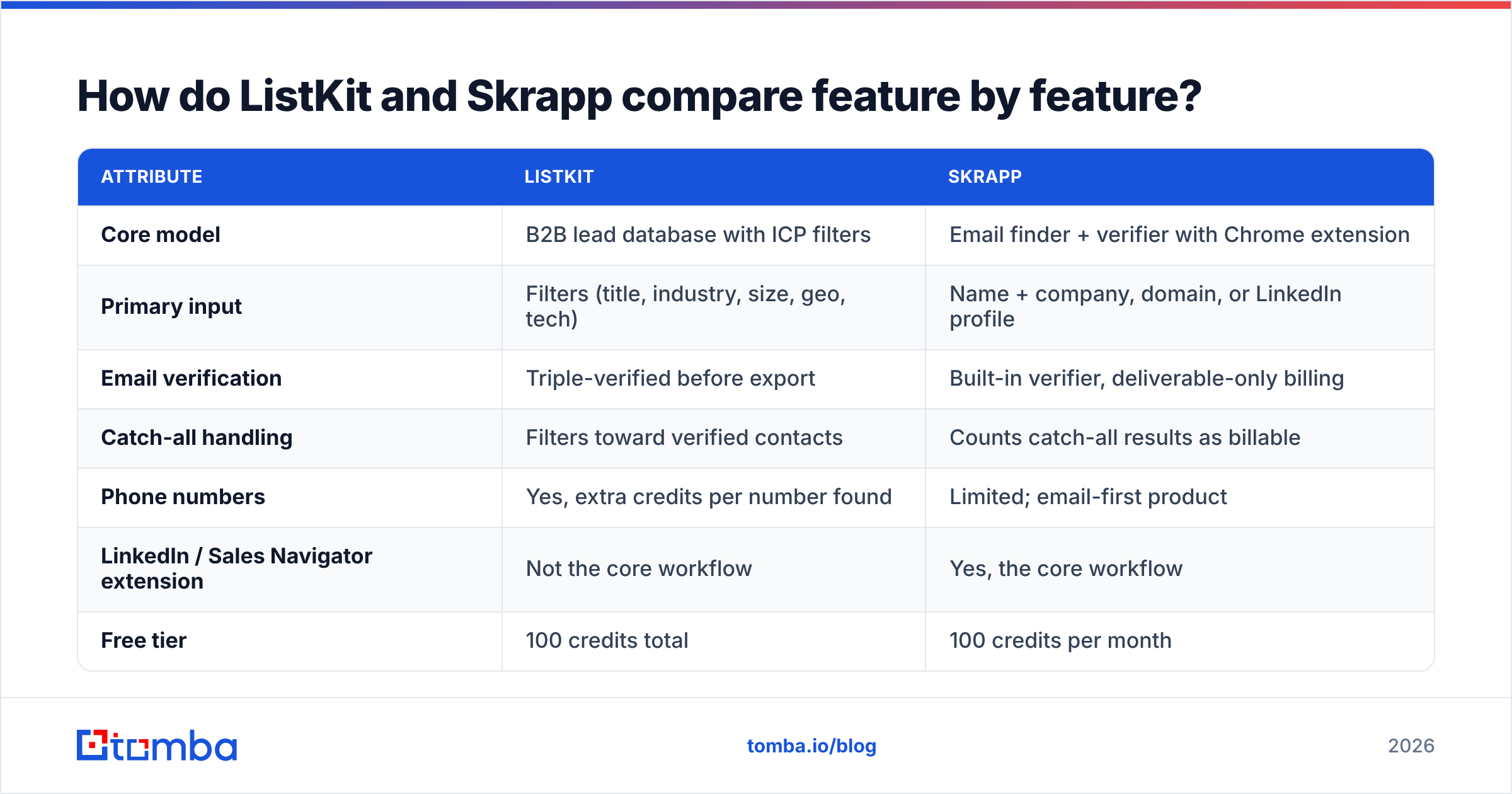
The table below covers the attributes that actually change your workflow and bill, based on each vendor's public docs and listings as of 2026.
| Attribute | ListKit | Skrapp |
|---|---|---|
| Core model | B2B lead database with ICP filters | Email finder + verifier with Chrome extension |
| Primary input | Filters (title, industry, size, geo, tech) | Name + company, domain, or LinkedIn profile |
| Email verification | Triple-verified before export | Built-in verifier, deliverable-only billing |
| Catch-all handling | Filters toward verified contacts | Counts catch-all results as billable |
| Phone numbers | Yes, extra credits per number found | Limited; email-first product |
| LinkedIn / Sales Navigator extension | Not the core workflow | Yes, the core workflow |
| Free tier | 100 credits total | 100 credits per month |
| Entry paid plan | ~$83/mo billed annually | ~$30–$49/mo for ~1,000 credits |
| Credit rollover | Annual credit pool | Unused credits roll over |
| Best for | Agencies and SDR teams sending at scale | Account-based reps and recruiters |
Two rows matter more than they look.
Catch-all handling. A catch-all domain accepts mail for any address, so a verifier can't confirm that jane@company.com really exists. Under Skrapp's Fair Credit Policy, one credit covers one valid email or one catch-all email. You won't be charged for addresses that turn out undeliverable, but you will be charged for results nobody can confirm. ListKit's triple-verification pitch leans toward filtering those out before you export. If you prospect in mid-market SaaS, where catch-all setups are common, this row alone can swing your real cost per usable email by 20–30%.
Credit rollover. Skrapp rolls unused credits forward. ListKit's annual plans give you a yearly pool. Both approaches are friendly to bursty usage, just in different ways.
How much do ListKit and Skrapp actually cost?#
The sticker prices hide the number that matters: cost per usable email.
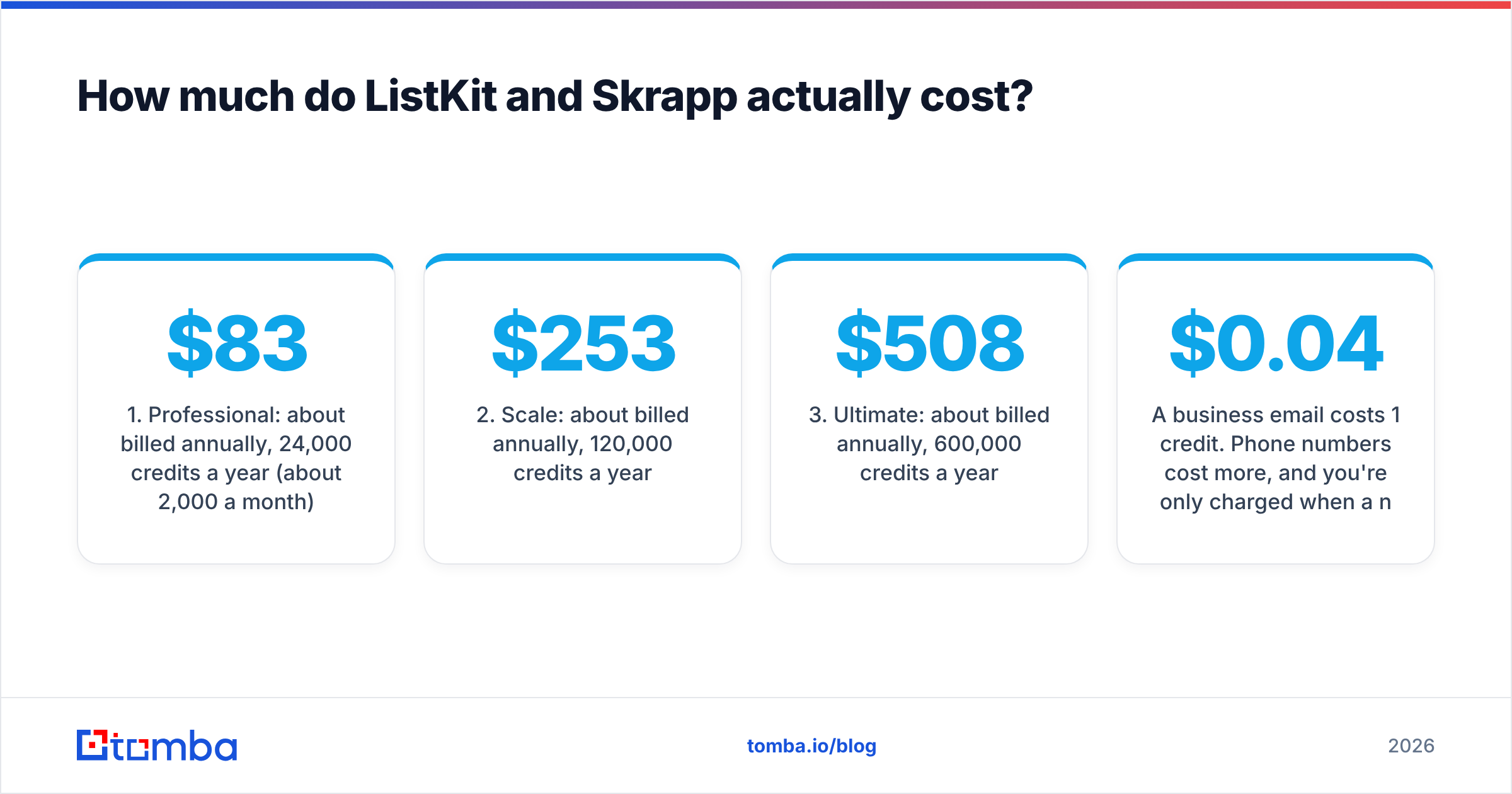
ListKit has three paid tiers, all with the same features. You pay for credits, not access:
- Professional: about $83/mo billed annually, 24,000 credits a year (about 2,000 a month)
- Scale: about $253/mo billed annually, 120,000 credits a year
- Ultimate: about $508/mo billed annually, 600,000 credits a year
A business email costs 1 credit. Phone numbers cost more, and you're only charged when a number is found. The catch is monthly billing: it costs more per month and gives you far fewer credits, so the monthly plan rarely makes sense. On Professional billed annually, you pay about $0.04 per email. At Ultimate volume, that drops below $0.01.
Skrapp offers a free plan with 100 credits a month. Its paid plans scale from roughly 1,000 credits a month at the entry tier to 50,000 credits a month at the top tier (around $280–$300/mo), with more seats as you go up. Third-party listings in 2026 disagree on the exact tier names and entry price, so check Skrapp's pricing on G2 or Skrapp's own site before you budget. At entry level you pay about $0.03–$0.05 per email. At the top tier it falls to around $0.006.

In short, both tools reach sub-cent pricing only at high volume. Below 2,000 emails a month, Skrapp is the cheaper way to start because you aren't locked into a year. Above roughly 10,000 emails a month, ListKit's annual pool usually wins on unit cost, as long as you actually use the credits.
Which tool has better data quality?#
No vendor's marketing claim settles this. Your own domain mix does.
Both tools publish accuracy claims, and neither is independently audited in a way you can reproduce. What you can control is the test:
- Pull 200 contacts from your real ICP. Don't use a vendor's demo segment.
- Run the same list through both tools on their free tiers (100 credits each covers most of it).
- Verify the output independently. Use a third-party email verifier so neither vendor grades its own homework.
- Count three buckets: valid, catch-all/unknown, invalid. Hit rate without bounce rate is meaningless.
- Send a small warm batch of 50 emails from a warmed inbox and track hard bounces. Anything above 2–3% will hurt your sender reputation over time.
The pattern that usually shows up: database tools like ListKit give you more contacts per hour of work, because you're filtering instead of searching. Lookup tools like Skrapp give you higher confidence on specific people, because they check the email in real time against the person you picked. Database records age. People change jobs, and a contact verified six months ago may already have left. Live lookups don't have that decay problem, but they're slower per contact.
If you prospect in regions or industries with heavy catch-all usage, add a dedicated catch-all verifier step whichever tool you pick. That single step stops a lot of silent bounces.
Is ListKit better than Skrapp for cold email agencies?#
For most agencies, yes. The reason is workflow, not data.
An agency running outbound for five clients needs five fresh ICP lists a month, each with thousands of contacts. Skrapp can do that through Sales Navigator scraping plus bulk finding, but it's manual, seat-limited work. ListKit's whole design assumes you'll filter, export and push to a sequencer in one sitting. The CSV comes out formatted for cold email tools, and the pricing is built around that volume.
ListKit is weaker when a client's ICP is narrow. Think "VPs of Revenue Operations at Series B fintechs in DACH". Database filters get thin there, and you end up with 80 contacts when you needed 400. That's where a lookup tool fills the gap.
Is Skrapp better than ListKit for account-based selling?#
Usually, yes.
If your team sells to 200 named accounts a quarter, you don't need a database of millions. You need the right five people inside each account, verified, today. Skrapp's Chrome extension lets a rep sit on a LinkedIn or Sales Navigator profile and get the email without switching tabs. The domain search shows who else at the company is findable, which helps with multi-threading.
The limit is seats and throughput. Skrapp's user counts rise with plan tier, so a 12-rep team on a small plan runs out of seats before it runs out of credits. It's also an email-first product. If your reps rely on direct dials, you'll need a separate phone source.
For a broader look at lookup-first tools in this category, Tomba's email finder works the same way: name plus domain in, verified address out, with a confidence score and the public sources where the address appeared.
What do the review sites say?#
Reviews on G2 and Capterra follow a predictable split.
Skrapp gets consistent praise for the LinkedIn extension's ease of use and for billing only on deliverable emails. The recurring complaints are coverage gaps on smaller companies and non-English markets, and uncertainty about which catch-all results count against credits.
ListKit gets praise for list-building speed and for the cleanliness of the export when it drops into sequencers. The recurring complaints are the pressure to pay annually, the gap between monthly and annual credit allowances, and thinner results on niche segments.
Neither pattern is a dealbreaker. Both line up with the structural differences above.
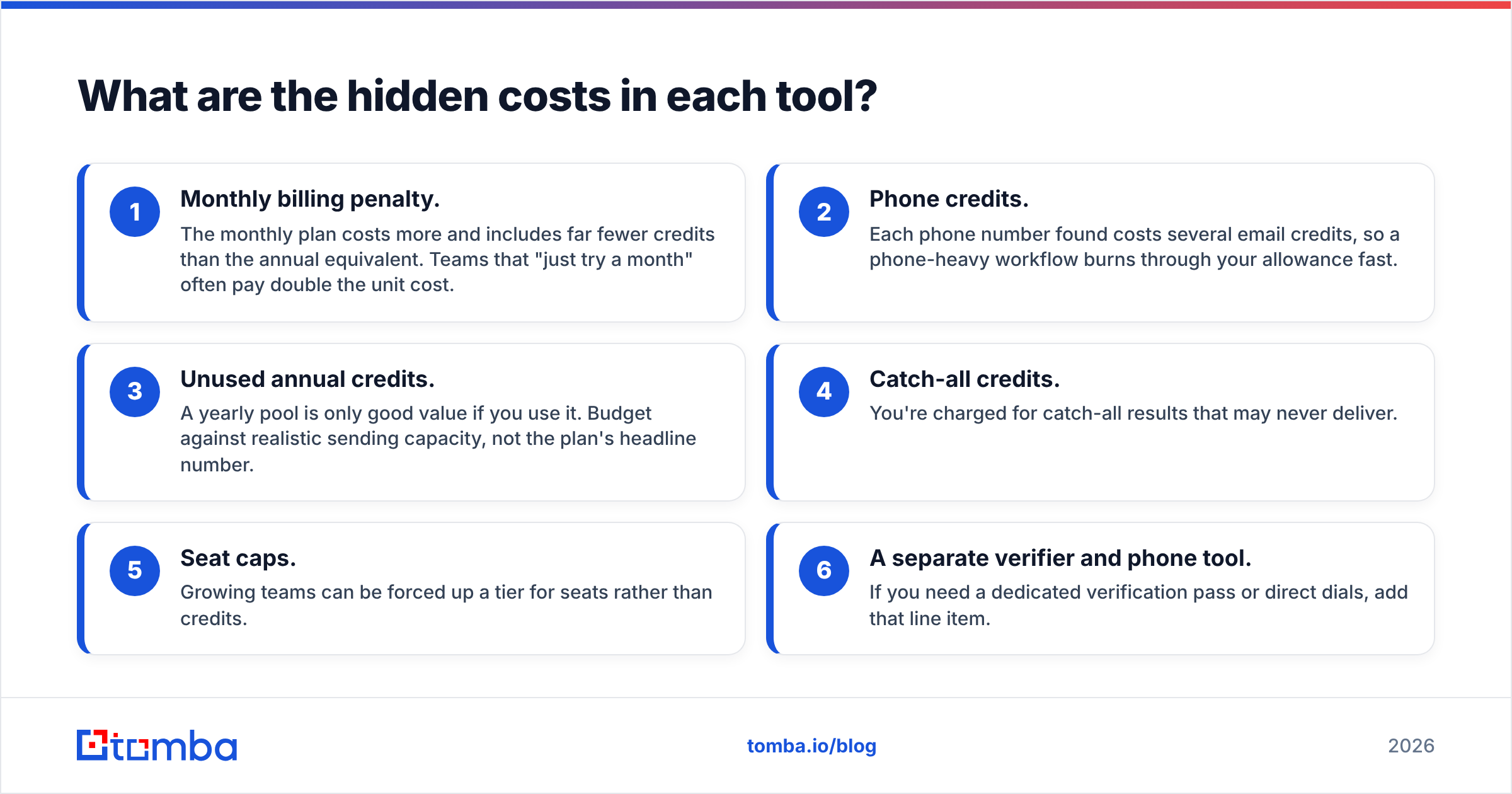
What are the hidden costs in each tool?#
This is where most buyers get caught out.

ListKit hidden costs
- Monthly billing penalty. The monthly plan costs more and includes far fewer credits than the annual equivalent. Teams that "just try a month" often pay double the unit cost.
- Phone credits. Each phone number found costs several email credits, so a phone-heavy workflow burns through your allowance fast.
- Unused annual credits. A yearly pool is only good value if you use it. Budget against realistic sending capacity, not the plan's headline number.
Skrapp hidden costs
- Catch-all credits. You're charged for catch-all results that may never deliver.
- Seat caps. Growing teams can be forced up a tier for seats rather than credits.
- A separate verifier and phone tool. If you need a dedicated verification pass or direct dials, add that line item.
For either tool, the real monthly cost is: plan price + extra verification + phone data + the time your reps spend filling gaps.
Which one should you choose?#
Use this rule of thumb:
- You send 5,000+ cold emails a month to a broad ICP: ListKit, on an annual plan you'll actually use.
- You work named accounts from LinkedIn or Sales Navigator: Skrapp, starting on the free tier.
- You're an agency with mixed client ICPs: ListKit for broad lists, plus a lookup tool for narrow segments.
- You're a solo founder testing outbound: Skrapp's free 100 monthly credits are the lower-risk start.
- You need email, verification, catch-all checks and phone in one place at mid-market pricing: consider a general-purpose platform instead of stacking two point tools.
The worst outcome is buying ListKit's Ultimate tier for a team that works 300 named accounts, or giving an agency Skrapp seats and asking it to build 20,000-contact lists by hand. Match the tool to the workflow first, and compare prices second.
Where does Tomba fit in the ListKit vs Skrapp decision?#
Tomba sits closer to Skrapp's lookup-first model but covers more of the stack in one account: email finder, domain search, email verifier, catch-all verifier, phone finder and enrichment, plus a Chrome extension, an API and Google Sheets add-ons. It isn't a filter-and-export list database like ListKit, so if bulk ICP list-building is your main job, ListKit is still the more natural fit.
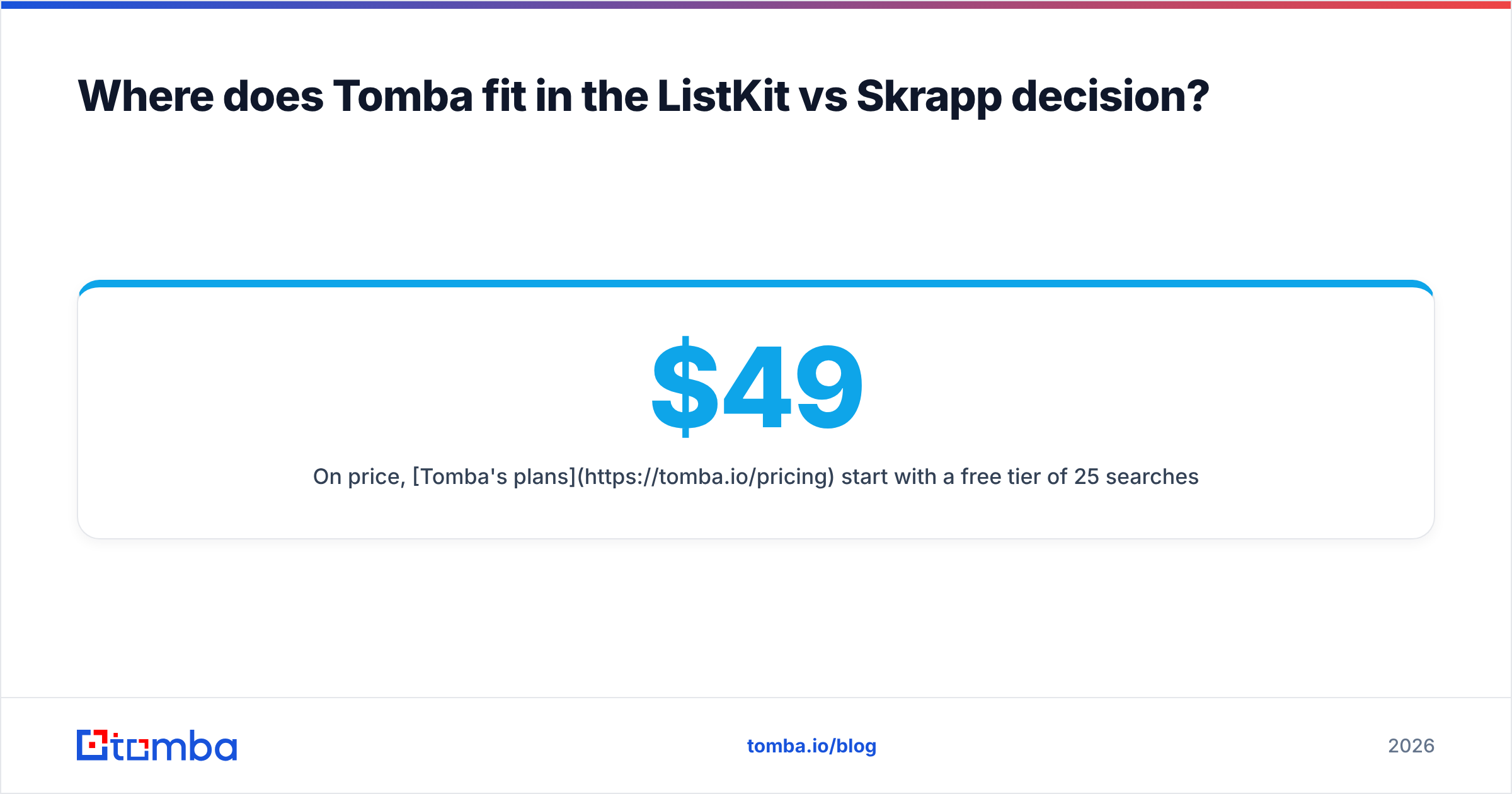
On price, Tomba's plans start with a free tier of 25 searches a month. Paid plans run Starter at $49/mo, Growth at $99/mo and Pro at $249/mo, with custom Enterprise pricing and no annual lock-in needed to get the headline allowance. For teams that want Skrapp-style precision with verification and catch-all checks included, that's worth putting in the same 200-contact bake-off described above.
Final verdict#
ListKit vs Skrapp isn't a question of which tool is better. It's a question of which bottleneck you have. ListKit wins on volume and speed of list-building. Skrapp wins on precision and per-person lookups. Run both free tiers against your real ICP, verify the output independently, and let your bounce rate decide.
If your workflow starts from a name and a company rather than a filter panel, try the Tomba Email Finder. Enter a name and domain and you get a verified professional address with its confidence score and public sources. The 25 free monthly searches are enough to test it against ListKit or Skrapp before you commit to a plan.
Related guides#
// get started
Find, verify and enrich your first contacts today
Start on the free plan with 25 searches a month, then scale when your team is ready.
Free plan · No credit card required · GDPR & CCPA
// about the author