ListKit vs Snappy Leads: Lead Database Comparison for 2026
One charges by the credit and triple-verifies emails. The other sells unlimited lookups for about £10 a month. Here's how ListKit and Snappy Leads compare on data quality, total cost, and fit for real outbound work.
TL;DR
- ListKit is a credit-based B2B lead database built for cold email teams. Emails are triple-verified, and paid plans start around $83/mo when billed annually. Your credits go further if you export only emails and skip mobiles.
- Snappy Leads is a low-cost subscription, roughly £10/mo, with unlimited lookups and a bundle of extra tools: LinkedIn-to-email, intent signals, and funding alerts.
- If you send thousands of cold emails a month and every bounce hurts your domain, pick ListKit. If you're a freelancer, recruiter, or small agency on a tight budget, pick Snappy Leads.
- Whichever you choose, run a separate verification pass before you send. No database stays accurate once contacts change jobs.
- If you mostly need to find one person's email at a known company rather than build lists, a dedicated email finder is often cheaper than either.
What are ListKit and Snappy Leads?#
Both tools answer the same question: "Who should I contact, and what's their email?" They answer it with very different business models.
ListKit is a B2B lead database aimed at outbound agencies and SDR teams. You filter by title, industry, headcount, location, technology, and intent, then export a list. Each field you export costs credits. ListKit's main selling point is that every business email goes through three verification passes, so the lists are meant to be safe to load straight into a sequencer.
Snappy Leads is a budget database that sells unlimited lookups on one subscription, at roughly £10/mo (about $13) at the time of writing. The company says it holds more than a billion professional contacts, including business and personal emails, phone numbers, and social profiles. You can search by company URL, keyword, industry, size, or location and export to CSV. The subscription also includes an AI "head-hunter" for finding decision-makers, a LinkedIn-to-email finder, buyer intent signals, recently funded company alerts, a tech-stack lookup, and a cold email drafting assistant.
In short, ListKit charges for data quality per record. Snappy Leads charges a flat fee for access.
How do the two tools actually differ?#
Before looking at prices, it helps to see where the two products split. These five points decide which one fits your workflow:
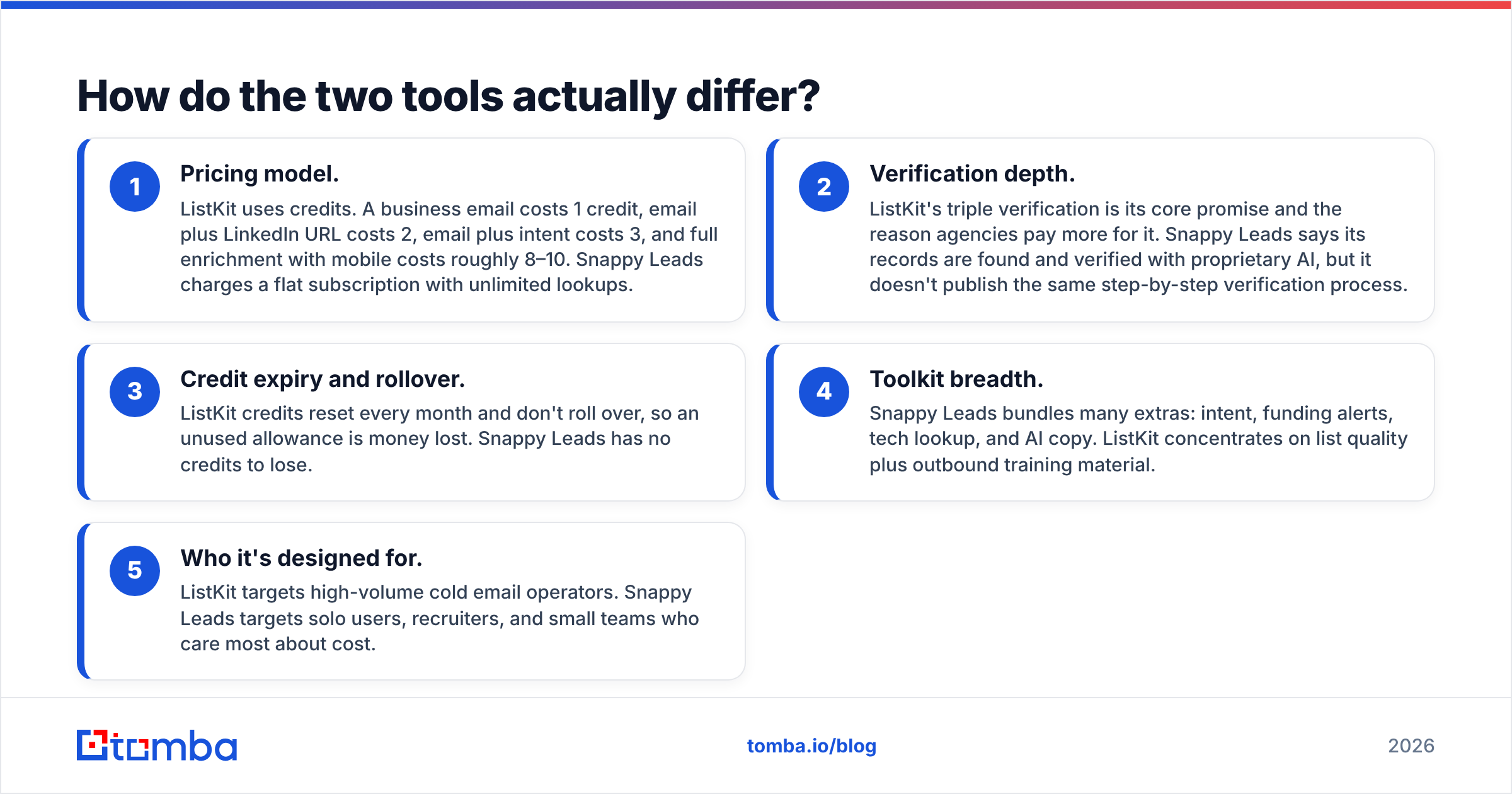
- Pricing model. ListKit uses credits. A business email costs 1 credit, email plus LinkedIn URL costs 2, email plus intent costs 3, and full enrichment with mobile costs roughly 8–10. Snappy Leads charges a flat subscription with unlimited lookups.
- Verification depth. ListKit's triple verification is its core promise and the reason agencies pay more for it. Snappy Leads says its records are found and verified with proprietary AI, but it doesn't publish the same step-by-step verification process.
- Credit expiry and rollover. ListKit credits reset every month and don't roll over, so an unused allowance is money lost. Snappy Leads has no credits to lose.
- Toolkit breadth. Snappy Leads bundles many extras: intent, funding alerts, tech lookup, and AI copy. ListKit concentrates on list quality plus outbound training material.
- Who it's designed for. ListKit targets high-volume cold email operators. Snappy Leads targets solo users, recruiters, and small teams who care most about cost.
A useful way to think about it is a wholesale supplier versus an all-you-can-eat buffet. Wholesale costs more per item, but each item is inspected. The buffet is cheap and generous, and you check each plate yourself.
How does ListKit vs Snappy Leads pricing compare?#
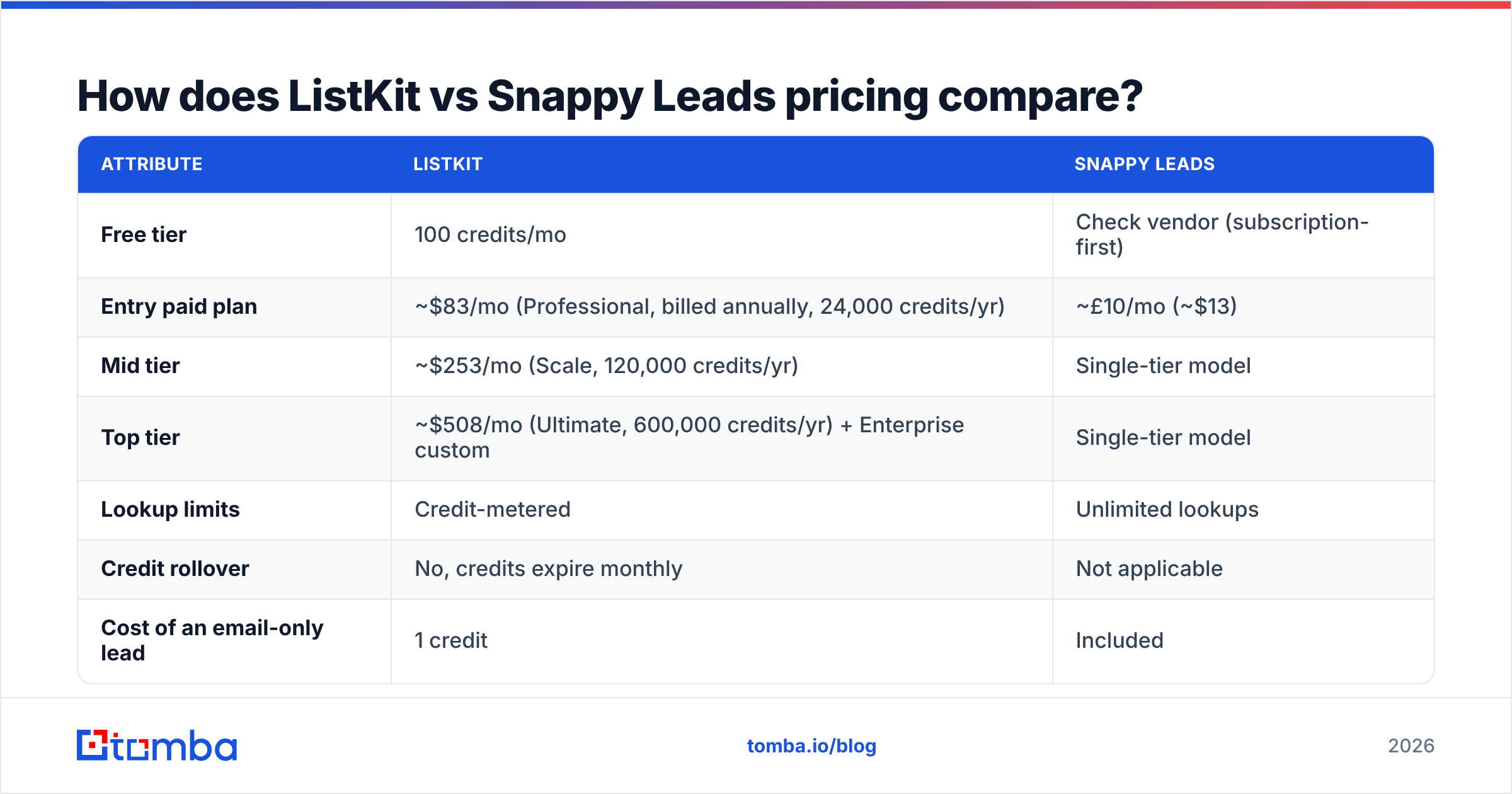
This table shows the most visible difference. Prices are the published figures at the time of writing, so check each vendor's site before you buy.
| Attribute | ListKit | Snappy Leads |
|---|---|---|
| Free tier | 100 credits/mo | Check vendor (subscription-first) |
| Entry paid plan | ~$83/mo (Professional, billed annually, 24,000 credits/yr) | |
| Mid tier | ~$253/mo (Scale, 120,000 credits/yr) | Single-tier model |
| Top tier | ~$508/mo (Ultimate, 600,000 credits/yr) + Enterprise custom | Single-tier model |
| Lookup limits | Credit-metered | Unlimited lookups |
| Credit rollover | No, credits expire monthly | Not applicable |
| Cost of an email-only lead | 1 credit | Included |
| Cost of email + mobile lead | ~8–10 credits | Included |
| Verification | Triple-verified emails | AI-found and verified |
| Extras | Outbound training, intent filters | AI head-hunter, LinkedIn-to-email, funding alerts, tech lookup, AI email drafting |
| Best fit | Agencies and SDR teams sending at scale | Freelancers, recruiters, small agencies |
On price alone, Snappy Leads wins easily. Even ListKit's annual Professional plan costs about six times as much per month.
That comparison skips the cost of bad data, though. If your cold email volume is high enough that a 5% bounce rate risks getting your sending domains flagged, the cost of recovering a damaged domain dwarfs the monthly fee gap. That's why agencies pay more for ListKit.

Which one has better data quality?#
ListKit has the stronger public verification story. Snappy Leads has broader stated coverage. Neither is the answer for every use case.
ListKit's triple verification means each email address goes through several checks before you export it. That matters most on catch-all domains and at companies with high employee turnover, where a single check often says "valid" for an inbox that bounces a week later. For teams that load lists straight into a sequencer without extra hygiene, this is the main reason to choose ListKit.
Snappy Leads claims more than a billion contacts, including personal emails and phone numbers. That breadth helps recruiters and anyone who needs to reach people outside their work inbox. The tradeoff is that the verification process isn't documented publicly in the same detail, so plan to verify the export yourself before a campaign.
Whichever tool you use, the practical rule is the same: verify before you send, even when the vendor says the data is verified. People change jobs constantly, and a list pulled three weeks ago is already worse than the day you exported it. Running exports through a separate email verifier costs little and protects your sender reputation from decay you can't see.
For peer reviews on either tool's data accuracy, G2 is the most useful place to read user complaints about bounce rates. Sort by most recent, because older reviews describe data that may since have been refreshed or may have gone stale.
Is ListKit better than Snappy Leads for cold email agencies?#
Yes, for most agencies running outbound for clients.
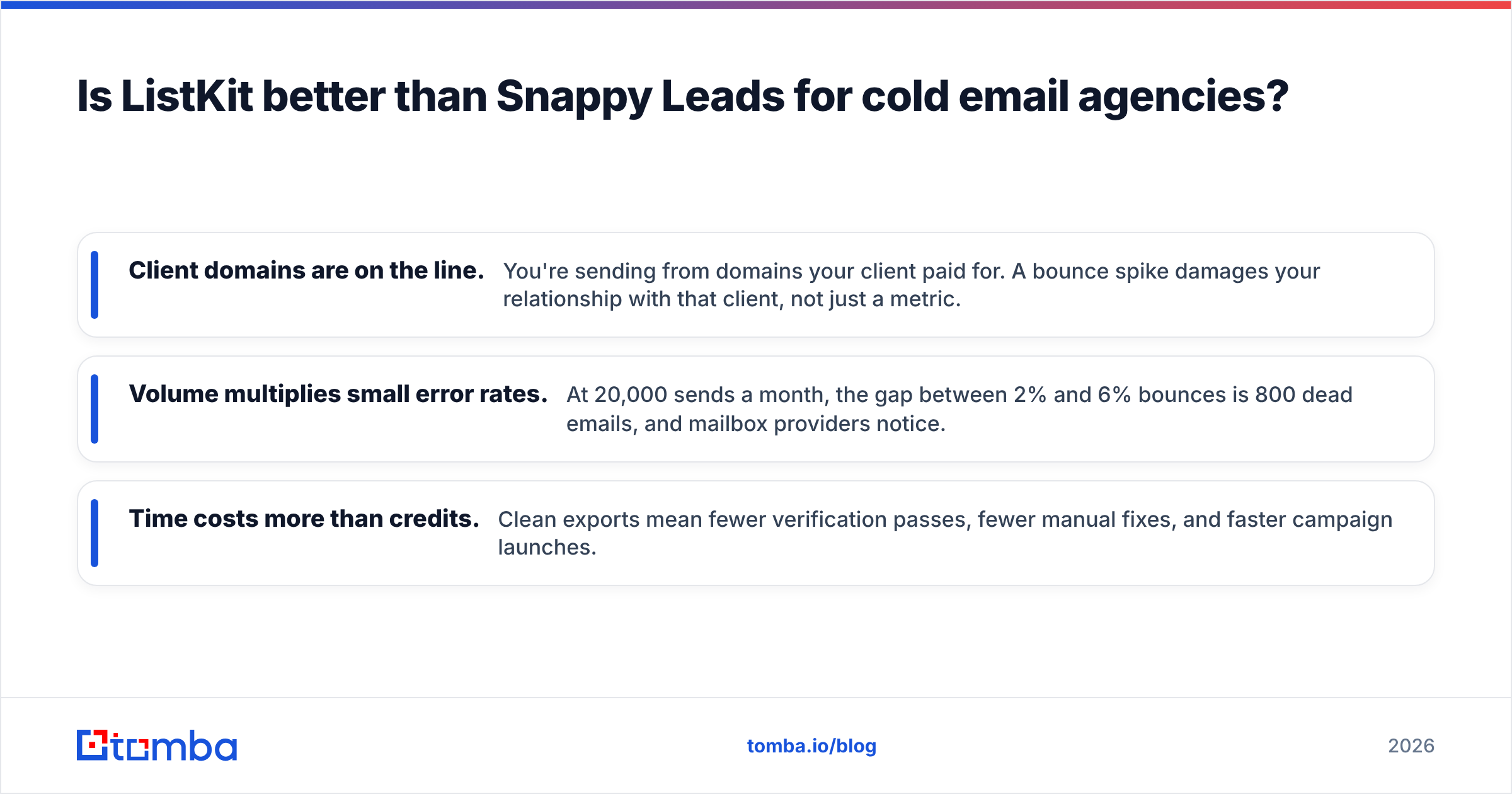
Agencies work under three constraints that favour ListKit:
- Client domains are on the line. You're sending from domains your client paid for. A bounce spike damages your relationship with that client, not just a metric.
- Volume multiplies small error rates. At 20,000 sends a month, the gap between 2% and 6% bounces is 800 dead emails, and mailbox providers notice.
- Time costs more than credits. Clean exports mean fewer verification passes, fewer manual fixes, and faster campaign launches.
ListKit's credit model also rewards discipline. If your campaigns only need business emails, 1 credit per lead makes the Professional plan cover a lot of volume. Credits get expensive when you add mobiles, which cost about 8–10 credits each. Most agencies turn mobiles on only for high-value, call-first campaigns.
Watch out for monthly expiry. If client work is seasonal, you can pay for credits you never use. Budget your plan around your slowest month, not your busiest.
Is Snappy Leads better for freelancers and recruiters?#
For budget-conscious solo users, Snappy Leads is hard to beat on value.
At about £10 a month with unlimited lookups, a single placed candidate or one closed client covers years of subscription. The bundled tools also cover a lot of a small operator's daily work:
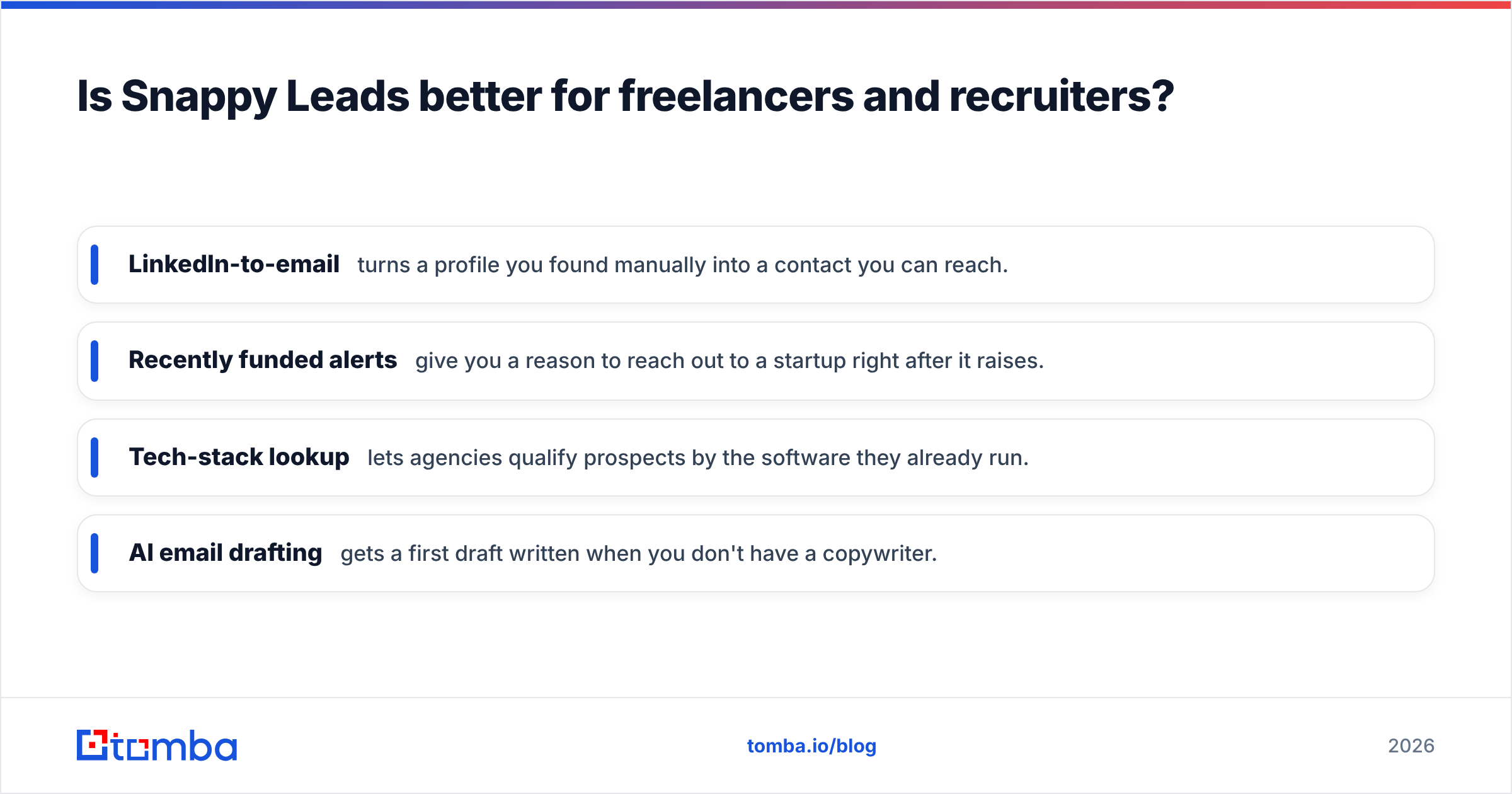
- LinkedIn-to-email turns a profile you found manually into a contact you can reach.
- Recently funded alerts give you a reason to reach out to a startup right after it raises.
- Tech-stack lookup lets agencies qualify prospects by the software they already run.
- AI email drafting gets a first draft written when you don't have a copywriter.
The tradeoff is that you do the quality control yourself. Budget time or a small verification spend for every export before it goes into a campaign. If you send low volume, from a mailbox you care about, with personalised copy, this approach works well.
Recruiters benefit from the personal-email coverage. Candidates often don't want recruiting emails in their work inbox, and a personal address can lift your response rate.
What are the pros and cons of each tool?#
ListKit pros
- Triple-verified business emails reduce bounce risk at volume.
- Granular filters, including intent, suit structured outbound.
- Clear per-field credit costs let you control spend.
- A free tier with 100 credits a month lets you test data quality before paying.
ListKit cons
- Much more expensive than budget alternatives.
- Credits expire monthly with no rollover.
- Mobile numbers use up credits quickly.
Snappy Leads pros
- Very low flat price with unlimited lookups.
- Wide stated coverage, including personal emails and phones.
- Many extras bundled in: intent, funding alerts, tech lookup, and AI drafting.
- No credit accounting to manage.
Snappy Leads cons
- Less public detail on how verification works.
- You carry the burden of verifying exports before high-volume sending.
- Fewer established team and agency workflows than dedicated outbound databases.

Do you need a full lead database at all?#
Often you don't, and it's worth checking before you commit to either subscription.
A lead database is the right tool when you don't yet know who to target. You filter by industry and title to discover accounts. Many teams already know their accounts. They have a target account list from sales leadership, inbound sign-ups with only a company name, or a CRM full of companies with no named contacts.
In that case you're not discovering anyone. You're filling in missing emails, and a cheaper and more precise approach is to:
- Start with the domains you already care about.
- Run a domain search to see every public email at that company and learn its email pattern.
- Look up specific people by name and company.
- Verify the results, then enrich only the records that pass.
This route uses credits only on people you actually plan to contact, which keeps cost per usable contact low. It also avoids the "export 5,000 rows, email 400" waste that makes credit-based databases feel expensive.
Many mature outbound teams use both approaches. A database handles account discovery, and a finder plus verifier handles the precise contact work on named accounts. If you're comparing costs, check Tomba pricing against your database quote. The Starter plan is $49/mo, and there's a 25-search free tier for testing.
Which should you choose in 2026?#
Here is the short answer, based on who you are:
- Pick ListKit if you're an outbound agency or an SDR team sending thousands of cold emails a month, your domains are valuable, and you want lists that go into a sequencer with minimal extra cleanup. Keep your plan sized to your slowest month so credits don't expire unused.
- Pick Snappy Leads if you're a freelancer, recruiter, or small agency, cost is the main constraint, and you're willing to verify exports yourself. The extras make it a good all-round prospecting kit for the price.
- Pick neither, or add a finder, if you already know your target accounts and only need to fill in emails for specific people. Database subscriptions are built for discovery, and you'd be paying for filters you don't use.
In every case, put a verification step between export and send. That single habit protects your deliverability more than your choice of database does.
Ready to find the exact contacts you need?#
If your problem is "I know the company, I need the right person's email" rather than "I need a list of 10,000 prospects," use Tomba Email Finder. You enter a name and domain and get a professional email address with a confidence score, and verification is built into the same workflow. It works alongside ListKit or Snappy Leads to fill gaps in their exports, and it can replace a database subscription for teams working a known account list. Start on the free tier with 25 searches a month, then move to Starter at $49/mo once it earns its place in your stack.
Related guides#
// get started
Find, verify and enrich your first contacts today
Start on the free plan with 25 searches a month, then scale when your team is ready.
Free plan · No credit card required · GDPR & CCPA
// about the author