ListKit vs Wiza: Pricing, Data, and Which to Pick in 2026
ListKit sells you a database plus a cold email stack. Wiza turns LinkedIn searches into verified emails. We compare pricing, data quality, and workflow fit so you can pick the one that matches how you prospect.
TL;DR
- Buy ListKit if you want one vendor for list building and cold email sending. It combines a B2B database, triple-verified email exports, and (on its bundled plans) domains, inboxes, and a sending engine.
- Buy Wiza if your team already prospects in LinkedIn Sales Navigator and just needs those searches turned into verified emails and phone numbers inside a CSV or CRM.
- Cost works differently. ListKit charges for credit volume on a subscription, and third-party reviews put annual plans from about $83/mo. Wiza's monthly plans run $49–$199 and charge overage per email found (about $0.15).
- Neither one covers everything. ListKit doesn't live inside LinkedIn, and Wiza isn't a standalone database or sequencer. Your workflow should decide, not the feature list.
- For cheap per-contact lookups by domain or name, a dedicated email finder like Tomba (free tier, then $49/mo) can sit next to either tool or replace one.
What is the real difference between ListKit and Wiza?#
The two tools start from different places. ListKit is database-first. You filter a B2B contact database by title, industry, headcount, location, and other attributes, then export leads with emails that have already been verified. Over the past couple of years ListKit has also grown into a full cold email stack. Its bundles add pre-configured domains, managed inboxes, warmup, and a sending engine, so one subscription covers everything from list to inbox.
Wiza is LinkedIn-first. You run a search in LinkedIn or Sales Navigator, click the Wiza Chrome extension, and it turns the result list into a spreadsheet with verified work emails, phone numbers, and firmographic fields. It pushes those contacts to HubSpot, Salesforce, and other CRMs, and has an API for enrichment. It doesn't host a database you browse separately, and it doesn't send emails.
A simple way to picture it: ListKit is a wholesale warehouse where you pick products off the shelves and it also delivers them. Wiza is a scanner that prices whatever you already put in your cart on LinkedIn.
That difference affects almost every row in the comparison below.
How do ListKit and Wiza compare feature by feature?#
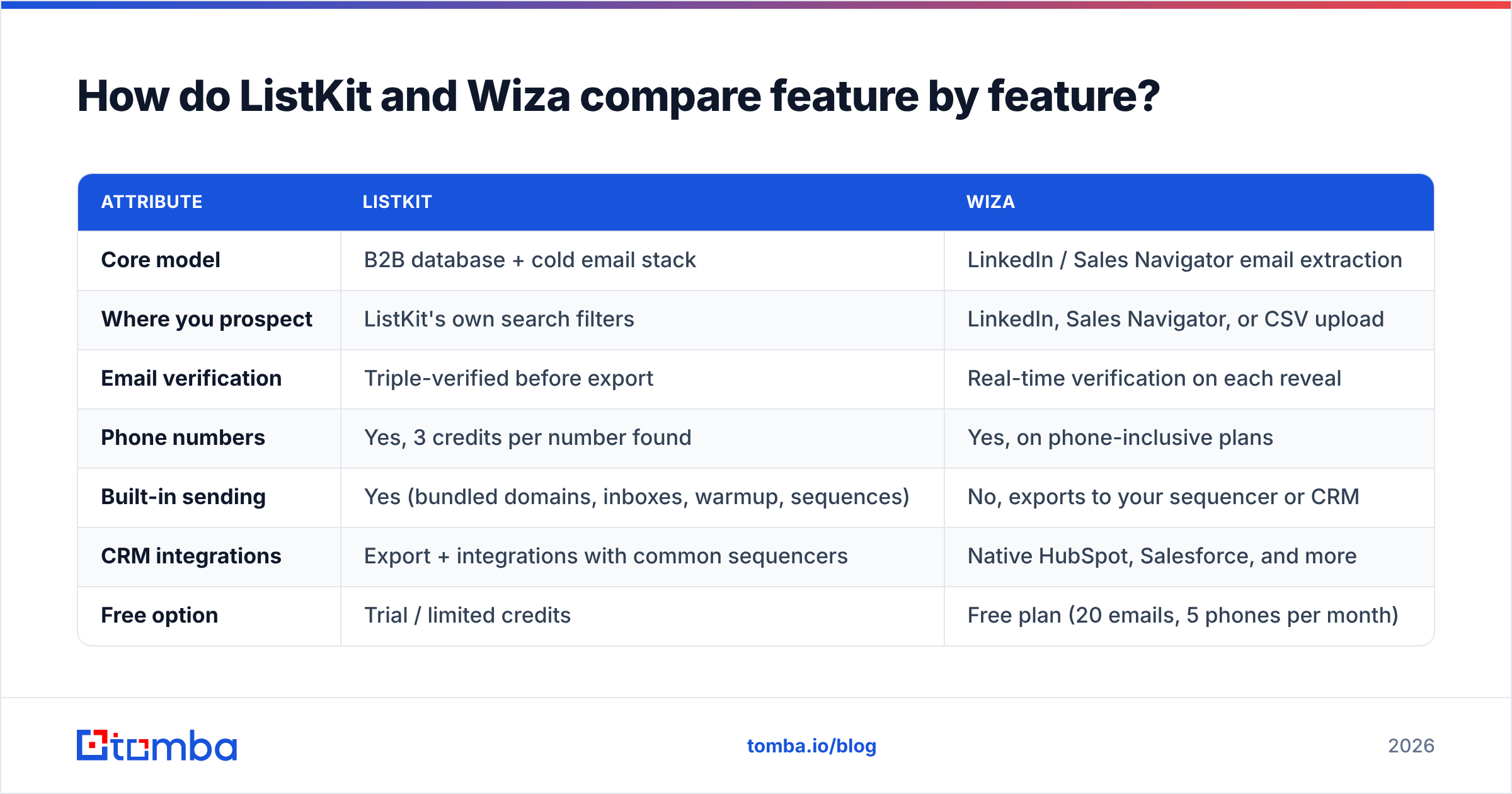
| Attribute | ListKit | Wiza |
|---|---|---|
| Core model | B2B database + cold email stack | LinkedIn / Sales Navigator email extraction |
| Where you prospect | ListKit's own search filters | LinkedIn, Sales Navigator, or CSV upload |
| Email verification | Triple-verified before export | Real-time verification on each reveal |
| Phone numbers | Yes, 3 credits per number found | Yes, on phone-inclusive plans |
| Built-in sending | Yes (bundled domains, inboxes, warmup, sequences) | No, exports to your sequencer or CRM |
| CRM integrations | Export + integrations with common sequencers | Native HubSpot, Salesforce, and more |
| Free option | Trial / limited credits | Free plan (20 emails, 5 phones per month) |
| Entry paid price | ~$83/mo billed annually (third-party reported) | $49/mo Starter |
| Billing unit | Monthly credit pool per tier | Per valid email/phone revealed, plus overage |
| Best for | Agencies and teams sending high cold volume | SDRs who live in Sales Navigator |
Two rows matter more than the others: where you prospect and built-in sending. If you picked your answer to both before reading the table, you probably already know your choice.
How does ListKit pricing work in 2026?#
ListKit prices by credits. Every plan gets the same features, and higher tiers just give you more monthly credits. Per ListKit's own help docs, exporting one verified email costs 1 credit, a phone number costs 3 credits (charged only when one is found), and the AI script writer inside the email engine costs 100 credits per script.
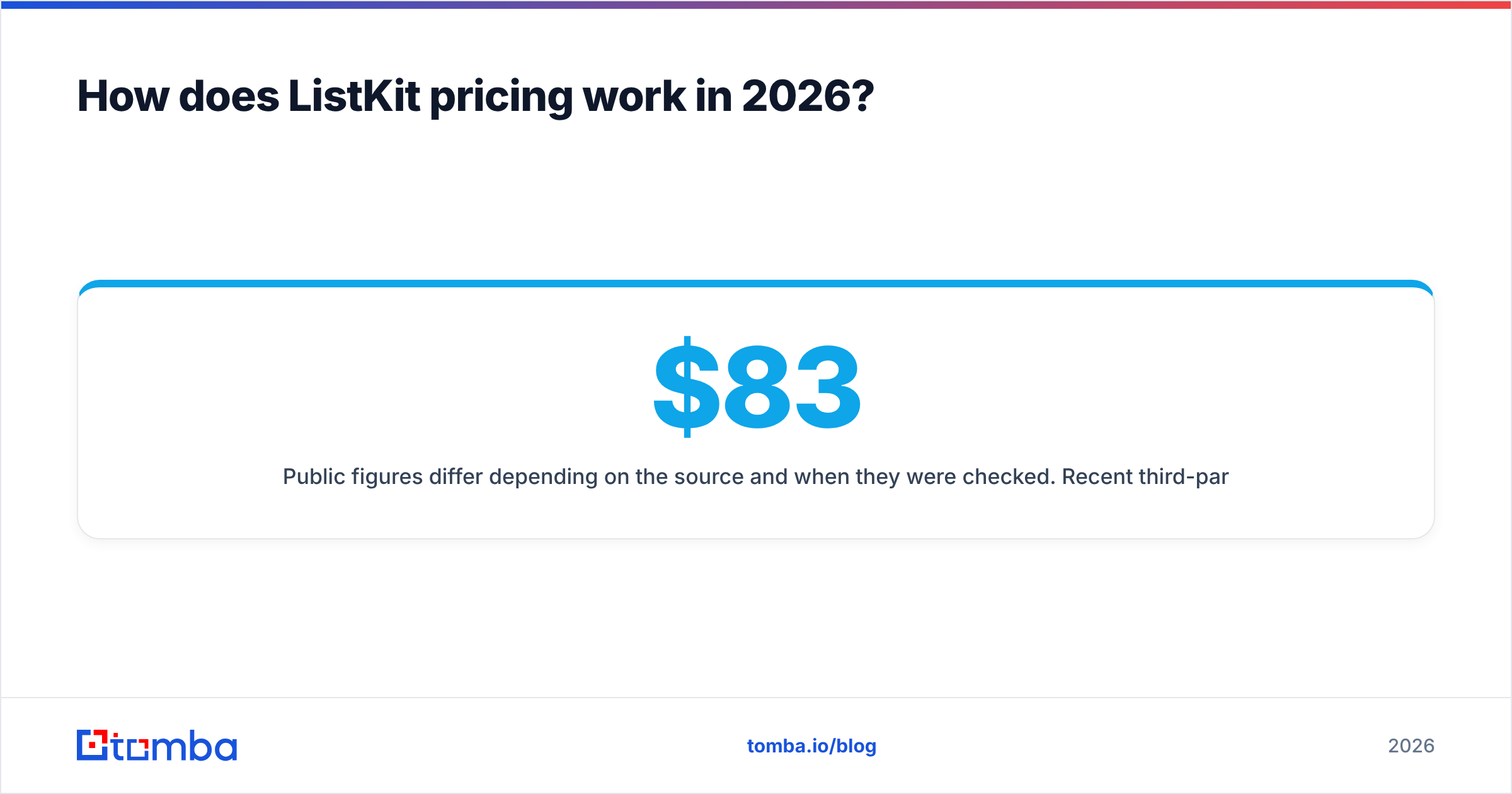
Public figures differ depending on the source and when they were checked. Recent third-party reviews list Professional at about $83/mo, Scale at about $253/mo, and Ultimate at about $508/mo, all billed annually. The bundled "full cold email stack" with managed inboxes and a 1,000-emails-per-day sending tier has been listed at about $597/mo on monthly billing. Monthly billing costs noticeably more per credit than annual. Check the current numbers on listkit.io before you budget.
What you get for that price:
- Volume per dollar. Starting tiers include thousands of credits a month, so the cost per exported lead is low compared with per-reveal pricing.
- Consolidation. If you'd otherwise pay separately for a database, an inbox provider, a warmup tool, and a sequencer, a bundle can come out cheaper overall.
- Predictability. Credits are part of the subscription, so there's no overage surprise at the end of the month.
The downside: you pay for the volume whether or not you use it. A founder sending 200 emails a week will leave most of those credits unused.
How does Wiza pricing work in 2026?#
Wiza charges only when it returns a valid result, which is fair. Current published monthly plans:
- Free: $0, 20 emails and 5 phone numbers per month
- Starter: $49/mo, 100 emails and 100 phones
- Email: $99/mo, 500 emails
- Email + Phone: $199/mo, 500 emails and 500 phones
Overage on paid plans runs about $0.15 per email and $0.35 per phone number. Annual Email and Email + Phone plans (about $83/mo and $166/mo) are marketed as "unlimited" but have a fair-use cap of roughly 2,500 exports per month. Teams of three or more users get a custom annual plan with pooled credits, API access, and CSV import. The price isn't published, so get the quote in writing. Full details are on wiza.co.

The pay-per-result model is great at low volume and gets expensive fast at high volume. At 2,000 extra emails a month, overage alone adds about $300. That's why Wiza's annual plans exist, and it's why teams sending at agency scale tend to move toward database-plus-credits tools.
Is ListKit or Wiza cheaper at real prospecting volumes?#
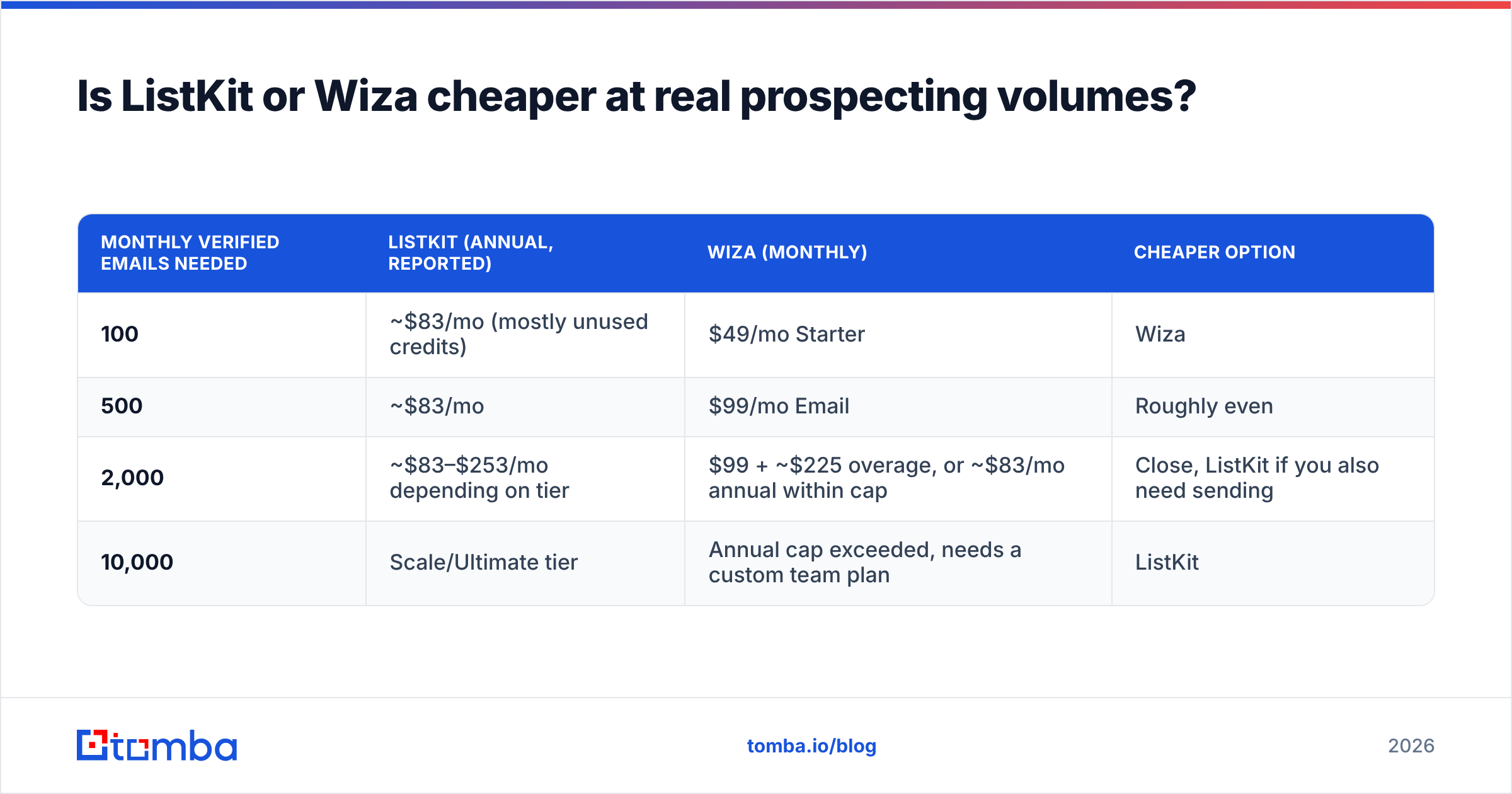
It depends on your monthly volume. Here are three common team profiles, using the published or reported prices above. These are directional estimates, not quotes.
| Monthly verified emails needed | ListKit (annual, reported) | Wiza (monthly) | Cheaper option |
|---|---|---|---|
| 100 | ~$83/mo (mostly unused credits) | $49/mo Starter | Wiza |
| 500 | ~$83/mo | $99/mo Email | Roughly even |
| 2,000 | ~$83–$253/mo depending on tier | $99 + ~$225 overage, or ~$83/mo annual within cap | Close, ListKit if you also need sending |
| 10,000 | Scale/Ultimate tier | Annual cap exceeded, needs a custom team plan | ListKit |
The pattern holds in most setups. Wiza wins on low, targeted volume. ListKit wins on high volume, especially once you count the sending infrastructure you'd otherwise buy separately.
If you mostly need to find one person's email from a name and domain, or pull every public email at a company, you may not need either subscription. A dedicated email finder with a free tier covers that use case for much less money.
Which has better data quality: ListKit or Wiza?#
Both tools verify before you pay, so your bounce rate mostly depends on your market, not the vendor. Some practical differences:
- Freshness. Wiza pulls the person's current role from their live LinkedIn profile at the moment you export. That's a real advantage when job changes are frequent, as in tech and SaaS. ListKit's database is refreshed on a schedule, so the title or company on a record can occasionally lag.
- Verification depth. ListKit advertises triple verification before export. Wiza verifies each email in real time. Both approaches work well on standard domains.
- Catch-all domains. This is where both tools, and every other email tool, struggle. Many mid-market and enterprise domains accept all mail, so a "valid" result doesn't guarantee delivery. Run risky results through a catch-all verifier before you load them into a sequence.
- Coverage outside North America. Coverage varies by region for both. Before you commit, run a 50-contact sample from your actual ICP through each tool and compare find rate and bounce rate.
User reviews on G2 are broadly positive for both. Wiza reviewers often praise how quickly it works in Sales Navigator, and ListKit reviewers often mention volume per dollar and the done-for-you inbox setup. Neither has a reputation for poor data. They were built for different workflows.
Which fits your team's workflow?#
Before you look at price, answer these five questions:
- Do your reps already work in Sales Navigator every day? If yes, Wiza fits with no new habits. If no, ListKit's filters will feel more natural.
- Do you already have sending infrastructure? If you run Instantly, Smartlead, or Outreach with warmed domains, ListKit's bundle duplicates what you've built. If you're starting from zero, the bundle saves you weeks of setup.
- How many net-new contacts do you need per month? Under ~500 favors Wiza. Several thousand favors ListKit.
- Is the CRM your source of truth? Wiza's native HubSpot and Salesforce pushes keep things tidy. With ListKit, you'll usually export or sync through your sequencer.
- Are you an agency running several clients? ListKit's volume pricing and inbox bundles were built largely for agencies. Wiza's team plan works for this, but you'll have to negotiate it.
If your answers split, many teams run both: Wiza for account-based, hand-picked prospecting from Sales Navigator, and a database tool for high-volume top-of-funnel lists.
What are the pros and cons of each?#
ListKit pros
- High credit volume per dollar on annual plans
- Optional all-in-one cold email stack (domains, inboxes, warmup, sequences)
- Verified exports, and you pay for phones only when one is found
- Same features on every tier, so you only scale credits
ListKit cons
- Annual commitment to get good pricing, and monthly billing is expensive
- Unused credits are wasted spend for low-volume teams
- The bundle overlaps with tools many teams already pay for
- Not built for prospecting inside LinkedIn
Wiza pros
- Fastest path from a Sales Navigator search to a verified CSV
- Pay only for valid results, with a usable free tier
- Native CRM integrations and an enrichment API
- Live LinkedIn data keeps titles and companies current
Wiza cons
- Overage ($0.15/email, $0.35/phone) adds up quickly at volume
- "Unlimited" annual plans have a fair-use cap of about 2,500 per month
- Depends on LinkedIn access and a Sales Navigator seat for best results
- No sending, so you'll still need a sequencer

Is there a cheaper option than ListKit or Wiza?#
For some jobs, yes. Neither ListKit nor Wiza is the cheapest way to handle these common tasks:
- Find one person's email from a name and company domain. An email finder does this in a single lookup.
- Pull every public email at a target account. A domain search returns known addresses and the company's email pattern.
- Verify a list you already own. Standalone verification costs a fraction of re-buying the contacts.
- Enrich CRM records in bulk. API- or spreadsheet-based enrichment avoids per-seat pricing.
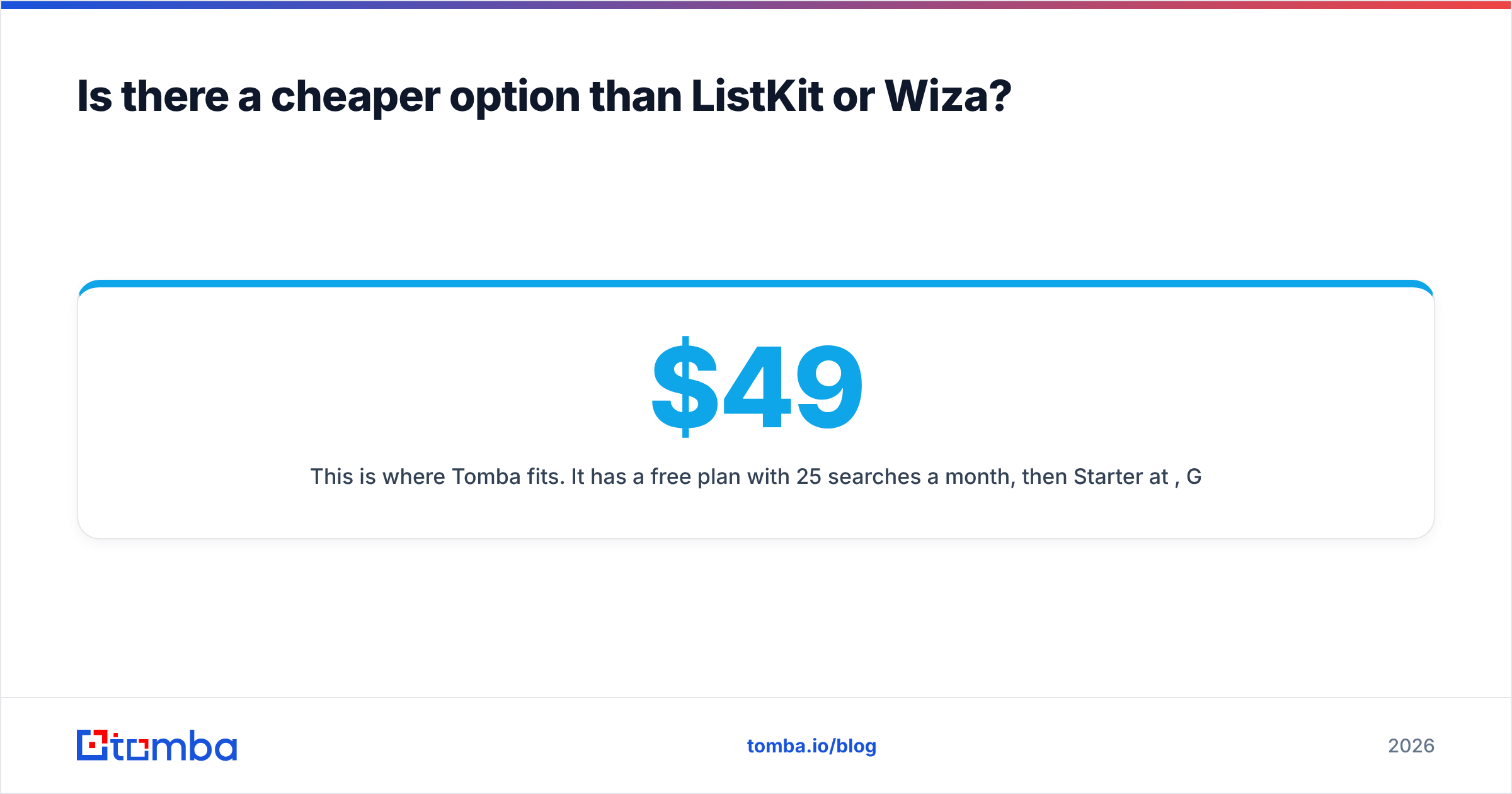
This is where Tomba fits. It has a free plan with 25 searches a month, then Starter at $49/mo, Growth at $99/mo, and Pro at $249/mo (see Tomba pricing). It covers email finding, verification, domain search, catch-all verification, and phone finding without asking you to adopt a database UI or a sending stack. It's also a common Wiza alternative for teams that want LinkedIn email lookups without overage math.
To be fair to the two tools in this post: Tomba doesn't replace ListKit's inbox bundle or Wiza's deep Sales Navigator workflow. It's the lower-cost choice when your need is "find and verify emails" rather than "build and send campaigns."
So, ListKit vs Wiza: which should you choose?#
Choose ListKit if you're an agency or outbound team sending thousands of cold emails a month, you want your database and sending infrastructure from one vendor, and you're comfortable with an annual commitment.
Choose Wiza if your reps prospect by hand in Sales Navigator, your monthly volume is modest, and you want verified contacts pushed straight into HubSpot or Salesforce.
Choose neither, at least for now, if what you actually need is to find and verify specific professional emails at a low cost per lookup. Start with a dedicated finder and upgrade to a database or bundle only when your volume justifies it.
Whichever you pick, run the 50-contact test from your real ICP before you pay annually. Compare find rate, bounce rate, and how many minutes each tool adds to a rep's day. Those three numbers matter more than any pricing page.
If you want verified professional emails without committing to a database subscription or overage fees, try the Tomba Email Finder. Search by name, domain, or company, verify every result, and start with 25 free searches a month before moving to the $49/mo Starter plan.
Related guides#
// get started
Find, verify and enrich your first contacts today
Start on the free plan with 25 searches a month, then scale when your team is ready.
Free plan · No credit card required · GDPR & CCPA
// about the author