Listmint Alternatives: 9 Email Verifiers Compared for 2026
Listmint's split credits for standard and catch-all checks work well for agencies, but they don't suit every team. Here are 9 Listmint alternatives, sorted by catch-all depth, price model, and workflow fit.
TL;DR
- Listmint is an email verifier built around two credit types: standard SMTP checks and pricier catch-all checks. Public plans start around $99/mo for 20,000 standard and 5,000 catch-all credits.
- People look for Listmint alternatives for three reasons: they want to pay as they go instead of monthly, they need email finding and verification in one tool, or they want a different way of handling catch-alls.
- Best all-in-one alternative: Tomba. You get the email finder, verifier, and catch-all verifier on one plan, starting at $49/mo.
- Best for catch-all depth: Scrubby and BounceBan. Best for cheap bulk SMTP checks: MillionVerifier. Best enterprise-grade hygiene: ZeroBounce and NeverBounce.
- Before you switch, run a 1,000-row catch-all-heavy sample through two or three tools. Vendor accuracy claims won't tell you how your own list behaves.
What is Listmint and why do teams look for alternatives?#
Listmint verifies email addresses, and it's aimed mostly at lead-gen agencies and outbound teams whose lists are full of catch-all domains. Its main idea is splitting verification into two jobs:
- Standard verification. An SMTP handshake checks whether the mailbox exists on a normal domain.
- Catch-all verification. A catch-all domain accepts mail for any address, so a plain SMTP check can't tell you whether
jane.doe@company.comis a real person. Listmint runs a separate, more expensive process for these addresses.
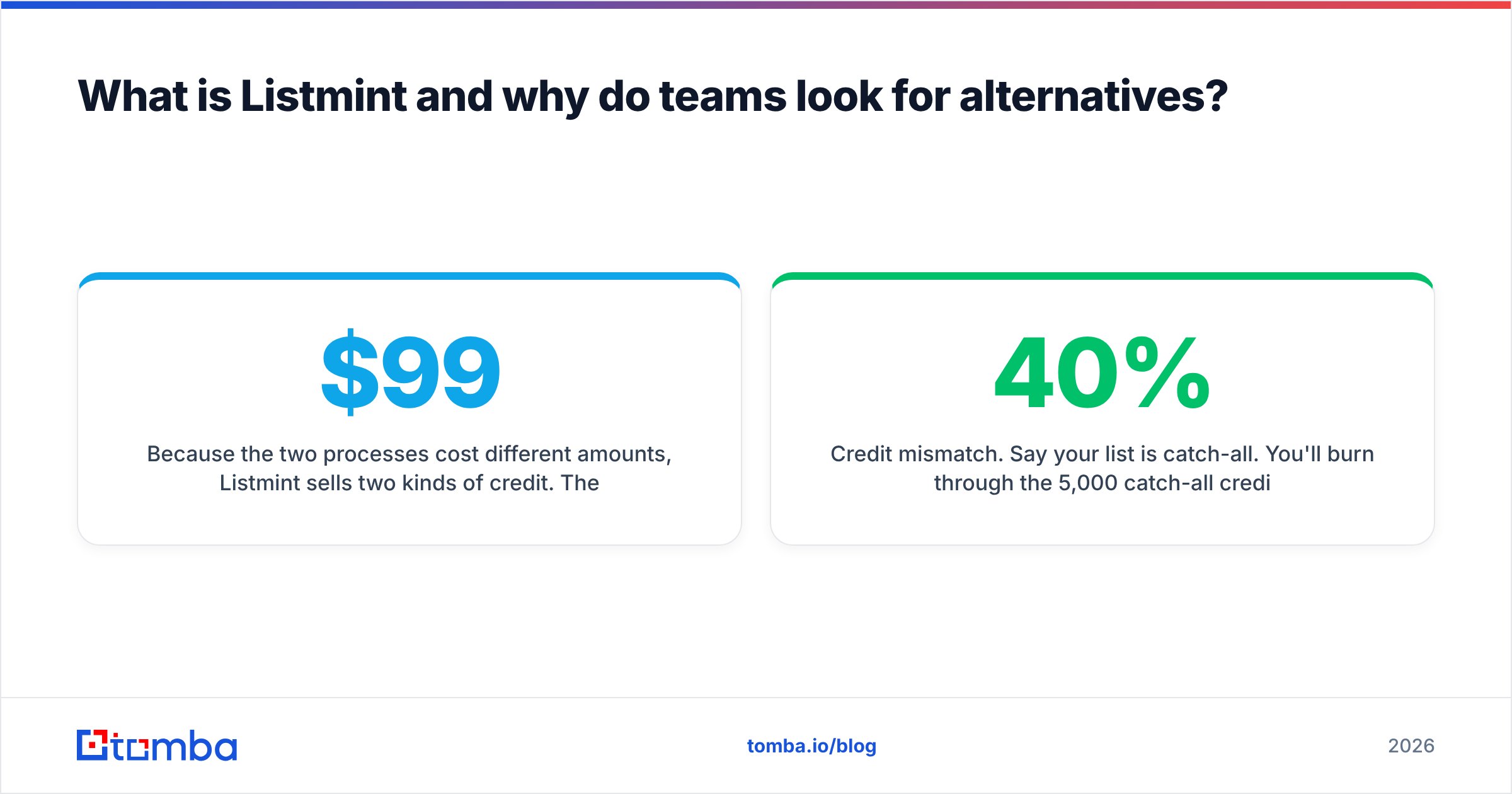
Because the two processes cost different amounts, Listmint sells two kinds of credit. The entry plan is about $99/mo for 20,000 standard and 5,000 catch-all credits. An Agency plan at about $187/mo raises that to 50,000 and 10,000. A free trial gives you 100 verifications. Reviews on G2 mostly praise the catch-all accuracy and the simple workflow.
It's a solid tool. Teams still go looking elsewhere, usually for one of these reasons:
- Monthly commitment. If you clean a list once a quarter, a recurring plan with separate credit buckets can cost more than pay-as-you-go credits.
- Verification only. Listmint checks emails you already have. If you also need to find them, you end up paying for two tools and moving CSVs between them.
- Credit mismatch. Say your list is 40% catch-all. You'll burn through the 5,000 catch-all credits long before the 20,000 standard ones.
- Integration depth. Some teams need native CRM, Sheets, or API-first workflows, and that's where other vendors have gone further.

How should you evaluate a Listmint alternative?#
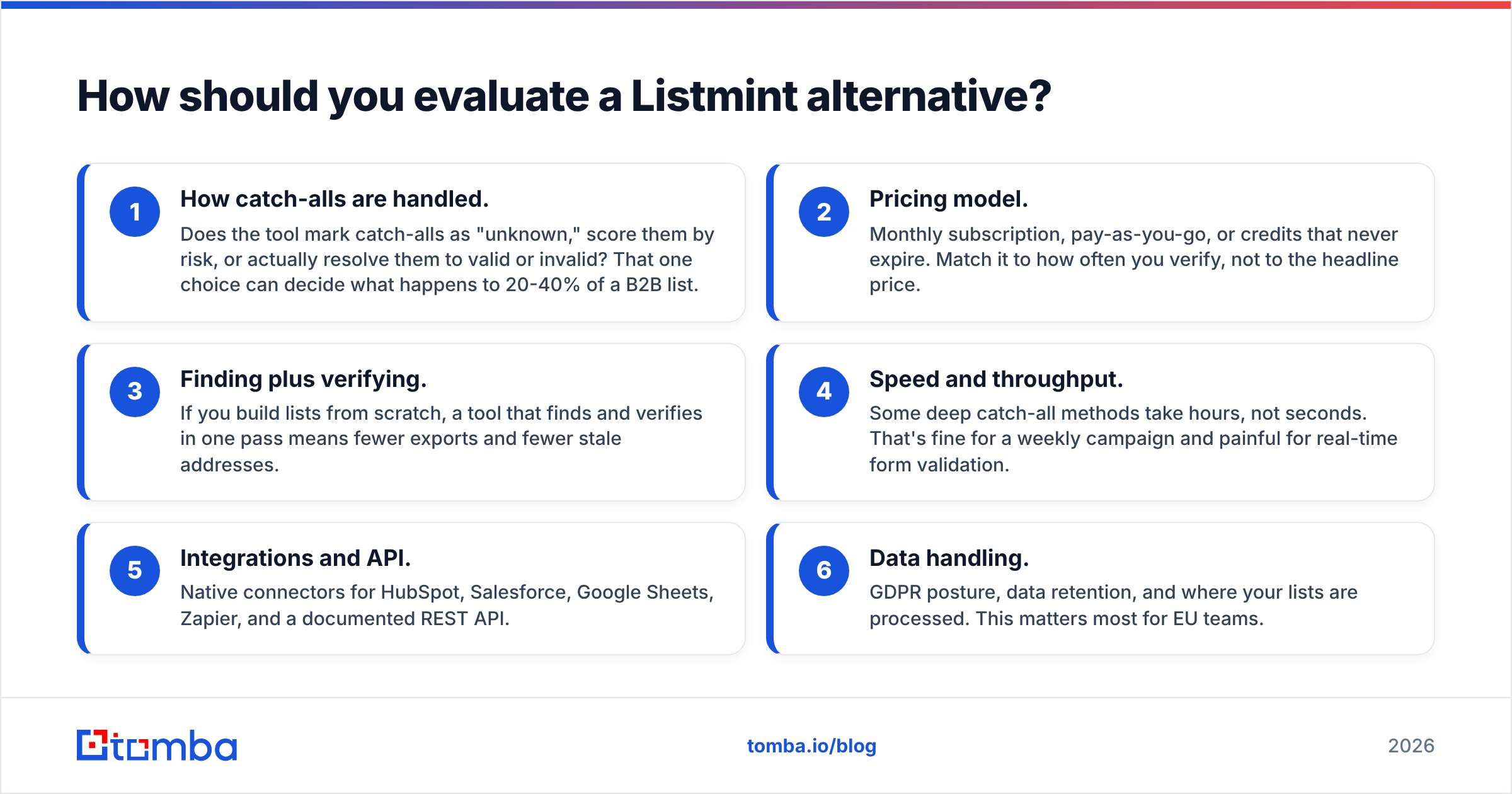
Choosing a verifier on its "99% accuracy" badge alone is a common mistake, because almost every vendor makes that claim. These are the criteria that actually change your bounce rate and your bill:
- How catch-alls are handled. Does the tool mark catch-alls as "unknown," score them by risk, or actually resolve them to valid or invalid? That one choice can decide what happens to 20-40% of a B2B list.
- Pricing model. Monthly subscription, pay-as-you-go, or credits that never expire. Match it to how often you verify, not to the headline price.
- Finding plus verifying. If you build lists from scratch, a tool that finds and verifies in one pass means fewer exports and fewer stale addresses.
- Speed and throughput. Some deep catch-all methods take hours, not seconds. That's fine for a weekly campaign and painful for real-time form validation.
- Integrations and API. Native connectors for HubSpot, Salesforce, Google Sheets, Zapier, and a documented REST API.
- Data handling. GDPR posture, data retention, and where your lists are processed. This matters most for EU teams.
What are the best Listmint alternatives in 2026?#
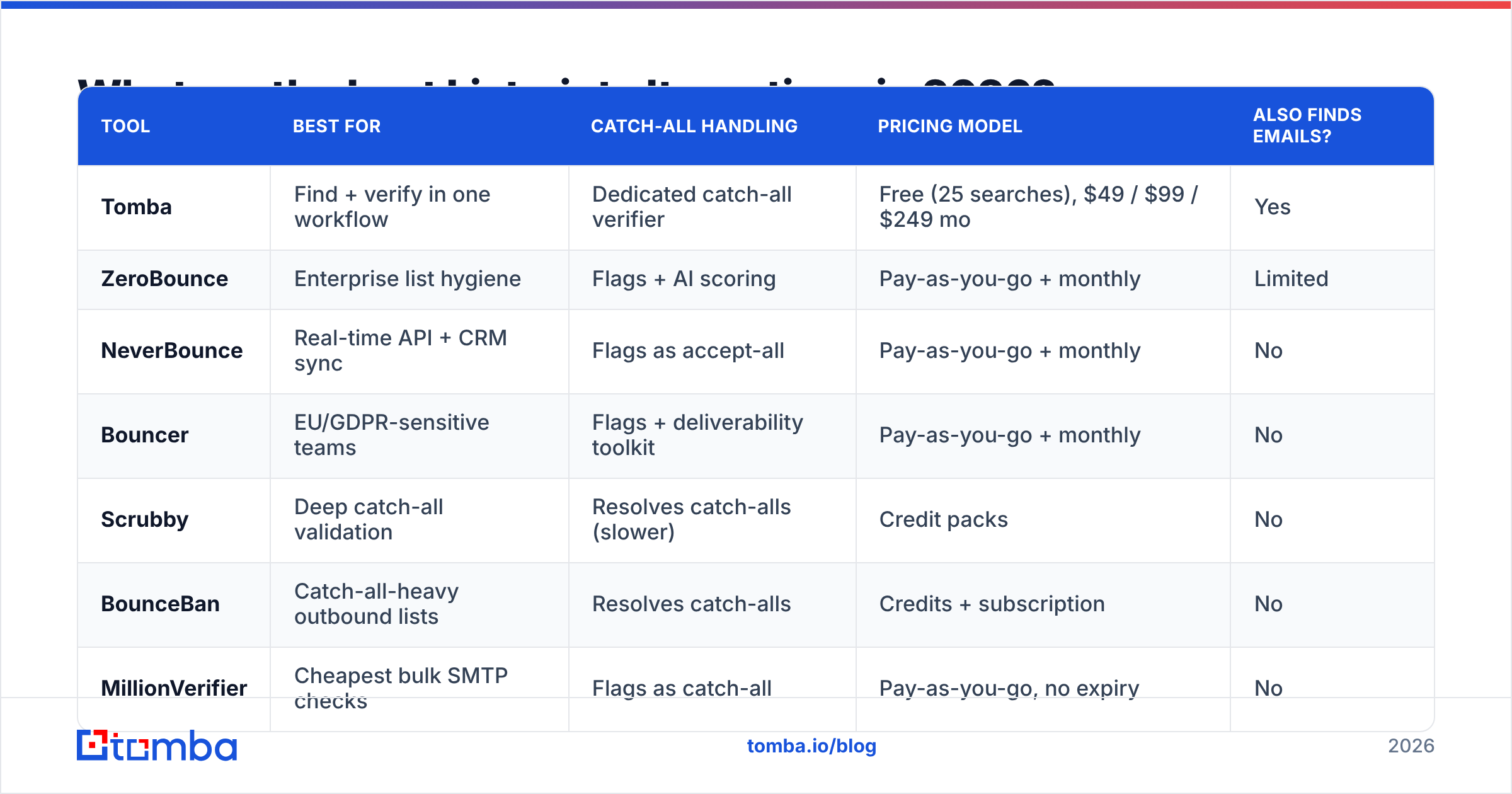
Here's the short list, then a closer look at each tool.
| Tool | Best for | Catch-all handling | Pricing model | Also finds emails? |
|---|---|---|---|---|
| Tomba | Find + verify in one workflow | Dedicated catch-all verifier | Free (25 searches), $49 / $99 / $249 mo | Yes |
| ZeroBounce | Enterprise list hygiene | Flags + AI scoring | Pay-as-you-go + monthly | Limited |
| NeverBounce | Real-time API + CRM sync | Flags as accept-all | Pay-as-you-go + monthly | No |
| Bouncer | EU/GDPR-sensitive teams | Flags + deliverability toolkit | Pay-as-you-go + monthly | No |
| Scrubby | Deep catch-all validation | Resolves catch-alls (slower) | Credit packs | No |
| BounceBan | Catch-all-heavy outbound lists | Resolves catch-alls | Credits + subscription | No |
| MillionVerifier | Cheapest bulk SMTP checks | Flags as catch-all | Pay-as-you-go, no expiry | No |
| Clearout | Verify + light prospecting | Flags + scoring | Pay-as-you-go + monthly | Yes |
| Emailable | Simple UI, marketing lists | Flags as accept-all | Pay-as-you-go + monthly | No |
Pricing and features change often. Check each vendor's current pricing page before you buy.
1. Tomba: best if you also need to find emails#
Most tools on this list only verify. Tomba starts one step earlier. You can find emails by domain, by name and company, or from a LinkedIn profile, and then run them through the email verifier and the catch-all verifier without leaving the platform.
- Strengths: One tool covers finding, verifying, and enrichment. There's a Chrome extension, Google Sheets and Excel add-ins, native HubSpot, Salesforce, and Pipedrive integrations, and a REST API.
- Trade-offs: If you only need to scrub a huge, already-built list once, a pay-as-you-go verifier can cost less per email.
- Pricing: Free tier with 25 searches/mo, Starter $49/mo, Growth $99/mo, Pro $249/mo, Enterprise custom. Full breakdown on Tomba pricing.
Pick Tomba if your bottleneck is building accurate lists, not just cleaning ones someone else built.
2. ZeroBounce: best for enterprise list hygiene#
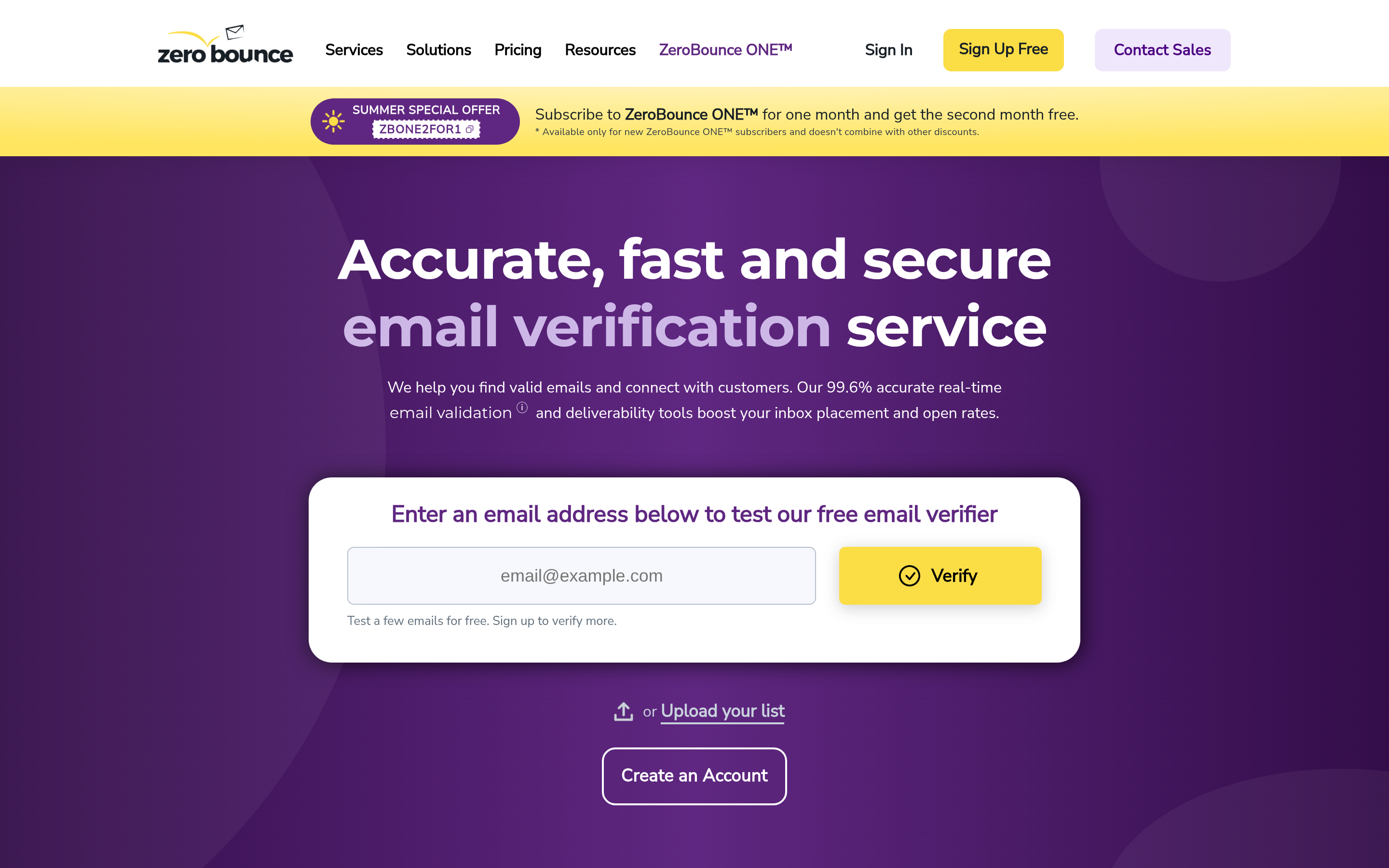
ZeroBounce is one of the best-known verifiers. It goes beyond valid/invalid with spam-trap detection, abuse and toxic-domain flags, activity data, and an AI score for catch-all addresses.
- Strengths: Detailed status codes, strong compliance documentation, broad integrations, and a small free monthly allowance.
- Trade-offs: Catch-alls get a score rather than a definitive answer, so you still have to decide on a risk threshold. It costs more per credit at low volume.
- Best for: Marketing and lifecycle teams cleaning large, older databases.
If you're weighing ZeroBounce itself, we compare it directly in our ZeroBounce alternative breakdown.
3. NeverBounce: best for real-time API and CRM sync#
NeverBounce, now part of ZoomInfo, is known for fast bulk jobs and a solid real-time API for signup forms. Its CRM sync can keep HubSpot or Salesforce records verified automatically.
- Strengths: Speed, reliability, automatic list sync.
- Trade-offs: Catch-alls are labeled "accept-all" and not resolved further. The pricing tiers favor larger volumes.
- Best for: RevOps teams that want ongoing hygiene inside the CRM rather than one-off list cleanups.
4. Bouncer: best for EU and GDPR-conscious teams#
Bouncer is based in the EU and makes a point of data protection. It adds a deliverability toolkit (inbox placement tests, authentication checks) on top of verification.
- Strengths: Clean UI, GDPR-first positioning, good accuracy on standard domains, credits that don't expire on pay-as-you-go.
- Trade-offs: Catch-all handling stops at flagging. It doesn't resolve them the way Listmint does.
- Best for: European agencies and SaaS teams with strict data-processing requirements. See our Bouncer alternative comparison for more.
5. Scrubby: best for deep catch-all validation#

Scrubby does one thing: it validates catch-all and "unknown" addresses that other verifiers give up on. It's the closest match to Listmint's catch-all engine.
- Strengths: Catch-alls get a real valid/invalid answer, which can recover a large share of a list you'd otherwise throw away.
- Trade-offs: Its method takes much longer than an instant SMTP check. It's also not a full standard verifier, so most teams pair it with a cheap bulk tool.
- Best for: Agencies whose ICP sits mostly on Google Workspace or Microsoft 365 domains configured as catch-all.
6. BounceBan: best for catch-all-heavy outbound#
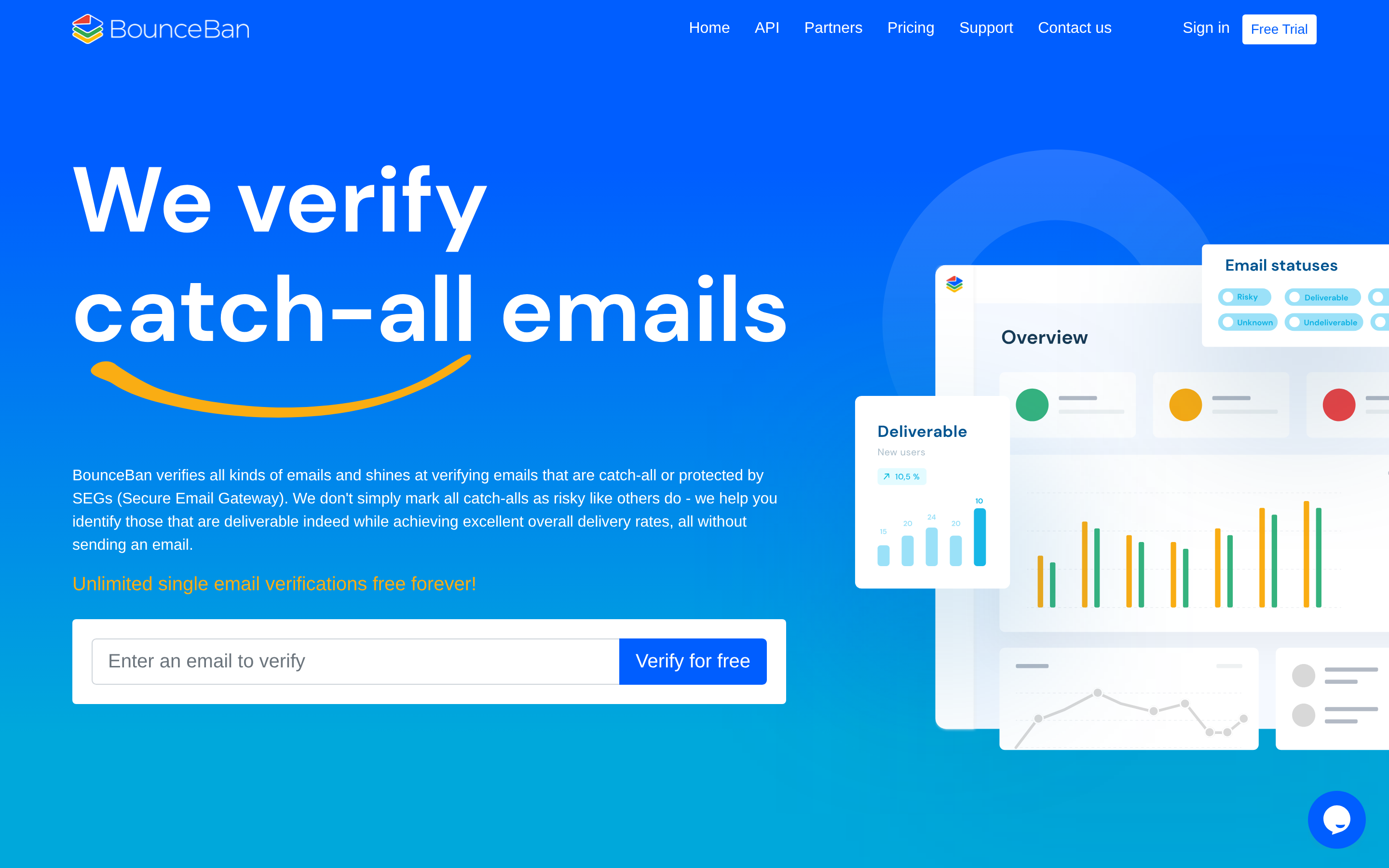
BounceBan is a newer tool built for cold-email teams, and it's another direct catch-all competitor to Listmint.
- Strengths: It resolves catch-alls without sending real emails, works with the common outbound stacks, and has an API for waterfall enrichment.
- Trade-offs: It's a smaller vendor with a shorter track record, and it has fewer marketing-list features such as spam-trap databases.
- Best for: SDR teams and agencies sending a lot of cold email to technical and mid-market companies.
7. MillionVerifier: best for cheap bulk SMTP checks#
If most of your volume is ordinary SMTP verification, MillionVerifier is usually the cheapest per email, and its credits don't expire.
- Strengths: Low cost at scale, a refund policy if results miss its accuracy guarantee, simple bulk uploads.
- Trade-offs: Catch-alls are only flagged. The feature set is minimal.
- Best for: A two-step stack where MillionVerifier cleans the standard addresses and a catch-all specialist handles the rest.
8. Clearout: best for verify + light prospecting#
Clearout combines verification with an email finder and a LinkedIn extension, so it's a partial all-in-one like Tomba.
- Strengths: Real-time form protection, a Sheets add-on, decent integrations, and a finder built in.
- Trade-offs: The finder isn't as deep as the verifier, and catch-alls are scored rather than resolved.
- Best for: Small teams that want a single, affordable hygiene tool with some prospecting on the side.
9. Emailable: best for simple marketing-list cleaning#
Emailable is for marketers who want to upload a list, clean it, and send it back to their ESP.
- Strengths: An easy UI, lots of ESP integrations, and quick turnaround.
- Trade-offs: Not tuned for B2B catch-all-heavy lists. Accept-all addresses are only flagged.
- Best for: Newsletter and ecommerce lists more than cold outbound.
Is a catch-all specialist better than an all-in-one verifier?#
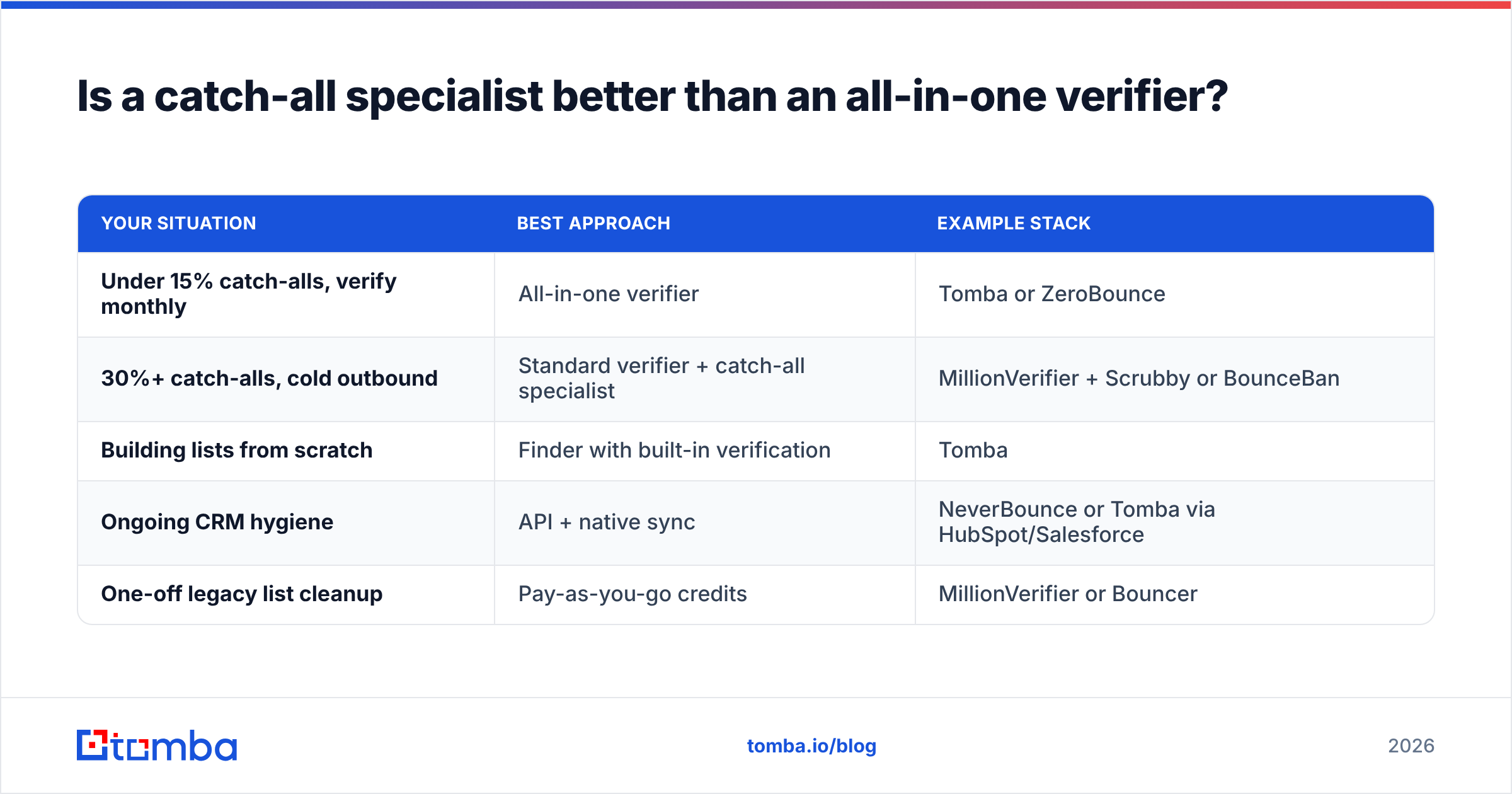
It depends on what your list looks like. Here's a quick way to decide.
| Your situation | Best approach | Example stack |
|---|---|---|
| Under 15% catch-alls, verify monthly | All-in-one verifier | Tomba or ZeroBounce |
| 30%+ catch-alls, cold outbound | Standard verifier + catch-all specialist | MillionVerifier + Scrubby or BounceBan |
| Building lists from scratch | Finder with built-in verification | Tomba |
| Ongoing CRM hygiene | API + native sync | NeverBounce or Tomba via HubSpot/Salesforce |
| One-off legacy list cleanup | Pay-as-you-go credits | MillionVerifier or Bouncer |
Listmint sits between the first two rows. It bundles both kinds of check but charges separately for each. If your catch-all share is predictable, that works. If it swings a lot from campaign to campaign, pay-as-you-go catch-all credits or an all-in-one plan are easier to budget for.

Why do catch-all addresses matter so much?#
Catch-alls are where email verification gets hard. A domain configured to accept all mail will answer "yes" to any SMTP probe, including one for asdfgh@company.com. That's why a basic verifier can only tell you "this might be real."
Sending blind to those addresses is risky:
- Hard bounces show up later, after the receiving server processes the message, and they still count against your sender reputation.
- Bounce thresholds are strict. Mailbox providers and most cold-email platforms start throttling or pausing campaigns once bounces go above roughly 2-3%.
- Throwing away catch-alls is costly too. On B2B lists they can be a large share of your best accounts, since many mid-market and enterprise domains are set up this way.
So there are three ways to deal with them: resolve them (Listmint, Scrubby, BounceBan, Tomba's catch-all verifier), score them (ZeroBounce, Clearout), or skip them. Skipping is the worst choice for outbound because it shrinks your total addressable list.
How do you test Listmint alternatives before switching?#
A small, controlled bake-off will tell you more than any comparison article, this one included.
- Build a test set. Take 1,000 contacts from a real campaign, and make sure at least 30% are on catch-all domains.
- Run the same file through Listmint and two or three alternatives. Record valid, invalid, catch-all/unknown, and risky counts.
- Send to a controlled slice. Pick 100-200 addresses where the tools disagree and send from a warmed secondary domain.
- Measure actual bounces after 72 hours. The tool with the fewest false "valid" results on catch-alls wins.
- Compare total cost per usable email, not per credit. A cheaper tool that labels half your list "unknown" can end up costing more per sendable contact.
Keep the test sends small and use a secondary domain, so a bad result can't hurt your primary domain's reputation.
Which Listmint alternative should you choose?#
- Find emails and verify them in one place? Tomba.
- Resolve as many catch-alls as possible, speed aside? Scrubby or BounceBan.
- Clean millions of standard addresses cheaply? MillionVerifier.
- Need compliance, spam-trap detection, and enterprise support? ZeroBounce or NeverBounce.
- EU team with GDPR front of mind? Bouncer.
- Small team, light prospecting plus hygiene? Clearout.
Listmint is still a good fit for agencies with steady monthly volume and a predictable catch-all share. The alternatives are worth a look when your volume is irregular, your catch-all ratio is high, or you're tired of moving CSVs between a finder and a verifier.
Ready to find and verify in one step?#
If you're switching away from Listmint mainly because verifying is only half the job, try the Tomba Email Finder. You can look up professional addresses by domain, name, or company, run them through Tomba's verifier and catch-all verifier, and push clean contacts straight into your CRM or sequencer. The free tier gives you 25 searches a month to test it on your own ICP, and paid plans start at $49/mo when you're ready to scale.
Related guides#
// get started
Find, verify and enrich your first contacts today
Start on the free plan with 25 searches a month, then scale when your team is ready.
Free plan · No credit card required · GDPR & CCPA
// about the author