Listmint vs ReachStream (2026): Verifier or Contact Database?
Listmint and ReachStream get compared a lot, but they do different jobs. One verifies catch-all emails. The other sells you the contacts. Here's which one you need first, what each costs, and when to use both.
TL;DR
- Listmint and ReachStream don't really compete. Listmint is an email verifier built for catch-all domains. ReachStream is a low-cost B2B contact database that sells you names, emails and phone numbers.
- Choose ReachStream if you have no leads yet and want a cheap way to build lists. Paid plans run about $39–$99/mo billed monthly, and less if you pay annually.
- Choose Listmint if you already have lists and a lot of them bounce or come back "unknown" because of catch-all domains. It starts at $99/mo for 20,000 standard and 5,000 catch-all checks.
- Most outbound teams need both jobs done: find, then verify. If you'd rather not pay for two tools, look at a platform that combines finding and catch-all verification.
- Don't pick based on the headline accuracy numbers. Both vendors report their own figures, so run a 500-contact test before you commit.
What is the real difference between Listmint and ReachStream?#
The short answer is that ReachStream gives you contacts and Listmint checks contacts you already have.
Think of it as a fishing boat and a fish inspector. ReachStream is the boat: it brings back a big catch cheaply. Listmint is the inspector: it tells you which fish are safe to sell. You wouldn't compare them on "number of fish caught," and you shouldn't compare these two tools on a single feature list either.
People still search "Listmint vs ReachStream" because both show up when a team is fixing the same problem: cold email bouncing too much. One team decides the data source is bad and looks at a new database. Another decides the verification step is weak and looks at a better verifier. Both lead to the same question.
Here is the structural difference:
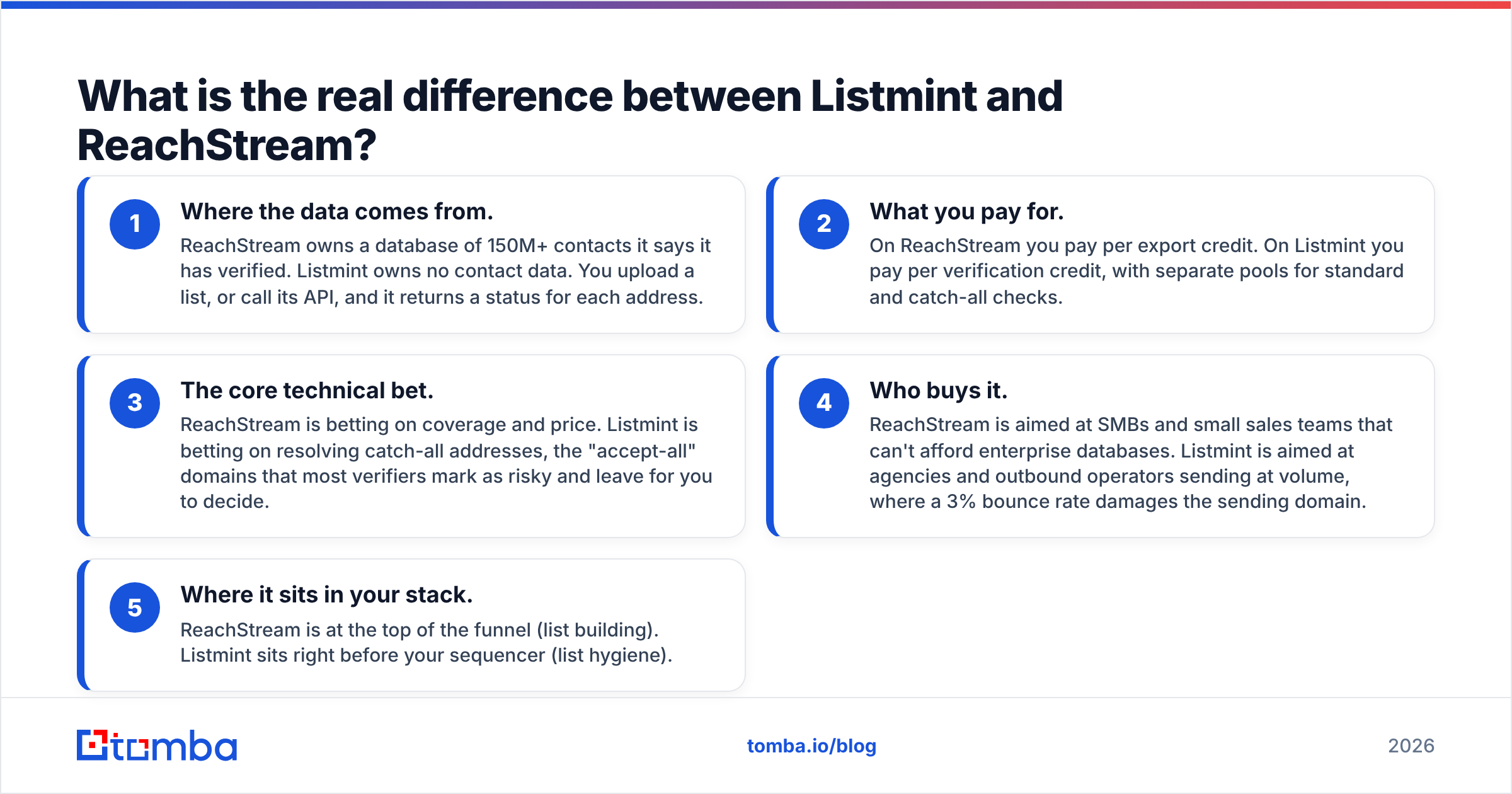
- Where the data comes from. ReachStream owns a database of 150M+ contacts it says it has verified. Listmint owns no contact data. You upload a list, or call its API, and it returns a status for each address.
- What you pay for. On ReachStream you pay per export credit. On Listmint you pay per verification credit, with separate pools for standard and catch-all checks.
- The core technical bet. ReachStream is betting on coverage and price. Listmint is betting on resolving catch-all addresses, the "accept-all" domains that most verifiers mark as risky and leave for you to decide.
- Who buys it. ReachStream is aimed at SMBs and small sales teams that can't afford enterprise databases. Listmint is aimed at agencies and outbound operators sending at volume, where a 3% bounce rate damages the sending domain.
- Where it sits in your stack. ReachStream is at the top of the funnel (list building). Listmint sits right before your sequencer (list hygiene).
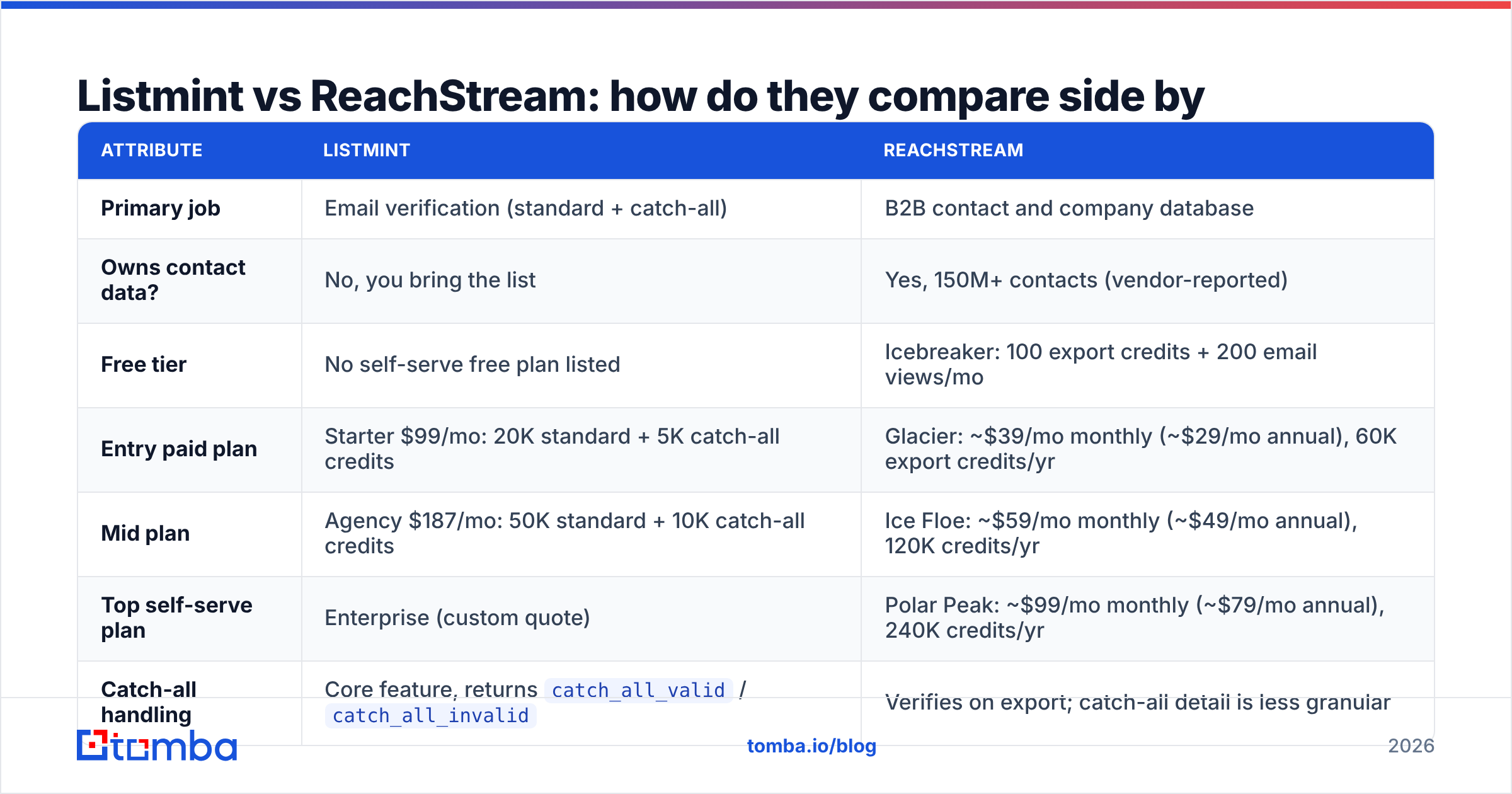
Listmint vs ReachStream: how do they compare side by side?#
| Attribute | Listmint | ReachStream |
|---|---|---|
| Primary job | Email verification (standard + catch-all) | B2B contact and company database |
| Owns contact data? | No, you bring the list | Yes, 150M+ contacts (vendor-reported) |
| Free tier | No self-serve free plan listed | Icebreaker: 100 export credits + 200 email views/mo |
| Entry paid plan | Starter $99/mo: 20K standard + 5K catch-all credits | Glacier: |
| Mid plan | Agency $187/mo: 50K standard + 10K catch-all credits | Ice Floe: |
| Top self-serve plan | Enterprise (custom quote) | Polar Peak: |
| Catch-all handling | Core feature, returns catch_all_valid / catch_all_invalid |
Verifies on export; catch-all detail is less granular |
| Phone numbers | No | Yes (reviewers rate phone accuracy below email accuracy) |
| Accuracy claim | 99%+ on SMTP and catch-all checks (vendor) | 95% data accuracy, 90% email deliverability (vendor) |
| API | Yes, real-time | Chrome extension + web app |
| Best for | Agencies cleaning large lists | Lean teams building lists on a budget |
Pricing comes from each vendor's public pages and third-party listings as of 2026. ReachStream shows different prices for monthly and annual billing, so check ReachStream's pricing page before you budget.
What is ReachStream, and who is it built for?#
ReachStream is a self-serve B2B database. You filter by job title, industry, company size and location, then export contacts with credits. Its pitch is aggressive pricing. On the Polar Peak plan the export volume is high enough that a two-person SDR team would struggle to run out.
What ReachStream does well:
- Price per contact. At roughly 20,000 export credits a month on the top self-serve tier, the cost per record is a fraction of what enterprise vendors charge.
- Verify-on-download. When you use "Verify and Download" on a saved list, only contacts that pass its checks use up credits. That's a sensible default that stops you paying for dead records.
- Vertical lists. ReachStream publishes many niche segment pages (physicians, dentists, CEOs and so on), which helps if you sell into healthcare or local services.
- Phone data included. You don't need a separate dialer-data vendor for basic calling.
Where ReachStream is weaker:
- Phone accuracy. Its own claim (85%) and user reviews both put phones below email quality. Plan for wrong numbers.
- Refresh cadence. It reports a 45-day refresh cycle. That's fine for stable roles and slow for fast-moving startups where people change jobs every 18 months.
- Catch-all ambiguity. Like most databases, ReachStream verifies at export time. On accept-all domains it can't fully confirm that a mailbox exists, and that's where bounces come from.
ReachStream fits you if you're a founder or small team running your first outbound motion and need 2,000 contacts next week without signing an annual enterprise contract.
What is Listmint, and why does catch-all verification matter?#
Listmint is a verification tool built specifically for catch-all emails. To see why that matters, you need to know what a normal verifier does.
A standard verifier opens an SMTP conversation with the recipient's mail server and asks whether a mailbox exists. For most domains the server answers yes or no. A catch-all domain answers "yes" to every address, so jane@company.com and asdkjh@company.com both look valid. Most verifiers give up and label these "accept-all" or "unknown."
In B2B lists, especially mid-market and enterprise, catch-all domains can be a large share of contacts. That leaves you two bad options: throw those leads away, or send to them and hope your bounce rate holds.
Listmint's approach, described in its own explainer on catch-all verification, resolves those addresses in real time without sending test emails and without a 48-hour wait. It returns clear statuses (valid, invalid, catch_all_valid, catch_all_invalid), so you know which catch-all contacts are safe to email.
What Listmint does well:
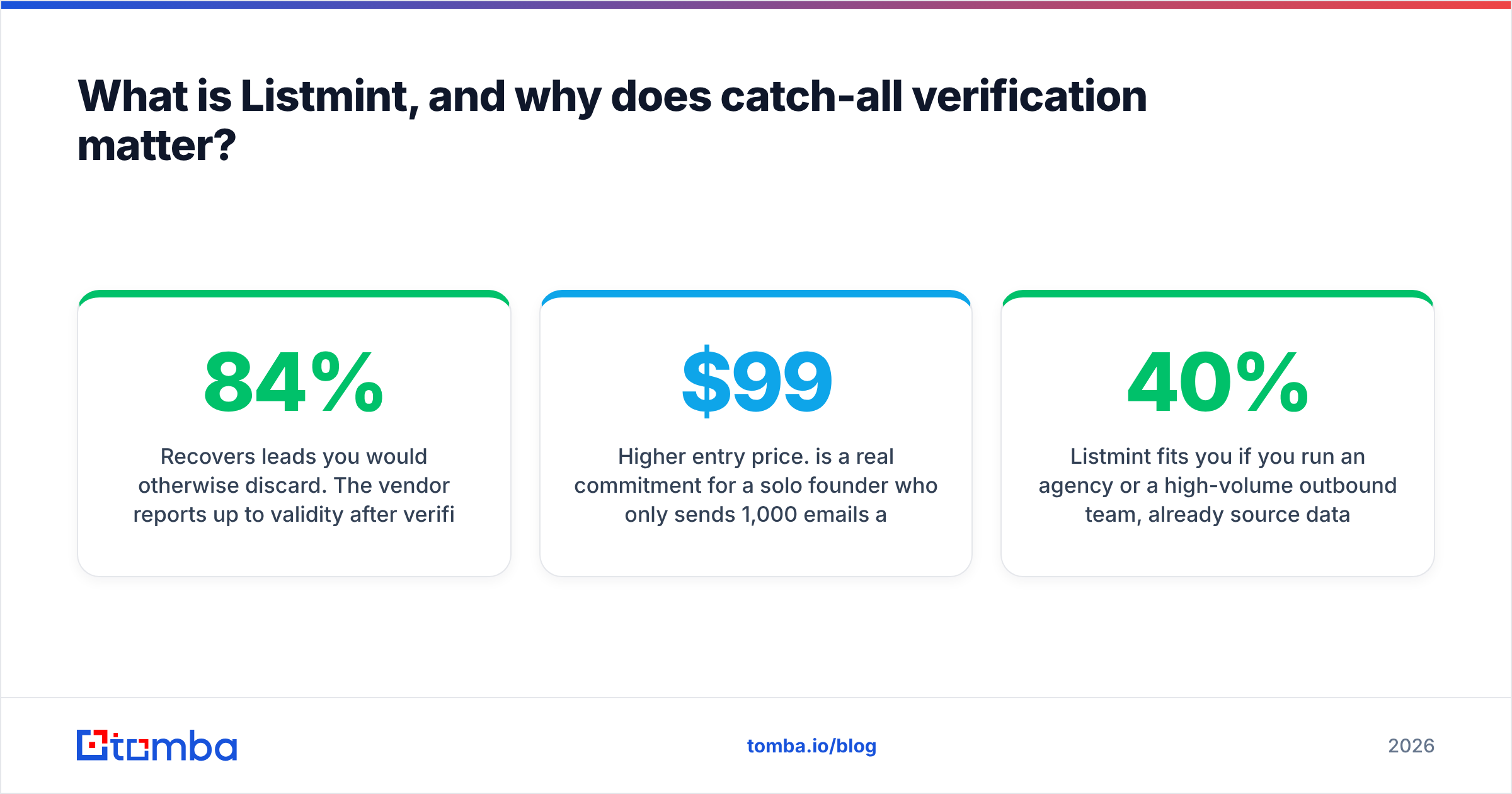
- Recovers leads you would otherwise discard. The vendor reports up to 84% validity after verification versus about 55% with other verifiers. Treat that as a best case, but the direction makes sense.
- Clear output. Reviewers on G2 point out that Listmint separates "valid" from "catch-all deliverable" in the final result, where some competitors merge them.
- Real-time API. It slots into Clay tables, enrichment waterfalls or custom scripts.
- Support. Reviewers regularly mention fast, helpful support.
Where Listmint is weaker:
- No data of its own. It can't give you a single new lead.
- Higher entry price. $99/mo is a real commitment for a solo founder who only sends 1,000 emails a month.
- Separate credit pools. Catch-all credits are much scarcer than standard credits (5K vs 20K on Starter). If your list is mostly enterprise domains, you'll run out of catch-all credits first.
Listmint fits you if you run an agency or a high-volume outbound team, already source data from Apollo, Clay or a database like ReachStream, and are losing 20–40% of your list to "unknown" statuses.
Which is more accurate: Listmint or ReachStream?#
You can't compare them directly because they measure different things.
- ReachStream's 90% email deliverability claim describes the quality of its database: out of the contacts it sells, how many can receive mail.
- Listmint's 99%+ accuracy claim describes the correctness of its verdicts: when it says an address is valid, how often that's true.
Both numbers are self-reported. Neither vendor publishes an independent audit. To find out which tool works for your ICP:
- Pull 500 contacts from your target segment in ReachStream (or wherever you source data).
- Run the same 500 through Listmint.
- Send a low-volume, plain-text campaign from a warmed secondary domain.
- Compare actual hard bounces against what each tool predicted.
This takes about a week and costs less than one month on either plan. It's also the only accuracy figure you should trust.
How much does Listmint vs ReachStream cost at real volumes?#
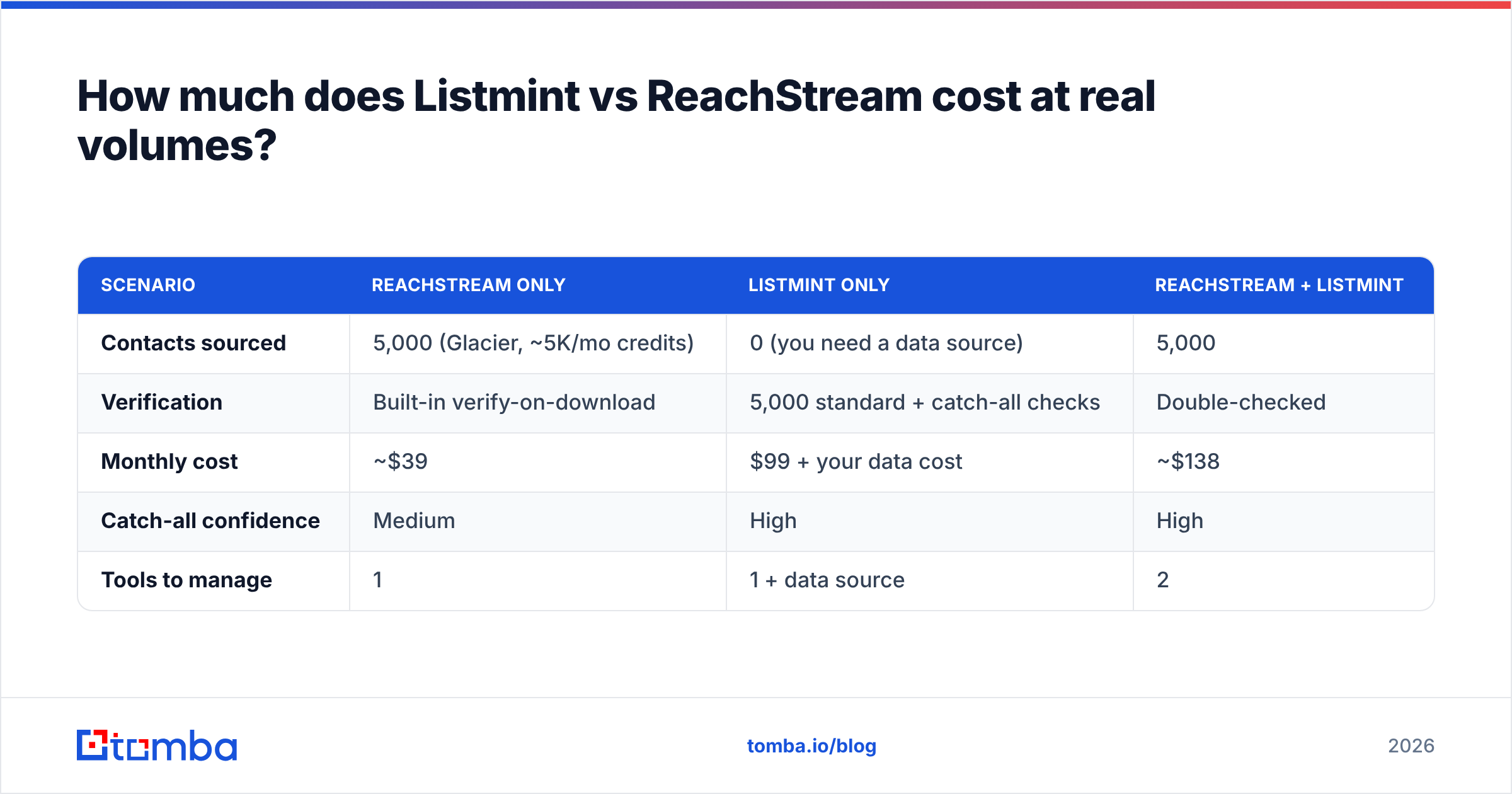
Price out a realistic month: 5,000 net-new contacts, all verified before sending.
| Scenario | ReachStream only | Listmint only | ReachStream + Listmint |
|---|---|---|---|
| Contacts sourced | 5,000 (Glacier, ~5K/mo credits) | 0 (you need a data source) | 5,000 |
| Verification | Built-in verify-on-download | 5,000 standard + catch-all checks | Double-checked |
| Monthly cost | ~$39 | $99 + your data cost | ~$138 |
| Catch-all confidence | Medium | High | High |
| Tools to manage | 1 | 1 + data source | 2 |
The pattern is clear. ReachStream alone is cheapest but leaves catch-all risk. Listmint alone doesn't solve anything unless you already have data. Stacking both gives you coverage plus high-confidence verification at around $140/mo, with two logins, two credit systems and a CSV hand-off between them.
That hand-off is the hidden cost. Every export-import cycle is a chance to lose columns, create duplicates or send to the unverified version of a list by mistake.
When should you use both, and when should you use neither?#
Use both when:
- You send more than 10,000 cold emails a month across several domains.
- Your ICP is mid-market or enterprise, where catch-all domains are common.
- Your bounce rate is above 2% even though you verify at export.
Use ReachStream alone when:
- You're starting outbound from zero and cost matters most.
- You sell into SMB or local-business segments where catch-all domains are less common.
- You also need phone numbers for cold calling.
Use Listmint alone when:
- You already have a data source you like (Apollo, Clay, event lists, inbound CRM records).
- Your verification step is the bottleneck, not your data.
Use neither when:
- You mostly find contacts one at a time from company websites or LinkedIn. A per-lookup email finder is cheaper than a bulk database.
- You want finding and verification in one credit system so you don't have to glue two tools together.

Is there a single tool that covers both jobs?#
Yes, with trade-offs. Several platforms now combine finding and verifying so the lead you find is verified in the same step. Tomba is one of them. You can find emails by name, domain or LinkedIn URL, then run them through the email verifier and a dedicated catch-all verifier without leaving the app or exporting a CSV.
To keep the comparison fair:
- Compared with ReachStream, Tomba is more of an email finder and enrichment platform than a filter-and-export list builder. If you need 20,000 dentists in Texas by Friday, a vertical database like ReachStream is the more direct route.
- Compared with Listmint, a specialist that only does catch-all resolution may go deeper on that one problem. Test both on your hardest domains.
- Where a combined tool wins is workflow: one credit balance, one API, verification built into the lookup, and a free tier (25 searches/mo) for testing before you pay. Paid plans start at $49/mo. Full tiers are on the Tomba pricing page.
What's the verdict: Listmint or ReachStream?#
If you have no leads, start with ReachStream. It's one of the cheapest ways to get large volumes of B2B contacts, and verify-on-download stops you paying for obviously dead records.
If you have leads but they bounce, start with Listmint. Catch-all resolution is a real problem, and Listmint is built around solving it. The clearer status labels alone can save sender reputation.
If you're sending at agency scale, you'll probably need both jobs covered. At that point, decide whether two specialist tools plus a CSV hand-off is worth it, or whether one platform that finds and verifies in a single pass fits your team better.
Whichever you pick, don't rely on vendor accuracy claims. Run the 500-contact test and base the decision on your own bounce data.
Ready to find and verify in one step?#
If you're comparing Listmint and ReachStream because you want accurate contacts without handling two tools, try the Tomba Email Finder. Look up a professional email by name, domain or company, verify it on the spot (including catch-all checks), and send it to your CRM or sequencer. The free plan includes 25 searches a month, so you can run the same 500-contact bounce test against your current setup before spending anything.
Related guides#
// get started
Find, verify and enrich your first contacts today
Start on the free plan with 25 searches a month, then scale when your team is ready.
Free plan · No credit card required · GDPR & CCPA
// about the author