Listmint vs Salesbot: Catch-All Verifier or AI Prospecting Suite?
Listmint and Salesbot show up on the same shortlists, but they do different jobs. One tells you whether emails on catch-all domains are real. The other finds leads and emails them for you. Here is which one your outbound stack is missing.
TL;DR
- Listmint and Salesbot aren't really competitors. Listmint is an email verification tool built around catch-all domains. Salesbot is an AI prospecting platform that combines a large lead database with automated outreach.
- Pick Listmint if you already have lists (from Clay, Apollo, a scraper, or a data vendor) and your bounce rate is climbing because of "accept-all" domains.
- Pick Salesbot if you have no lead source and no outreach setup yet, and you want one platform to find decision-makers, write messages, and book meetings.
- On price: Listmint's published plans start at $99/mo for 20,000 standard plus 5,000 catch-all credits. Third-party directories list Salesbot at about $49/mo (Basic) and $99/user/mo (Professional). Check both vendors' pages before you buy.
- The option most teams skip: you can pair a finder with a verifier (Tomba covers both, from $49/mo) and skip paying for an all-in-one suite you'll only partly use.
What is the real difference between Listmint and Salesbot?#
People search "Listmint vs Salesbot" because both tools promise more replies and fewer bounces. They sit at different points in the outbound pipeline, though, and it's easier to decide once you see where each one fits.
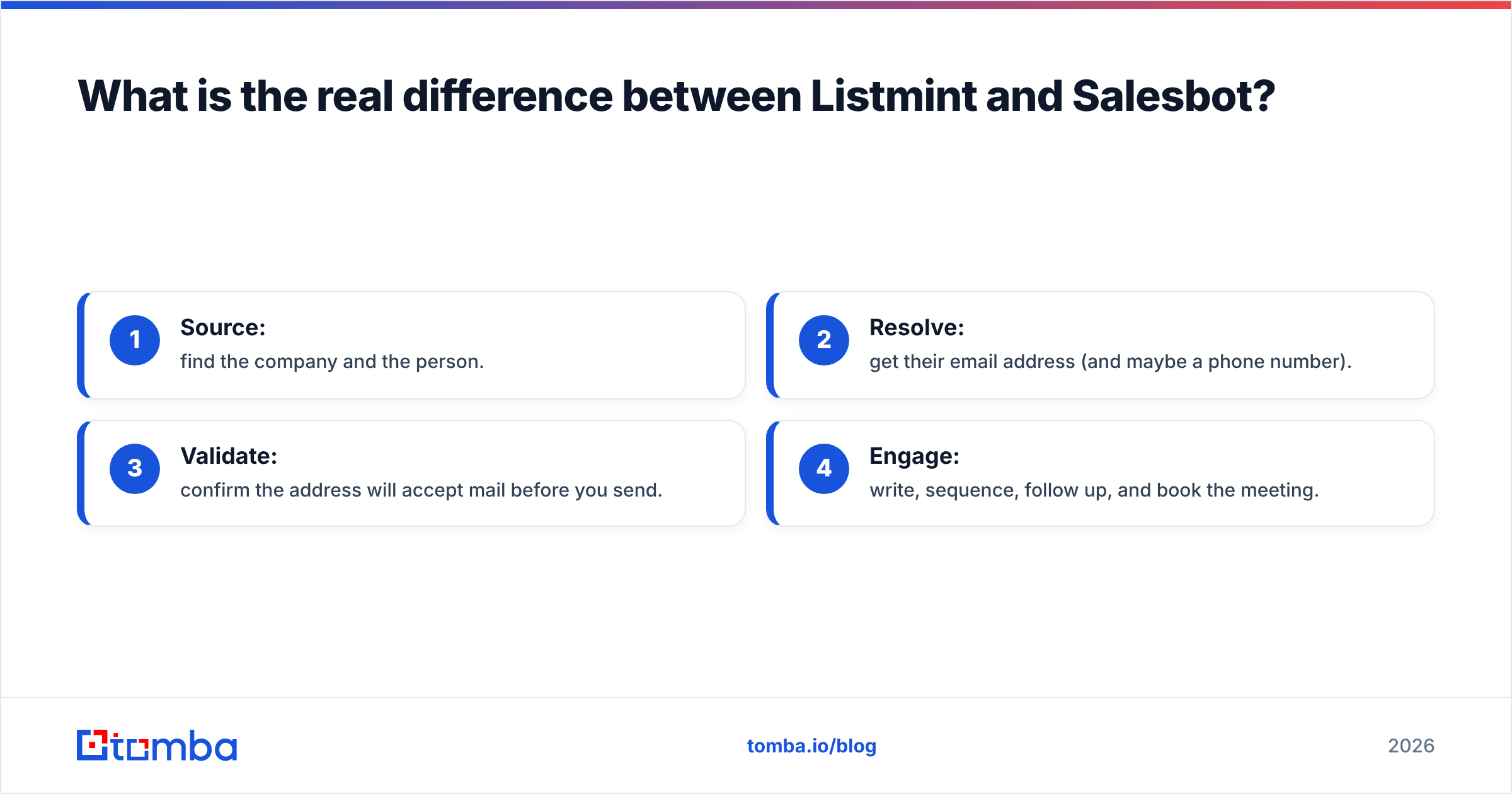
Think of outbound as a production line with four stations:
- Source: find the company and the person.
- Resolve: get their email address (and maybe a phone number).
- Validate: confirm the address will accept mail before you send.
- Engage: write, sequence, follow up, and book the meeting.
Listmint lives almost entirely at station 3. It checks whether an email is deliverable, and it focuses on the hardest case: catch-all domains, where the mail server accepts every address, so standard SMTP checks come back "unknown" or "accept-all."
Salesbot covers stations 1, 2, and 4. It gives you a searchable contact database (third-party listings put it at 655M+ contacts with emails and phone numbers), AI-assisted research and list building, and outreach automation that personalizes messages and follows up.
So "Listmint or Salesbot?" usually comes down to which of those stations is broken in your pipeline right now.
How does Listmint work?#
Listmint is a verification service. You upload a list or call the API, and every address gets a status. The difference from a standard verifier is what happens with catch-all domains: most verifiers stop at "catch-all, can't tell," while Listmint runs a second, separate catch-all verification pass and returns a verdict.
According to Clay's integration docs, Listmint's result values include:
- valid: the inbox exists
- catch_all_valid: the domain is catch-all, and this specific inbox appears real
- invalid: the inbox does not exist
- catch_all_invalid: the domain is catch-all, and this specific inbox appears fake
That split matters more than it looks. On lists heavy with mid-market and enterprise accounts, catch-all domains can be a large share of your contacts. If your verifier marks all of them "risky," you have two bad choices: drop good leads or send blind and hurt your sender reputation.
Where Listmint fits well:
- Clay tables and waterfall enrichment workflows, where it's a common final validation step
- Agencies verifying lists for many clients
- Teams buying data from vendors whose "verified" flag doesn't account for catch-all domains
Where it doesn't help:
- It won't find a single new lead. You need a source upstream.
- It doesn't send email or run sequences.
- It uses two credit types (standard and catch-all), so you need to forecast your catch-all volume to avoid running short.
How does Salesbot work?#
Salesbot is aimed at the "I need pipeline, not tools" buyer. The pitch is end-to-end: search a large B2B contact database, use AI to research and filter prospects, generate personalized outreach, and automate follow-ups until a meeting is booked. The company also publishes material on pairing Salesbot with Instantly for sending at scale, which suggests many users run it alongside a dedicated sending tool rather than instead of one.
Where Salesbot fits well:
- Founders and small teams with no lead source and no SDR process yet
- Teams that want AI-written first-touch personalization without building prompts themselves
- Buyers who need phone numbers as well as emails from the same place
Where it's weaker:
- A broad database with built-in verification is not the same as a verifier built for catch-all domains. Expect some "unknown" or accept-all contacts to get through.
- All-in-one platforms tend to be good at many things but best at few. If you already use Apollo, Clay, or Instantly, you may end up paying twice for overlapping features.
- Per-user pricing on the Professional tier (as listed on directories like Capterra) grows with headcount, while credit-based verifiers grow with volume.

Listmint vs Salesbot: how do they compare side by side?#
Here's the head-to-head, with Tomba included as a reference point since it covers both finding and verification. Prices come from vendor pages and third-party directories at the time of writing. Treat them as a starting point, not a quote.
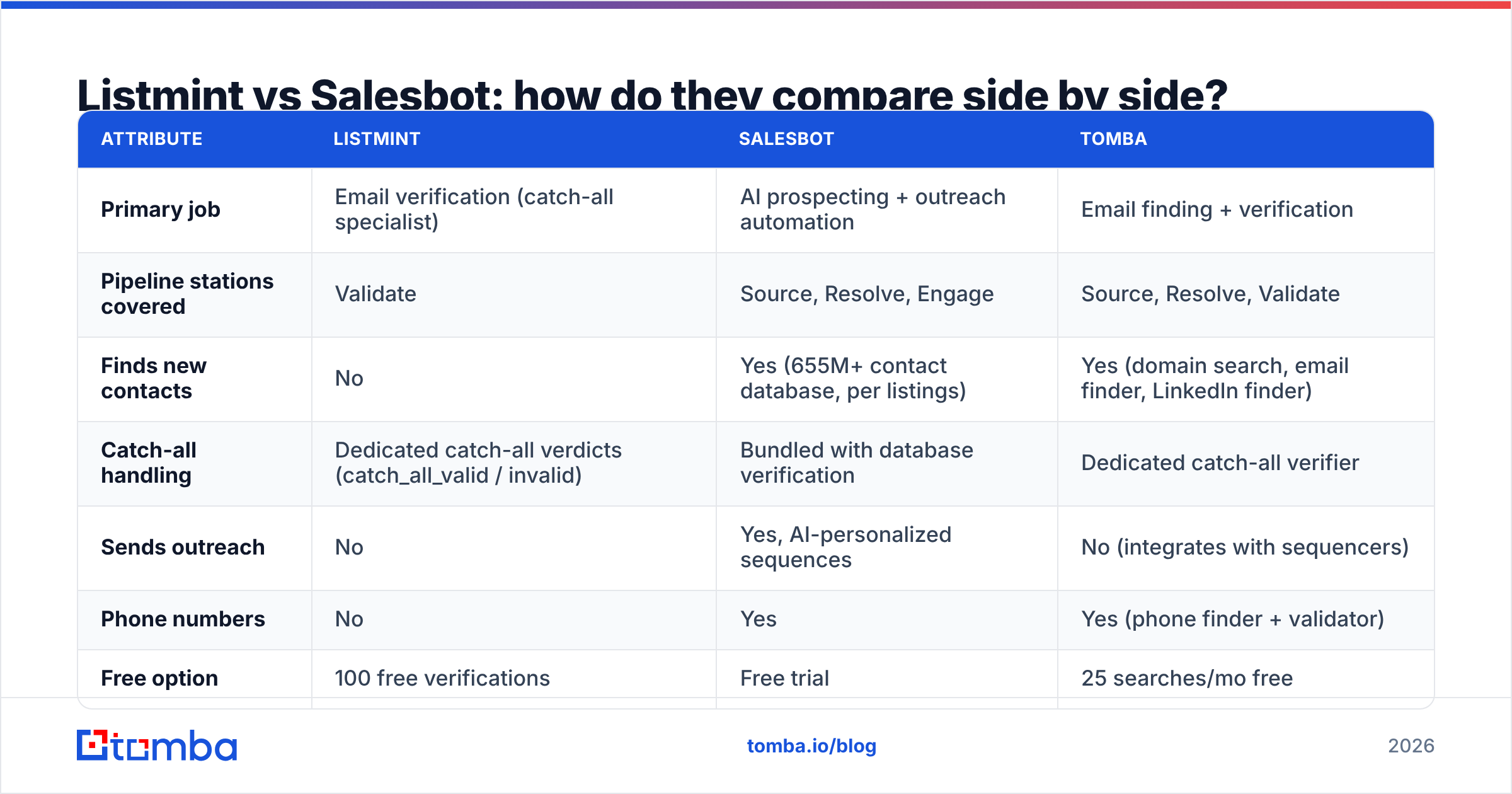
| Attribute | Listmint | Salesbot | Tomba |
|---|---|---|---|
| Primary job | Email verification (catch-all specialist) | AI prospecting + outreach automation | Email finding + verification |
| Pipeline stations covered | Validate | Source, Resolve, Engage | Source, Resolve, Validate |
| Finds new contacts | No | Yes (655M+ contact database, per listings) | Yes (domain search, email finder, LinkedIn finder) |
| Catch-all handling | Dedicated catch-all verdicts (catch_all_valid / invalid) | Bundled with database verification | Dedicated catch-all verifier |
| Sends outreach | No | Yes, AI-personalized sequences | No (integrates with sequencers) |
| Phone numbers | No | Yes | Yes (phone finder + validator) |
| Free option | 100 free verifications | Free trial | 25 searches/mo free |
| Entry paid plan | $99/mo (20K standard + 5K catch-all credits) | ~$49/mo Basic (per directories) | $49/mo Starter |
| Mid tier | $187/mo Agency (50K + 10K catch-all) | ~$99/user/mo Professional | $99/mo Growth |
| Pricing model | Volume credits (two types) | Seat + plan based | Volume credits |
| Best for | Cleaning lists you already own | Teams starting outbound from zero | Teams that want finder + verifier without a full suite |
Which one is better for deliverability?#
Listmint wins on deliverability, and it's not close. That's all it does.
The logic is simple: email deliverability depends on bounce rate, and bounce rate depends on how well you handle ambiguous addresses. Google and Yahoo's bulk-sender rules made this stricter. Sustained hard bounces and spam complaints now drag down inbox placement for your whole domain, not only for the campaign that caused them.
Salesbot verifies the contacts in its database, and for many SMB-heavy lists that's enough. But if your ICP is mid-market and enterprise, where catch-all configurations are common, a database-level "verified" flag doesn't tell you about the specific inbox. Running a dedicated catch-all check before you send is cheap insurance.
A practical rule of thumb:
- Bounce rate under 2% and mostly SMB targets: built-in verification (Salesbot's or your finder's) is probably fine.
- Bounce rate above 2%, or more than roughly a fifth of your list flagged accept-all: add a dedicated verifier with catch-all support before every send.
Which one is better for finding leads?#
Salesbot, because Listmint doesn't find leads at all.
If your problem is "we don't know who to email," Listmint can't help. Salesbot gives you a searchable database, filters, and an AI layer that helps build and qualify the list.
Before you choose Salesbot for sourcing alone, ask yourself whether you need the whole suite. Plenty of teams need contacts and addresses but already have a sequencer they like (Instantly, Smartlead, Lemlist, HubSpot sequences). For them, a dedicated email finder that resolves addresses from a name and company domain, then pushes them into the existing stack, is often cheaper and more precise than a platform seat.
How does pricing actually work out?#
Headline prices hide the real comparison, so here are three common scenarios.
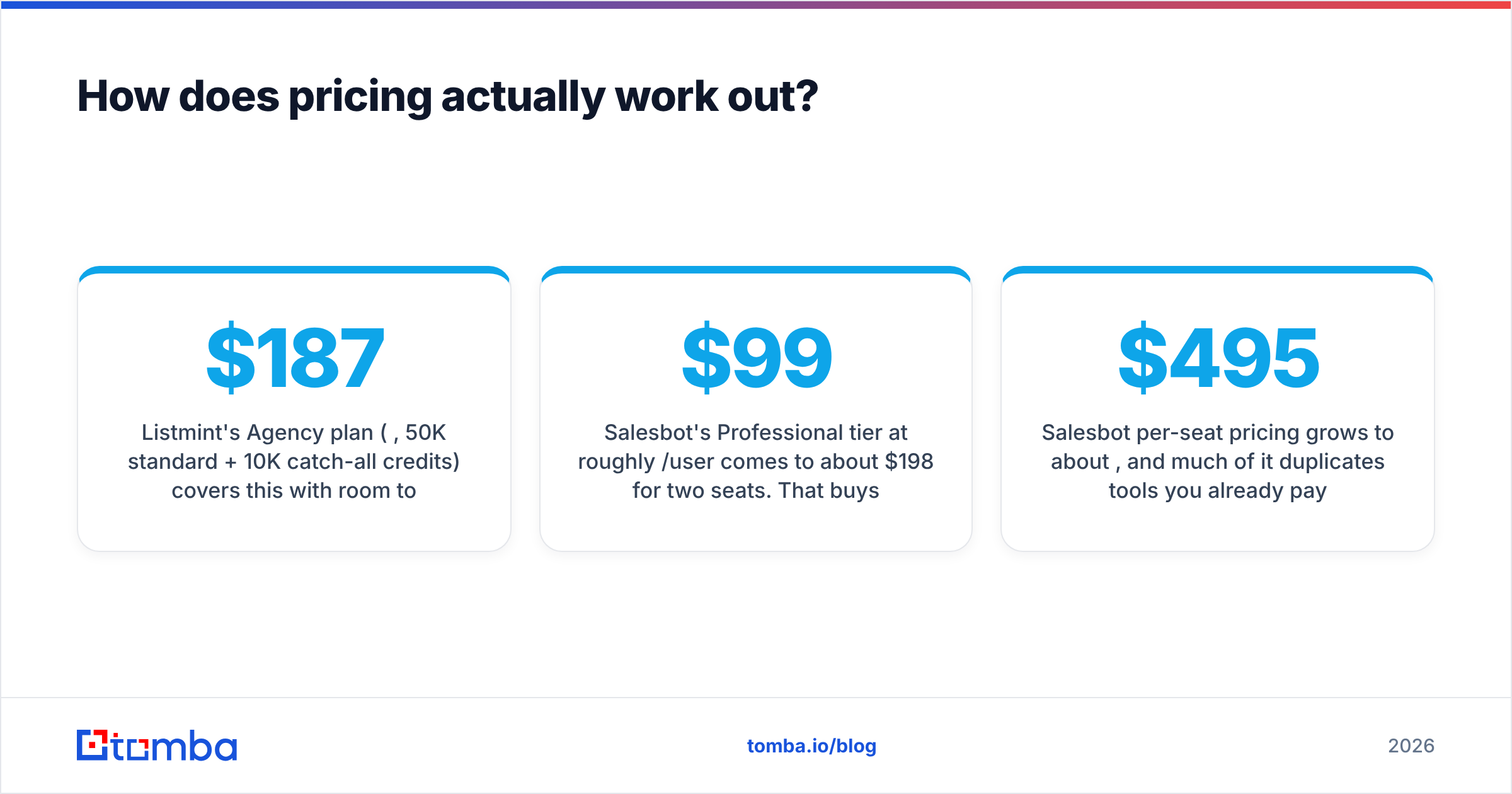
Scenario 1: an agency verifying 40,000 emails a month for clients. Listmint's Agency plan ($187/mo, 50K standard + 10K catch-all credits) covers this with room to spare, as long as catch-all contacts stay under 10K. Salesbot isn't built for this use case.
Scenario 2: a two-person founding team starting outbound from zero. Salesbot's Professional tier at roughly $99/user/mo comes to about $198/mo for two seats. That buys database access plus AI outreach in one place, which is reasonable value if you'd otherwise buy a database, a writer tool, and a sequencer separately.
Scenario 3: a five-rep SDR team already on Instantly and HubSpot. Salesbot per-seat pricing grows to about $495/mo, and much of it duplicates tools you already pay for. A finder-plus-verifier setup (for example, Tomba Growth at $99/mo, plus Listmint Starter at $99/mo if catch-all volume is heavy) costs about $198/mo and plugs into the existing stack.
The takeaway: seat-based suites work out best when you have few users and no stack. Credit-based point tools work out best when you have many users or an existing stack.
For current Tomba tiers, see Tomba pricing. For Listmint, its G2 pricing page and vendor site are the most reliable references.
What are the pros and cons of each?#
Listmint
- Pro, catch-all precision: it returns an actual valid/invalid verdict where most verifiers stop at "unknown."
- Pro, fits workflows easily: a native Clay integration and an API make it an easy last step in enrichment pipelines.
- Pro, predictable volume pricing: you pay for verifications, not seats.
- Con, single-purpose: no sourcing, no sending, no phones.
- Con, two credit pools: you need to estimate your catch-all share, or you'll run out of one credit type while the other sits unused.
Salesbot
- Pro, all-in-one: a database, AI research, and outreach in one login.
- Pro, phones included: useful if your motion mixes email and calls.
- Pro, fast start: good for teams without an existing outbound stack.
- Con, seat-based cost growth: gets expensive as the team grows.
- Con, overlaps an existing stack: duplicates features if you already run a sequencer and CRM.
- Con, general-purpose verification: not built for catch-all precision.

Can you use Listmint and Salesbot together?#
Yes, and for some teams that's the right answer. The pattern looks like this:
- Source contacts in Salesbot.
- Export them before any sequence launches.
- Verify the export in Listmint, especially contacts on catch-all domains.
- Re-import only
validandcatch_all_validcontacts into your outreach.
This gives you Salesbot's reach with Listmint's deliverability protection. The cost is extra friction (export, verify, re-import) and two subscriptions. If you're doing this weekly, you'll feel it.
Is there a simpler alternative to running both?#
If you're looking at both tools because you need contacts and you need them clean, consider a single platform that handles finding and verification together, then connects to whatever sequencer you already use.
That's where Tomba fits. You can find emails by domain or by name and company, check them with the built-in email verifier, and send ambiguous accept-all addresses to a dedicated catch-all verifier without leaving the app. It won't write your sequences like Salesbot does, and a verifier built only for catch-all domains, like Listmint, may still suit very high-volume list cleaning. But for most SDR teams, one tool covering both finding and verification costs less and saves the export-verify-reimport step.
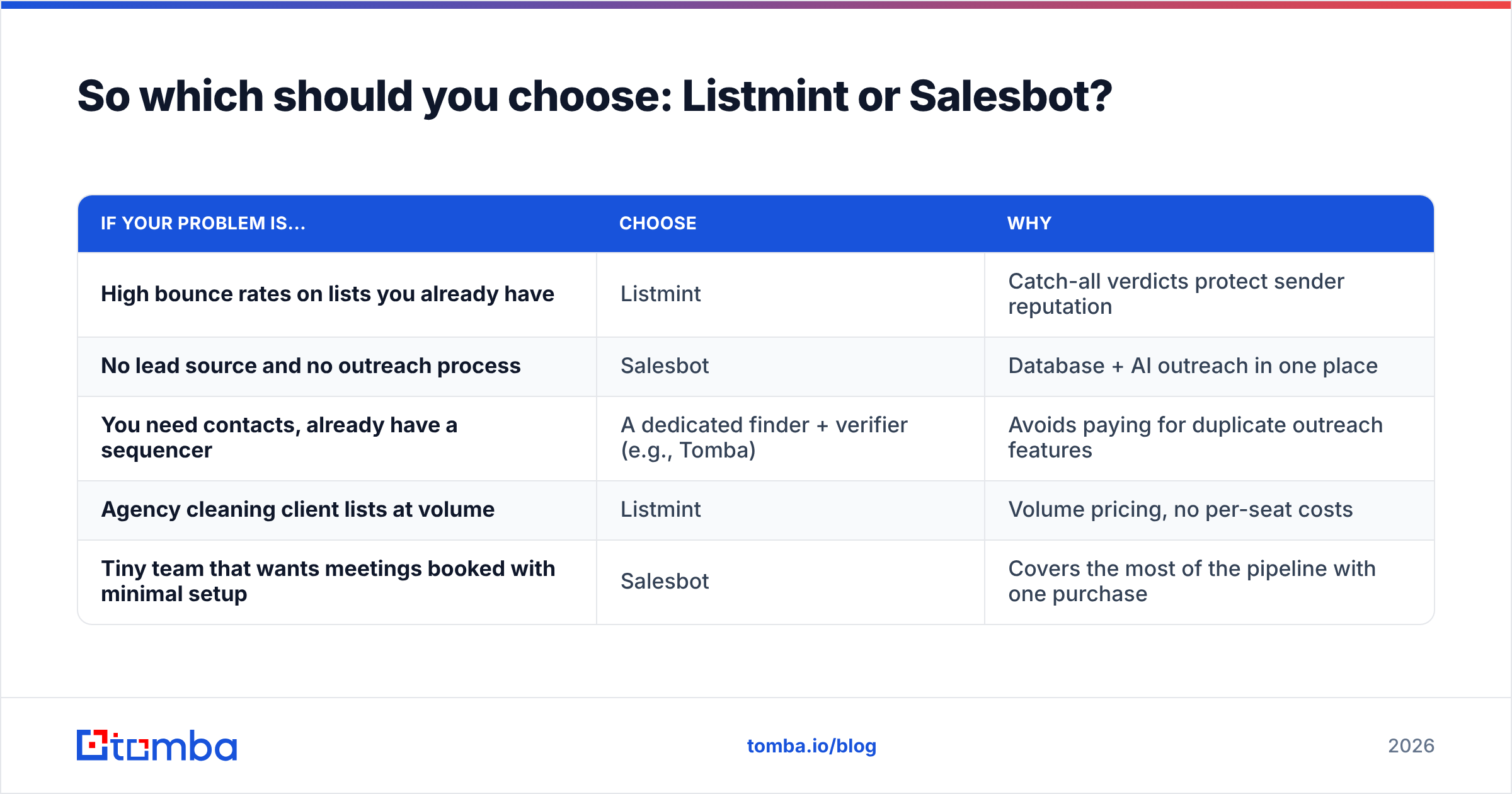
So which should you choose: Listmint or Salesbot?#
Pick based on what's broken in your pipeline:
| If your problem is... | Choose | Why |
|---|---|---|
| High bounce rates on lists you already have | Listmint | Catch-all verdicts protect sender reputation |
| No lead source and no outreach process | Salesbot | Database + AI outreach in one place |
| You need contacts, already have a sequencer | A dedicated finder + verifier (e.g., Tomba) | Avoids paying for duplicate outreach features |
| Agency cleaning client lists at volume | Listmint | Volume pricing, no per-seat costs |
| Tiny team that wants meetings booked with minimal setup | Salesbot | Covers the most of the pipeline with one purchase |
Both are credible tools that do different jobs. The mistake is buying one expecting it to do the other's job: Listmint won't fill your pipeline, and Salesbot won't solve bounce problems caused by catch-all domains.
Ready to find verified emails without a full suite?#
If what you need is the right person's email address, verified before it goes into your sequencer, start with Tomba Email Finder. Enter a name and company domain, get the address with a confidence score, and verify it in the same step, including catch-all checks. The free plan includes 25 searches a month, and paid plans start at $49/mo, so you can test it on your own ICP before you commit to anything larger.
Related guides#
// get started
Find, verify and enrich your first contacts today
Start on the free plan with 25 searches a month, then scale when your team is ready.
Free plan · No credit card required · GDPR & CCPA
// about the author