Listmint vs Wiza: Email Verifier or LinkedIn Email Finder in 2026?
Listmint and Wiza show up in the same searches, but they do different jobs. One cleans the emails you already have and the other pulls new contacts out of LinkedIn. Here's which one your stack is missing, and when it makes sense to pay for both.
TL;DR
- These tools aren't direct substitutes. Listmint is an email verification platform built around catch-all validation. Wiza is a LinkedIn and Sales Navigator prospecting tool that finds emails and phone numbers.
- Pick Listmint if your list already exists and a large share of it sits on catch-all domains that ordinary verifiers mark "unknown". Plans start at $99/mo for 20,000 standard and 5,000 catch-all credits.
- Pick Wiza if you build lists from LinkedIn. Paid plans start at $49/mo, the Email plan is $99/mo and Email + Phone is $199/mo. Bulk list export only works with a separate Sales Navigator seat.
- Many outbound teams end up running both, one to find contacts and one to verify them. That can mean two subscriptions and a Sales Navigator license for every rep.
- If you want finding and verification in one place without the LinkedIn dependency, look at an all-in-one email finder such as Tomba, which starts at $49/mo.
What is the real difference between Listmint and Wiza?#
People search "Listmint vs Wiza" expecting two versions of the same product. They're actually two stages of the same pipeline.
Wiza is a sourcing tool. You open a LinkedIn profile or a Sales Navigator search, and Wiza returns a work email (plus a phone number on higher tiers) for each person. It then exports those contacts to CSV or pushes them into your CRM. Wiza's core value is turning a LinkedIn search into a contact list you can use.
Listmint is a hygiene tool. You give it emails you already have, from a CSV, one at a time, or through its API. It tells you which ones are safe to send to. Its differentiator is catch-all verification. Catch-all domains accept mail sent to any address, so a standard SMTP check can't confirm that a particular inbox exists. Listmint sells separate credits built to resolve those addresses.
A useful comparison: Wiza is the fishing boat and Listmint is the quality inspector on the dock. You wouldn't choose between them the way you choose between two boats. You'd ask which one your operation is missing.
How do Listmint and Wiza work under the hood?#
Before comparing features, it helps to see where each tool sits in a standard outbound workflow. Most B2B teams move through these stages:
- Define the audience. You build an ICP search in LinkedIn Sales Navigator, a B2B database, or a list of target domains. Neither tool does this part for you.
- Source contacts. This is Wiza's job. It reads the Sales Navigator list or LinkedIn profile, matches each person to a work email and optionally a mobile number, and runs its own deliverability check before charging a credit.
- Verify and de-risk. This is Listmint's job. It checks syntax, MX, SMTP, DNS, role-based and disposable addresses, and known spam traps. It then applies a dedicated catch-all resolution step to addresses that standard checks can't settle.
- Enrich and route. Contacts are pushed into HubSpot, Salesforce, or your sequencer. Wiza has native CRM syncs. Listmint is mostly used through CSV and API.
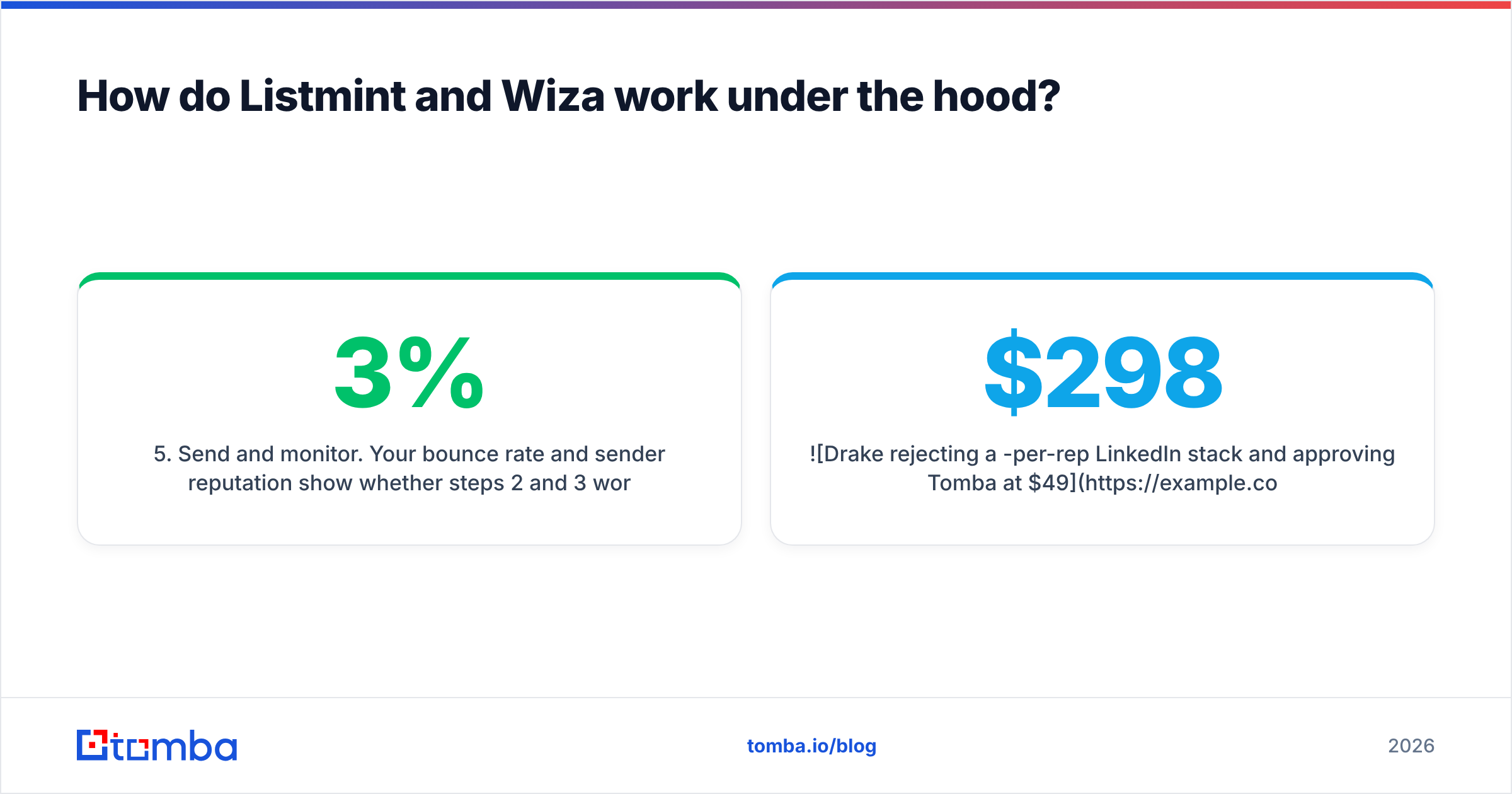
- Send and monitor. Your bounce rate and sender reputation show whether steps 2 and 3 worked. If more than 2-3% of your sends bounce, inbox providers start to notice.
Wiza handles step 2 and does a light version of step 3. Listmint handles step 3 in depth and doesn't touch step 2 at all.
How do Listmint and Wiza compare feature by feature?#
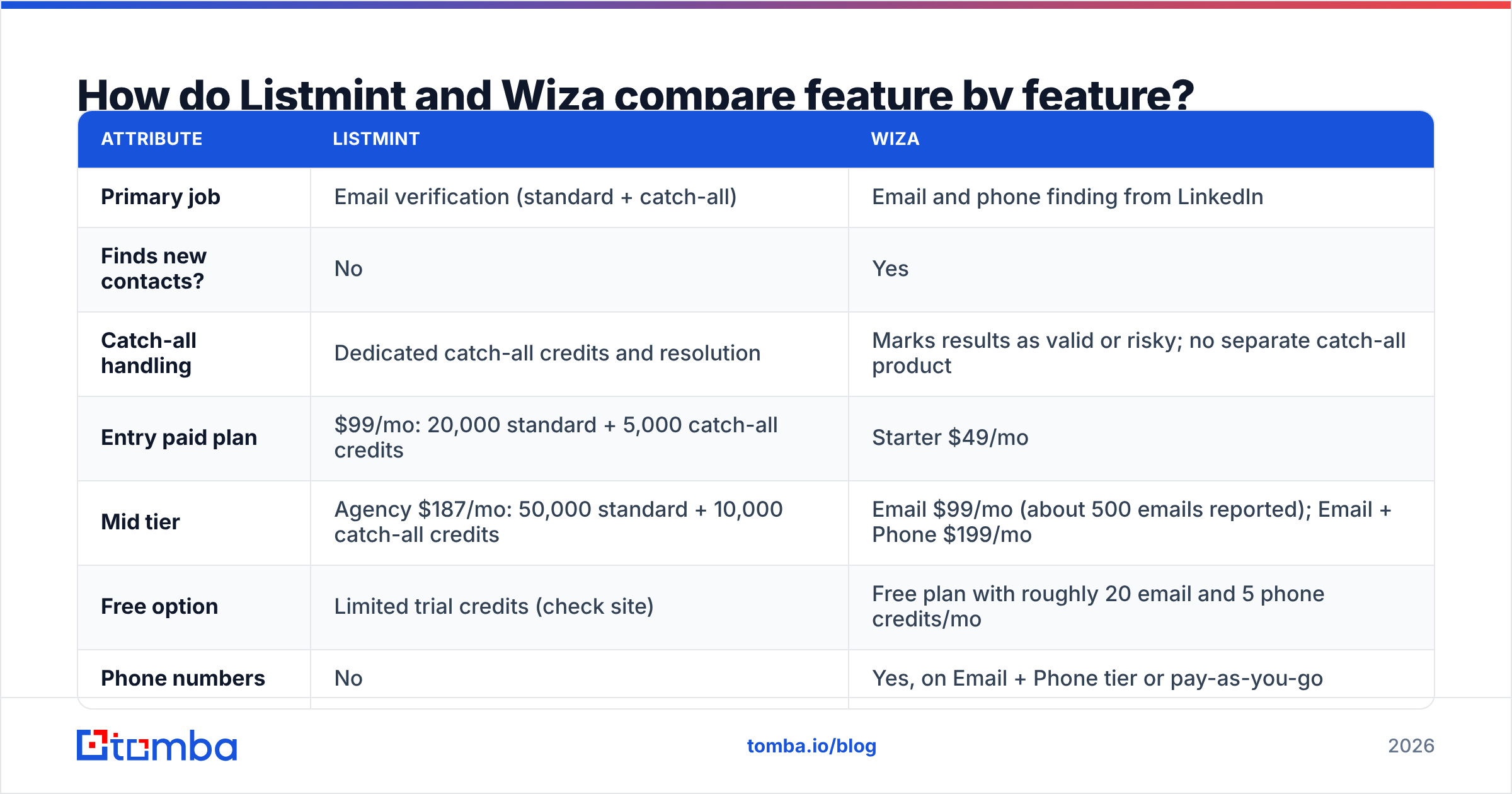
Here is the side-by-side. Pricing reflects public list prices as of 2026. Both vendors change plans often, so check the current pricing pages on Wiza and Listmint before you buy.
| Attribute | Listmint | Wiza |
|---|---|---|
| Primary job | Email verification (standard + catch-all) | Email and phone finding from LinkedIn |
| Finds new contacts? | No | Yes |
| Catch-all handling | Dedicated catch-all credits and resolution | Marks results as valid or risky; no separate catch-all product |
| Entry paid plan | $99/mo: 20,000 standard + 5,000 catch-all credits | Starter $49/mo |
| Mid tier | Agency $187/mo: 50,000 standard + 10,000 catch-all credits | Email $99/mo (about 500 emails reported); Email + Phone $199/mo |
| Free option | Limited trial credits (check site) | Free plan with roughly 20 email and 5 phone credits/mo |
| Phone numbers | No | Yes, on Email + Phone tier or pay-as-you-go |
| Sales Navigator required? | No | Yes, for bulk list export |
| Pay-as-you-go | Yes | Yes (about $0.35/email, $1.50/phone reported) |
| API | Yes, real-time validation API | Yes |
| CRM integrations | Mostly CSV/API-driven | Native HubSpot, Salesforce and others |
| Best for | Cleaning large, catch-all-heavy lists | Building net-new lists from LinkedIn |
The pricing units are very different. A Listmint credit costs a fraction of a cent because verification is cheap to run. A Wiza credit costs tens of cents because it includes finding the data. If you compare $99 against $99, it looks like a tie. It isn't: $99 on Listmint verifies about 25,000 addresses, while $99 on Wiza finds a few hundred new ones.
When is Listmint the better choice?#
Listmint is the right call when you already have the data and the problem is trust, not coverage.
You're sitting on a catch-all-heavy list. Mid-market and enterprise companies often configure their mail servers as catch-all. Standard verifiers return "accept-all" or "unknown" for 20-40% of these lists, which leaves you with two bad options. You can skip those contacts and lose pipeline, or send to them and gamble on bounces. Listmint's catch-all credits are built to shrink that grey zone. Independent testing, such as Clay's catch-all verifier data tests, shows large differences between vendors on this problem, so run a sample before you commit.
You buy or inherit lists. Event attendee exports, old CRM records, purchased data, and lists from a previous SDR all decay at roughly 2-3% a month. Listmint is a cheap way to clean them before they damage your domain.
You need high-volume, cheap verification. At about 0.5 cents per standard check on the entry plan, Listmint is priced for tens of thousands of records a month. That fits agencies and teams sending at scale.
Where it falls short: Listmint won't find a single new email. If your list-building process is weak, Listmint only tells you more precisely how weak it is. It also lacks the one-click CRM syncs that prospecting tools ship with, so expect to work with CSVs or the API.
When is Wiza the better choice?#
Wiza wins when LinkedIn is where your prospecting starts and ends.
Your reps live in Sales Navigator. If your team already pays for Sales Navigator and builds lead lists there, Wiza is one of the fastest ways to turn those lists into emails and phone numbers. It's a single export click, and you can sync straight to your CRM.
You need phone numbers too. Listmint doesn't handle phones at all. Wiza's Email + Phone tier returns mobile numbers along with emails, which matters for teams that run call-heavy sequences.
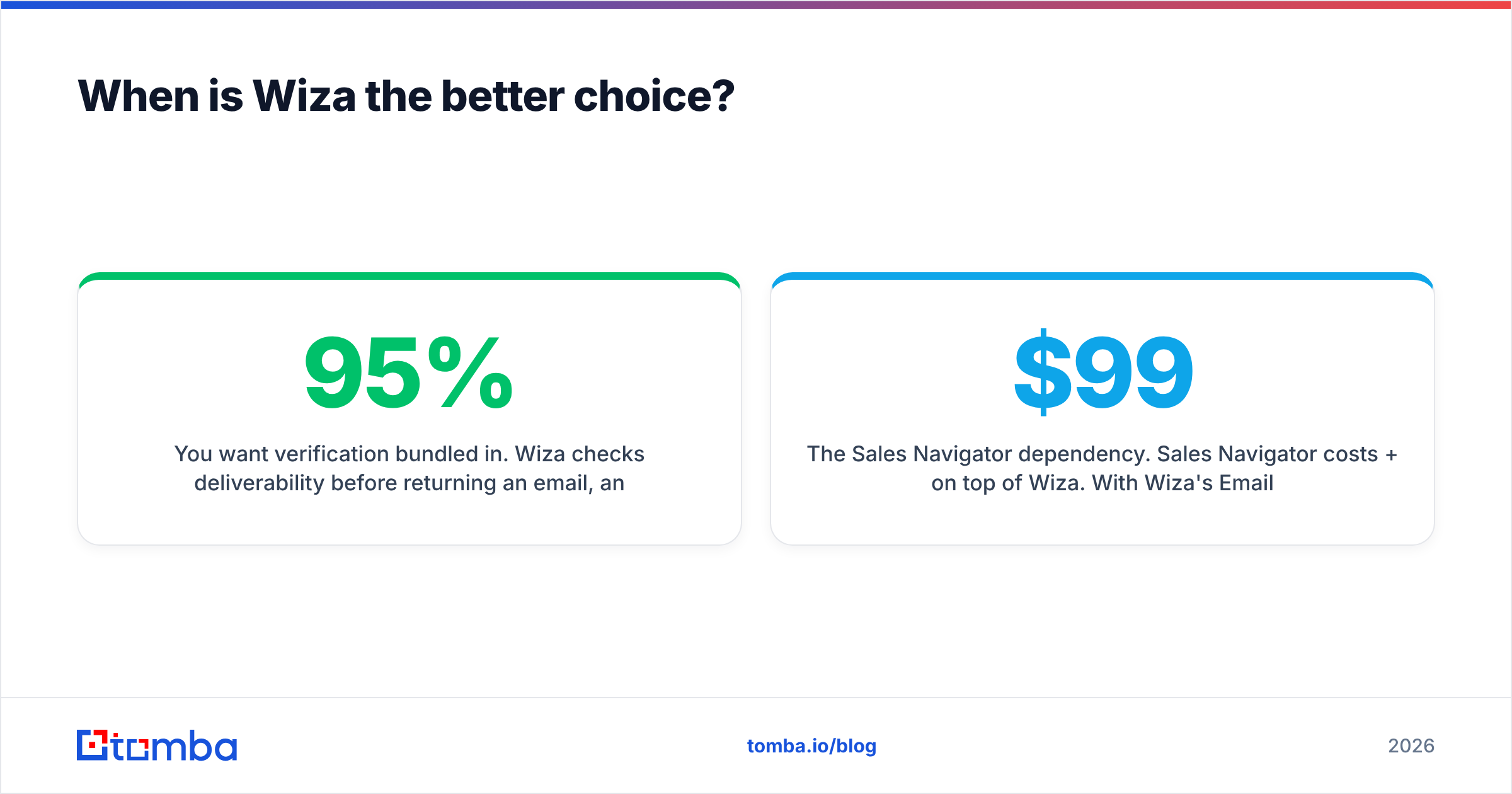
You want verification bundled in. Wiza checks deliverability before returning an email, and third-party reviews report 90-95% deliverability on verified results. For many teams sending moderate volumes, that built-in check is good enough without a second verifier.
Where it falls short:
- The Sales Navigator dependency. Sales Navigator costs $99+/mo per user on top of Wiza. With Wiza's Email plan, one rep's stack lands around $198-$298/mo before you send anything.
- Per-seat economics. Credits are tied to each user's plan and don't roll over. Five reps means five subscriptions, not one shared pool.
- Catch-alls stay risky. Wiza will flag some addresses as risky rather than resolving them. If your ICP is enterprise-heavy, you may still need a dedicated catch-all verifier afterwards.
- LinkedIn-only sourcing. If a prospect isn't on LinkedIn, or you're working from a list of domains, Wiza can't help much.
If those limits sound familiar, our Wiza alternative breakdown goes into more detail.
Which one is cheaper for a real outbound team?#
Pricing pages don't tell you much here, so let's work through a realistic scenario. Picture a three-rep SDR team that wants 1,500 new contacts a month, all verified, with catch-alls handled.
Wiza-only stack
- 3 × Sales Navigator seats: about $300/mo
- 3 × Wiza Email plans: about $297/mo
- Total: about $600/mo, with catch-alls still partly unresolved
Wiza + Listmint stack
- The Wiza stack above: about $600/mo
- Listmint entry plan: $99/mo (far more verification capacity than 1,500 contacts need)
- Total: about $700/mo, with catch-alls resolved
All-in-one finder + verifier stack
- A tool that finds emails by name + domain and verifies them, including catch-alls, from one credit pool
- Tomba, for example, runs $49/mo (Starter), $99/mo (Growth), $249/mo (Pro) on a shared account. See the full Tomba pricing for credit limits
- No mandatory Sales Navigator seat, though you can still use LinkedIn through a browser extension or LinkedIn finder when you want to
The point isn't that one stack always wins. You should cost out the whole pipeline, including every seat and every add-on, rather than comparing two sticker prices that measure different things.
What do users actually say about each tool?#
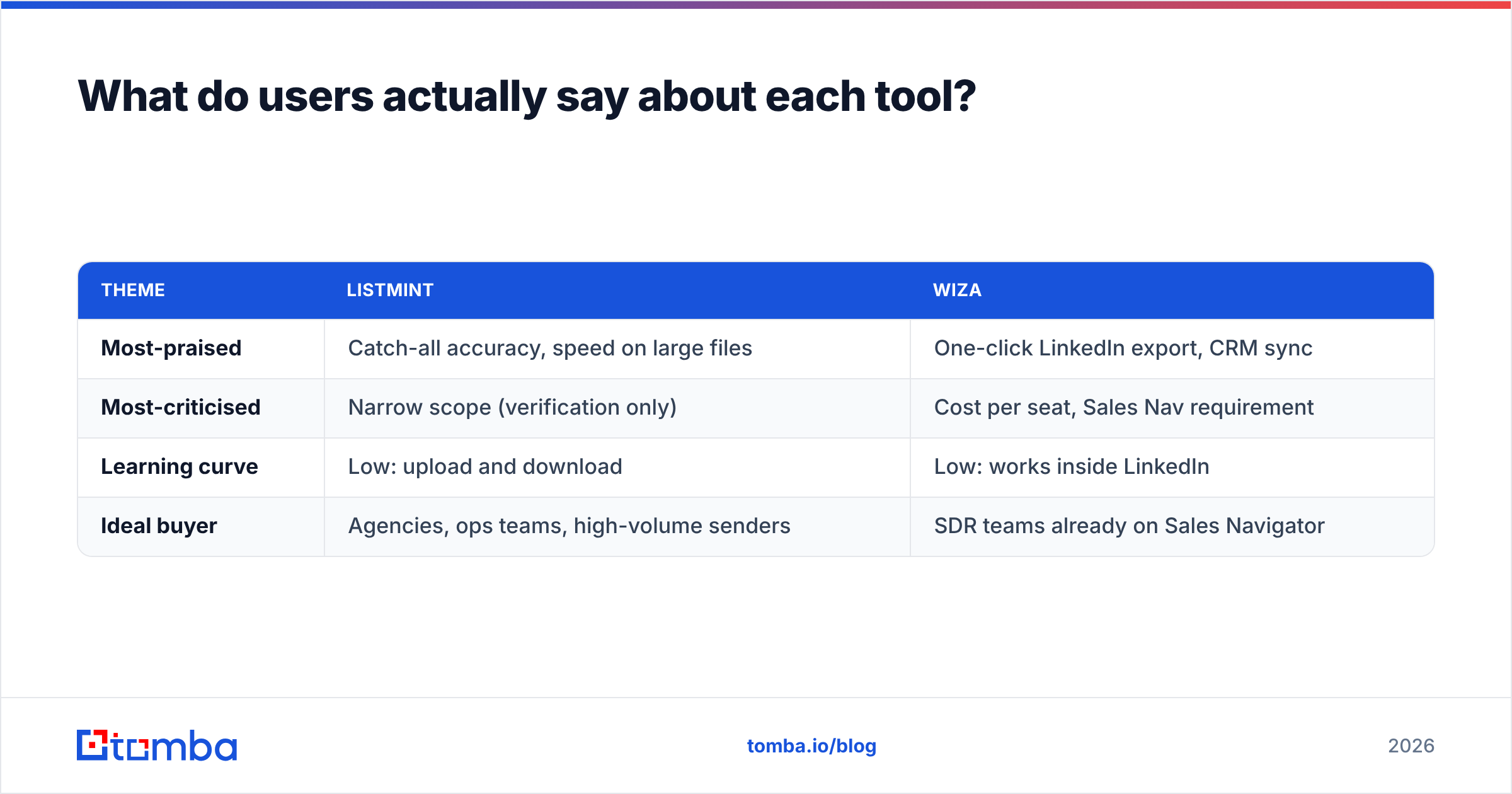
Review sites give you a useful gut check. On G2, Listmint is a smaller, newer listing, and buyers mostly mention catch-all resolution and fast bulk processing. Wiza has a larger review base. Praise centres on ease of use inside Sales Navigator and clean CRM exports. Complaints come up around credit consumption, per-seat pricing, and the need for Sales Navigator.
Patterns worth noting:
| Theme | Listmint | Wiza |
|---|---|---|
| Most-praised | Catch-all accuracy, speed on large files | One-click LinkedIn export, CRM sync |
| Most-criticised | Narrow scope (verification only) | Cost per seat, Sales Nav requirement |
| Learning curve | Low: upload and download | Low: works inside LinkedIn |
| Ideal buyer | Agencies, ops teams, high-volume senders | SDR teams already on Sales Navigator |
Treat any single review with caution. The best test is your own data: take 200 of your real target contacts, run them through each tool, send a small batch, and measure bounces. Vendor accuracy claims mean far less than your own bounce log.

Should you use Listmint and Wiza together?#
Sometimes, yes. Combining them makes sense if all of these are true:
- Your team already pays for Sales Navigator and won't give it up.
- Your ICP skews toward larger companies with catch-all mail servers.
- You send enough volume that a 3-5% bounce rate would hurt your sender reputation.
In that case, run the stack in order. Export from Sales Navigator through Wiza, send every "risky" or catch-all result through Listmint, and only load confirmed contacts into your sequencer.
If you don't meet those conditions, running two tools is probably overkill. A single platform that finds emails from a name and domain, verifies them, and runs a catch-all check does the same job with less CSV shuffling. It also removes the per-seat LinkedIn requirement. Tomba's catch-all verifier sits next to its finder on the same account for exactly this reason.
How should you decide between Listmint and Wiza?#
Ask yourself these questions in order:
- Do you already have the emails? If yes, you need a verifier, so Listmint (or another verifier) is the tool you're shopping for. Wiza doesn't solve this.
- Is LinkedIn your only sourcing channel, and do you already pay for Sales Navigator? If yes, Wiza fits naturally.
- Do you need phone numbers? Wiza does them, Listmint doesn't. An all-in-one platform with a phone finder is the other option.
- Is catch-all volume hurting you? If a large share of your list comes back "unknown", add dedicated catch-all verification, whether that's Listmint's or one built into your finder.
- What does the full stack cost per rep? Add up the seats, the Sales Navigator licenses and the verifier, then compare that total against an all-in-one tool.
Our verdict: Listmint and Wiza are both good at their own jobs. Listmint is a strong, affordable choice for verifying large, catch-all-heavy lists. Wiza is one of the smoothest ways to turn Sales Navigator searches into contacts you can reach. Neither one covers the whole pipeline, though. Most teams comparing them actually need one tool that finds and verifies, or a deliberate two-tool stack with both costs budgeted.
What's the simplest way to find and verify emails without stitching tools together?#
If you're weighing Listmint against Wiza because you want accurate emails without paying for a sourcing tool, a separate verifier, and a Sales Navigator seat for every rep, try Tomba Email Finder. You can look up a professional email by name and company domain, pull every public address for a domain, and verify results, including catch-alls, from one account. The free tier includes 25 searches a month, so you can test it on 25 of your own target contacts and compare bounce rates against your current stack before you pay anything.
Related guides#
// get started
Find, verify and enrich your first contacts today
Start on the free plan with 25 searches a month, then scale when your team is ready.
Free plan · No credit card required · GDPR & CCPA
// about the author