Listmint vs Zintlr (2026): Verifier or Prospecting Database?
Listmint and Zintlr get compared a lot, but they do different jobs. One checks the emails you already have, especially catch-alls. The other helps you find new prospects. Here's how to tell which one your team needs.
TL;DR
- Listmint and Zintlr don't do the same job. Listmint is an email verifier that focuses on catch-all domains. Zintlr is a B2B prospecting database with a Chrome extension, phone numbers and personality insights.
- Choose Listmint if you already have lead lists and too many emails come back as "risky" or "unknown" because the domain is catch-all.
- Choose Zintlr if you need new contacts, especially Indian decision-makers with direct dials, and you want DISC-style personality notes before you reach out.
- Pricing works differently too. Listmint sells verification credits, split into standard and catch-all. Zintlr sells combined email and phone lookup credits on monthly or annual plans.
- Many teams end up needing both jobs done: first find the contact, then verify it. The last section covers how to avoid paying for two separate tools.
What is the real difference between Listmint and Zintlr?#
People search "Listmint vs Zintlr" expecting two tools that compete for the same budget. They don't. Picture a restaurant. Zintlr is the supplier who delivers the ingredients. Listmint is the inspector who checks those ingredients before they go into the kitchen. You need both, but you wouldn't hire one to do the other's job.
Listmint is an email verification service built around one problem: catch-all domains. A catch-all domain accepts mail for any address, so a normal SMTP check can't tell whether jane.doe@company.com actually has an inbox. Most verifiers give up and mark those addresses "accept-all" or "unknown." Listmint runs a deeper check on them. Its results separate catch_all_valid from catch_all_invalid, so you can keep good leads you would otherwise have dropped. The company says this recovers 50%+ more valid emails from catch-all domains than standard verifiers do.
Zintlr is a B2B prospecting and sales intelligence platform. It lists a database of 500M+ contacts and 75M+ companies. You can filter by title, company size, revenue, location and technology. It also has a Chrome extension that reveals emails and phone numbers on LinkedIn and company websites. Two features set it apart: zPersonality, which builds DISC and OCEAN personality profiles of prospects, and an Indian Data Suite covering roughly 6.5M Indian companies and 50M decision-makers, including director phone numbers.
So the real question isn't "which one is better?" It's "which problem do I have right now?"
How do Listmint and Zintlr compare feature by feature?#
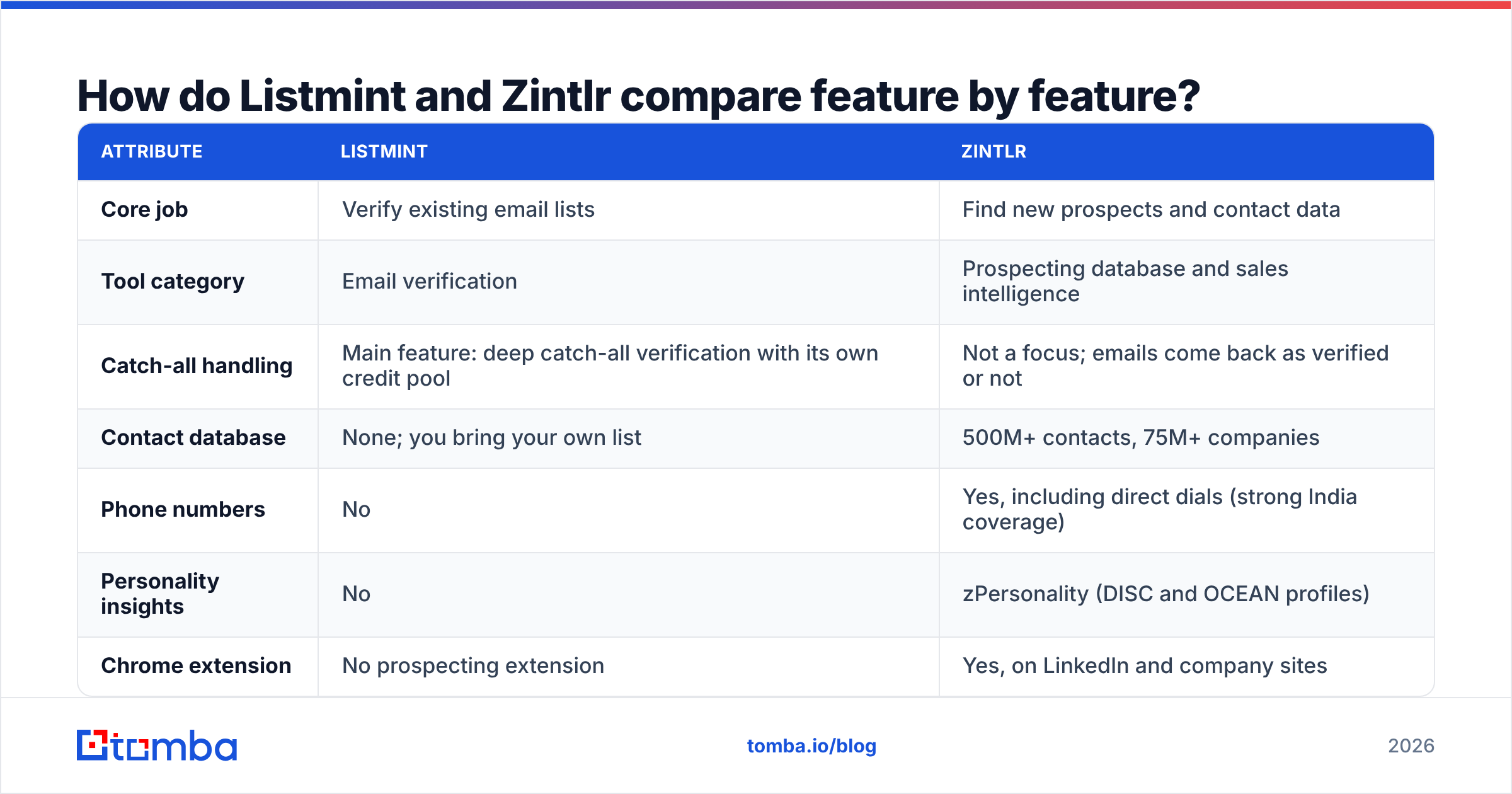
Here is the side-by-side view, based on each vendor's public materials and review-site listings as of 2026.
| Attribute | Listmint | Zintlr |
|---|---|---|
| Core job | Verify existing email lists | Find new prospects and contact data |
| Tool category | Email verification | Prospecting database and sales intelligence |
| Catch-all handling | Main feature: deep catch-all verification with its own credit pool | Not a focus; emails come back as verified or not |
| Contact database | None; you bring your own list | 500M+ contacts, 75M+ companies |
| Phone numbers | No | Yes, including direct dials (strong India coverage) |
| Personality insights | No | zPersonality (DISC and OCEAN profiles) |
| Chrome extension | No prospecting extension | Yes, on LinkedIn and company sites |
| Integrations | API, native Clay integration | CRM export, Chrome extension, CSV |
| Entry pricing | ~$99/mo for 20K standard + 5K catch-all verifications | Free tier (small credit allowance); paid plans from ~$49–$89/mo depending on plan and billing cycle |
| Higher tier | ~$187/mo for 50K standard + 10K catch-all | Pro and Enterprise with more credits and seats |
| Best for | Agencies and outbound teams with large, messy lists | SDRs building fresh lists, especially India-focused teams |
A note on pricing: Zintlr's plan names and prices show up differently across review sites. Some list Lite and Plus, others list Growth and Pro, and billing cycles range from semi-annual to annual. Check the live pricing page before you commit. Listmint's tiers are simpler because you pay for verification volume.
Which tool should you pick for your situation?#
Most buying mistakes happen because a team picks the tool that does the most, not the one that fixes its actual problem. These five situations cover most cases:
- You have 30K leads from an old CRM export and your bounce rate is climbing. Pick Listmint. You don't need more contacts. You need to know which of the ones you have are real, and the catch-all portion is usually where the hidden value is.
- You're launching a new territory and your CRM is empty. Pick Zintlr. A verifier with nothing to verify does nothing for you. You need a database and filters first.
- You sell into Indian mid-market companies and your reps prefer phone calls. Pick Zintlr. Its Indian Data Suite and director phone numbers are its most distinctive strength. Few Western-built databases cover India this deeply.
- You run a Clay waterfall and need a final verification step. Pick Listmint. The native Clay integration fits in as the last column of an enrichment table, after your finder providers.
- You want personalized opening lines based on how a buyer likes to communicate. Pick Zintlr. zPersonality is designed for this, though you should treat DISC profiles built from public data as rough guesses, not diagnoses.
If you saw yourself in both #1 and #2, you're like most outbound teams: you need to find contacts and verify them.
How accurate is each tool's data?#
The two tools measure accuracy in different ways, so comparing their headline numbers directly doesn't work.
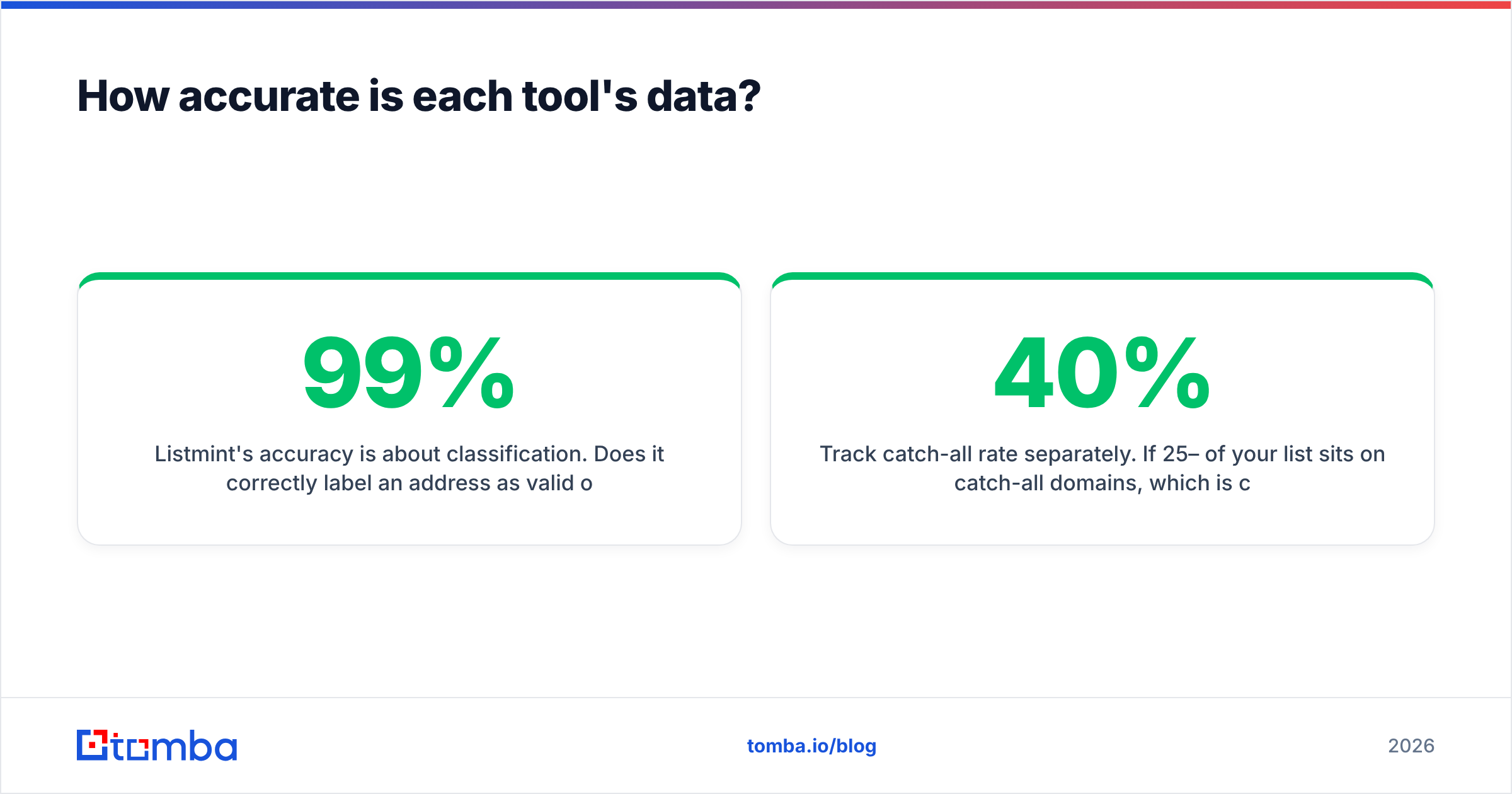
Listmint's accuracy is about classification. Does it correctly label an address as valid or invalid, including on catch-all domains? Listmint claims 99%+ accuracy across SMTP and catch-all checks. Its G2 reviews are strong, though the sample is still small (single-digit to low double-digit reviews at the time of writing). Clay has included Listmint in its own catch-all verifier data tests, which is useful third-party context if you already use Clay.
Zintlr's accuracy is about coverage and freshness. Does the database have the person, and is their email or phone number still current? Zintlr says its data is regularly updated and compliant with global privacy laws. User reviews generally praise the India data and the extension's ease of use. As with any database, results vary by region and seniority. Expect better hit rates on Indian directors and founders than on mid-level employees in smaller Western markets.
Some practical checks before you trust either tool:
- Run a 200-contact test with known outcomes. For Listmint, use a list you've already emailed and whose bounces you know. For Zintlr, pull 200 accounts you already know well and count correct contacts.
- Track catch-all rate separately. If 25–40% of your list sits on catch-all domains, which is common in enterprise and some European markets, a catch-all specialist matters a lot. If it's under 10%, it matters less.
- Look at what "verified" means. A database email marked verified at collection time can be months old. Verify again right before you send, whichever tool you used to find the address.
If you'd like to understand the mechanics first, a catch-all verifier explanation shows why these domains break standard SMTP checks and why they deserve their own workflow.
Is Listmint worth it?#
Listmint is worth it when three things are true: you send high volume, your lists come from several sources, and a large share of your addresses sit on catch-all domains. In that case, the addresses other verifiers label "unknown" are real pipeline you're throwing away, and a tool that recovers even half of them pays for itself quickly.
Where Listmint is strong
- Clear focus on catch-all verification, with its own credit pool instead of a vague "risky" label
- Detailed result statuses (
catch_all_valid,catch_all_invalid) that you can route in automations - API access plus a native Clay integration
- Volume pricing that works out to fractions of a cent per standard check at higher tiers
Where it falls short
- It can't find a single new contact. You need another source for leads.
- No phone data, no enrichment, no firmographics
- Separate credit pools mean you have to estimate your catch-all mix ahead of time
- A small review base so far, so do your own testing
Is Zintlr worth it?#
Zintlr is worth it when prospecting is your bottleneck, especially if your market includes India or your reps sell mostly by phone. The Chrome extension works well for SDRs who spend their day on LinkedIn, and the personality layer gives reps something beyond a job title to personalize with.
Where Zintlr is strong
- Large database with detailed filters (revenue, tech, headcount, location)
- One of the deepest India datasets available, including director phone numbers
- zPersonality profiles for tailoring tone and approach
- Free tier and trial so you can test data quality before paying
Where it falls short
- Catch-all addresses aren't handled with specialist depth
- Credits are shared between email and phone, so phone-heavy teams use them up faster
- Plan names and prices differ across sources, so confirm the live terms before you buy
- Coverage outside its strongest regions should be tested, not assumed
What does a combined workflow look like?#
Most mature outbound teams don't pick between "find" and "verify." They chain the two steps. A typical order looks like this:
- Build the account list with firmographic filters (industry, headcount, revenue, tech stack).
- Find contacts at those accounts with a database or an email finder, using name plus domain.
- Verify every address right before sending, with a separate pass for catch-all domains.
- Push clean records to your CRM and sequencer, tagged with verification status and date.
- Verify again anything older than 60–90 days before it goes back into a campaign.
Zintlr covers steps 1 and 2. Listmint covers step 3. Many teams use Zintlr, Listmint and a CRM together, and that works. The cost is two subscriptions, two credit balances to watch, and a CSV hand-off in between. Research from firms like Gartner keeps pointing to tool sprawl as a drag on sales productivity, so it's worth asking whether one platform can cover both steps well enough for your volume.

Where does Tomba fit in this comparison?#
Tomba isn't a clone of either product. It sits in the space between them, which can be useful if you want one bill instead of two.
- Finding: Tomba's core product is an email finder (by name plus domain, or a full domain search across a company). There's also a phone finder and data enrichment. It doesn't match Zintlr's India director dataset or its personality profiles. If those are central to how you sell, Zintlr is still the stronger fit.
- Verifying: Tomba includes an email verifier and a dedicated catch-all verifier. A pure catch-all specialist like Listmint may still go deeper on very large, catch-all-heavy lists. For teams whose catch-all share is moderate, keeping both steps in one tool removes the hand-off.
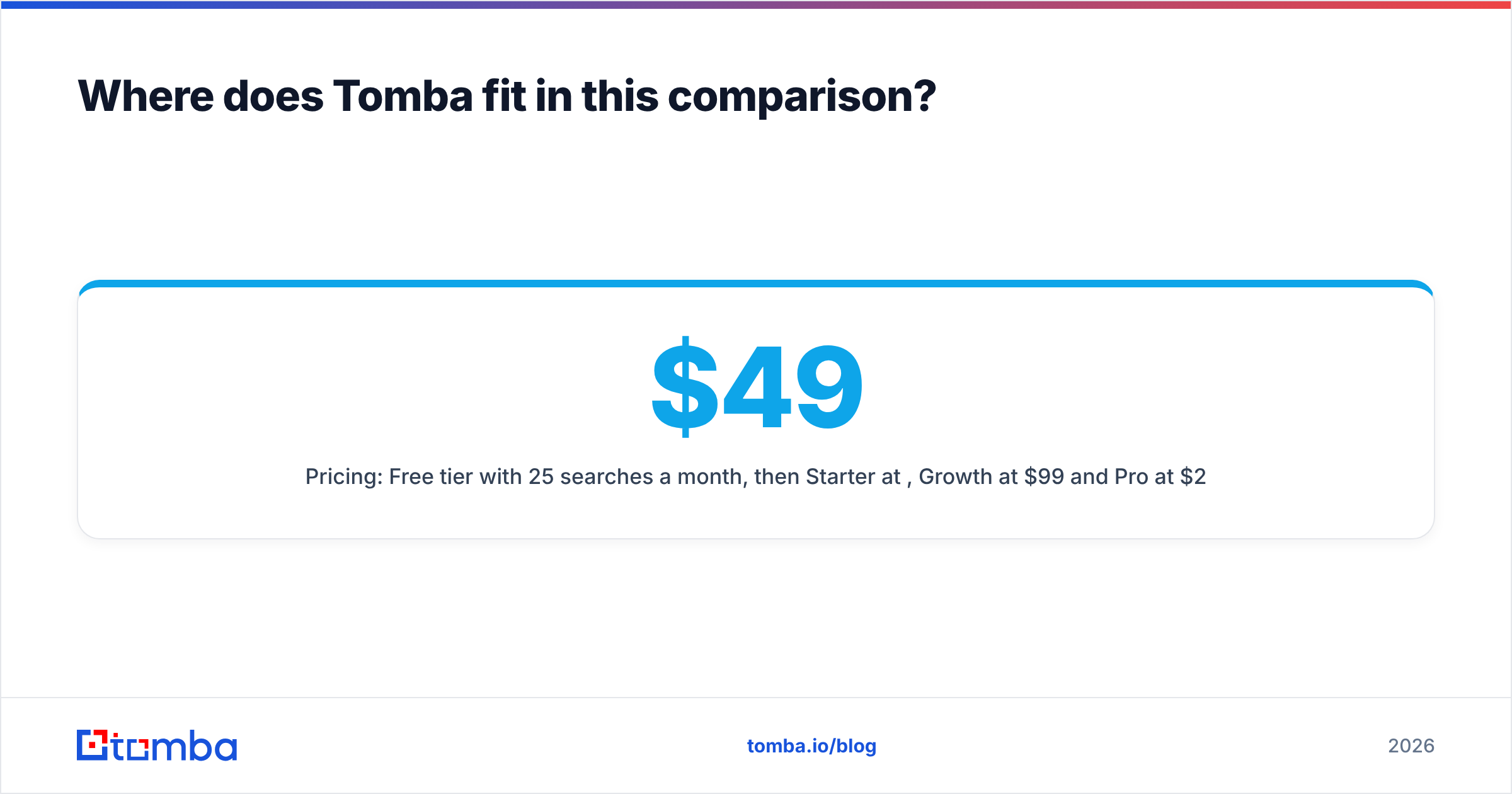
- Pricing: Free tier with 25 searches a month, then Starter at $49/mo, Growth at $99/mo and Pro at $249/mo. Full details are on the Tomba pricing page.
To be fair to both vendors: if your only problem is catch-all recovery at scale, Listmint was built for that exact job. If your problem is India-focused phone prospecting with personality context, Zintlr has the more specialized product. Tomba makes sense when your problem is "find and verify, reliably, in one place."
Listmint vs Zintlr: which should you choose?#
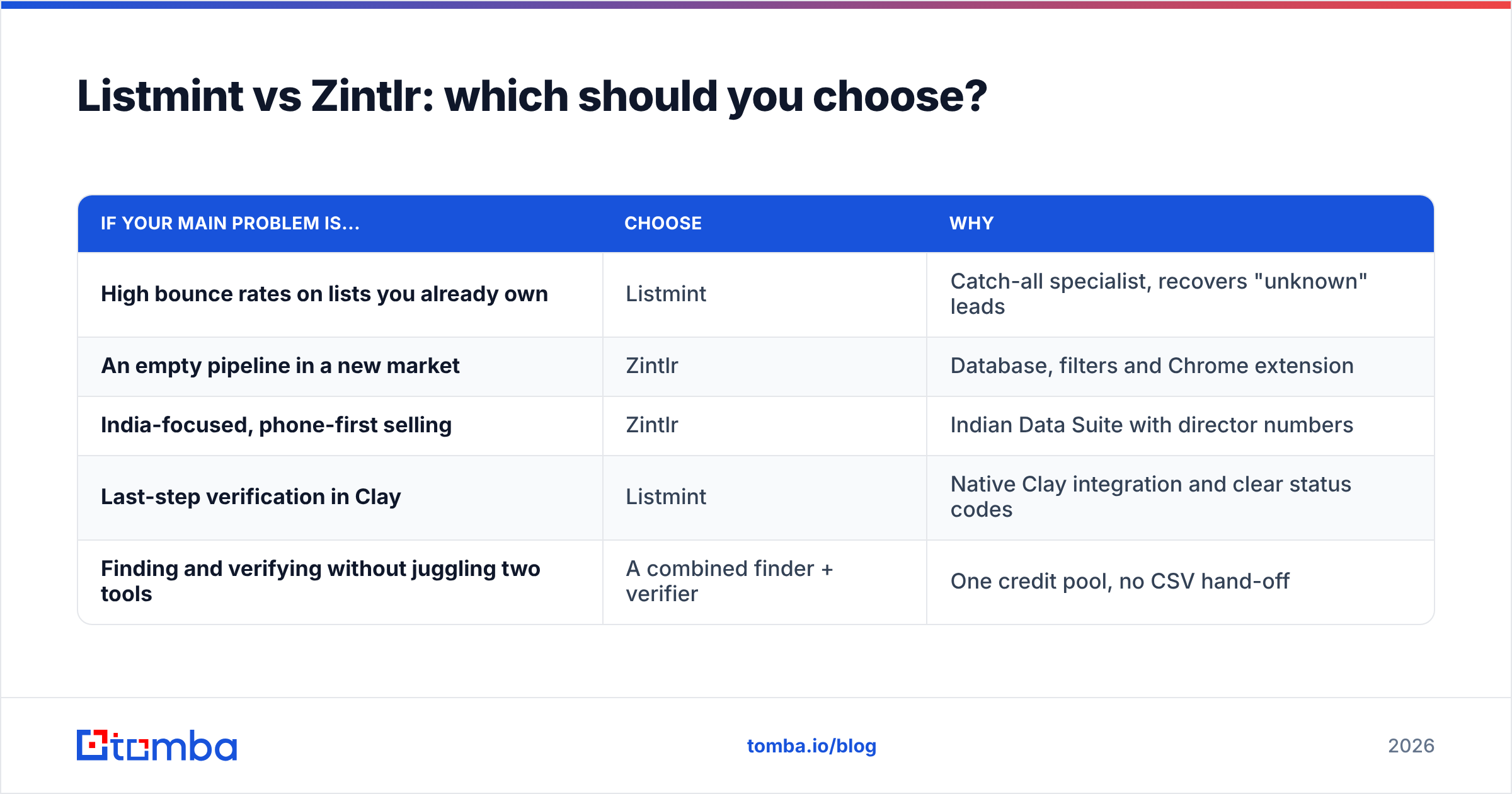
Pick based on the problem you have today:
| If your main problem is... | Choose | Why |
|---|---|---|
| High bounce rates on lists you already own | Listmint | Catch-all specialist, recovers "unknown" leads |
| An empty pipeline in a new market | Zintlr | Database, filters and Chrome extension |
| India-focused, phone-first selling | Zintlr | Indian Data Suite with director numbers |
| Last-step verification in Clay | Listmint | Native Clay integration and clear status codes |
| Finding and verifying without juggling two tools | A combined finder + verifier | One credit pool, no CSV hand-off |
Neither tool is simply "better." Listmint checks the leads you already have. Zintlr supplies new ones. Choose the one that fixes your current bottleneck, and test it on a sample of your own data before you sign an annual plan.
If you'd rather handle discovery and verification in one place, try the Tomba Email Finder. Look up professional emails by name, domain or company, then run them through Tomba's verifier and catch-all checks before they reach your sequencer. The free plan includes 25 searches a month, which is enough to test it on your own target accounts before you pay.
Related guides#
// get started
Find, verify and enrich your first contacts today
Start on the free plan with 25 searches a month, then scale when your team is ready.
Free plan · No credit card required · GDPR & CCPA
// about the author