Logvalid vs Reachstream (2026): Verifier or Contact Database?
Logvalid cleans email lists you already have. Reachstream sells you new contacts to email. Here's how their pricing, data, and workflows compare, and how to tell which one your outbound stack actually needs.
TL;DR
- Logvalid and Reachstream do different jobs. Logvalid is an email verification tool: it checks addresses you already have. Reachstream is a B2B contact database: it hands you new prospects, and their emails are verified before you export them.
- Logvalid is the cheap option for list hygiene. Third-party listings show a free tier of about 500 verification credits, and paid usage starts at around $1 for 2,000 credits.
- Reachstream is a cheap flat-rate database. Paid plans run $39–$99/mo on monthly billing, or $29–$79/mo billed annually, with 60,000 to 240,000 export credits per year.
- Pick based on what you're missing. If you have contacts but they bounce, get a verifier. If you don't have contacts, get a data source. Many teams end up needing both.
- If you'd rather have one tool, a platform that both finds and verifies emails removes the export-then-clean step in the middle.
Most "Logvalid vs Reachstream" searches come from someone who has seen both names on a list of "email tools" and assumes they compete. For the most part they don't. One cleans data and the other sells it. Once you see that, choosing between them gets easy, and so does spotting when neither one covers the whole job.
This breakdown covers what each tool does, what it costs, where each one falls short, and which kind of team should pick which.
What is Logvalid?#
Logvalid is an email verification service. You upload a list or call its API, and it tells you which addresses are valid, invalid, disposable, or risky. According to its Capterra listing, the core features are:
- Real-time validation of syntax, domain, and mailbox deliverability
- Disposable and spam-trap-style filtering that removes throwaway and junk addresses
- An API so you can verify at the point of capture, such as signup forms or CRM imports
- Bulk list reports that summarize the health of a list
Pricing is usage-based. Review-site listings show a free plan with roughly 500 credits, and paid credits start at about $1 for 2,000. That is very cheap for verification, since many established verifiers charge several times that per thousand checks.
What Logvalid does not do is find people. If you give it an empty spreadsheet, you get an empty spreadsheet back. It assumes you already have the addresses from signups, events, an old CRM export, or a data vendor.
What is Reachstream?#
Reachstream is a B2B contact and company database built for teams that can't afford enterprise data contracts. Its marketing claims 200M+ contacts and 15M+ company profiles across 150+ countries. You can filter by 20+ attributes, including job title, industry, headcount, revenue, and tech stack.
The key workflow detail is that Reachstream verifies emails before you export them. When you choose "Verify and Download" on a saved list, only the contacts that pass verification use up credits. Unverified rows come through without being charged. So verification is built in, but only for data that comes from Reachstream.
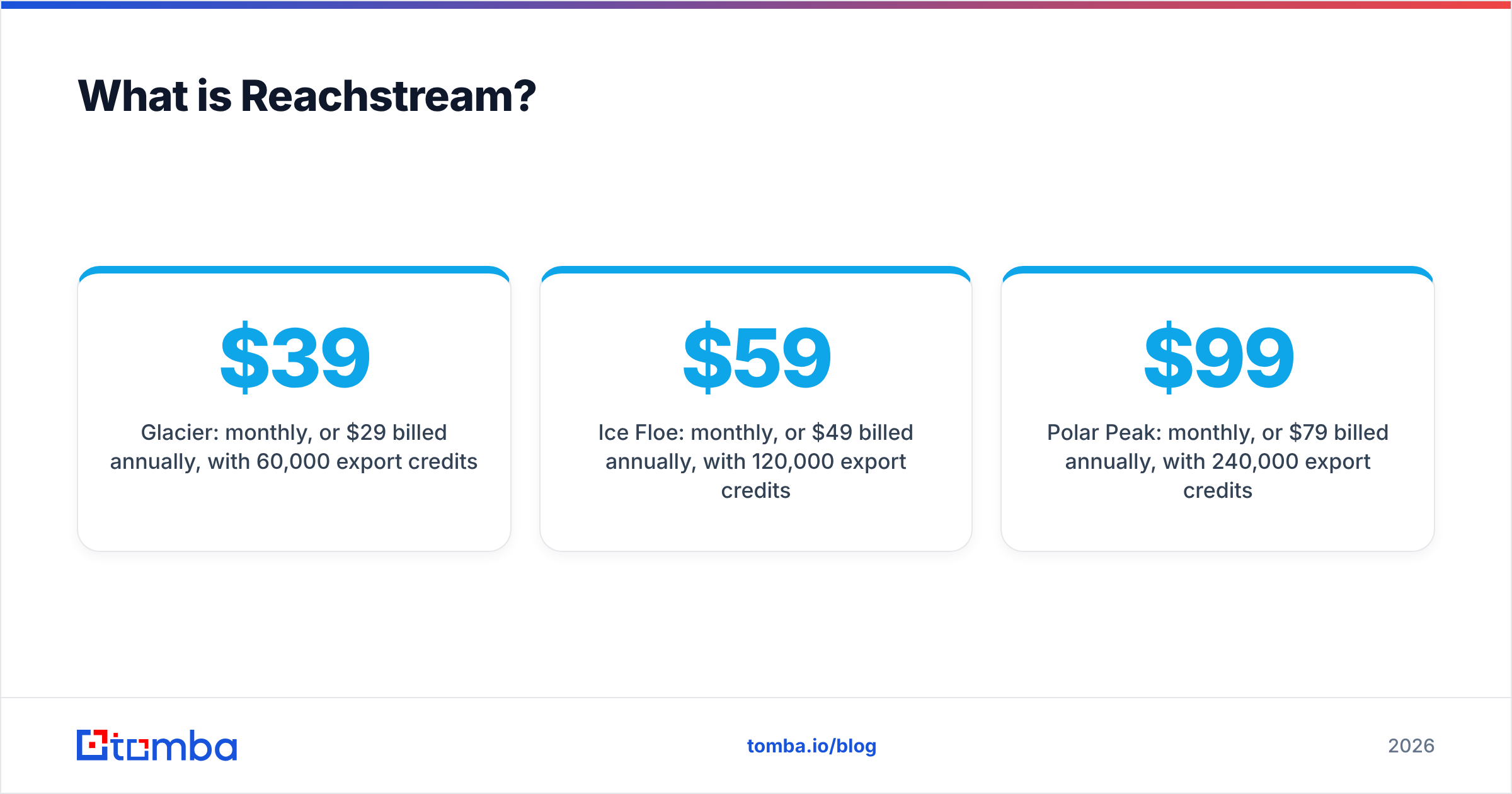
Current plans on the Reachstream pricing page:
- Icebreaker: free tier
- Glacier: $39/mo monthly, or $29/mo billed annually, with 60,000 export credits/year
- Ice Floe: $59/mo monthly, or $49/mo billed annually, with 120,000 export credits/year
- Polar Peak: $99/mo monthly, or $79/mo billed annually, with 240,000 export credits/year
For a database, that's aggressive pricing. The trade-off is the usual one with budget data vendors: fewer intent signals and less depth on enrichment than the enterprise platforms, and data freshness that varies by region and industry.
Logvalid vs Reachstream: how do they compare side by side?#
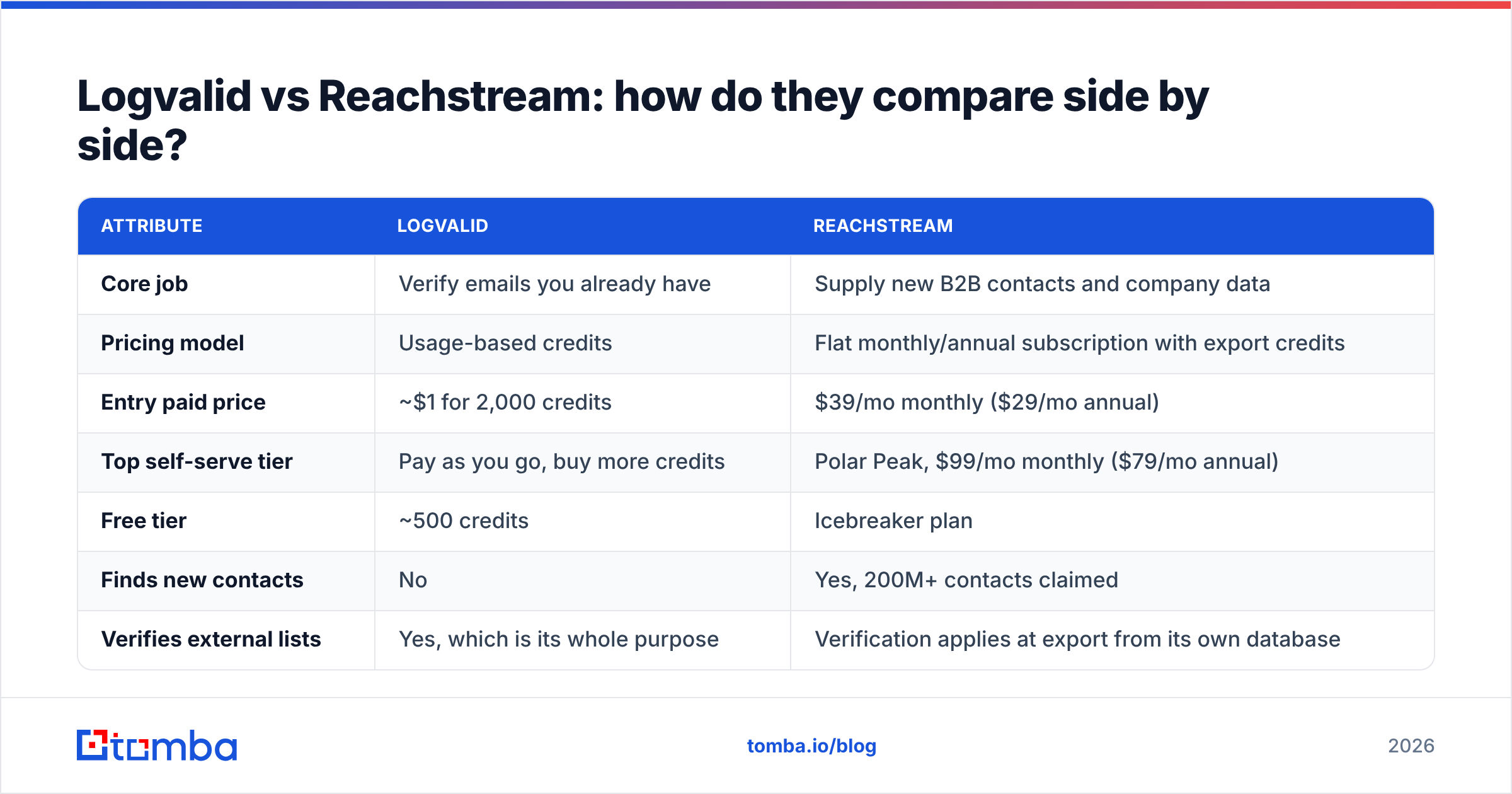
The table below puts both tools next to each other on the attributes that matter when you're deciding where to spend.
| Attribute | Logvalid | Reachstream |
|---|---|---|
| Core job | Verify emails you already have | Supply new B2B contacts and company data |
| Pricing model | Usage-based credits | Flat monthly/annual subscription with export credits |
| Entry paid price | ~$1 for 2,000 credits | $39/mo monthly ($29/mo annual) |
| Top self-serve tier | Pay as you go, buy more credits | Polar Peak, $99/mo monthly ($79/mo annual) |
| Free tier | ~500 credits | Icebreaker plan |
| Finds new contacts | No | Yes, 200M+ contacts claimed |
| Verifies external lists | Yes, which is its whole purpose | Verification applies at export from its own database |
| API | Yes | Available, varies by plan |
| Filters / search | N/A | 20+ filters: title, industry, size, revenue, tech |
| Best for | List hygiene, form validation, CRM cleanup | Building prospect lists on a tight budget |
| Main limitation | Can't source leads | Can't clean contacts you got elsewhere |
The bottom row is what matters most. Each tool's main weakness is the other tool's main strength. That's why the honest answer to "Logvalid or Reachstream?" is often "whichever gap is costing you more right now."
How do their pricing models actually play out?#
On paper both tools are inexpensive, but they charge in different ways, and that changes what you really pay.
Logvalid scales with volume. You pay for each email you check. If you verify 20,000 inbound signups a month, the cost stays tiny. If you check the same records again every quarter, you pay each time, which is still cheap but adds up across a large CRM. Nothing gets wasted, because you only pay for checks you actually run.
Reachstream is a fixed commitment. You pay the subscription whether you export 500 contacts this month or 20,000. The annual credit pools are generous: 60,000 credits a year on Glacier works out to about 5,000 exports a month. For most small outbound teams, running out of credits won't be the problem. Keeping up with that many contacts will. The risk is paying for months when you don't prospect at all.
A quick rule of thumb:
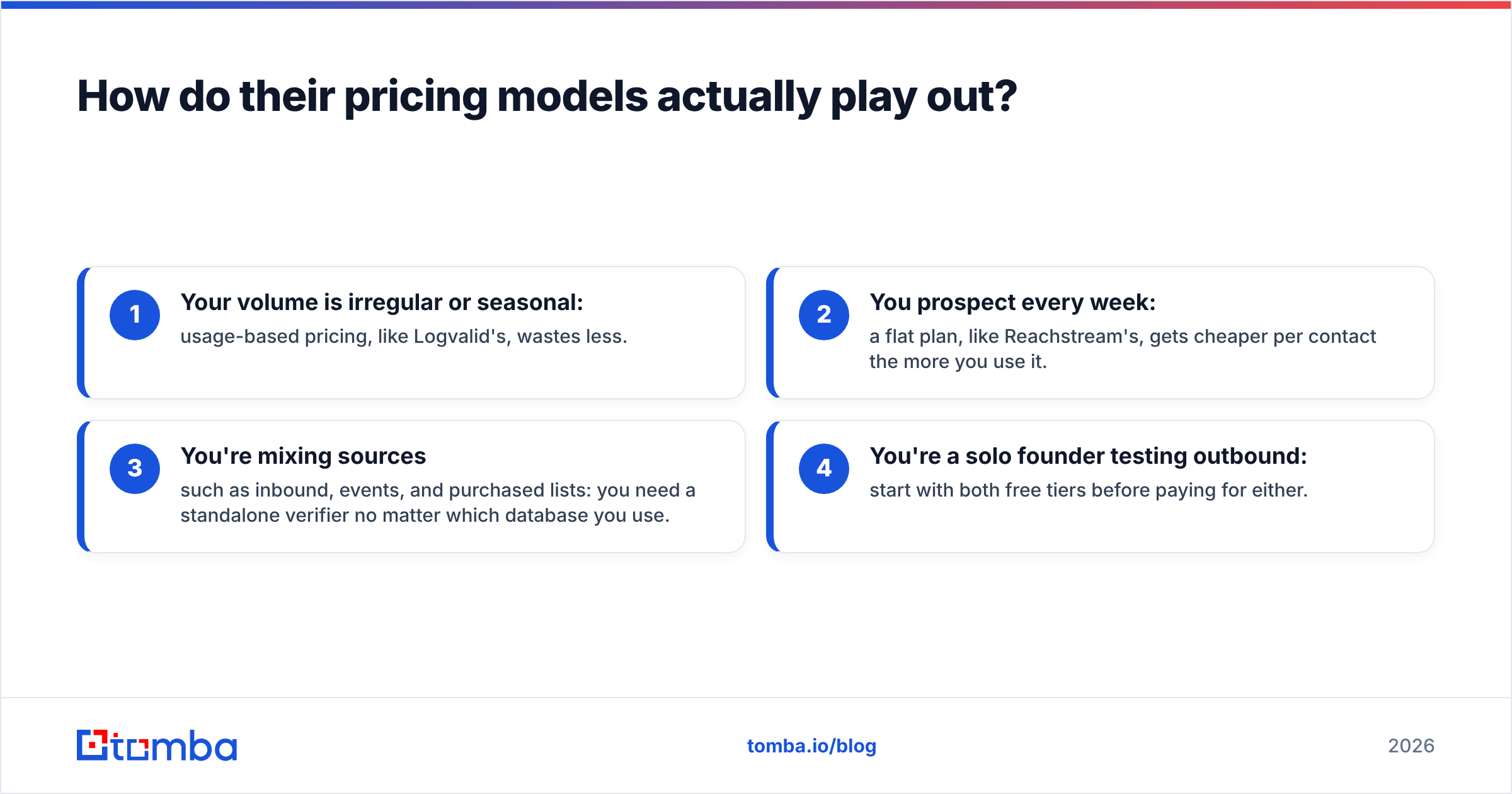
- Your volume is irregular or seasonal: usage-based pricing, like Logvalid's, wastes less.
- You prospect every week: a flat plan, like Reachstream's, gets cheaper per contact the more you use it.
- You're mixing sources such as inbound, events, and purchased lists: you need a standalone verifier no matter which database you use.
- You're a solo founder testing outbound: start with both free tiers before paying for either.
Which is more accurate: Logvalid or Reachstream?#
You can't compare them head to head on accuracy, because they measure different things.
For Logvalid, accuracy means how correctly it classifies an address as valid or invalid. The hard cases for every verifier are catch-all domains, which accept mail for any address and so hide whether a specific mailbox exists, and mail servers that rate-limit SMTP checks. Treat any verifier's "risky" or "unknown" bucket carefully. Don't blast those addresses, and don't throw them all away either. If catch-all domains make up a large share of your list, a dedicated catch-all verifier is worth testing next to whatever general verifier you use.
For Reachstream, accuracy means whether the person still works there, still has that title, and still uses that email. Pre-export verification catches dead mailboxes. It can't catch a VP who moved to a new company last month and whose old inbox hasn't been shut down yet. That staleness problem affects every database, not just Reachstream. Budget databases tend to feel it more in fast-moving roles and smaller markets.
The practical test is the same for both. Take a sample of 200–500 records from your actual target market, run them through the tool, send a small, low-risk campaign, and measure hard bounces. Vendor accuracy claims are a starting point, not a result.
Where does each tool fall short?#
Neither tool is bad. Both have limits you should know about before you pay.
Logvalid's gaps:
- It doesn't source leads, so you still need a database, a finder, or your own capture forms.
- It's a smaller, newer vendor. There are fewer reviews on sites like G2, so there's less public evidence on edge cases like catch-alls and greylisting.
- It adds a manual step every time you export from a data source and re-import clean results.
Reachstream's gaps:
- Its verification only covers its own data. Contacts from events, partners, or other tools aren't checked.
- It has less enrichment depth than enterprise platforms: fewer intent signals and less technographic history.
- Flat pricing penalizes irregular use. Unused credits usually expire with the billing year.
- Database coverage is uneven. Records are strongest in North America and in the industries it clearly targets, such as healthcare and tech, and thinner in niche verticals.

Should you use Logvalid and Reachstream together?#
You can, and it's a reasonable budget stack. The workflow looks like this:
- Build a prospect list in Reachstream with its filters.
- Export using "Verify and Download" so you only pay for verified rows.
- Merge those with inbound leads, event lists, and older CRM records.
- Run the combined list through Logvalid before it goes into your sequencer.
- Re-verify anything older than about 90 days before each new campaign.
Step 4 is where Logvalid earns its place. Reachstream's check covers Reachstream data, but most real outbound lists are a mix of sources. The contacts you didn't pull from a database usually cause the most bounces.
The downside is operational rather than financial: two logins, two sets of credits, CSV round-trips, and a merge step where duplicates and formatting errors creep in. For a team of one or two, that overhead matters more than the subscription cost.
Which should you choose?#
Base the decision on the bottleneck you actually have, not on the brand name.
Choose Logvalid if:
- You already have contacts from signups, a CRM, events, or a data vendor, and your bounce rate is the problem.
- You want real-time verification on a signup or lead-capture form through an API.
- Your volume is irregular and you want to pay only for what you use.
Choose Reachstream if:
- Your problem is having nobody to email, not having bad addresses.
- You prospect every week and want predictable, low flat-rate pricing.
- You sell into regions and industries its database covers well, and you don't need enterprise intent data.
Consider a combined finder + verifier if:
- You're tired of moving CSVs between a data tool and a cleaning tool.
- You often need one specific person's email, like the Head of Ops at a named account, rather than a filtered list of thousands.
- You want domain search to see everyone at a target company, plus verification, in one workflow.
That third group is where Tomba fits. It isn't a replacement for a large filtered database like Reachstream, and it isn't the absolute cheapest per-check verifier. It covers the middle: finding the right address by name, company, or domain, then verifying it in the same step. Plans start with a free tier of 25 searches a month and go from $49/mo (Starter) to $99/mo (Growth) and $249/mo (Pro). Full details are on the Tomba pricing page. Tomba also has a standalone email verifier for lists you already have, so you can keep one vendor for both jobs if that suits your team.
What's the quick verdict?#
Logvalid vs Reachstream isn't a contest with one winner, because the two tools do different jobs.
- Logvalid is a very cheap, usage-based verifier. It's great for cleaning what you have, and it does nothing to find new leads.
- Reachstream is an affordable flat-rate B2B database with verification built into export. It's great for building lists, and it doesn't help with contacts from other sources.
If your pipeline keeps running dry, start with a database. If your campaigns keep bouncing, start with a verifier. If you're doing both jobs by hand with CSV exports in between, that friction is the real cost to fix.
If you want to go from a person's name and company to a verified address in one step, without buying a whole database or running a separate cleaning pass, try the Tomba Email Finder. It searches by name, domain, or company and checks deliverability as part of the lookup, and the free tier gives you 25 searches a month to test it against your own targets before you commit.
Related guides#
// get started
Find, verify and enrich your first contacts today
Start on the free plan with 25 searches a month, then scale when your team is ready.
Free plan · No credit card required · GDPR & CCPA
// about the author