Logvalid vs Salesbot (2026): Email Verifier or Prospecting Suite?
Logvalid cleans the email lists you already have. Salesbot finds new leads and helps you contact them. Here's which one fits your outbound stack, what each costs, and when you need both.
TL;DR
- Logvalid is a pay-as-you-go email verifier. It checks addresses you already have. It doesn't find new leads.
- Salesbot is a prospecting platform: a B2B lead database, AI search, and outreach over email and phone. Its entry plan is listed at about $49/mo.
- The two barely overlap. Logvalid keeps your list clean, and Salesbot helps you build and work that list.
- If you pay for only one, pick based on what you're short of. No leads means Salesbot. Plenty of leads but high bounce rates means Logvalid.
- If you need both finding and verification without paying for a full engagement suite, a dedicated email finder with built-in verification can cover both jobs.
What is the real difference between Logvalid and Salesbot?#
These two products solve different problems, and most "Logvalid vs Salesbot" searches come from people who haven't noticed that yet. It's a bit like comparing a car wash with a car dealership. Both involve cars, but you visit them for different reasons.
Logvalid is an email verification service. You upload a list or call its API, and it tells you which addresses are valid, invalid, disposable, or risky. According to its Capterra listing, it has a free plan with 500 verification credits and usage-based pricing starting at about $1 for 2,000 credits. It checks format, validates domains, detects spam traps, and flags disposable addresses. You can run it in bulk or in real time, for example on a signup form.
Salesbot is an AI-assisted prospecting and sales engagement platform. It gives you a B2B contact database (the vendor cites 695M+ leads), AI-powered search filters, verified email and mobile credits, and outreach tools for sending sequences. Pricing listed on G2's Salesbot page starts at a Basic plan of about $49/month for one user, which includes roughly 12,000 verified email credits and 900 mobile credits per year.
So the question isn't which tool is better. It's which part of your pipeline is broken.
How do Logvalid and Salesbot compare side by side?#
This table uses publicly listed information at the time of writing. Both vendors change plans often, so check their live pricing pages before you buy.
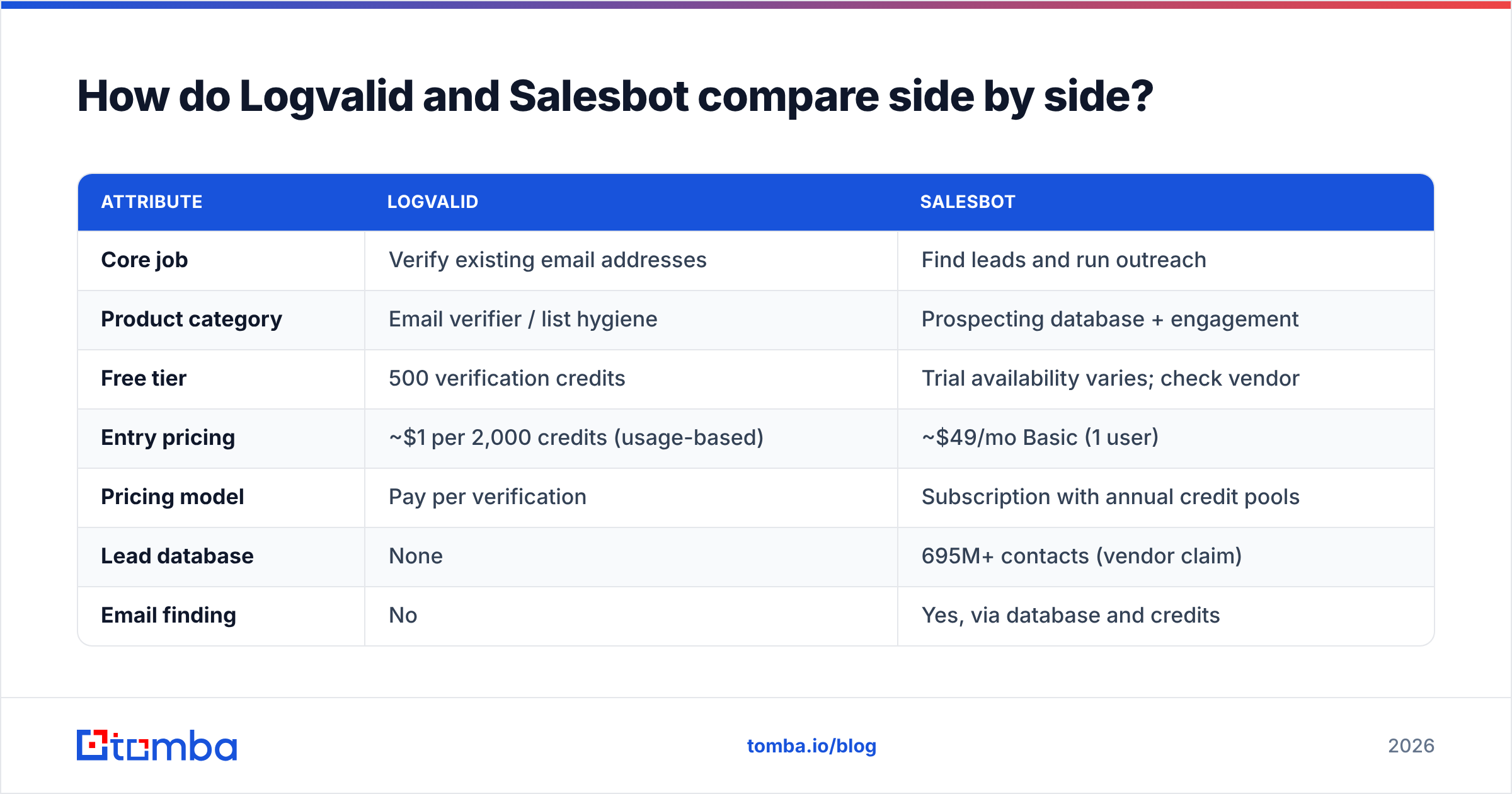
| Attribute | Logvalid | Salesbot |
|---|---|---|
| Core job | Verify existing email addresses | Find leads and run outreach |
| Product category | Email verifier / list hygiene | Prospecting database + engagement |
| Free tier | 500 verification credits | Trial availability varies; check vendor |
| Entry pricing | ~$1 per 2,000 credits (usage-based) | ~$49/mo Basic (1 user) |
| Pricing model | Pay per verification | Subscription with annual credit pools |
| Lead database | None | 695M+ contacts (vendor claim) |
| Email finding | No | Yes, via database and credits |
| Phone numbers | No | Yes, mobile credits (~900/yr on Basic) |
| Outreach / sequencing | No | Yes, including AI-generated messages |
| Real-time API | Yes (signup forms, bulk uploads) | Platform-focused; check API access per plan |
| Disposable / spam-trap detection | Yes | Verification built into credits |
| Best for | Marketers and ops teams cleaning lists | SDRs and founders who need a pipeline |
The pricing models are the biggest structural difference. Logvalid charges per check, so a 50,000-row cleanup costs very little and you only pay when you use it. Salesbot bundles data, verification, and sending into a recurring seat price. That's good value if you prospect every week and wasted money if you don't.
Which problems does each tool actually solve?#
Before you compare feature lists, figure out which of these five pipeline gaps you actually have. Each one points to a different tool.
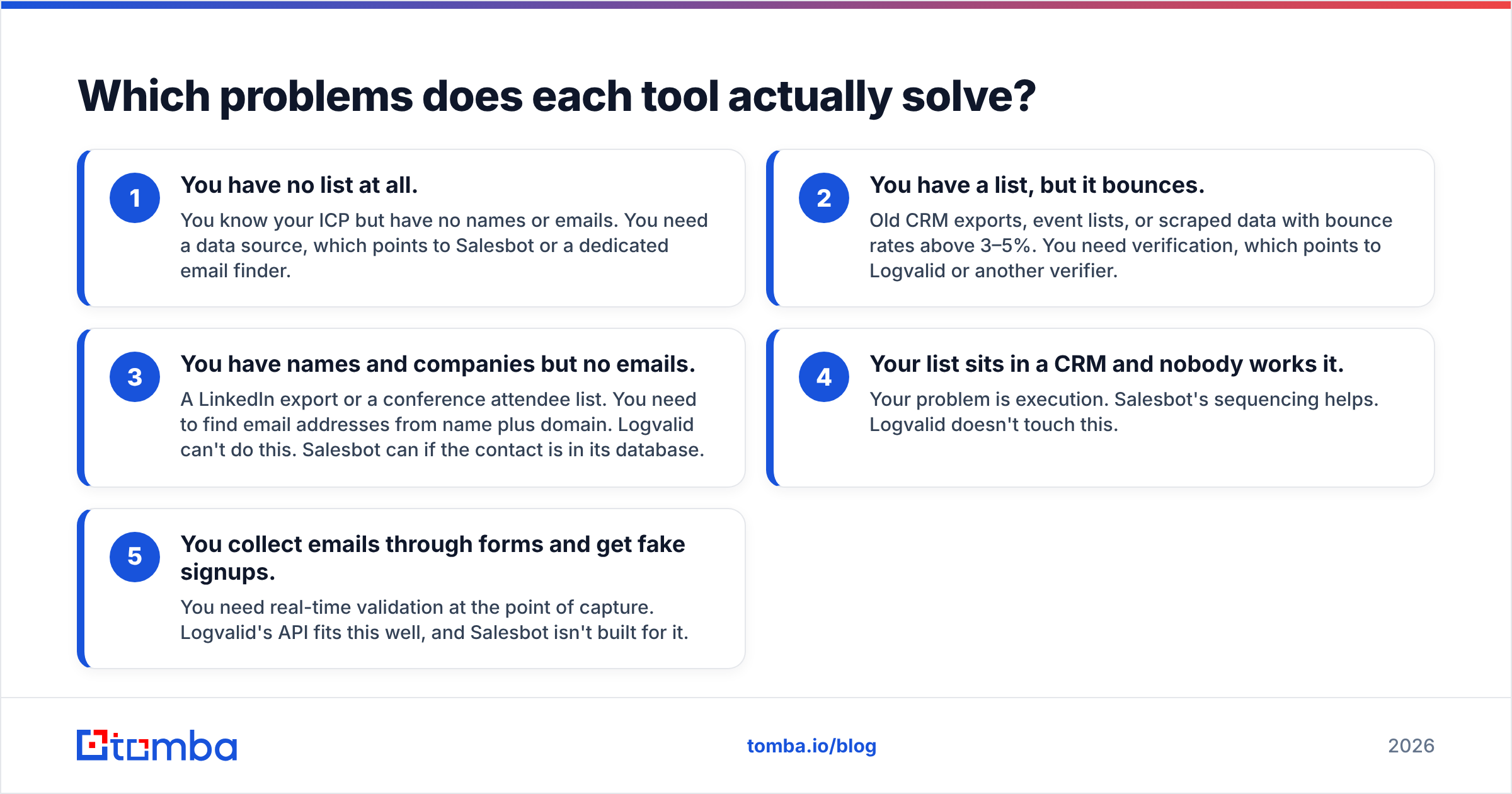
- You have no list at all. You know your ICP but have no names or emails. You need a data source, which points to Salesbot or a dedicated email finder.
- You have a list, but it bounces. Old CRM exports, event lists, or scraped data with bounce rates above 3–5%. You need verification, which points to Logvalid or another verifier.
- You have names and companies but no emails. A LinkedIn export or a conference attendee list. You need to find email addresses from name plus domain. Logvalid can't do this. Salesbot can if the contact is in its database.
- Your list sits in a CRM and nobody works it. Your problem is execution. Salesbot's sequencing helps. Logvalid doesn't touch this.
- You collect emails through forms and get fake signups. You need real-time validation at the point of capture. Logvalid's API fits this well, and Salesbot isn't built for it.
Most small outbound teams have problem 1 or 3. Most marketing and ops teams have problem 2 or 5. That split tells you most of what you need to know.

How does Logvalid perform as an email verifier?#
Logvalid does one narrow job cheaply. At roughly $1 per 2,000 credits, it's among the lowest-cost verifiers listed on the major review marketplaces. For a team that cleans a newsletter list once a quarter, that price is hard to beat.
Strengths
- Low cost per check. Usage-based billing with no subscription means you don't pay for idle months.
- Generous free tier. 500 credits is enough to test accuracy on a sample of your own list before you commit.
- Real-time API. You can block disposable and junk addresses at signup instead of cleaning them later.
- Spam-trap and disposable detection. Both matter for protecting your sender reputation.
Limitations
- It doesn't find anything. If an address isn't in your file, Logvalid can't produce it.
- Catch-all handling isn't prominently documented. Catch-all domains accept every address at the SMTP level, so a basic verifier often returns "unknown" or "accept-all" for them. B2B lists usually contain many catch-all domains, often 20–30% or more of corporate addresses. Test Logvalid on a sample that includes them before you trust its results. A dedicated catch-all verifier exists for exactly this problem.
- No enrichment. You get a validity status, not job titles, company data, or phone numbers.
Verdict: Logvalid is a good fit when you already have plenty of data and just need it cleaned. It's a poor fit if your real bottleneck is finding people to email.
How does Salesbot perform as a prospecting platform?#
Salesbot tries to cover the whole top of the funnel: search for leads, get verified contact details, and contact them without switching tools. For a solo founder or a two-person sales team, that consolidation is the main selling point.
Strengths
- Large database. A claimed 695M+ contacts means most mainstream ICPs, like SaaS, agencies, and mid-market services, will return results.
- AI-powered search. You can describe your target in plain language instead of stacking twenty filters.
- Email and phone together. Mobile credits matter if your motion includes cold calling.
- Unlimited sends on Basic. You aren't billed per outbound email, which suits high-volume sequences as long as your domains can handle the volume.
- Built-in outreach. AI-drafted messages and sequencing mean fewer tools to connect.
Limitations
- Annual credit pools. About 12,000 email credits and 900 mobile credits per year on Basic comes to roughly 1,000 emails and 75 phone numbers a month. That's fine for focused outbound and tight for heavy list-building.
- Seat pricing scales with headcount. The Professional tier targets 2+ users with larger exports (around 1,000 leads per export) and more filters. Confirm the actual per-seat cost before you add a team.
- All-in-one trade-offs. Bundled sequencers are rarely as deep as dedicated engagement tools, and bundled databases vary in freshness by region and niche.
- Unlimited sending isn't free sending. Sending more than your domain can handle damages email deliverability regardless of what your plan allows.
Verdict: Salesbot fits teams that need leads and a way to reach them in one subscription. It's overkill if you only need a clean list.
Is Logvalid or Salesbot cheaper?#
It depends on how much you use each, so run the numbers for your own volume.
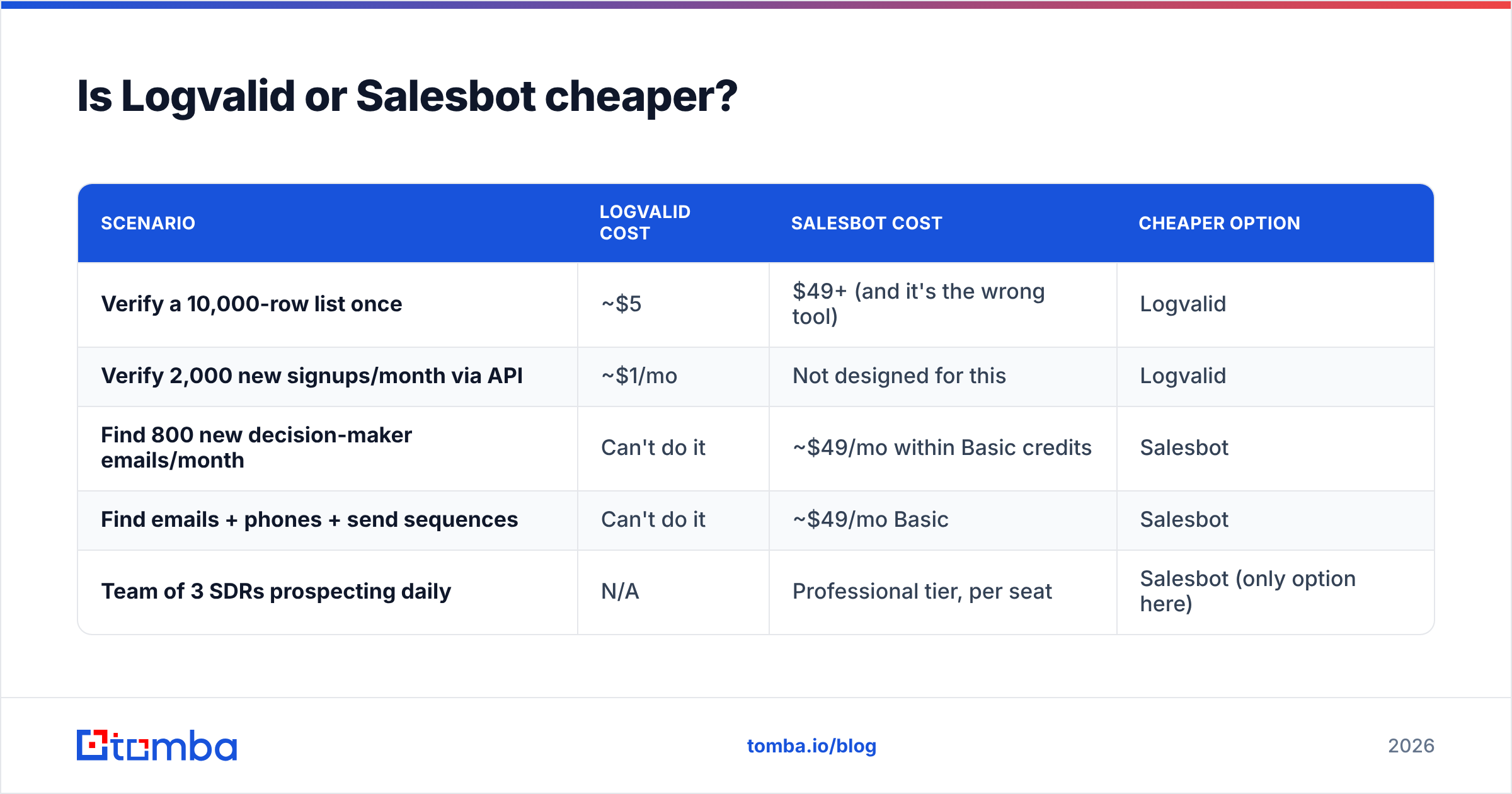
| Scenario | Logvalid cost | Salesbot cost | Cheaper option |
|---|---|---|---|
| Verify a 10,000-row list once | ~$5 | $49+ (and it's the wrong tool) | Logvalid |
| Verify 2,000 new signups/month via API | ~$1/mo | Not designed for this | Logvalid |
| Find 800 new decision-maker emails/month | Can't do it | ~$49/mo within Basic credits | Salesbot |
| Find emails + phones + send sequences | Can't do it | ~$49/mo Basic | Salesbot |
| Team of 3 SDRs prospecting daily | N/A | Professional tier, per seat | Salesbot (only option here) |
These tools don't really compete on price. Logvalid is almost always cheaper for verification because it only does verification. Salesbot is the only option of the two when you need new contacts.
Teams often end up paying twice: a database subscription to find leads, then a separate verifier to double-check them before a big send. That's reasonable if your sending domains are valuable. It's wasteful if the finder already verifies each address at the point of discovery.
Where does accuracy come from in each tool?#
Accuracy means something different for each product.
For Logvalid, accuracy is about classification: when it says "valid," does the email actually deliver? That depends on SMTP checks, how it handles greylisting, how it treats catch-all domains, and how current its disposable-domain lists are. You can test this cheaply. Take 500 addresses whose status you already know from recent sends, run them through the free tier, and compare.
For Salesbot, accuracy is about data freshness plus verification. People change jobs often, and B2B contact data decays by an estimated 20–30% a year, a figure that comes up repeatedly in HubSpot's and other vendors' data-quality research. A large database is only useful if its records are re-verified regularly. Test this by pulling 100 contacts in your exact ICP, sending a low-volume plain-text campaign, and measuring hard bounces.
In both cases, run the test on your own segment. Vendor accuracy claims and marketplace reviews are useful signals, but your industry, geography, and seniority mix will produce different numbers.
Which one should you choose?#
Start from your bottleneck, not the feature list.
Choose Logvalid if:
- You already have large lists (newsletter, CRM, event, or inbound) and your bounce rate is the problem.
- You want to block fake signups in real time with a cheap API.
- You send occasionally and don't want another monthly subscription.
Choose Salesbot if:
- You're starting outbound from nothing and need both leads and a way to contact them.
- Phone numbers matter to your motion.
- You're a small team that would rather manage one tool than three.
Consider a different setup if:
- You mainly need to turn names and company domains into verified emails. That's an email-finder job, and neither tool is built around it. Logvalid can't find emails, and Salesbot only finds contacts already in its database.
- You already use a sequencer (Instantly, Lemlist, HubSpot sequences) and don't want to pay for a second one inside a prospecting suite.
- You deal with many catch-all corporate domains, where basic verification gives you mostly "unknown" results.

Can you use Logvalid and Salesbot together?#
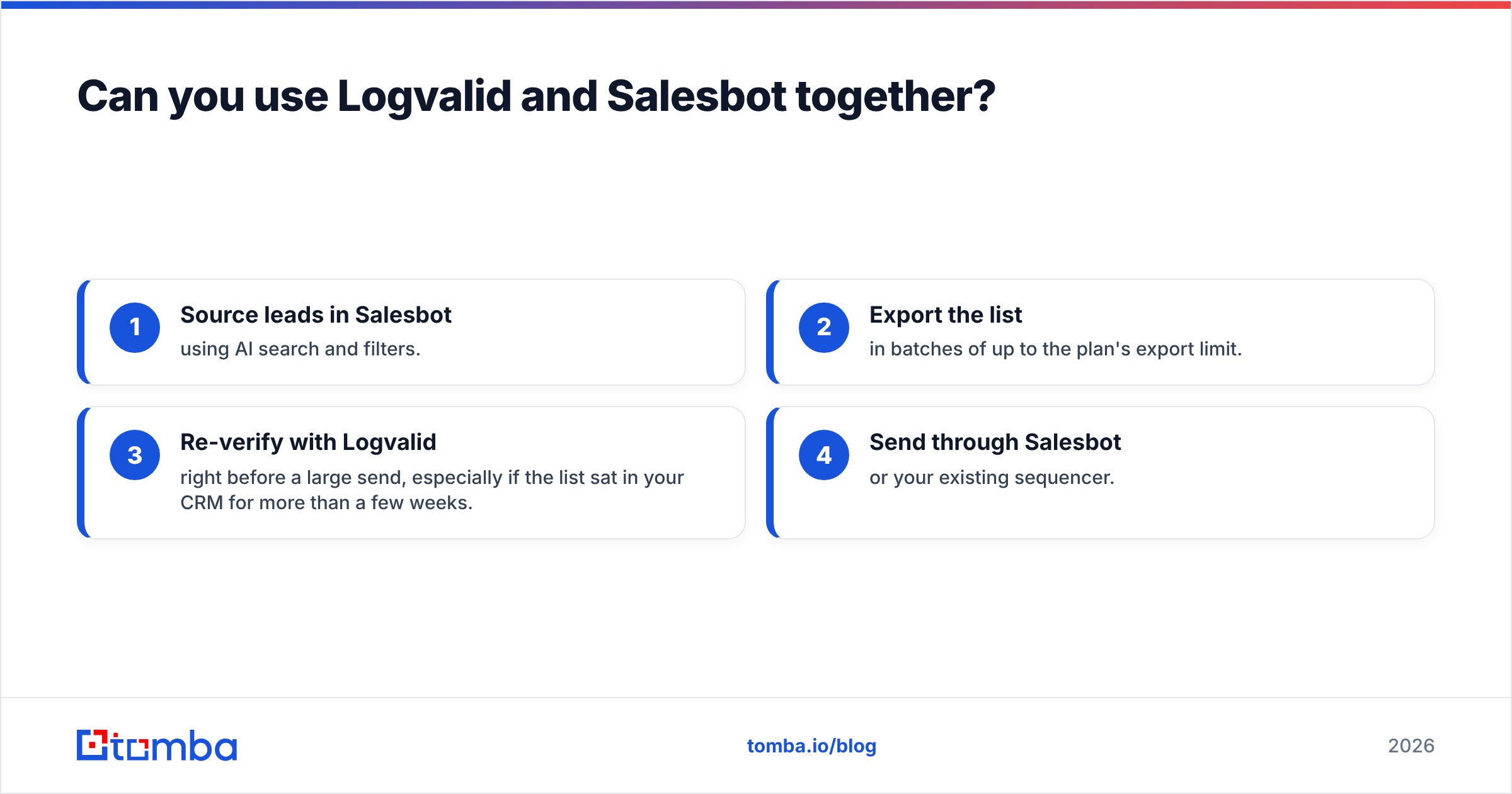
Yes, and some teams do. The pattern looks like this:
- Source leads in Salesbot using AI search and filters.
- Export the list in batches of up to the plan's export limit.
- Re-verify with Logvalid right before a large send, especially if the list sat in your CRM for more than a few weeks.
- Send through Salesbot or your existing sequencer.
The extra verification pass costs very little with Logvalid's pricing and protects your domain from records that went bad after export. The downside is operational: two vendors, two billing relationships, and an extra CSV step each time.
If that sounds like more work than it's worth, look for a single tool that finds and verifies in the same step, with the verification status attached to every result.
What should you check before you buy either one?#
Run through this list during your trial:
- Test on your ICP. Pull or verify 100–500 records that match your real targets, not the vendor's demo data.
- Measure hard bounces. Anything above 2–3% on a verified list is a warning sign.
- Check catch-all behavior. Ask how each tool labels accept-all domains and what it recommends you do with them.
- Read the credit rules. Find out whether credits roll over, whether failed lookups consume credits, and whether annual pools reset.
- Check integrations. Make sure the tool connects to your CRM, whether that's HubSpot, Salesforce, or Pipedrive, without a middleware subscription.
- Look at recent reviews. Filter G2 and Capterra reviews to the last 6–12 months, since data quality changes faster than review averages.
Final verdict: Logvalid vs Salesbot#
Logvalid and Salesbot aren't substitutes. Logvalid is a cheap verifier for teams that already have data. Salesbot is a prospecting suite for teams that need data and outreach in one place. Pick based on whether you're short of clean emails or short of leads, and don't pay for a full engagement platform when all you need is list hygiene.
If you're between the two, with names and company domains but no emails and no appetite for another sequencer, a dedicated email finder is usually the better fit. Tomba Email Finder finds professional emails from a name and domain, company, or LinkedIn profile, and verifies each result so you aren't bolting on a separate verifier later. There's a free tier with 25 searches a month for testing it on your own ICP, and paid plans start at $49/mo. Compare the Tomba pricing tiers against your monthly volume, then run the same 100-contact bounce test described above.
Related guides#
// get started
Find, verify and enrich your first contacts today
Start on the free plan with 25 searches a month, then scale when your team is ready.
Free plan · No credit card required · GDPR & CCPA
// about the author