Logvalid vs SalesQL: Email Verifier or LinkedIn Finder in 2026?
Logvalid cleans lists you already have. SalesQL pulls contact data from LinkedIn profiles. Here's how they compare on price, accuracy and workflow, and when you need both.
- They do different jobs. Logvalid is an email verifier: it checks addresses you already have. SalesQL is a LinkedIn-first contact finder: it gets you emails and phone numbers you don't have yet.
- Logvalid is cheaper per action. Its listings show a free plan with 500 verification credits and paid usage that starts around $1. SalesQL's free plan gives you 50 credits a month, and paid plans start at $39/mo.
- SalesQL fits reps who prospect on LinkedIn. Logvalid fits marketers and ops teams who need to clean large lists before sending.
- Plenty of teams need both steps: find, then verify. If you'd like one tool for finding, verifying, and checking catch-all domains, look at an all-in-one platform.
- Our pick: choose SalesQL if your pipeline starts on LinkedIn. Choose Logvalid if your pipeline starts with a CSV.
What is the real difference between Logvalid and SalesQL?#
"Logvalid vs SalesQL" looks like a head-to-head, but the two tools sit at different points in the outbound workflow. Think of a pipeline: sourcing, then enrichment, then verification, then sending. SalesQL works at sourcing and enrichment. Logvalid works at verification.
Logvalid is an email verification service. You upload a list or call its API, and it tells you which addresses are valid, invalid, disposable, or risky. Its Capterra listing describes it as a real-time validator. It checks syntax and domains, detects spam traps, and filters out disposable addresses. It won't find an email for a person you name. It only judges emails you give it.
SalesQL is a contact data tool built around LinkedIn. Its Chrome extension adds a sidebar to LinkedIn profiles and shows the person's work email, personal email, and phone number where its database has them. You can also enrich CSVs, search its contact database, and push records into HubSpot, Salesforce, or Pipedrive. SalesQL's pricing page says one credit unlocks the verified contact data for one prospect.
So the useful question is which gap your workflow has. If you're missing contacts, you need a finder. If you have contacts but your bounce rate keeps climbing, you need a verifier.
How do Logvalid and SalesQL compare feature by feature?#
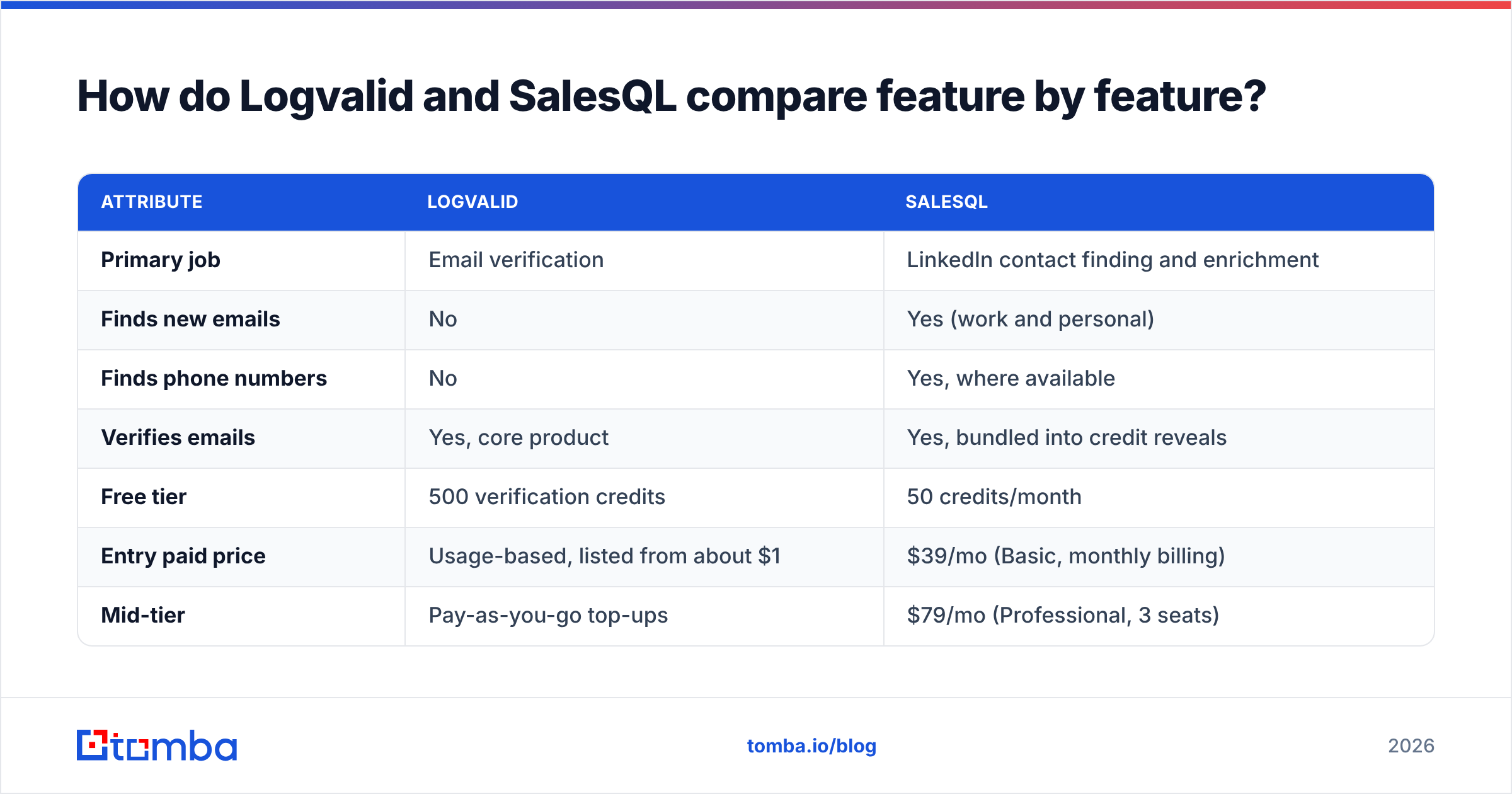
Here's the side-by-side, using each vendor's public listings as of late 2026. Pricing changes often, so check the vendor pages before you commit.
| Attribute | Logvalid | SalesQL |
|---|---|---|
| Primary job | Email verification | LinkedIn contact finding and enrichment |
| Finds new emails | No | Yes (work and personal) |
| Finds phone numbers | No | Yes, where available |
| Verifies emails | Yes, core product | Yes, bundled into credit reveals |
| Free tier | 500 verification credits | 50 credits/month |
| Entry paid price | Usage-based, listed from about $1 | $39/mo (Basic, monthly billing) |
| Mid-tier | Pay-as-you-go top-ups | $79/mo (Professional, 3 seats) |
| Upper tier | Volume credits | $119/mo (Organization, 15 seats) |
| Chrome extension | No | Yes, LinkedIn sidebar |
| Bulk CSV | Yes, bulk verification | Yes, CSV enrichment |
| API | Yes | Yes |
| CRM integrations | Via API and marketing tools | HubSpot, Salesforce, Pipedrive |
| Best buyer | Email marketers, ops, list owners | SDRs, recruiters, founders prospecting on LinkedIn |
The table shows the asymmetry. SalesQL does part of what Logvalid does, because it verifies what it reveals. Logvalid does none of what SalesQL does. That doesn't make SalesQL "better." It makes it broader, and you pay for that breadth in price per record.
How do the core workflows actually differ?#
To judge fit, look at what a normal day with each tool looks like.
- Logvalid: upload, verify, download. You export a list from your ESP, CRM, or a scraped source, drop it into Logvalid, and get each address labeled valid, invalid, disposable, or risky. You suppress the bad rows and send to the rest. It works on data you already own.
- SalesQL: browse, reveal, export. You open a LinkedIn profile or a Sales Navigator search, click the SalesQL sidebar, spend a credit, and the contact's email and phone appear. You push the record to your CRM or add it to a list for your sequencer.
- Logvalid at signup: API gatekeeping. Developers can call Logvalid's API on forms so fake or disposable addresses never reach the database. SalesQL isn't built for this.
- SalesQL at scale: CSV enrichment. You upload a list of names plus companies or LinkedIn URLs, and SalesQL adds contact fields. This overlaps with a classic email finder workflow.
- Both: the hand-off. Many teams source in SalesQL and then run a second verification pass right before a big campaign, especially if the records have been sitting in the CRM for weeks. Data decays, and a record that was valid in March might bounce in September.

Is Logvalid cheaper than SalesQL?#
Per action, yes, by a lot. But you're comparing the price of a check with the price of a lookup, and those aren't the same product.
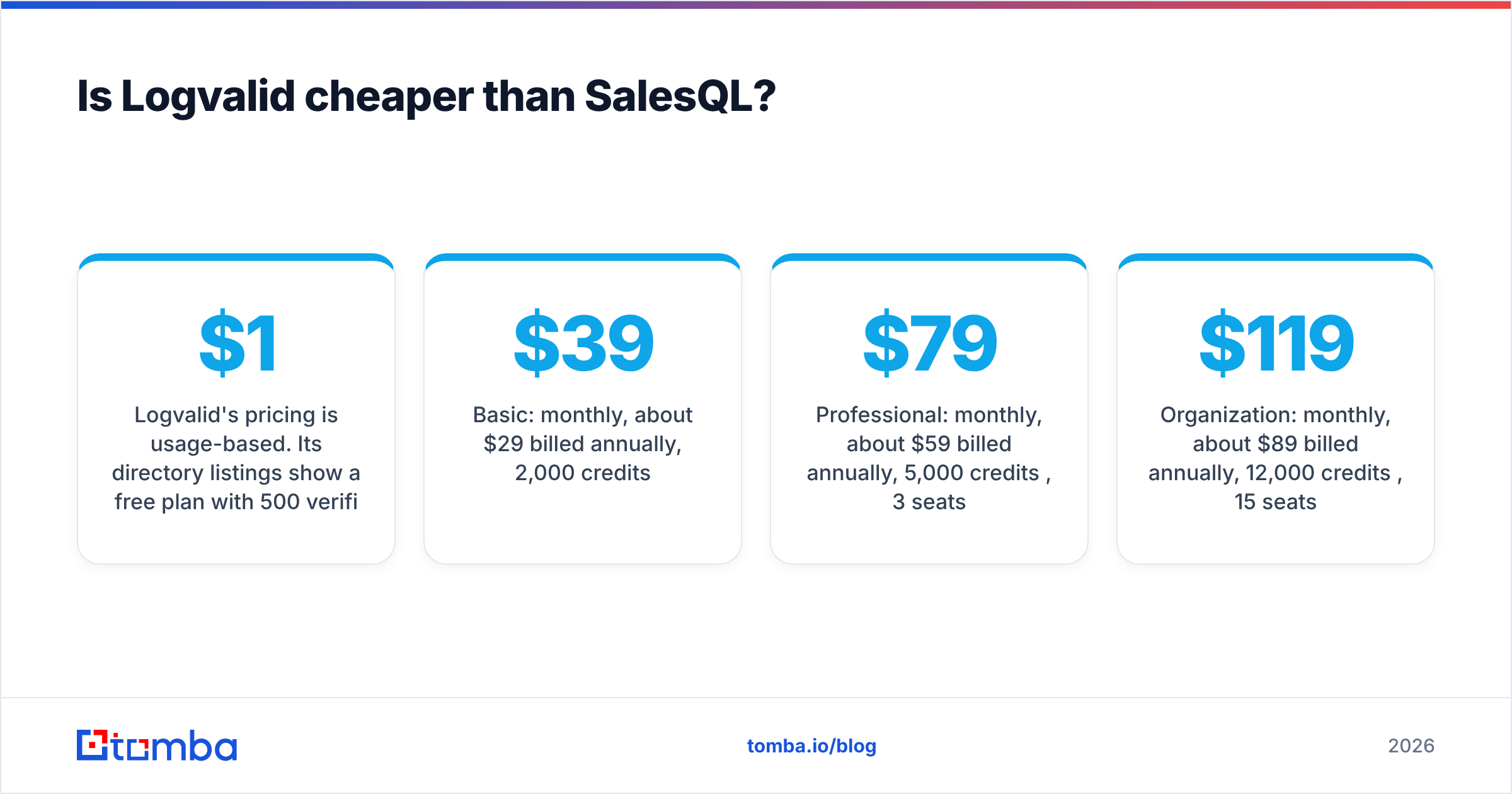
Logvalid's pricing is usage-based. Its directory listings show a free plan with 500 verification credits and paid credits starting at about $1 for a small bundle. Treat that as a starting price for the smallest bundle. Volume pricing will look different, so confirm on the vendor site. The model suits teams that clean lists now and then: you buy credits when you need them, with no seat licenses or monthly commitment.
SalesQL's pricing is subscription-based, per its official pricing page at the time of writing:
- Free: 50 credits/month
- Basic: $39/mo monthly, about $29/mo billed annually, 2,000 credits/month
- Professional: $79/mo monthly, about $59/mo billed annually, 5,000 credits/month, 3 seats
- Organization: $119/mo monthly, about $89/mo billed annually, 12,000 credits/month, 15 seats
Third-party reviews sometimes list different tier names and credit counts, which usually means they captured an older pricing page. Always check the live page.
The practical math: if you have 20,000 contacts and just need to know which ones bounce, a verifier will almost always cost less than re-revealing them in a finder. If you have zero contacts and a target account list, a verifier can't help at any price.
Which is more accurate, Logvalid or SalesQL?#
Neither vendor publishes an independent third-party accuracy audit we could verify. Be skeptical of any comparison that gives you a precise accuracy number for either tool. What you can reason about is where the accuracy risk sits.
For Logvalid, accuracy means classification. Did it correctly label an address valid or invalid? The hard cases for every verifier are:
- Catch-all domains, where the mail server accepts every address, so a standard SMTP check can't confirm the mailbox exists
- Greylisting servers that delay or temporarily reject the check
- Role accounts like info@ or sales@ that are technically valid but often unmonitored
If a large share of your list is on catch-all domains, check how the tool labels them. "Risky" or "unknown" is honest. A blanket "valid" is not. A dedicated catch-all verifier can reduce the uncertainty in that bucket.
For SalesQL, accuracy means coverage plus freshness. Did it find a contact at all, and is that contact still current? G2 and Capterra reviewers generally praise how smoothly it works inside LinkedIn. A recurring complaint is that some records are outdated, which is true of every contact database at some rate. People change jobs, and the old work email starts bouncing.
The honest takeaway: SalesQL gets you contacts, and a verification pass protects your sender reputation before you send. That's why "find then verify" is standard practice, not paranoia.
Who should choose Logvalid?#
Pick Logvalid if most of these describe you:
- You already own the list. Newsletter subscribers, event leads, webinar signups, legacy CRM exports.
- Your bounce rate is the problem. Mailbox providers watch hard bounces closely. Cleaning before you send is the cheapest fix you have.
- You want pay-as-you-go. No seats and no monthly minimum. You buy credits when a campaign needs them.
- You need signup-form validation. The API can block fake or disposable addresses at the point of capture.
- You don't prospect on LinkedIn. If your pipeline never touches a LinkedIn profile, SalesQL's main advantage doesn't apply to you.
Logvalid is the wrong pick if you expect it to generate leads. It can tell you whether jane@company.com is real, but it can't tell you Jane exists.
Who should choose SalesQL?#
Pick SalesQL if most of these describe you:
- LinkedIn is your prospecting surface. You or your SDRs live in LinkedIn or Sales Navigator all day.
- You need phones as well as emails. SalesQL returns direct dials and mobile numbers where it has them. That matters if you run multichannel sequences with calls.
- You want CRM push in one click. Native HubSpot, Salesforce, and Pipedrive integrations save the export-import round trip.
- You have a small team. Professional's 3 seats and Organization's 15 seats make shared credit pools straightforward.
- Personal emails are useful to you. Recruiters in particular value the personal email field, though for B2B outreach you should prefer work addresses and respect local privacy rules.
SalesQL is the wrong pick if you have a 50,000-row list to clean. You'd be paying lookup prices for a verification job.

Can you use Logvalid and SalesQL together?#
Yes, and it's a reasonable stack for teams that already pay for SalesQL. The pattern looks like this:
- Source contacts in SalesQL from LinkedIn searches or account lists.
- Push them into your CRM with source and reveal-date fields.
- Before any campaign, export the target segment. Run it through Logvalid if the records are older than a few weeks, or if a large share of them are on catch-all domains.
- Suppress anything labeled invalid, and send the "risky" bucket at lower volume or skip it entirely.
- Watch your bounce rate and sender reputation week over week, and tighten the rules if bounces rise.
The downside of a two-tool stack is overhead: two logins, two credit balances, two bills, and a CSV shuffle between them. Beyond one or two reps, that friction adds up, and it's the main reason teams move to a platform that finds, verifies, and enriches in one place.
What are the alternatives if you want one tool for both jobs?#
If the find-then-verify split feels clunky, you can:
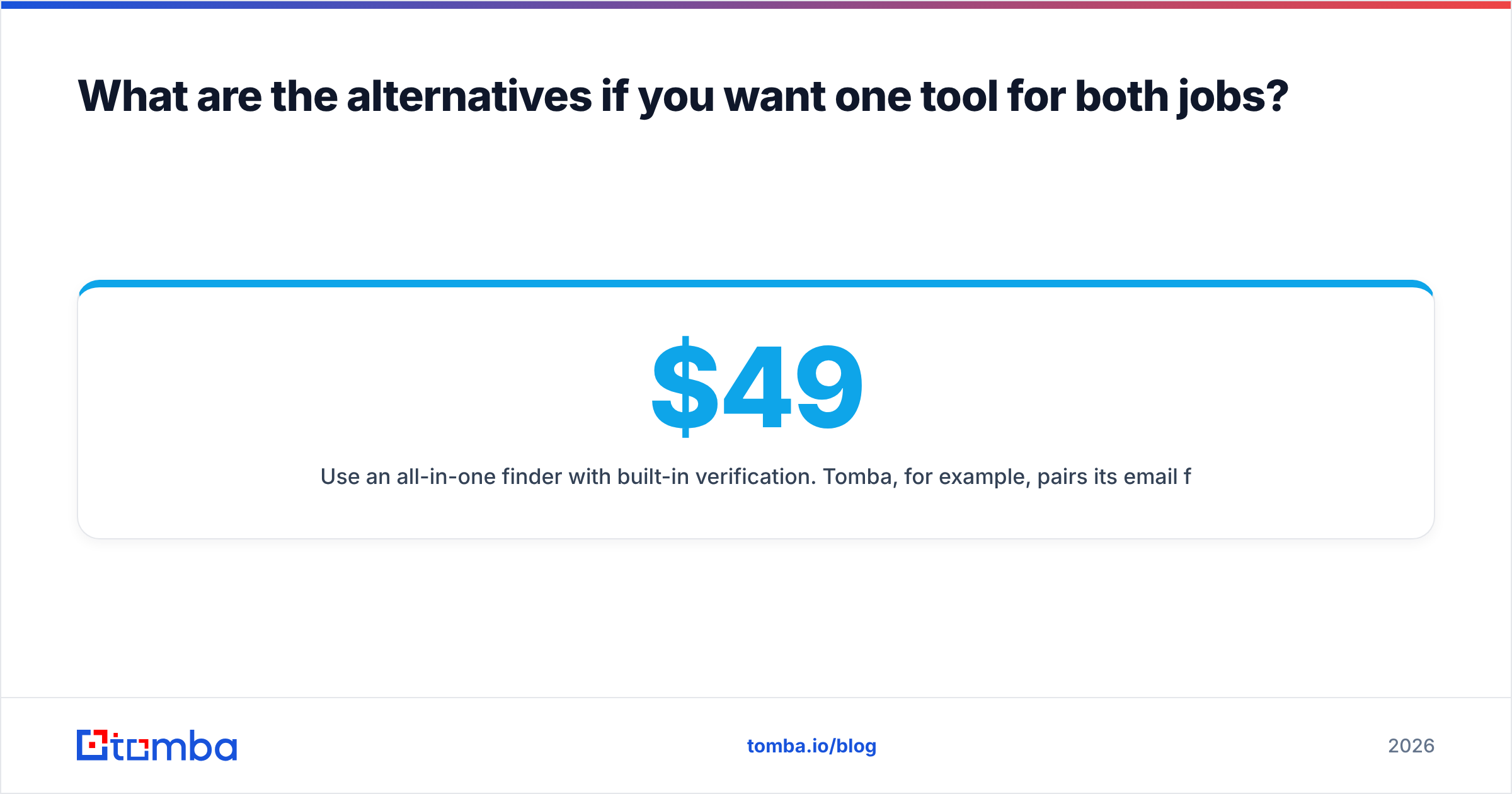
- Use an all-in-one finder with built-in verification. Tomba, for example, pairs its email finder with a standalone email verifier, domain search, catch-all verification, and a phone finder under one account. You can source by domain or name and re-verify the same records later without exporting anything. Tomba pricing runs from a free tier of 25 searches a month to Starter at $49/mo, Growth at $99/mo, Pro at $249/mo, and custom Enterprise.
- Keep SalesQL for LinkedIn and add a heavier verifier. If LinkedIn reveals are your core workflow, keep SalesQL and pick whichever verifier handles catch-all domains best for your list mix.
- Keep Logvalid and add a domain-based finder. If you target accounts rather than LinkedIn profiles, a domain search tool fills the sourcing gap and Logvalid stays your cheap cleaning step.
Browse G2's SalesQL reviews before deciding. Reviewers there are candid about how coverage varies by region and industry, and those are the variables that matter for your territory.
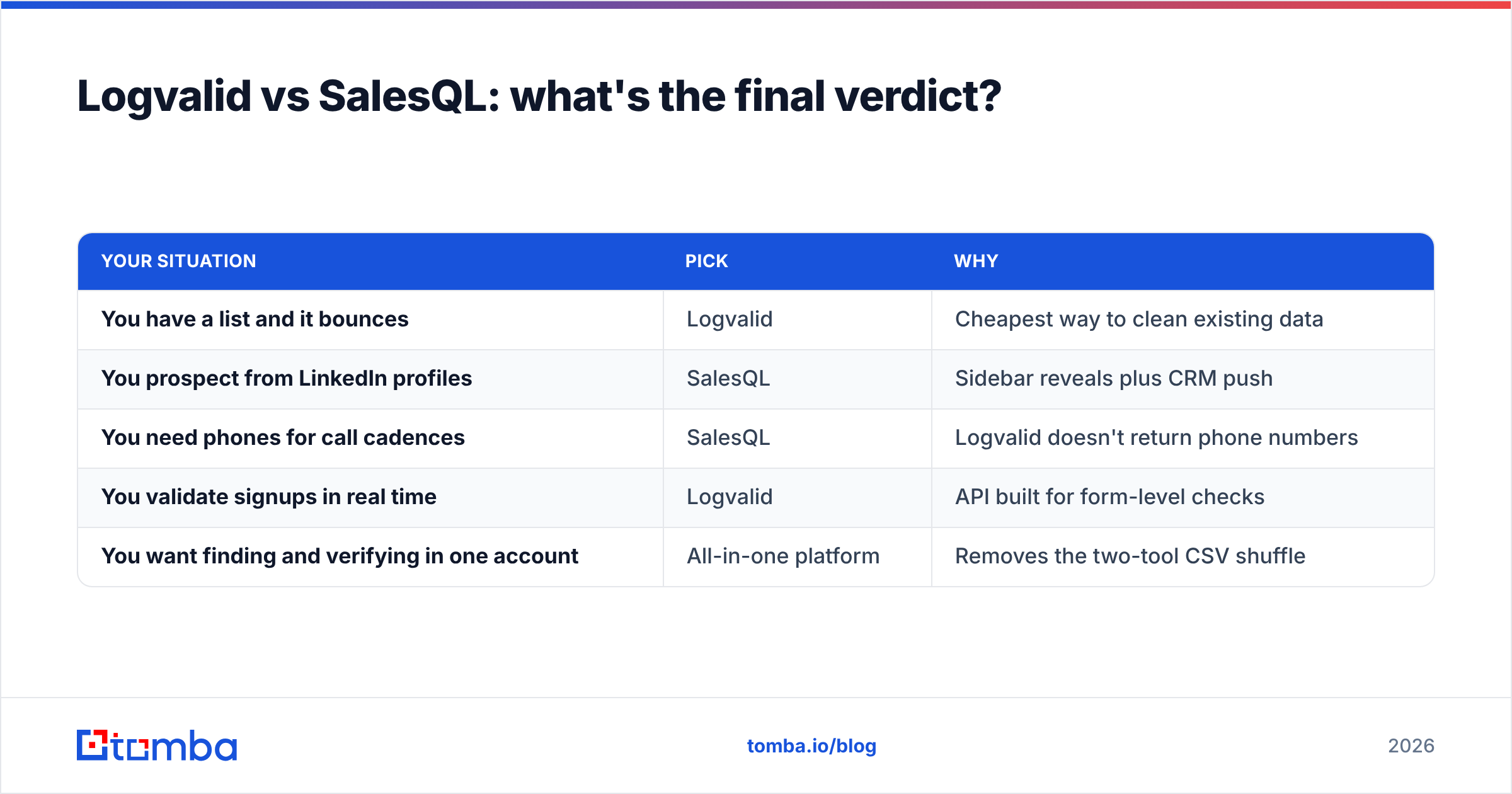
Logvalid vs SalesQL: what's the final verdict?#
Stop framing this as one versus the other. Frame it as a question about your pipeline:
| Your situation | Pick | Why |
|---|---|---|
| You have a list and it bounces | Logvalid | Cheapest way to clean existing data |
| You prospect from LinkedIn profiles | SalesQL | Sidebar reveals plus CRM push |
| You need phones for call cadences | SalesQL | Logvalid doesn't return phone numbers |
| You validate signups in real time | Logvalid | API built for form-level checks |
| You want finding and verifying in one account | All-in-one platform | Removes the two-tool CSV shuffle |
Logvalid wins on cost-per-check and simplicity. It's a focused verifier that does one job, and its listed free allowance is generous. SalesQL wins on sourcing and multichannel data. If your day starts on LinkedIn, it removes a lot of manual research. Neither beats the other overall, because they don't cover the same job.
If you'd rather not run two tools, the Tomba Email Finder covers the sourcing side by domain, name, or company, and Tomba's verifier and catch-all checks sit in the same account. You can find a contact, confirm it's deliverable, and send from one workflow. Start on the free tier with 25 searches a month, run it against a real target account list, and compare the results with what you're getting today before you pay for anything.
Related guides#
// get started
Find, verify and enrich your first contacts today
Start on the free plan with 25 searches a month, then scale when your team is ready.
Free plan · No credit card required · GDPR & CCPA
// about the author