7 Best Luru Alternatives in 2026 for Slack-First CRM Updates
Luru puts Salesforce and HubSpot updates inside Slack, but it doesn't suit every team. Here are 7 Luru alternatives, grouped by workflow, plus a comparison table and a decision framework.
TL;DR
- Luru is a CRM companion that works inside Slack. Reps can update Salesforce, HubSpot, and Pipedrive records, get deal hygiene alerts, and take notes without opening the CRM.
- Most teams look for Luru alternatives for one of three reasons: they want AI to capture call data automatically, they need deeper Salesforce pipeline views, or they just want the native Slack apps they already pay for.
- Scratchpad is the closest like-for-like replacement for Salesforce teams. Momentum and Attention suit teams whose CRM data should come from call recordings. Weflow is the pick for forecasting.
- None of these tools fixes bad contact data. If records are missing emails or carry bounced addresses, a clean interface just helps reps update bad data faster. Pair whichever tool you choose with an enrichment and verification layer.
- Dooly, a common Luru comparison, shut down on June 30, 2025. Former Dooly users are part of why this category is being re-evaluated.
What is Luru, and why are teams looking for alternatives?#
Luru is a CRM productivity layer built for reps who spend their day in Slack. You don't open Salesforce or HubSpot to move a deal stage, log a next step, or write a note. You do it from a Slack channel or a Luru workspace, and the change syncs back to the CRM. It also sends hygiene alerts, such as "this deal has no next step" or "close date is in the past", so managers don't have to chase reps by hand.
According to Luru's HubSpot Marketplace listing, HubSpot users need a Growth or Enterprise plan to use the integration. Third-party reviews report a free tier, with paid seats starting around $15–$25 per user per month. Check the current price with the vendor before you budget.
Luru does its job well. Teams still look elsewhere for a few common reasons:
- Data entry is still manual. Luru makes typing into the CRM faster, but a rep still types. Teams with high call volume want the data captured without anyone typing.
- Pipeline inspection depth. Sales leaders running weekly forecast calls often want spreadsheet-style grids, roll-ups, and change tracking that go beyond Slack-first workflows.
- Tool consolidation. If you already pay for Salesforce and Slack, the native Salesforce for Slack app may cover 70% of what you need at no extra cost.
- Scale and security reviews. Larger organizations sometimes prefer vendors with a longer enterprise track record.
How should you evaluate Luru alternatives?#
Before you compare feature lists, decide which job you are hiring the tool to do. CRM companion tools fall into four groups, and mixing them up is the most common buying mistake:
- Slack-first CRM editors. Their goal is fewer clicks. Reps update records from Slack or a light overlay. Luru, the native Salesforce and HubSpot Slack apps, and parts of Momentum sit here.
- Pipeline workspaces. Their goal is fast inspection. They give you spreadsheet or kanban views on top of Salesforce objects, with inline editing. Scratchpad and Weflow lead here.
- Conversation-to-CRM automation. Their goal is zero manual logging. They record calls, summarize them with AI, and write fields back to the CRM automatically. Momentum, Attention, and Gong live here.
- Data quality and enrichment. Their goal is records that are correct to begin with. They fill in missing emails, phones, and firmographics, and verify contacts before they reach a sequence. This layer sits underneath the other three, and it is where tools like Tomba fit.
A simple rule: if your problem is "reps won't open Salesforce," choose group 1. If it's "managers can't see the pipeline clearly," choose group 2. If it's "nothing from calls ever gets logged," choose group 3. If it's "half our contacts bounce," choose group 4 first, because the other three can't fix bad data.
Which Luru alternatives are worth considering in 2026?#
1. Scratchpad: best for Salesforce-heavy AE teams#
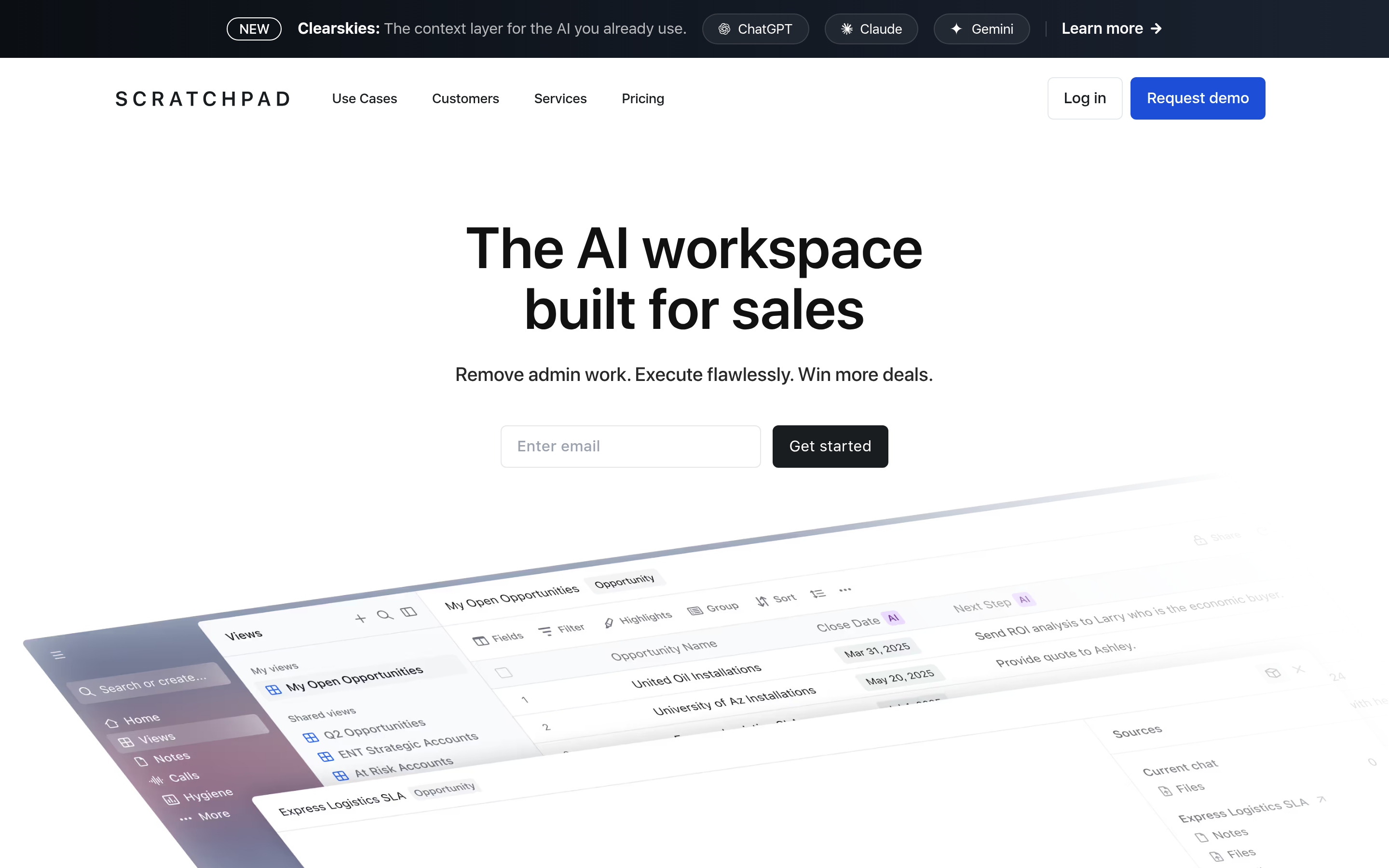
Scratchpad is the alternative that comes up most often for teams running Salesforce. It gives reps a workspace of pipeline grids, notes, and tasks that edits Salesforce in real time, plus deal inspection views for managers. Where Luru centers on Slack, Scratchpad centers on its own workspace and adds Slack notifications on top. Scratchpad holds a 4.8/5 rating on G2 from roughly 1,500 reviews, which is unusually high for a sales tool.
Choose it if: your team lives in Salesforce and wants faster pipeline reviews. Skip it if: you run HubSpot and want Slack to stay the main interface.
2. Momentum: best for turning calls into CRM updates#

Momentum reads call recordings and fills CRM fields such as MEDDICC, next steps, and objections automatically. It then pushes summaries into Slack deal rooms. Momentum's pitch is that logging should require no typing at all, which targets the biggest weakness of any manual-entry tool.
Choose it if: your reps run many discovery and demo calls and your CRM fields stay empty. Skip it if: most of your deals are worked over email and async threads.
3. Attention: best AI note-taker with CRM autofill#
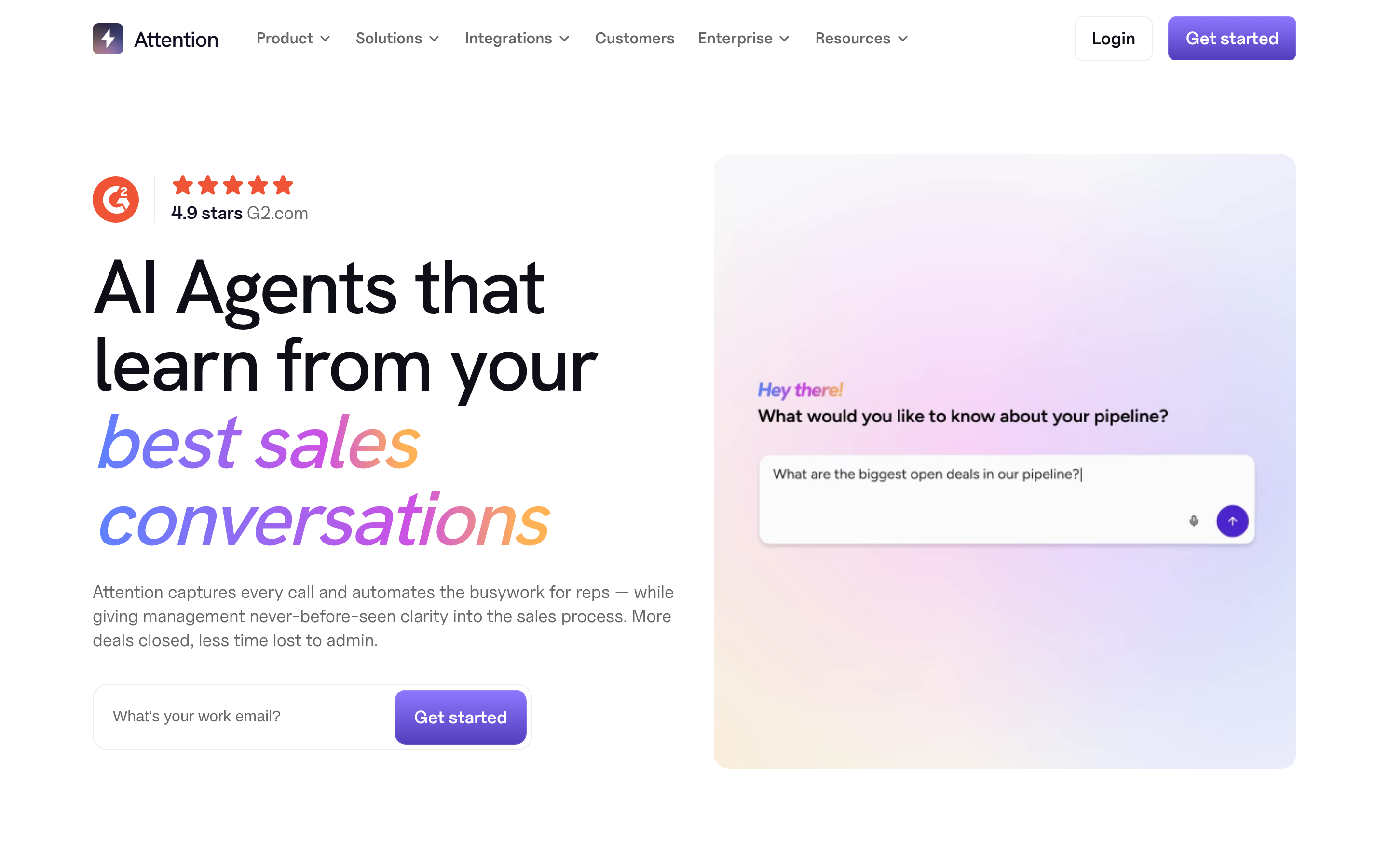
Attention joins calls, transcribes them, and maps what was said to CRM fields. It also generates follow-up emails and coaching insights. It fits mid-market teams that want Gong-style call capture without Gong-style contracts.
Choose it if: you want AI notes and automatic field updates without a long enterprise rollout. Skip it if: Slack-native deal editing is the main reason you bought Luru.
4. Weflow: best for pipeline management and forecasting#

Weflow sits on top of Salesforce and focuses on pipeline views, forecast roll-ups, activity capture, and deal change tracking. It is closer to Scratchpad than to Luru, but it leans harder toward the needs of sales managers and RevOps.
Choose it if: your forecast call is the meeting you most need to fix. Skip it if: you're on HubSpot or Pipedrive.
5. Salesforce for Slack (native): best free option for Salesforce shops#
If you already license Salesforce and Slack, the Salesforce native integration lets reps view and update records, get record alerts, and share deals into channels. It is less polished than Luru, with fewer hygiene nudges and clunkier forms, but it costs nothing extra and passes security review automatically. Pair it with our Salesforce integration guide if you also enrich contacts inside Salesforce.
Choose it if: budget is tight and your needs are basic. Skip it if: you want opinionated hygiene workflows out of the box.
6. HubSpot Slack app (native): best free option for HubSpot shops#
HubSpot's own Slack app covers notifications, record previews, and task creation. Note that Luru's HubSpot integration requires Growth or Enterprise on Luru's side. Smaller HubSpot teams can therefore get most of the value from the native app before paying for a second tool.
Choose it if: you're a small HubSpot team that mainly wants alerts in Slack. Skip it if: you need structured bulk updates from Slack.
7. Gong: best for enterprise revenue intelligence#

Gong is far broader than Luru. It covers conversation intelligence, deal boards, forecasting, and coaching. Buying Gong just to replace Luru is overkill, but if you're already evaluating revenue intelligence, Gong's deal and activity capture can make a separate CRM companion unnecessary. If Gong's price is the obstacle, see this breakdown of each Gong alternative.
Choose it if: you want one platform for calls, deals, and forecasting. Skip it if: you have fewer than about 20 reps or a tight budget.
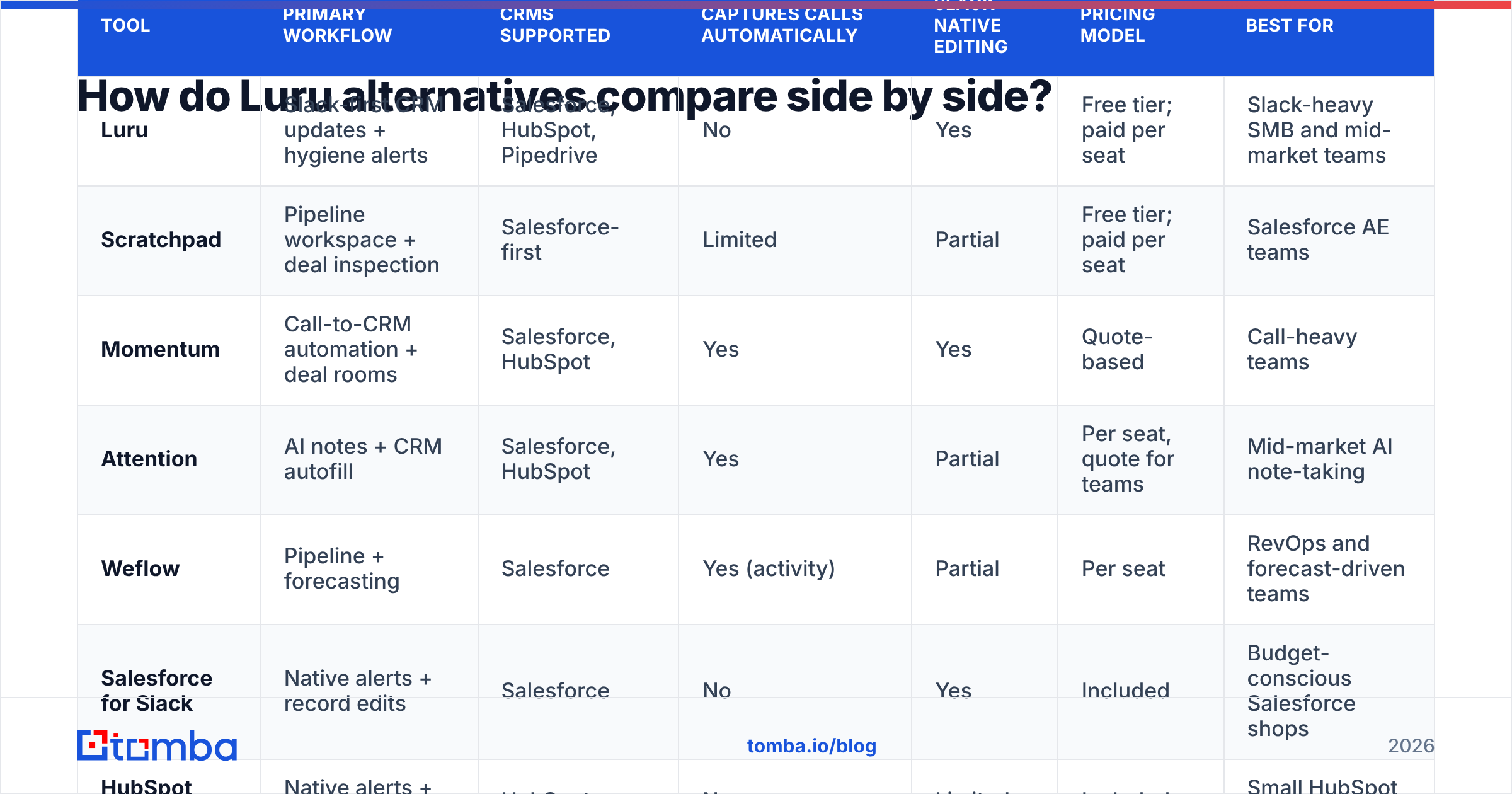
How do Luru alternatives compare side by side?#
| Tool | Primary workflow | CRMs supported | Captures calls automatically | Slack-native editing | Pricing model | Best for |
|---|---|---|---|---|---|---|
| Luru | Slack-first CRM updates + hygiene alerts | Salesforce, HubSpot, Pipedrive | No | Yes | Free tier; paid per seat | Slack-heavy SMB and mid-market teams |
| Scratchpad | Pipeline workspace + deal inspection | Salesforce-first | Limited | Partial | Free tier; paid per seat | Salesforce AE teams |
| Momentum | Call-to-CRM automation + deal rooms | Salesforce, HubSpot | Yes | Yes | Quote-based | Call-heavy teams |
| Attention | AI notes + CRM autofill | Salesforce, HubSpot | Yes | Partial | Per seat, quote for teams | Mid-market AI note-taking |
| Weflow | Pipeline + forecasting | Salesforce | Yes (activity) | Partial | Per seat | RevOps and forecast-driven teams |
| Salesforce for Slack | Native alerts + record edits | Salesforce | No | Yes | Included | Budget-conscious Salesforce shops |
| HubSpot Slack app | Native alerts + tasks | HubSpot | No | Limited | Included | Small HubSpot teams |
| Gong | Revenue intelligence suite | Salesforce, HubSpot, others | Yes | Partial | Enterprise contract | 20+ rep orgs |
Pricing models change often in this category, and several vendors only publish quotes. Confirm current seat pricing on each vendor's site before you shortlist.
Is a CRM companion enough to fix CRM hygiene?#
No. This is the part most "Luru vs X" comparisons skip. A CRM companion controls how data gets into the CRM. It doesn't control whether that data is correct.
Take a common scenario. A rep updates a deal from Slack in five seconds, which is a real win. But the champion's email on that opportunity bounced two months ago, the economic buyer has no contact record, and the account's headcount field is empty. The deal looks clean in your hygiene dashboard. It isn't.
Three data problems sit underneath every tool on this list:
- Missing contacts. Buying committees keep growing. If you only have one or two contacts per opportunity, your multi-threading plan exists only on paper.
- Decayed emails. B2B contact data degrades constantly as people change jobs. Old addresses hurt sequence deliverability and your domain's sender reputation.
- Thin firmographics. Routing, scoring, and territory rules break when industry, size, or tech stack fields are blank.
That's why mature RevOps teams run a data layer in parallel with their CRM companion. They use data enrichment to fill in contacts and firmographics, and an email verifier to clean addresses before they reach a sequence. The companion tool keeps reps moving quickly. The data layer makes sure that speed is worth something.

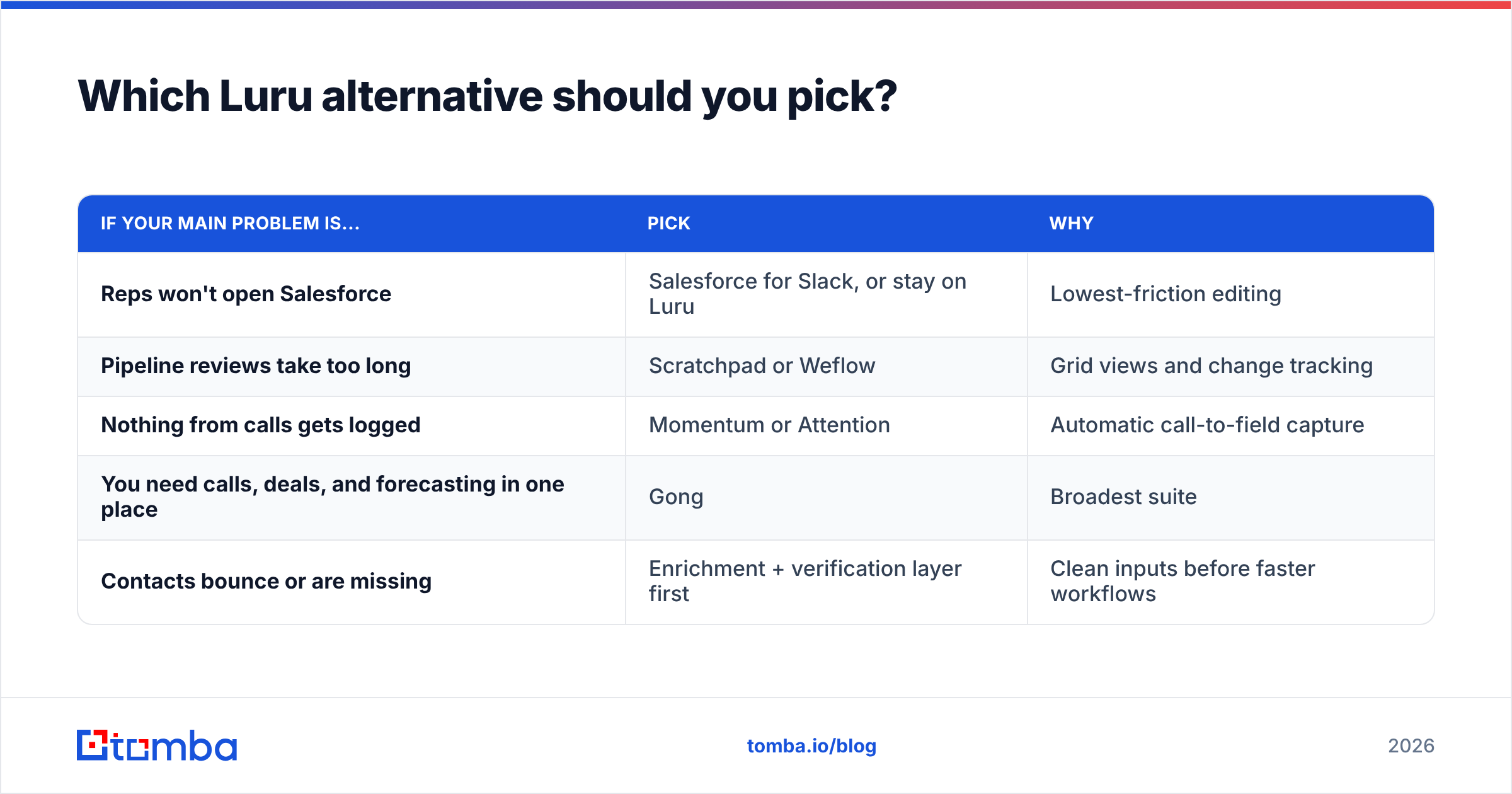
Which Luru alternative should you pick?#
Match the tool to your real bottleneck, not to the longest feature list.
| If your main problem is... | Pick | Why |
|---|---|---|
| Reps won't open Salesforce | Salesforce for Slack, or stay on Luru | Lowest-friction editing |
| Pipeline reviews take too long | Scratchpad or Weflow | Grid views and change tracking |
| Nothing from calls gets logged | Momentum or Attention | Automatic call-to-field capture |
| You need calls, deals, and forecasting in one place | Gong | Broadest suite |
| Contacts bounce or are missing | Enrichment + verification layer first | Clean inputs before faster workflows |
A few practical tips before you migrate:
- Audit your field usage first. Pull a report on which opportunity fields are actually filled in. If next step and close date are already 90% complete, a hygiene tool won't change much. Spend the budget on call capture instead.
- Trial with one pod, not the whole floor. Adoption decides whether these tools pay off. Run a two-week pilot with five reps and measure fields updated per rep per week against your baseline.
- Check CRM plan requirements. Some integrations need specific CRM editions or API access. Luru's HubSpot app, for example, requires Growth or Enterprise on the Luru side.
- Plan for Dooly-style risk. Dooly's shutdown in 2025 left teams scrambling. Favor vendors with clear export paths and make sure your notes live in the CRM, not only in the vendor's workspace.
Are there free Luru alternatives?#
Yes, with trade-offs. The native Salesforce for Slack and HubSpot Slack apps come with licenses you likely already pay for, and they handle alerts plus basic record edits. Scratchpad offers a free tier for individual reps. Luru itself also has a free tier, so moving to a free native app mainly makes sense if you're consolidating vendors rather than cutting costs.
What you lose with free options is opinionated hygiene logic: automatic nudges when a deal goes stale, required-field prompts in Slack, and manager digests. If those nudges are what drive your team's update rate, the savings may cost you more in forecast accuracy than they save in seats.
How does Tomba fit alongside these tools?#
Tomba is not a Luru alternative, and it would be misleading to present it as one. It doesn't edit deals from Slack or record calls. It sits one layer below. It finds and verifies the professional email addresses, phone numbers, and company data that every CRM companion then displays and updates.
In practice, teams use it in three ways:
- Before a deal is created: a rep finds the buying committee's emails by domain or name, so opportunities start multi-threaded.
- During the deal: verification catches addresses that went stale when a champion changed jobs, before a follow-up bounces.
- In bulk: RevOps enriches existing accounts on a schedule so routing and scoring rules have fields to work with.
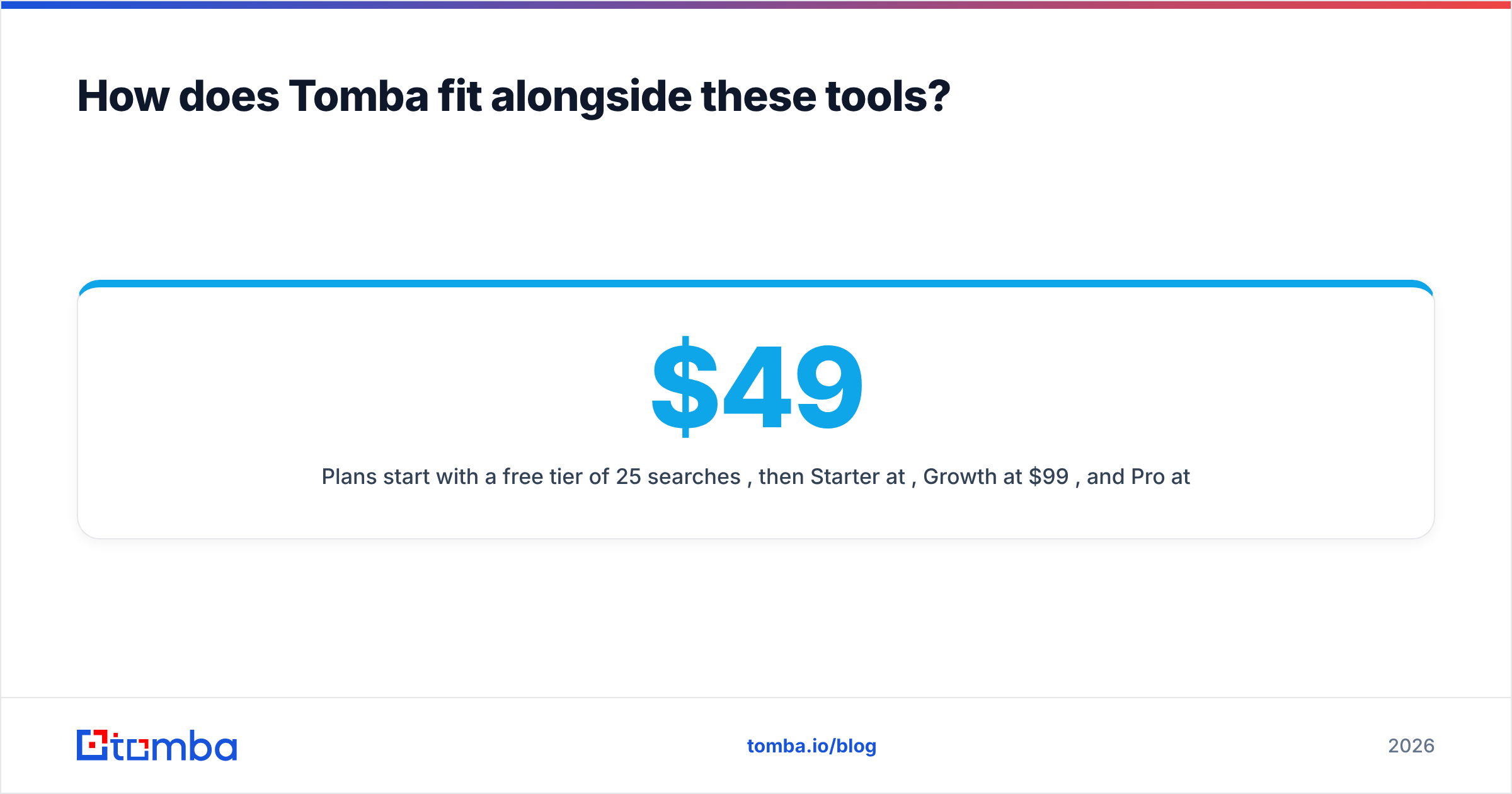
Plans start with a free tier of 25 searches per month, then Starter at $49/mo, Growth at $99/mo, and Pro at $249/mo, with custom Enterprise pricing for larger volumes.
Final verdict on Luru alternatives#
If you run Salesforce and want better pipeline views, start with Scratchpad or Weflow. If your CRM gaps come from unlogged calls, Momentum or Attention will do more than any Slack editor. If budget is the constraint, try the native Salesforce or HubSpot Slack apps before paying for anything. And if Luru is already working for your reps, you may not need to switch. You may need better data underneath it.
Whichever tool you land on, it will only be as good as the contacts in your CRM. Start by filling the gaps: Tomba Email Finder finds professional email addresses by domain, name, or company, so every opportunity your reps update has the right people attached. Try it free with 25 searches a month and see how many missing stakeholders it turns up in your open pipeline.
Related guides#
// get started
Find, verify and enrich your first contacts today
Start on the free plan with 25 searches a month, then scale when your team is ready.
Free plan · No credit card required · GDPR & CCPA
// about the author