Lusha vs NeverBounce (2026): Finder or Verifier, Which Do You Need?
Lusha finds contacts. NeverBounce checks whether emails will bounce. Here's how they compare on pricing, accuracy, and workflow, and when you need one, the other, or both.
TL;DR
- Lusha and NeverBounce do different jobs. Lusha is a B2B contact database that finds emails and direct dials. NeverBounce is an email verification service that checks whether addresses you already have will bounce.
- Pick Lusha if your problem is "I don't know who to contact or how to reach them." Pick NeverBounce if your problem is "my list is bouncing and my sender reputation is suffering."
- Their pricing models don't line up. Lusha sells credits on seat-based plans, and phone reveals cost several times more than an email. NeverBounce sells verifications by volume, at fractions of a cent each.
- Many teams end up paying for both: a finder to source contacts and a verifier to clean the list before sending.
- If you want one tool for both jobs, an all-in-one platform with a finder and verifier together, such as Tomba, removes the second subscription and the CSV hand-off between tools.
What is the real difference between Lusha and NeverBounce?#
People search "Lusha vs NeverBounce" because both tools touch email data. They sit at opposite ends of the outbound workflow, though.
A simple way to picture it: Lusha is the phone book, and NeverBounce is the postal service checking that the address on the envelope exists before you post it. You can't swap one for the other. A phone book doesn't confirm that the house is still standing, and the postal check can't tell you who lives there.
Lusha is a B2B sales intelligence platform. You install its Chrome extension, open a LinkedIn profile or company website, and Lusha shows a business email, a direct phone number, and firmographic data. It also has a prospecting dashboard with filters (job title, seniority, industry, headcount, location, technologies), intent signals on higher plans, and CRM sync with Salesforce and HubSpot.
NeverBounce is an email verification and list-cleaning service, owned by ZoomInfo since 2022. You upload a list or call its API, and each address is classified as valid, invalid, disposable, catch-all, or unknown. It doesn't find new contacts. It tells you which of your existing contacts are safe to email.
So the honest answer to "which is better" is: better at what?
How do Lusha and NeverBounce compare feature by feature?#
Here's the side-by-side. I've included Tomba as a third column because it covers both jobs, which is the comparison most buyers are actually making.
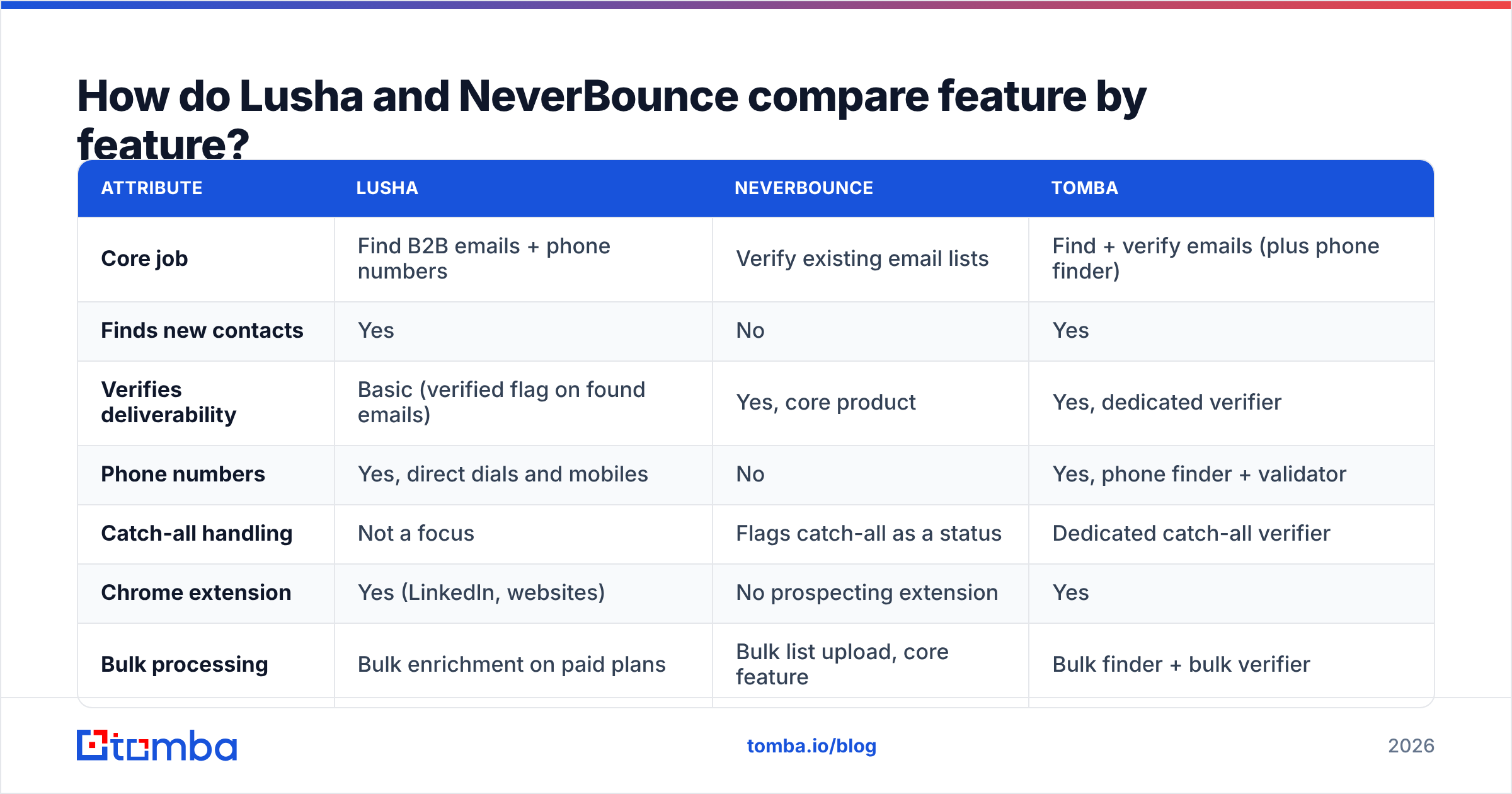
| Attribute | Lusha | NeverBounce | Tomba |
|---|---|---|---|
| Core job | Find B2B emails + phone numbers | Verify existing email lists | Find + verify emails (plus phone finder) |
| Finds new contacts | Yes | No | Yes |
| Verifies deliverability | Basic (verified flag on found emails) | Yes, core product | Yes, dedicated verifier |
| Phone numbers | Yes, direct dials and mobiles | No | Yes, phone finder + validator |
| Catch-all handling | Not a focus | Flags catch-all as a status | Dedicated catch-all verifier |
| Chrome extension | Yes (LinkedIn, websites) | No prospecting extension | Yes |
| Bulk processing | Bulk enrichment on paid plans | Bulk list upload, core feature | Bulk finder + bulk verifier |
| API | Yes (higher tiers) | Yes, real-time + bulk | Yes, all paid plans |
| Free tier | ~40 credits/month | One-time free trial credits | 25 searches/month |
| Pricing model | Seat-based plans + credits | Pay-as-you-go or monthly subscription | Monthly plans from $49/mo |
| Best for | SDRs who need phone + email from LinkedIn | Marketers and ops teams cleaning large lists | Teams that want sourcing and hygiene in one tool |
Pricing for both vendors changes often, and Lusha in particular runs frequent promotions. Treat the figures below as a snapshot from late 2026 and check the vendor pages before you buy.
What does Lusha actually do well?#
Lusha's strength is phone data and LinkedIn convenience. If your reps call prospects, Lusha is one of the better-known sources for direct dials and mobile numbers in North America and parts of Europe. G2 reviewers consistently name the Chrome extension as the reason they keep paying. You find someone on LinkedIn, click once, and you have their contact details.
What you get with Lusha:
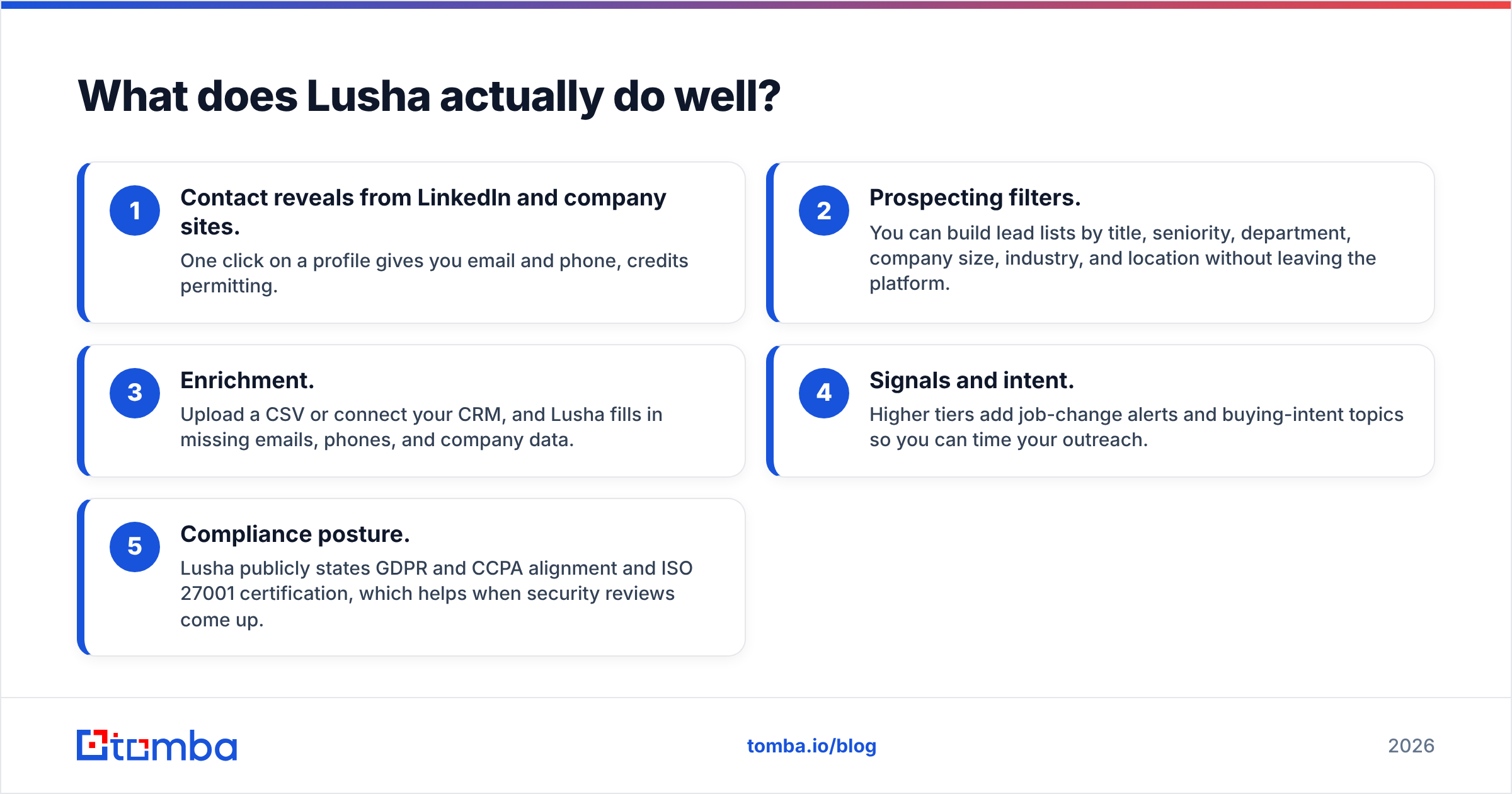
- Contact reveals from LinkedIn and company sites. One click on a profile gives you email and phone, credits permitting.
- Prospecting filters. You can build lead lists by title, seniority, department, company size, industry, and location without leaving the platform.
- Enrichment. Upload a CSV or connect your CRM, and Lusha fills in missing emails, phones, and company data.
- Signals and intent. Higher tiers add job-change alerts and buying-intent topics so you can time your outreach.
- Compliance posture. Lusha publicly states GDPR and CCPA alignment and ISO 27001 certification, which helps when security reviews come up.
Where Lusha falls short:
- Phone reveals use a lot of credits. An email reveal costs 1 credit. A phone reveal costs considerably more (Lusha's pricing page has listed figures between 5 and 10 credits per number over time). A plan that looks generous for emails runs out quickly once your team starts calling.
- Email verification is not its main focus. Lusha marks emails as verified, but it isn't a full list-hygiene tool. You still can't upload a 50,000-row CSV from an old webinar and get granular bounce-risk statuses.
- Seat-based pricing scales with headcount. Adding reps raises the bill even if your lookup volume stays flat.
On pricing, Lusha currently lists a Free plan (about 40 credits a month, one seat) and paid Starter, Pro, and Premium tiers, plus a custom Scale plan. List prices run from roughly $49.90/month for Starter to several hundred dollars a month for Premium. Annual promotions often bring those down noticeably, so check Lusha's pricing page for the current numbers.

What does NeverBounce actually do well?#
NeverBounce is good at cleaning lists at volume. It's been around since 2014, it's well-documented, and it integrates with most of the email service providers and CRMs you'd expect: HubSpot, Mailchimp, Salesforce, ActiveCampaign, and dozens more.
What you get with NeverBounce:
- Bulk list cleaning. Upload a CSV, and NeverBounce returns each address tagged as valid, invalid, disposable, catch-all, or unknown.
- Free list analysis. Before you pay, NeverBounce estimates how dirty your list is, which tells you whether cleaning is worth it.
- Real-time API and form widget. It verifies addresses at the point of capture, so fake or mistyped signups never reach your CRM.
- Automated sync. It connects to your ESP or CRM and re-verifies lists on a schedule, so decay doesn't pile up.
- Volume pricing. At scale, the cost per verification drops to a fraction of a cent.
Where NeverBounce falls short:
- It can't find anyone. If an address isn't already on your list, NeverBounce can't help you.
- Catch-all domains stay uncertain. Like most verifiers, NeverBounce can flag a catch-all domain but can't always confirm that a specific mailbox on it exists. For B2B lists, that can cover a meaningful share of contacts.
- No phone or firmographic data. It answers one question: will this email bounce?
On pricing, NeverBounce's pay-as-you-go rate works out to about $8 per 1,000 verifications at the low end. The per-email cost falls as volume grows, to around $0.003 per check at 250,000+. Pay-as-you-go credits stay valid for 12 months. There's also a monthly subscription option for steady volume. See NeverBounce's pricing page for the current tiers.
Lusha vs NeverBounce: which one costs less for your workload?#
You can't compare their prices directly, because they sell different units. Cost them against your actual job instead.
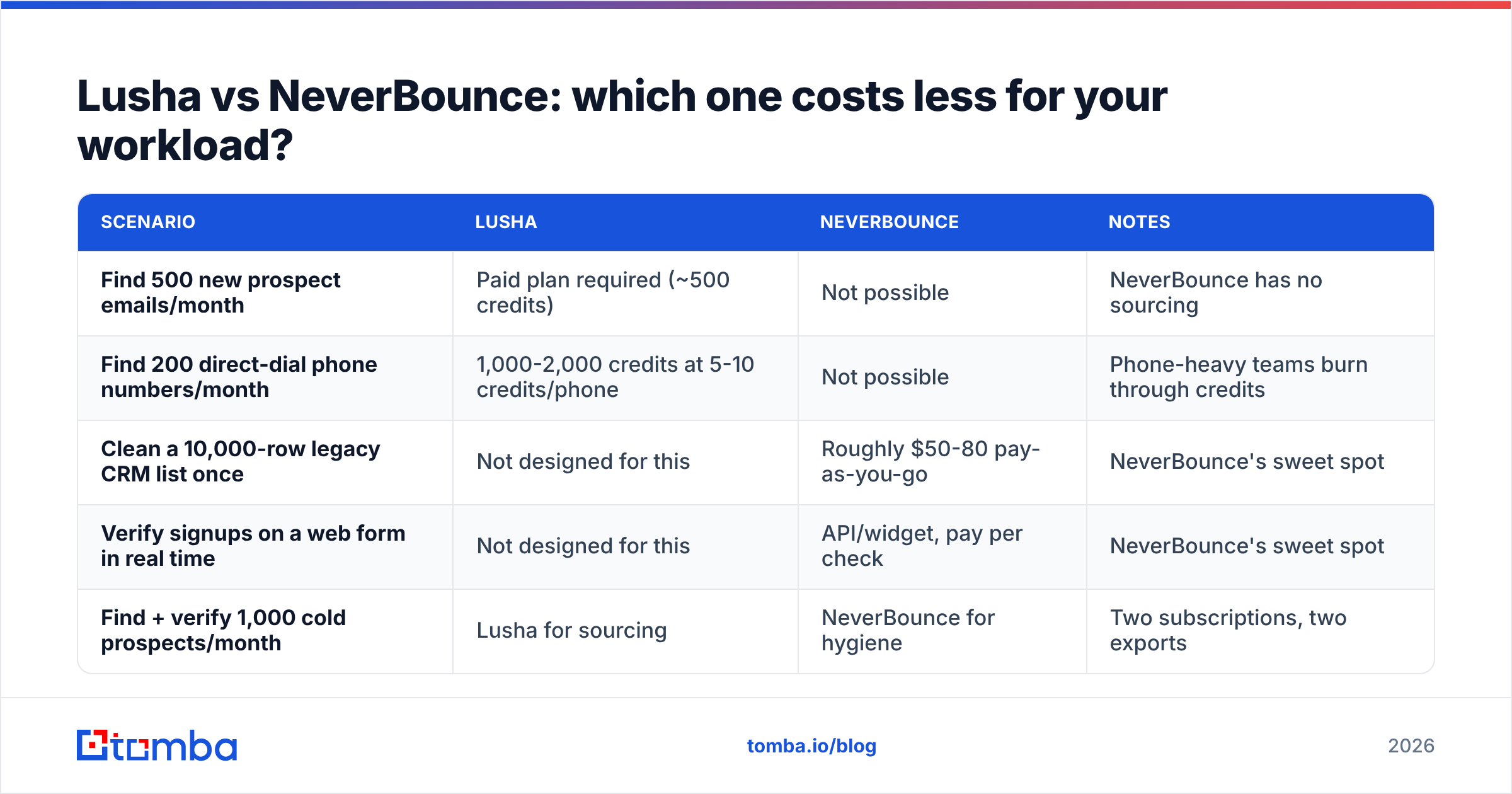
| Scenario | Lusha | NeverBounce | Notes |
|---|---|---|---|
| Find 500 new prospect emails/month | Paid plan required (~500 credits) | Not possible | NeverBounce has no sourcing |
| Find 200 direct-dial phone numbers/month | 1,000-2,000 credits at 5-10 credits/phone | Not possible | Phone-heavy teams burn through credits |
| Clean a 10,000-row legacy CRM list once | Not designed for this | Roughly $50-80 pay-as-you-go | NeverBounce's sweet spot |
| Verify signups on a web form in real time | Not designed for this | API/widget, pay per check | NeverBounce's sweet spot |
| Find + verify 1,000 cold prospects/month | Lusha for sourcing | NeverBounce for hygiene | Two subscriptions, two exports |
The last row is where most outbound teams end up. They buy a finder, notice bounces creeping up, and then add a verifier on top. Two vendors means two invoices, two credit pools to monitor, and a CSV export/import step in between that someone has to own.
Do you need an email verifier if you already use Lusha?#
Usually, yes. It depends on how fast you send after sourcing.
B2B contact data decays all the time. People change jobs, companies rebrand domains, and IT teams switch catch-all settings on or off. An email that was valid when Lusha's database last checked it may bounce three months later. If you pull a list today and send tomorrow, the risk is low. If you build lists in bulk and drip them out over a quarter, run a verification pass right before each send.
Bounces matter more than they used to. Since Google and Yahoo tightened bulk-sender requirements in 2024, mailbox providers have been less forgiving of senders with high bounce and complaint rates. A bounce rate that creeps above 2-3% is an early warning sign for your sender reputation. Once inbox placement drops, it hurts every campaign you send from that domain, including the ones going to perfectly valid addresses.

A practical rule:
- Same-day send from fresh finder results: spot-check, or rely on the finder's built-in verification status.
- Lists older than 30 days, or bought or imported from events: run a full verification pass.
- Catch-all domains: handle them separately. Either use a dedicated catch-all verifier or send to them from a secondary domain with conservative volume.
When should you choose Lusha over NeverBounce?#
Choose Lusha if:
- Your reps cold call and need direct dials and mobiles. This is Lusha's clearest advantage over email-only tools.
- Your team prospects mostly from LinkedIn and wants one-click reveals in the browser.
- You need firmographic filters to build target account lists from scratch.
- You have the budget for seat-based pricing and your call volume justifies the higher phone-credit cost.
Choose NeverBounce if:
- You already have a large existing list (newsletter, webinar registrants, old CRM data) and need it cleaned.
- You run marketing email at volume and bounce rate is your main deliverability risk.
- You want real-time verification on signup forms.
- You need pay-as-you-go pricing with no seats and no monthly commitment.
Choose both if you source contacts and send at volume, and you're fine with the extra tooling and workflow.
Is there a single tool that replaces Lusha and NeverBounce?#
Partly, and it depends on how much you rely on phone data.
All-in-one platforms combine an email finder and a verifier in one account. You source an address, it gets checked in the same step, and you export a list that's ready to send. There's no hand-off between two vendors. Tomba is one of these: it pairs its finder with a dedicated email verifier, a catch-all verifier, domain search, and a phone finder, all on one credit balance.
What an all-in-one setup does well:
- One workflow. Find, verify, and export without moving CSVs between tools.
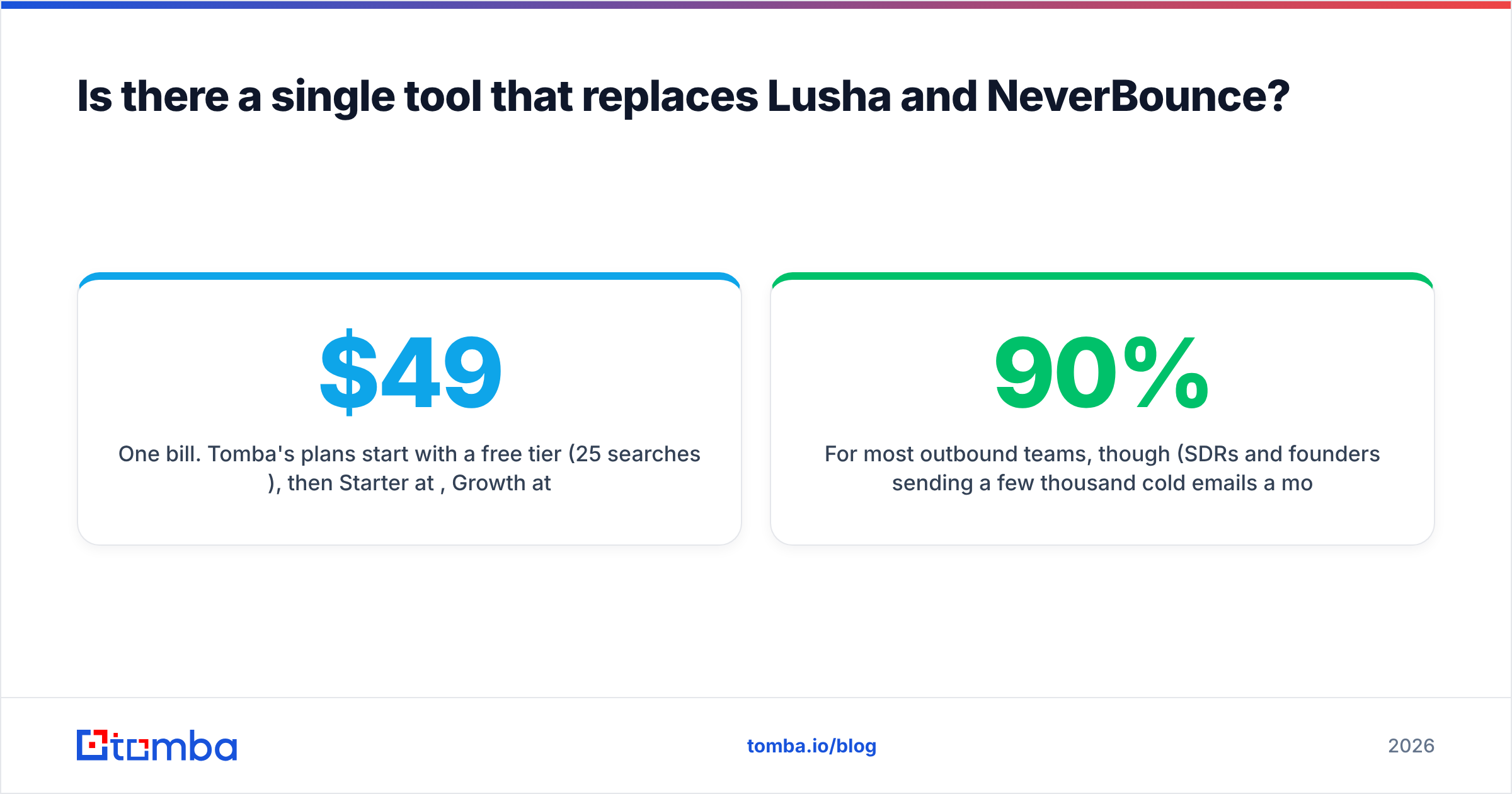
- One bill. Tomba's plans start with a free tier (25 searches/month), then Starter at $49/mo, Growth at $99/mo, and Pro at $249/mo. See Tomba pricing for what each tier includes.
- Better catch-all coverage. A dedicated catch-all check clears up more of the "unknown" bucket than a generic verifier status.
Where you'd still keep a specialist:
- If direct-dial phone numbers drive your pipeline, Lusha's phone dataset is a real reason to keep it. Test hit rates on your own ICP before you switch.
- If you clean millions of marketing addresses a month for an ESP, a high-volume verifier like NeverBounce can be cheaper per check at that scale.
For most outbound teams, though (SDRs and founders sending a few thousand cold emails a month), one platform that finds and verifies covers about 90% of what Lusha and NeverBounce do together, at lower total cost and with less operational work.
How should you evaluate these tools before buying?#
Don't rely on vendor accuracy claims, this post included. Run a test on your own data:
- Pull 100 contacts from your real ICP, not a generic sample. Accuracy varies a lot by region, industry, and company size.
- Run them through each finder you're considering, and record the find rate (emails returned) and the cost.
- Verify every returned email with a neutral verifier, and record the valid, invalid, and catch-all split.
- Send a small test batch from a warmed secondary domain, and measure the actual hard bounce rate.
- Calculate cost per deliverable contact, not cost per credit. That's the number that matters.
Independent review sites such as G2 are useful for spotting recurring complaints (credit expiry, support response times, cancellation friction) that don't appear on pricing pages.
Final verdict: Lusha or NeverBounce?#
They aren't competitors, so this isn't a head-to-head with one winner. It depends on your bottleneck.
- Lusha wins if you need to find people, especially their phone numbers, and you prospect from LinkedIn.
- NeverBounce wins if you already have the emails and need to stop them from bouncing at scale.
- An all-in-one finder + verifier wins if you're an outbound team that wants fresh, verified emails without paying two vendors and managing CSVs between them.
If that last description fits your team, start with Tomba Email Finder. Search by domain, name, or company, and every result can be verified in the same account before it reaches your sequencer. The free tier gives you 25 searches a month to test it on your own ICP before you commit to anything.
Related guides#
// get started
Find, verify and enrich your first contacts today
Start on the free plan with 25 searches a month, then scale when your team is ready.
Free plan · No credit card required · GDPR & CCPA
// about the author