Lusha vs Salesbot: Data, Pricing and Outreach Compared (2026)
Lusha sells contact data. Salesbot sells contact data plus the outreach engine to use it. Here is how their credits, prices, data quality and workflows compare, and which one fits your team in 2026.
TL;DR
- Lusha is a contact-data tool. Its strengths are the Chrome extension, CRM enrichment, and direct-dial phone numbers. It does not send emails for you.
- Salesbot is an AI prospecting platform. It bundles lead search (695M+ records), verified emails, mobile credits, and drip campaigns in one subscription.
- Pricing starts at about $49/mo for both. Lusha's credit system makes phone numbers expensive (around 5 credits each). Salesbot's Basic plan has a fixed yearly allowance of emails and mobiles.
- Pick Lusha if your team lives in LinkedIn and Salesforce/HubSpot and wants to enrich records in place. Pick Salesbot if you're a small team or agency that wants list building and sequencing without a separate sending tool.
- If you mostly need accurate work emails at a predictable cost, a dedicated email finder plus verifier can do that job for less.
Lusha and Salesbot both start at about $49/mo and both promise "verified contacts." They're built for different jobs, though. Lusha is a data layer you plug into the tools you already use. Salesbot tries to replace part of that stack. This comparison looks at what each tool does, what you actually pay once credits run out, and which team each one fits.
What is Lusha?#
Lusha is a B2B contact and company data platform. Most people use it through the Chrome extension: you open a LinkedIn profile or a company website, click the Lusha icon, and reveal a work email or phone number. Beyond the extension, Lusha offers:
- Prospecting search with filters for title, seniority, industry, headcount, and location
- CRM enrichment for Salesforce, HubSpot, and other systems, so contact fields fill in automatically
- Intent and job-change signals on higher tiers
- An API for enrichment at scale
Lusha's reputation rests mostly on phone numbers. Many reps say it's one of the easier ways to get a direct dial for North American contacts. Email coverage is solid, though you'll still want to verify before you send.
Lusha does not run outbound sequences. Once you have the data, you still need a sequencer (Outreach, Salesloft, Instantly, HubSpot Sequences, and so on) to send emails.
What is Salesbot?#
Salesbot is an AI-assisted prospecting platform aimed at SDRs, founders, and agencies. According to its Capterra listing, the product covers three steps of outbound in one place:
- Find: AI-powered search across a database it describes as 695M+ verified leads
- Enrich: verified email credits and mobile phone credits attached to each plan
- Engage: unlimited email sends with automated outreach and follow-ups
The idea is that you describe your ideal customer, Salesbot builds the list, and you start a drip campaign without exporting a CSV into another tool. For a two-person team that doesn't want three subscriptions, that's the main selling point.
The trade-off is depth. Salesbot's sequencing is simpler than a dedicated engagement platform, and API access and CRM integrations sit behind its Enterprise tier.
How do Lusha and Salesbot compare feature by feature?#
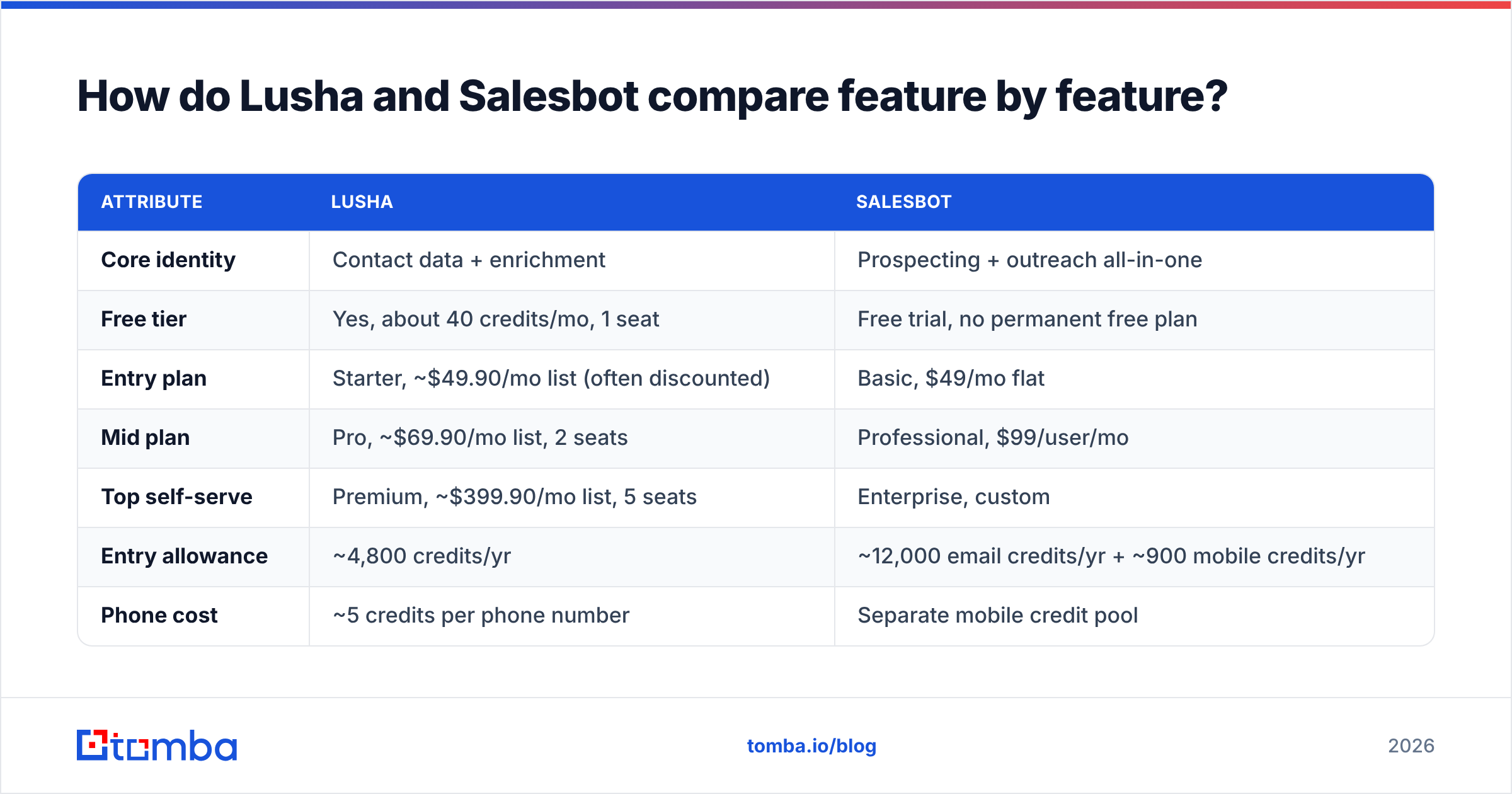
The table below shows the practical differences. Prices are list prices at the time of writing (October 2026). Both vendors run promotions, so check the live pricing pages before you buy.
| Attribute | Lusha | Salesbot |
|---|---|---|
| Core identity | Contact data + enrichment | Prospecting + outreach all-in-one |
| Free tier | Yes, about 40 credits/mo, 1 seat | Free trial, no permanent free plan |
| Entry plan | Starter, ~$49.90/mo list (often discounted) | Basic, $49/mo flat |
| Mid plan | Pro, ~$69.90/mo list, 2 seats | Professional, $99/user/mo |
| Top self-serve | Premium, ~$399.90/mo list, 5 seats | Enterprise, custom |
| Entry allowance | ~4,800 credits/yr | ~12,000 email credits/yr + ~900 mobile credits/yr |
| Phone cost | ~5 credits per phone number | Separate mobile credit pool |
| Database claim | Hundreds of millions of contacts | 695M+ leads |
| Chrome / LinkedIn extension | Yes, its flagship workflow | Web app first |
| Built-in email sending | No | Yes, unlimited sends + follow-ups |
| CRM integrations | Salesforce, HubSpot, others on most paid tiers | Enterprise tier |
| API | Higher tiers | Enterprise tier |
| Best for | AEs and SDRs enriching inside CRM/LinkedIn | Small teams and agencies running outbound end to end |
Two rows matter most here. The first is phone cost. With Lusha, every mobile number comes out of the same credit pool as emails at a multiple of the price, so phone-heavy prospecting uses up a Starter plan quickly. The second is built-in sending. Salesbot's Basic plan includes a sending engine, so you're paying for something Lusha users would buy separately.
How does Lusha's credit system actually work?#
Lusha uses one pool of credits. According to its pricing page and recent third-party breakdowns:
- 1 credit reveals a verified email
- About 5 credits reveal a phone number
- Revealing both can cost up to 6 credits per contact
- API calls, exports, and some AI or signal features can also use credits
Rollover depends on billing. On monthly plans, unused credits roll over up to roughly twice the monthly allotment. On annual plans, they reset at the end of the cycle.
Here's what that looks like in practice. A Starter plan with about 4,800 credits a year (roughly 400 a month) gets you:
- About 400 emails a month if you never reveal a phone, or
- About 66 contacts a month if you reveal email + phone for each one
If your motion is cold calling, the second number is the one that counts. For many SDR teams, that's the point where they move up to Pro or Premium.
How does Salesbot's pricing work in practice?#
Salesbot separates email and mobile allowances instead of using one shared credit:
- Basic ($49/mo): 1 user, unlimited sends, AI search, about 12,000 verified email credits a year (around 1,000/mo) and about 900 mobile credits a year (around 75/mo)
- Professional ($99/user/mo): 2+ users, 1,000-lead bulk export, 25+ advanced filters, team collaboration, CSV list matching and suppression, domain search and exclusion, automated outreach and follow-up
- Enterprise (custom): API access, CRM integrations, custom volumes
At the entry level, Salesbot gives you more raw email volume per dollar than Lusha, and that volume comes with a sending tool. The catch is the integration gap. If your source of truth is Salesforce or HubSpot and you need records synced automatically, you'll probably end up talking to Salesbot's sales team about Enterprise pricing.
Which tool has better data quality?#
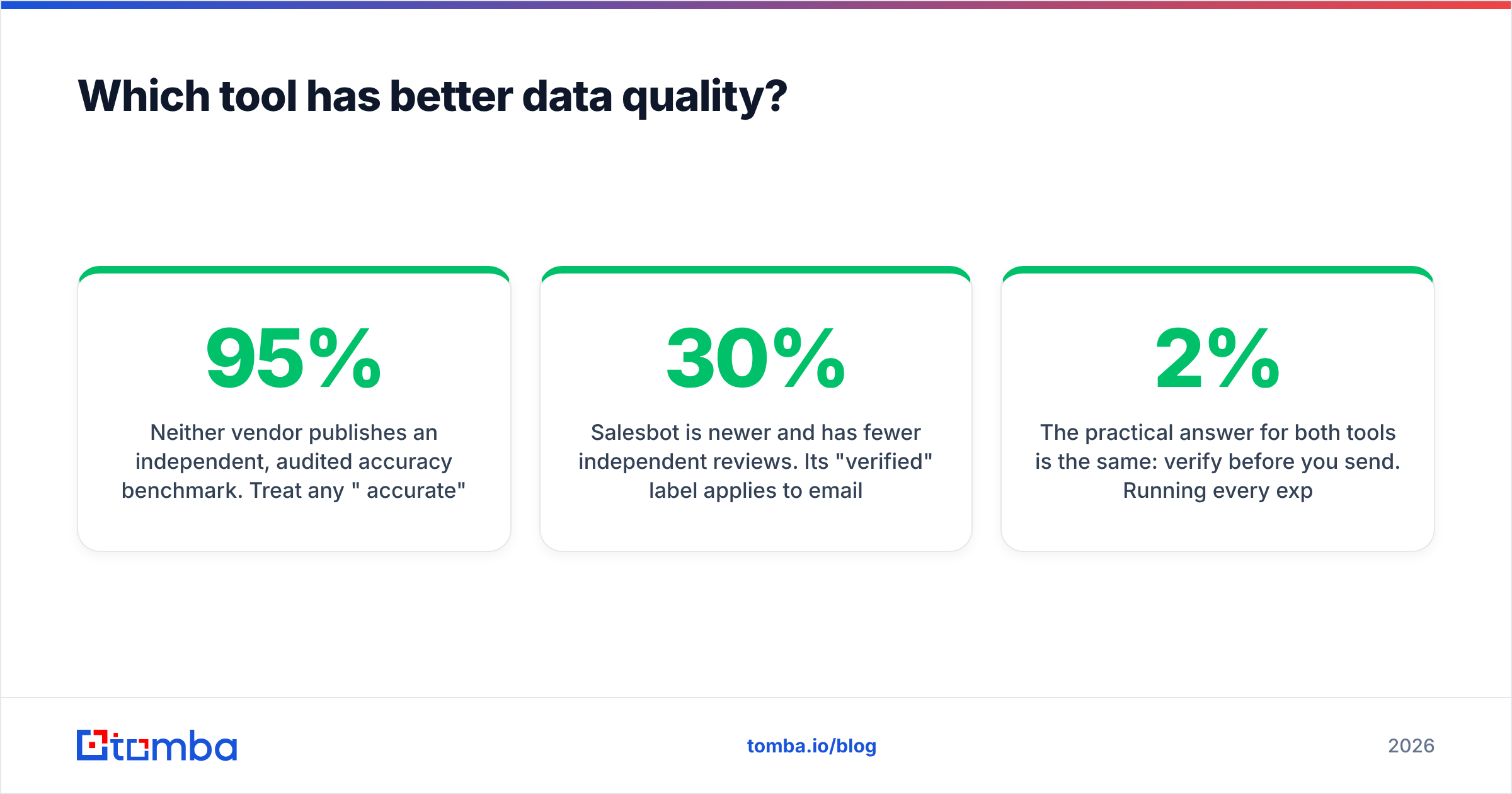
Neither vendor publishes an independent, audited accuracy benchmark. Treat any "95% accurate" claim, from either vendor, as marketing until you've tested it yourself. What you can say:
- Lusha has a long track record and a large review footprint, and users generally rate its phone numbers well, especially in North America. Email accuracy is good but not perfect, and catch-all domains are the usual source of errors.
- Salesbot is newer and has fewer independent reviews. Its "verified" label applies to emails at the time of verification. Like every database, it ages: people change jobs, and data decays by an estimated 20–30% a year across the B2B space.
The practical answer for both tools is the same: verify before you send. Running every exported list through an email verifier keeps your bounce rate under the roughly 2% that mailbox providers tolerate. It matters even more with Salesbot, because you're sending from inside the tool and a bad list hurts the same domain you're prospecting from.
To compare the two fairly, run a test:
- Pull the same 100 contacts from both tools (same titles, same accounts)
- Verify every email with the same third-party verifier
- Dial 20 phone numbers from each and record connects vs wrong numbers
- Compare cost per valid contact, not cost per credit
That fourth number tells you more than either vendor's database size.
Is Salesbot's built-in outreach good enough to replace a sequencer?#
It's good enough for a small team, but not for a mature sales org.
Salesbot's sending covers the basics: multi-step drip campaigns, follow-ups, and AI-personalized messaging. For a founder doing outbound or an agency running a few client campaigns, that may be all you need.
Where it falls short of dedicated engagement platforms:
- Deliverability tooling: mailbox rotation, warm-up, and inbox placement monitoring are what tools like Instantly or Smartlead are built around
- Multichannel steps: call tasks, LinkedIn steps, and manual tasks inside one sequence
- Reporting and coaching: rep-level analytics, A/B testing, and manager dashboards
- CRM write-back: automatic activity logging without Enterprise pricing
If you already pay for Outreach, Salesloft, or HubSpot Sales Hub, Salesbot's sending engine is redundant, and Lusha (or another data source) feeding your existing sequencer is the cleaner setup.
Lusha vs Salesbot: which should you choose?#
Base the decision on your workflow, not on database size.
Choose Lusha if:
- Your reps prospect on LinkedIn and want one-click reveals in the browser
- Phone numbers are central to your motion and you'll budget for them
- You need CRM enrichment on Salesforce or HubSpot without enterprise negotiations
- You already have a sequencer you're happy with
Choose Salesbot if:
- You're a solo founder, small SDR team, or agency without a sending tool yet
- You want one subscription covering list building and drip campaigns
- Email volume matters more than phone coverage
- You can live without native CRM sync, or you're prepared for Enterprise pricing
Consider neither (or a supplement) if:
- You mainly need accurate work emails for a known account list
- You want pay-as-you-go cost control rather than seat-based plans
- You need to verify catch-all domains before sending
Where does a dedicated email finder fit?#
Many teams evaluating Lusha vs Salesbot actually have a narrower problem: "I know the companies I want to reach. I need the right person's email, and I need it to not bounce."
For that job, a full prospecting suite is often more than you need. A dedicated email finder handles a few things differently:
- Domain-first search: enter a company domain and get every public professional email and the company's email pattern
- Name + domain lookup: get the most likely address for a specific person, with a confidence score
- Verification in the same flow: check deliverability, including catch-all handling, before export
- Spreadsheet and API access: run lookups from Google Sheets, a CSV upload, or code, without an enterprise contract
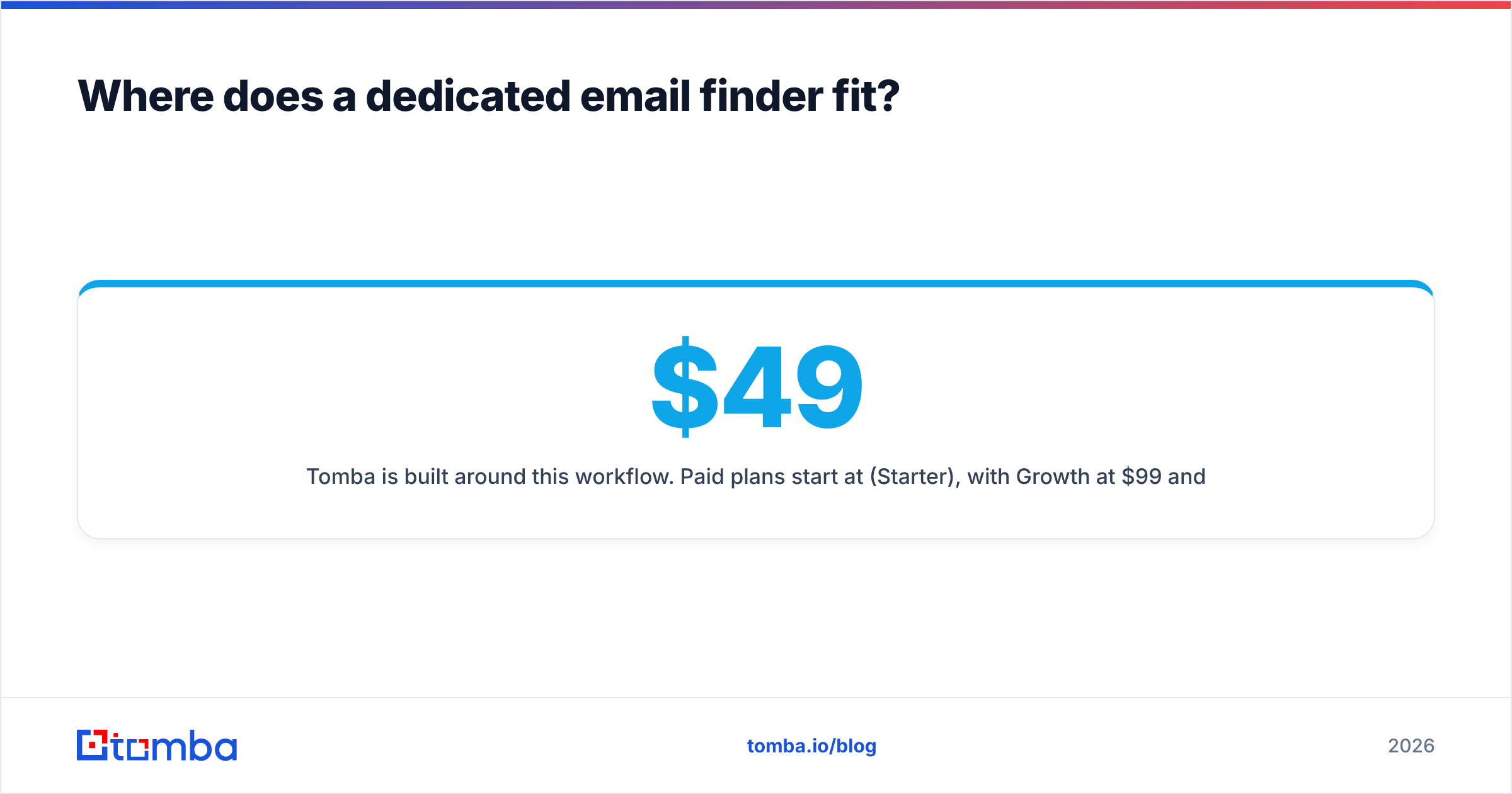
Tomba is built around this workflow. Paid plans start at $49/mo (Starter), with Growth at $99/mo and Pro at $249/mo, and a free tier of 25 searches a month for testing. Full allowances are on the Tomba pricing page. You can pair it with whatever sequencer you already use, or use it next to Lusha to fill email gaps and check exports before they hit your sending domain.
To be fair, Tomba isn't a dialer-focused phone database the way Lusha is, and it doesn't include a built-in campaign sender like Salesbot. If phones are your main channel, Lusha keeps an edge. If you want everything in one tab, Salesbot's bundle has real value.
What are the pros and cons of each?#
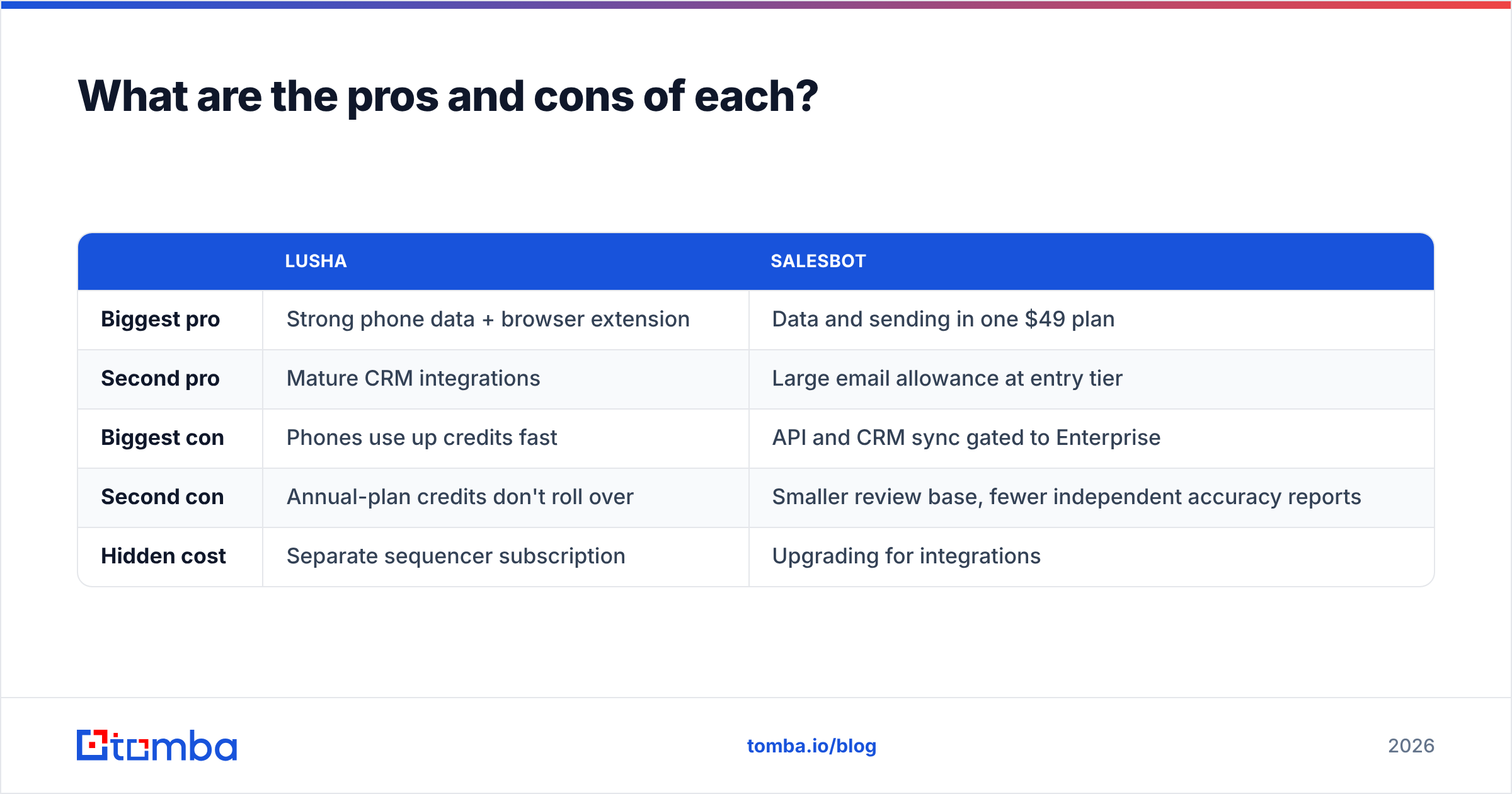
| Lusha | Salesbot | |
|---|---|---|
| Biggest pro | Strong phone data + browser extension | Data and sending in one $49 plan |
| Second pro | Mature CRM integrations | Large email allowance at entry tier |
| Biggest con | Phones use up credits fast | API and CRM sync gated to Enterprise |
| Second con | Annual-plan credits don't roll over | Smaller review base, fewer independent accuracy reports |
| Hidden cost | Separate sequencer subscription | Upgrading for integrations |
Frequently asked questions#
Is Lusha or Salesbot cheaper? At the entry tier, both are about $49/mo. Salesbot gives you more email credits plus a sending tool for that price. Lusha costs more per contact if you reveal phone numbers, because each phone uses about 5 credits.
Does Lusha send emails? No. Lusha provides contact data and enrichment. You send from your CRM or a sales engagement tool.
Can Salesbot sync to Salesforce or HubSpot? CRM integrations and API access are listed under Salesbot's Enterprise plan, so expect a custom quote.
Which has more accurate emails? Neither publishes an independent audit. Test both on the same 100 contacts and run every result through a verifier before you decide.
Do I still need an email verifier with these tools? Yes. Database records go stale as people change jobs, and catch-all domains accept every address at the SMTP level. Verifying right before sending is the cheapest protection for your domain reputation.
The bottom line#
Lusha and Salesbot aren't really competing for the same budget. Lusha is a data layer for teams that already have a sales stack. Salesbot is a compact outbound kit for teams that don't. Choose the one that matches how your reps work today, and test with your own ICP before you sign an annual plan.
If what you need is accurate professional emails at a predictable price, without paying for phone credits or a sending engine you won't use, try the Tomba Email Finder. Enter a domain or a name, get the address with a confidence score, verify it in the same step, and send it to the sequencer you already use. The free tier gives you 25 searches a month, which is enough to compare it against Lusha or Salesbot on your own accounts.
Related guides#
// get started
Find, verify and enrich your first contacts today
Start on the free plan with 25 searches a month, then scale when your team is ready.
Free plan · No credit card required · GDPR & CCPA
// about the author