Lusha vs Zintlr (2026): Which Contact Data Tool Should You Pick?
Lusha has the global coverage and the integrations. Zintlr is built for India-first prospecting and adds personality insights. Here's how to pick between them, and when to skip both.
- Lusha is the stronger pick for teams selling into North America and Europe. It has mature CRM integrations, a well-known Chrome extension and solid compliance paperwork.
- Zintlr is the stronger pick for teams prospecting in India. It has deeper Indian company and contact data, plus personality insights that help you shape your pitch before a call.
- Both list a paid starting price of around $49–$70 per user per month. Phone reveals cost more credits than email reveals on both, so your real cost depends on how often you dial.
- Neither tool is built mainly for email-first outbound at volume. If you mostly need verified work emails by domain, a dedicated email finder is usually cheaper per contact.
- Our pick: start from where your buyers sit. Use Lusha for global or US-heavy pipelines and Zintlr for India-heavy pipelines. Add a separate verifier either way.
What are Lusha and Zintlr, and why compare them?#
Both tools do the same basic job. They look up a person's work email, direct phone number and company details so your reps can contact them. That's where the overlap stops.
Lusha was founded in 2016 and became one of the best-known contact data tools for SMB and mid-market sales teams. Its main strengths are a browser extension that works on LinkedIn and company websites, a prospecting database you can filter by role, industry and technology, and native connectors to the major CRMs. It sells mostly to teams in the US and Europe, and its data coverage reflects that.
Zintlr is newer and comes from India. It markets itself as a sales intelligence platform with two differentiators: deeper coverage of Indian companies and professionals, and "personality intelligence," meaning behavioral profiles that suggest how a prospect likes to be approached. It also adds Indian company data (registry-style firmographics) that global tools often lack.
People search "Lusha vs Zintlr" because they've shortlisted both, usually because their pipeline includes Indian accounts and Lusha's results there have been thin. That's the frame this comparison uses.
How do Lusha and Zintlr compare feature by feature?#
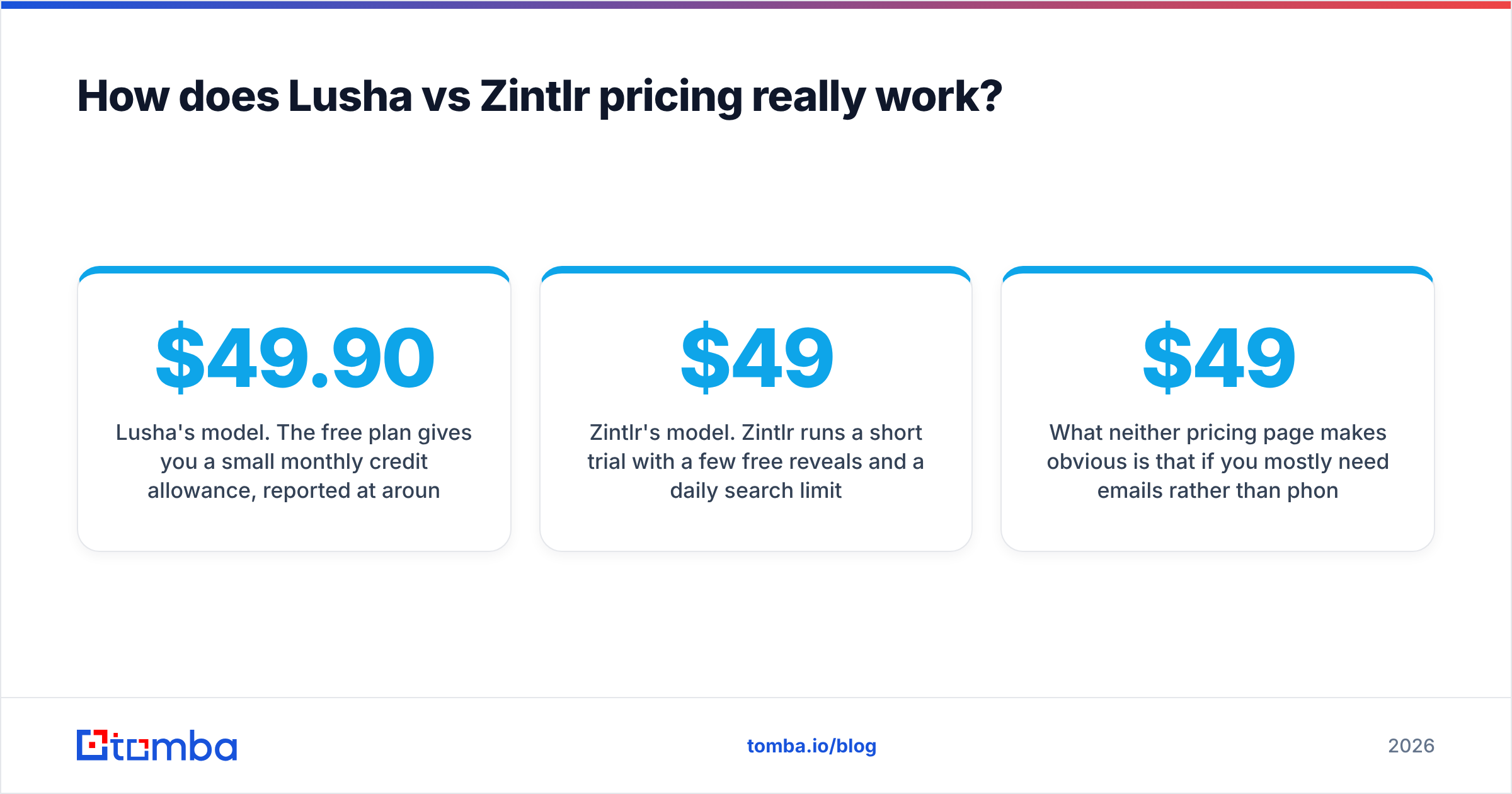
Here's the side-by-side summary. Pricing changes often in this category and third-party sources disagree, so treat these figures as approximate. Confirm current numbers on each vendor's pricing page before you buy.
| Attribute | Lusha | Zintlr |
|---|---|---|
| Headquarters / origin | Israel / US (global focus) | India (India-first focus) |
| Free tier | Free plan, ~40 credits/month | 14-day trial with a small number of reveals |
| Paid entry price | ~$49.90–$69.90/user/mo (Pro, varies by billing) | From ~$49/mo (per Capterra listing) |
| Top self-serve tier | Premium, ~$399.90/mo for a small team | Professional / team plans; custom for larger orgs |
| Credit cost: email | 1 credit | Credit-based reveal |
| Credit cost: phone | Higher (reported as 5–10 credits) | Credit-based reveal, higher for phones |
| Strongest regions | North America, UK, Western Europe | India, with growing APAC and global data |
| Personality / behavioral insights | No | Yes (core differentiator) |
| Indian company data | Limited | Deep (firmographics, registry-style details) |
| Chrome extension | Yes, mature | Yes |
| CRM integrations | Salesforce, HubSpot, Pipedrive, Zoho, Outreach, more | Fewer native integrations; CSV export and selected CRMs |
| Compliance posture | GDPR/CCPA programs, ISO 27001 and SOC 2 claims | India-focused; check DPDP Act and GDPR terms directly |
| Best fit | Global SMB/mid-market sales teams | India-focused or India-heavy sales teams |
The table points to one conclusion: the regional mix of your target accounts matters more than any single feature. A tool with excellent US data will give you thin results in Bengaluru, and the reverse is also true.
Which tool has better data coverage and accuracy?#
Data quality is regional. Neither vendor publishes independently audited accuracy numbers by country, so be careful with any blanket claim like "95% accurate."
Where Lusha is strong: US and Western European tech, SaaS, professional services and mid-market companies. Lusha has run its contributory network and enrichment pipeline at scale for years. Mobile numbers for US decision-makers are where it usually beats lower-cost competitors, and they're what most reps actually pay for.
Where Zintlr is strong: Indian startups, mid-size Indian enterprises, and sectors like BFSI, manufacturing and IT services where Indian decision-makers rarely list current contact details. Zintlr's Indian company data also helps when you need legal entity names, incorporation details or financial context before you start outreach.
How to test before you commit:
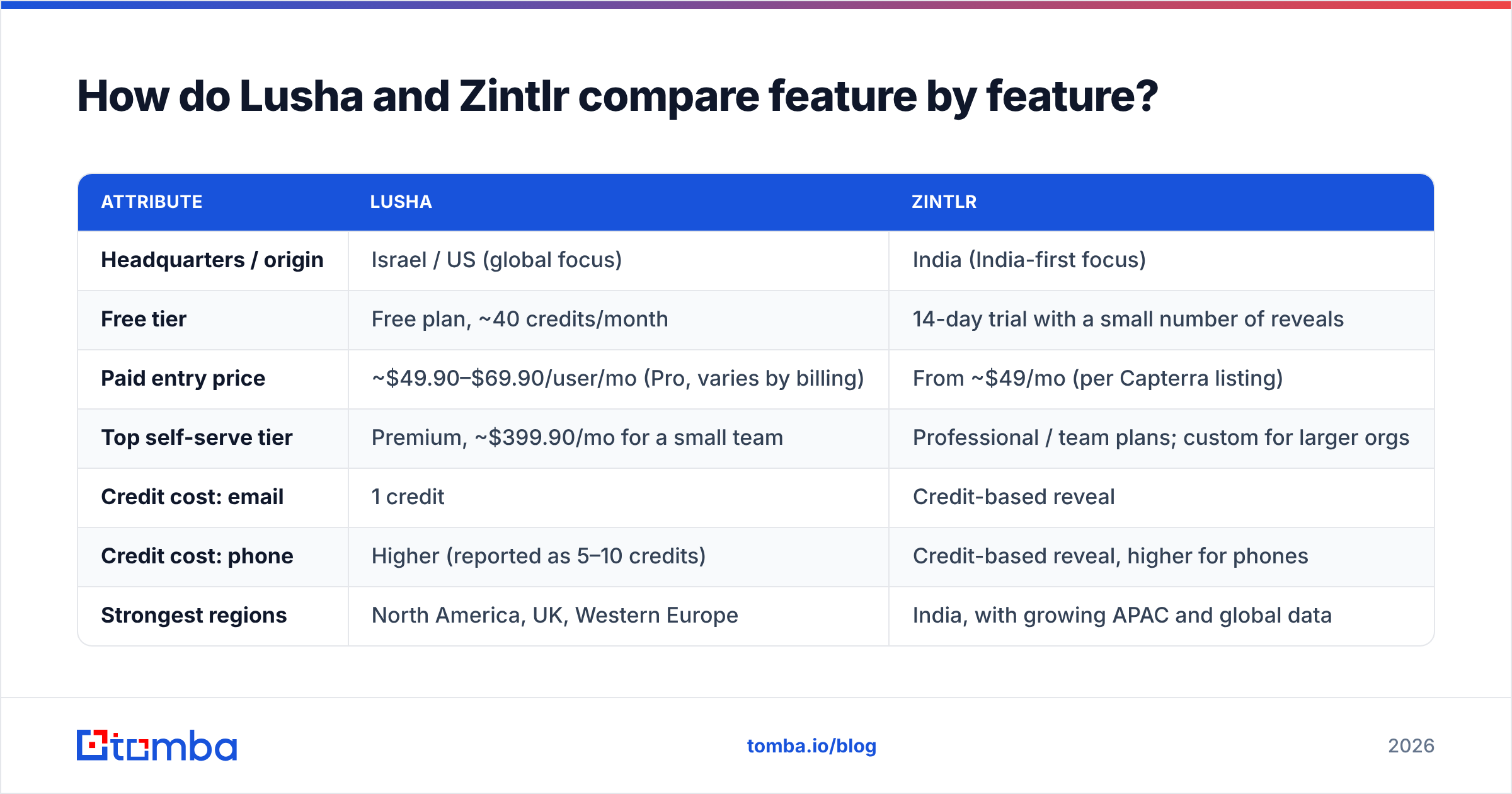
- Build a 100-contact test list that matches your real ICP, split by region in the same proportions as your pipeline.
- Run the same list through both tools during the free plan or trial.
- Verify every returned email with an independent email verifier instead of trusting the vendor's "verified" badge.
- Dial 20 phone numbers from each and record connects, wrong numbers and switchboards.
- Calculate cost per usable contact, not cost per credit. A cheap credit that returns a dead number is the expensive option.
This takes about two hours and tells you more than any review site. If you sell across regions, you'll often find that each tool clearly wins in its home market.

How does Lusha vs Zintlr pricing really work?#
Both tools use credits, and in both cases the headline price hides the number you actually care about.
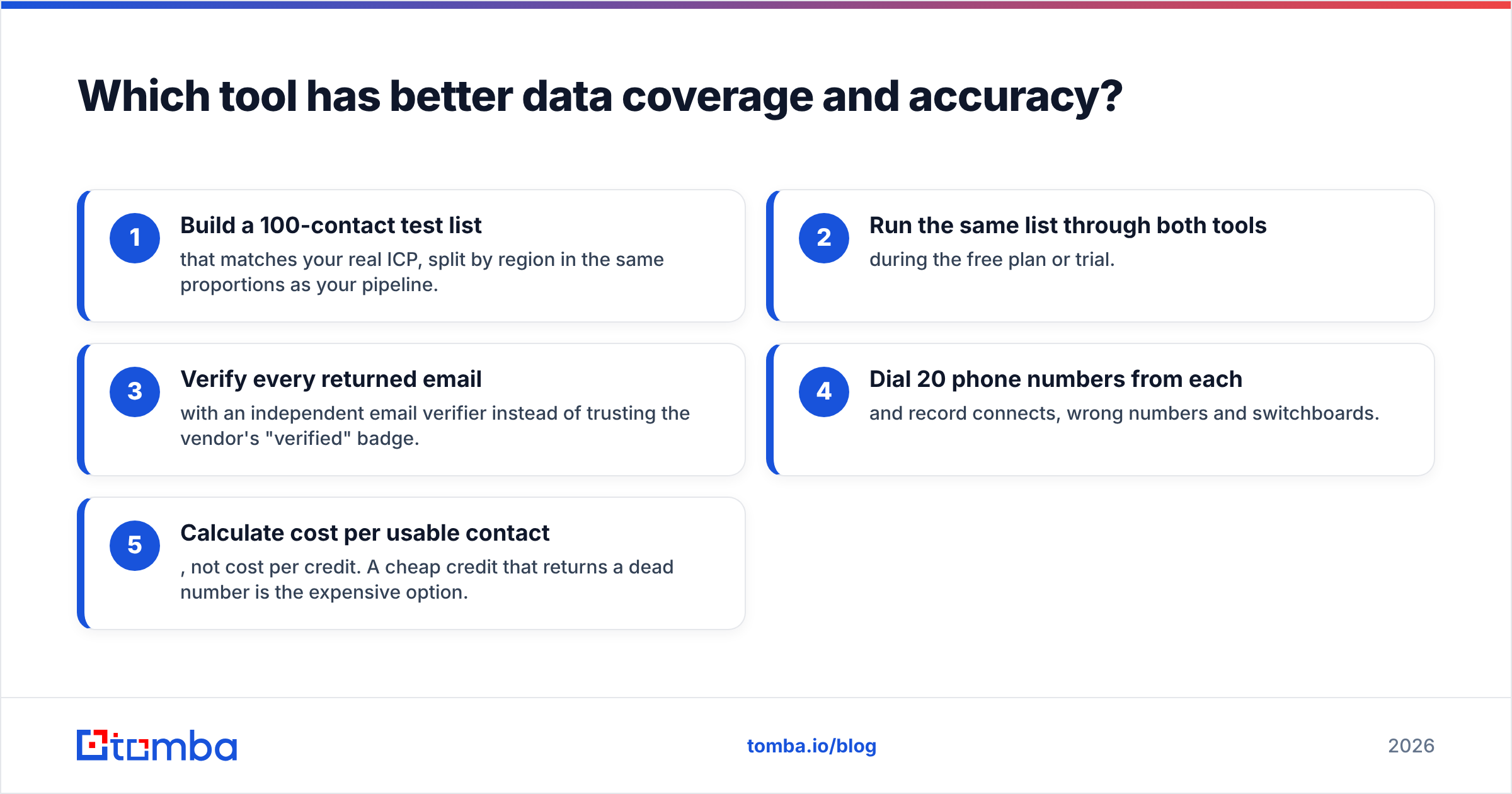
Lusha's model. The free plan gives you a small monthly credit allowance, reported at around 40 credits. That's enough to test the extension, not enough to prospect. Paid tiers (Pro, Premium, Scale) are billed per user. Third-party trackers in 2026 list Pro at roughly $49.90–$69.90 per user per month depending on monthly or annual billing, and Premium at about $399.90 per month for a small team. The important detail is that phone reveals cost several credits each (sources report 5 or 10), while emails cost one. If your team is phone-heavy, your effective allowance shrinks fast.
Zintlr's model. Zintlr runs a short trial with a few free reveals and a daily search limit, then moves to paid plans that start around $49 per month, according to its Capterra listing. Higher tiers unlock more reveals, personality insights and the Indian data suite. Enterprise pricing is custom. Zintlr has also run limited-time lifetime deals in the past, which are worth watching for if you're a small team.
Rule of thumb: for a five-rep team that makes a lot of calls, Lusha usually costs more per month in absolute terms, but its US mobile coverage may justify it. For a team whose pipeline is mostly in India, Zintlr's lower entry price combined with better local hit rates usually gives a lower cost per usable contact.
What neither pricing page makes obvious is that if you mostly need emails rather than phones, paying phone-tier prices is wasteful. Email-first tools often charge a fraction of the cost per contact. Compare Tomba pricing, which starts with a free tier of 25 searches per month and moves to Starter at $49/mo, Growth at $99/mo and Pro at $249/mo, with credits that cover email lookups rather than bundled phone data you may not use.
Is Zintlr's personality intelligence actually useful?#
Personality intelligence is Zintlr's most distinctive feature. It's also the one buyers should be most skeptical about, in both directions.
What it does. Zintlr builds a behavioral profile for a prospect, in the style of DISC-type frameworks, and translates it into practical guidance. For example: "be direct and lead with numbers," or "build rapport before you pitch." The profile appears next to the contact record, so a rep can read it before a call.
Where it helps:
- First calls with senior buyers. Changing your opening for a data-driven CFO compared with a relationship-driven founder is a real, if small, edge.
- Junior SDR coaching. It gives new reps a structured prompt to think about the person, not just the title.
- Account-based plays where you have a handful of high-value contacts and time to personalize.
Where it doesn't:
- High-volume outbound. At 200 emails a day, nobody reads a personality profile per prospect.
- Accuracy. These profiles are inferred from public signals. Treat them as a hypothesis, not a diagnosis.
Lusha doesn't offer this. It focuses on the contact data itself and on intent and job-change signals. If personality-led selling fits your motion, that alone can decide it for Zintlr.
Which integrates better with your sales stack?#
Lusha wins clearly here. It has native integrations with Salesforce, HubSpot, Pipedrive, Zoho, Outreach, Salesloft and others. It also supports enrichment within the CRM and an API for custom workflows. For a RevOps team that wants contacts to flow into the CRM with field mapping, deduplication and ownership rules, Lusha needs less setup.
Zintlr covers the basics: a Chrome extension for LinkedIn and websites, list building in the web app, CSV export and a growing set of CRM connections. That's enough for an India-focused team working out of spreadsheets or a lighter CRM. It's less suited to a complex Salesforce org with strict data-governance rules.
A practical middle path many teams use: keep your system of record clean by running every contact, whatever the source, through a verification step and an enrichment layer before it enters the CRM. That way the data tool becomes a replaceable input instead of a dependency.
How do they handle compliance and data privacy?#
This matters more than most buyers expect, especially if you sell into the EU.
Lusha has invested heavily in compliance positioning. It publishes GDPR and CCPA programs, offers opt-out handling, and advertises security certifications such as ISO 27001 and SOC 2. For a procurement team in a regulated industry, this paperwork shortens the security review.
Zintlr operates mainly under Indian data regulation, including the Digital Personal Data Protection (DPDP) Act. If you plan to use it to prospect EU residents, ask directly for its GDPR basis, its data sources and its opt-out process. Don't assume the answer either way. Ask.
Whichever you choose, your own outbound program is still responsible for lawful basis, opt-outs and suppression lists. A vendor's compliance certificate doesn't transfer that responsibility to them.
When should you choose Lusha over Zintlr?#
Choose Lusha if most of these apply:
- Your pipeline is mostly North America or Western Europe. That's where its database is deepest.
- Your reps live on the phone. Its mobile coverage for US decision-makers is the core value.
- You run Salesforce or HubSpot with strict data hygiene. Native integrations save RevOps hours every week.
- Procurement will ask for security certifications. Lusha already has the paperwork.
- You want one tool for prospecting, enrichment and intent signals without stitching vendors together.
When should you choose Zintlr over Lusha?#
Choose Zintlr if most of these apply:
- India is your primary or fastest-growing market. Local coverage is the whole game here.
- You need Indian company context, such as entity details and financials, alongside contacts.
- Your motion is consultative or account-based, where personality insights shape the first conversation.
- Budget is tight and you're a small team that can live without deep CRM automation.
- You sell to sectors where Indian decision-makers are hard to reach through global databases.

Should you use both, or neither?#
Some teams with global pipelines run both: Lusha for US and EU accounts, Zintlr for India. That works, but you're paying two per-seat bills and managing two sets of credits, so it only makes sense when both regions bring real revenue.
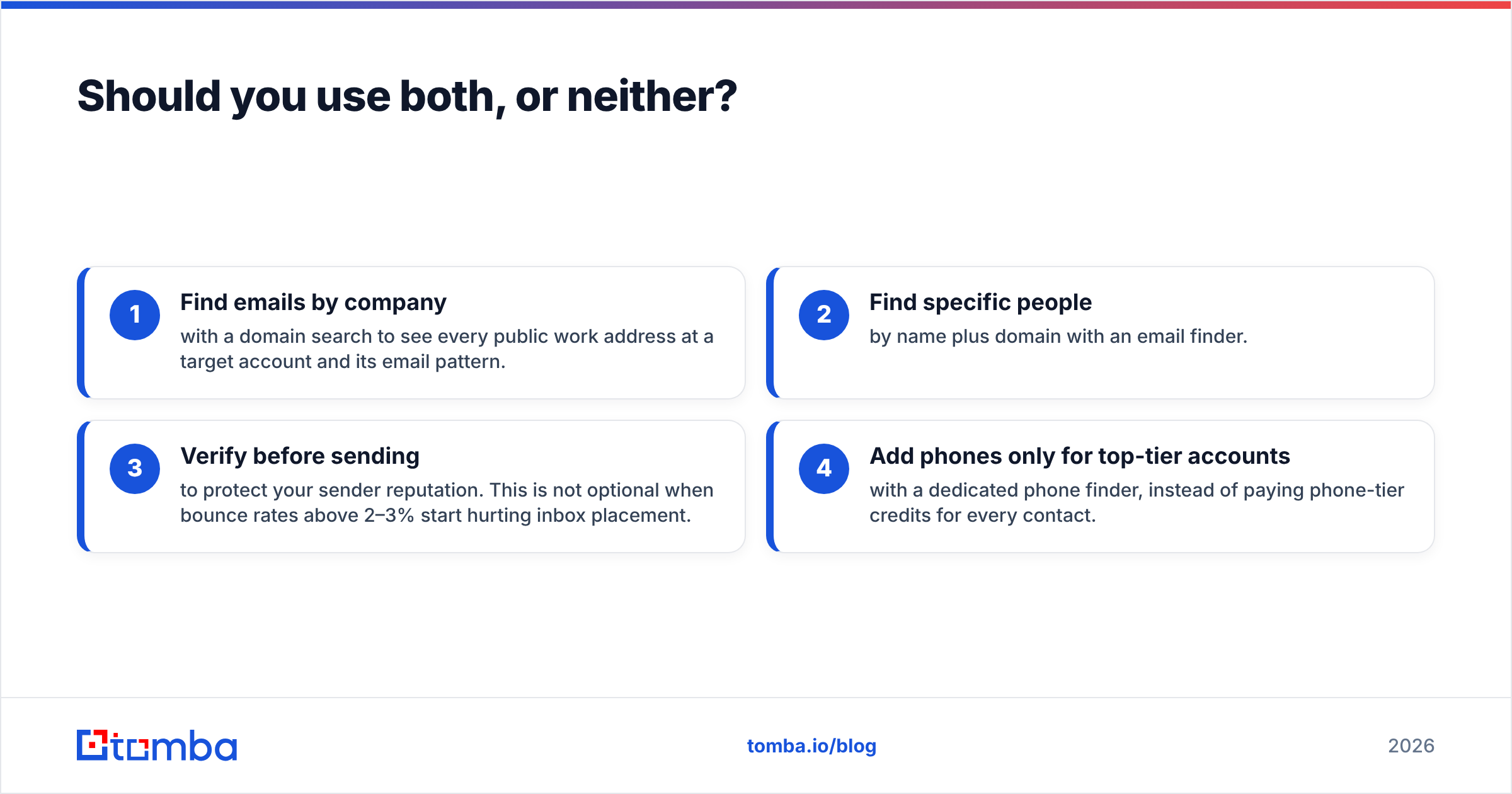
There's also a third option most comparisons skip. Many teams buy Lusha or Zintlr for phones and then use most of their credits on emails. If your outbound is mainly email, an email-first stack is usually leaner:
- Find emails by company with a domain search to see every public work address at a target account and its email pattern.
- Find specific people by name plus domain with an email finder.
- Verify before sending to protect your sender reputation. This is not optional when bounce rates above 2–3% start hurting inbox placement.
- Add phones only for top-tier accounts with a dedicated phone finder, instead of paying phone-tier credits for every contact.
This approach doesn't replace Lusha's US mobile data or Zintlr's Indian firmographics. What it does is keep your highest-volume activity, email outreach, on the cheapest reliable input.
For broader context on how buyers rate both platforms, user reviews on G2 are useful. Filter reviews by company size and region so the feedback matches your situation.
What's the final verdict on Lusha vs Zintlr?#
There's no universal winner, and any comparison that names one without asking where your buyers are is guessing.
- Global or US-heavy pipeline, phone-led, mature CRM: Lusha.
- India-heavy pipeline, consultative selling, cost-conscious: Zintlr.
- Email-led outbound at volume, any region: neither should be your main email source. Pair a dedicated email finder and verifier with phone data only where it pays off.
Run the 100-contact test, measure cost per usable contact, and let the numbers decide.
If your team spends most of its credits on work emails rather than phone numbers, start with the Tomba Email Finder. Look up professional addresses by name, domain or company, check each result before it reaches your sequencer, and start on the free tier before moving to plans from $49/mo. Use it on its own or alongside Lusha or Zintlr, so you only pay premium credits for the contacts that need a phone call.
Related guides#
// start free
See who Tomba finds at any company
Type a company's domain to see its people, their roles and verified work emails, each with the pages it was found on. Free account, no card.
Free plan · No credit card required · GDPR & CCPA
// about the author