Mailcheck vs OneMoreLead: Verifier or Lead Database in 2026?
Mailcheck cleans the list you already have. OneMoreLead sells you a new one. Here's how to tell which problem you actually have before you spend $10 or $399 a month.
TL;DR
- Mailcheck and OneMoreLead aren't really rivals. Mailcheck is an email verifier: it cleans addresses you already have. OneMoreLead is a B2B lead database: it sells you contacts you don't have yet.
- Mailcheck is cheap to try. Paid plans start around $10/month for 1,000 checks, and there's a small free allowance. Its stand-out feature is social-profile cross-checking, on top of the usual SMTP checks.
- OneMoreLead costs more and gives you less to go on. Published tiers run $99, $199 and $399/month for 250 to 2,000 credits, with a 14-day trial and almost no independent reviews.
- Pick based on your bottleneck. If your list bounces, use Mailcheck. If you have no list, OneMoreLead (or a broader tool) is the answer.
- If you need both finding and verifying, a single email finder with built-in verification usually costs less than paying for two tools.
What is the real difference between Mailcheck and OneMoreLead?#
People compare these two because both show up in "B2B email tools" lists, but they work at opposite ends of the outbound pipeline.
Mailcheck is a hygiene tool. You upload a CSV or call its API, and it tells you which addresses are valid, invalid, risky or catch-all. It doesn't find new people. If you give it 5,000 rows, you get back 5,000 rows with a status on each.
OneMoreLead is a sourcing tool. You filter a database by job title, industry, company size and location, then spend credits to export contacts. It doesn't clean your existing CRM. It adds new rows to it.
One way to picture it: Mailcheck is the mechanic who tells you whether your car is safe to drive. OneMoreLead is the dealership that sells you a car. You might need both, but you'd never compare them on the same scorecard.
The confusion comes from the fact that both affect bounce rate. A dirty list bounces, and so does a database export with stale records. That's the only real overlap.
How do Mailcheck and OneMoreLead compare side by side?#
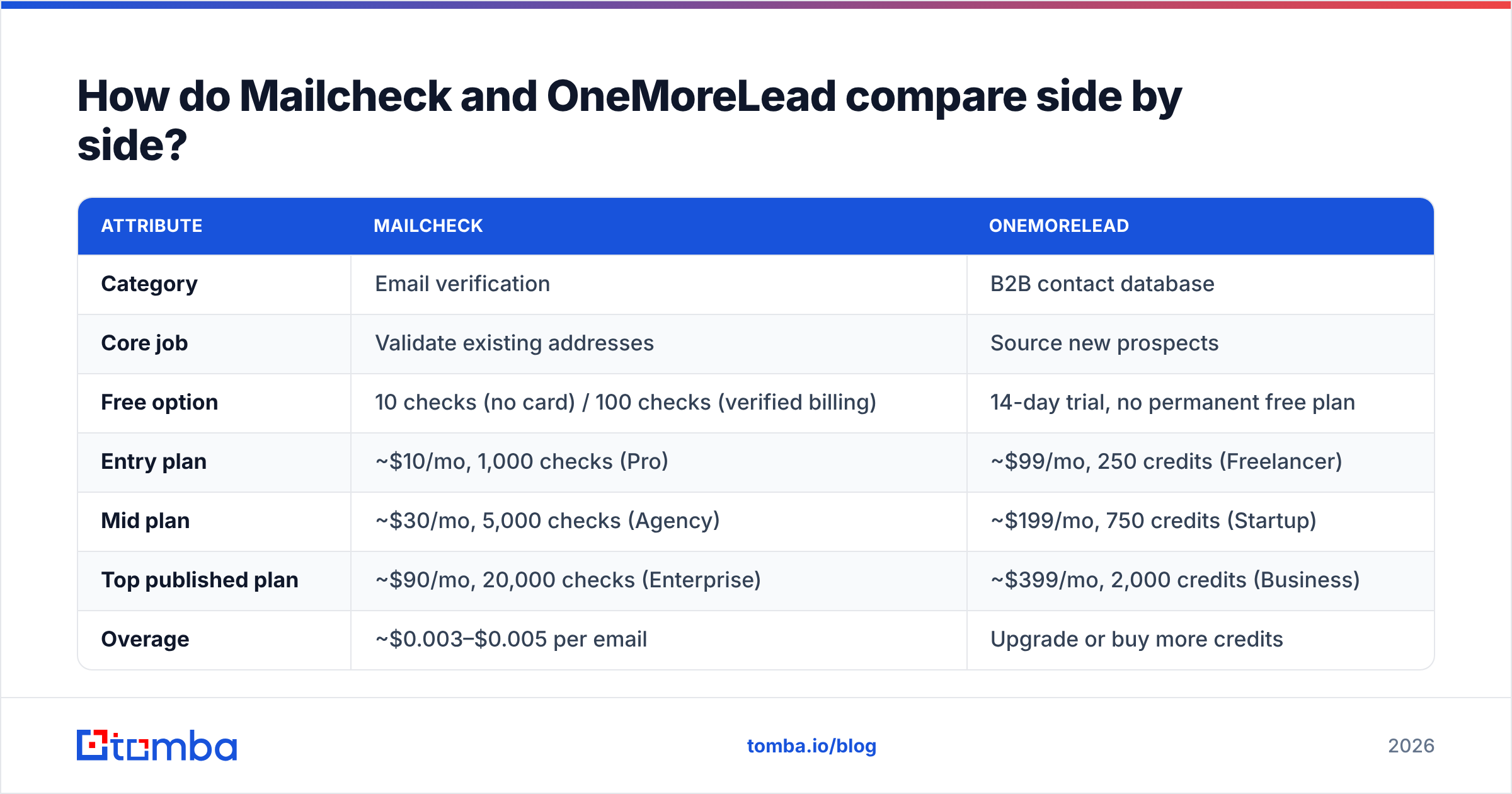
Pricing below comes from the vendors' published plans and third-party listings at the time of writing. Both companies change tiers without much notice, so check the official pages before you buy.
| Attribute | Mailcheck | OneMoreLead |
|---|---|---|
| Category | Email verification | B2B contact database |
| Core job | Validate existing addresses | Source new prospects |
| Free option | 10 checks (no card) / 100 checks (verified billing) | 14-day trial, no permanent free plan |
| Entry plan | ~$10/mo, 1,000 checks (Pro) | ~$99/mo, 250 credits (Freelancer) |
| Mid plan | ~$30/mo, 5,000 checks (Agency) | ~$199/mo, 750 credits (Startup) |
| Top published plan | ~$90/mo, 20,000 checks (Enterprise) | ~$399/mo, 2,000 credits (Business) |
| Overage | ~$0.003–$0.005 per email | Upgrade or buy more credits |
| Unique angle | Social-network cross-referencing | Pre-verified contacts with filters |
| API | Yes, real-time validation | Limited public documentation |
| Independent reviews | Sparse | Sparse (G2 lists too few to score) |
| Best for | Cleaning lists before a send | Building a first prospect list |
The per-unit gap is large. On Mailcheck's Enterprise tier a verification costs about half a cent. On OneMoreLead's Freelancer tier a contact costs roughly 40 cents. But that isn't an unfair markup, because you're buying different things: a verdict on data you already hold versus the data itself.

How does Mailcheck work?#
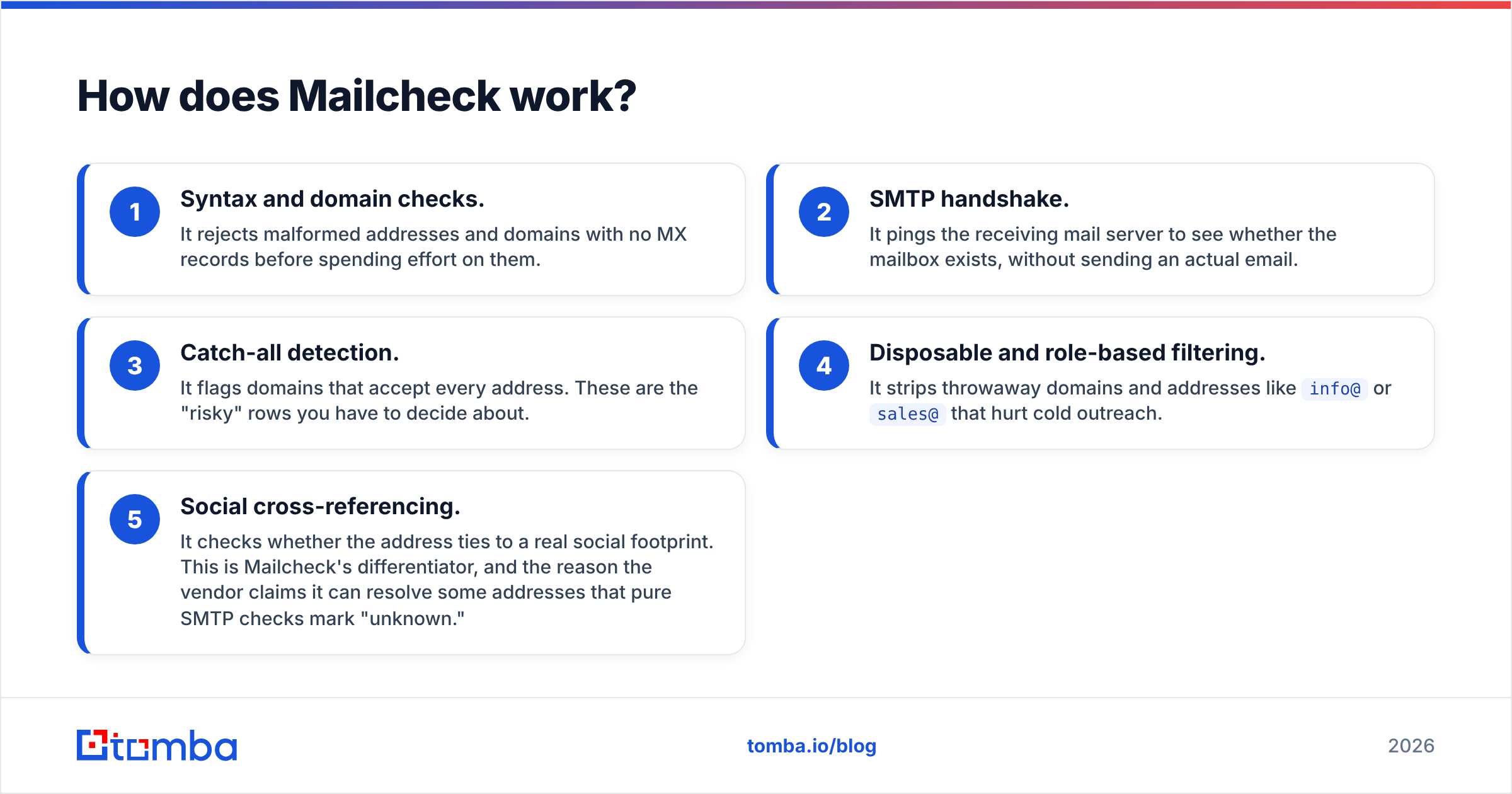
Mailcheck runs the standard verification checks, then adds one of its own.
- Syntax and domain checks. It rejects malformed addresses and domains with no MX records before spending effort on them.
- SMTP handshake. It pings the receiving mail server to see whether the mailbox exists, without sending an actual email.
- Catch-all detection. It flags domains that accept every address. These are the "risky" rows you have to decide about.
- Disposable and role-based filtering. It strips throwaway domains and addresses like
info@orsales@that hurt cold outreach. - Social cross-referencing. It checks whether the address ties to a real social footprint. This is Mailcheck's differentiator, and the reason the vendor claims it can resolve some addresses that pure SMTP checks mark "unknown."
Step 5 is what makes Mailcheck worth a look. A catch-all domain answers "yes" to every SMTP probe, so most verifiers give up and return "risky." A social signal adds a second source of evidence. It doesn't guarantee delivery, but it gives you a reason to keep or drop a row rather than guessing.
On the downside, documentation is thin, there are few public benchmarks, and integrations are limited compared with the big verifiers. Treat the vendor's speed claims (one listing quotes up to 1M addresses in about 15 minutes) as marketing until you've timed a real batch yourself.
How does OneMoreLead work?#
OneMoreLead works like most contact databases. You build a search with filters (title, seniority, industry, headcount, geography), preview the results, and spend credits to unlock email addresses and export them to CSV or your CRM.
Its pitch is that contacts are verified before you get them, so the export should be ready to send. The company has cited database sizes of "55M+" and "over 40 million" in different places. That inconsistency doesn't prove anything is wrong, but it's worth noticing.
Three things to weigh before committing:
- Credit math. 250 credits for $99 works for a solo founder testing one segment. An SDR running daily sequences will burn through it in a week or two.
- Review vacuum. There are almost no independent user reviews. G2 doesn't have enough to produce a score, and several roundups say outright they couldn't find any. That doesn't mean the product is bad. It does mean you're relying on your own trial results.
- Security history. Security researchers reported an exposed database linked to the company in 2021. Ask how data is stored and sourced now, especially if you sell into the EU.
The 14-day no-card trial is the right way to judge it. Pull 50 contacts in your exact ICP, run them through an independent verifier, and count how many hold up.
Which one has better accuracy?#
You can't compare them on one accuracy number, because they're measuring different things.
For Mailcheck, accuracy means: when it says "valid," does the email deliver? Like every SMTP-based verifier, it's reliable on clean corporate domains and weaker on catch-all domains. The social layer is meant to help with exactly that weakness.
For OneMoreLead, accuracy means: is this person still at this company, in this role, at this address? That depends on data freshness, not verification logic. B2B data decays fast because people change jobs, companies rebrand and domains change. A contact verified six months ago can bounce today.
That's why many teams run database exports through a separate verifier before sending. In practice, someone using OneMoreLead might also end up paying for Mailcheck.
If you want to understand how list quality affects inbox placement, the email deliverability and sender reputation glossary entries explain why even a 3–5% bounce rate can push a new domain into spam.
Is Mailcheck better than OneMoreLead?#
It's better for verification. It isn't better overall, because they don't compete on the same job. Match the tool to your situation:
Choose Mailcheck if:
- You already have a CRM full of contacts from events, inbound or past campaigns
- Your bounce rate is creeping above 2%
- You're on a tight budget and want to start for about $10
- Your list has a lot of catch-all domains and you want an extra signal on them
Choose OneMoreLead if:
- You're starting outbound from zero and have no list
- Your ICP is narrow enough that 250–750 contacts a month is enough
- You're willing to test it yourself during the trial instead of relying on reviews
Choose neither, and use one tool for both jobs, if:
- You find prospects by company domain or name (not just by filtered database search)
- You don't want to pay twice, once to buy contacts and again to verify them
- You need an API, browser extension or spreadsheet add-on in the same account
What does it cost to run both?#
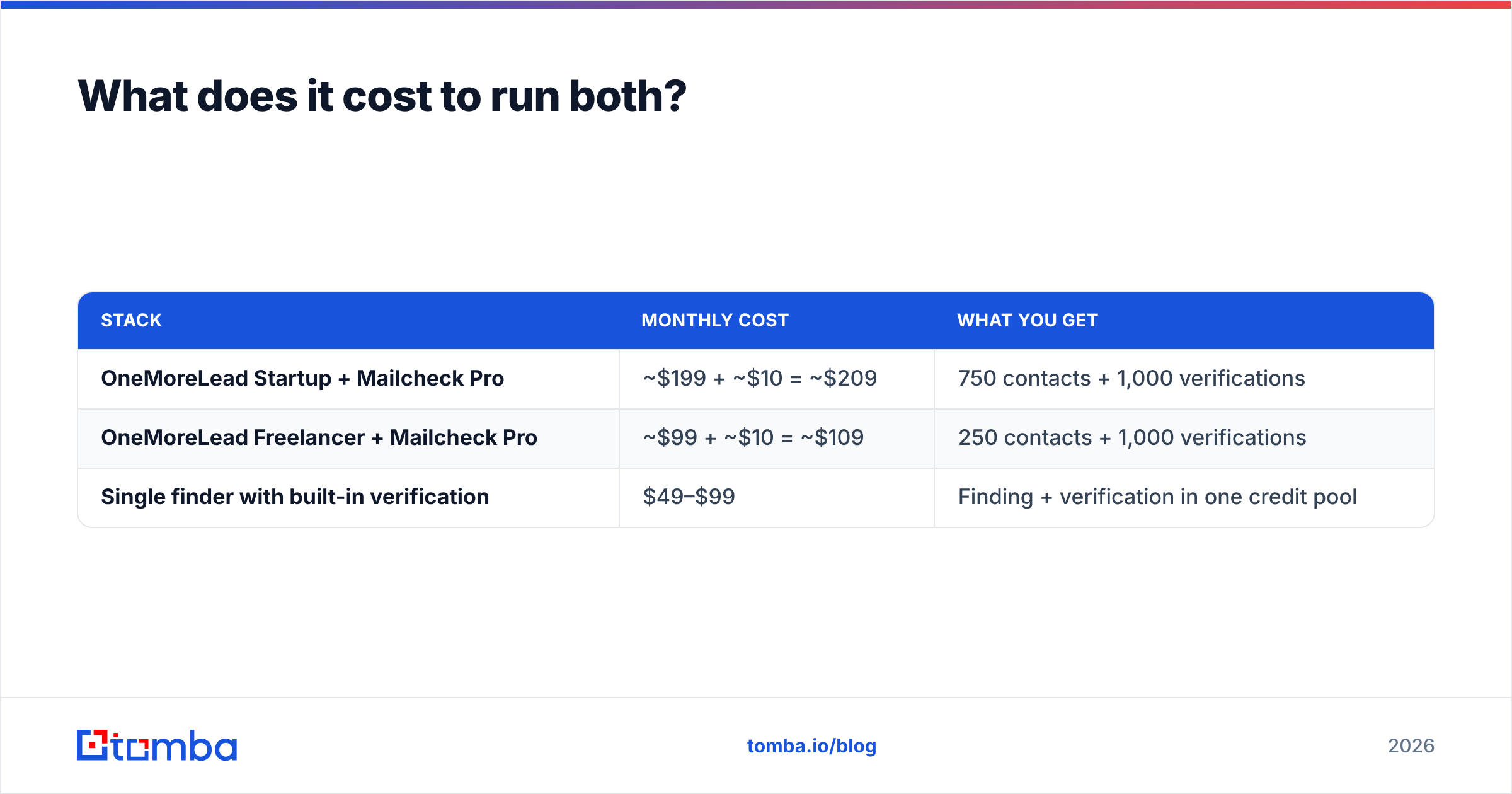
Many outbound stacks end up here: source with one tool, verify with another. Here's what a small team running about 750 new contacts a month would pay.
| Stack | Monthly cost | What you get |
|---|---|---|
| OneMoreLead Startup + Mailcheck Pro | ~$199 + ~$10 = ~$209 | 750 contacts + 1,000 verifications |
| OneMoreLead Freelancer + Mailcheck Pro | ~$99 + ~$10 = ~$109 | 250 contacts + 1,000 verifications |
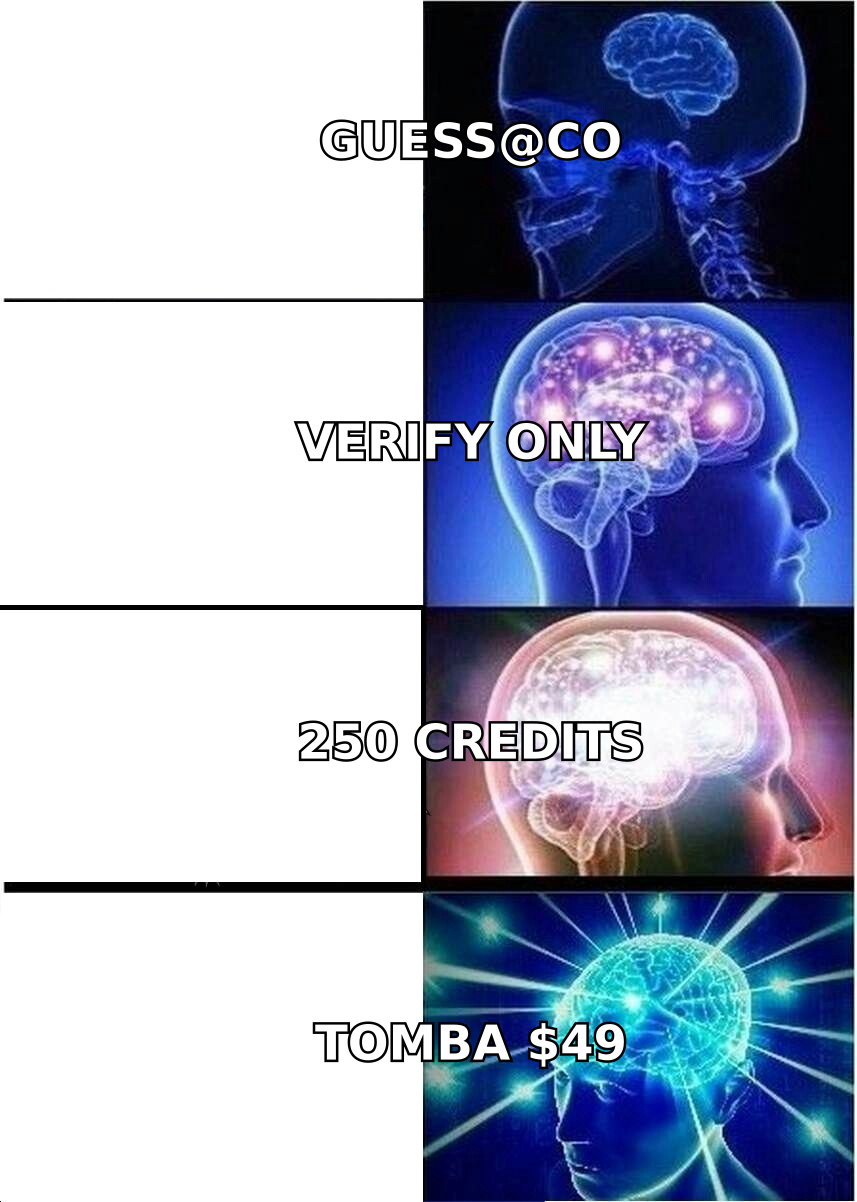
| Single finder with built-in verification | $49–$99 | Finding + verification in one credit pool |
The two-tool setup isn't wrong, and some teams prefer to keep the data vendor and the verifier separate so one checks the other. But at small volumes, the extra subscription, extra CSV round-trips and extra login add up.
How do you test either tool before paying?#
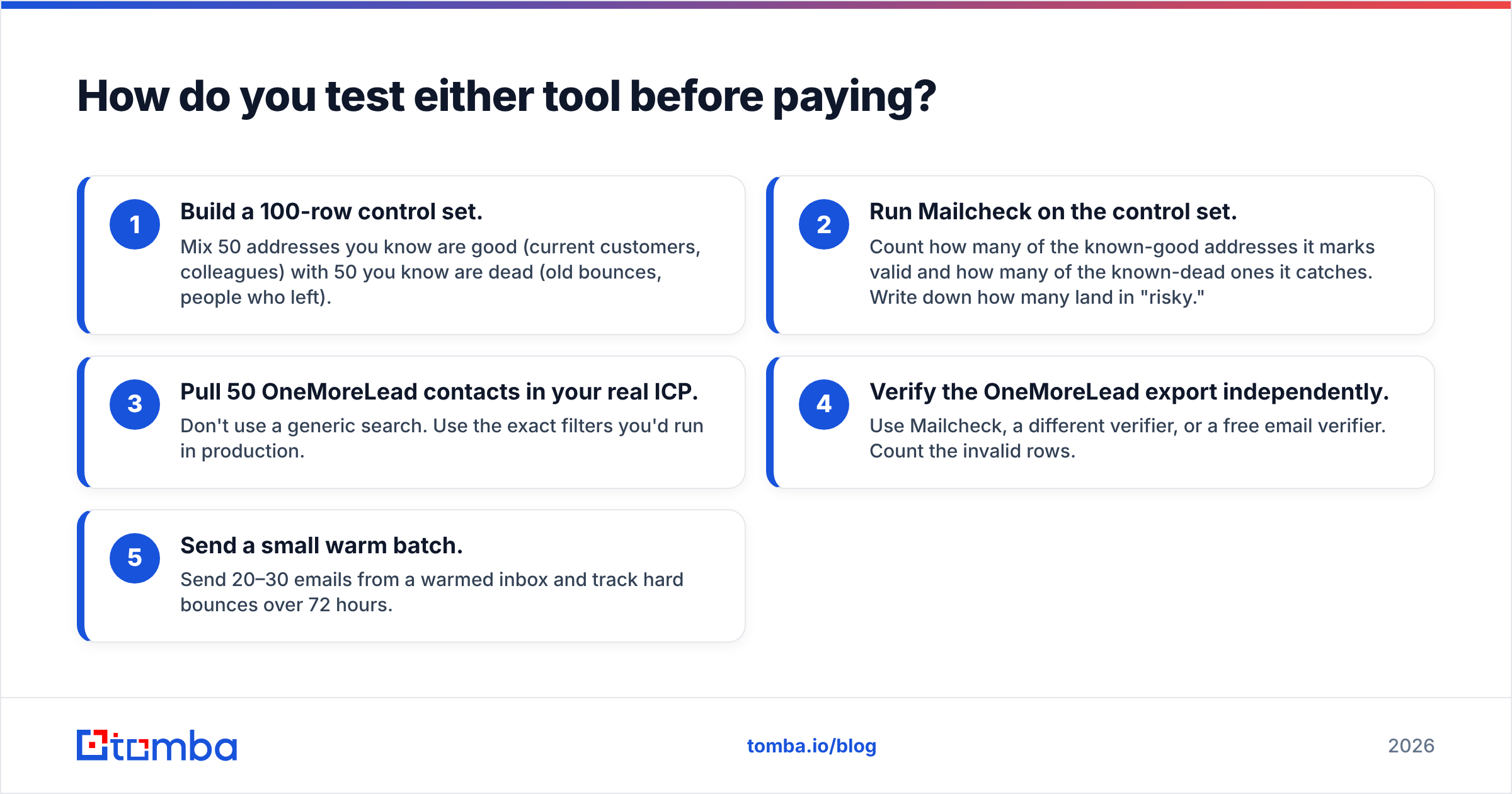
Use the same test for both, so the numbers are comparable.
- Build a 100-row control set. Mix 50 addresses you know are good (current customers, colleagues) with 50 you know are dead (old bounces, people who left).
- Run Mailcheck on the control set. Count how many of the known-good addresses it marks valid and how many of the known-dead ones it catches. Write down how many land in "risky."
- Pull 50 OneMoreLead contacts in your real ICP. Don't use a generic search. Use the exact filters you'd run in production.
- Verify the OneMoreLead export independently. Use Mailcheck, a different verifier, or a free email verifier. Count the invalid rows.
- Send a small warm batch. Send 20–30 emails from a warmed inbox and track hard bounces over 72 hours.
An afternoon of testing tells you more than any review page. Given how few independent reviews exist for either product, this is the only reliable data you'll get.
Are there alternatives worth considering?#
If neither tool fits, the field is wide. Verification-first options include ZeroBounce, NeverBounce and Bouncer. Database-first options include Apollo, ZoomInfo and Lusha. The large databases cost more but come with far more public review data, which matters when you're picking a vendor that will feed your outbound engine for a year.
There's also a middle category that's easy to overlook: email finders. Instead of browsing a database by filters, you give it a company domain or a person's name plus company, and it returns the most likely address with a confidence score, already verified. For account-based prospecting, where you already know which 200 companies you want, this is usually more efficient than either a pure verifier or a filtered database. A domain search pulls every public address tied to a company in one call, and you can see how credits work across tiers on the Tomba pricing page.
Mailcheck vs OneMoreLead: what's the final verdict?#
Mailcheck is a cheap, focused verifier with one interesting idea (social cross-referencing) and not much public validation behind it. It's a good fit if you already own your data and want to clean it for little money.
OneMoreLead is a mid-priced contact database that's easy to start with but hard to evaluate from the outside. It's a good fit if you need a first list fast and will measure its quality yourself during the trial.
Neither one wins, because they don't solve the same problem. Work out whether your bottleneck is data quality or data supply, and buy for that.
If your bottleneck is both, meaning you need new contacts and need them to be deliverable, Tomba Email Finder is the better fit. You can find email addresses by domain, name or company, and each result is verified before you export it. That covers the sourcing-plus-cleaning workflow from one account and one credit pool, starting with 25 free searches a month and going up to $49/month on Starter. Try it on the same 50-company test list you'd use for OneMoreLead and compare the bounce rates.
Related guides#
// start free
See who Tomba finds at any company
Type a company's domain to see its people, their roles and verified work emails, each with the pages it was found on. Free account, no card.
Free plan · No credit card required · GDPR & CCPA
// about the author