Mailcheck vs Pubrio: Email Verifier vs B2B Data Platform Compared
Mailcheck checks whether the emails you already have will bounce. Pubrio finds new contacts and adds outreach on top. Here is how their pricing, credits and limits compare, and which one fits your stack.
TL;DR
- Mailcheck and Pubrio do different jobs. Mailcheck (mailcheck.co) is an email verifier: it tells you whether addresses you already have are deliverable. Pubrio is a B2B data and prospecting platform: it helps you find companies and contacts, then reach them.
- Mailcheck is far cheaper per email. Third-party listings put it at about $10/month for 1,000 verifications, which works out to roughly a cent per address or less. Pubrio's paid plans start at $99 per user per month (billed annually), and revealing one email costs 10 credits.
- Choose Mailcheck if you already have lists from a CRM, an event or a scrape and only need to clean them before sending.
- Choose Pubrio if you need to build lists from scratch and want search, intent signals and multichannel sequences in one place.
- Most outbound teams need both jobs done, finding and verifying. That's why tools that combine an email finder and a verifier in a single credit pool are worth comparing too.
What is the real difference between Mailcheck and Pubrio?#
The short answer is that one cleans a list and the other builds one.
People search "Mailcheck vs Pubrio" because both show up in lists of email tools. They don't compete head to head, though. If you buy the wrong one, you'll either end up with a verifier that has no contacts to check, or a data platform where you pay prospecting prices to do list hygiene.
Mailcheck (mailcheck.co) is a verification service. You upload a CSV or call its API, and it runs syntax, domain, MX, disposable-address and catch-all checks to sort addresses into deliverable, risky and invalid. Its site also says it validates emails "through social networks", meaning it cross-checks addresses against public profile signals. It does not find new contacts.
Pubrio (pubrio.com) is a sales intelligence platform. You search a company and contact database, filter by firmographics and signals such as hiring activity and market news, reveal emails and phone numbers, and run sequences across email, LinkedIn and WhatsApp. Review sites also describe website visitor identification as part of the product.
So the useful question isn't which tool is better. It's which job is slowing your pipeline down right now.
How do Mailcheck and Pubrio compare side by side?#
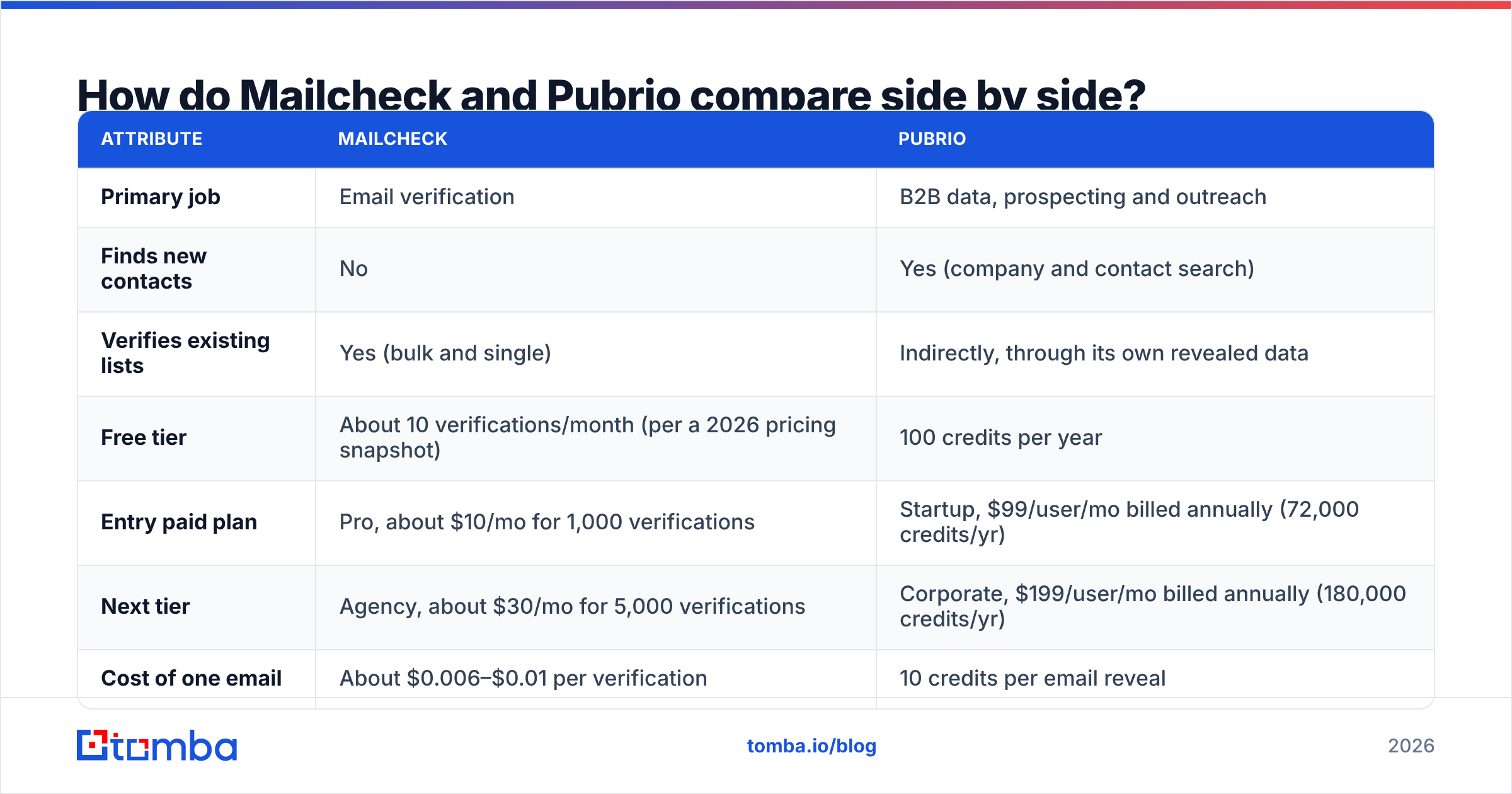
Here is the core comparison. The pricing comes from each vendor's site and from third-party listings at the time of writing. Both vendors have changed their plans before, so check the live pricing pages before you buy.
| Attribute | Mailcheck | Pubrio |
|---|---|---|
| Primary job | Email verification | B2B data, prospecting and outreach |
| Finds new contacts | No | Yes (company and contact search) |
| Verifies existing lists | Yes (bulk and single) | Indirectly, through its own revealed data |
| Free tier | About 10 verifications/month (per a 2026 pricing snapshot) | 100 credits per year |
| Entry paid plan | Pro, about $10/mo for 1,000 verifications | Startup, $99/user/mo billed annually (72,000 credits/yr) |
| Next tier | Agency, about $30/mo for 5,000 verifications | Corporate, $199/user/mo billed annually (180,000 credits/yr) |
| Cost of one email | About $0.006–$0.01 per verification | 10 credits per email reveal |
| Phone numbers | No | Yes, 15 credits per phone reveal |
| Catch-all handling | Catch-all detection listed | Not a standalone feature |
| Outreach / sequences | No | Email, LinkedIn, WhatsApp |
| API | Yes | Yes, credit-based, available on paid tiers |
| Best for | Cleaning lists before a send | Building lists and running outbound from one tool |
The "cost of one email" row is the one to look at. With Mailcheck you pay to check an address. With Pubrio you pay to get one, and that address arrives already matched to a person, title and company. Those are different products, so the price gap reflects different work, not overpricing.

How does Mailcheck work, and where is it strong?#
Mailcheck is close to a utility product: upload, verify, download. Here is what that gets you in practice.
- Low per-email cost. At about $10 for 1,000 checks on the Pro tier, and less per check on Agency, cleaning a 20,000-row list from an old CRM costs tens of dollars, not hundreds. Listings put overage at about $0.005 per email.
- Standard verification checks. Feature listings include syntax, domain, mail server (MX), disposable-address and catch-all detection, available in bulk or one at a time.
- Social-signal validation. Mailcheck says it uses social network signals to help decide on addresses that SMTP checks alone can't settle. That matters most on catch-all domains, where the server accepts every address.
- Low-risk trial terms. The site advertises a 40-day money-back guarantee, which is unusually long for this category.
- API access. You can verify at the point of capture, for example in a signup form or a CRM workflow, instead of in batches.
Where Mailcheck falls short#
- It can't fill an empty list. If you start with a target account list and no contacts, Mailcheck can't help.
- Spam-trap detection is listed as not supported on at least one feature comparison. If you send to old or purchased data, that's a real gap.
- Pricing information is inconsistent across the web. Some directory pages show tiers from 2019, and sources disagree on whether a free trial exists. Confirm the current terms with Mailcheck directly.
- The name is easy to confuse. mailcheck.dev (an EU-hosted verification API) and MailerCheck (MailerLite's verifier) are separate products. Make sure the reviews you read are about the right one.
How does Pubrio work, and where is it strong?#
Pubrio is a platform. Here is what you get.
- Database search with signals. Review sites describe a large company database (they cite more than 1 billion company profiles) and more than 120M phone numbers, plus filters for hiring patterns and market news. That suits trigger-based prospecting, such as targeting companies that just opened a sales role.
- Non-English search. Several reviewers point out support for company and contact searches in other languages. That helps if you sell into APAC or other markets where English-only databases have gaps.
- Built-in multichannel outreach. Sequences cover email, LinkedIn and WhatsApp, so a small team can avoid paying for a separate sequencer.
- Visitor identification. Pubrio can identify companies visiting your website and add them as warm accounts.
- A well-documented API. Pubrio's API pricing docs list credit costs per call: 1 for basic lookups, 3 for search and enrichment, 10 to reveal an email, 15 for a phone number and 20 for web identification.
Where Pubrio falls short#
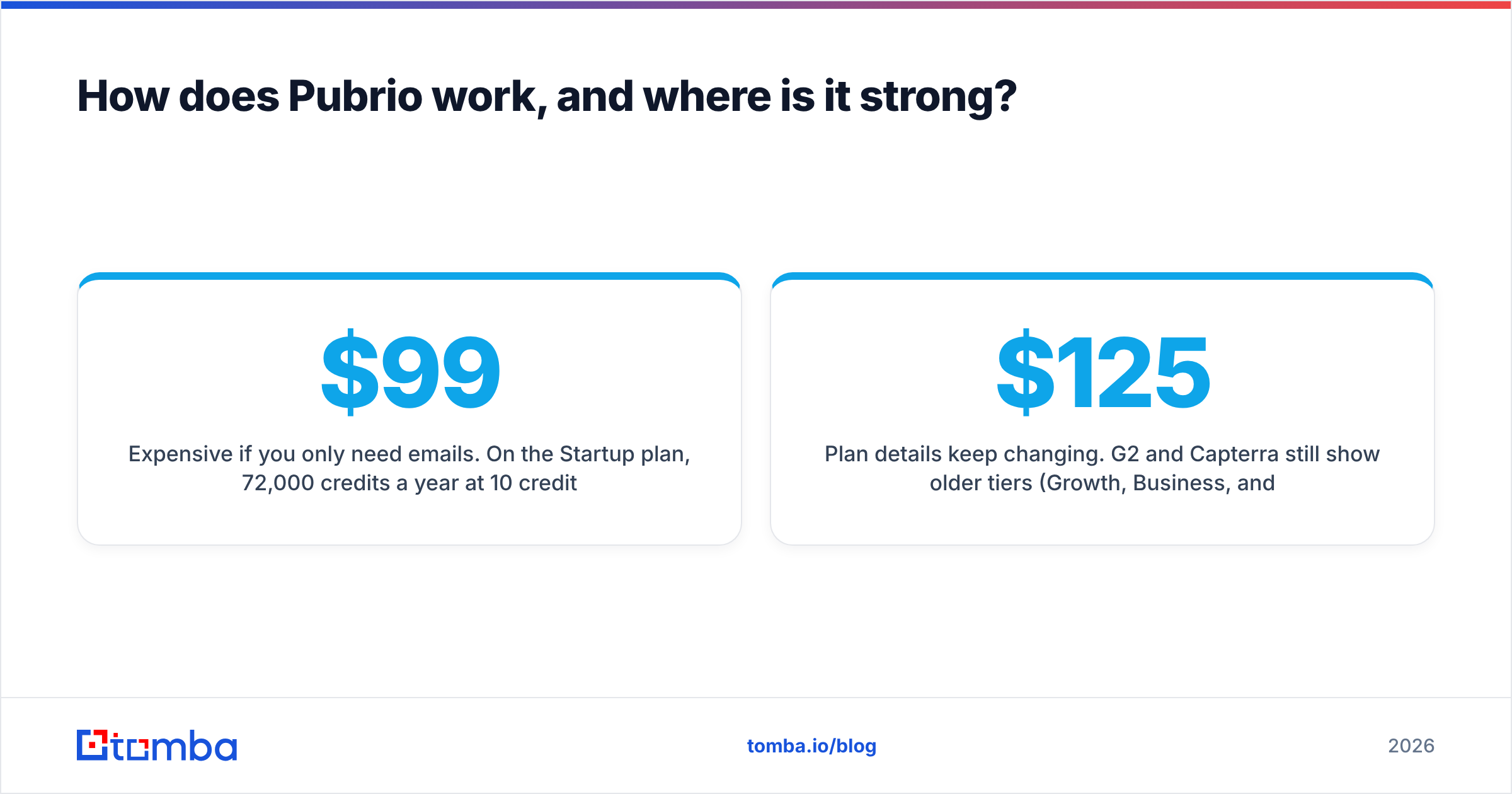
- Expensive if you only need emails. On the Startup plan, 72,000 credits a year at 10 credits per email covers about 7,200 email reveals a year, or about 600 a month, for $99 per user per month billed annually. That's roughly $0.16 per revealed email before you use credits on search, phone numbers or visitor identification.
- Credits are shared. Every search, enrichment, phone reveal and visitor lookup comes out of the same pool. Teams that use all the features run through credits faster than the headline numbers suggest.
- Plan details keep changing. G2 and Capterra still show older tiers (Growth, Business, and a $125 Startup plan), which don't match the current pricing page. Budget from pubrio.com/pricing, not from directory listings.
- Value-for-money scores are mixed. Reviewers generally rate data coverage above pricing value. You can read the detail on G2's Pubrio reviews page.
Is Mailcheck cheaper than Pubrio?#
Per email, yes, by a wide margin. But they aren't buying the same thing, so the comparison only works once you put it in terms of your actual use case.
Here are three common situations and what each tool would cost:
- You have 10,000 contacts from an old CRM export and want to send next week. Mailcheck covers this with about two months of Pro or one month of Agency, so the cost is a few tens of dollars. Pubrio is the wrong tool here, because you would be paying platform prices to do list cleaning.
- You have 200 target accounts and no contacts. Mailcheck can't help. Pubrio's Startup plan lets you find decision-makers, reveal around 600 emails a month and sequence them. The higher price buys you the list itself.
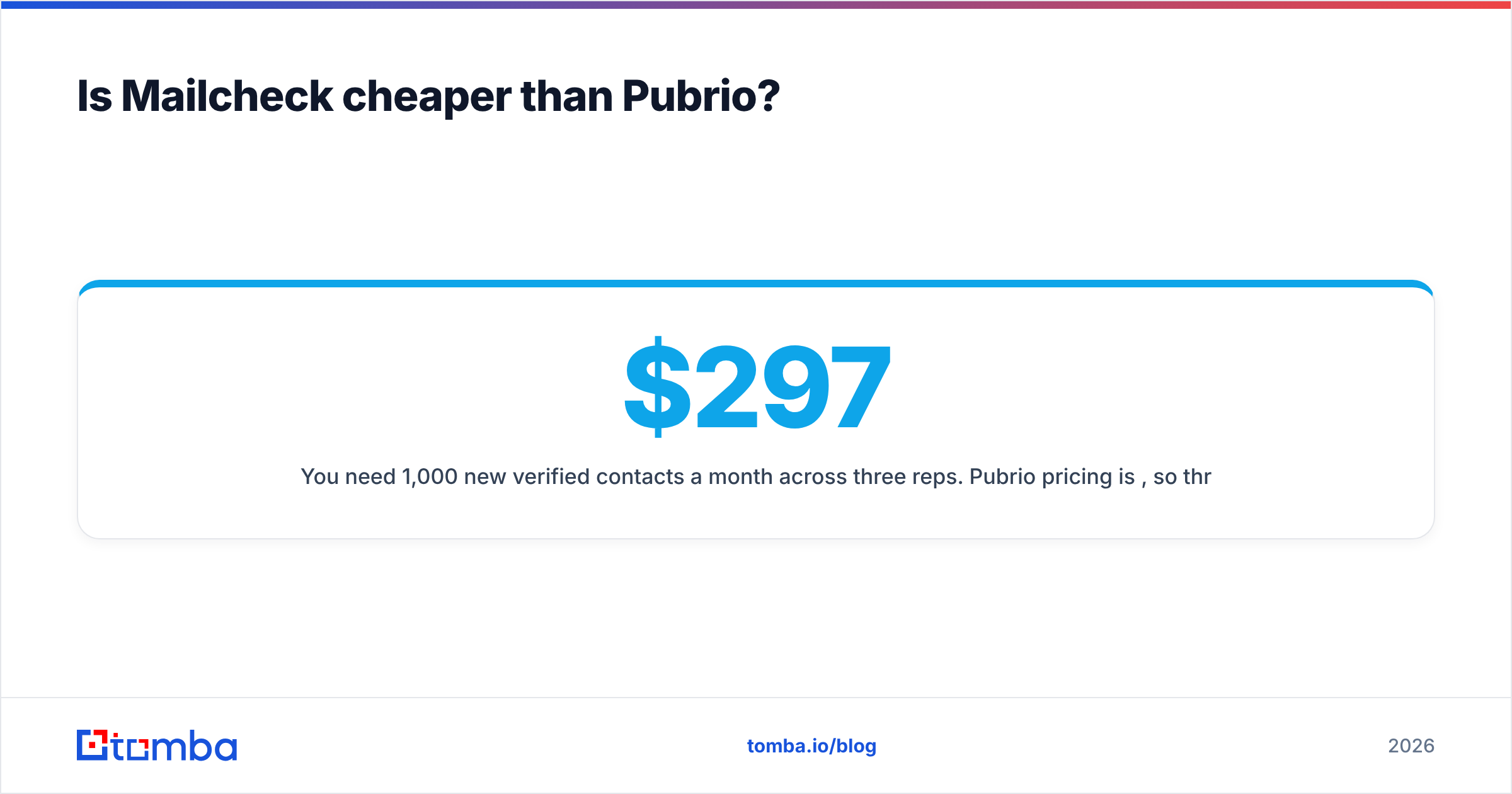
- You need 1,000 new verified contacts a month across three reps. Pubrio pricing is per user, so three seats on Startup come to about $297 a month billed annually. Credit pools are typically per seat, so check whether credits pool across the team. For comparison, a dedicated finder-plus-verifier such as Tomba starts at $49/month (Starter) and $99/month (Growth), and covers the same finding and verification work without paying for sequencing features you might already have in Instantly, Lemlist or Apollo.
The pattern is simple. Mailcheck is the cheapest option for cleaning a list you already have. Pubrio costs more because it builds the list and runs the outreach. If you already have a sequencer and only need contacts, a standalone email finder with built-in verification usually costs less than either option on its own.
Which is more accurate: Mailcheck or Pubrio?#
Neither vendor publishes an independent accuracy benchmark that would allow a fair comparison. Treat any single "98% accuracy" claim on a vendor page with caution.
What you can control is how you test. Before committing to either tool:
- Pull 200 contacts you already know are good, such as recent replies and current customers, plus 100 that you know bounced.
- Run all 300 through each tool (Mailcheck's free tier and Pubrio's free credits are enough to start, or ask for a trial allowance).
- Measure false positives and false negatives separately. A verifier that marks good addresses as invalid costs you pipeline. One that passes bad addresses costs you sender reputation.
- Check how catch-all domains are handled. This is where verifiers differ most. A tool that labels every catch-all address "risky" isn't really helping. For enterprise-heavy lists, a dedicated catch-all verifier is often worth testing separately.
For Pubrio, the accuracy that matters is the data: is the person still at that company, and in that role? Spot-check 50 revealed contacts against LinkedIn before you trust the database at scale.
Who should choose Mailcheck?#
Mailcheck fits if:
- You already generate contacts from inbound forms, events, partner lists or your own research.
- Your main problem is bounce rate, not finding contacts.
- You want verification at the lowest per-email cost and don't need a wider platform.
- You're a developer or agency verifying signups or client lists through an API.
Mailcheck won't fit if your SDRs spend half the day looking for contacts. A verifier doesn't solve that.
Who should choose Pubrio?#
Pubrio fits if:
- You're building outbound from zero and want data, signals and sequencing under one login.
- You sell into regions where non-English company search makes a difference.
- You value hiring and news triggers more than raw contact volume.
- Your budget allows roughly $99 or more per user per month, and you'll actually use the outreach and visitor identification features.
Pubrio won't fit if you already pay for a sequencer and only need emails. In that case you're paying twice for outreach.

Is there a better option than choosing just one?#
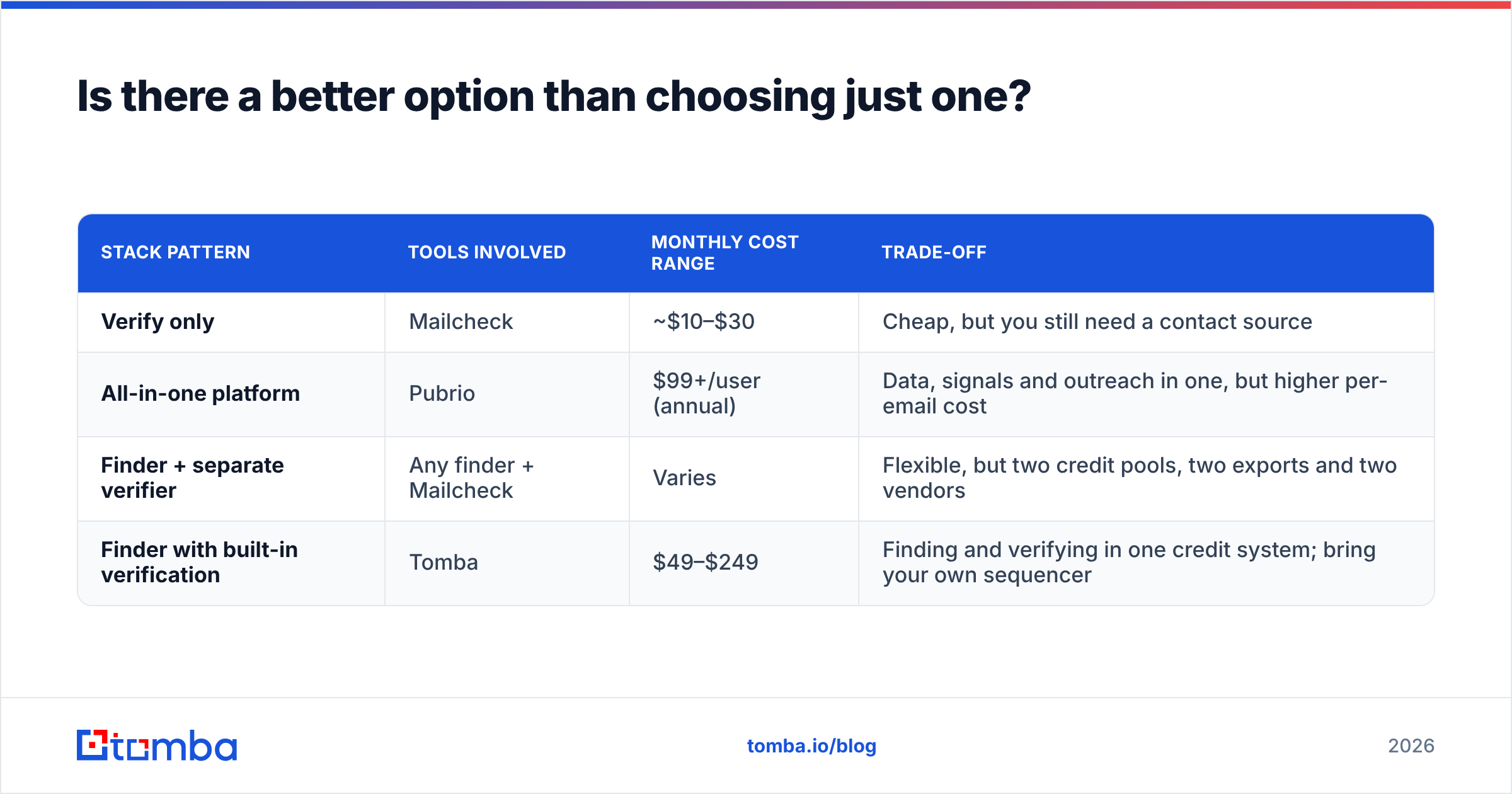
For most outbound teams, the real choice isn't Mailcheck or Pubrio. It's how to get verified contacts without stitching three tools together. Here are the main stack patterns:
| Stack pattern | Tools involved | Monthly cost range | Trade-off |
|---|---|---|---|
| Verify only | Mailcheck | ~$10–$30 | Cheap, but you still need a contact source |
| All-in-one platform | Pubrio | $99+/user (annual) | Data, signals and outreach in one, but higher per-email cost |
| Finder + separate verifier | Any finder + Mailcheck | Varies | Flexible, but two credit pools, two exports and two vendors |
| Finder with built-in verification | Tomba | $49–$249 | Finding and verifying in one credit system; bring your own sequencer |
The fourth pattern is where Tomba fits, and to be clear about what it is: Tomba is an email finder first, with an email verifier, domain search, catch-all verification, phone finder and enrichment built around it. It doesn't try to replace your sequencer the way Pubrio does, and it isn't a verification-only utility like Mailcheck. If you already run outreach in another tool, that setup tends to give you the lowest total cost for verified contacts. Plans are listed on the Tomba pricing page, from a free tier of 25 searches a month up to custom Enterprise plans.
If you want a broader view of the verification side, Capterra's email verification category is a useful place to see Mailcheck's peers with user reviews.
What is the final verdict on Mailcheck vs Pubrio?#
- Pick Mailcheck when you already have the list. It's one of the cheapest ways to bring bounce rates down before a campaign, and the long money-back window makes it low-risk to try.
- Pick Pubrio when you need the list and the outreach, and you'll use the signal data and multichannel sequences enough to justify per-seat pricing.
- Pick neither on its own if what you need is a steady supply of verified contacts going into a sequencer you already use. A combined finder and verifier covers that more cheaply.
Before you sign anything, run the 300-contact test above on any tool you're considering. One afternoon of testing tells you more than any comparison article, including this one.
If your bottleneck is finding the right person and getting an address that won't bounce, try the Tomba Email Finder. Enter a name and company domain, and you get a verified professional email back. It works in the web app, through the Chrome extension or by API, and the free plan includes 25 searches a month. When you need more volume, Starter begins at $49/month, which lets you test it against Mailcheck and Pubrio with your own data before committing.
Related guides#
// start free
See who Tomba finds at any company
Type a company's domain to see its people, their roles and verified work emails, each with the pages it was found on. Free account, no card.
Free plan · No credit card required · GDPR & CCPA
// about the author