Mailcheck vs ZoomInfo: Email Verifier or Full B2B Data Platform?
Mailcheck checks emails you already have. ZoomInfo sells you the contacts plus intent data, for five figures a year. Here's which one your team needs, and when a mid-priced option makes more sense.
TL;DR
- Mailcheck and ZoomInfo do different jobs. Mailcheck is an email verification service: you give it addresses and it tells you which ones will bounce. ZoomInfo is a full B2B data platform that sells contacts, company firmographics, intent signals and workflow tools.
- The price gap is huge. Mailcheck starts with a small free allowance and low monthly tiers. ZoomInfo doesn't publish prices, and third-party contract data puts the median deal at about $31,875/year.
- Choose Mailcheck if you already have contacts and only need to cut bounces before a send.
- Choose ZoomInfo if you run a large outbound or ABM team that needs territory-wide coverage, org charts and intent data, and you have the budget and an annual contract cycle for it.
- Most small and mid-sized teams fit in between. They need to find and verify emails without a five-figure commitment, and a combined finder and verifier like Tomba covers that.
What is Mailcheck?#
Mailcheck is a hosted email verification tool. You upload a list, paste addresses or call its API. For each address it checks the syntax, looks up the domain's MX records and runs SMTP-level checks. It then returns a status such as valid, invalid, risky or unknown.
It doesn't find email addresses. If you don't already have jane.doe@acme.com, Mailcheck won't give it to you. Its only job is to tell you whether an address you already hold is safe to send to.
That narrow scope is what makes it cheap. At the time of writing, third-party snapshots of Mailcheck's pricing page show a free tier of about 10 validations a month and flat paid tiers in the $10–$90/month range for roughly 1,000–20,000 checks, with overage charges above each cap. Check the live pricing page before you budget, because verification vendors change tiers often.
Note that Mailcheck.co is a different product from MailerCheck (MailerLite's verifier) and from the old open-source mailcheck.js library that suggests typo corrections in sign-up forms. People confuse them all the time, and the comparison here only makes sense for the hosted B2B verifier.
What is ZoomInfo?#
ZoomInfo is one of the largest B2B go-to-market data platforms. The core is a contact and company database: direct dials, business emails, job titles, reporting lines, technographics and firmographics. Around that core it sells:
- Intent data: topics accounts are researching across the web
- Website visitor identification and form enrichment
- Workflows and alerts for job changes, funding rounds and new hires
- Engagement tools (sequencing and dialing) on higher tiers
- CRM enrichment for Salesforce, HubSpot and Dynamics
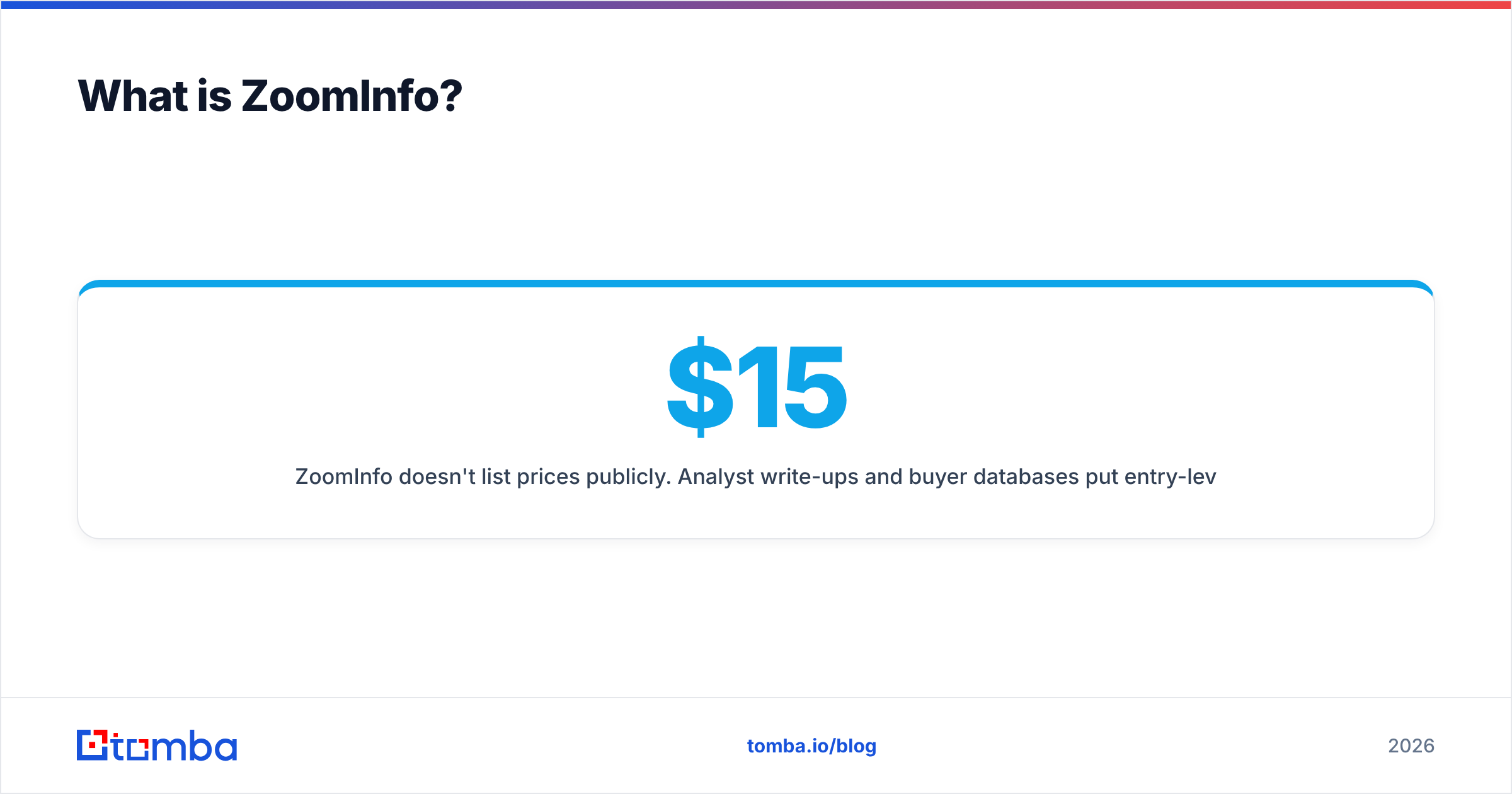
ZoomInfo doesn't list prices publicly. Analyst write-ups and buyer databases put entry-level Professional packages near $15,000/year for a few seats. Advanced and Elite tiers run into the $25,000–$40,000+ range, with extra seats and credit overages on top. Contracts are typically annual, and several buyer reports mention auto-renewal clauses with cancellation windows well before the renewal date.
So ZoomInfo is a platform you build a sales org around. You don't pick it up for a single campaign.
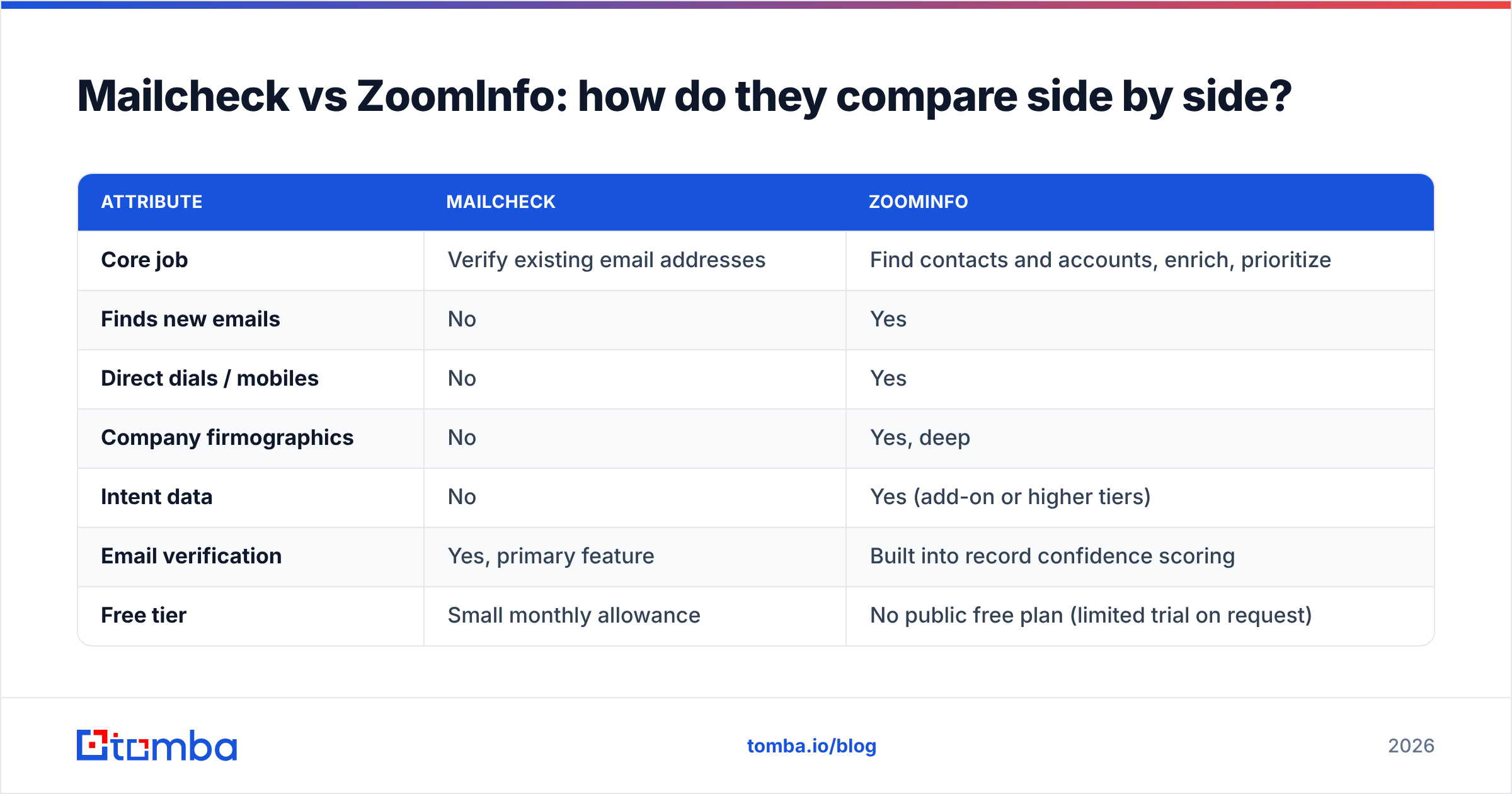
Mailcheck vs ZoomInfo: how do they compare side by side?#
The short answer is that they rarely compete for the same budget line. The table below makes the overlap, and the lack of it, explicit.
| Attribute | Mailcheck | ZoomInfo |
|---|---|---|
| Core job | Verify existing email addresses | Find contacts and accounts, enrich, prioritize |
| Finds new emails | No | Yes |
| Direct dials / mobiles | No | Yes |
| Company firmographics | No | Yes, deep |
| Intent data | No | Yes (add-on or higher tiers) |
| Email verification | Yes, primary feature | Built into record confidence scoring |
| Free tier | Small monthly allowance | No public free plan (limited trial on request) |
| Entry pricing | Low monthly tiers (roughly $10–$90/mo) | Quote-only, typically $15K+/yr |
| Contract | Monthly or pay-as-you-go | Annual, often auto-renewing |
| Best for | Cleaning lists before a send | Enterprise outbound, ABM, RevOps |
| Setup effort | Minutes | Weeks (onboarding, CRM mapping, admin) |
What the table shows: Mailcheck is a hygiene tool and ZoomInfo is a sourcing and intelligence tool. Plenty of ZoomInfo customers still run exported lists through a separate verifier before a big send, because no database's "verified" flag stays accurate for long.

Which jobs does each tool actually cover?#
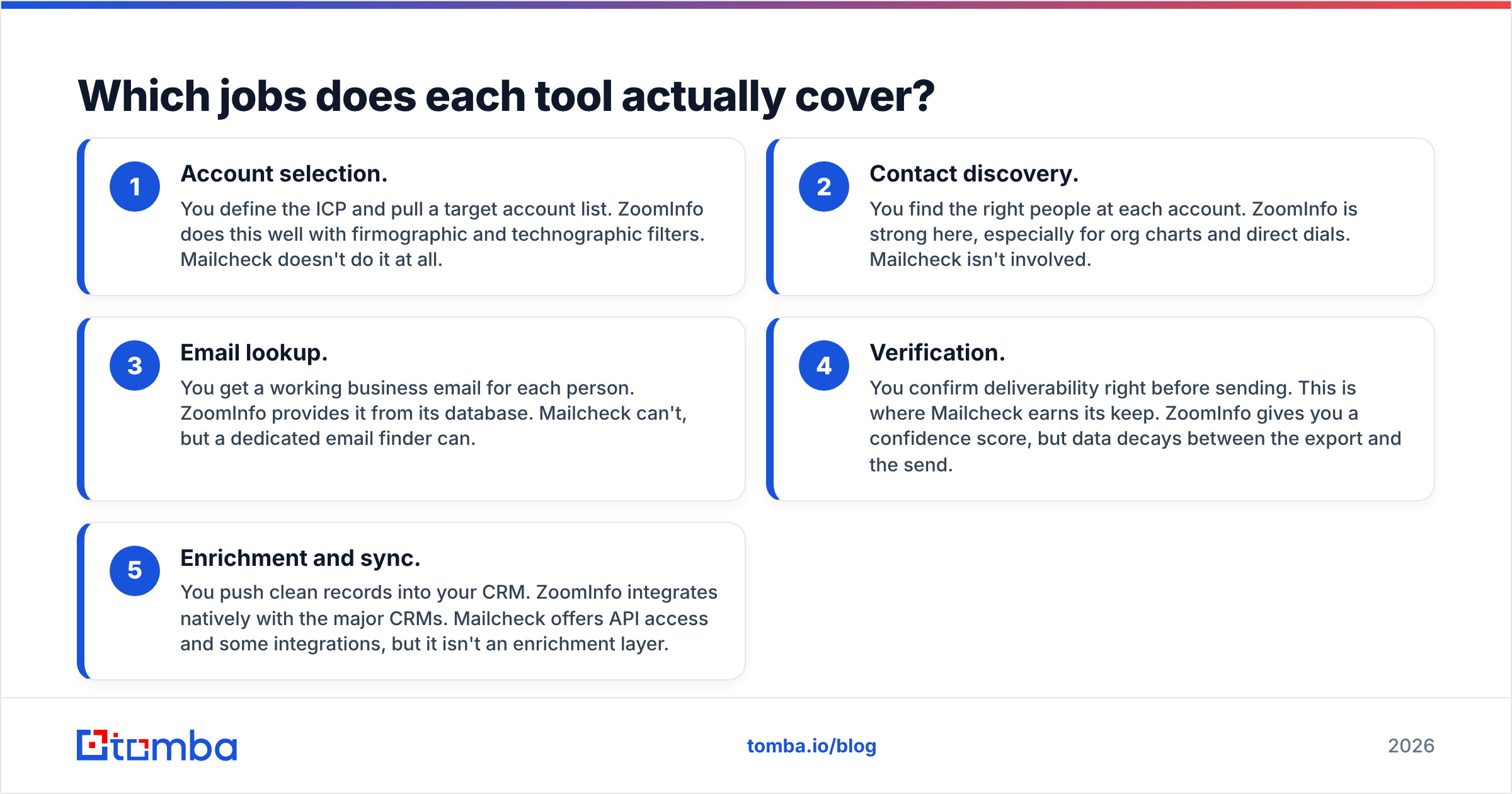
If you're deciding where to spend, map each step of your outbound workflow to the tool that handles it. Most teams need some version of these five steps:
- Account selection. You define the ICP and pull a target account list. ZoomInfo does this well with firmographic and technographic filters. Mailcheck doesn't do it at all.
- Contact discovery. You find the right people at each account. ZoomInfo is strong here, especially for org charts and direct dials. Mailcheck isn't involved.
- Email lookup. You get a working business email for each person. ZoomInfo provides it from its database. Mailcheck can't, but a dedicated email finder can.
- Verification. You confirm deliverability right before sending. This is where Mailcheck earns its keep. ZoomInfo gives you a confidence score, but data decays between the export and the send.
- Enrichment and sync. You push clean records into your CRM. ZoomInfo integrates natively with the major CRMs. Mailcheck offers API access and some integrations, but it isn't an enrichment layer.
Mailcheck covers one step of the five, while ZoomInfo covers four or five. That gap is why the price difference doesn't by itself tell you which one is better value.
How accurate is each tool?#
Accuracy means different things for these two products, so it's worth being precise.
For Mailcheck, accuracy is verification precision: how often "valid" really is deliverable, and how often "invalid" really bounces. Every SMTP-based verifier has the same weak spot, which is catch-all domains. A catch-all server accepts mail for any address, so an SMTP check can't tell real.person@ from made.up@. Good verifiers flag these as "risky" or "accept-all" rather than guessing. When you test any verifier, look at how it reports catch-alls and how large its "unknown" bucket is. A big unknown bucket means you paid for checks that didn't tell you anything.
For ZoomInfo, accuracy is database freshness: whether the person still works there, whether the title is current and whether the email still exists. B2B contact data decays quickly. People change jobs, companies rebrand domains and mailboxes get shut down. ZoomInfo invests heavily in refresh and confidence scoring, but reviewers on G2 regularly mention bounced emails and outdated titles in specific segments, especially small companies and markets outside North America.
In practice:
- If your list comes from ZoomInfo, still verify it before large sends.
- If your list comes from events, inbound forms or older CRM records, a verifier like Mailcheck is the minimum you need.
- If you have names and companies but no emails, neither "verify only" nor "buy the whole platform" is efficient. You need a finder that verifies as part of the lookup.
What does each tool really cost?#
Headline prices don't show the total cost, so here is what goes into each.
Mailcheck's cost scales with volume and is easy to predict. A team sending 5,000 cold emails a month pays tens of dollars to verify them. There's no annual lock-in and nothing to roll out. The hidden cost is everything Mailcheck doesn't do: you still need to source contacts somewhere, either by paying another vendor or by spending rep hours on manual research.
ZoomInfo's cost has several parts:
- Platform fee. Typically the largest line, and quote-based.
- Seats. Each additional user adds cost. Third-party estimates range from low to high four figures per seat per year depending on tier.
- Credits. Exports and enrichments consume credits. Overage rates reported by buyers sit around $0.25–$0.50 per credit, and unused credits generally don't roll over.
- Add-ons. Intent, Chorus-style conversation intelligence, enrichment workflows and engagement tools are often priced separately.
- Admin time. Somebody has to own the integration, the field mapping and data governance.
For a 3–5 rep team, ZoomInfo can easily cost more per year than one of those reps' quota-carrying salary is expected to return in its first ramp quarter. For a 50-rep enterprise team with a dedicated RevOps function, the same contract can pay for itself in pipeline coverage.
Who should choose Mailcheck?#
Mailcheck makes sense if most of these are true for you:
- You already have contacts from inbound, events, partners or an existing CRM.
- Your main problem is bounce rate and sender reputation, not finding new leads.
- You send in bursts (newsletters, campaigns, quarterly re-engagement) and want to pay per use.
- You don't want an annual contract.
- You have a developer who can call a simple verification API at signup or before sync.
If that describes you, Mailcheck is a reasonable, low-cost choice. Compare it with other verifiers on catch-all handling, speed and the size of the unknown bucket. Dedicated tools like a standalone email verifier fall in the same price range and are worth trialing side by side on the same 500-row sample.
Who should choose ZoomInfo?#
ZoomInfo makes sense if most of these are true:
- You run 10+ quota-carrying reps doing outbound or ABM.
- You need direct dials and mobile numbers, not just emails.
- Your strategy depends on intent signals and account prioritization.
- You have RevOps headcount to own the platform and keep the CRM clean.
- Your finance team is fine with an annual, quote-based contract and can negotiate it properly.
If you're in that position, the platform's breadth matters more than its price. Get a trial with your own ICP filters, export a sample of 200 contacts, verify them independently and measure the real bounce rate before you sign. Gartner's research on sales tech consolidation backs this approach: buy for coverage you'll actually use, not the full feature list.

Is there a middle option between Mailcheck and ZoomInfo?#
Yes, and for many teams it's the better fit. The gap between "verify only, $10/month" and "full platform, $30,000/year" is large, and most SMB and mid-market teams fall into it.
What those teams usually need:
- Find a business email from a name and company or domain
- Verify it in the same step, with catch-all handling
- Bulk process a CSV of a few thousand rows
- Push results into a CRM or a sequencer
- Pay monthly without a seat-based annual contract
That's what combined email finder and verifier platforms are built for. Tomba, for example, pairs its finder with a verifier, domain search and catch-all checks. Plans run from a free tier (25 searches/month) through Starter at $49/month, Growth at $99/month and Pro at $249/month, with custom Enterprise above that.
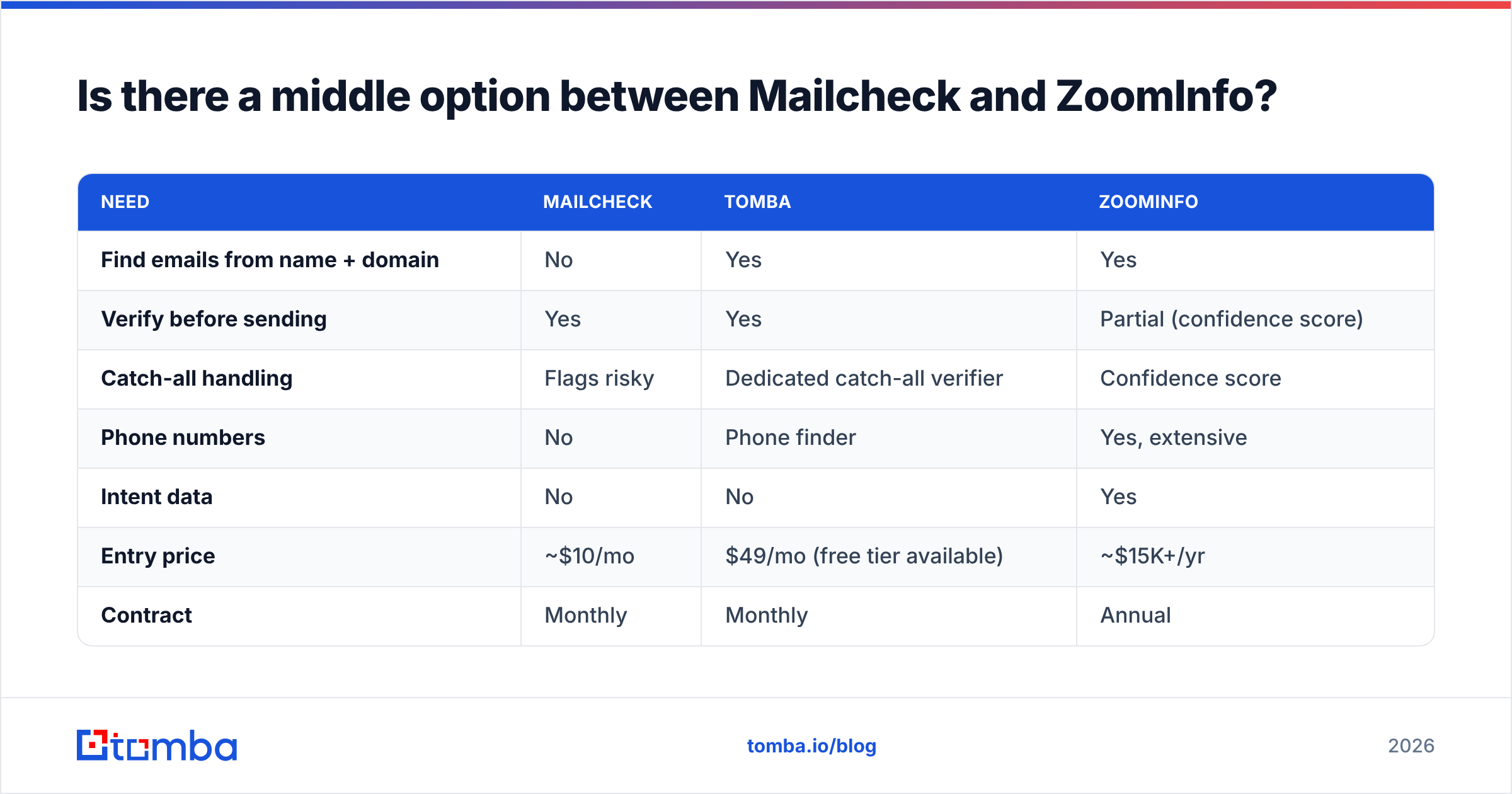
Here is how the three approaches compare for a typical 5-rep outbound team:
| Need | Mailcheck | Tomba | ZoomInfo |
|---|---|---|---|
| Find emails from name + domain | No | Yes | Yes |
| Verify before sending | Yes | Yes | Partial (confidence score) |
| Catch-all handling | Flags risky | Dedicated catch-all verifier | Confidence score |
| Phone numbers | No | Phone finder | Yes, extensive |
| Intent data | No | No | Yes |
| Entry price | ~$10/mo | $49/mo (free tier available) | ~$15K+/yr |
| Contract | Monthly | Monthly | Annual |
Tomba isn't a full replacement for ZoomInfo's intent data and org-chart depth, and we're not claiming it is. Mailcheck, for its part, is a solid low-cost verifier if verification is all you need. The point is that you can choose by workflow. See Tomba pricing for the current credit allowances per plan.
How should you test before committing?#
Whichever direction you're leaning, run the same evaluation:
- Take 300 real target contacts across your actual ICP, not the vendor's demo accounts.
- Run them through each tool you're considering: verify, find, or both.
- Send a small, warmed-up test campaign and record hard bounces per source.
- Count the unknown and catch-all results, because those are the credits you paid for without getting an answer.
- Work out the cost per deliverable contact, not the cost per credit.
Cost per deliverable contact is the number that matters. A cheap verifier with a 25% unknown rate can cost more per usable address than a mid-priced finder that verifies as it looks up. An expensive platform can also be cheaper per meeting booked if its coverage fills your pipeline. Reviews on Capterra and G2 help you shortlist, but your own bounce data should make the final decision.
Mailcheck vs ZoomInfo: what's the verdict?#
- Mailcheck wins on price, simplicity and flexibility when you only need verification. It's a utility.
- ZoomInfo wins on breadth, coverage and intelligence when you have the team and budget to use it. It's infrastructure.
- Neither is the right fit for teams that need to find and verify contacts at moderate volume without an annual contract.
If you're in that third group, which is where most growing sales teams sit, try the Tomba Email Finder. Enter a name and a company domain, get a verified business email back, and process whole CSVs in bulk when you're ready to scale. You can start on the free plan with 25 searches, measure your own bounce rate on real prospects, and move to Starter at $49/month only once the numbers hold up.
Related guides#
// start free
See who Tomba finds at any company
Type a company's domain to see its people, their roles and verified work emails, each with the pages it was found on. Free account, no card.
Free plan · No credit card required · GDPR & CCPA
// about the author