

MailerCheck vs UpLead: Email Verifier or B2B Database in 2026?
MailerCheck cleans the email lists you already have. UpLead sells you new contacts. Here is how the two compare on price, accuracy, and workflow fit, and how to tell which one your outbound stack is missing.
TL;DR
- MailerCheck is an email verification and deliverability tool from the MailerLite team. It cleans lists you already own and tests inbox placement. It does not find new contacts.
- UpLead is a B2B contact database. You search, filter, and unlock contacts that come with verified emails and phone numbers. It is a prospecting tool first.
- Pricing models differ. MailerCheck sells pay-as-you-go credits at roughly $0.01 per verification. UpLead starts at $99/mo for 170 contact credits, which works out to about $0.58 per contact.
- Pick by job, not by brand. If you send to lists you already have, MailerCheck is enough. If you need new prospects, UpLead (or an email finder) is the starting point.
- If you need both finding and verifying, a combined tool like Tomba covers both jobs from $49/mo, so you don't have to pay for two subscriptions.
Comparing MailerCheck with UpLead is a bit like comparing a car wash with a car dealership. Both deal with cars, but you'd only confuse them if you didn't know what you needed. People search "MailerCheck vs UpLead" because both tools say "verified email" on their homepages. The tools do different jobs, though, and choosing the wrong one costs you either money or sender reputation.
This guide covers what each tool does, what it costs in 2026, where each falls short, and how to decide.
What is MailerCheck?#
MailerCheck is an email list verification and deliverability platform built by the company behind MailerLite. You upload a list, or connect your email service provider, and MailerCheck sorts every address into categories such as valid, invalid, catch-all, disposable, role-based, or mailbox full.
Its feature set reaches past basic verification:
- Email list verification: bulk CSV uploads plus direct imports from ESPs like MailerLite, Mailchimp, and HubSpot.
- Inbox placement testing: sends a test campaign to seed inboxes and reports whether it lands in the primary inbox, the promotions tab, or spam.
- Email insights: analyzes your campaign content, links, and authentication before you hit send.
- DMARC and blocklist monitoring: tracks your domain's authentication results and blocklist status over time.
- API: real-time verification at signup forms or inside your own app.
The pricing is simple. New accounts get 10 free credits. After that you buy credits in bulk with a 1,000-credit minimum, and the per-credit price falls as volume rises. Expect about $10 per 1,000 verifications at the low end, with a lower rate at higher volumes. Check the official pricing page before you buy, because the bundle sizes change.
The main thing to know is that MailerCheck never gives you a contact you didn't already have. It's a hygiene tool.
What is UpLead?#
UpLead is a B2B sales intelligence platform. You search its contact database by job title, industry, company size, location, technology used, and other filters. Then you spend credits to reveal each person's email and phone number.
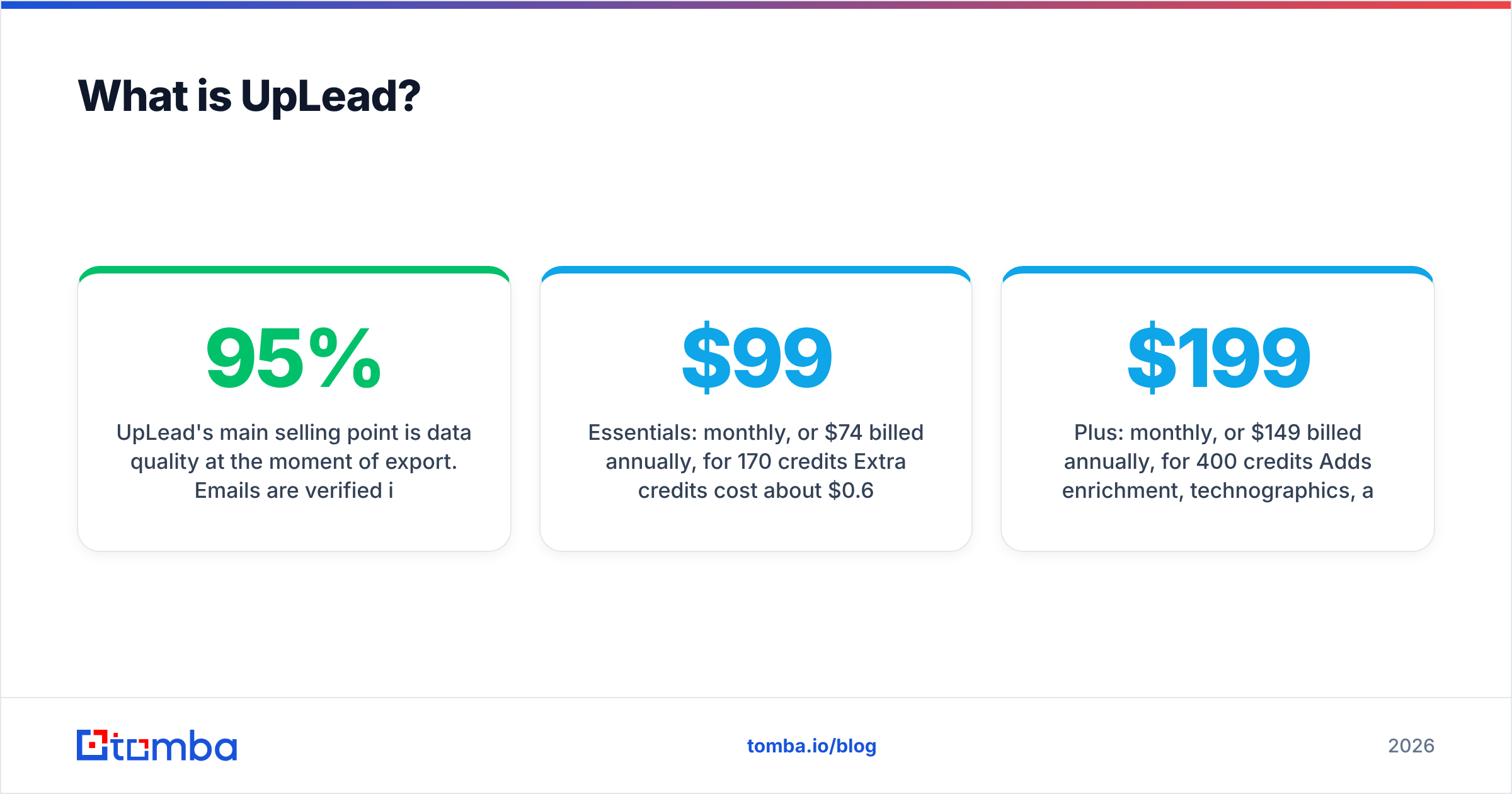
UpLead's main selling point is data quality at the moment of export. Emails are verified in real time when you unlock a contact, and the company advertises a 95% accuracy guarantee that refunds credits for bounced addresses. Its main features:
- Prospector search with 50+ filters, including technographics on the higher tiers.
- Real-time email verification applied before you download a contact.
- Chrome extension for pulling contacts from LinkedIn profiles and company websites.
- Data enrichment that fills in missing fields on records you already hold (Plus plan and above).
- Native CRM integrations with Salesforce, HubSpot, Pipedrive, and others.
Pricing in 2026:
- Free trial: 5 credits over 7 days.
- Essentials: $99/mo monthly, or $74/mo billed annually, for 170 credits/mo. Extra credits cost about $0.60.
- Plus: $199/mo monthly, or $149/mo billed annually, for 400 credits/mo. Adds enrichment, technographics, and advanced filters.
- Professional: custom pricing, annual contracts only.
One credit unlocks one contact. On monthly plans, unused credits don't roll over.
How do MailerCheck and UpLead compare side by side?#
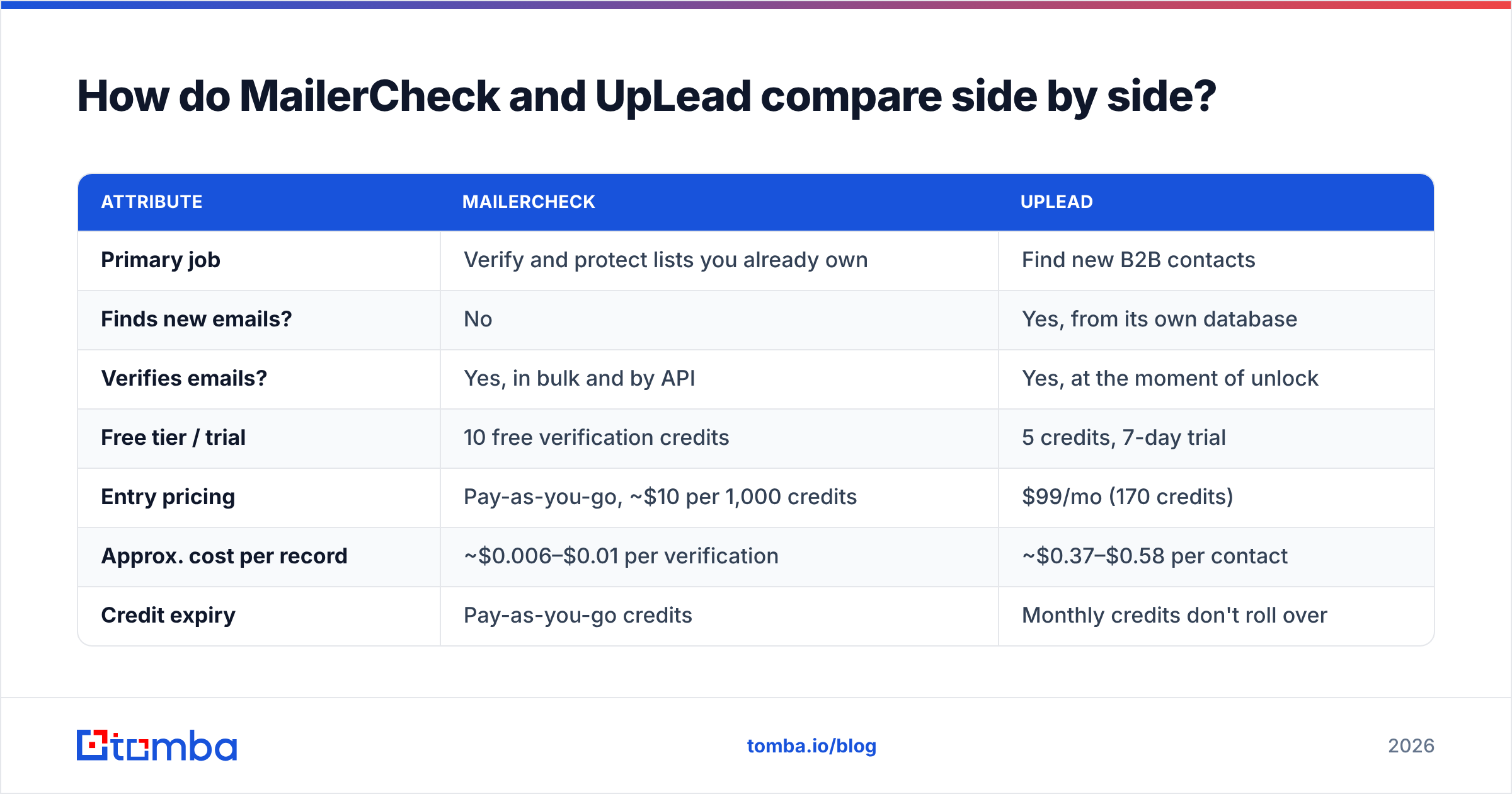
The table below compares the attributes that drive a buying decision. Pricing reflects publicly listed rates as of late 2026.
| Attribute | MailerCheck | UpLead |
|---|---|---|
| Primary job | Verify and protect lists you already own | Find new B2B contacts |
| Finds new emails? | No | Yes, from its own database |
| Verifies emails? | Yes, in bulk and by API | Yes, at the moment of unlock |
| Free tier / trial | 10 free verification credits | 5 credits, 7-day trial |
| Entry pricing | Pay-as-you-go, ~$10 per 1,000 credits | $99/mo (170 credits) |
| Approx. cost per record | ~$0.006–$0.01 per verification | ~$0.37–$0.58 per contact |
| Credit expiry | Pay-as-you-go credits | Monthly credits don't roll over |
| Phone numbers | No | Yes (direct dials and mobiles where available) |
| Deliverability extras | Inbox placement, DMARC, blocklist monitoring | None beyond verification |
| Best for | Marketers, newsletter senders, ops teams cleaning CRM data | SDRs and founders building target lists |
Looking at cost per record, MailerCheck seems about 50 to 100 times cheaper. That comparison is misleading. One MailerCheck credit tells you whether an email you already own is valid. One UpLead credit gives you a new person: name, title, company, email, and often a phone number. These are two different products.

Is MailerCheck better than UpLead for email verification?#
Yes, if verification is the whole job. MailerCheck is built for it:
- Bulk speed and format support. You can upload a 50,000-row CSV or sync directly from your ESP. UpLead doesn't sell itself as a standalone bulk verifier for lists that came from other sources.
- Granular result categories. Catch-all, disposable, role-based, and "mailbox full" each get their own label, so you choose your own risk threshold.
- Post-verification protection. Inbox placement tests and DMARC monitoring catch problems that a clean list won't fix, such as a broken SPF record or content that triggers spam filters.
- Low cost. Cleaning a 10,000-contact newsletter list costs about the same as one month of a basic SaaS tool.
The weak spot is catch-all domains. Like most SMTP-based verifiers, MailerCheck can only label these addresses "accept-all" or "unknown." For B2B lists heavy with enterprise domains, that bucket can get large. If catch-alls are your bottleneck, a dedicated catch-all verifier that adds more signals than an SMTP handshake will help.
Is UpLead better than MailerCheck for prospecting?#
Yes. In fact it's the only one of the two that prospects at all. If your pipeline problem is "I don't know who to email," MailerCheck can't help.
UpLead's strengths for prospecting:
- Filter depth. You can combine industry, headcount, revenue, location, job function, seniority, and tech stack. On Plus, you can build a list of "VP Marketing at 200–1,000 employee SaaS companies using HubSpot" in a few minutes.
- Bounce protection built in. Because each email is verified when you unlock it, a separate verification pass on fresh UpLead exports is usually optional.
- Phone data. For multichannel sequences that include calls, you get direct dials along with the email.
The weaknesses:
- Credit economics at scale. At 170 credits/mo, Essentials covers about 8 new contacts per working day. An SDR team running high-volume outbound will hit the ceiling quickly and start paying the $0.50–$0.60 overage rate.
- Database coverage gaps. Like every static B2B database, UpLead is stronger on North American mid-market and enterprise companies than on small businesses, non-English markets, or very new startups. Read recent reviews on G2 for a sense of coverage in your target region.
- Monthly credits expire. If your outbound volume swings from month to month, you'll lose credits during slow months unless you're on an annual plan.
Which one should you choose for your workflow?#
Start with the problem in front of you this quarter. Most teams fall into one of five patterns:
- You send newsletters or marketing email to opted-in subscribers. Choose MailerCheck. You don't need new contacts, you need to keep bounce rates under 2% and your sender reputation intact. Inbox placement testing is a real advantage here.
- You're an SDR or founder starting outbound from zero. Choose UpLead, or an email finder. You need names and addresses first. Verification comes bundled.
- You have a large, aging CRM full of contacts from events, imports, and old campaigns. Start with MailerCheck to remove the dead weight, then use enrichment (UpLead Plus or a similar tool) to refill gaps on the accounts you care about.
- You run high-volume cold outbound across many mailboxes. You'll likely need both: a source of new contacts and an independent verification pass before each send. At that point, compare the cost of two subscriptions with a single platform that does both.
- You know the company but not the person's email. Neither tool is ideal. This is a domain-and-name lookup, which an email finder handles directly without unlocking a full database record.
What does each tool actually cost for a realistic team?#
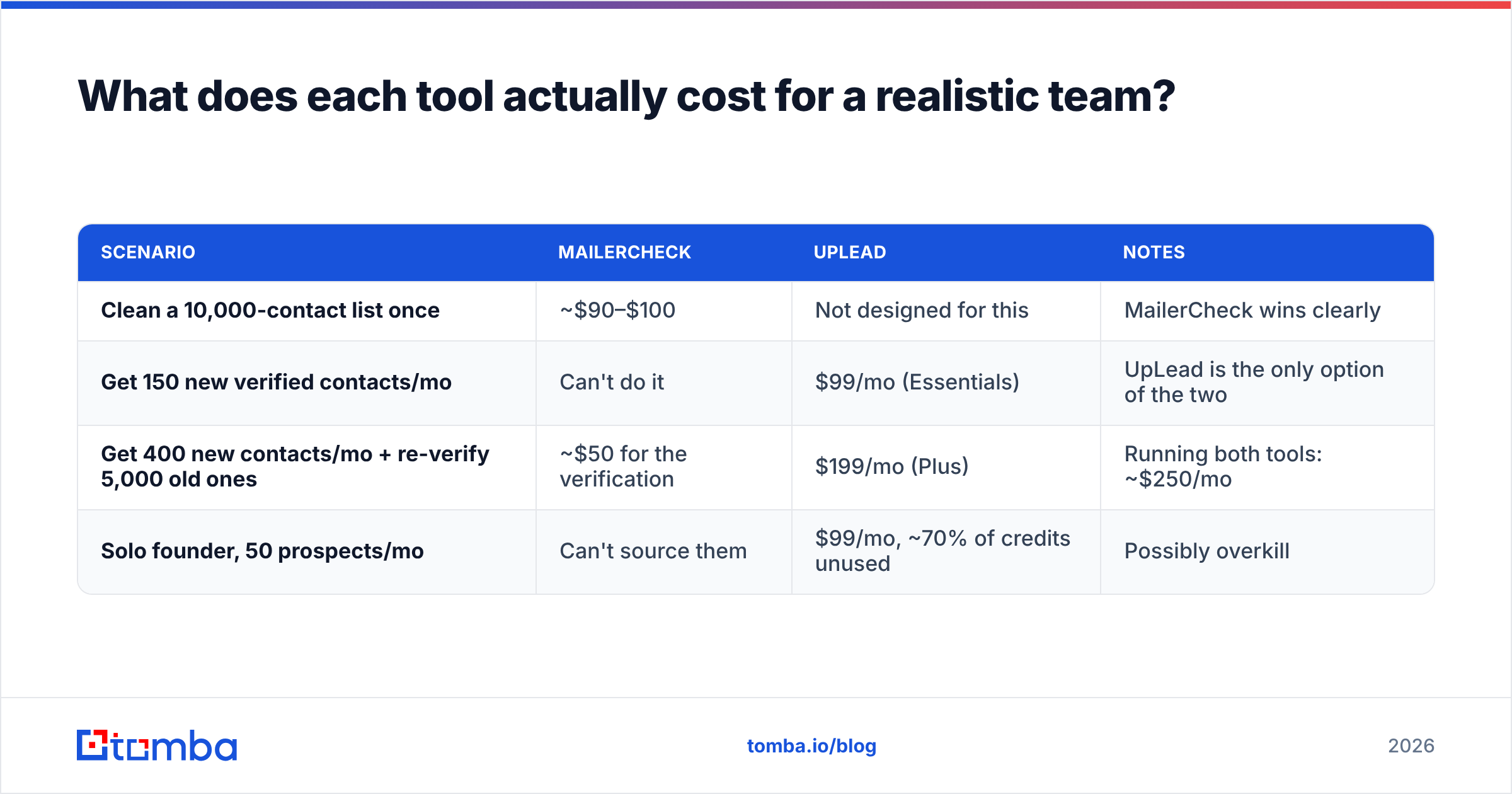
List prices are easier to compare once you apply them to real workloads. Here are three common scenarios, estimated from public 2026 pricing:
| Scenario | MailerCheck | UpLead | Notes |
|---|---|---|---|
| Clean a 10,000-contact list once | ~$90–$100 | Not designed for this | MailerCheck wins clearly |
| Get 150 new verified contacts/mo | Can't do it | $99/mo (Essentials) | UpLead is the only option of the two |
| Get 400 new contacts/mo + re-verify 5,000 old ones | ~$50 for the verification | $199/mo (Plus) | Running both tools: ~$250/mo |
| Solo founder, 50 prospects/mo | Can't source them | $99/mo, ~70% of credits unused | Possibly overkill |
The last row is a common trap. A solo founder who needs 50 targeted prospects a month will feel the $99 floor and the use-it-or-lose-it credits. Smaller, finder-first plans usually fit that profile better.
Running both tools for a full outbound stack lands you around $250/mo before your sequencing tool. That's a reasonable budget, but check whether you need two separate vendors to get there.
How accurate is each tool's data?#
The two tools measure accuracy differently, so their numbers aren't directly comparable.
MailerCheck's accuracy is about classification. Given an address, does it correctly say "valid" or "invalid"? For standard mailboxes on Google Workspace and Microsoft 365, SMTP-based verification is reliable. Most of the uncertainty is in catch-all and greylisting servers, which every verifier struggles with to some degree.
UpLead's accuracy is about record freshness. Is the person still at the company, with the same title and the same email? UpLead's 95% guarantee covers email validity at the time of unlock, not whether the job title is still current. B2B data decays quickly. People change jobs, companies rebrand domains, and mailboxes get shut down. Industry estimates commonly put annual B2B contact decay in the 20–30% range, which is why HubSpot's guidance on database hygiene recommends regular re-verification of any list.
In practice, a contact you exported from UpLead six months ago should be re-verified before you email it again. That's MailerCheck's job, or any dedicated email verifier.
What are the main alternatives if neither fits?#
If you've read this far and neither tool quite matches what you need, these are the usual reasons:
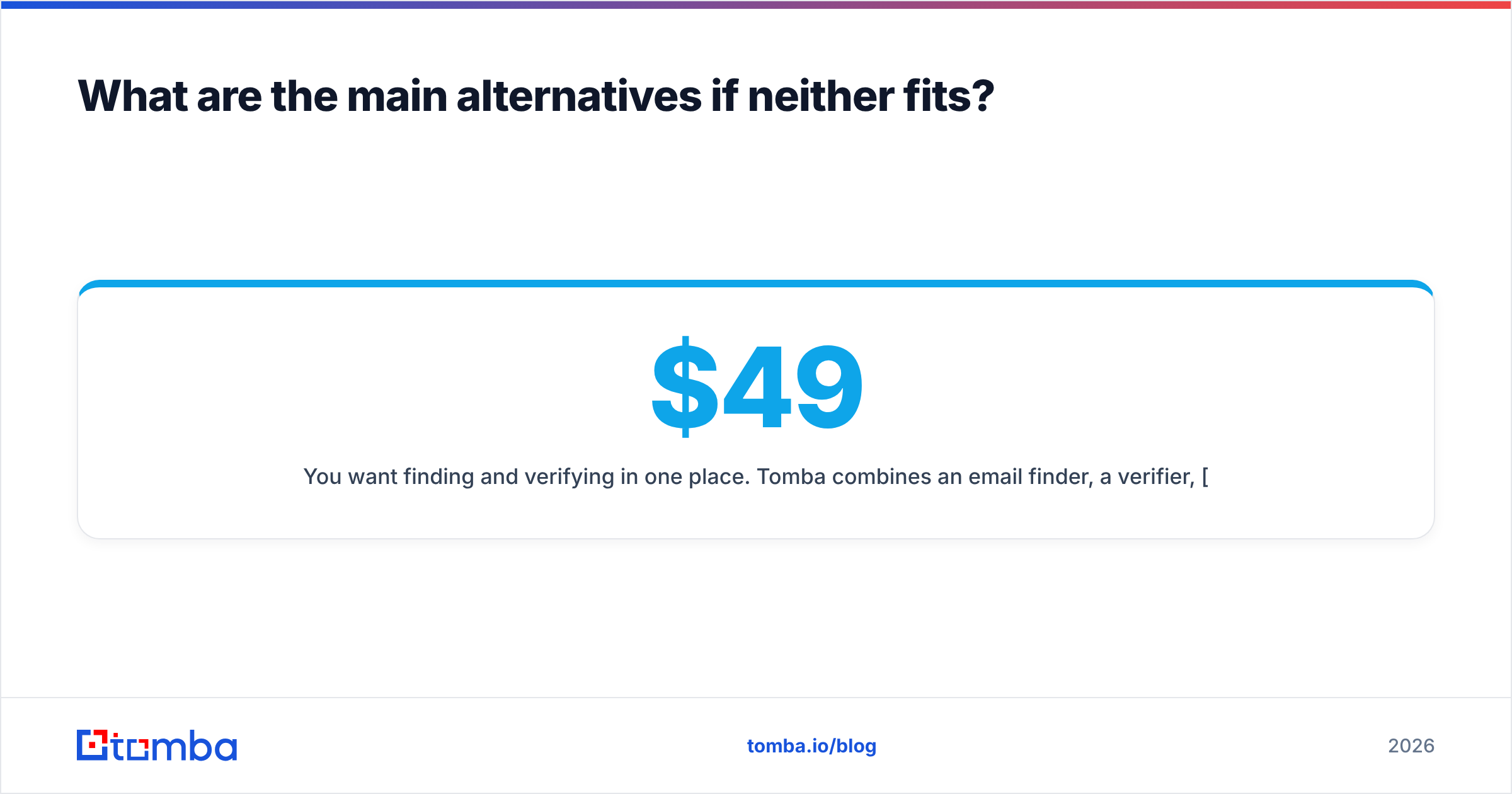
- You want finding and verifying in one place. Tomba combines an email finder, a verifier, domain search, and enrichment under one credit system. Plans start with a free tier of 25 searches/mo, then Starter at $49/mo, Growth at $99/mo, and Pro at $249/mo. Full breakdown on the Tomba pricing page.
- You need deep firmographics and intent data. Larger platforms like ZoomInfo or Apollo cover that ground, at higher cost and with more setup.
- You need only verification but at very high volume. Dedicated verifiers like ZeroBounce or NeverBounce compete directly with MailerCheck on per-credit price.
- You want a large curated database with flexible buying. BookYourData is another established option for building targeted B2B contact lists with verified emails, and it's worth comparing alongside UpLead if you prefer list-based purchasing.
So, MailerCheck vs UpLead: what's the verdict?#
The two tools don't really compete, so neither one "wins." The verdict depends on which job you need done:
- Choose MailerCheck if you already have your contacts and your risk is bounces, spam placement, and domain reputation. It's cheap, focused, and has deliverability extras that UpLead doesn't offer.
- Choose UpLead if your bottleneck is finding the right people. Its filters and verify-on-unlock model make it a dependable prospecting database, though the credit allowances are tight on the entry plan.
- Choose neither, or something combined, if you'd be buying both just to cover finding and verifying. Two vendors means two bills, two sets of credits, and an extra export/import step between them.
A useful rule: if you ever plan to verify an UpLead export with MailerCheck, you're already running a two-tool workflow. At that point it's worth pricing a single tool that does both.
Where does Tomba fit in?#
If your outbound process is "find the right person, get their email, make sure it won't bounce," Tomba Email Finder covers all three steps in one place. Search by domain, name, or company and every result comes back with a verification status. When you need to re-check old lists, Tomba's verifier and catch-all checks use the same account. The free plan includes 25 searches a month so you can test accuracy on your own target accounts, and the Starter plan at $49/mo costs less than either UpLead tier while still covering both the "find" and "verify" jobs.
Related guides#
// start free
See who Tomba finds at any company
Type a company's domain to see its people, their roles and verified work emails, each with the pages it was found on. Free account, no card.
Free plan · No credit card required · GDPR & CCPA
// about the author