Cold Email Fundamentals: The 2026 Beginner's Playbook
Cold email still books meetings in 2026 — if you get the fundamentals right. Here's the deliverability, targeting, and copy framework that actually replies.
Cold email is not dead — bad cold email is. The reps still booking meetings in 2026 are not sending more; they are sending cleaner, to the right people, from domains that actually land in the inbox. This guide breaks the fundamentals into the four levers that move reply rates: infrastructure, data, targeting, and copy.
TL;DR#
- Deliverability comes first. No amount of clever copy survives a spam folder. Authenticate (SPF, DKIM, DMARC), warm up, and keep volume sane.
- Your list is your ceiling. Bounces wreck sender reputation. Verify every address before you send — a 2% bounce rate is the danger line.
- Relevance beats personalization tricks. A tight ICP and a real trigger outperform a "{{first_name}}, love your work" merge tag every time.
- One email = one idea = one ask. Short, specific, and easy to reply to wins. Sequences (3–5 touches) book most of the meetings.
- Measure replies, not opens. Apple Mail Privacy Protection broke open tracking years ago. Optimize for positive replies and meetings booked.
What is cold email and how does it work in 2026?#
Cold email is a one-to-one business message sent to a prospect you have no prior relationship with, for a legitimate business reason. Think of it like knocking on a specific office door with a relevant reason to be there — not standing in the lobby shouting at everyone who walks past. The "spray and pray" blast era is over: mailbox providers now score sender behavior aggressively, and one bad campaign can poison a domain for months.
The mechanics are simple, but each step has a failure mode that quietly kills your results:
- You pick a target account and contact (targeting).
- You find and verify their email (data).
- You send from an authenticated, warmed domain (infrastructure).
- You write something relevant and easy to answer (copy).
- You follow up a few times, then move on (cadence).
Get any one of those wrong and the others can't save you. Most beginners obsess over step 4 while ignoring steps 1–3, which is exactly backwards.
Why does deliverability matter more than copy?#
Because an email in the spam folder has a 0% reply rate, no matter how good it is. Deliverability is the foundation everything else sits on, and in 2026 mailbox providers are stricter than ever.
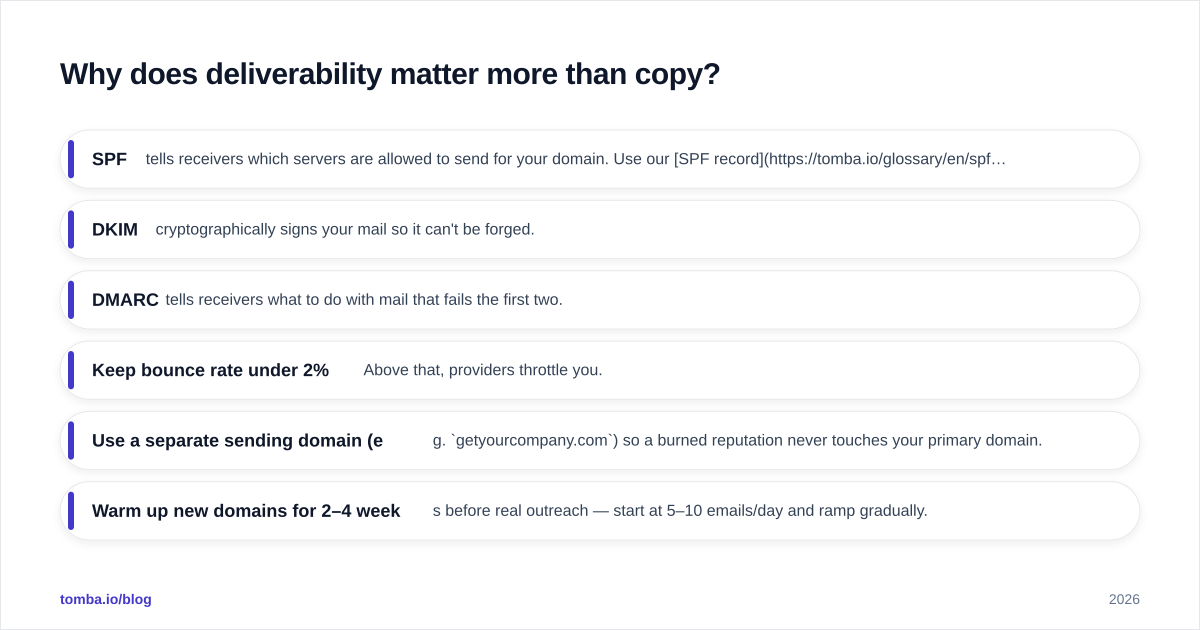
Start with the technical baseline. Every sending domain needs three DNS records configured correctly:
- SPF — tells receivers which servers are allowed to send for your domain. Use our SPF record checker to confirm yours is valid.
- DKIM — cryptographically signs your mail so it can't be forged.
- DMARC — tells receivers what to do with mail that fails the first two.
Google and Yahoo made these effectively mandatory for bulk senders, and the bar keeps rising. If you skip them, you don't get a warning — you just quietly stop landing in inboxes.
Next, protect your sender reputation. The two fastest ways to destroy it are high bounce rates and spam complaints. A few rules of thumb:
- Keep bounce rate under 2%. Above that, providers throttle you.
- Use a separate sending domain (e.g.
getyourcompany.com) so a burned reputation never touches your primary domain. - Warm up new domains for 2–4 weeks before real outreach — start at 5–10 emails/day and ramp gradually.
- Keep daily volume per mailbox modest (30–50 cold sends is a safe ceiling for most setups).
For a deeper dive on the topic, the broader concept of email deliverability covers how reputation, content, and engagement all feed the spam filter's decision.
How do you build a clean prospect list?#
Your reply rate is capped by the quality of your list — garbage in, spam folder out. Two contacts with the same job title are not equally valuable; the one with a real buying trigger is worth ten cold names scraped at random.
The build process has three parts: define who, find them, and verify them.
Define your ICP (Ideal Customer Profile). Be specific enough that you could disqualify a bad-fit prospect in five seconds. Industry, company size, role, tech stack, and a triggering event (new funding, a new hire in the role, a job posting) all sharpen relevance.
Find the contacts. This is where an email finder earns its keep — you give it a name and company domain, and it returns the verified professional address. For account-based work, domain search pulls every known email pattern at a company so you can pick the right decision-maker instead of guessing.
Verify before you send. Even fresh data decays — people change jobs constantly. Run the full list through an email verifier to catch invalid, role-based, and risky addresses. For domains that accept everything, a dedicated catch-all verifier reduces the guesswork. Doing this one step routinely cuts bounce rates below the danger line and is the single highest-leverage habit a beginner can adopt.
If you are scaling, the bulk email finder processes whole lists at once, and accuracy here is not a vanity metric — it directly protects the sender reputation you spent weeks warming up. (For how source data affects accuracy, see where Tomba gets data.)
What does a high-converting cold email look like?#
Short, specific, relevant, and built around a single easy ask. The goal of a cold email is not to close — it's to earn a reply. Every element should lower the friction of hitting "respond."
A reliable structure:
- Subject line: 2–5 words, lowercase, no hype. "quick question about [their team]" beats "REVOLUTIONI
ZE YOUR PIPELINE." Test variants with a subject line tester.
- Opening line: about them, not you. Reference the trigger you found. Skip "I hope this email finds you well."
- Body: one or two sentences connecting their situation to a specific outcome. No feature lists.
- Ask: a single, low-commitment question. "Worth a quick look?" outperforms "Do you have 30 minutes Tuesday at 2pm EST?"
- Signature: a real human, a real title, a real company. Build one with the email signature generator.
Keep the whole thing under ~90 words. If you need a starting point, grab a structure from these cold email templates and rewrite them in your own voice — never send a template verbatim, because providers fingerprint identical bulk content.
How many follow-ups should you send?#
Three to five touches over two to three weeks captures the bulk of replies — most never come on the first email. The mistake beginners make is either giving up after one send or hammering a prospect daily until they get blocked.
A sane cadence looks like this:
- Day 1 — initial email
- Day 3 — short bump, new angle (not "just following up")
- Day 7 — value add (a resource, a relevant stat)
- Day 12 — different ask or a softer "should I close the loop?"
- Day 18 — polite breakup email
Each follow-up should add something, not just repeat the ask. Track response rate per step so you know which touch is doing the work — and cut steps that flatline.
Which cold email approach should beginners use?#
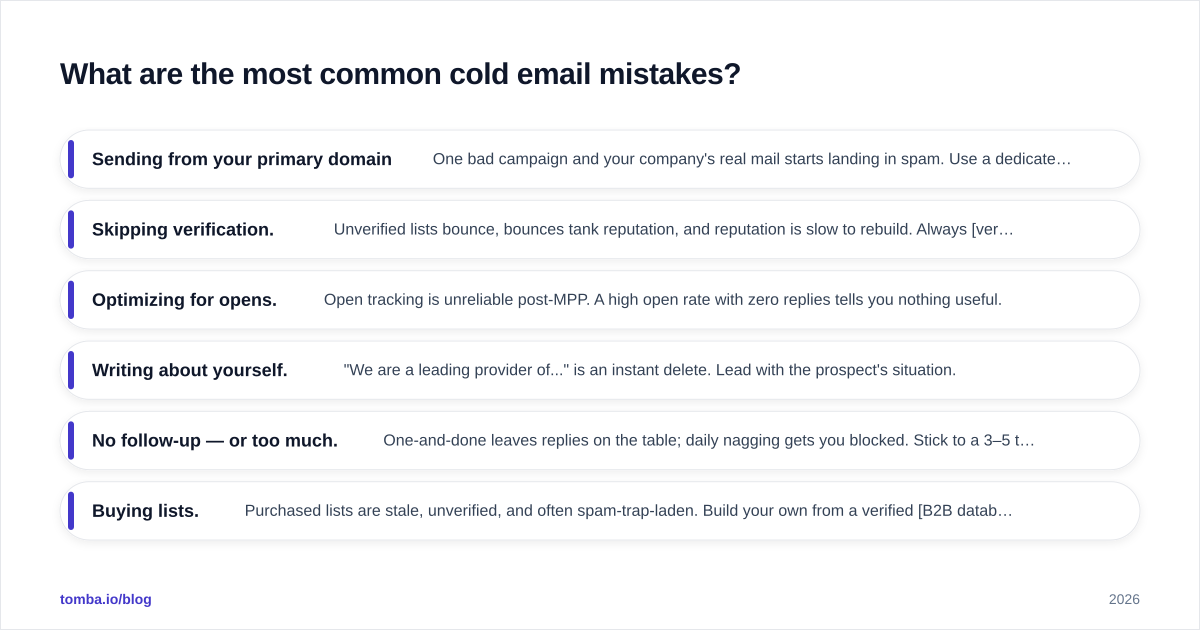
Manual, targeted sending beats high-volume automation until your fundamentals are solid. Here's how the two philosophies compare on the metrics that matter to a beginner.
| Attribute | Targeted 1:1 (recommended) | High-volume blast |
|---|---|---|
| Daily volume per mailbox | 20–50 | 200+ |
| List verification | Mandatory, every send | Often skipped |
| Personalization | Real trigger per contact | Merge tags only |
| Typical reply rate | 5–15% | <1% |
| Deliverability risk | Low | High (domain burn) |
| Setup cost | Low | High (many domains) |
| Best for | Beginners, high ACV | Mature ops, low ACV |
And here is how the core tools in a beginner stack map to the fundamentals:
| Tool type | What it fixes | Tomba option | Free tier |
|---|---|---|---|
| Email finder | Finding verified contacts | Email Finder | 25 searches/mo |
| Email verifier | Bounce prevention | Email Verifier | Included |
| Domain search | Account-based prospecting | Domain Search | Included |
| Bulk processing | Scaling clean lists | Bulk finder | Paid tiers |
| SPF/DKIM check | Authentication | SPF checker | Free |
Paid plans scale from Starter at $49/mo up through Growth ($99/mo) and Pro ($249/mo); full Tomba pricing is public if you want the per-credit math.
What are the most common cold email mistakes?#
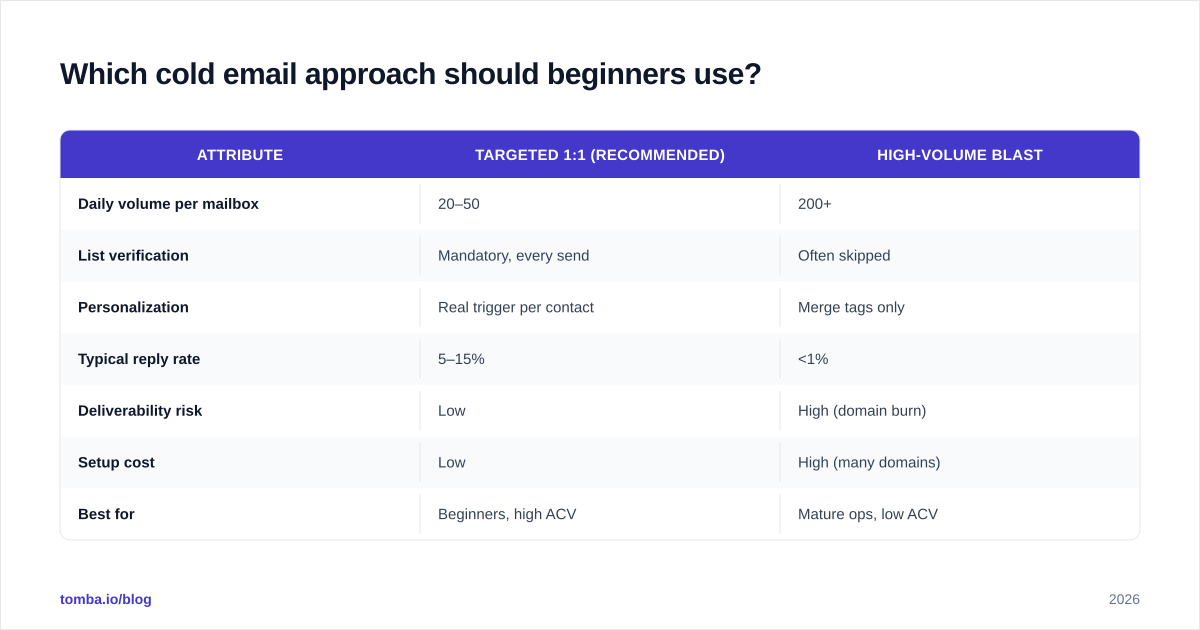
Most failures trace back to skipping a fundamental:
- Sending from your primary domain. One bad campaign and your company's real mail starts landing in spam. Use a dedicated sending domain.
- Skipping verification. Unverified lists bounce, bounces tank reputation, and reputation is slow to rebuild. Always verify emails first.
- Optimizing for opens. Open tracking is unreliable post-MPP. A high open rate with zero replies tells you nothing useful.
- Writing about yourself. "We are a leading provider of..." is an instant delete. Lead with the prospect's situation.
- No follow-up — or too much. One-and-done leaves replies on the table; daily nagging gets you blocked. Stick to a 3–5 touch cadence.
- Buying lists. Purchased lists are stale, unverified, and often spam-trap-laden. Build your own from a verified B2B database.
For compliance fundamentals (CAN-SPAM in the US, GDPR in the EU), authoritative primers from HubSpot and software-review aggregators like G2 are worth bookmarking, and Wikipedia's overview of email authentication is a solid technical reference for SPF/DKIM/DMARC.
How do you measure cold email success?#
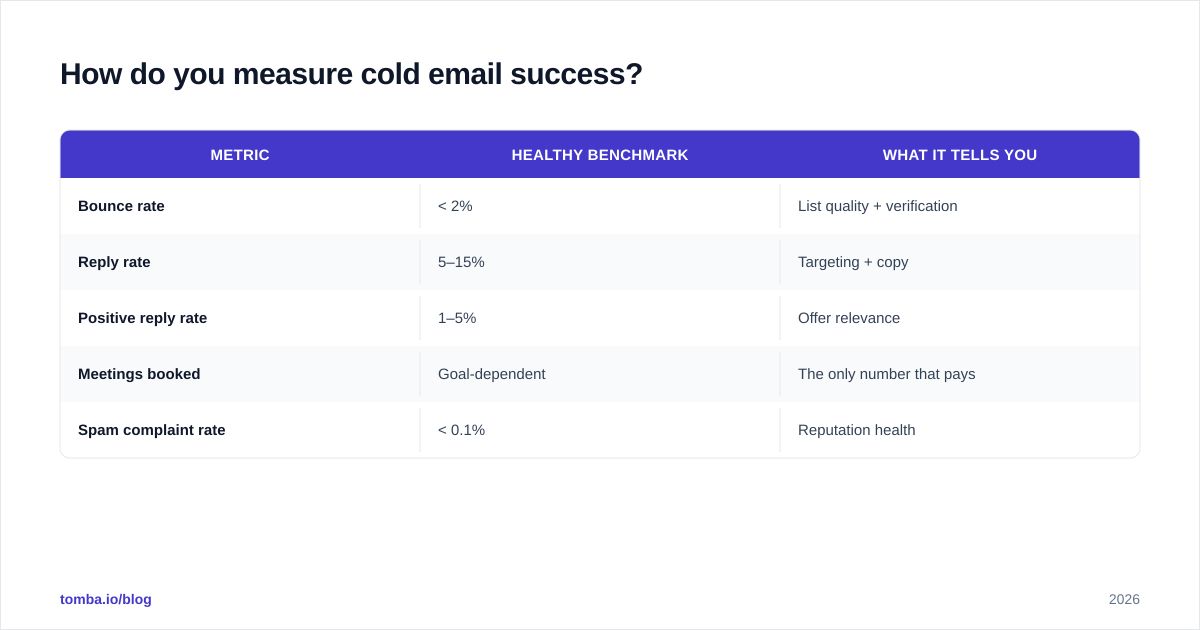
Track positive replies and meetings booked — everything else is a leading indicator. A practical scorecard:
| Metric | Healthy benchmark | What it tells you |
|---|---|---|
| Bounce rate | < 2% | List quality + verification |
| Reply rate | 5–15% | Targeting + copy |
| Positive reply rate | 1–5% | Offer relevance |
| Meetings booked | Goal-dependent | The only number that pays |
| Spam complaint rate | < 0.1% | Reputation health |
If bounces are high, fix your data. If replies are low but bounces are fine, fix targeting or copy. If you're landing in spam, fix infrastructure. Diagnosing in that order saves weeks of guessing.
The bottom line#
Cold email fundamentals are not glamorous, but they are learnable and they compound. Authenticate your domain, warm it up, verify every address, target a tight ICP, write short and specific, and follow up with discipline. Do those six things and you'll outperform competitors blasting ten times your volume.
The fastest fundamental to fix today is your data. Start with the Tomba Email Finder to pull verified, deliverable addresses by name or company domain — the free tier gives you 25 searches a month to test it against your own list before you commit. Clean data lowers bounces, protects the sender reputation you're working to build, and turns every other fundamental in this guide into actual replies.
// get started
Find, verify and enrich your first contacts today
Start on the free plan with 25 searches a month, then scale when your team is ready.
Free plan · No credit card required · GDPR & CCPA
// about the author