Clodura.ai vs Right Inbox: Full 2026 Comparison Guide
Clodura.ai and Right Inbox solve two very different sales problems. This 2026 breakdown compares features, pricing, and accuracy, then shows where a dedicated email finder beats both.
TL;DR
- Clodura.ai is a B2B prospecting database and sales-intelligence platform: contact discovery, intent data, and sequences. Right Inbox is a Gmail productivity extension: email tracking, scheduling, reminders, and templates.
- They are not real competitors. Clodura fills your pipeline with contacts; Right Inbox helps you manage the emails you send from Gmail. Most teams that "compare" them actually need both — or a third tool.
- On raw contact data, Clodura is the heavier platform but users report stale records and credit friction. Right Inbox has no data at all; it assumes you already have the addresses.
- If your bottleneck is finding accurate, verified email addresses, a focused email finder like Tomba outperforms Clodura's database depth and costs far less than an all-in-one suite.
- Read on for a feature-by-feature table, pricing, accuracy notes, and a clear recommendation by use case.
Why compare Clodura.ai and Right Inbox at all?#
Because the search term hides a real question: "I want more replies from cold outreach — which tool gets me there?"
Here is the honest answer up front. Clodura.ai and Right Inbox sit at opposite ends of the outbound workflow. Clodura is where you source prospects and their contact details. Right Inbox is where you send and track the emails once you already know who to reach. Picking between them is like choosing between a fishing net and a frying pan — you probably need both, and neither one is the other.
The trap is buying a broad platform to solve a narrow problem. If your only real gap is "I can't find verified emails," you do not need Clodura's full intent-data suite or Right Inbox's Gmail sidebar. You need a dedicated email finder that returns deliverable addresses with a confidence score. We will come back to that.

What is Clodura.ai?#
Clodura.ai is an all-in-one sales prospecting platform built around a large B2B contact database. Its pitch is "find, engage, and close" from a single dashboard.
Core capabilities:
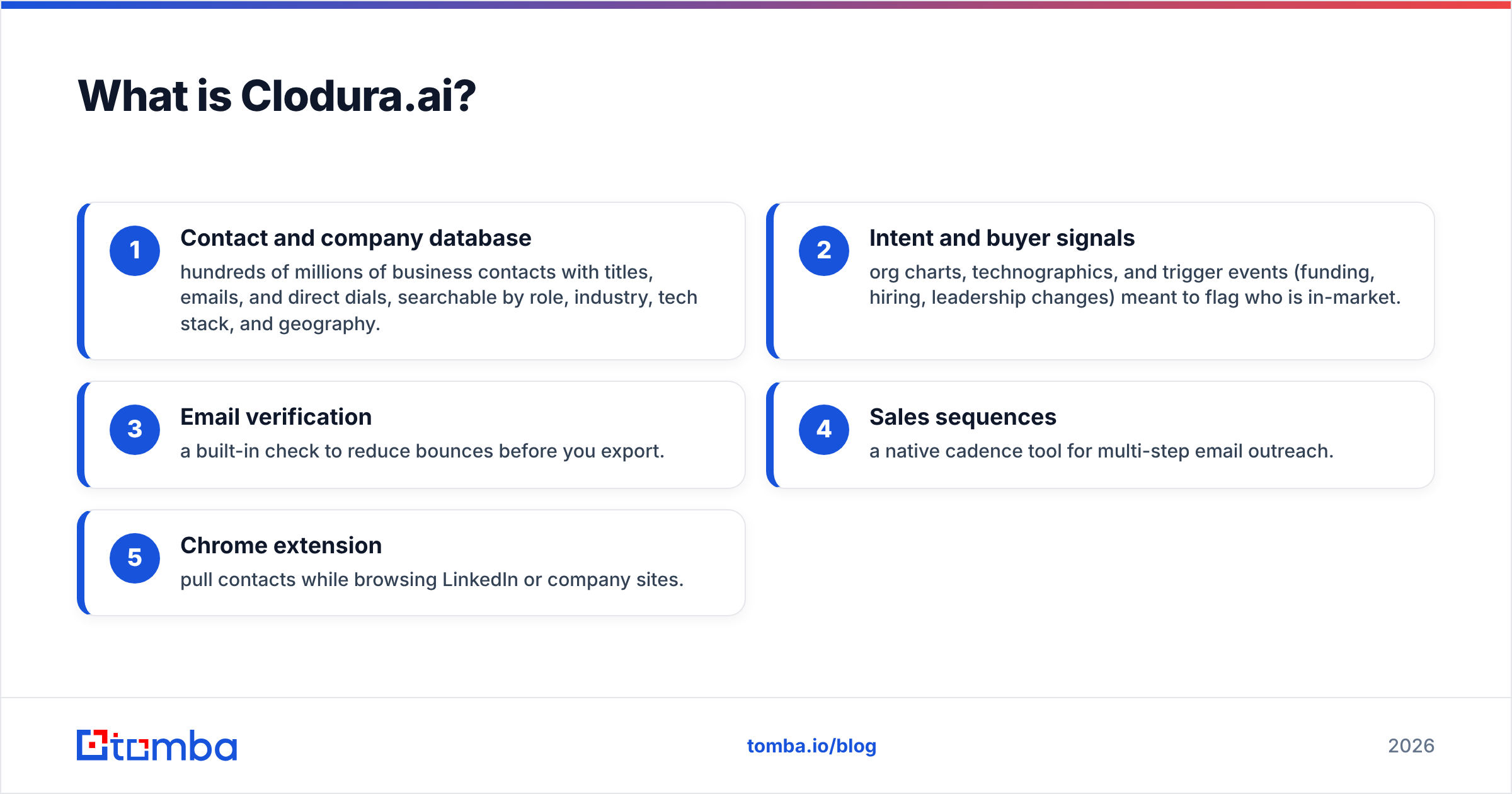
- Contact and company database — hundreds of millions of business contacts with titles, emails, and direct dials, searchable by role, industry, tech stack, and geography.
- Intent and buyer signals — org charts, technographics, and trigger events (funding, hiring, leadership changes) meant to flag who is in-market.
- Email verification — a built-in check to reduce bounces before you export.
- Sales sequences — a native cadence tool for multi-step email outreach.
- Chrome extension — pull contacts while browsing LinkedIn or company sites.
Clodura is aimed at SDR teams and agencies that want sourcing, enrichment, and sending under one roof. The strength is breadth. The weakness — echoed across G2 reviews — is that database freshness and credit economics vary: some records are current, others are years stale, and heavy prospecting burns credits fast.
What is Right Inbox?#
Right Inbox is a Gmail extension that adds sales and productivity features directly inside your inbox. It holds no contact data of its own.
Core capabilities:
- Email tracking — open and click notifications for messages you send.
- Send later / scheduling — queue emails to land at optimal times across time zones.
- Follow-up reminders — automatic nudges if a recipient does not reply.
- Templates and sequences — save canned messages and run lightweight drip campaigns.
- Mail merge and signatures — personalize at small scale without leaving Gmail.
Right Inbox is popular with founders, recruiters, and solo sellers who live in Gmail and want tracking plus timing without a heavy CRM. It is cheap, fast to adopt, and does one job well. What it explicitly does not do is tell you who to email or find an address — you bring your own list.
Clodura.ai vs Right Inbox: side-by-side comparison#
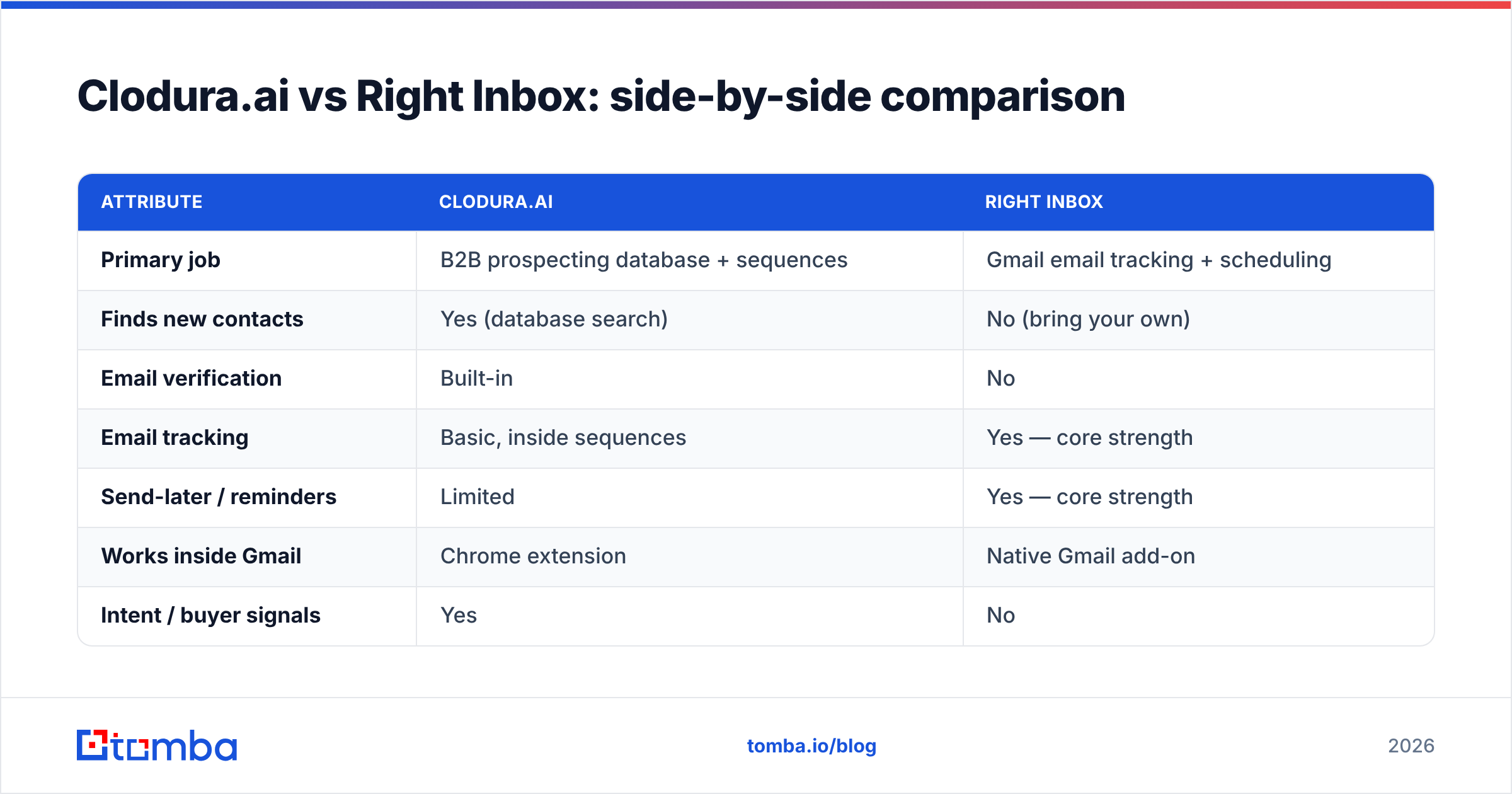
| Attribute | Clodura.ai | Right Inbox |
|---|---|---|
| Primary job | B2B prospecting database + sequences | Gmail email tracking + scheduling |
| Finds new contacts | Yes (database search) | No (bring your own) |
| Email verification | Built-in | No |
| Email tracking | Basic, inside sequences | Yes — core strength |
| Send-later / reminders | Limited | Yes — core strength |
| Works inside Gmail | Chrome extension | Native Gmail add-on |
| Intent / buyer signals | Yes | No |
| Best user | SDR teams, agencies | Founders, recruiters, solo sellers |
| Entry price (approx.) | ~$39–$99/user/mo | ~$8–$15/user/mo |
| Learning curve | Moderate to steep | Minimal |
The table makes the core point obvious: the two overlap almost nowhere. Clodura competes with data platforms like Apollo or ZoomInfo. Right Inbox competes with Gmail tools like Streak, Mailtrack, or Mixmax. If you are comparing them head to head, you are likely trying to assemble a full outbound stack — sourcing plus sending — and evaluating one piece from each side.
Which one should you choose?#
Choose based on the gap you actually have, not the tool with the longest feature list.
- You need to build lists and find contacts → Clodura.ai (or a leaner email finder — see below).
- You already have contacts and want tracking, timing, and follow-ups in Gmail → Right Inbox.
- You need both → pair a data/finder tool with Right Inbox. This is the most common real-world setup for small teams.
- You want one platform to do everything → Clodura leans closer, but you trade cost and simplicity for breadth.
There is a third path that most "Clodura vs Right Inbox" comparisons ignore, and it is often the smartest one.
Where does a dedicated email finder beat both?#
If the real bottleneck is accurate contact data, a focused email finder beats a bloated suite on the two metrics that matter: deliverability and cost per verified contact.
Clodura bundles a database, but bundled databases go stale between refresh cycles, and you pay for the whole platform whether or not you use the intent graph and sequences. Right Inbox skips data entirely. A specialist tool like Tomba does one thing and does it precisely: given a name and a company domain, it returns the most likely professional email with a confidence score, then verifies it before you ever hit send.
That precision protects your sender reputation. A single tool that both finds and validates addresses means fewer bounces, cleaner lists, and better inbox placement. Tomba's stack lines up directly against the two gaps above:
- Email finder — locate a verified professional email from a name and domain, with a confidence score on every result.
- Domain search — pull every discoverable email pattern for a target company in one query, ideal for account-based prospecting.
- Email verifier — validate any list, including catch-all domains, before it enters a sequence.
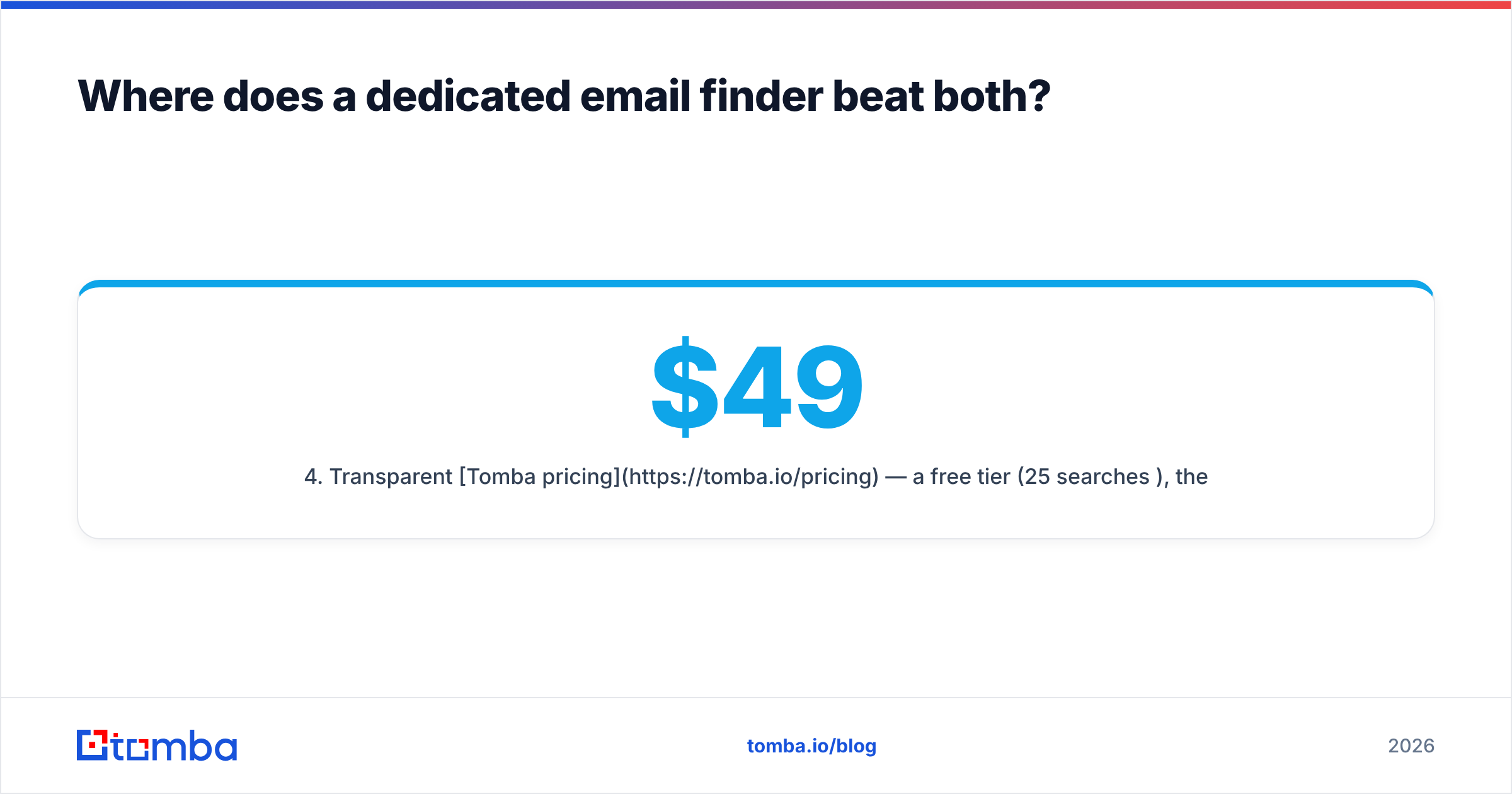
- Transparent Tomba pricing — a free tier (25 searches/mo), then Starter at $49/mo, Growth at $99/mo, and Pro at $249/mo — so cost scales with usage, not with features you never touch.
The workflow that outperforms either standalone tool is a hybrid: find and verify addresses with a specialist, then send and track them with a Gmail tool. You get clean data and timing, without paying enterprise-suite prices for one slice of the value.
How do the three approaches compare on cost and accuracy?#
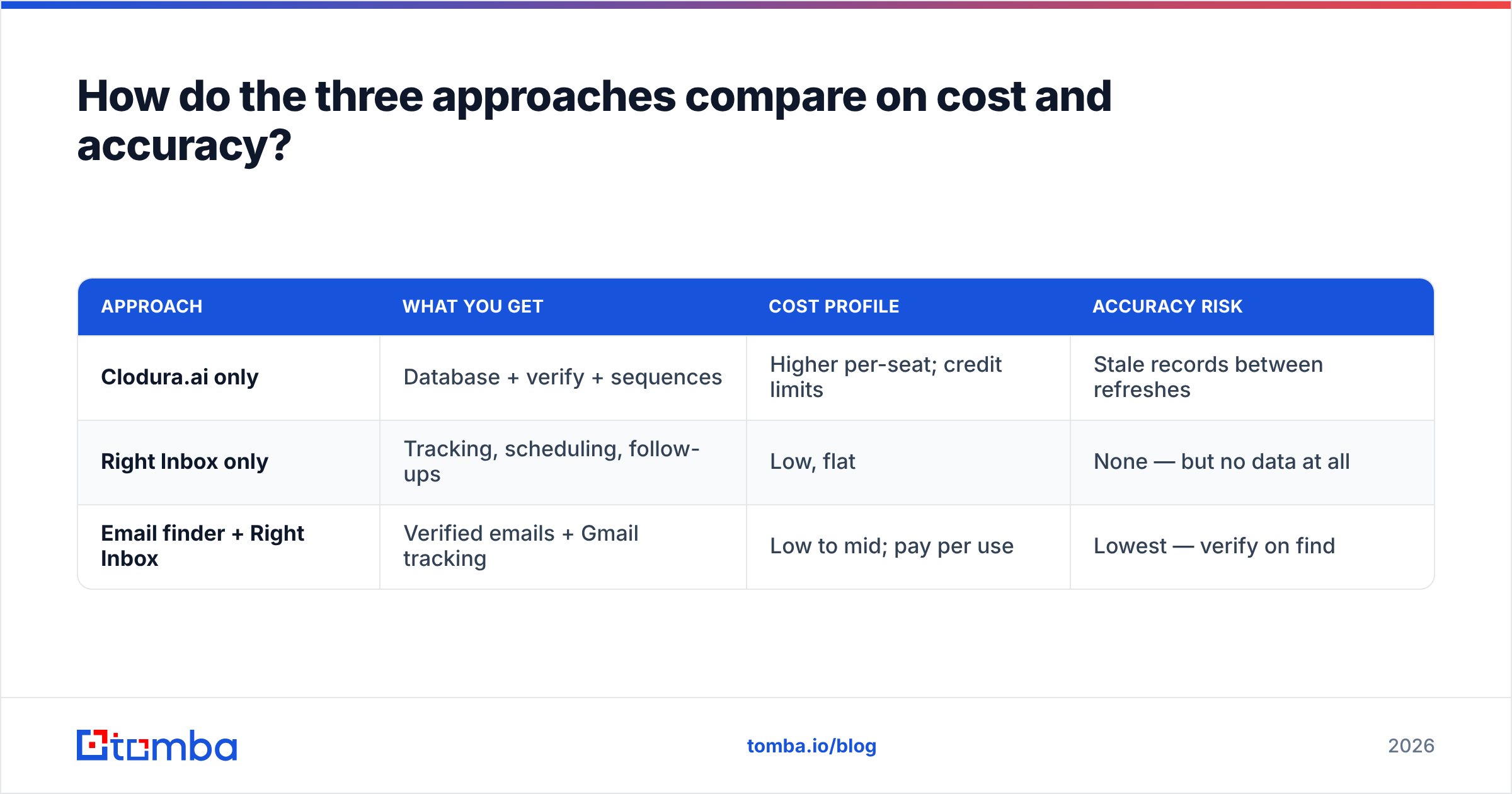
| Approach | What you get | Cost profile | Accuracy risk |
|---|---|---|---|
| Clodura.ai only | Database + verify + sequences | Higher per-seat; credit limits | Stale records between refreshes |
| Right Inbox only | Tracking, scheduling, follow-ups | Low, flat | None — but no data at all |
| Email finder + Right Inbox | Verified emails + Gmail tracking | Low to mid; pay per use | Lowest — verify on find |
The third row is where most small and mid-size teams land once they run the numbers. You are not paying for an intent-data engine you check twice a quarter, and you are not flying blind on who to contact. You spend on verified contacts and on inbox tooling — the two things that move reply rate.
A quick sanity check before you buy any of these: run a small sample. Take 50 target prospects, find their emails with each candidate tool, and verify the results independently. Measure the bounce rate. Data quality is invisible in a demo and painfully visible in your bounce logs three weeks later.
Frequently asked questions#
Are Clodura.ai and Right Inbox direct competitors? No. Clodura is a prospecting database and sequencing platform; Right Inbox is a Gmail tracking and scheduling extension. They occupy different stages of the outbound workflow and are often used together rather than as alternatives.
Does Right Inbox find email addresses? No. Right Inbox has no contact database and does not find or verify emails. You supply the addresses; it handles tracking, scheduling, templates, and follow-up reminders inside Gmail.
Is Clodura.ai's data accurate? It varies. Clodura maintains a large database, but freshness depends on refresh cycles — some records are current and others are dated. Always verify contacts before a campaign, regardless of the source, to protect deliverability.
What's the cheapest way to get verified emails plus tracking? Pair a dedicated email finder with a Gmail tool. A specialist finder-verifier returns deliverable addresses on a usage-based plan, and Right Inbox adds tracking and timing for a few dollars per user — together far cheaper than a full suite.
Can I use Tomba with Right Inbox? Yes. Find and verify addresses in Tomba, export them, then load them into your Gmail workflow where Right Inbox handles sending, tracking, and follow-ups. It is a clean division of labor: accurate data on one side, send-side visibility on the other.
The verdict#
Stop framing this as Clodura.ai versus Right Inbox — they answer different questions. Clodura sources contacts and intent; Right Inbox tracks and times the emails you send. If you must pick one, pick the one that matches your actual gap: data or delivery.
But if your outreach stalls because addresses bounce or you can't find the right person, neither a broad suite nor a Gmail tracker fixes it directly. A focused finder-and-verifier does. Start free with the Tomba Email Finder — 25 searches a month at no cost, verified results, and pricing that scales with what you use, not with features you'll never open. Find clean contacts first; let Clodura or Right Inbox handle whatever comes after.
Related guides#
Ready to find emails that actually work?
Join 150,000+ professionals who stopped guessing and started sending. Free credits on signup — no credit card required.
Get the Tomba newsletter
Practical outbound tactics and product updates — once every two weeks.
About the author