Clodura.ai vs Tailormails (2026): Data Platform vs Cold Email AI
Clodura.ai and Tailormails solve different halves of outbound. One builds your pipeline of contacts, the other writes and sends the emails. Here's which fits your team in 2026 — and where a dedicated data layer beats both.
Clodura.ai vs Tailormails looks like a straight fight. It isn't quite. One is a sales-intelligence database with built-in sending. The other is an AI cold-email tool built for personalization at scale. They overlap in the middle. Both touch outbound email. But they win at opposite ends of the funnel. This guide shows where each tool earns its price. It also shows where you'll still want a dedicated data layer under either one.
TL;DR#
- Clodura.ai is a B2B data-and-sending platform. It bundles a contact database, an email finder and verifier, and a cadence tool. Best if you want prospecting and sending under one login.
- Tailormails is an AI cold-email tool. It is built for deep personalization and safe sending. Best if you already have a list and need higher reply rates.
- They are complementary more often than competitive. Clodura feeds contacts; Tailormails, or any sender, works the inbox.
- Neither one is a specialist at email accuracy. If bounce rates are hurting you, a dedicated finder and verifier like Tomba Email Finder plugs the leak better than either bundle.
- Pricing scales very differently. Clodura charges for data credits and seats. Tailormails charges by sending volume and mailbox.
What is Clodura.ai?#
Clodura.ai is an all-in-one sales-intelligence platform. Think of it as a prospecting warehouse with a shipping dock attached. You search a database of companies and contacts. You pull verified emails and direct dials. Then you push those people into email sequences, with no exporting. It also adds intent signals, org charts, and tech filters. So you can slice a list by buying signals, not just job title.
The pitch is consolidation. You skip paying for a database tool, a verifier, and a cadence tool on their own. Instead, one subscription handles discovery, enrichment, and outreach. For a small team that hates stitching tools together, that is genuinely appealing.
The tradeoff is depth. A platform that does five things rarely beats the specialists at any one. Clodura's database is broad, but coverage swings a lot by region and seniority. Its built-in verification is "good enough," not best-in-class. That gap shows the moment you start sending real volume.
What is Tailormails?#
Tailormails is an AI cold-email tool. Its whole job is the second half of outbound. It takes a list of people and turns it into personalized campaigns that land in the inbox and get replies. AI drafts a per-prospect opener. It rotates mailboxes, warms up domains, and keeps volume under the limits that trip spam filters.
Where Clodura says "find and send," Tailormails says "send better." It assumes you already have contacts. Those can come from a database, a scrape, an event list, or a data provider. It then focuses on the copy, the cadence, and the sender reputation that decide whether emails convert.
That focus is its strength and its limit. Tailormails does not pretend to be your database. Feed it a stale or unverified list, and even the best personalization will bounce into spam and hurt your sender reputation. Great sending cannot rescue bad data.
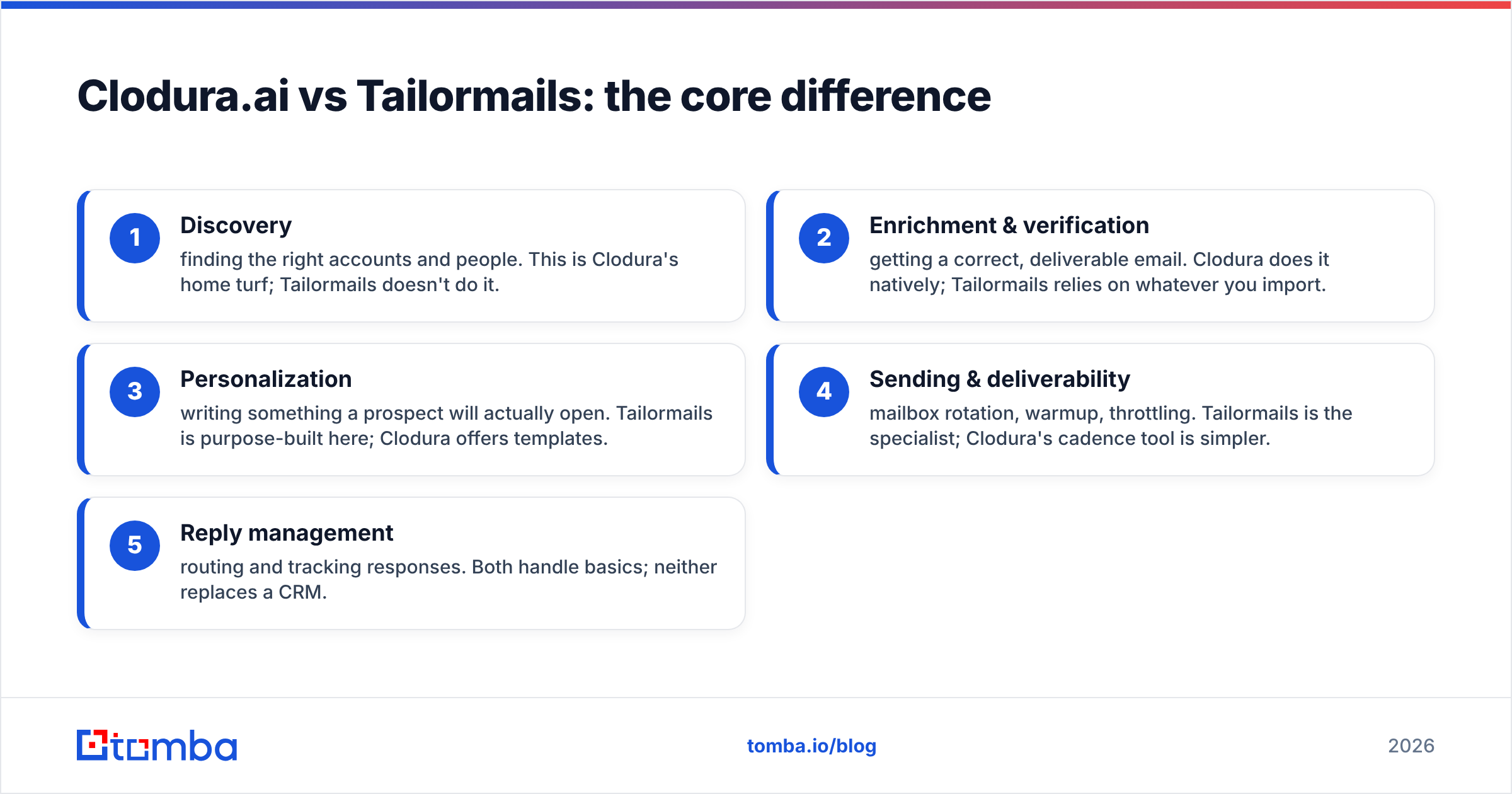
Clodura.ai vs Tailormails: the core difference#
Here is the cleanest way to think about it: Clodura.ai owns the top of your outbound funnel, and Tailormails owns the bottom.
- Discovery — finding the right accounts and people. This is Clodura's home turf. Tailormails does not do it.
- Enrichment and verification — getting a correct, deliverable email. Clodura does it natively. Tailormails relies on whatever you import.
- Personalization — writing something a prospect will open. Tailormails is built for this. Clodura offers templates.
- Sending and deliverability — mailbox rotation, warmup, throttling. Tailormails is the specialist. Clodura's cadence tool is simpler.
- Reply management — routing and tracking responses. Both handle the basics. Neither replaces a CRM.
Once you map it that way, the "versus" mostly dissolves. The real question is not which one. It is which end of your funnel is bleeding. And it is whether you want one bundled tool or a best-of-breed stack.
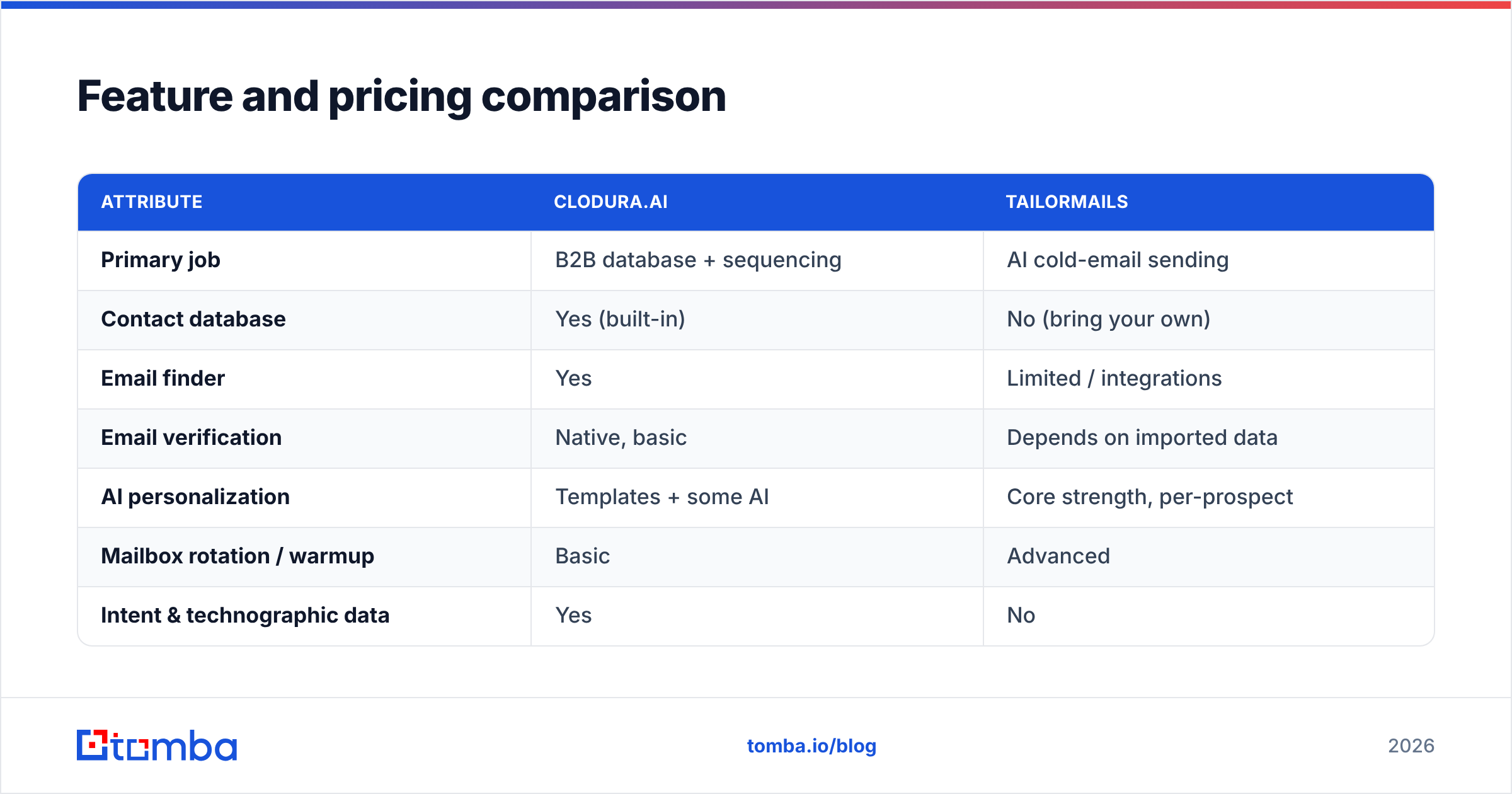
Feature and pricing comparison#
| Attribute | Clodura.ai | Tailormails |
|---|---|---|
| Primary job | B2B database + sequencing | AI cold-email sending |
| Contact database | Yes (built-in) | No (bring your own) |
| Email finder | Yes | Limited / integrations |
| Email verification | Native, basic | Depends on imported data |
| AI personalization | Templates + some AI | Core strength, per-prospect |
| Mailbox rotation / warmup | Basic | Advanced |
| Intent & technographic data | Yes | No |
| Best for | Full-funnel small teams | Reply-rate optimization |
| Pricing model | Credits + seats | Sending volume + mailboxes |
| Typical entry price | ~$39–$99/mo range | Volume-based tiers |
Pricing note: both vendors change tiers often. Confirm current numbers on their own sites — Clodura.ai and Tailormails both publish live pricing. Clodura's cost climbs with data credits and seats. Tailormails' cost climbs with how many mailboxes and emails you push. A five-person team sending 10,000 emails a month will see very different bills, depending on which lever they pull.
Here is what pricing tables hide: the cost of bad data. A cheap seat gets expensive if 20% of your emails bounce. Bounces damage domain reputation and shrink every future campaign's reach. That is the line item no pricing page shows you.
Is Clodura.ai better than Tailormails?#
It depends on the gap in your stack. Here is the honest verdict.
Pick Clodura.ai if you are starting from zero contacts. You want one tool to find, verify, and sequence, with no exporting to five systems. It suits a lean team that values consolidation over specialization. It also fits an SDR who needs to build lists and fire cadences in the same afternoon.
Pick Tailormails if you already have a strong source of contacts. Your problem is reply rates, not list-building. If your emails land in spam or get ignored, a specialist sender with real warmup and per-prospect copy will move the needle more than a broader database.
Pick both if budget allows and you are scaling. Use Clodura for the top of funnel and Tailormails for the bottom. This is the setup many growing outbound teams land on.
But there is a third option most comparison posts skip. Keep your sending tool, keep your CRM, and swap the data layer for a specialist. That is usually where the biggest accuracy gains hide.
Where a dedicated data layer beats both#
Both Clodura and Tailormails treat email accuracy as a feature. For a specialist, it is the whole product. That difference shows up in your bounce rate.
If undeliverable emails are hurting you, the fix is not always a new platform. It is inserting a purpose-built email verifier and email finder between your list and your sender. Here is how the pieces slot in:
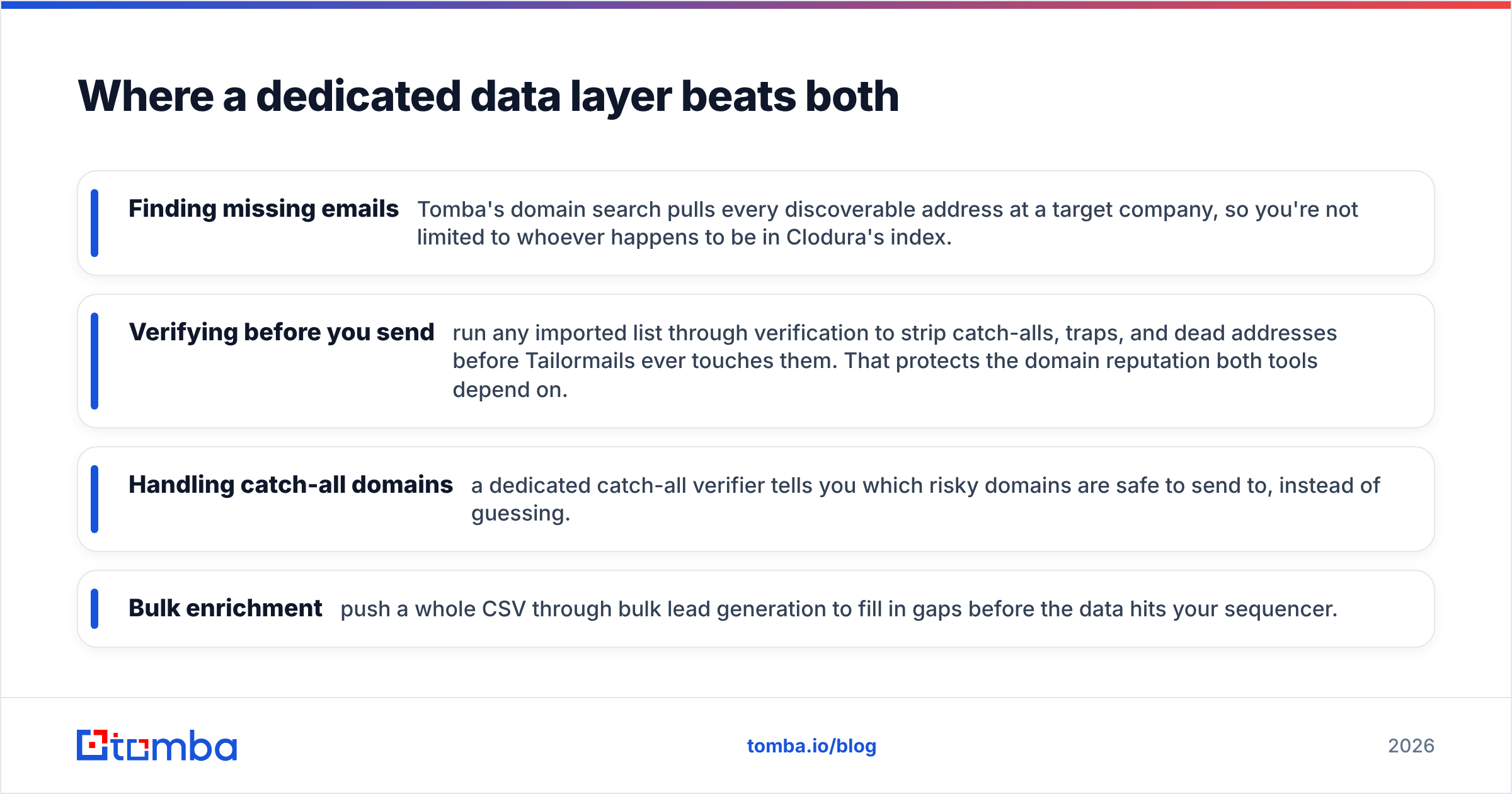
- Finding missing emails — Tomba's domain search pulls every discoverable address at a target company. So you are not limited to whoever sits in Clodura's index.
- Verifying before you send — run any imported list through verification first. It strips catch-alls, traps, and dead addresses before Tailormails ever touches them. That protects the domain reputation both tools depend on.
- Handling catch-all domains — a dedicated catch-all verifier tells you which risky domains are safe to send to, instead of guessing.
- Bulk enrichment — push a whole CSV through bulk lead generation to fill gaps before the data hits your sequencer.
The logic is simple. Clodura is a decent database, an okay verifier, and a basic sender. Tailormails is a great sender that trusts your input. Neither is built to guarantee the one thing that decides deliverability: a clean, verified address. A specialist data layer is.
How to choose the right stack in 2026#
Work backwards from your real bottleneck, not the feature grid:
| Your situation | Best move |
|---|---|
| No contacts, tiny team, want one tool | Start with Clodura.ai |
| Good list, weak reply rates | Add Tailormails |
| High bounce rate on any tool | Add a dedicated verifier first |
| Scaling outbound, budget available | Clodura + Tailormails + verification |
| Developer-led, want automation | API-first data via Tomba API |
Notice that in three of the five situations, the answer is not "buy the other platform." It is "fix the data." Teams routinely spend months A/B testing subject lines while a fifth of their sends quietly bounce. The subject line matters. But it matters less than a real address.
Here is a practical sequence for most teams. Source contacts from Clodura, an event list, LinkedIn, or a database. Verify every address through a specialist before import. Then let your sender, Tailormails or any cadence tool, do what it does best. Each layer stays best-of-breed. No single vendor's weakness becomes your ceiling.
The bottom line#
Clodura.ai vs Tailormails is not really a duel. It is a division of labor. Clodura builds and organizes your pipeline of contacts. Tailormails turns that pipeline into replies. If you only buy one, pick the one that fixes your current bottleneck: Clodura for list-building, Tailormails for reply rates.
But before you spend on either, look at your bounce rate. If it is above 3–4%, the highest-ROI move is not a new platform. It is clean data feeding whatever you already run. Verify first, send second. Then every dollar you spend on Clodura or Tailormails works harder.
That is exactly the layer Tomba is built for. Use the Tomba Email Finder to find and verify professional emails by domain, name, or company. Then hand a clean list to your sequencer of choice. The free tier gives you 25 searches a month. Test accuracy against your own targets before you commit. Start there, and let your data do the heavy lifting your sending tool cannot.
Related guides#
Ready to find emails that actually work?
Join 150,000+ professionals who stopped guessing and started sending. Free credits on signup — no credit card required.
Get the Tomba newsletter
Practical outbound tactics and product updates — once every two weeks.
About the author