Clodura.ai vs Wiza (2026): Which B2B Prospecting Tool Wins?
Clodura.ai bundles a B2B database with sequences; Wiza scrapes LinkedIn lists fast. We compare accuracy, pricing, and workflow to help you pick the right one in 2026.
Choosing between Clodura.ai and Wiza usually comes down to one question: do you want a full prospecting database with built-in sequencing, or a fast LinkedIn-to-email list builder? Both tools promise clean B2B contacts, but they solve different halves of the outbound problem — and the wrong pick wastes credits and pollutes your CRM.
This is a neutral, hands-on comparison. No affiliate spin, no "everything is amazing." Just where each tool is strong, where it quietly falls short, and how to decide.
TL;DR: Clodura.ai vs Wiza in 30 seconds#
- Clodura.ai is an all-in-one sales intelligence platform: a static B2B database (~600M+ contacts claimed), org charts, buyer intent, and native email sequencing. Best if you want prospecting and outreach under one roof.
- Wiza is a LinkedIn-native list builder. It turns Sales Navigator searches and lists into verified emails and phone numbers fast. Best if LinkedIn is already your primary sourcing channel.
- Accuracy: Wiza tends to edge ahead on LinkedIn-sourced emails because it verifies at export time; Clodura's database is broad but can go stale between refreshes.
- Pricing: Wiza's credit model is simpler for list pulls; Clodura's tiers bundle more features (sequences, intent) so it looks pricier but replaces multiple tools.
- Neither is a pure email-finder. If accuracy and cost-per-verified-email are your only concern, a dedicated finder like Tomba often beats both on unit economics.
What is Clodura.ai and who is it for?#
Clodura.ai is an all-in-one sales prospecting platform built around a large in-house B2B database. Instead of scraping live, it stores company and contact records — direct dials, email addresses, technographics, and org hierarchies — and layers sales-engagement features on top.
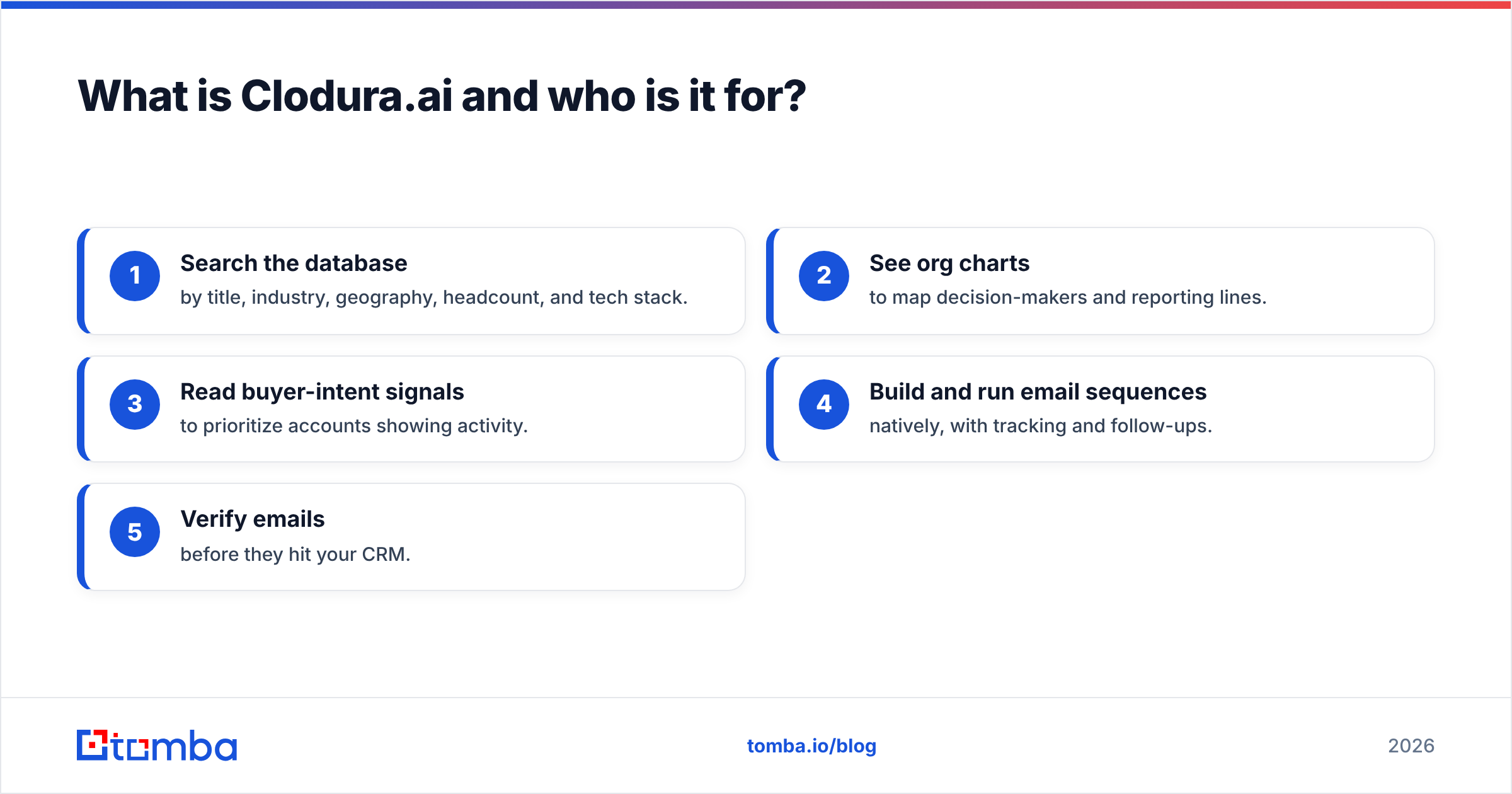
The pitch is consolidation. In one login you can:
- Search the database by title, industry, geography, headcount, and tech stack.
- See org charts to map decision-makers and reporting lines.
- Read buyer-intent signals to prioritize accounts showing activity.
- Build and run email sequences natively, with tracking and follow-ups.
- Verify emails before they hit your CRM.
That makes Clodura a fit for small-to-mid sales teams that don't want to stitch together a database tool, a verifier, and a sequencer separately. The tradeoff is the classic static-database problem: records are only as fresh as the last refresh, and job changes in B2B move fast.

What is Wiza and who is it for?#
Wiza takes the opposite approach. It's a LinkedIn-first prospecting tool that plugs into LinkedIn and Sales Navigator. You build a search or a list on LinkedIn, and Wiza enriches those profiles into emails and phone numbers, verifying them at the moment of export.
Because Wiza sources against live profiles, the data reflects where people actually work today — a real advantage over static databases when contacts change roles. It's a favorite of SDRs and founders who already live in Sales Navigator and want to move a targeted list into their outreach stack quickly.
Where Wiza is thinner: it's not a full sales-engagement suite. There's no deep buyer-intent layer or native multi-step sequencing on par with Clodura. It's a sharp tool for one job — turning LinkedIn audiences into clean, exportable contacts.
Clodura.ai vs Wiza: side-by-side comparison#
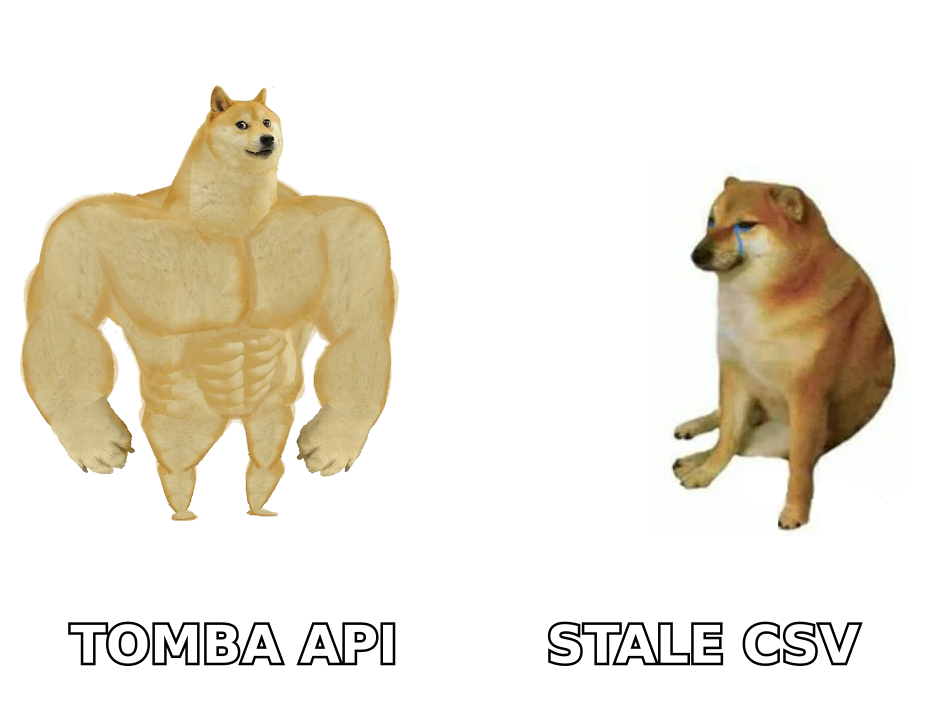
Here's the head-to-head on the attributes that actually change your workflow and budget.
| Feature | Clodura.ai | Wiza |
|---|---|---|
| Core model | Static B2B database | Live LinkedIn enrichment |
| Data source | In-house database (~600M+ claimed) | LinkedIn / Sales Navigator profiles |
| Email verification | Built-in verifier | Verifies at export time |
| Phone / direct dials | Yes | Yes (mobile + direct) |
| Sequencing / outreach | Native email sequences | No native sequencer |
| Buyer intent | Yes | Limited |
| Org charts | Yes | No |
| Best entry price | Higher (bundled features) | Lower (credit-based) |
| Free tier | Limited free credits | Free trial credits |
| Ideal user | SMB teams wanting all-in-one | LinkedIn-heavy SDRs |
Read the table by intent, not by row count. If most of your rows that matter are "sequencing," "intent," and "org charts," Clodura wins by default. If they're "live LinkedIn data" and "simple export," Wiza does.
Which tool has more accurate data?#
Accuracy depends on where the email comes from, not just the vendor's marketing number.
Wiza verifies each email at export against live signals, so LinkedIn-sourced contacts tend to be current. The weakness: coverage. If a profile has no discoverable email, you get a "not found" — you can't invent a record that isn't derivable.
Clodura has enormous breadth, which is great for volume, but a static database inevitably decays. A contact accurate at the last refresh may have changed jobs, and catch-all domains muddy verification. Broad coverage plus staleness is the tradeoff.
Two practical rules regardless of which you pick:
- Always re-verify before a send. Even good data rots. Run exports through a dedicated email verifier so bounces don't wreck your sender reputation.
- Treat catch-all domains carefully. "Accepted" isn't "delivered." A catch-all verifier separates real inboxes from domains that swallow everything.
This is where many teams add a specialist layer. A focused email finder and verifier often returns a higher share of deliverable addresses per credit than a bundled platform whose primary job is sequencing or list-building.

How do Clodura.ai and Wiza compare on pricing?#
Pricing is where the two philosophies show most clearly.
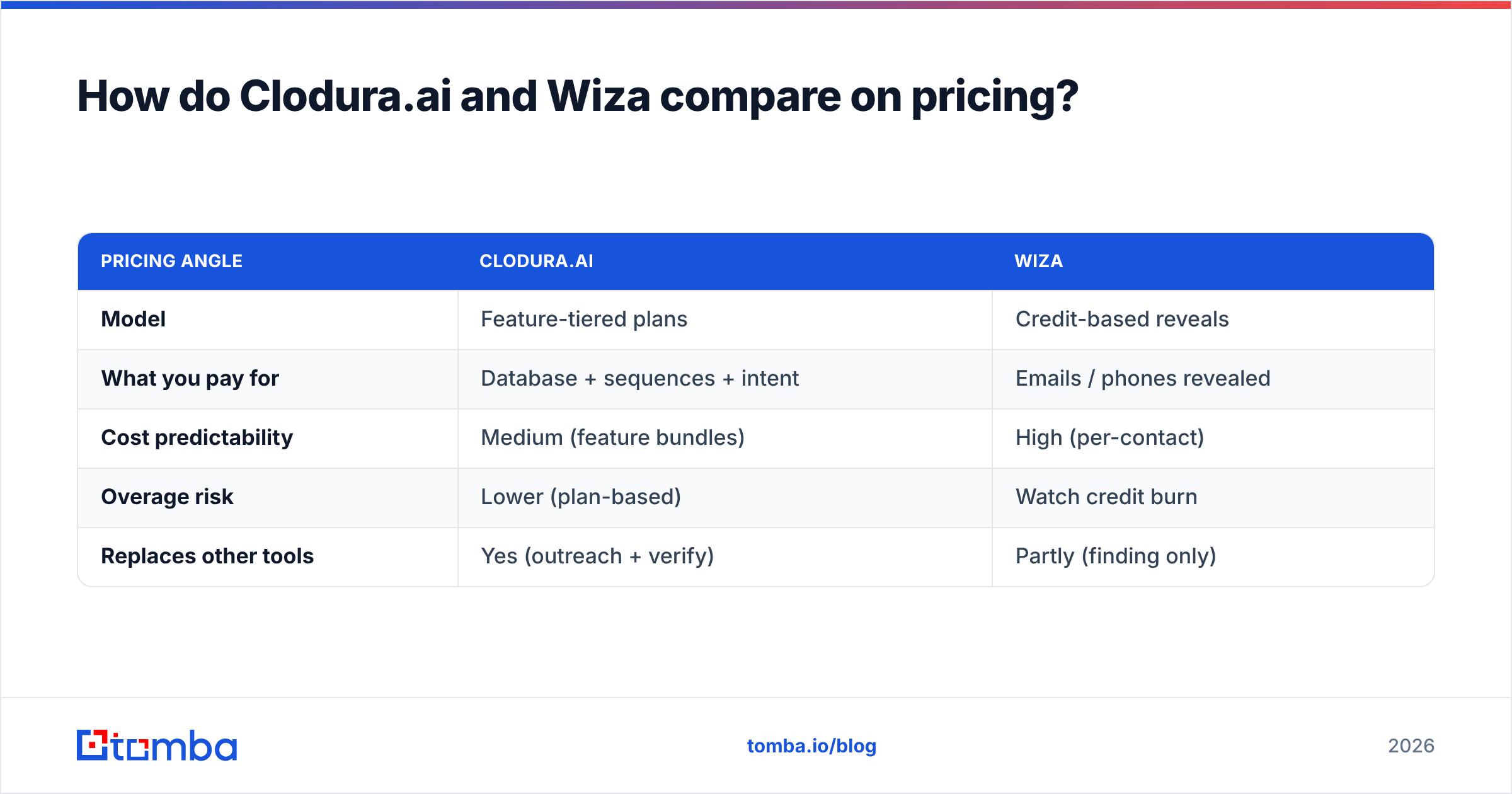
Wiza uses a credit model tied to reveals (email, phone, valid email). It's easy to reason about: you pay roughly per contact you enrich. That's efficient if you pull discrete lists and don't need a sequencer bolted on.
Clodura bundles the database, verification, intent, and sequencing into tiered plans. On paper the entry price looks higher, but you're replacing three or four separate subscriptions. If you'd otherwise pay for a database, a verifier, and an outreach tool, the bundle can be cheaper in aggregate.
| Pricing angle | Clodura.ai | Wiza |
|---|---|---|
| Model | Feature-tiered plans | Credit-based reveals |
| What you pay for | Database + sequences + intent | Emails / phones revealed |
| Cost predictability | Medium (feature bundles) | High (per-contact) |
| Overage risk | Lower (plan-based) | Watch credit burn |
| Replaces other tools | Yes (outreach + verify) | Partly (finding only) |
For comparison shoppers, note where a specialist sits. Tomba pricing starts with a free tier (25 searches/mo), then Starter at $49/mo, Growth at $99/mo, and Pro at $249/mo — a straightforward finder-and-verifier stack you can bolt onto either Clodura or Wiza when you need higher deliverability per dollar. Check current numbers on each vendor's own page before you commit; SaaS pricing shifts quarterly.
Clodura.ai vs Wiza: pros and cons#
Clodura.ai pros
- All-in-one: database, verification, intent, and sequencing in one login
- Org charts and buyer intent help prioritize accounts
- Bundled pricing can replace several point tools
Clodura.ai cons
- Static database decays between refreshes
- More tool to learn than a single-purpose finder
- Catch-all handling can inflate "found" without "delivered"
Wiza pros
- Live LinkedIn data reflects current roles
- Verifies emails at export time
- Simple, predictable per-contact credit pricing
Wiza cons
- No native multi-step sequencing
- Coverage limited to what's derivable from LinkedIn
- Credit burn adds up on large pulls
When should you use a dedicated email finder instead?#
Here's the honest part most vendor pages skip: for many teams the best answer is "both a sourcing tool and a specialist finder." Clodura and Wiza are strong at their core jobs — a full database with outreach, and fast LinkedIn list-building. Neither is optimized purely for cost-per-verified-email at scale.
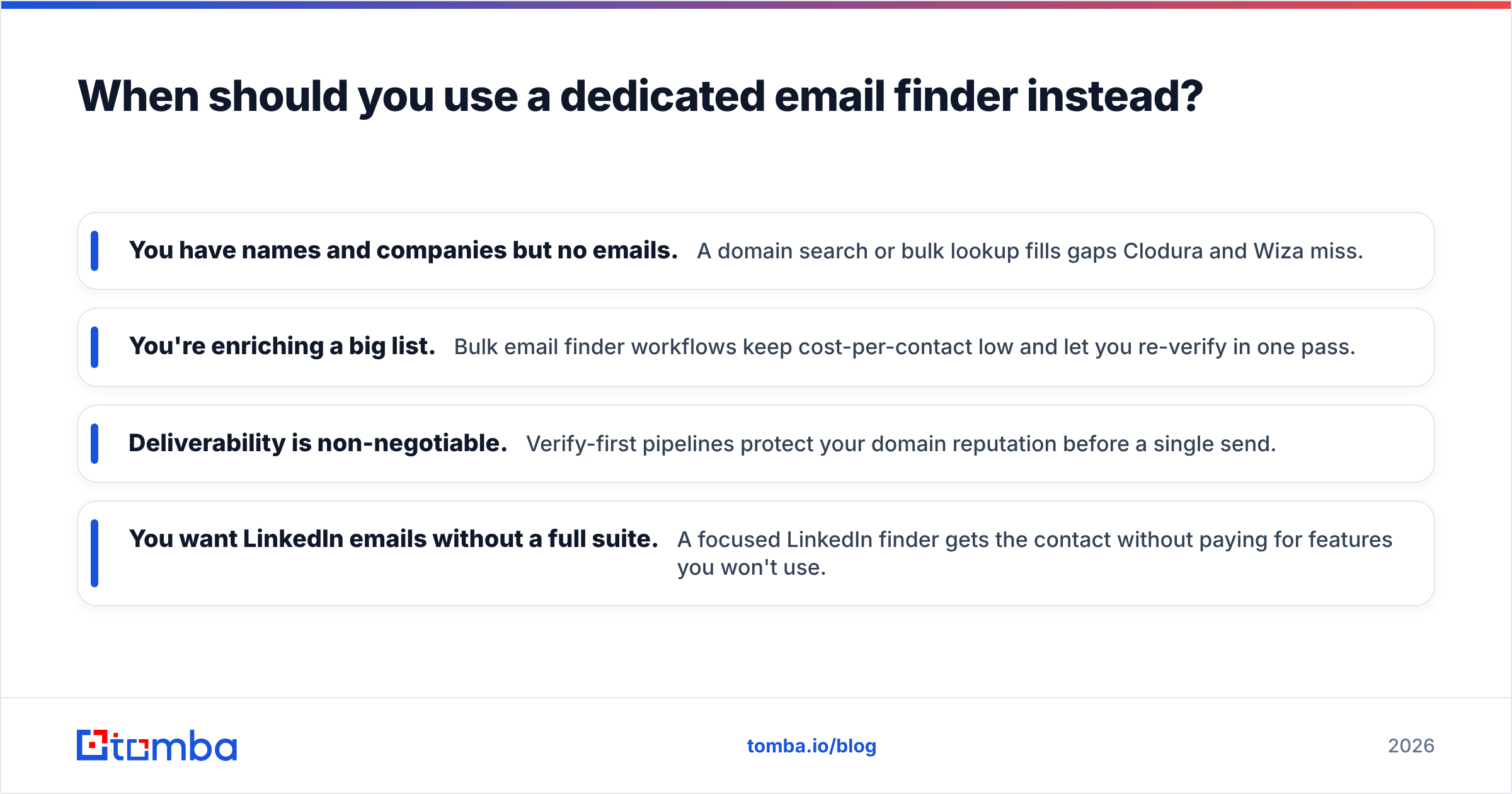
Use a dedicated finder when:
- You have names and companies but no emails. A domain search or bulk lookup fills gaps Clodura and Wiza miss.
- You're enriching a big list. Bulk email finder workflows keep cost-per-contact low and let you re-verify in one pass.
- Deliverability is non-negotiable. Verify-first pipelines protect your domain reputation before a single send.
- You want LinkedIn emails without a full suite. A focused LinkedIn finder gets the contact without paying for features you won't use.
A common, effective stack in 2026: source in Wiza or Clodura, then run every export through a specialist finder-and-verifier before it touches your sequencer. You keep the sourcing strengths and fix the deliverability weak spot.
Verdict: which should you choose in 2026?#
- Pick Clodura.ai if you want one platform for prospecting and outreach, value org charts and buyer intent, and would otherwise juggle a database plus a sequencer. Best for SMB teams consolidating their stack.
- Pick Wiza if LinkedIn is your main sourcing channel and you want fast, current, verified exports without a heavy suite. Best for SDRs and founders living in Sales Navigator.
- Add a specialist finder either way if deliverability and cost-per-verified-email drive your numbers. That's where a dedicated tool earns its place.
Independent reviews on G2 echo this split — Clodura scores well on all-in-one convenience, Wiza on LinkedIn data freshness. Match the tool to your dominant workflow, not to the longest feature list.
Get the accuracy layer both tools rely on#
Whichever platform you source with, the emails only pay off if they land. Run your Clodura or Wiza exports through the Tomba Email Finder and verifier to catch stale addresses, filter catch-alls, and protect your sender reputation before you hit send. Start free with 25 searches a month, scale to Starter at $49/mo when you're ready, and stop paying in bounces for data you already bought. Sourcing tools find the contact — Tomba makes sure it's real.
Related guides#
// get started
Find, verify and enrich your first contacts today
Start on the free plan with 25 searches a month, then scale when your team is ready.
Free plan · No credit card required · GDPR & CCPA
// about the author