Closing Email Examples: 15 Sign-Offs That Get Replies
The last two lines of your email decide whether you get a reply or silence. Here are 15 closing email examples, when to use each, and the psychology that makes them work.
Most people obsess over the subject line and the opening hook, then throw away the reply by ending with "Let me know your thoughts." The close is the part of your email that asks for the response — and a vague close gets a vague result: nothing.
This guide breaks down 15 closing email examples you can copy today, organized by the job each one does. You'll see the exact wording, when to use it, and why it works.
TL;DR#
- The close is a call to action, not a sign-off. "Best regards" is a sign-off; "Are you free Tuesday at 2pm ET?" is a close.
- Specific, low-effort asks beat open-ended ones. A yes/no question or a two-option choice converts far better than "let me know your thoughts."
- Match the close to the goal: booking a meeting, getting a decision, reviving a dead thread, or ending a sequence gracefully all need different wording.
- One ask per email. Two CTAs split attention and cut your reply rate.
- The examples below are copy-paste ready — swap the brackets and send.
What makes a closing email actually work?#
A strong close does three things: it tells the reader exactly what to do next, it makes that action feel small, and it gives them a reason to do it now instead of later. Miss any one of those and the email drifts into the "I'll deal with this later" pile, which is where replies go to die.
Think of your email like a checkout page. You can have the best product photos and reviews in the world, but if the "Buy" button is hidden or says something confusing, the cart gets abandoned. Your closing line is that button. It should be obvious, single-purpose, and frictionless.
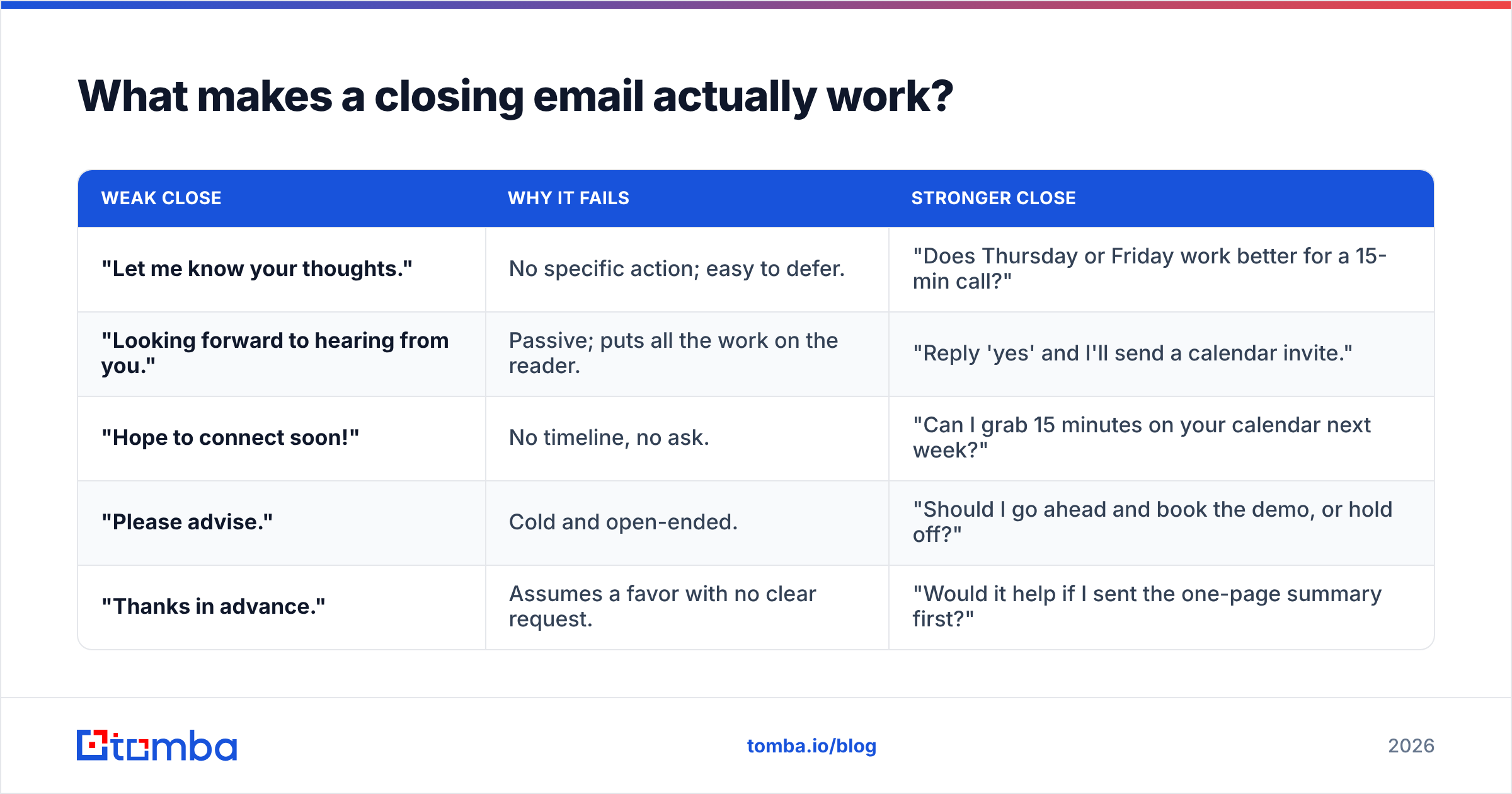
Here's the difference in practice:
| Weak close | Why it fails | Stronger close |
|---|---|---|
| "Let me know your thoughts." | No specific action; easy to defer. | "Does Thursday or Friday work better for a 15-min call?" |
| "Looking forward to hearing from you." | Passive; puts all the work on the reader. | "Reply 'yes' and I'll send a calendar invite." |
| "Hope to connect soon!" | No timeline, no ask. | "Can I grab 15 minutes on your calendar next week?" |
| "Please advise." | Cold and open-ended. | "Should I go ahead and book the demo, or hold off?" |
| "Thanks in advance." | Assumes a favor with no clear request. | "Would it help if I sent the one-page summary first?" |
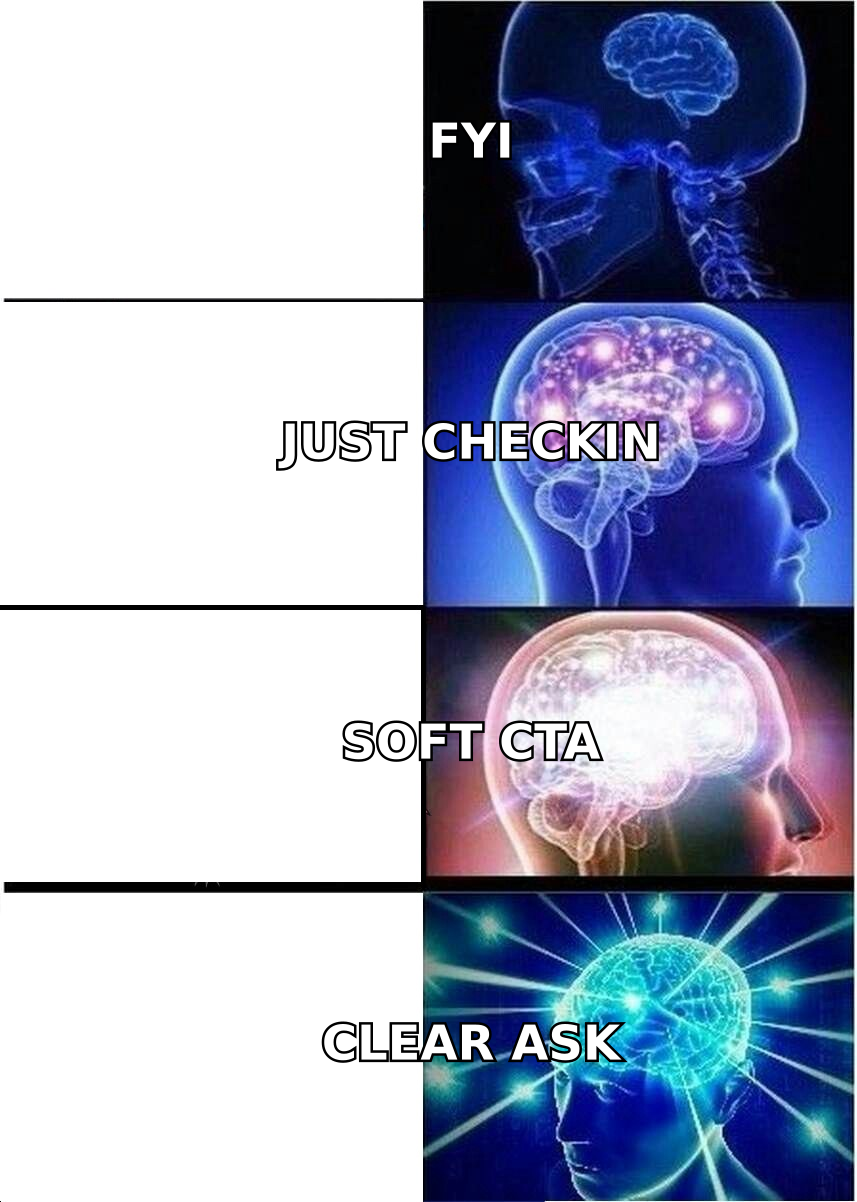
Notice the pattern: every strong close is a question the reader can answer in one line. That's the whole game.
What are the best closing email examples for booking a meeting?#
Meeting-request closes live or die on how easy you make it to say yes. Remove the back-and-forth by proposing concrete times or a binary choice.
1. The two-option close
"Would Tuesday at 10am or Wednesday at 2pm (ET) work better for a quick 15-minute call?"
Offering two slots feels like a menu, not homework. Psychologically it nudges the reader toward picking one rather than deciding whether to meet at all.
2. The calendar-link close
"If it's easier, here's my calendar — grab any slot that works: [link]. Otherwise, just reply with a couple of times and I'll send an invite."
Give a self-serve path plus a reply option so you don't force one behavior.
3. The permission close
"Can I send over a 15-minute invite for next week to walk you through it? No slides, just answers to your questions."
Framing it as a small, defined block ("15 minutes," "no slides") lowers the perceived cost.
4. The soft-yes close
"Worth a quick chat? If yes, I'll find time that fits your week."
This works when you're not sure the reader is ready to commit to a specific time yet. You're getting agreement in principle first.
If you send a lot of these, it pays to systematize your wording. A library of proven cold email templates keeps your best closes one paste away instead of rewritten from scratch every time.
How do you close a sales or cold email without sounding pushy?#
The fear of being pushy is exactly what produces weak closes. But "not pushy" doesn't mean "no ask" — it means a proportionate ask. Early in a relationship, ask for interest, not a signature.
5. The interest-check close
"Is improving [specific outcome] a priority this quarter, or is the timing off? Either answer is helpful."
Explicitly permitting a "no" paradoxically raises reply rates, because it removes the pressure that makes people ghost. According to HubSpot's sales research, giving prospects an easy out often surfaces the honest "not now" that lets you follow up later at the right time.
6. The value-first close
"Want me to send a two-line teardown of how [competitor or peer] handles this? Takes me five minutes and it's yours whether or not we talk."
You close by offering to give, not take. The reply bar is almost zero.
7. The single-question close
"Quick one: who owns [process/decision] on your team these days?"
When you're not sure you've reached the right person, a routing question is a low-friction close that keeps the thread alive.
Keeping these proportionate matters because your email response rate is the metric that compounds. A close that earns even a one-word "not now" is worth more than a grand pitch that earns silence — the first keeps a door open.
What are good closing lines for a follow-up email?#
Follow-ups fail when they just say "just checking in" — a phrase that adds no new value and mildly guilts the reader. Every follow-up close should carry a fresh reason to respond.
8. The new-angle close
"Since I last wrote, we shipped [new thing] that maps directly to the [problem] you mentioned. Worth a look? Happy to send a 90-second video."
9. The assumption close
"I'm guessing this dropped down the priority list — totally fair. Should I check back next quarter, or is it dead for now?"
Naming the likely reason for silence gives the reader an easy lane to reply in.
10. The one-line nudge
"Bumping this to the top of your inbox — still worth a quick chat?"
Short, honest, and self-aware. Works best as the second touch, not the fifth.
11. The deadline close
"We're locking Q3 onboarding slots by Friday. Want me to hold one for you, or should I release it?"
Only use a real deadline. Manufactured urgency reads as manipulation and burns trust.

How should you close a breakup or final follow-up email?#
The "breakup" email is your last touch in a sequence. Counterintuitively, it's often the highest-converting message you'll send, because it triggers loss aversion — people respond to the risk of the door closing.
12. The graceful-exit close
"I don't want to keep cluttering your inbox, so this is my last note. If the timing changes, my door's open — just reply and I'll pick it right back up."
13. The permission-to-close-the-file close
"Should I close your file for now? A simple 'yes' is a perfectly good answer, and I won't follow up again."
14. The reason-why close
"I'll assume [problem] isn't a priority right now and step back. If I've got that wrong, hit reply and I'll make it easy."
15. The referral close
"If this isn't for you, no worries at all — is there someone else on your team I should be talking to instead?"
The breakup email works because it flips the dynamic: instead of you chasing, the reader now has to actively let the opportunity go. Many won't.
Which closing email fits which situation?#
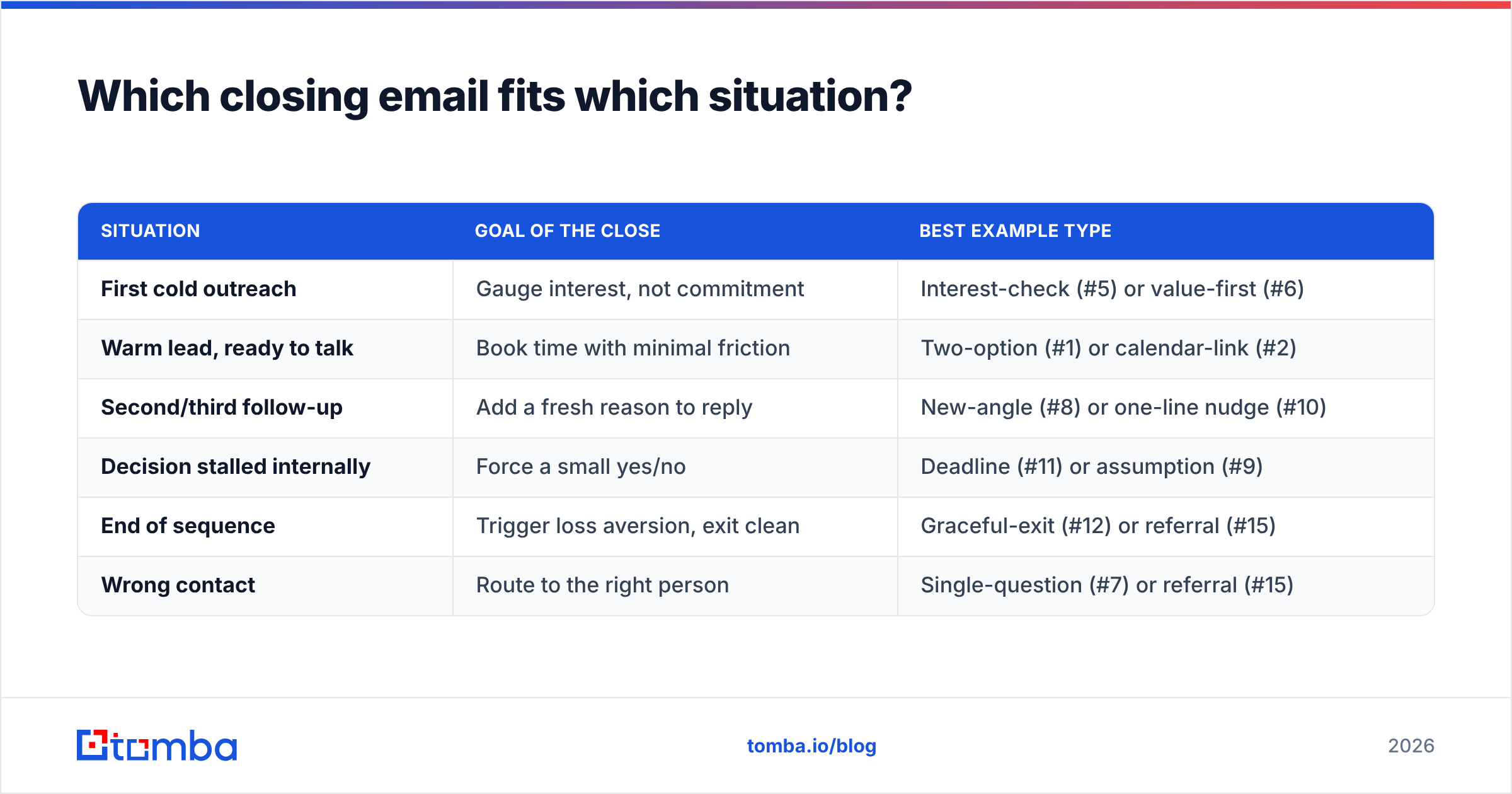
Use this as a quick lookup before you hit send. The wrong close for the moment is worse than a plain one.
| Situation | Goal of the close | Best example type |
|---|---|---|
| First cold outreach | Gauge interest, not commitment | Interest-check (#5) or value-first (#6) |
| Warm lead, ready to talk | Book time with minimal friction | Two-option (#1) or calendar-link (#2) |
| Second/third follow-up | Add a fresh reason to reply | New-angle (#8) or one-line nudge (#10) |
| Decision stalled internally | Force a small yes/no | Deadline (#11) or assumption (#9) |
| End of sequence | Trigger loss aversion, exit clean | Graceful-exit (#12) or referral (#15) |
| Wrong contact | Route to the right person | Single-question (#7) or referral (#15) |
What mistakes kill your closing line?#
Even a good template fails if you undermine it. Watch for these:
- Stacking two asks. "Can we hop on a call — and also, could you review the attached deck?" Pick one. The reader will do neither if you make them choose.
- Burying the ask under a signature block. If your close is followed by four lines of legal disclaimer and social icons, it loses visual weight. Keep the last thing they read as the ask.
- Fake deadlines. "Responding today only" when it isn't true is the fastest way to lose credibility on the next email.
- Question marks that aren't questions. "Let me know if you'd like to proceed?" isn't an ask — it's a statement with anxiety attached. Ask a real question.
- Sending to an address that doesn't exist. The best close in the world can't earn a reply if the email bounces. Before a big send, run your list through an email verifier so your carefully written closes actually land in a real inbox.
That last point is bigger than it looks. On sites like G2, reviewers of outreach tools consistently cite bounce rates as the silent killer of otherwise well-written campaigns — great copy wasted on dead addresses.
How do you A/B test your closing lines?#
Treat your close like any other conversion element. Change one variable at a time and measure replies, not opens.
- Test the ask format: two-option ("Tue or Wed?") vs. open ("What's your week look like?").
- Test the effort level: "reply yes" vs. "grab a slot on my calendar."
- Test the tone: direct ("Can I book 15 minutes?") vs. permission-based ("Worth a quick chat?").
- Test the length: a one-line close vs. a two-line close with a reason.
Run each version across at least 50–100 sends before drawing conclusions, and hold everything else — subject, body, timing — constant. The Wikipedia primer on A/B testing is a solid refresher on keeping your samples clean so the winner is real and not noise.
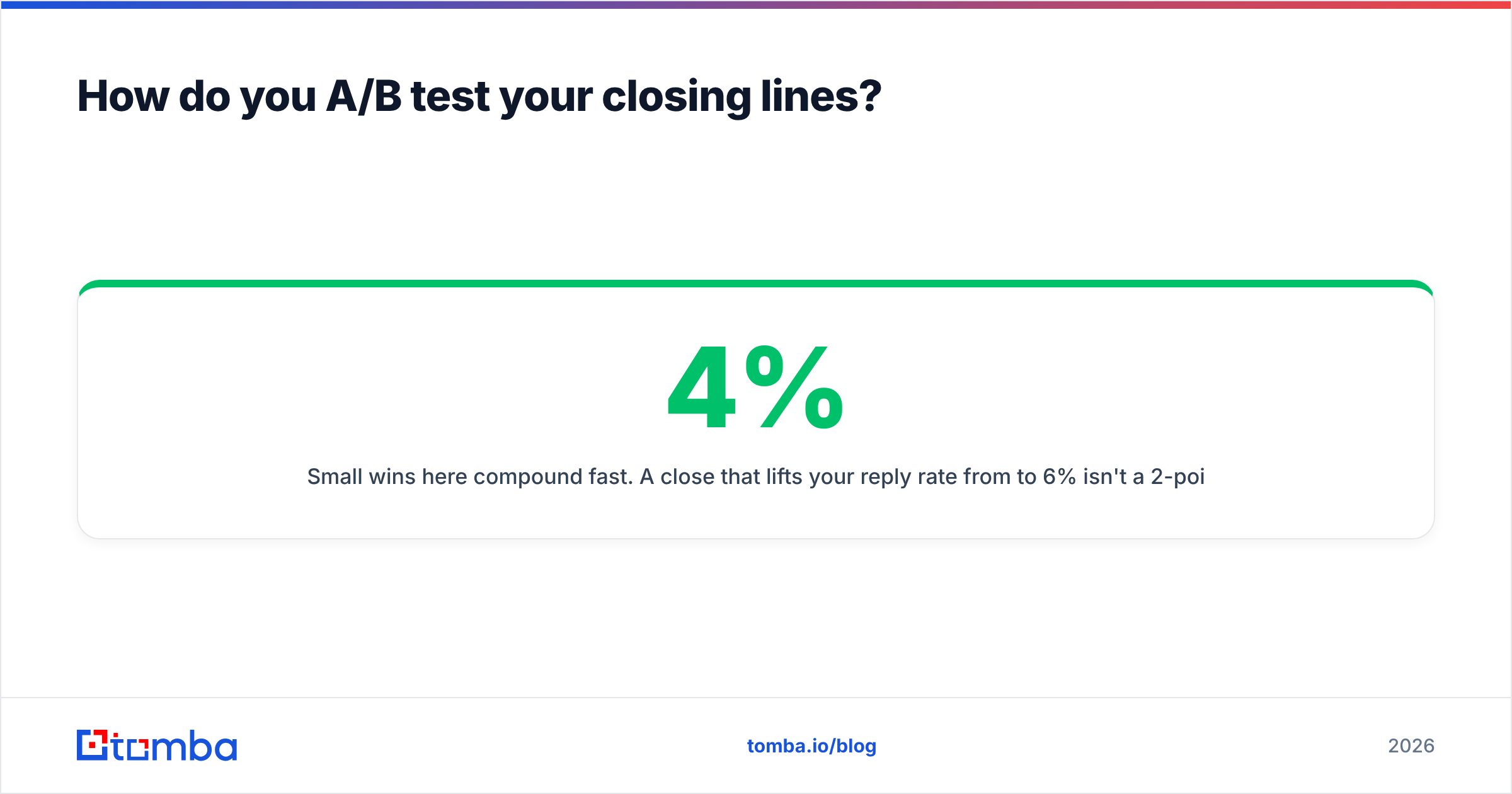
Small wins here compound fast. A close that lifts your reply rate from 4% to 6% isn't a 2-point bump — it's 50% more conversations from the same list.
Turn better closes into more real conversations#
Great closing lines only pay off when they reach a real person at a real address. If half your list bounces, even your sharpest sign-off earns nothing.
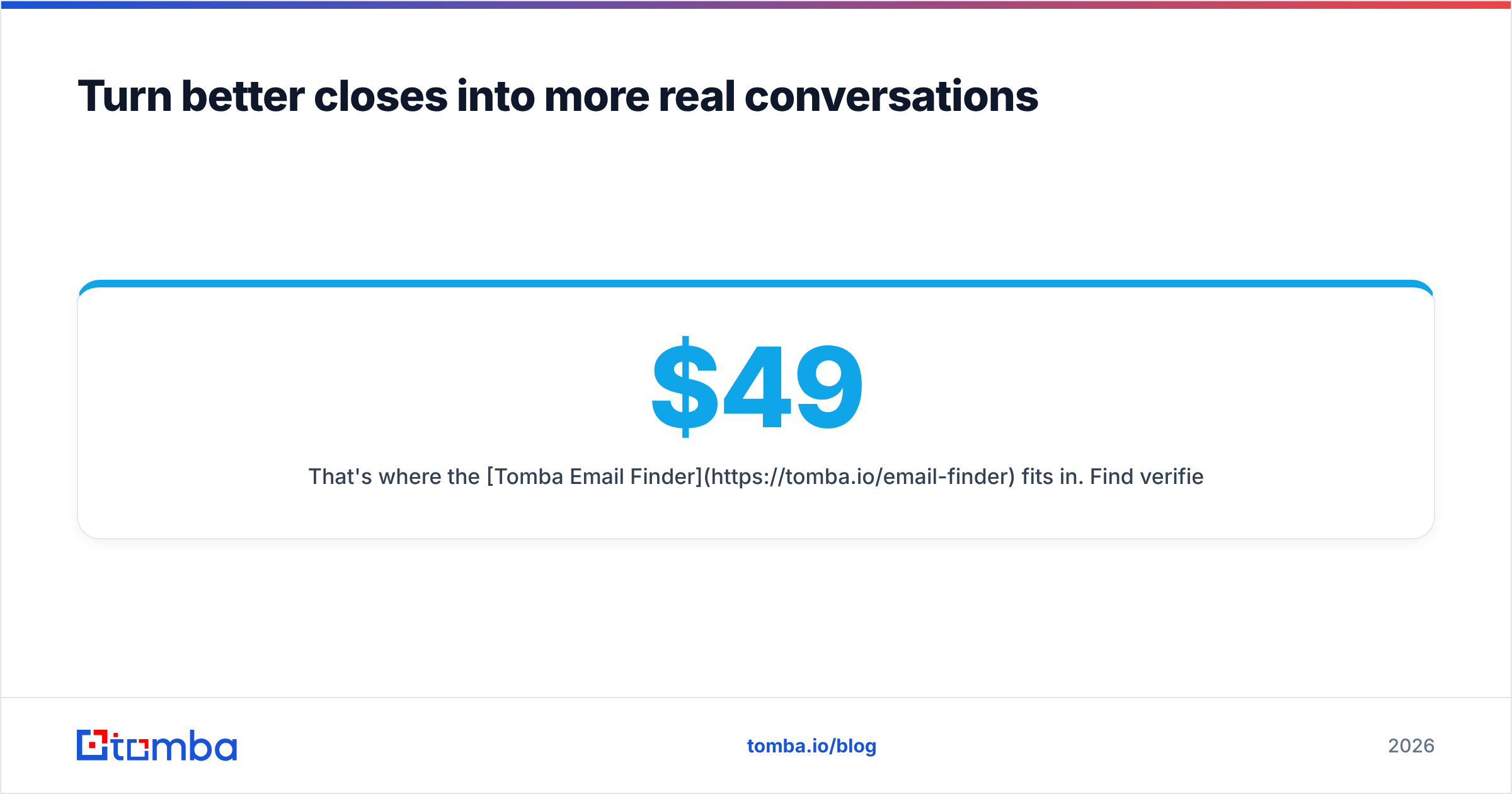
That's where the Tomba Email Finder fits in. Find verified professional email addresses by name, company, or domain so every email you write — closing line and all — actually lands. It starts free with 25 searches a month, and paid plans begin at $49/mo on the Starter tier, scaling to Growth ($99/mo) and Pro ($249/mo) as your outbound grows. You can see the full Tomba pricing breakdown before committing.
Write the close. Verify the address. Get the reply.
Related guides#
// get started
Find, verify and enrich your first contacts today
Start on the free plan with 25 searches a month, then scale when your team is ready.
Free plan · No credit card required · GDPR & CCPA
// about the author