Cloze vs Pipedrive (2026): Which CRM Fits Your Sales Team?
Cloze automates relationship intelligence; Pipedrive drills into deal pipelines. Here's an honest, feature-by-feature comparison to help you pick the right CRM in 2026.
Choosing between Cloze and Pipedrive comes down to one question: do you want a CRM that thinks for you, or a CRM you drive yourself? Cloze leans on relationship AI to surface who you're neglecting. Pipedrive gives you a visual pipeline you push deals through by hand. Both are solid — but they solve different problems, and picking the wrong one wastes months.
TL;DR — Cloze vs Pipedrive in 30 seconds#
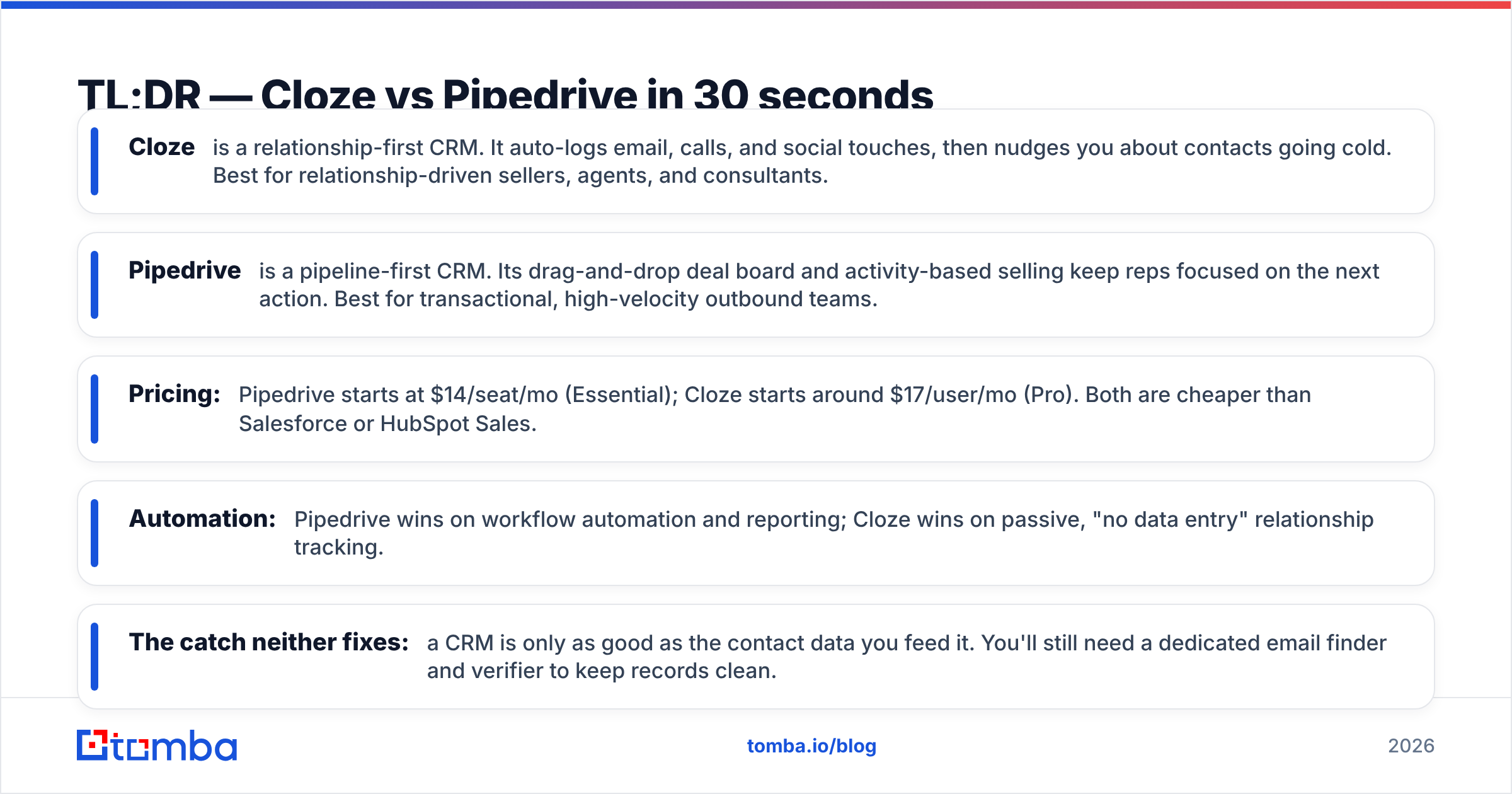
- Cloze is a relationship-first CRM. It auto-logs email, calls, and social touches, then nudges you about contacts going cold. Best for relationship-driven sellers, agents, and consultants.
- Pipedrive is a pipeline-first CRM. Its drag-and-drop deal board and activity-based selling keep reps focused on the next action. Best for transactional, high-velocity outbound teams.
- Pricing: Pipedrive starts at $14/seat/mo (Essential); Cloze starts around $17/user/mo (Pro). Both are cheaper than Salesforce or HubSpot Sales.
- Automation: Pipedrive wins on workflow automation and reporting; Cloze wins on passive, "no data entry" relationship tracking.
- The catch neither fixes: a CRM is only as good as the contact data you feed it. You'll still need a dedicated email finder and verifier to keep records clean.
Wait — let me fix that image direction. Here it is in the flow below.

What is Cloze and who is it for?#
Cloze is a CRM built around the idea that your inbox already contains your CRM — it just isn't organized. It connects to email, calendars, phone logs, and social accounts, then automatically builds a unified timeline for every contact and company. No manual logging.
Its signature feature is relationship intelligence: Cloze scores how "in touch" you are with each person and reminds you when a key relationship is slipping. If you closed a deal six months ago and haven't emailed since, Cloze pushes it to the top of your day.
That makes Cloze a strong fit for:
- Real estate agents and mortgage brokers who live and die by referrals
- Financial advisors and consultants managing long, relationship-heavy cycles
- Founders and solo operators who hate manual data entry
- Account managers whose job is retention, not net-new logos
The trade-off: Cloze is lighter on structured, multi-stage deal pipelines and team-level forecasting. It optimizes for "don't drop the ball on people," not "push 200 deals through five stages this quarter."
What is Pipedrive and who is it for?#
Pipedrive is a pipeline-first CRM designed by salespeople who were tired of bloated enterprise tools. Its core is a visual, drag-and-drop deal board: every opportunity is a card, every column is a stage, and you move cards left to right as deals progress.
Pipedrive is built on activity-based selling — the philosophy that you can't control outcomes, only the next action. So the product constantly asks: what's the next call, email, or meeting for this deal? Nothing sits without a scheduled activity.
Pipedrive fits:
- Transactional B2B sales teams running high-volume outbound
- SMBs that want a real CRM without a Salesforce admin
- SDR/AE teams who need clear stage-by-stage reporting and forecasting
- Managers who want pipeline visibility and rep accountability at a glance
The trade-off: Pipedrive expects you (or automation) to keep it fed. It logs less passively than Cloze, and its relationship-nurture features are weaker. It's a machine for moving deals, not for remembering birthdays.
Cloze vs Pipedrive: side-by-side comparison#
Here's how the two stack up on the attributes that actually change your day.
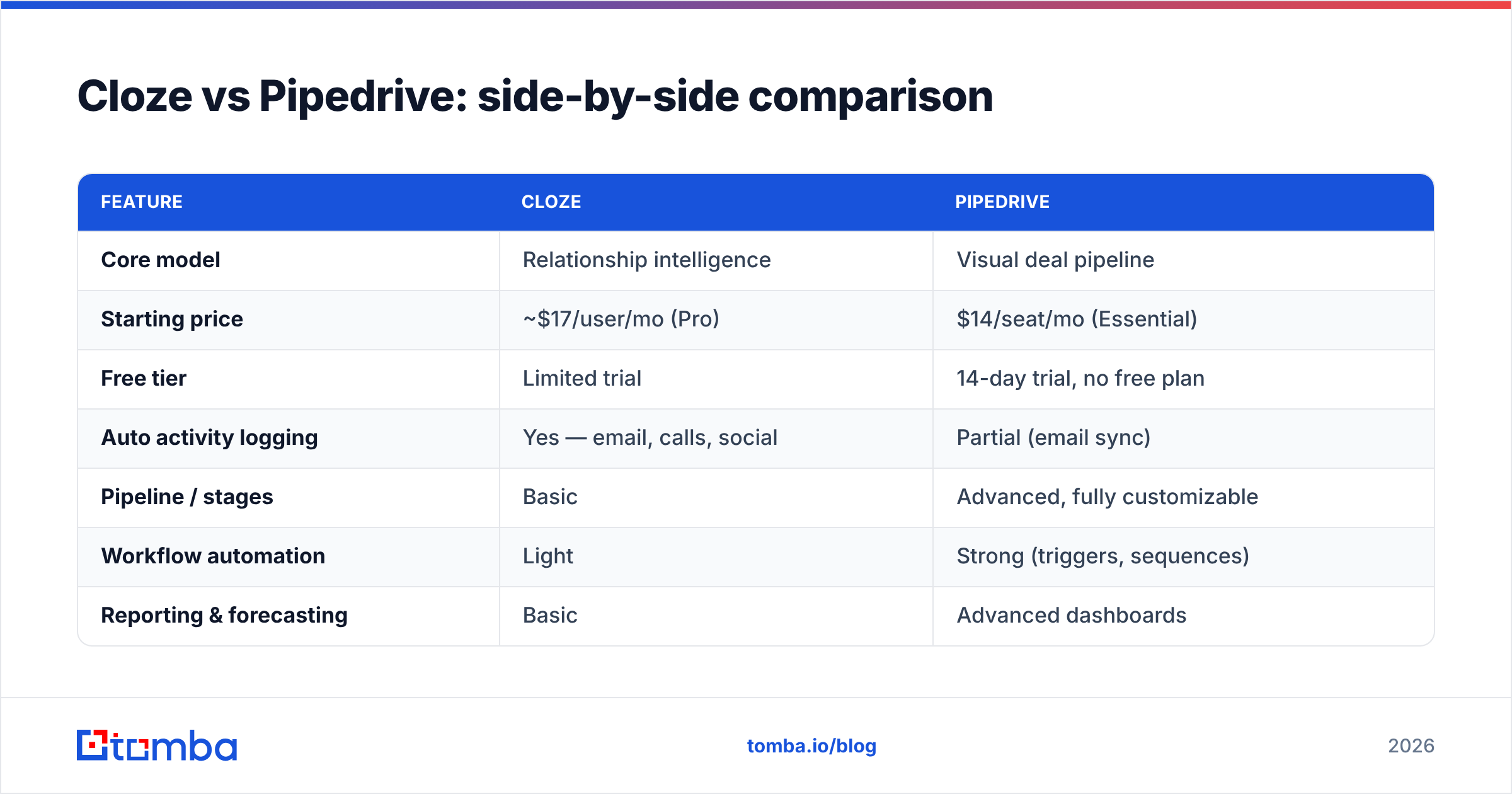
| Feature | Cloze | Pipedrive |
|---|---|---|
| Core model | Relationship intelligence | Visual deal pipeline |
| Starting price | ~$17/user/mo (Pro) | $14/seat/mo (Essential) |
| Free tier | Limited trial | 14-day trial, no free plan |
| Auto activity logging | Yes — email, calls, social | Partial (email sync) |
| Pipeline / stages | Basic | Advanced, fully customizable |
| Workflow automation | Light | Strong (triggers, sequences) |
| Reporting & forecasting | Basic | Advanced dashboards |
| Relationship "going cold" alerts | Yes (signature feature) | No native equivalent |
| Mobile app quality | Excellent | Very good |
| Best for | Referral / retention sellers | High-velocity outbound |
| Learning curve | Low | Low-to-moderate |
Two takeaways. First, Pipedrive is the stronger sales-process tool — customizable pipelines, better automation, deeper reporting. Second, Cloze is the stronger relationship-memory tool — it quietly does the logging Pipedrive asks you to do yourself.
Neither is objectively "better." The right pick depends on whether your revenue comes from working a pipeline or working a network.
Is Cloze better than Pipedrive for automation?#
Short answer: no — Pipedrive wins on automation, Cloze wins on not needing automation.
Pipedrive's Workflow Automation lets you fire triggers on any deal event: move a deal to "Proposal Sent" and auto-create a follow-up task, send a templated email, and notify the manager. Combined with its email sequencing and open tracking, it's a genuine outbound engine. If you're building repeatable, multi-touch cadences, Pipedrive gives you more levers.
Cloze approaches the same goal from the other direction. Instead of building rules to remind you, it passively watches your communication and surfaces what needs attention. There's less to configure because there's less you have to tell it. For a solo consultant, that's liberating. For a 15-rep team that needs enforced process and stage-gate reporting, it's not enough.
If your team relies on structured cadences, pair whichever CRM you choose with a clean data pipeline — automation firing emails at bounced or unverified addresses just torches your sender reputation faster.
Pricing: which CRM is cheaper in 2026?#
Both tools sit well below enterprise CRMs, but they price differently.
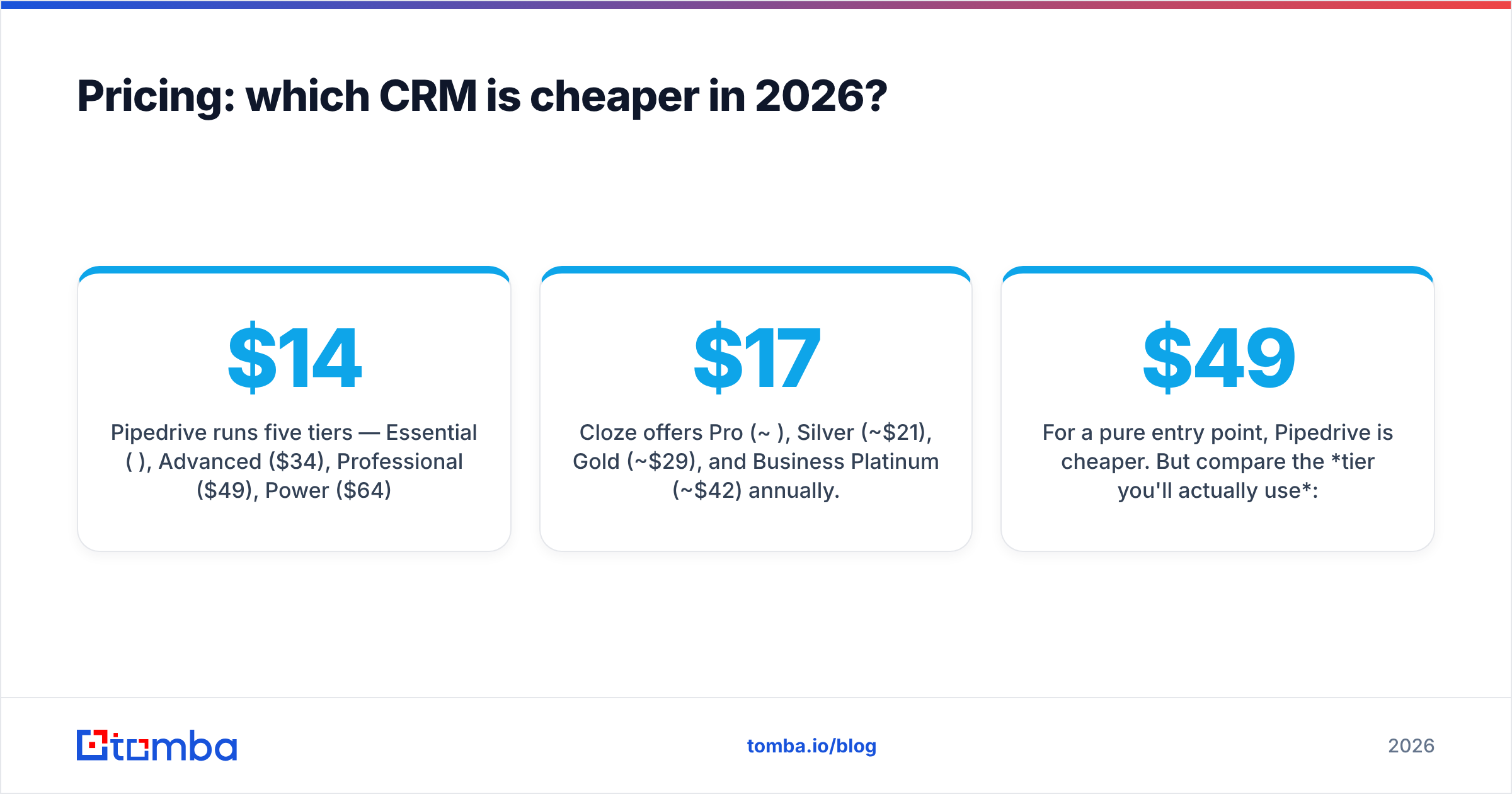
- Pipedrive runs five tiers — Essential ($14), Advanced ($34), Professional ($49), Power ($64), and Enterprise ($99) per seat/month billed annually (per Pipedrive's pricing page). Automation and reporting depth increase per tier.
- Cloze offers Pro (
$17), Silver ($21), Gold ($29), and Business Platinum ($42) per user/month annually. Its higher tiers unlock team features and more AI processing.
For a pure entry point, Pipedrive is cheaper. But compare the tier you'll actually use: to get Pipedrive's real automation and reporting you're often on Professional ($49), which lands near Cloze's mid-tiers. Map your must-have features to a tier before comparing headline prices — the sticker number lies.
One cost both vendors quietly pass to you: data hygiene. Neither Cloze nor Pipedrive finds or verifies contact emails for you. Budget for a tool that does, or accept that a chunk of every plan pays to store dead records.
What neither Cloze nor Pipedrive does well: contact data#
Here's the honest gap. A CRM organizes contacts — it doesn't find or validate them. Import a list of 500 prospects into either tool and it will happily store every typo, stale address, and catch-all domain you feed it. Then your reps email into the void, deals stall on "no response," and your email deliverability quietly tanks.

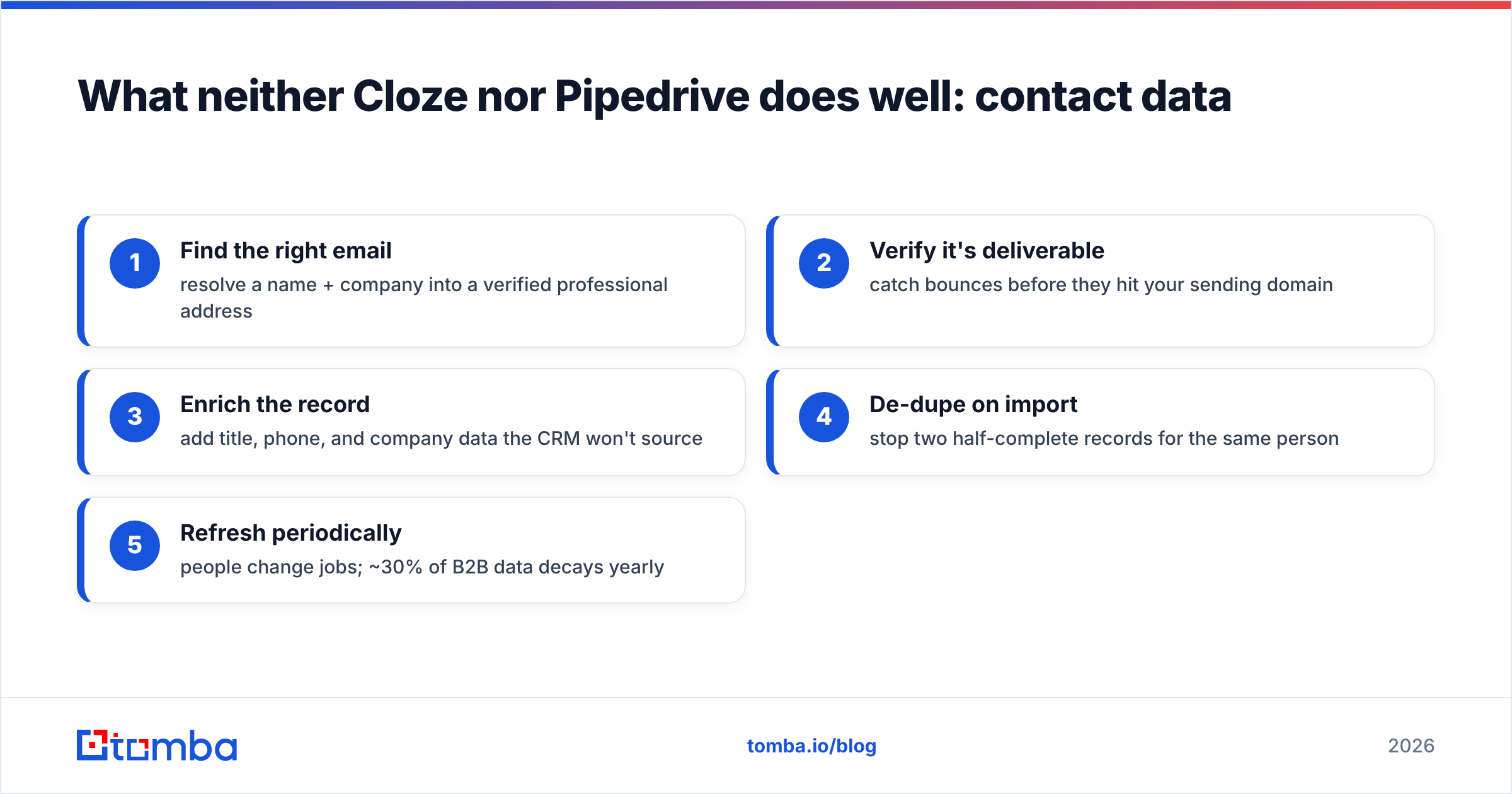
This is where a dedicated data layer matters more than the CRM debate. Before a contact ever hits Cloze or Pipedrive, you want to:
- Find the right email — resolve a name + company into a verified professional address
- Verify it's deliverable — catch bounces before they hit your sending domain
- Enrich the record — add title, phone, and company data the CRM won't source
- De-dupe on import — stop two half-complete records for the same person
- Refresh periodically — people change jobs; ~30% of B2B data decays yearly
Tomba's domain search and bulk email finder handle the first two at scale, and both push cleanly into either CRM via integrations or the Tomba API. The CRM you pick decides how you work the data; a finder-verifier decides whether the data is worth working.
How to choose: Cloze or Pipedrive?#
Skip the feature-checklist paralysis and answer three questions.
1. Where does your revenue come from? Referrals, renewals, and long-term relationships → Cloze. Net-new deals pushed through defined stages → Pipedrive.
2. How big is your team? Solo, duo, or a handful of relationship sellers → Cloze's passive logging saves real hours. A structured SDR/AE org that needs process enforcement and forecasting → Pipedrive.
3. How much do you hate data entry? If manual logging is the reason your last CRM failed, Cloze's auto-capture is the fix. If you're disciplined and want maximum control over pipeline mechanics, Pipedrive rewards that.
A useful gut check: read reviews on G2 for both, filtered to your company size. The sub-50-employee sentiment differs sharply from the mid-market sentiment for each tool.
Cloze vs Pipedrive: the verdict#
Pick Pipedrive if you run outbound, need customizable pipelines, want strong automation and reporting, and have the discipline (or automation) to keep it fed. It's the better pure sales-process CRM for growing teams.
Pick Cloze if your business is relationship- and referral-driven, you're a solo operator or small team, and you want a CRM that logs everything for you and tells you who's slipping. It's the better relationship-memory tool.
But whichever you choose, remember the CRM is downstream of your data. The best pipeline in the world stalls on bad emails, and the smartest relationship AI can't nurture a contact whose address bounced six months ago.
That's the layer to get right first. Start with clean, verified contacts using the Tomba Email Finder — find professional emails by name, company, or domain, verify they're deliverable, and push them straight into Cloze or Pipedrive. The free tier gives you 25 searches a month to test it; paid plans start at $49/mo when you're ready to scale. Feed your CRM good data, and the Cloze-vs-Pipedrive decision becomes the easy part.
Related guides#
// get started
Find, verify and enrich your first contacts today
Start on the free plan with 25 searches a month, then scale when your team is ready.
Free plan · No credit card required · GDPR & CCPA
// about the author