Coefficy Pricing in 2026: Plans, Real Costs, and Alternatives
A neutral breakdown of Coefficy pricing in 2026 — how the plans and credits actually work, the costs buyers miss, and how it stacks up against cheaper picks.

Pricing pages are written to sound simple. The invoice rarely is. If you're weighing Coefficy pricing for your sales or RevOps stack in 2026, the real question isn't "what does the starter plan cost" — it's "what does one enriched, verified, usable contact cost once seats, credits, overages, and dead data are factored in."
This is a neutral walkthrough of how Coefficy structures its plans, where the sticker price and the effective price drift apart, and how to decide whether it's the right spend for your team — or whether a leaner tool covers the same job for less.
TL;DR#
- Coefficy uses a tiered, credit-based model — you pay for a plan (seats + a monthly credit allowance), and credits are consumed as you search, enrich, and verify contacts.
- The sticker price is not the effective price. Overage rates, annual-only discounts, and credits that expire monthly are the three line items that quietly inflate the bill.
- Match the tier to your real monthly volume, not your best month. Most teams overbuy credits by 30–50% and underuse them.
- For pure email-finding and verification, a focused tool like Tomba starts at $49/mo and often covers the same core job at a lower effective cost per verified contact.
- Always price the outcome, not the credit — cost per verified, deliverable contact is the only number that compares tools fairly.
What is Coefficy and who is it for?#
Coefficy is a B2B data and sales-intelligence tool aimed at teams that need to find, enrich, and act on contact data — sales reps building lists, RevOps enriching CRM records, and founders running outbound. Like most tools in this category, it bundles several jobs (lookup, enrichment, verification) into one subscription and meters usage with credits.
That bundling is the thing to understand before you look at a single price. A platform that does five jobs charges you for five jobs, whether or not you use all five. If your actual need is "find and verify work emails for a list of prospects," you're often paying for enrichment fields and workflow features you'll never touch. Keep that in mind as we go — it's the difference between a fair price and a wasted one.
How does Coefficy pricing actually work?#
Coefficy's pricing follows the standard SaaS-data playbook, which has three moving parts:
- Plan tier — a monthly or annual base fee that unlocks a feature set (search, enrichment, integrations, API access on higher tiers).
- Credit allowance — each plan includes a bucket of credits. One lookup, enrichment, or verification typically spends one or more credits depending on the action.
- Seats — pricing usually scales with the number of users, so a 5-person team costs meaningfully more than a solo operator on the same feature tier.
The nuance that catches buyers out: credits and seats are separate levers. You can burn through your credit allowance with two heavy users, or leave half your credits unused with ten light ones. Neither situation is efficient, and the pricing page won't warn you.

Because published SaaS pricing changes often, confirm the current numbers on Coefficy's own pricing page and any active promo before you commit. Treat every figure you see quoted second-hand — including in this article — as directional, and price against your volume.
What do the Coefficy plans include?#
Rather than fixate on a single dollar figure that may be stale by the time you read this, look at what typically changes as you climb tiers in a credit-based data tool like Coefficy. This is the structure that determines your real cost:
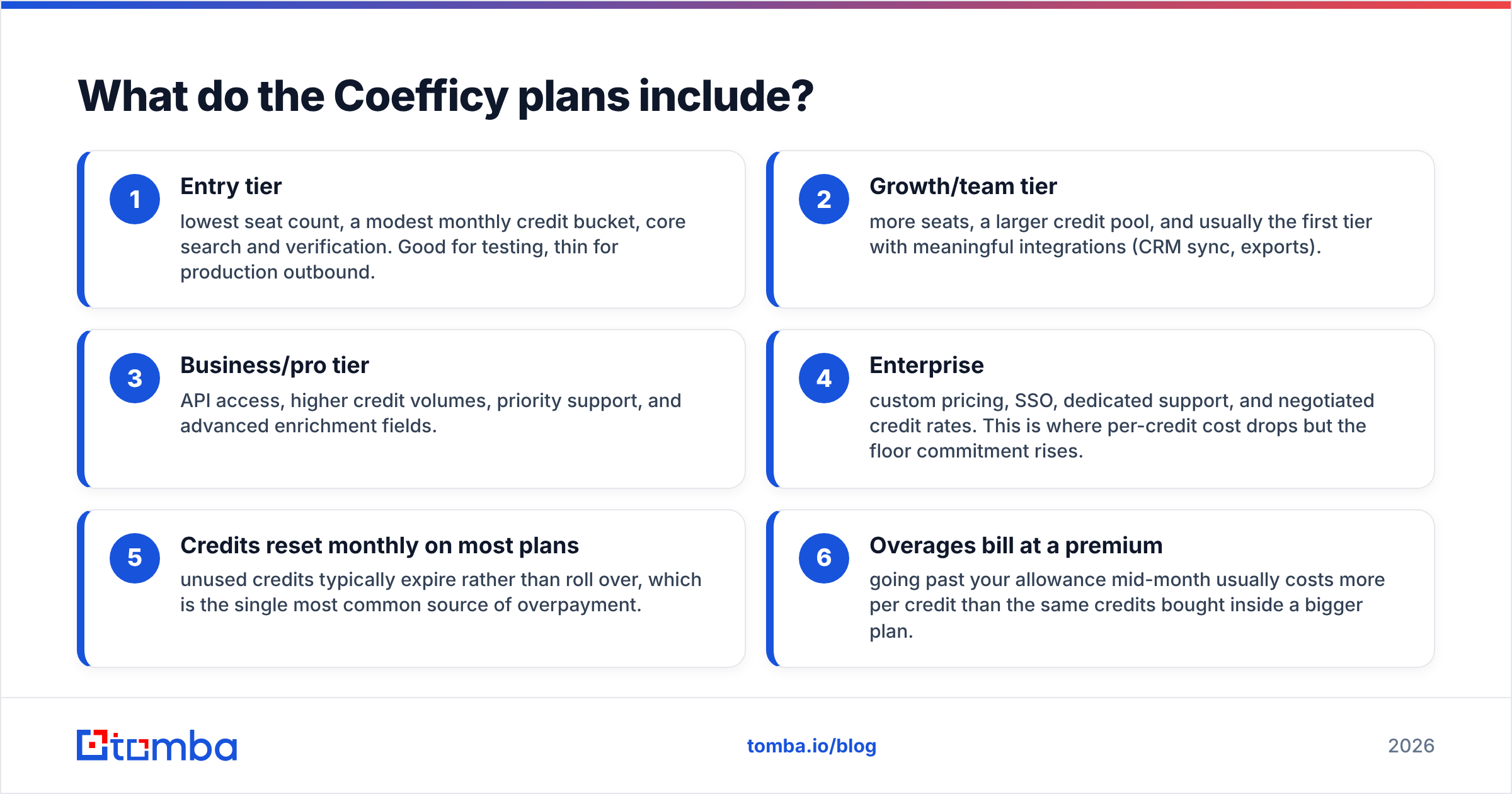
- Entry tier — lowest seat count, a modest monthly credit bucket, core search and verification. Good for testing, thin for production outbound.
- Growth/team tier — more seats, a larger credit pool, and usually the first tier with meaningful integrations (CRM sync, exports).
- Business/pro tier — API access, higher credit volumes, priority support, and advanced enrichment fields.
- Enterprise — custom pricing, SSO, dedicated support, and negotiated credit rates. This is where per-credit cost drops but the floor commitment rises.
- Credits reset monthly on most plans — unused credits typically expire rather than roll over, which is the single most common source of overpayment.
- Overages bill at a premium — going past your allowance mid-month usually costs more per credit than the same credits bought inside a bigger plan.
The pattern to internalize: the per-credit price falls as you go up tiers, but only if you actually use the credits. Buy a big plan and use 60% of it, and your effective per-credit cost is worse than a smaller plan you'd have maxed out.
What are the hidden costs in Coefficy pricing?#
The published tiers are the honest part. The effective cost hides in four places:
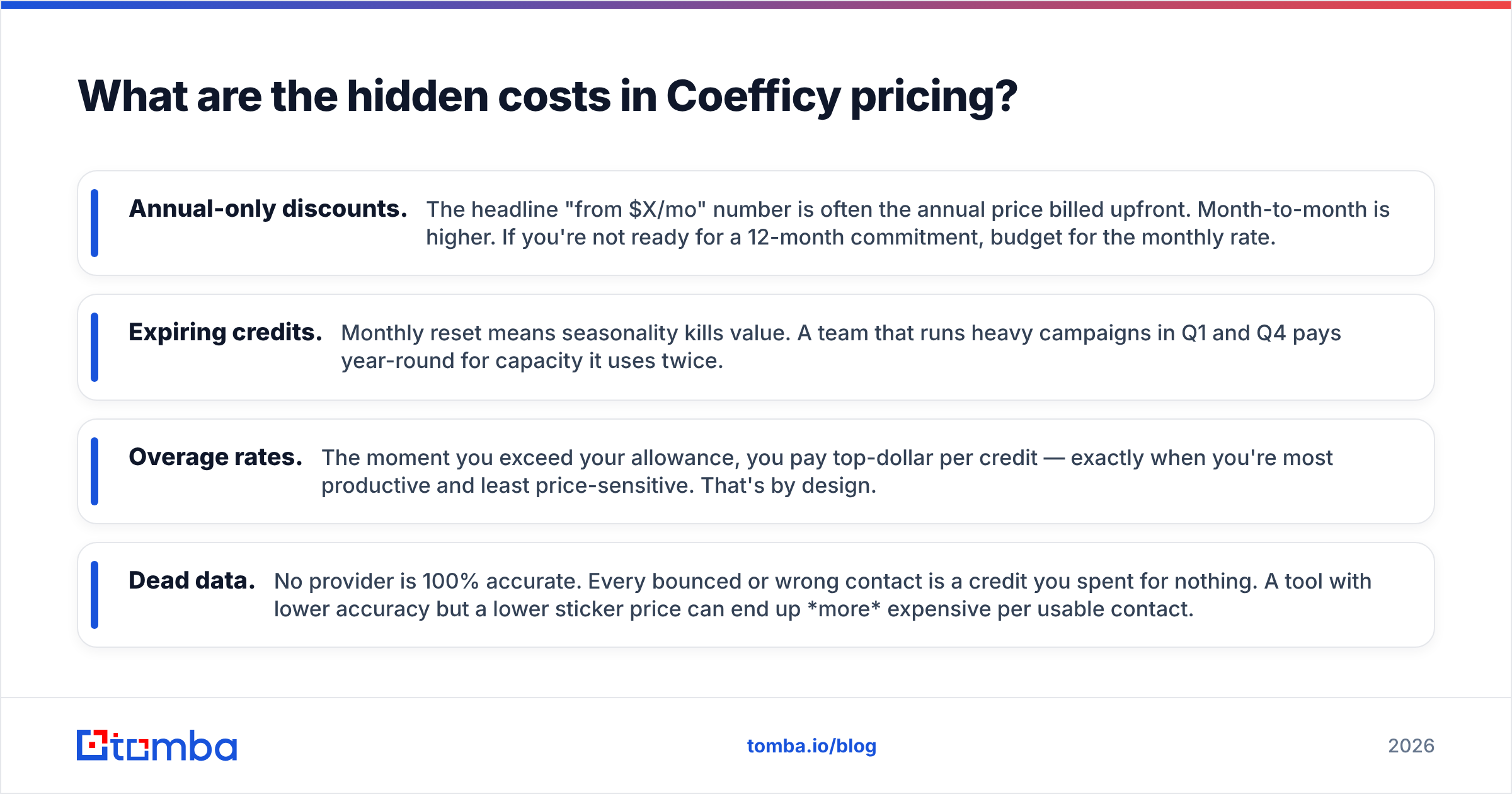
- Annual-only discounts. The headline "from $X/mo" number is often the annual price billed upfront. Month-to-month is higher. If you're not ready for a 12-month commitment, budget for the monthly rate.
- Expiring credits. Monthly reset means seasonality kills value. A team that runs heavy campaigns in Q1 and Q4 pays year-round for capacity it uses twice.
- Overage rates. The moment you exceed your allowance, you pay top-dollar per credit — exactly when you're most productive and least price-sensitive. That's by design.
- Dead data. No provider is 100% accurate. Every bounced or wrong contact is a credit you spent for nothing. A tool with lower accuracy but a lower sticker price can end up more expensive per usable contact.
That last point is the one buyers skip, and it's the one that matters most. If you spend a credit and the email bounces, you paid for a miss. Running your list through a dedicated email verifier before you send protects the money you already spent on finding those contacts.

Is Coefficy worth it? A cost-per-outcome view#
Worth-it depends entirely on volume fit and accuracy, not on the sticker price. Here's the honest framing:
- Coefficy is worth it if you're a team that consistently uses most of your monthly credits, needs multiple data jobs (enrichment + verification + workflow) in one place, and values a single vendor over a stack of point tools.
- Coefficy is overkill if your real job is "find and verify professional emails" at moderate volume. You'll pay for bundled capabilities you don't use, and your cost per verified contact will be higher than a focused tool's.
The test is simple: divide your monthly cost by the number of verified, deliverable contacts you actually get. That's your true unit price. Compare that number across tools — never compare list prices, because a credit in one tool doesn't equal a credit in another.
How does Coefficy pricing compare to Tomba?#
For teams whose core need is finding and verifying business emails, a specialist tool is usually the cheaper path. Here's how Coefficy's typical structure lines up against Tomba pricing, which is fixed and public:
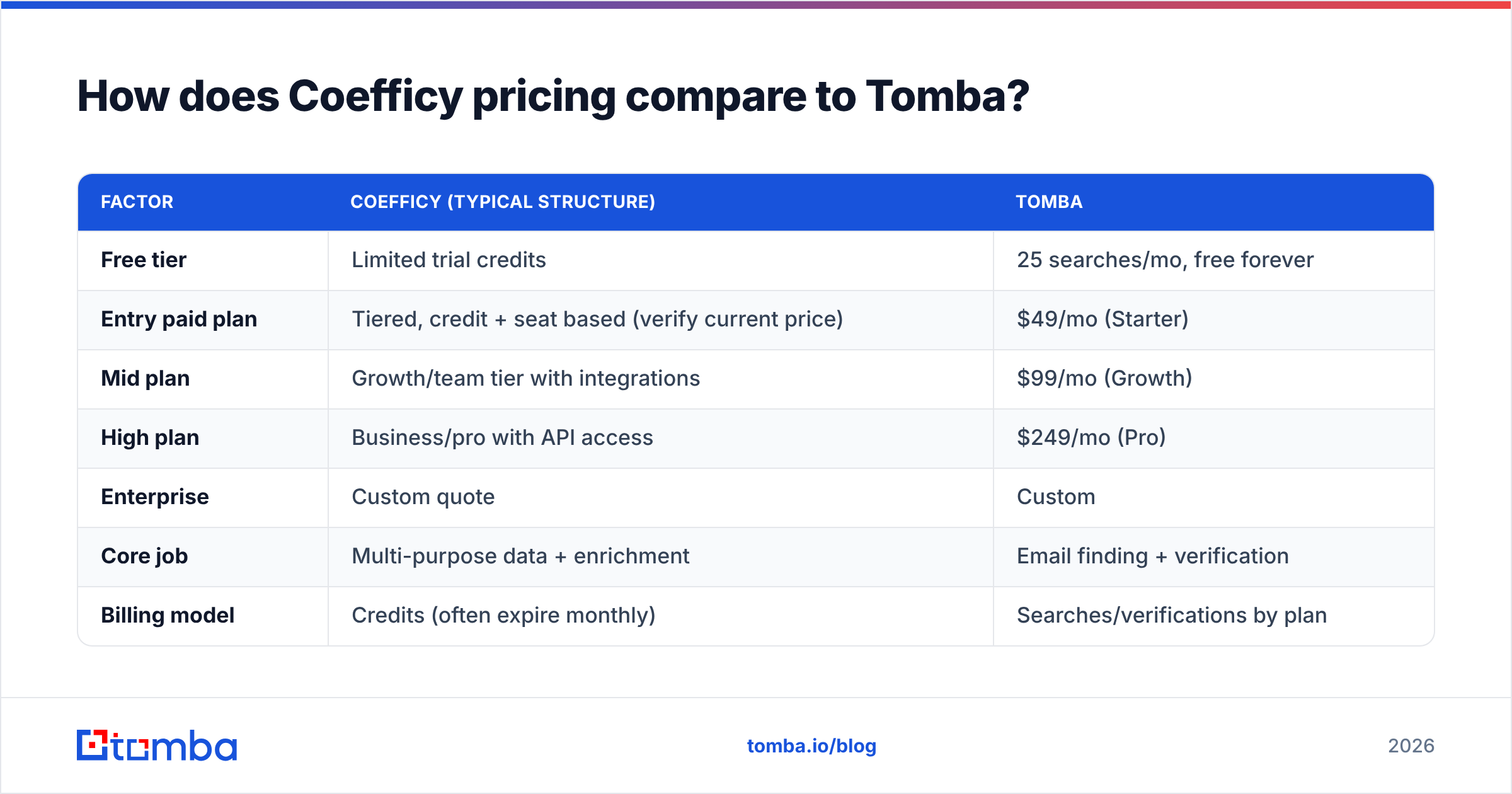
| Factor | Coefficy (typical structure) | Tomba |
|---|---|---|
| Free tier | Limited trial credits | 25 searches/mo, free forever |
| Entry paid plan | Tiered, credit + seat based (verify current price) | $49/mo (Starter) |
| Mid plan | Growth/team tier with integrations | $99/mo (Growth) |
| High plan | Business/pro with API access | $249/mo (Pro) |
| Enterprise | Custom quote | Custom |
| Core job | Multi-purpose data + enrichment | Email finding + verification |
| Billing model | Credits (often expire monthly) | Searches/verifications by plan |
| API access | Higher tiers only | Included, documented |
The takeaway isn't "Tomba is cheaper in every scenario" — it's that the two tools optimize for different jobs. Coefficy sells a broad data platform. Tomba's email finder sells a focused, high-accuracy pipeline for one job done well. If your outbound lives and dies on deliverable emails, the focused tool typically wins on cost per verified contact. If you need enrichment, intent, and workflow bundled, the platform's breadth may justify its price.
For bulk workflows specifically — think thousands of contacts per campaign — a bulk email finder with predictable per-plan volume tends to be easier to budget than credits that expire and bill overages.
How do you pick the right tier?#
Work backwards from volume, not features. The plan that fits is the one you'll use 80%+ of, at your typical monthly pace — not your peak.
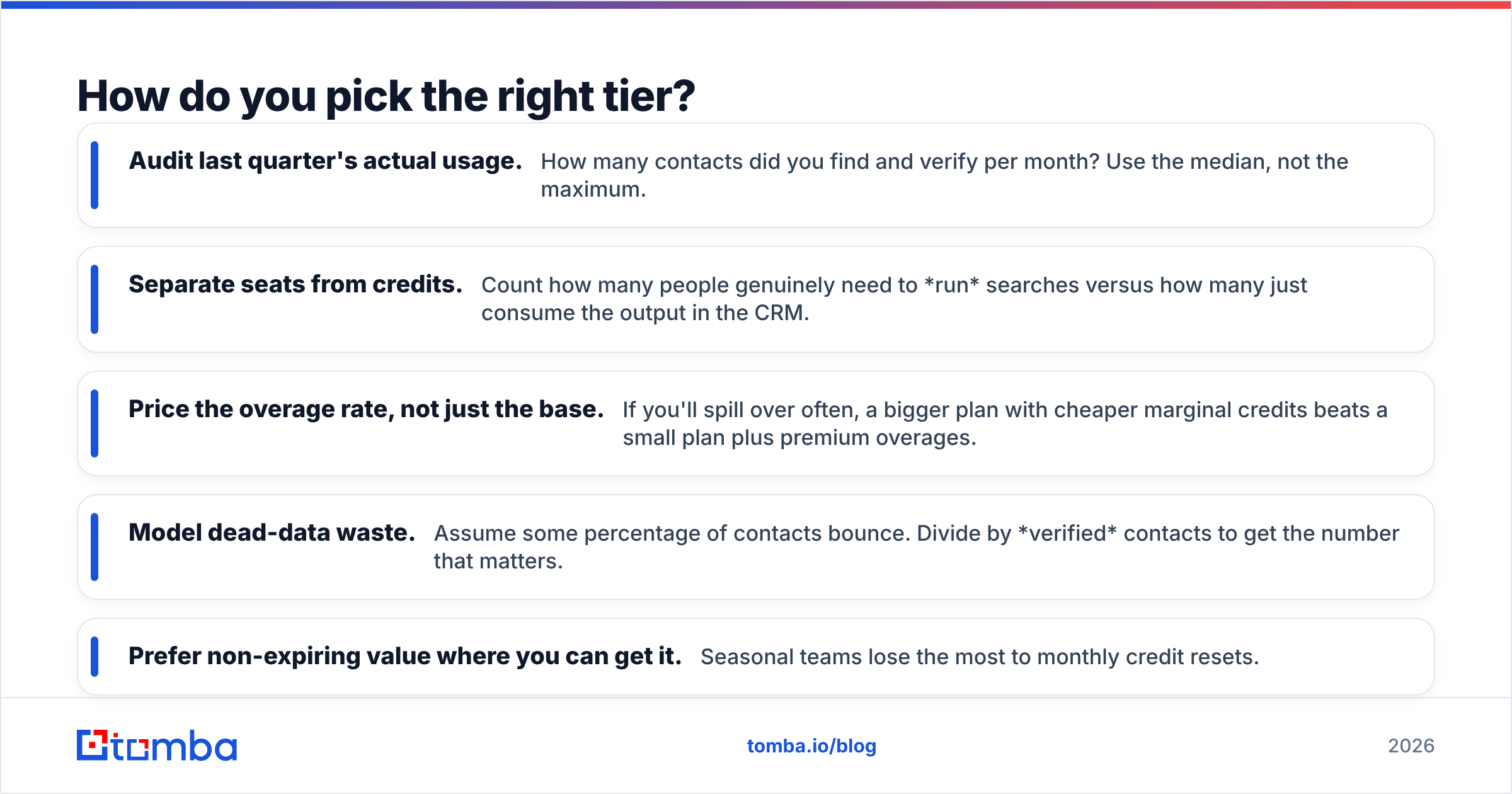
- Audit last quarter's actual usage. How many contacts did you find and verify per month? Use the median, not the maximum.
- Separate seats from credits. Count how many people genuinely need to run searches versus how many just consume the output in the CRM.
- Price the overage rate, not just the base. If you'll spill over often, a bigger plan with cheaper marginal credits beats a small plan plus premium overages.
- Model dead-data waste. Assume some percentage of contacts bounce. Divide by verified contacts to get the number that matters.
- Prefer non-expiring value where you can get it. Seasonal teams lose the most to monthly credit resets.
If you go through that exercise honestly, most teams discover they need a smaller plan than the sales conversation steered them toward.
Frequently asked questions#
Does Coefficy have a free plan? Most tools in this category offer limited trial credits rather than a permanent free tier. Confirm the current offer on Coefficy's site. For comparison, Tomba includes 25 free searches per month with no time limit, which is enough to test accuracy on your own domains before paying.
Why is my Coefficy bill higher than the advertised price? Usually one of three reasons: the advertised price was the annual-upfront rate, you crossed into overage credits, or you're paying for more seats than active users. Check all three on your invoice.
Is a credit-based model more expensive than a fixed plan? It can be, if your usage is uneven. Credits that expire monthly punish seasonal teams. Fixed per-plan volume is easier to budget when your outbound pace varies month to month.
How do I compare Coefficy against alternatives fairly? Ignore list prices. Calculate cost per verified, deliverable contact for each tool using your own test list. Cross-check both tools on G2 and Capterra for real user notes on accuracy and billing surprises, and read category analysis from firms like Gartner if you're making an enterprise-level commitment.
The bottom line on Coefficy pricing#
Coefficy's pricing is reasonable for what it is: a bundled B2B data platform metered by credits and seats. Whether it's reasonable for you comes down to two things — how much of the bundle you'll actually use, and how many of the contacts you pull turn out to be deliverable. Price the outcome, not the credit, and the right answer usually becomes obvious.
If your real job is finding and verifying professional emails at a predictable, budgetable cost — without expiring credits or overage surprises — start with the Tomba Email Finder. The free tier gives you 25 searches a month to benchmark accuracy on your own domains, paid plans start at $49/mo with public, fixed pricing, and verification is built into the same pipeline so you're not paying twice to confirm a contact is real. Test it against your list, compare cost per verified contact, and let the unit economics — not the sticker price — make the call.
Related guides#
// get started
Find, verify and enrich your first contacts today
Start on the free plan with 25 searches a month, then scale when your team is ready.
Free plan · No credit card required · GDPR & CCPA
// about the author