Cold Calling After iOS 26: What Changed and How to Adapt
iOS 26 screens unknown callers before a rep ever gets a hello. Here's exactly how cold calling after iOS 26 works now, what still connects, and how to rebuild your dialing motion around it.
Apple shipped iOS 26 with a feature that quietly broke a lot of outbound playbooks: Call Screening now answers unknown numbers on the prospect's behalf, asks who's calling and why, and shows the reply as text before the phone ever rings in their hand. If your reps dial from unverified numbers and wing the opener, iOS 26 is now the gatekeeper you never budgeted for.
This is the practical guide to cold calling after iOS 26 — what actually changed, what still works, and how to rebuild your dialing motion so you keep connecting instead of quietly rotting in a voicemail transcript.
TL;DR#
- iOS 26's Call Screening auto-answers unknown callers, asks for a name and reason, and shows the prospect a transcript before they decide to pick up. Cold calls now face a robot receptionist first.
- Number reputation is the new deliverability. Spam-labeled or unregistered caller IDs get screened, silenced, or dumped straight to voicemail — the phone equivalent of the spam folder.
- Connect rates drop hardest for reps who dial blind. Verified numbers, branded caller ID, and a tight, human first line survive screening; spray-and-pray does not.
- Data hygiene decides who gets through. Wrong or dead numbers waste dials and torch your caller reputation; validated, enriched contact data is now table stakes.
- Cold calling isn't dead — undifferentiated cold calling is. Multichannel sequences that pair a verified dial with email and LinkedIn still book meetings.
What actually changed in iOS 26 for cold callers?#
The headline change is Call Screening moving from opt-in curiosity to default behavior for unknown numbers. When someone not in the prospect's contacts calls, iOS 26 can silently answer, greet the caller, and prompt: "Who's calling, and what's it about?" The system transcribes the response live and surfaces it on the lock screen. Only then does the prospect choose to accept, ignore, or let it roll to voicemail.
Three things follow from that:
- You're talking to software before you talk to a human. Your first words are now a written audition, not a conversation opener.
- Unknown + spam-flagged = near-zero ring-through. iOS 26 leans on carrier and crowd-sourced spam signals. A number reported by enough people gets labeled, and labeled numbers are the ones users have trained themselves to ignore.
- Voicemail is the default landing spot, and iOS 26's live transcription means your voicemail is skimmed as text in seconds — great if it's tight, fatal if it's a rambling script.
Apple frames this as user protection, and it is. For a full picture of the consumer-facing features, Apple's own iOS overview lays out Call Screening and Hold Assist. For sellers, the takeaway is blunt: the phone became a permissioned channel, a lot like email did fifteen years ago.
Is cold calling after iOS 26 still worth it?#
Yes — but only if you fix the inputs. The reps who complain that "cold calling is dead" are usually the ones dialing unverified lists from a spam-flagged number with a scripted robotic opener. iOS 26 punishes exactly that profile.
Here's the honest math. If your pre-iOS-26 connect rate was, say, 8% on cold dials, screening and labeling can shave that meaningfully when you dial blind. But a clean, verified, branded-caller-ID motion with a human first line loses far less — and in some teams actually improves answer rates, because the prospects who do pick up are less buried in junk calls. Fewer, better dials beat more, worse ones.
The channel still has advantages nothing else matches: it's synchronous, it's high-intent, and a live human voice earns objection-handling reps can't get over email. The job now is to earn the ring-through.
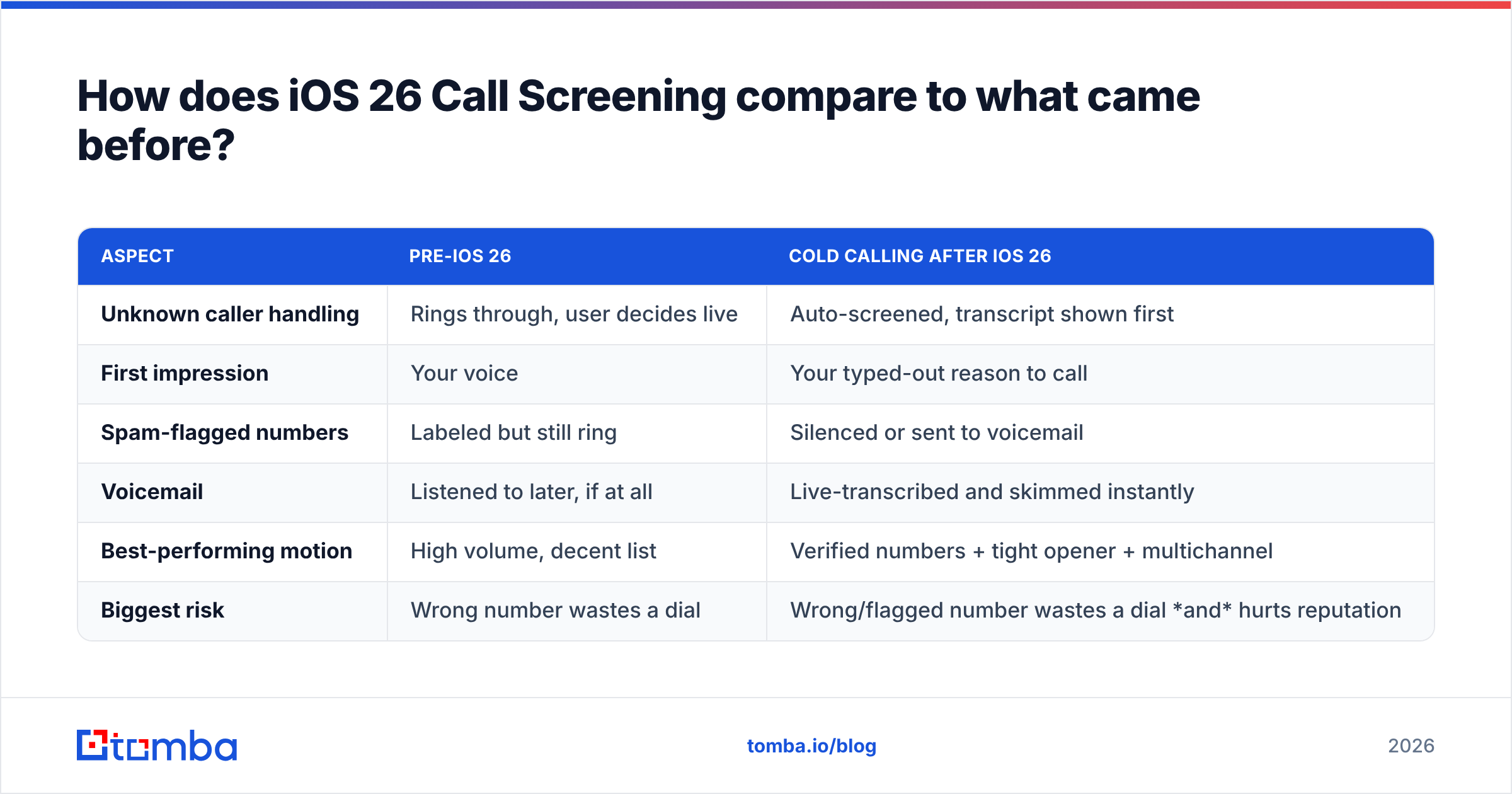
How does iOS 26 Call Screening compare to what came before?#
| Aspect | Pre-iOS 26 | Cold calling after iOS 26 |
|---|---|---|
| Unknown caller handling | Rings through, user decides live | Auto-screened, transcript shown first |
| First impression | Your voice | Your typed-out reason to call |
| Spam-flagged numbers | Labeled but still ring | Silenced or sent to voicemail |
| Voicemail | Listened to later, if at all | Live-transcribed and skimmed instantly |
| Best-performing motion | High volume, decent list | Verified numbers + tight opener + multichannel |
| Biggest risk | Wrong number wastes a dial | Wrong/flagged number wastes a dial and hurts reputation |
The pattern should look familiar: it's the same reputation-and-relevance shift email deliverability went through. The winners treat their phone numbers like a sender reputation asset, not a disposable resource.
What makes a number get screened or flagged?#
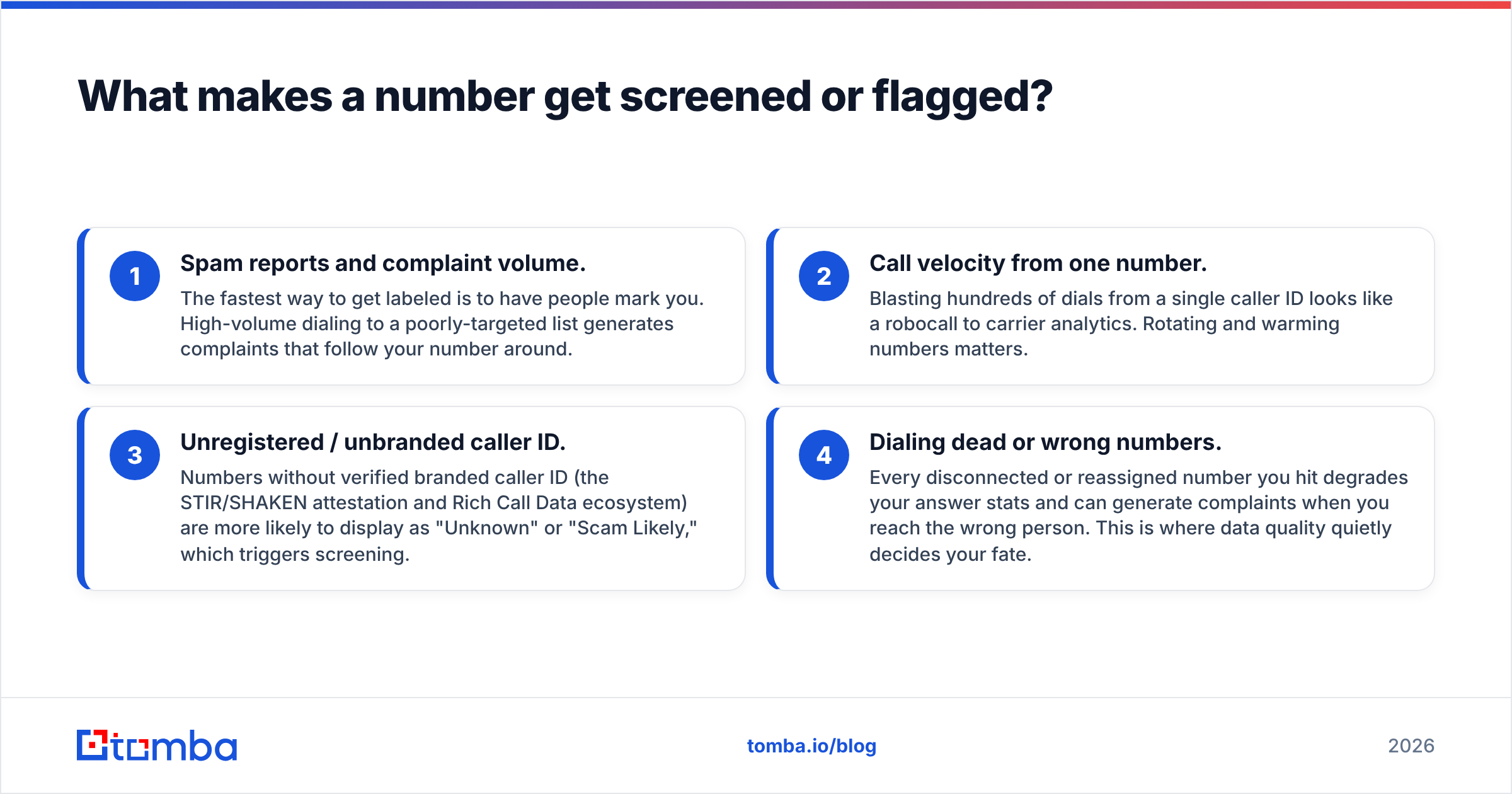
Four signals do most of the damage. Fix these in order:
- Spam reports and complaint volume. The fastest way to get labeled is to have people mark you. High-volume dialing to a poorly-targeted list generates complaints that follow your number around.
- Call velocity from one number. Blasting hundreds of dials from a single caller ID looks like a robocall to carrier analytics. Rotating and warming numbers matters.
- Unregistered / unbranded caller ID. Numbers without verified branded caller ID (the STIR/SHAKEN attestation and Rich Call Data ecosystem) are more likely to display as "Unknown" or "Scam Likely," which triggers screening.
- Dialing dead or wrong numbers. Every disconnected or reassigned number you hit degrades your answer stats and can generate complaints when you reach the wrong person. This is where data quality quietly decides your fate.
That last point is the one most teams ignore, and it's the one you fully control. If a third of your list is stale, you're not just wasting dials — you're actively training the carrier and crowd-sourced systems to distrust your number.
How do you keep connecting after iOS 26?#
Rebuild the motion around three fixes: clean data, a legitimate number, and a human-first opener.
1. Validate and enrich your numbers before you dial#
Garbage numbers are the root cause of most reputation damage. Before a rep touches the dialer, every contact should be checked for a live, correctly-formatted line, and ideally enriched with direct-dial and mobile data instead of a generic switchboard.
- Use a phone validator to strip disconnected, invalid, and mistyped numbers out of the list.
- Pull accurate direct dials with a phone finder so you're reaching the person, not a gatekept front desk.
- When you only have a company, map it to a real line with a company-to-phone lookup.
Clean data isn't a nice-to-have anymore; it's the difference between a number that stays trusted and one that gets flagged. Layer in data enrichment so reps have the name, title, and context to pass the screening prompt with a relevant reason.
2. Register and warm your caller ID#
Treat phone numbers like email domains: register branded caller ID, spread volume across numbers, and ramp gradually. A number that goes from zero to 400 dials a day reads as a robocaller. Carriers and vendors like Hiya and the broader branded-calling ecosystem reward numbers that behave like humans.
3. Write for the screener, not just the human#
Because iOS 26 shows your reason as text, your opener is now a headline. Assume the prospect reads before they answer.
- Lead with a name and a specific reason. "This is Dana from Tomba about your team's outbound data" beats "Hi, do you have a minute?"
- Sound like a person, not a script. Screening transcripts expose robotic phrasing instantly.
- Keep voicemails to 15 seconds with one clear reason and a follow-up promise, because they'll be read, not heard.
Should you drop the phone and go all-in on email and LinkedIn?#
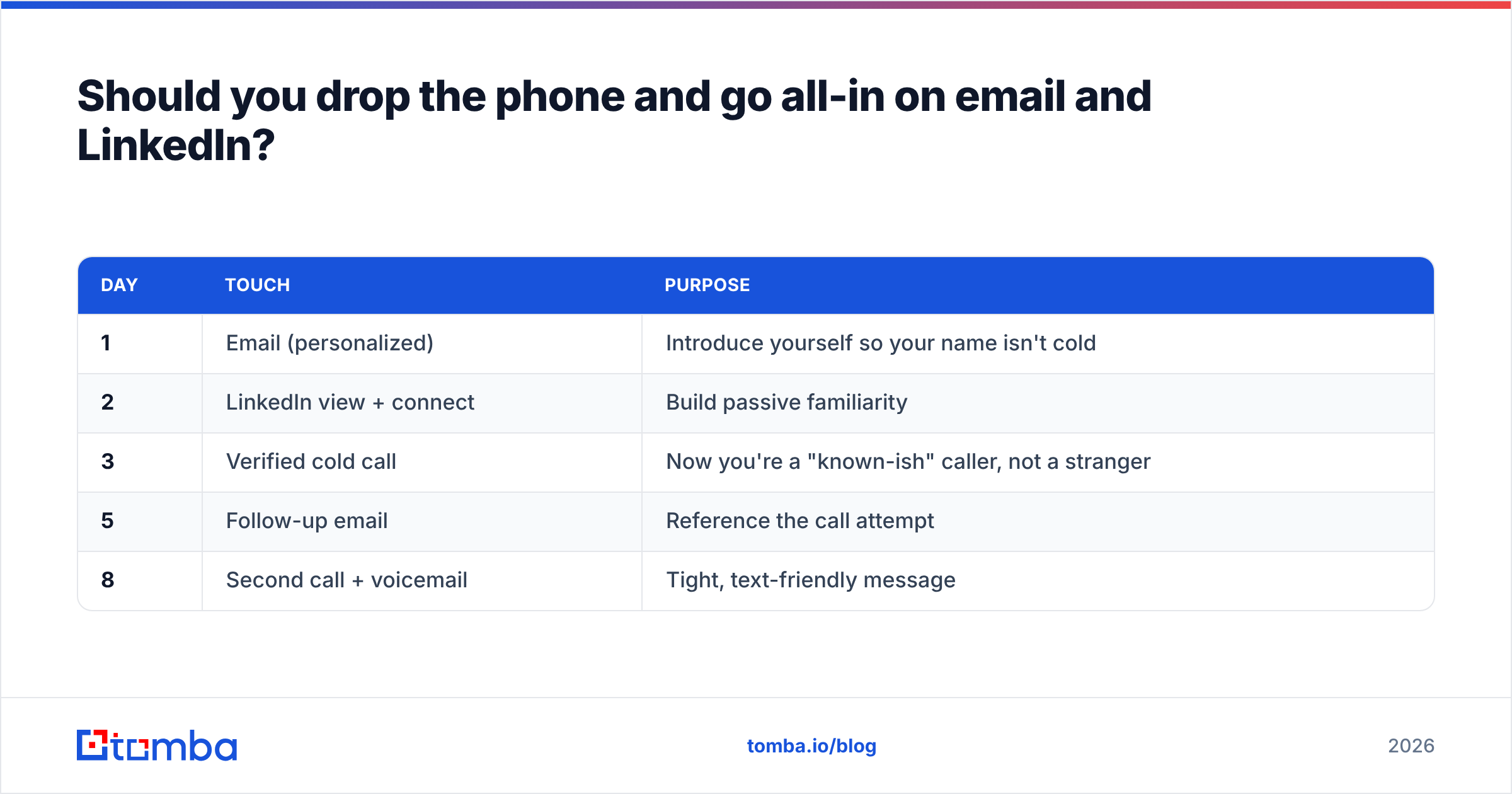
No — you should stop treating any channel as standalone. iOS 26 makes the case for multichannel sequences stronger, not weaker. A verified dial lands better when the prospect has already seen your email or LinkedIn touch, because familiarity is what flips "Unknown" into "I recognize that."
A resilient post-iOS-26 sequence looks like this:
| Day | Touch | Purpose |
|---|---|---|
| 1 | Email (personalized) | Introduce yourself so your name isn't cold |
| 2 | LinkedIn view + connect | Build passive familiarity |
| 3 | Verified cold call | Now you're a "known-ish" caller, not a stranger |
| 5 | Follow-up email | Reference the call attempt |
| 8 | Second call + voicemail | Tight, text-friendly message |
The phone still does the heavy lifting on high-intent accounts. It just performs best when it's the third touch, not the first cold blast. To feed that sequence, you need the same clean contact layer everywhere — validated emails from an email verifier and accurate direct dials working together.
What metrics should you track now?#
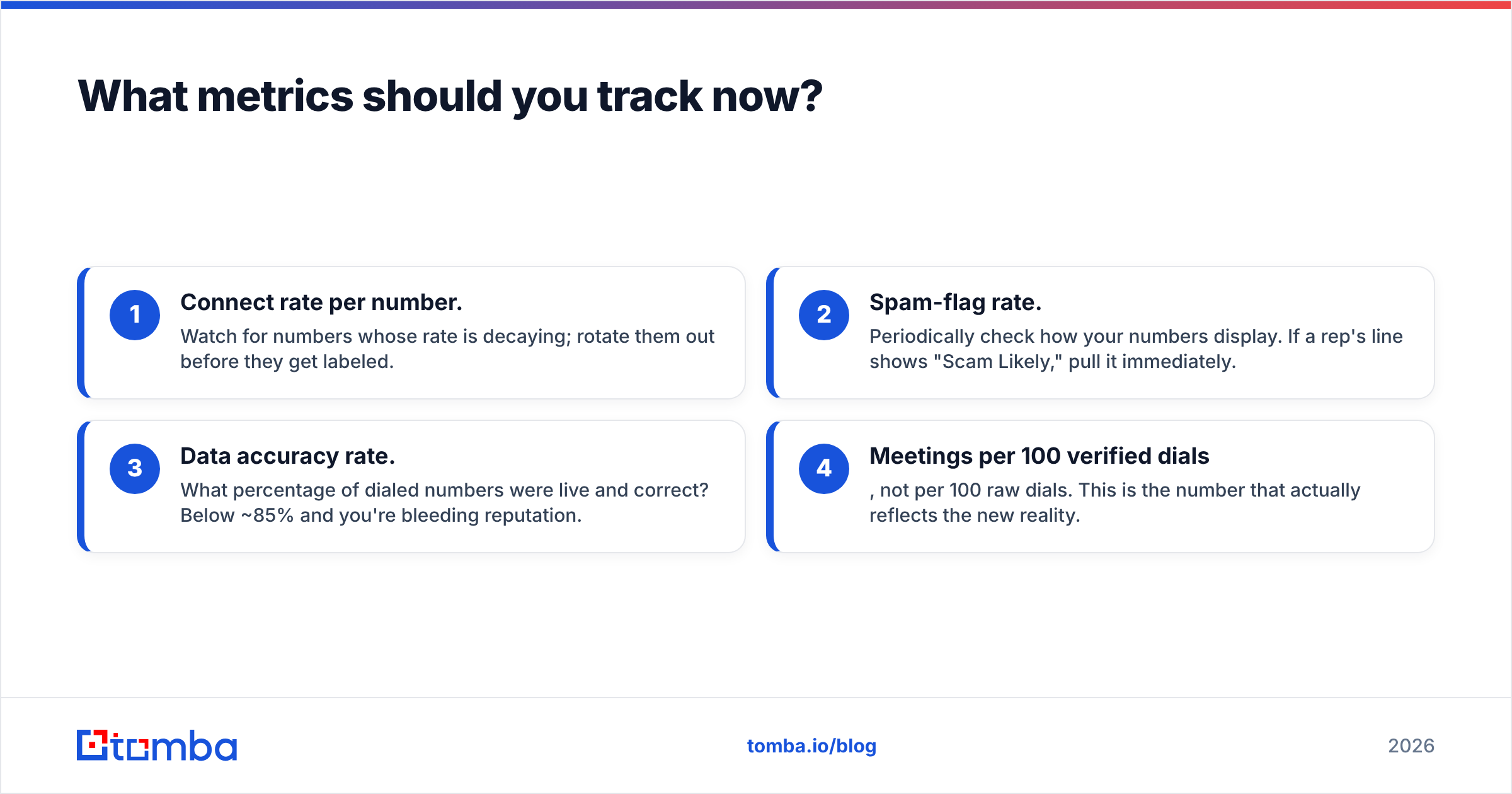
The old vanity metric — dials per day — is actively misleading after iOS 26, because high volume from a stale list is what gets you flagged. Track these instead:
- Connect rate per number. Watch for numbers whose rate is decaying; rotate them out before they get labeled.
- Spam-flag rate. Periodically check how your numbers display. If a rep's line shows "Scam Likely," pull it immediately.
- Data accuracy rate. What percentage of dialed numbers were live and correct? Below ~85% and you're bleeding reputation.
- Meetings per 100 verified dials, not per 100 raw dials. This is the number that actually reflects the new reality.
Common mistakes reps make after iOS 26#
- Dialing the same number all day. Velocity flags you. Spread volume.
- Skipping validation to "save time." You lose far more time and reputation dialing dead numbers than you'd spend cleaning the list.
- Reading a robotic script. The screener transcribes it and the prospect declines. Sound human.
- Ignoring voicemail as text. Long, meandering voicemails die on the lock screen. Write 15-second, skimmable messages.
- Calling before any warm-up touch. A truly cold, unknown number is the worst possible profile for screening.
The bottom line: adapt the inputs, keep the channel#
Cold calling after iOS 26 isn't harder because the phone got worse — it's harder because the low-effort version finally stopped working. Screening, spam labeling, and live transcription reward exactly what good sellers already did: reach the right person, from a legitimate number, with a human reason to call. Everything else gets filtered.
The single highest-leverage fix is the one under your control: dial clean, verified, enriched numbers instead of a stale list. That protects your caller reputation, lifts your connect rate, and keeps the phone a profitable channel while your competitors blame Apple.
Start there. Feed your dialer accurate direct dials and validated lines with Tomba's Email Finder and its companion phone and enrichment tools, so every dial is aimed at a real person on a real number — the only kind of call iOS 26 still lets through. Compare Tomba pricing against what a week of wasted, reputation-burning dials actually costs you, and you'll see why clean data is the cheapest fix on this list.
Related guides#
// get started
Find, verify and enrich your first contacts today
Start on the free plan with 25 searches a month, then scale when your team is ready.
Free plan · No credit card required · GDPR & CCPA
// about the author