The Cold Calling Gatekeeper Script That Gets You to the Decision-Maker
Gatekeepers block most cold calls before a rep ever reaches the buyer. Here is a field-tested cold calling gatekeeper script, the tone that works, and the lines to drop.
The gatekeeper is the receptionist, executive assistant, or office manager whose job is to keep unqualified callers away from a busy decision-maker. If your cold call dies at reception, it does not matter how good your pitch, your product, or your list is. This guide gives you a complete cold calling gatekeeper script, the psychology behind it, and the exact lines that move you from "the front desk" to "on the phone with the buyer."
TL;DR#
- A gatekeeper is a filter, not an enemy. Treat them as an ally who can route you correctly, and your connect rate climbs.
- Confidence and brevity beat clever tricks. The reps who get through sound like they already belong on the call.
- Have three scripts ready: the direct ask, the assumptive transfer, and the "help me out" ask. Match the script to the resistance you hit.
- Names and direct numbers change the math. When you already know who you want and how to reach them, you skip the gate entirely.
- Track what happens after "no." Most reps quit at the first block; the objection-handling lines below are where deals are actually won.
What does a gatekeeper actually do on a cold call?#
A gatekeeper screens inbound calls so senior people can spend time on work that matters. Think of it like a bouncer at a members' club: they are not judging you personally, they are checking whether you are on the list. Your job is to sound like you belong on the list.
Gatekeepers screen for three signals within the first five seconds:
- Do you sound nervous or scripted? Hesitation reads as "salesperson," and salespeople get blocked.
- Do you know who you want? "Whoever handles marketing" signals you have not done homework. A first and last name signals you have.
- Do you respect their time? Long-winded intros trigger the reflex to end the call.
The reps who consistently get through do the unglamorous prep first: they know the decision-maker's name, title, and ideally a direct line before they dial. If you are still working from a generic company switchboard, close that gap with a phone finder so you are asking for a real person, not a department.

What is the core cold calling gatekeeper script?#
Below is the base script. It is deliberately short. Read it out loud twice before you dial so it sounds like you, not like a teleprompter.
The direct-ask opener:
"Hi, this is [Your Name] with [Company]. Could you connect me with [Decision-Maker Full Name], please?"
Notice what is missing: no pitch, no "how are you today," no explanation. You state your name, your company, and a specific request as if the transfer is routine. Downward inflection at the end — it is a statement, not a plea.
If they ask "What is this regarding?":
"I'm following up on [specific topic — e.g., your team's outbound tooling]. [First Name] is the right person for that, correct?"
You give a real, narrow reason and hand the qualifying decision back to the gatekeeper. Most people will confirm and transfer rather than adjudicate whether your topic is worthy.
If they push ("Is he expecting your call?"):
"Not yet — that's exactly why I'm calling first rather than just emailing. Can you help me get two minutes on his calendar?"
You acknowledge the truth, reframe the cold call as a courtesy, and ask for their help. "Can you help me" is the single highest-leverage phrase in gatekeeper conversations because most people are wired to say yes to a direct, low-cost request for help.
What are the three gatekeeper scripts, and when do you use each?#
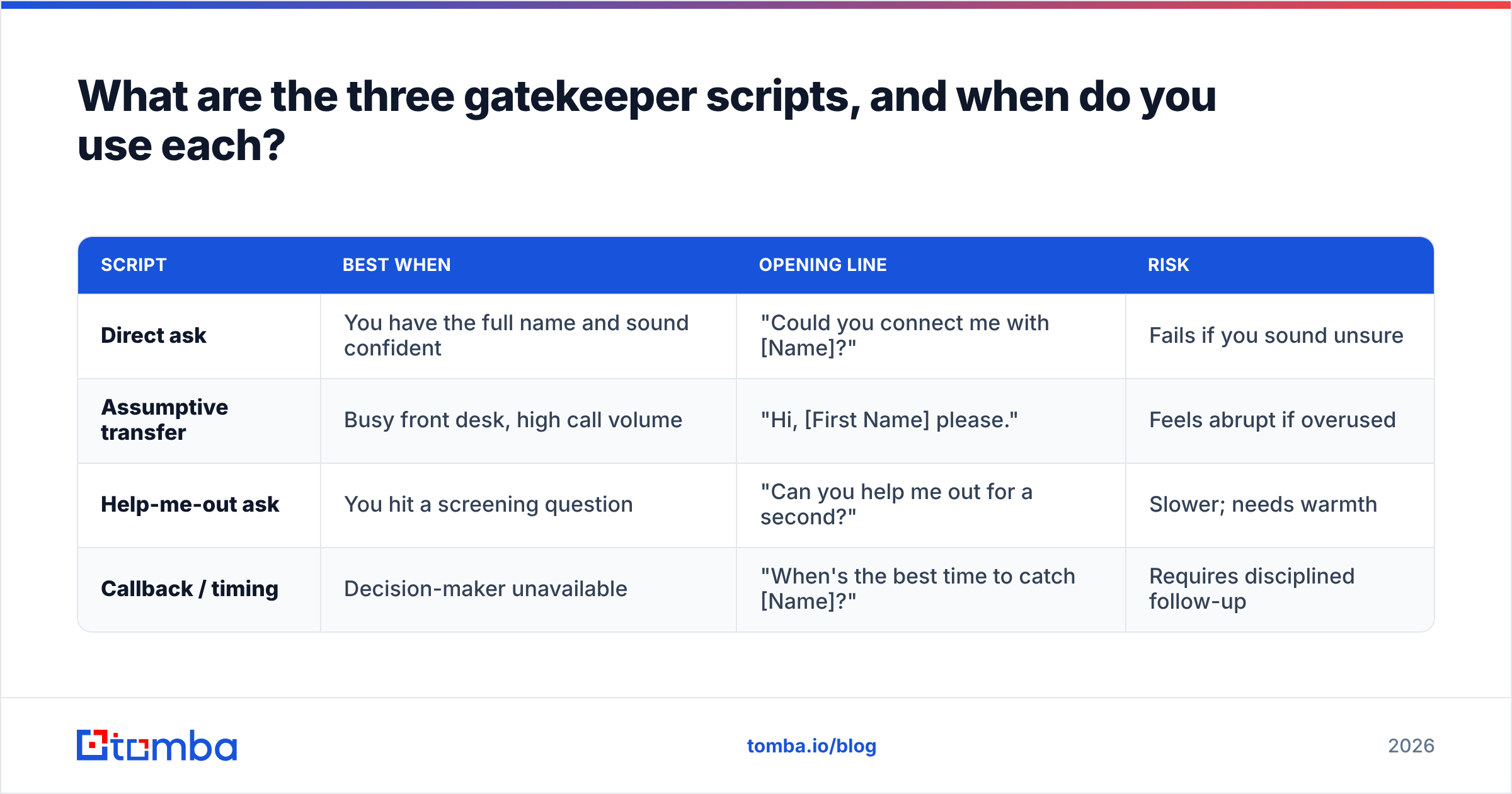
One script is not enough because you will hit different levels of resistance. Keep all three loaded and switch based on the pushback.
| Script | Best when | Opening line | Risk |
|---|---|---|---|
| Direct ask | You have the full name and sound confident | "Could you connect me with [Name]?" | Fails if you sound unsure |
| Assumptive transfer | Busy front desk, high call volume | "Hi, [First Name] please." | Feels abrupt if overused |
| Help-me-out ask | You hit a screening question | "Can you help me out for a second?" | Slower; needs warmth |
| Callback / timing | Decision-maker unavailable | "When's the best time to catch [Name]?" | Requires disciplined follow-up |
The assumptive transfer deserves a note. Dropping "Hi, Sarah please" — first name only, warm tone, as if you call weekly — gets transferred more often than a formal full-name request in high-volume environments. It works because familiarity implies an existing relationship. Use it where it fits and drop it where the culture is more formal.
How do you handle the most common gatekeeper objections?#
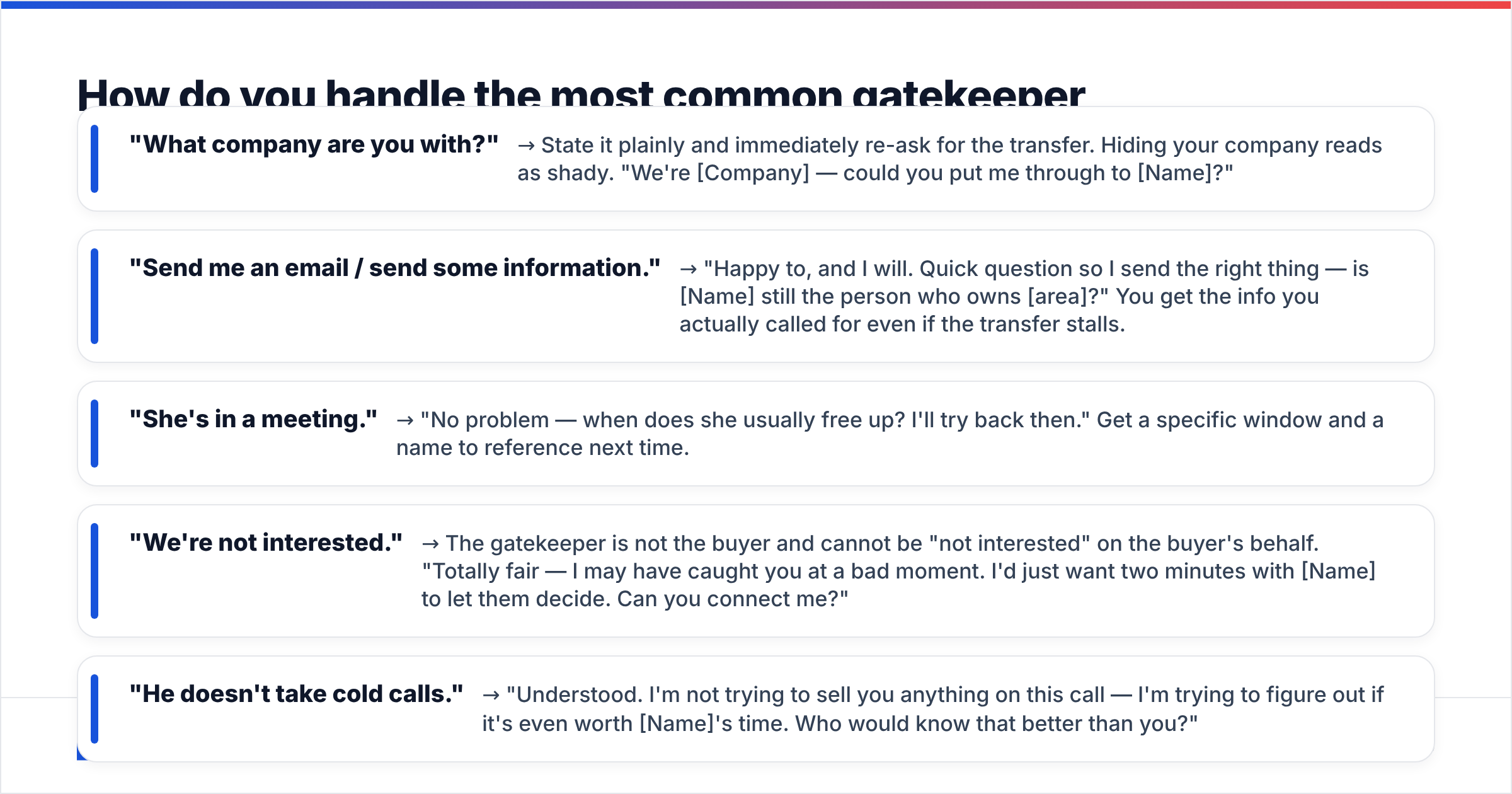
Here is where most reps fold. The block is not the end of the conversation; it is the middle. Prepare responses in advance so you are never improvising under pressure.
- "What company are you with?" → State it plainly and immediately re-ask for the transfer. Hiding your company reads as shady. "We're [Company] — could you put me through to [Name]?"
- "Send me an email / send some information." → "Happy to, and I will. Quick question so I send the right thing — is [Name] still the person who owns [area]?" You get the info you actually called for even if the transfer stalls.
- "She's in a meeting." → "No problem — when does she usually free up? I'll try back then." Get a specific window and a name to reference next time.
- "We're not interested." → The gatekeeper is not the buyer and cannot be "not interested" on the buyer's behalf. "Totally fair — I may have caught you at a bad moment. I'd just want two minutes with [Name] to let them decide. Can you connect me?"
- "He doesn't take cold calls." → "Understood. I'm not trying to sell you anything on this call — I'm trying to figure out if it's even worth [Name]'s time. Who would know that better than you?"

The pattern across all of these: acknowledge, reframe, re-ask. Never argue. According to HubSpot's sales research, persistence paired with respect — not aggression — is what separates reps who connect from reps who get remembered as pushy.
Does the gatekeeper script still matter in 2026?#
Yes, more than ever — because dialing volume went up and connect rates went down. Conversation-intelligence data from vendors like Gong consistently shows that successful cold calls open with a confident, human tone in the first few seconds. AI dialers and parallel-dial tools put more reps in front of more gatekeepers than at any point in the last decade, which means the human moment at reception is now the bottleneck, not the dial itself.
The counter-move is not to get better at tricking gatekeepers. It is to reach fewer, better-targeted decision-makers with the context that makes the gate irrelevant. When you know the person's name, title, and direct line before you dial, the gatekeeper often is not part of the equation at all.
That is a data problem before it is a script problem. Enrich your call list so every row has a verified contact and a real phone number:
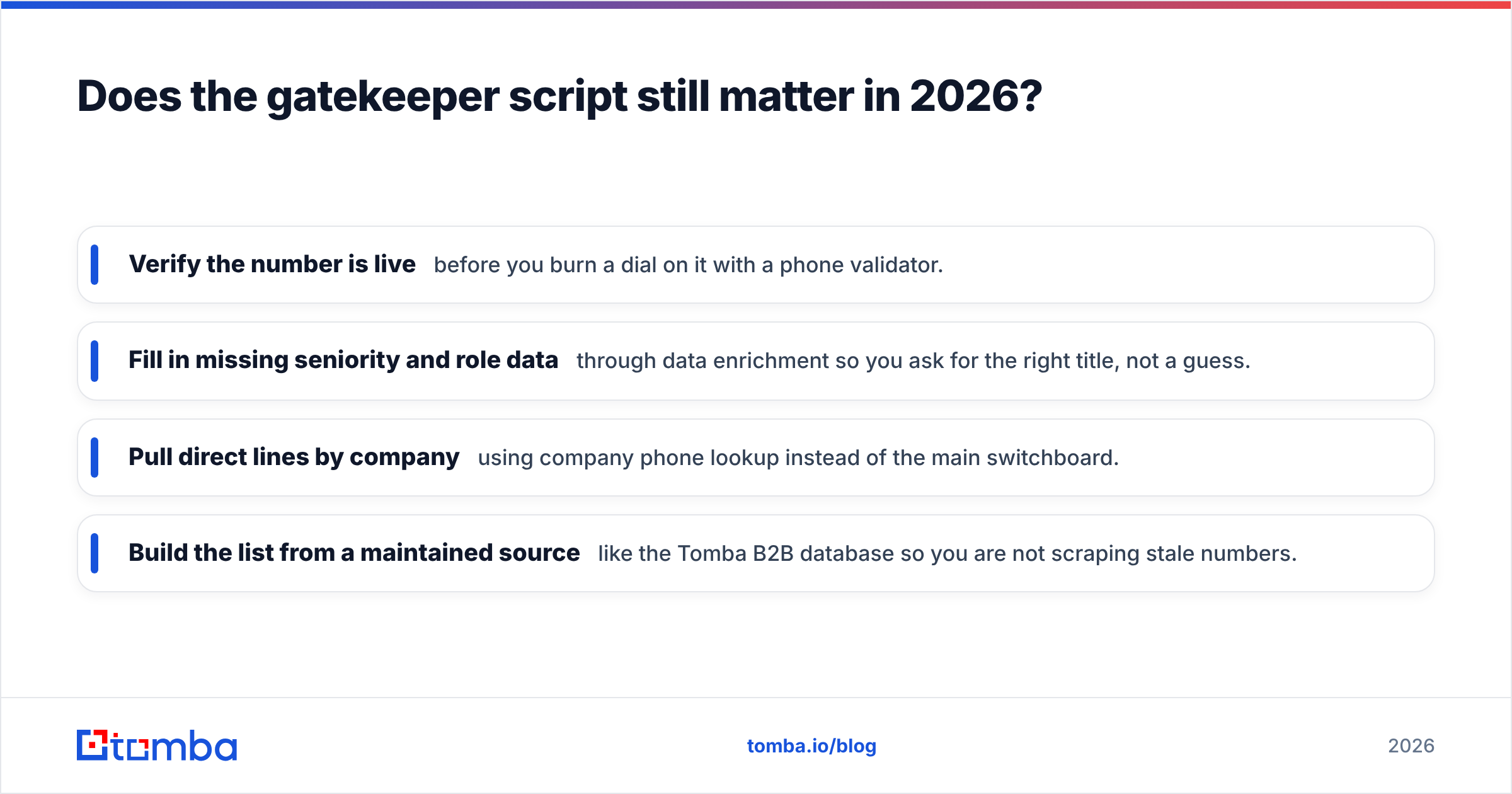
- Verify the number is live before you burn a dial on it with a phone validator.
- Fill in missing seniority and role data through data enrichment so you ask for the right title, not a guess.
- Pull direct lines by company using company phone lookup instead of the main switchboard.
- Build the list from a maintained source like the Tomba B2B database so you are not scraping stale numbers.
What is the full call flow from dial to decision-maker?#
Put the pieces together. Here is the sequence from ring to handoff.
- Pre-call (10 seconds): Confirm the decision-maker's full name and title on your screen. Say it out loud once.
- Opener: Name, company, direct transfer request. Downward inflection.
- First screen: If asked the reason, give a narrow topic and hand the decision back.
- Second screen: If pushed, switch to the help-me-out ask.
- Block: Acknowledge, reframe, re-ask exactly once more.
- Exit: If still blocked, get intel — best callback time, direct extension, or confirmation of the right contact. No dial is wasted if you leave with data.
- Log it: Note which script and which objection so you can improve the next attempt.
Step 6 is the one reps skip. Even a "failed" gatekeeper call should end with you knowing more than when you started: the correct name, the best time, or a direct extension. Feed that back into your list and the next attempt is warmer.
How do you make your list gatekeeper-proof before you dial?#
The best gatekeeper script is the one you never have to use. Reps who reach decision-makers directly do it because their prospecting data is accurate, and accuracy is a workflow, not luck.
Here is a simple pre-dial checklist that removes most gatekeeper friction:
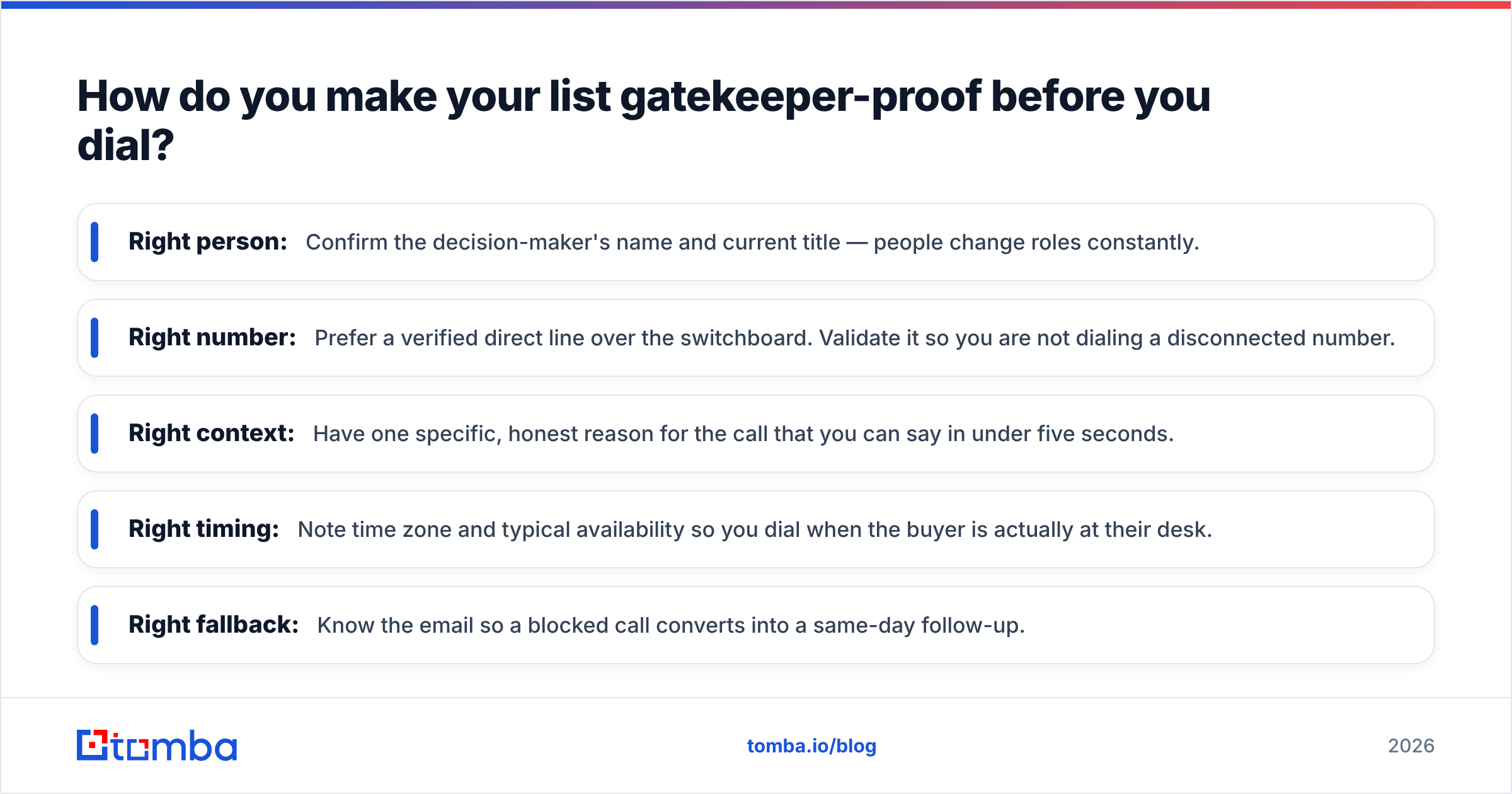
- Right person: Confirm the decision-maker's name and current title — people change roles constantly.
- Right number: Prefer a verified direct line over the switchboard. Validate it so you are not dialing a disconnected number.
- Right context: Have one specific, honest reason for the call that you can say in under five seconds.
- Right timing: Note time zone and typical availability so you dial when the buyer is actually at their desk.
- Right fallback: Know the email so a blocked call converts into a same-day follow-up.
If your CRM rows are missing half of these fields, that is the fix with the highest ROI — higher than any script tweak. Compare what accurate contact data costs against a rep's hourly rate spent on dead switchboard dials, and the math is not close. See current Tomba pricing to weigh it for your team's volume.
Gatekeeper script do's and don'ts#
| Do | Don't |
|---|---|
| Sound like you belong on the call | Over-explain or apologize for calling |
| Use the person's real name | Ask for "whoever handles X" |
| Treat the gatekeeper as an ally | Try to trick or bypass them dishonestly |
| Keep the opener under 10 seconds | Launch into your pitch at reception |
| Leave every call with new intel | Hang up empty-handed after a block |
| Verify the number before dialing | Burn dials on stale switchboard lines |
Frequently asked questions#
Should you lie to a gatekeeper to get through? No. Beyond the ethics, it backfires — decision-makers hear about it, and a burned gatekeeper will block you permanently. Honesty plus confidence outperforms deception over any real sample of calls.
What if the gatekeeper asks if it's a sales call? Be honest and reframe: "It could turn into one, but right now I just want two minutes with [Name] to see if it's even relevant. They can decide from there." Handing the decision to the buyer respects everyone's time.
Is it better to call early or late? Decision-makers are more likely to answer their own phone before 9 a.m. and after 5 p.m., when gatekeepers have often clocked out. If you have a verified direct line, those windows can skip the gate entirely.
How many times should you try before giving up? Most connects happen on attempt three to six, not attempt one. Space attempts out, vary the time of day, and always leave each call with something new to use on the next one.
Put a better list behind your script#
A great gatekeeper script converts more calls, but the biggest leverage is dialing the right person on a number that actually rings their desk. That starts with clean, verified contact data — the correct name, title, and direct line for every account on your list.
Tomba's Email Finder and its connected phone, enrichment, and database tools let you build a call list where every row already answers the questions a gatekeeper would ask — so you spend your dials talking to buyers, not defending yourself at the front desk. Start on the free tier, enrich a test list of 25 accounts, and measure your connect rate before and after. The script gets you through the door; the data gets you to the right door in the first place.
Related guides#
Ready to find emails that actually work?
Join 150,000+ professionals who stopped guessing and started sending. Free credits on signup — no credit card required.
Get the Tomba newsletter
Practical outbound tactics and product updates — once every two weeks.
About the author