Best Cold Calling Software in 2026: Features, Pricing & Picks
Cold calling software lives or dies on connect rates and clean data. Here's how the top dialers actually compare in 2026 — features, pricing tiers, and which fits your team.
Cold calling isn't dead — it just got expensive to do badly. The right cold calling software turns a rep dialing 40 numbers a day into one having 12 real conversations. The wrong one burns your budget on seats while your team listens to voicemail greetings. This guide breaks down what cold calling software actually does in 2026, how the leading platforms compare, and where the real bottleneck usually hides.
TL;DR#
- Cold calling software is a dialer plus a workflow layer: it automates number dialing, logs calls to your CRM, and — in modern tools — uses AI to skip voicemails and coach reps in real time.
- The four dialer types (preview, power, progressive, predictive/parallel) trade compliance safety for raw call volume. Pick by team size and regulatory risk.
- Pricing ranges from roughly $25/user/mo for a basic cloud phone to $150+/user/mo for AI parallel dialers with coaching.
- Your connect rate is capped by data quality, not dialer speed. Bad phone numbers make even the fastest predictive dialer worthless.
- Feed any dialer with verified, enriched contact data up front — that single change moves connect rates more than switching platforms.
What is cold calling software?#
Cold calling software is a tool that automates the mechanical parts of outbound phone prospecting so reps spend their time talking, not dialing. Think of it like cruise control for a sales floor: the rep still steers the conversation, but the software handles the repetitive work of dialing numbers, waiting through rings, filtering out voicemails, and writing everything back to the CRM.
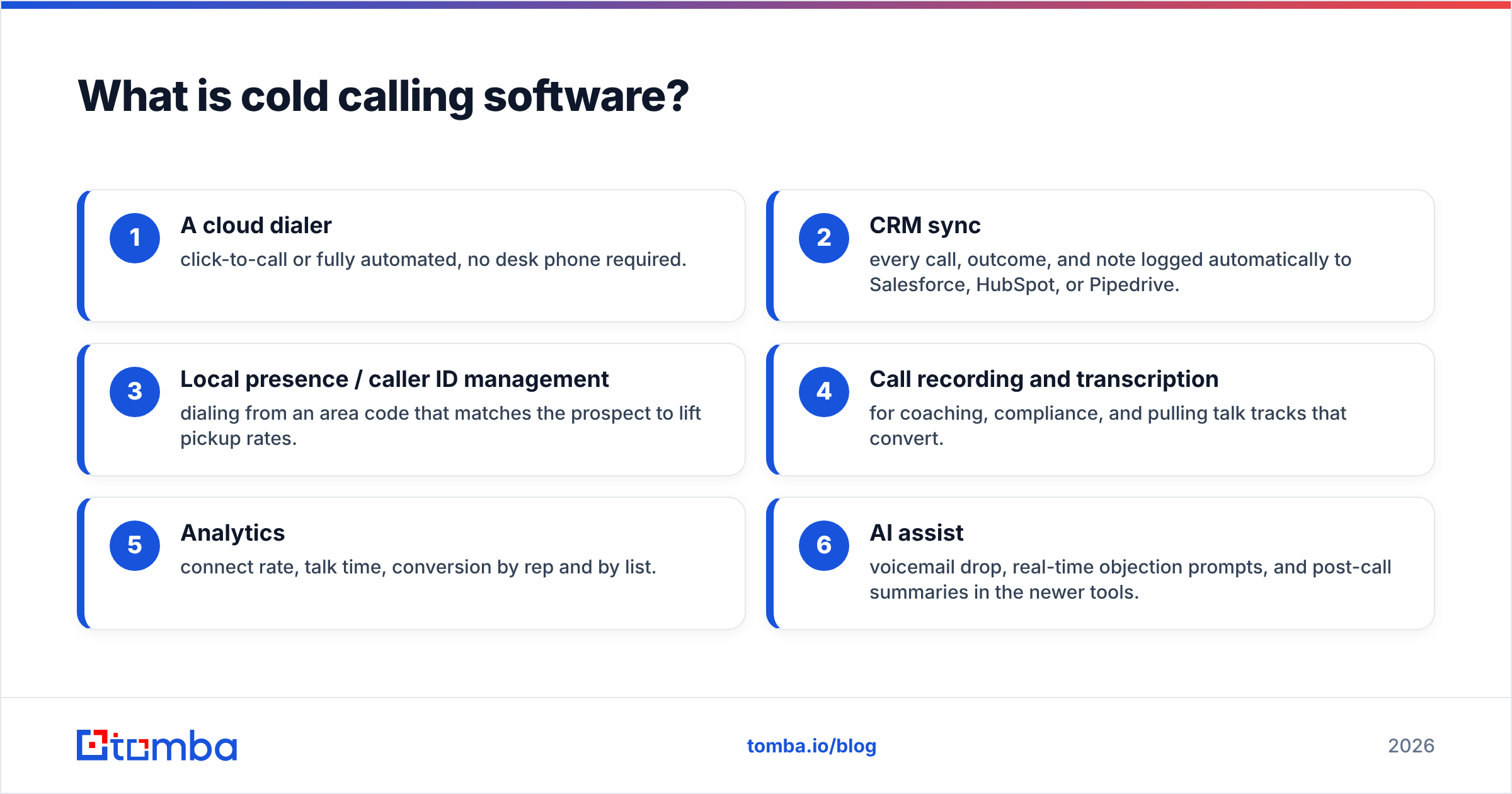
At minimum, a modern platform gives you:
- A cloud dialer — click-to-call or fully automated, no desk phone required.
- CRM sync — every call, outcome, and note logged automatically to Salesforce, HubSpot, or Pipedrive.
- Local presence / caller ID management — dialing from an area code that matches the prospect to lift pickup rates.
- Call recording and transcription — for coaching, compliance, and pulling talk tracks that convert.
- Analytics — connect rate, talk time, conversion by rep and by list.
- AI assist — voicemail drop, real-time objection prompts, and post-call summaries in the newer tools.
The category has split into two camps. Traditional cloud phone systems (Aircall, JustCall) bolt outbound features onto a full business phone. Purpose-built sales dialers (Orum, Nooks, PhoneBurner, Kixie) exist only to maximize conversations per hour. Which camp you need depends on whether calling is a side function or the whole job.
How do the different dialer types work?#
The dialer engine is the single biggest driver of both call volume and compliance risk. There are four types, and vendors rarely explain the trade-offs clearly.
- Preview dialer — Shows the rep the contact record before the call, then dials on click. Highest context, lowest volume. Best for high-value, research-heavy accounts.
- Power / progressive dialer — Dials the next number automatically the moment a rep wraps up. One line per rep, so there's no "dead air" risk of a prospect answering with nobody there. The safe default for most SDR teams.
- Predictive dialer — Dials multiple numbers ahead of rep availability using an algorithm that predicts when someone will free up. High volume, but if the math is off, prospects answer to silence — a compliance liability under TCPA.
- Parallel dialer — Dials several numbers simultaneously (often 3–10 lines) and connects the rep to whoever picks up first, dropping the rest. This is the AI-era volume play; Orum and Nooks popularized it. Powerful, but only as good as the list feeding it.
Here's the honest trade-off: parallel and predictive dialers can 4–5x your conversations per hour, but they also amplify data problems. Dial ten bad numbers in parallel and you get ten disconnected tones. The dialer type sets your ceiling; your data decides how close you get to it.
Which cold calling software is best in 2026?#
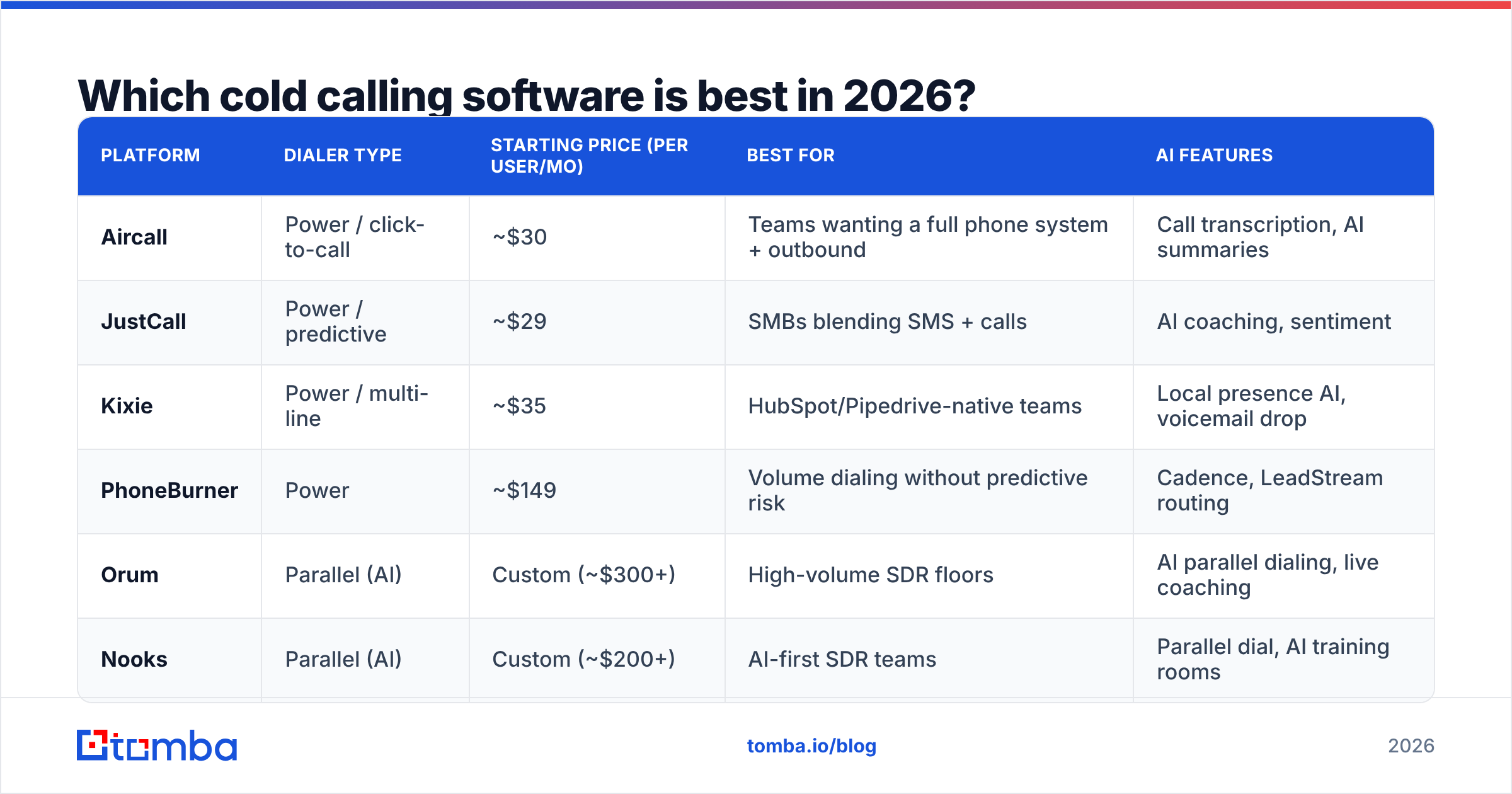
There's no single winner — the best cold calling software is the one that matches your team size, compliance appetite, and existing stack. Below is a neutral comparison of the platforms most B2B teams shortlist, with representative pricing. Always confirm current numbers on each vendor's page, since tiers shift.
| Platform | Dialer type | Starting price (per user/mo) | Best for | AI features |
|---|---|---|---|---|
| Aircall | Power / click-to-call | ~$30 | Teams wanting a full phone system + outbound | Call transcription, AI summaries |
| JustCall | Power / predictive | ~$29 | SMBs blending SMS + calls | AI coaching, sentiment |
| Kixie | Power / multi-line | ~$35 | HubSpot/Pipedrive-native teams | Local presence AI, voicemail drop |
| PhoneBurner | Power | ~$149 | Volume dialing without predictive risk | Cadence, LeadStream routing |
| Orum | Parallel (AI) | Custom (~$300+) | High-volume SDR floors | AI parallel dialing, live coaching |
| Nooks | Parallel (AI) | Custom (~$200+) | AI-first SDR teams | Parallel dial, AI training rooms |
A few patterns worth naming. If calling is one channel inside a broader motion, a cloud phone like Aircall or JustCall keeps costs down and integrates with everything. If you run a dedicated SDR team measured on conversations per day, a parallel dialer like Orum or Nooks earns its premium — provided you can feed it clean lists. And if you want high volume without the TCPA exposure of predictive dialing, PhoneBurner's single-line power model is a deliberate middle path.
For deeper feature-by-feature breakdowns, third-party review sites like G2's auto-dialer category and HubSpot's own guide to sales dialers are worth reading before you commit to a demo.
What features actually move connect rates?#
Most buyers over-index on dialing speed and under-index on the two things that determine whether anyone answers: caller reputation and data accuracy.
Caller reputation. Carriers now flag and label suspected spam numbers aggressively. If your outbound number shows up as "Spam Likely," your connect rate collapses regardless of how fast you dial. The best cold calling software actively rotates numbers, monitors flagging, and manages local presence responsibly. Ask every vendor how they handle number reputation — it's the question that separates serious platforms from repackaged VoIP.
Data accuracy. This is the one nobody wants to hear. A dialer's job ends at connecting a call; it does nothing to guarantee the number belongs to a real, reachable decision-maker. Industry data consistently shows a large share of B2B direct-dial numbers in CRMs are stale or wrong. Every wrong number is wasted dial time — and on a parallel dialer, it's wasted at 5x speed.
That's why the highest-performing outbound teams treat contact data as a first-class part of the calling stack, not an afterthought. Verified mobile and direct-dial numbers, matched to the right person and enriched with current job titles, are what let a dialer hit its theoretical ceiling. If you're pulling numbers from an aging list, tools like Tomba's phone finder and contact enrichment refresh and validate that layer before it ever reaches the dialer.
How much should cold calling software cost?#
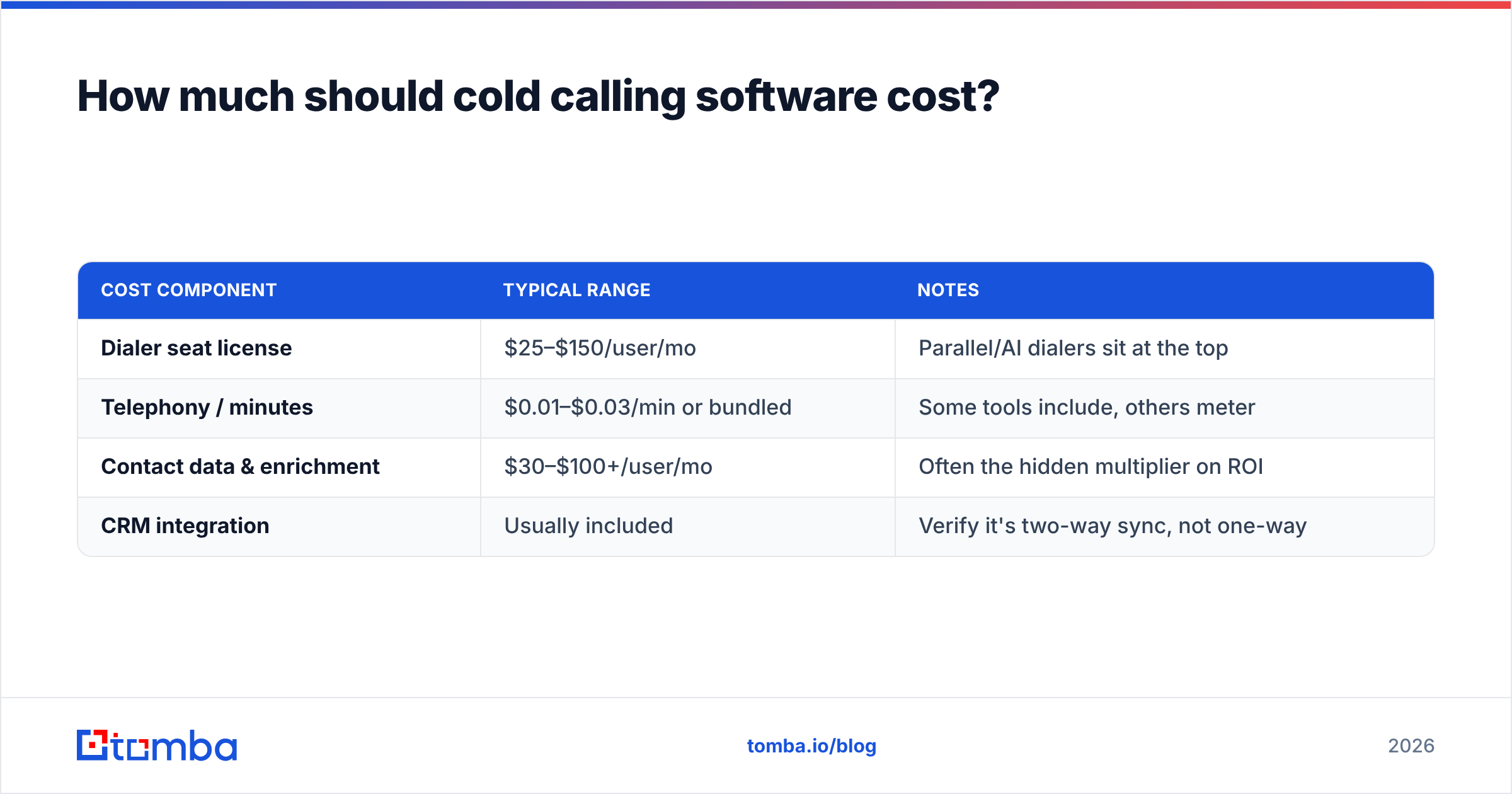
Budget in three buckets, not one: the dialer license, the data feeding it, and the phone/telephony usage. Teams that only price the first bucket get surprised.
| Cost component | Typical range | Notes |
|---|---|---|
| Dialer seat license | $25–$150/user/mo | Parallel/AI dialers sit at the top |
| Telephony / minutes | $0.01–$0.03/min or bundled | Some tools include, others meter |
| Contact data & enrichment | $30–$100+/user/mo | Often the hidden multiplier on ROI |
| CRM integration | Usually included | Verify it's two-way sync, not one-way |
A realistic fully-loaded cost for a serious SDR seat lands between $80 and $250/month once you add verified data. That sounds steep until you run the math the other way: if clean data takes a rep from 3 conversations a day to 8, the data spend pays for itself in a week. The expensive path isn't buying good data — it's paying a rep's salary to dial bad numbers.
For teams stitching their own stack together, sourcing data through a usage-based tool can be far cheaper than bundled contact databases. You can compare Tomba's pricing — a free tier plus paid plans from $49/mo — against the per-seat data add-ons most dialers upsell.
How do you build a cold calling workflow that works?#
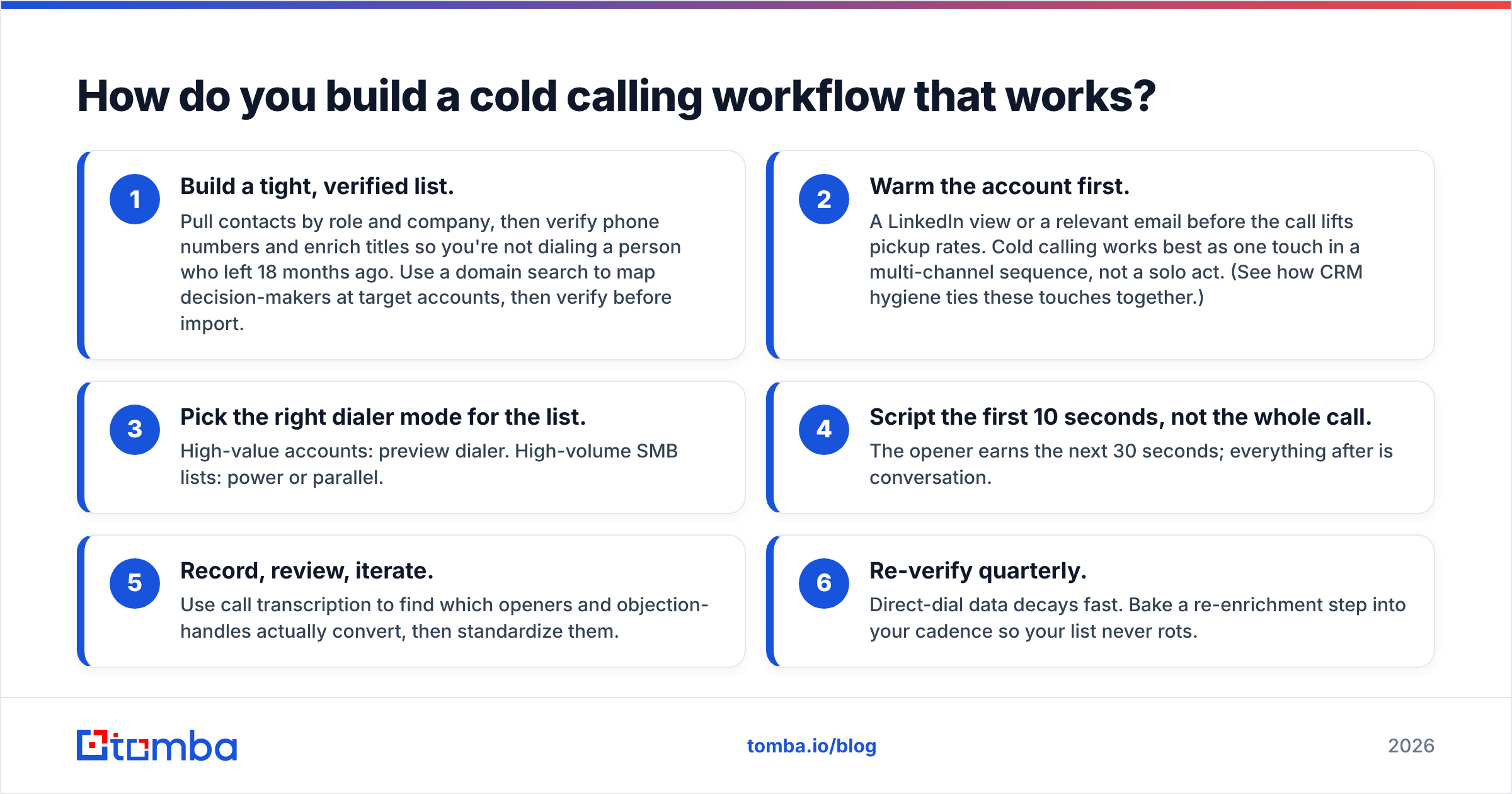
Software is the easy part. The workflow around it is what produces booked meetings. Here's the sequence high-performing teams run:
- Build a tight, verified list. Pull contacts by role and company, then verify phone numbers and enrich titles so you're not dialing a person who left 18 months ago. Use a domain search to map decision-makers at target accounts, then verify before import.
- Warm the account first. A LinkedIn view or a relevant email before the call lifts pickup rates. Cold calling works best as one touch in a multi-channel sequence, not a solo act. (See how CRM hygiene ties these touches together.)
- Pick the right dialer mode for the list. High-value accounts: preview dialer. High-volume SMB lists: power or parallel.
- Script the first 10 seconds, not the whole call. The opener earns the next 30 seconds; everything after is conversation.
- Record, review, iterate. Use call transcription to find which openers and objection-handles actually convert, then standardize them.
- Re-verify quarterly. Direct-dial data decays fast. Bake a re-enrichment step into your cadence so your list never rots.
Notice that steps 1 and 6 — the data steps — bookend everything. That's not an accident. The dialer determines how many numbers you can attempt; the data determines how many of those attempts reach a human.
Is cold calling software worth it?#
Yes, if you dial at any real volume — but only when it's paired with accurate data and a disciplined workflow. A dialer alone is a faster way to reach wrong numbers. The teams that win with cold calling in 2026 treat the software as one leg of a tripod: dialer, data, and process. Weaken any leg and the whole thing tips.
If you're evaluating platforms, resist the urge to pick on raw dials-per-hour. Shortlist two or three tools that fit your stack, run a two-week pilot with the same verified list in each, and measure conversations and meetings booked — not dials. The differences between dialers narrow fast once the data underneath them is equally clean.
Start with the data layer#
The fastest, cheapest upgrade to any cold calling motion isn't a new dialer — it's better contacts flowing into the one you already have. Before you renew a seat or migrate platforms, fix the input.
Use the Tomba Email Finder to build and enrich accurate contact lists — verified emails and direct data you can pair with phone lookups to feed your dialer people who actually pick up. Start on the free tier, test it against your current list, and see how much your connect rate moves when the numbers behind it are real. Your reps' time is the most expensive thing in the funnel; spend it on conversations, not dial tones.
Related guides#
// get started
Find, verify and enrich your first contacts today
Start on the free plan with 25 searches a month, then scale when your team is ready.
Free plan · No credit card required · GDPR & CCPA
// about the author