The B2B Cold Email Template Playbook: 9 Frameworks That Get Replies
Most B2B cold emails get ignored because they sound like everyone else's. Here are 9 templates — and the research workflow behind them — that actually earn replies.
Cold email still works in 2026 — but only if your message reads like it was written by a human who did five minutes of homework, and only if it actually reaches the inbox. A great cold email B2B template gives you the structure; verified data and light personalization give you the reply.
This guide hands you nine frameworks you can paste and adapt today, plus the workflow that keeps them out of spam and in front of decision-makers.
TL;DR#
- Templates are scaffolding, not scripts. The best B2B cold email templates give you a proven skeleton — you supply one line of genuine research per prospect.
- Deliverability comes first. A perfect template sent from a cold, unverified list still lands in spam. Clean your list and warm your domain before you scale.
- Short wins. 50–125 words, one ask, one CTA. Every extra sentence lowers reply rate.
- Personalization at the open, value in the middle, a soft CTA at the end is the pattern behind almost every high-performing framework below.
- Data quality is the multiplier. Accurate emails and enrichment fields turn a generic template into a 1:1 message at scale.
What makes a cold email B2B template actually work?#
The conclusion first: a template works when it removes writing friction without removing relevance. It should give you a reliable structure — hook, context, value, CTA — while leaving obvious slots for the one detail that proves you're not blasting 5,000 people.
Think of a template like a coffee-shop order form. The form is identical for every customer, but the drink is customized per person. A B2B cold email template is the form; the prospect's trigger event, role, or recent post is the customization that makes it theirs.
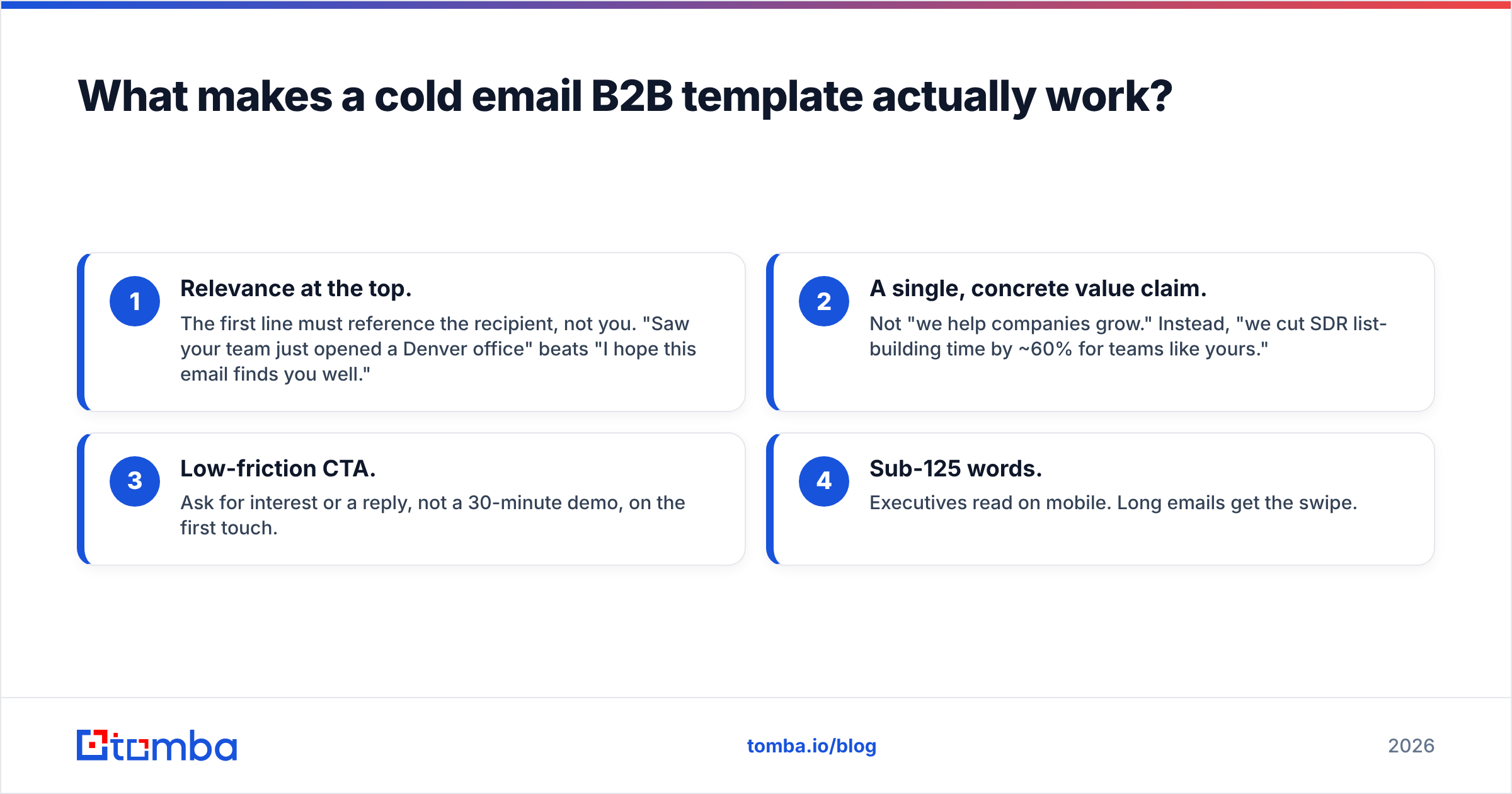
Four attributes separate templates that convert from templates that get archived:
- Relevance at the top. The first line must reference the recipient, not you. "Saw your team just opened a Denver office" beats "I hope this email finds you well."
- A single, concrete value claim. Not "we help companies grow." Instead, "we cut SDR list-building time by ~60% for teams like yours."
- Low-friction CTA. Ask for interest or a reply, not a 30-minute demo, on the first touch.
- Sub-125 words. Executives read on mobile. Long emails get the swipe.
What are the 9 cold email B2B templates you can steal?#
Each template below is a starting point. Replace the bracketed slots with real research, and never send two identical emails to the same company.
1. The trigger event#
Subject: congrats on the [Series B]
Hi [First name],
Saw [Company] just closed your [Series B] — that usually means aggressive hiring and a lot of new pipeline to fill. When [Company X] hit the same stage, they used [your product] to [specific outcome].
Worth a quick look? Happy to send a 2-minute Loom.
[Your name]
2. The problem-agitate-solve (PAS)#
Subject: [manual list building]?
Hi [First name], most [SDR teams] still lose 8–10 hours a week hand-building prospect lists. That's a full workday not spent selling. We automate that step so your reps start each morning with verified contacts already loaded. Open to a quick comparison against your current setup?
3. The referral / name-drop#
Subject: [Mutual contact] suggested I reach out
Hi [First name], [Mutual contact] mentioned your team is scaling outbound this quarter. We handle the data layer for [similar company], and [he/she] thought the fit was obvious. Mind if I share how it maps to your stack?
4. The competitor-switch#
Subject: switching off [competitor]?
Hi [First name], teams moving off [Competitor] usually tell us the same thing: pricing crept up and accuracy dropped. We solved both. Want the side-by-side numbers?
5. The one-metric hook#
Subject: 95% deliverability for [Company]?
Hi [First name], quick one — is your outbound bounce rate under 2%? If not, that's costing you sender reputation and replies. We verify every address before it hits your sequence. Worth 10 minutes?
6. The compliment-with-a-catch#
Subject: your [LinkedIn post] on [topic]
Hi [First name], your post on [topic] nailed it — especially the point about [detail]. It's exactly why teams like yours come to us for [outcome]. Can I show you the part you'd care about most?
7. The "I did the work for you"#
Subject: 12 leads for [Company], pre-verified
Hi [First name], I pulled 12 verified contacts in your ICP and attached the list — no strings. If it's useful, we can automate the next 1,200. Want me to send the sample?
8. The soft break-up#
Subject: should I close your file?
Hi [First name], I've reached out a couple times about [outcome] and haven't heard back — totally fair if the timing's off. Should I check in next quarter, or is this not a fit?
9. The question-only#
Subject: quick question, [First name]
Who owns list-building and data accuracy on your outbound team? Want to make sure this reaches the right person.
Which cold email framework fits your goal?#
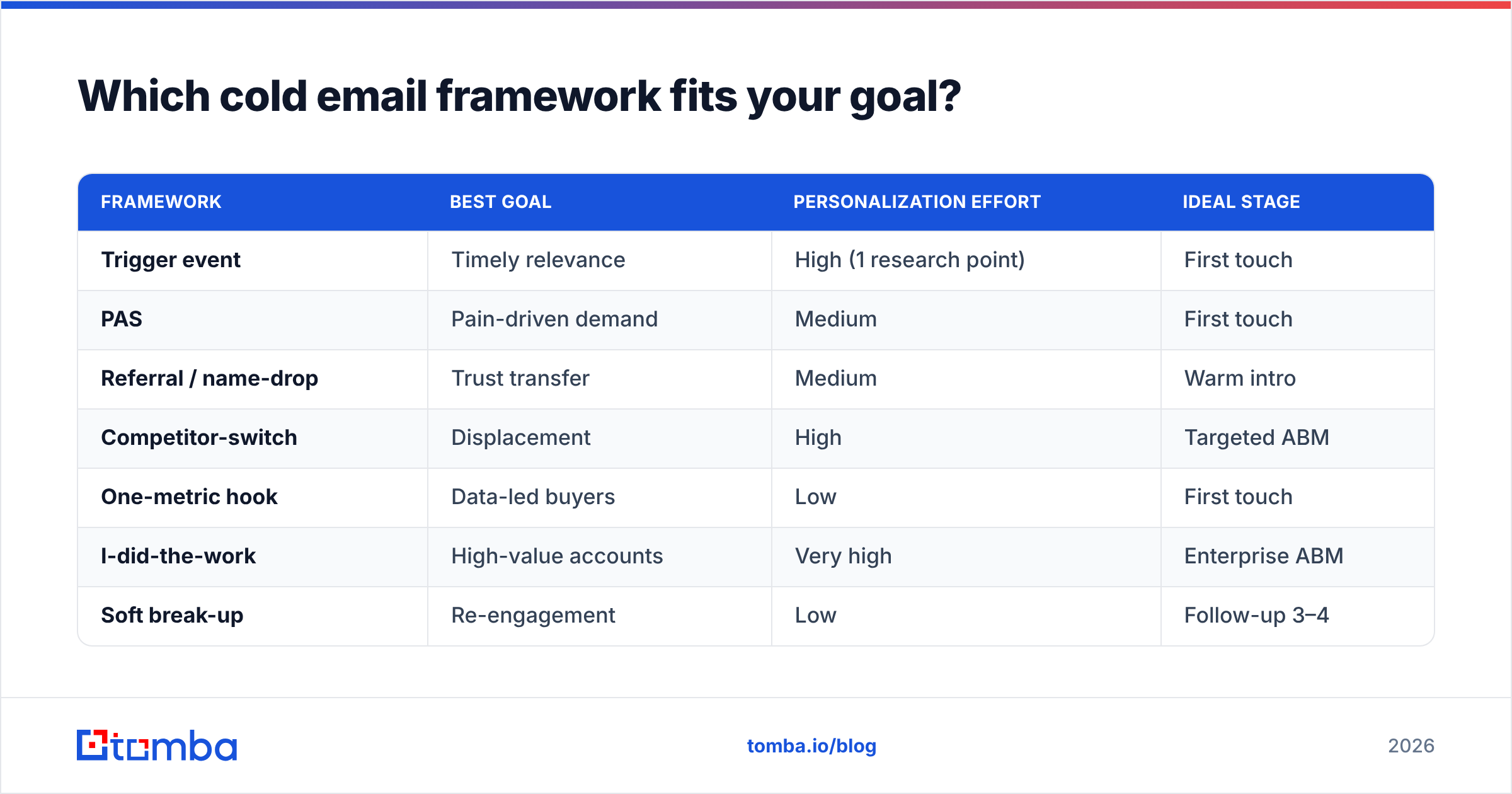
Pick the framework by intent, not by what sounds clever. Here's how the nine map to common goals, effort, and where they shine.
| Framework | Best goal | Personalization effort | Ideal stage |
|---|---|---|---|
| Trigger event | Timely relevance | High (1 research point) | First touch |
| PAS | Pain-driven demand | Medium | First touch |
| Referral / name-drop | Trust transfer | Medium | Warm intro |
| Competitor-switch | Displacement | High | Targeted ABM |
| One-metric hook | Data-led buyers | Low | First touch |
| I-did-the-work | High-value accounts | Very high | Enterprise ABM |
| Soft break-up | Re-engagement | Low | Follow-up 3–4 |
| Question-only | Finding the owner | Low | First touch |
A practical rule: reserve the high-effort frameworks (competitor-switch, "I did the work") for your top 50 accounts, and use the low-effort ones (question-only, one-metric hook) for broader plays. For subject-line variations you can spin quickly, a subject line generator saves time without flattening your voice.
How do you personalize a template without spending an hour per email?#
The answer: standardize the research, not the writing. Build a one-line "personalization snippet" for each prospect using enrichment data, then drop it into the template's top slot.
- Role-based: pull the prospect's title and reference a job-specific pain.
- Company-based: headcount growth, funding, tech stack, or a new office.
- Content-based: a recent LinkedIn post, podcast, or published article.
This is where data enrichment turns a template into a 1:1 message at scale. Instead of researching each contact from scratch, you enrich a whole list — title, company size, location, social profiles — and let a merge field do the personalization. HubSpot's own research consistently ties relevance and segmentation to higher engagement, and personalized outreach reflects that reality (see HubSpot's sales benchmarks).
Why does deliverability decide whether any template works?#
Blunt truth: the best-written cold email in the world earns zero replies if it lands in spam. Deliverability is the gate every template has to pass.
Three failure points sink most campaigns:
- Dirty lists. Sending to invalid or dead addresses spikes your bounce rate, and mailbox providers punish senders whose bounces climb past ~2%. Run every address through an email verifier before it enters a sequence.
- Cold domains. A brand-new sending domain with no reputation gets filtered fast. Warm it up gradually over 2–4 weeks before volume sending.
- Missing authentication. No SPF, DKIM, or DMARC records is a red flag to Gmail and Outlook. Google and Yahoo now require them for bulk senders — Google documents the requirements in its sender guidelines.
Get these right and even an average template outperforms a brilliant one sent from a burned domain. Deliverability isn't a "later" problem — it's the foundation.
How do you find and verify the emails your templates need?#
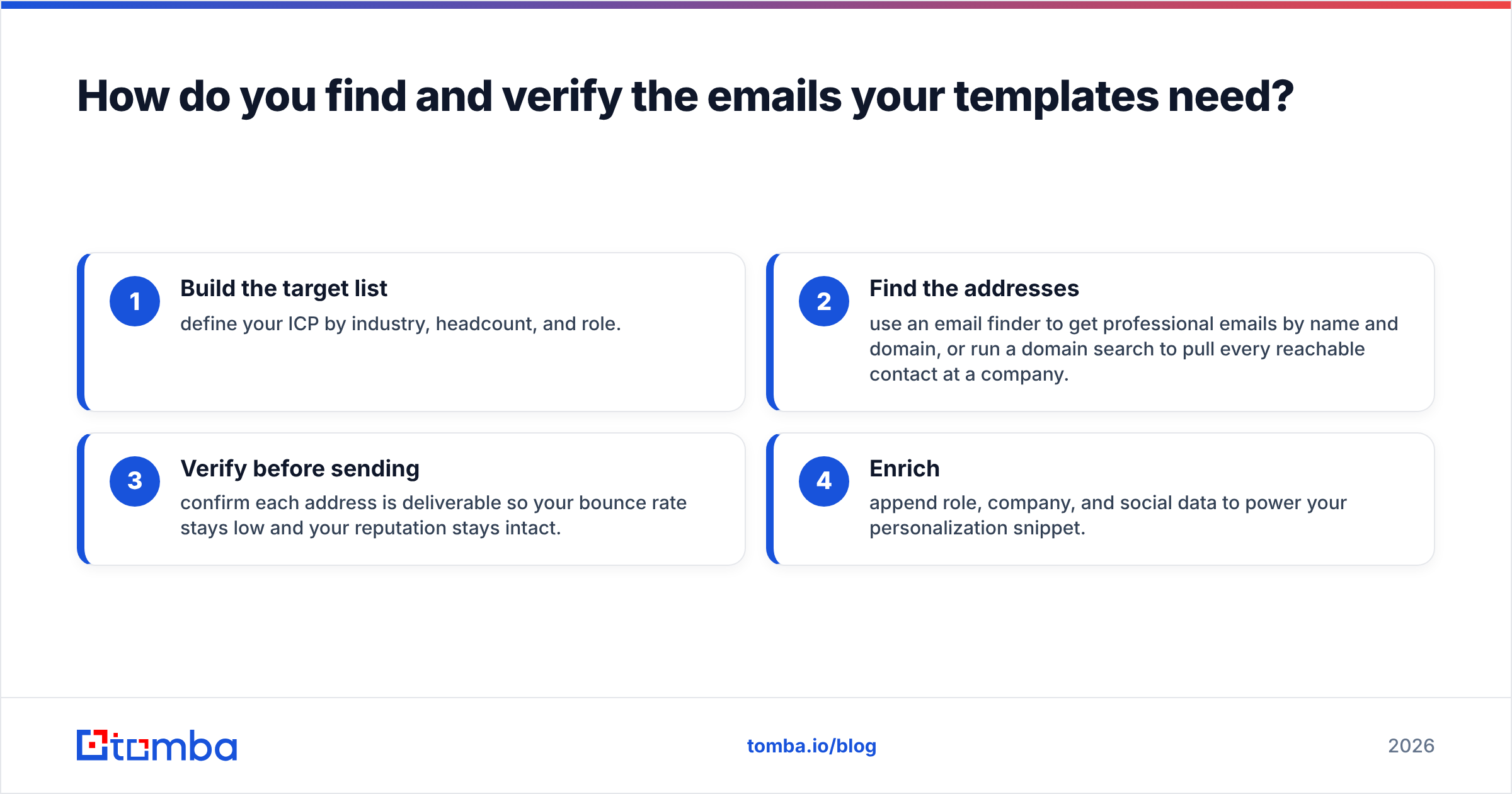
You can't personalize a message you can't deliver. The workflow is straightforward:
- Build the target list — define your ICP by industry, headcount, and role.
- Find the addresses — use an email finder to get professional emails by name and domain, or run a domain search to pull every reachable contact at a company.
- Verify before sending — confirm each address is deliverable so your bounce rate stays low and your reputation stays intact.
- Enrich — append role, company, and social data to power your personalization snippet.
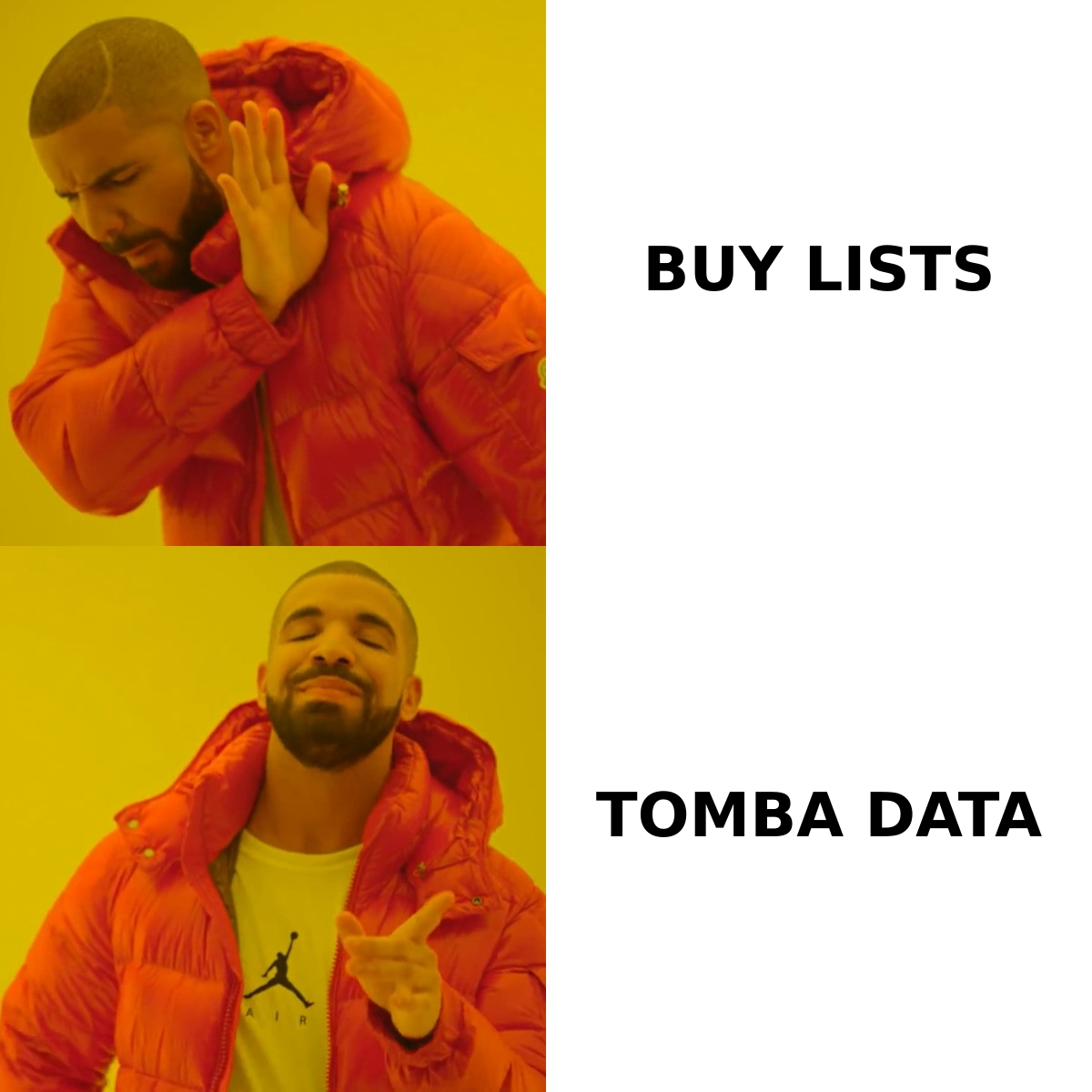
Compared with buying static lists — which decay ~2–3% per month as people change jobs — finding and verifying in real time keeps your data fresh and your sender reputation protected. Buying lists is the shortcut that quietly kills campaigns; verified, first-party sourcing is the one that scales. Tools like Tomba and peers such as BookYourData both make the point that clean, current data beats volume every time.
What mistakes kill cold email reply rates?#
Even a strong cold email B2B template underperforms when these creep in:
- Talking about yourself first. If your opening line starts with "We are…," rewrite it.
- Multiple CTAs. One ask per email. Choice creates friction.
- Walls of text. If it doesn't fit on one mobile screen, cut it.
- No follow-up. Most replies come on touches 2–4, not the first. Sequence 3–5 emails, then stop.
- Fake personalization. "I loved your work" with no specifics is worse than no personalization — it signals a template.
- Ignoring the numbers. Track open, reply, and positive-reply rates per template and kill the losers. G2 and analyst coverage from firms like Gartner repeatedly show that measurement, not clever copy, drives sustained improvement.
How should you A/B test your templates?#
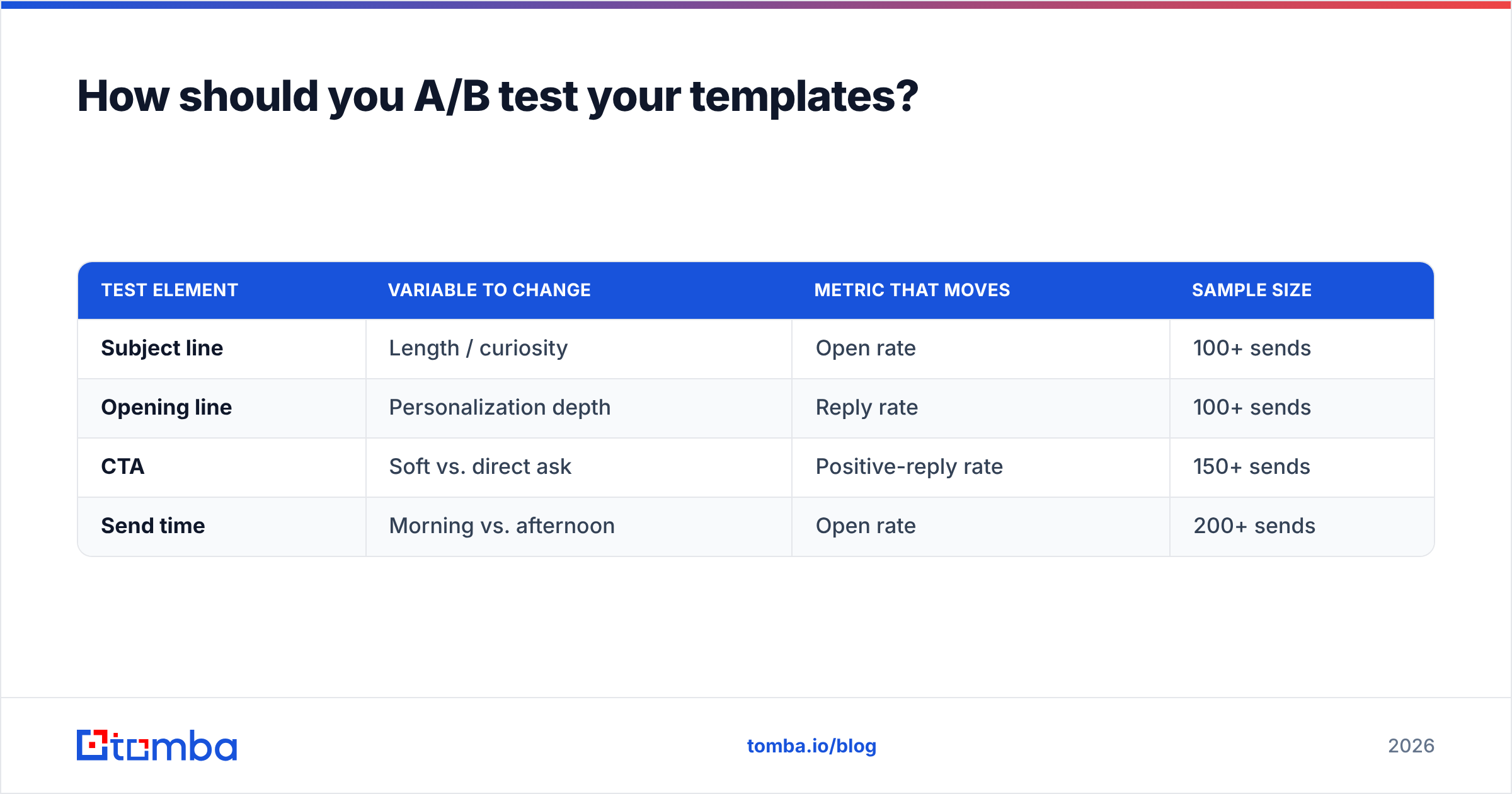
Test one variable at a time so you actually learn something. Start with the subject line — it controls opens — then the first line, then the CTA.
| Test element | Variable to change | Metric that moves | Sample size |
|---|---|---|---|
| Subject line | Length / curiosity | Open rate | 100+ sends |
| Opening line | Personalization depth | Reply rate | 100+ sends |
| CTA | Soft vs. direct ask | Positive-reply rate | 150+ sends |
| Send time | Morning vs. afternoon | Open rate | 200+ sends |
Give each variant enough volume to reach significance before you declare a winner — a 3-reply difference across 40 emails is noise, not a result. Keep a simple log of every version and its outcome, and treat your templates as a living library, not a set-and-forget file. If you want a starting library to fork, browse ready-made email templates and adapt them to your voice.
Put it together: templates plus verified data#
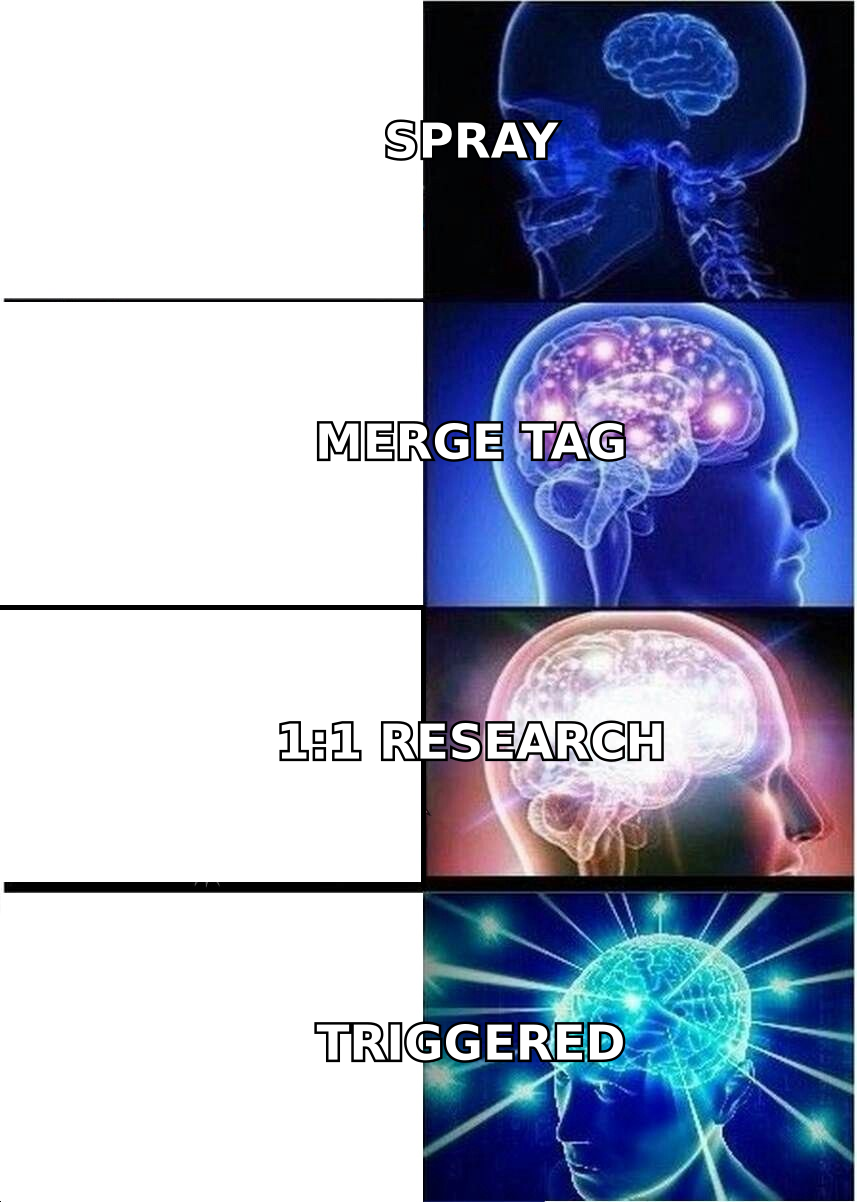
A cold email B2B template is only half the equation. The other half is reaching real, verified people with a detail that proves you did the work. Nail both and you move from "spray and pray" to predictable pipeline.
Start by building a clean, verified list so your templates land where they belong. The Tomba Email Finder finds professional emails by name, company, or domain, verifies them before they hit your sequence, and enriches each contact with the fields that power real personalization — all on a free tier of 25 searches/month, scaling to Starter at $49/mo when you're ready to grow. Load your best template, drop in one honest line of research per prospect, and let accurate data do the heavy lifting.
Related guides#
Ready to find emails that actually work?
Join 150,000+ professionals who stopped guessing and started sending. Free credits on signup — no credit card required.
Get the Tomba newsletter
Practical outbound tactics and product updates — once every two weeks.
About the author