Cold Email Generator: Write Cold Emails That Get Replies in 2026
A cold email generator can draft outreach in seconds — but does it actually book meetings? Here's how these tools work, where they fail, and how to make AI-written cold emails convert.
Cold email still works in 2026 — but only when the message lands in the right inbox, reads like a human wrote it, and gives the reader one obvious reason to reply. A cold email generator promises to handle the writing part in seconds. The question is whether the output is actually worth sending.
Short answer: a good cold email generator is a fantastic first-draft machine and a terrible autopilot. Used right, it cuts your writing time by 80% and keeps your pipeline full. Used wrong, it floods prospects with the same robotic template everyone else is sending. This guide shows you the difference.
TL;DR#
- A cold email generator uses AI to draft outreach copy (subject line, opener, pitch, CTA) from a few inputs like recipient, role, and offer.
- The best tools save hours, but raw AI output still needs personalization, a verified email address, and a human editing pass before it converts.
- Deliverability beats cleverness: a perfect email sent to a bad address or a cold domain never gets read.
- Generators fall into three buckets — free single-email tools, sequence builders inside sending platforms, and API/enrichment stacks.
- Pair any generator with a real email finder and email verifier so your polished copy actually reaches a person.
What is a cold email generator?#
A cold email generator is a tool that writes outreach emails for you using AI, templates, or a mix of both. You feed it a handful of inputs — the prospect's name, company, role, your product, and the goal of the email — and it returns a ready-to-edit draft, usually including a subject line, an opening line, a short value pitch, and a call to action.
Think of it like a GPS for a road trip. It plots a fast, sensible route in seconds, but you're still the driver: you decide when to take a detour, when the suggested road is closed, and when to stop for the thing the GPS didn't know about. The generator handles direction; you handle judgment.
Under the hood, most modern generators do one of these things:
- Fill a template. The oldest approach — swap
{first_name}and{company}into a fixed skeleton. Fast, but every recipient can smell it. - Prompt a large language model. Tools like an AI cold email writer send your inputs to an LLM with a structured prompt and return original copy. More natural, more variable.
- Blend AI with live data. The most advanced stacks pull a prospect's job title, recent company news, or tech stack, then write around that context. This is where AI-written email stops sounding generic.

How does a cold email generator actually work?#
Every generator, cheap or premium, moves through the same four stages. Knowing them tells you exactly where quality is won or lost.
- Input collection — you provide the recipient, their role/company, your offer, and the desired tone. Garbage in, garbage out: vague inputs produce vague emails.
- Draft generation — the AI writes a subject line, hook, body, and CTA. Better tools generate several variants so you can A/B test.
- Personalization layer — the strongest generators inject a real detail (a funding round, a hiring signal, a shared connection) instead of a generic compliment.
- Deliverability handoff — the finished copy is paired with a verified address and sent from a warmed domain. Skip this and even a great email bounces or hits spam.
The gap between a mediocre generator and a great one lives almost entirely in stages three and four. Anyone can produce fluent text now — that's commoditized. What separates a reply-getting email is a specific, true detail about the reader and a clean path to their inbox.
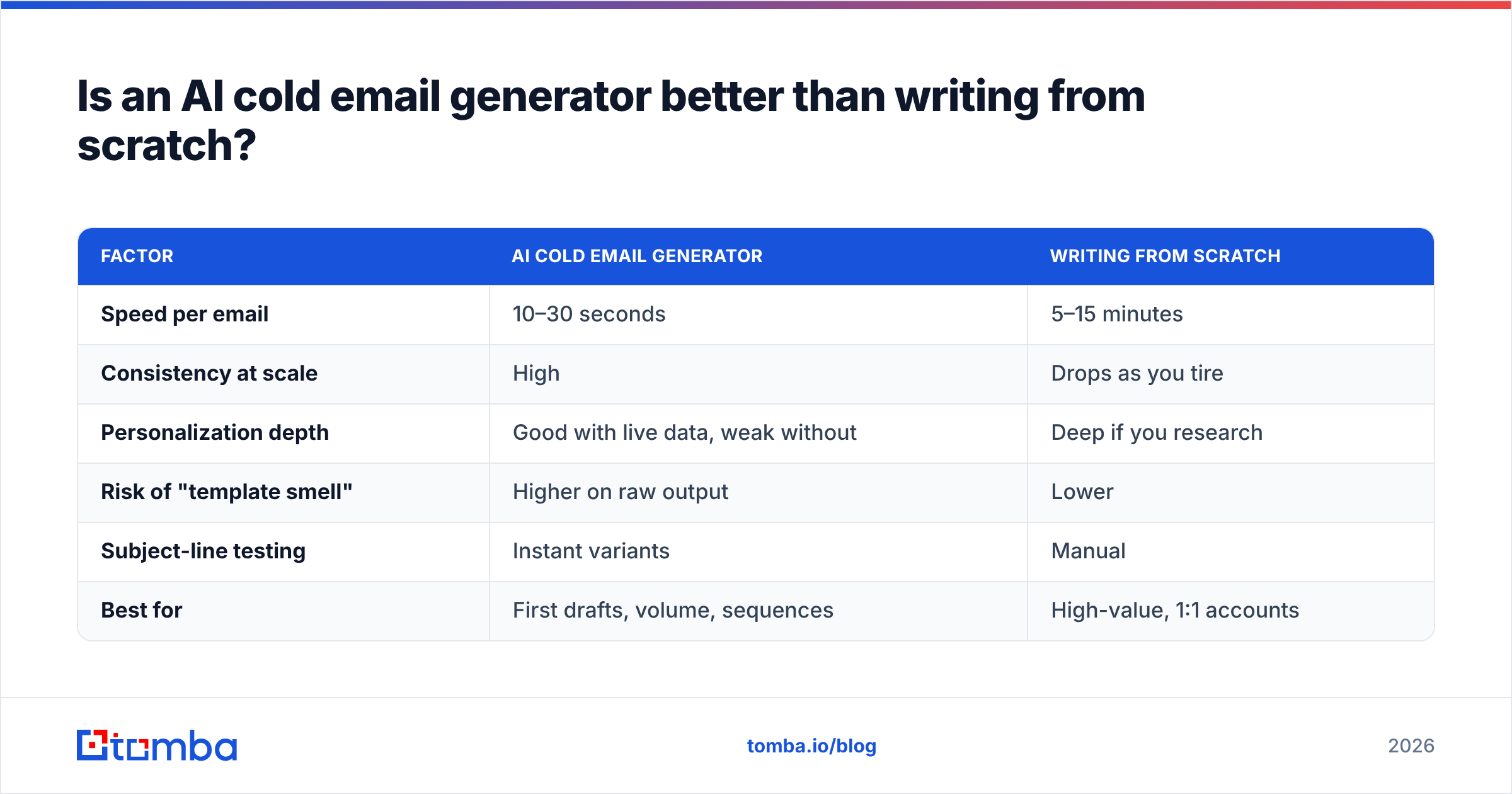
Is an AI cold email generator better than writing from scratch?#
It depends on what you're optimizing for. Here's the honest trade-off.
| Factor | AI cold email generator | Writing from scratch |
|---|---|---|
| Speed per email | 10–30 seconds | 5–15 minutes |
| Consistency at scale | High | Drops as you tire |
| Personalization depth | Good with live data, weak without | Deep if you research |
| Risk of "template smell" | Higher on raw output | Lower |
| Subject-line testing | Instant variants | Manual |
| Best for | First drafts, volume, sequences | High-value, 1:1 accounts |
The pragmatic answer for most teams: generate the draft, then spend your saved time editing and adding one human touch. You get the speed of AI and the authenticity of hand-writing. Reserve fully manual writing for your top 20 dream accounts where a booked meeting is worth 15 minutes of research.
According to HubSpot's sales research, personalization and relevance consistently outrank volume for reply rates — which is exactly why "generate and forget" fails. The tool removes the blank-page problem; it doesn't remove your responsibility to be relevant.
What makes a cold email generator produce emails that convert?#
A generator is only as good as the constraints you give it. These are the levers that separate a booked meeting from a delete.
1. A subject line that earns the open. Nothing else matters if the email isn't opened. Feed the generator specifics and test multiple lines — a subject line generator can produce a dozen options in seconds so you're never shipping your first guess.
2. A first line about them, not you. "I saw you're hiring three SDRs" beats "I hope this email finds you well" every time. If your generator opens with a pleasantry, rewrite it.
3. One clear, low-friction CTA. Ask for a specific, easy yes — "Worth a 10-minute call Thursday?" — not "Let me know if you'd like to learn more."
4. Brevity. Under 120 words. If the AI padded it, cut it.
5. A verified recipient. The most persuasive copy in the world converts at 0% if it bounces. This is the step generators quietly skip.
That last point is where most cold email programs quietly bleed results. You can generate a thousand beautiful emails, but if a third of the addresses are wrong, you're torching your sender reputation and your open rates crater. Run every list through an email verifier before the first send, and use a catch-all verifier for domains that don't cleanly confirm.
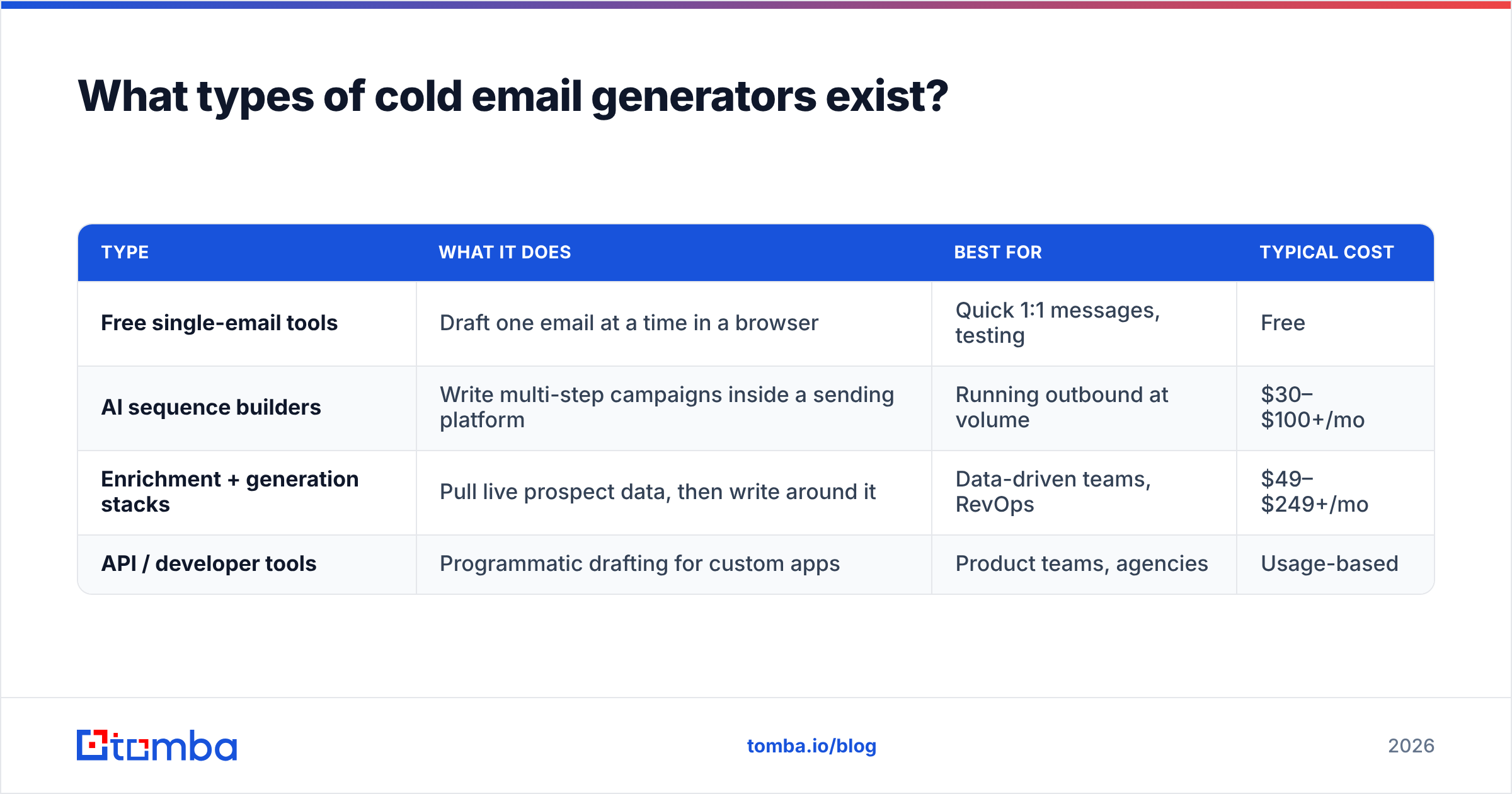
What types of cold email generators exist?#
Not all generators do the same job. Pick the category that matches your workflow.
| Type | What it does | Best for | Typical cost |
|---|---|---|---|
| Free single-email tools | Draft one email at a time in a browser | Quick 1:1 messages, testing | Free |
| AI sequence builders | Write multi-step campaigns inside a sending platform | Running outbound at volume | $30–$100+/mo |
| Enrichment + generation stacks | Pull live prospect data, then write around it | Data-driven teams, RevOps | $49–$249+/mo |
| API / developer tools | Programmatic drafting for custom apps | Product teams, agencies | Usage-based |
A free tool is perfect for firing off a handful of tailored emails a week. If you're sending hundreds and need reply tracking, you'll want a sequence builder. And if personalization at scale is the goal, an enrichment-backed stack — where the data enrichment feeds the copy — is the only category that keeps quality high past a few dozen sends.
Where do cold email generators fail?#
Being honest about the limits is what keeps you from getting burned.
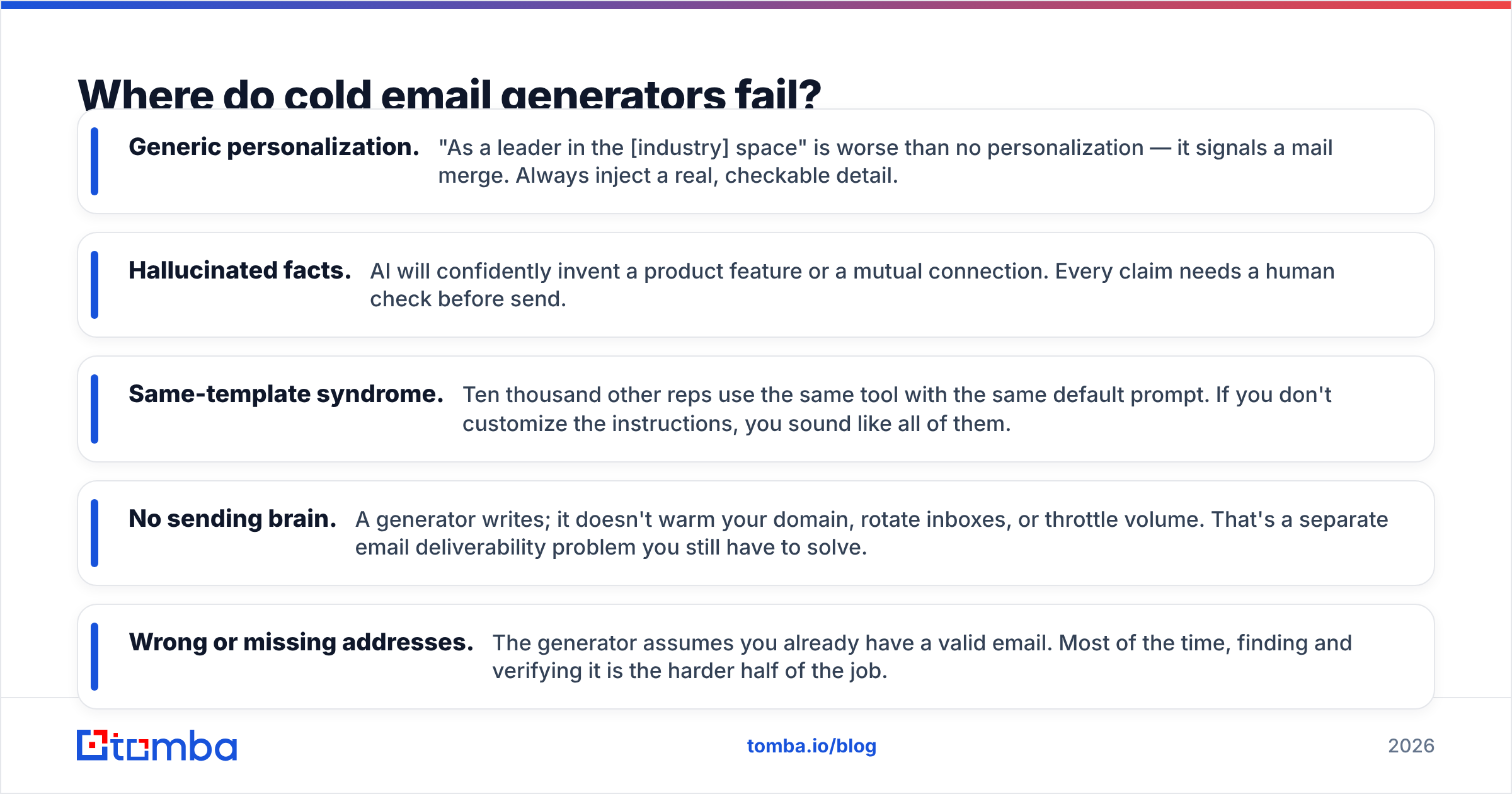
- Generic personalization. "As a leader in the [industry] space" is worse than no personalization — it signals a mail merge. Always inject a real, checkable detail.
- Hallucinated facts. AI will confidently invent a product feature or a mutual connection. Every claim needs a human check before send.
- Same-template syndrome. Ten thousand other reps use the same tool with the same default prompt. If you don't customize the instructions, you sound like all of them.
- No sending brain. A generator writes; it doesn't warm your domain, rotate inboxes, or throttle volume. That's a separate email deliverability problem you still have to solve.
- Wrong or missing addresses. The generator assumes you already have a valid email. Most of the time, finding and verifying it is the harder half of the job.
The pattern across all five: generators handle the words, not the delivery or the data. Treat the copy as one ingredient in a system, not the whole meal.
How do you combine a cold email generator with the rest of your stack?#
The winning workflow is a short assembly line, and the generator is only one station on it.
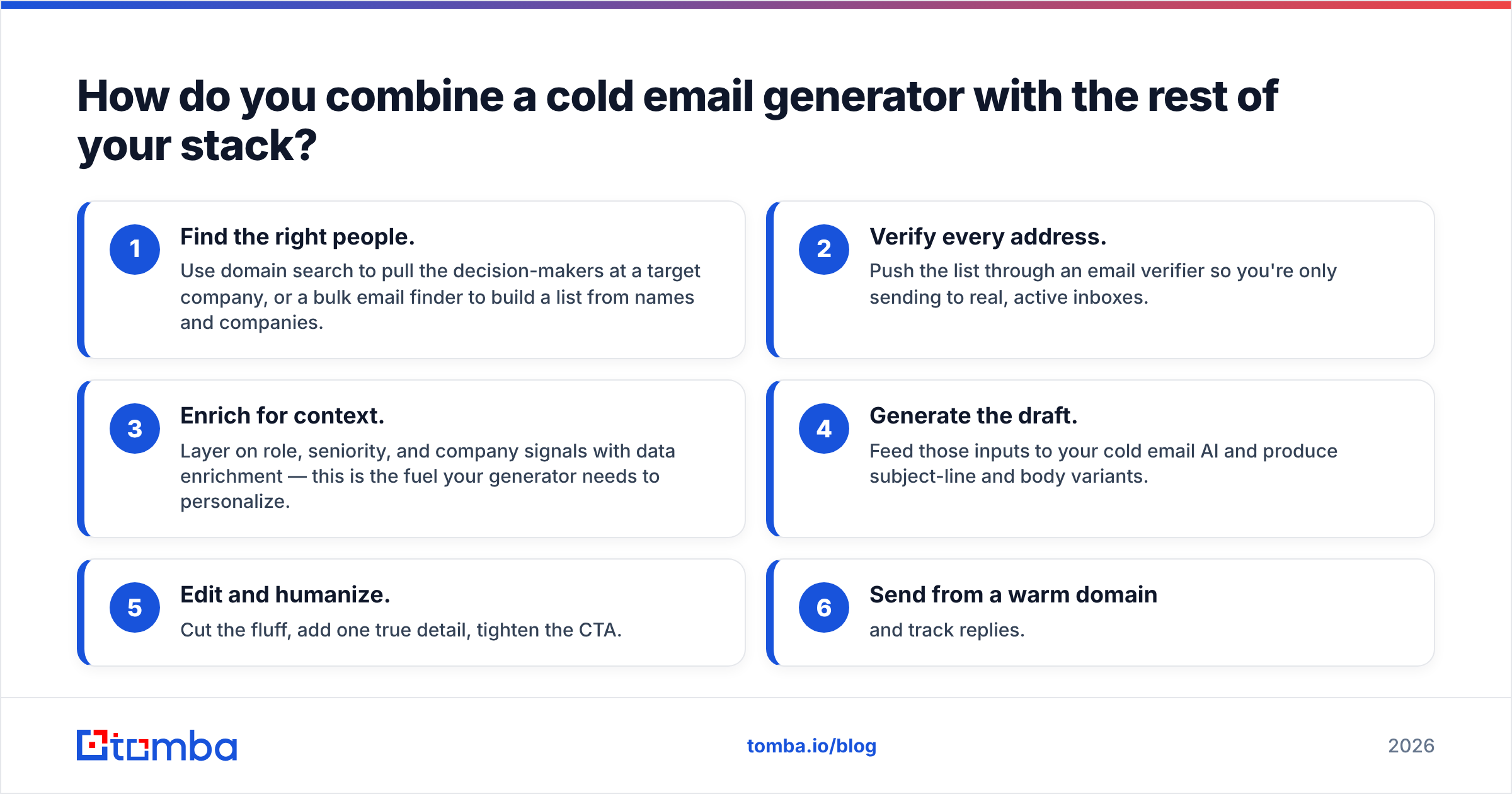
- Find the right people. Use domain search to pull the decision-makers at a target company, or a bulk email finder to build a list from names and companies.
- Verify every address. Push the list through an email verifier so you're only sending to real, active inboxes.
- Enrich for context. Layer on role, seniority, and company signals with data enrichment — this is the fuel your generator needs to personalize.
- Generate the draft. Feed those inputs to your cold email AI and produce subject-line and body variants.
- Edit and humanize. Cut the fluff, add one true detail, tighten the CTA.
- Send from a warm domain and track replies.
Notice that four of the six steps happen before a single word is written. That's the part most "AI cold email" advice ignores — and it's why teams with clean, verified data out-convert teams with prettier copy. You can compare capabilities across categories on review sites like G2 before committing to a stack.
For anyone building this into an app or CRM, the same find-verify-enrich flow is available through the Tomba API, so your generator can pull a verified, enriched contact automatically instead of you pasting addresses by hand.
What should you look for when choosing a cold email generator?#
Score any tool against these criteria before you pay:
- Variant output — does it give you multiple subject lines and openers, or one take-it-or-leave-it draft?
- Data integration — can it pull real prospect details, or does it write in a vacuum?
- Editability — how easy is it to tweak tone and length without re-prompting from zero?
- Deliverability support — does it (or a partner tool) verify addresses and check sender reputation?
- Price at your volume — free tools are great for a trickle; at scale, check the per-credit math against something transparent like Tomba pricing.
If a tool nails the copy but ignores data and deliverability, budget for a second tool to cover the gap — because that gap is where replies are won or lost.
The bottom line#
A cold email generator is one of the highest-leverage tools in outbound sales in 2026 — as long as you remember what it is and isn't. It's a world-class first-draft writer and a speed multiplier. It is not a substitute for knowing who you're emailing, confirming the address is real, or adding the one human detail that makes a prospect think, "this was written for me."
Get those fundamentals right and AI becomes a genuine unfair advantage. Skip them and you've just automated the fastest way to get ignored.
Ready to feed your generator clean, verified contacts instead of guesses? Start with the Tomba Email Finder to pull decision-maker addresses by domain, name, or company, verify them in the same workflow, and let your cold emails land where they can actually convert. The free tier gives you 25 searches a month to test it before you commit — no better way to see the difference clean data makes.
Related guides#
// get started
Find, verify and enrich your first contacts today
Start on the free plan with 25 searches a month, then scale when your team is ready.
Free plan · No credit card required · GDPR & CCPA
// about the author