Cold Email Personalization AI: What Actually Works in 2026
AI can write 10,000 "personalized" first lines before lunch. Most of them get ignored. Here's the research-backed breakdown of which cold email personalization AI tactics move reply rates in 2026 — and which ones just burn your domain.
TL;DR
- Cold email personalization AI works when it operates on proprietary signals (hiring data, product usage, 10-K language, tech stack changes) — not when it paraphrases someone's LinkedIn headline back at them.
- The "compliment their recent post" first line is now pattern-matched by buyers and by inbox filters. It reads as automation because it is automation.
- Personalization does not fix a bad list. If 18% of your addresses bounce, no amount of GPT-generated warmth will save the campaign — the mailbox provider throttles you before the prospect ever reads it.
- The winning 2026 stack is clean data → signal enrichment → AI drafting → human spot-check, in that order. Reverse the order and you get expensive spam.
- Budget reality: most teams overspend on the AI writing layer and underspend on the data layer, which is exactly backwards.
What is cold email personalization AI, really?#
Cold email personalization AI is any system that uses a language model to vary the content of an outbound email based on data about the recipient. That's the whole definition. Everything else — "hyper-personalization," "AI SDR," "signal-based selling" — is marketing vocabulary layered on top of that one mechanic.
The category splits cleanly into three things that vendors deliberately blur together:
- Token substitution.
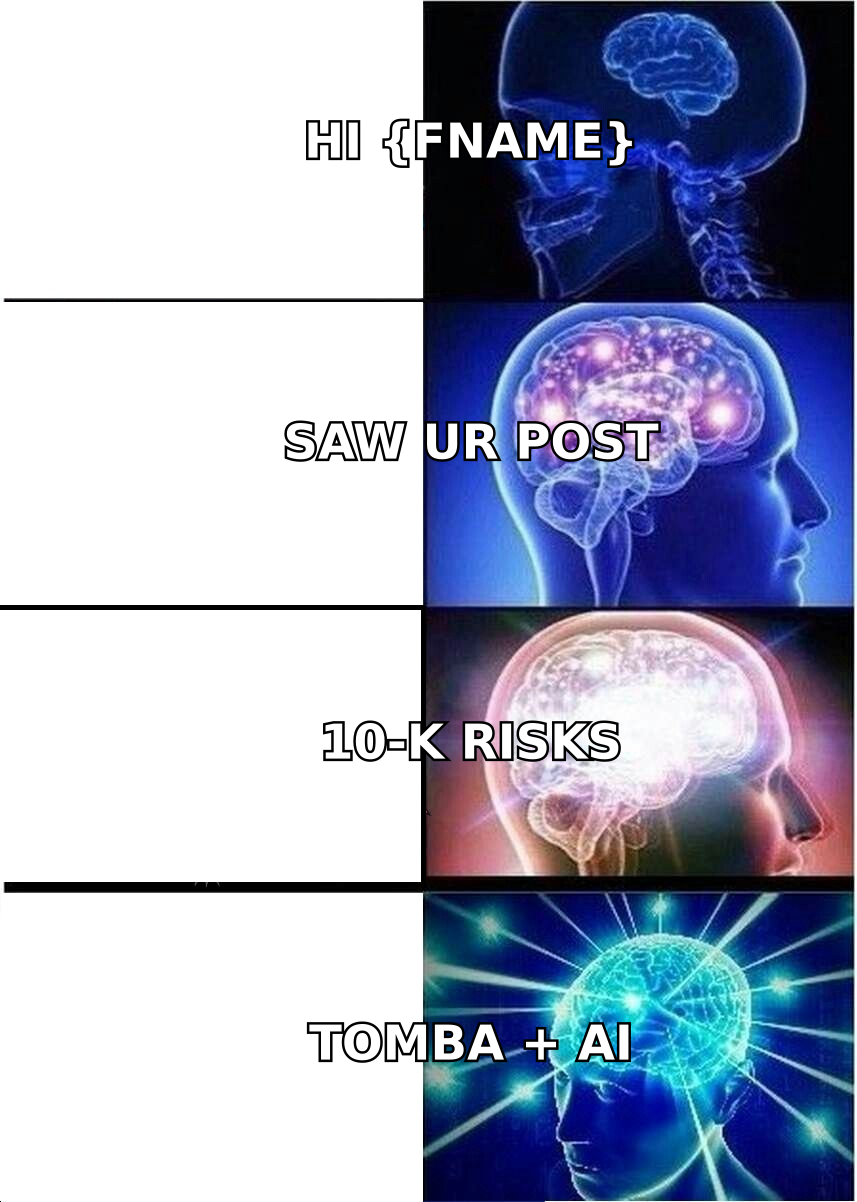
Hi {{first_name}}, I saw {{company}} is growing.This is mail merge. It has existed since 1998. It is not AI, and prospects have been trained to ignore it for a decade. - Generative first lines. An LLM reads a public source (LinkedIn post, company blog, press release) and writes one or two sentences referencing it. This is what 90% of "AI personalization" tools ship. It's cheap, it scales, and — critically — it produces text that other people's AI tools also produce, from the same sources.
- Signal-driven message construction. The system starts from an event that implies a need (they posted a job for a data engineer; they just switched billing providers; their 10-K added a new risk factor about churn), then constructs a message where the personalization is the argument, not the garnish.
Only the third one reliably changes outcomes. The first two change your open-rate dashboard.
Here's the uncomfortable arithmetic. If a tool can generate a personalized first line from a LinkedIn post, so can every competitor's tool, from the same post. The marginal value of a personalization tactic decays as adoption rises. HubSpot's sales research has tracked this decay across every outbound tactic since cold calling — the tactic works until it's automated, then it stops working because it's automated.

Why does most AI personalization fail?#
Three failure modes, in descending order of how much money they waste.
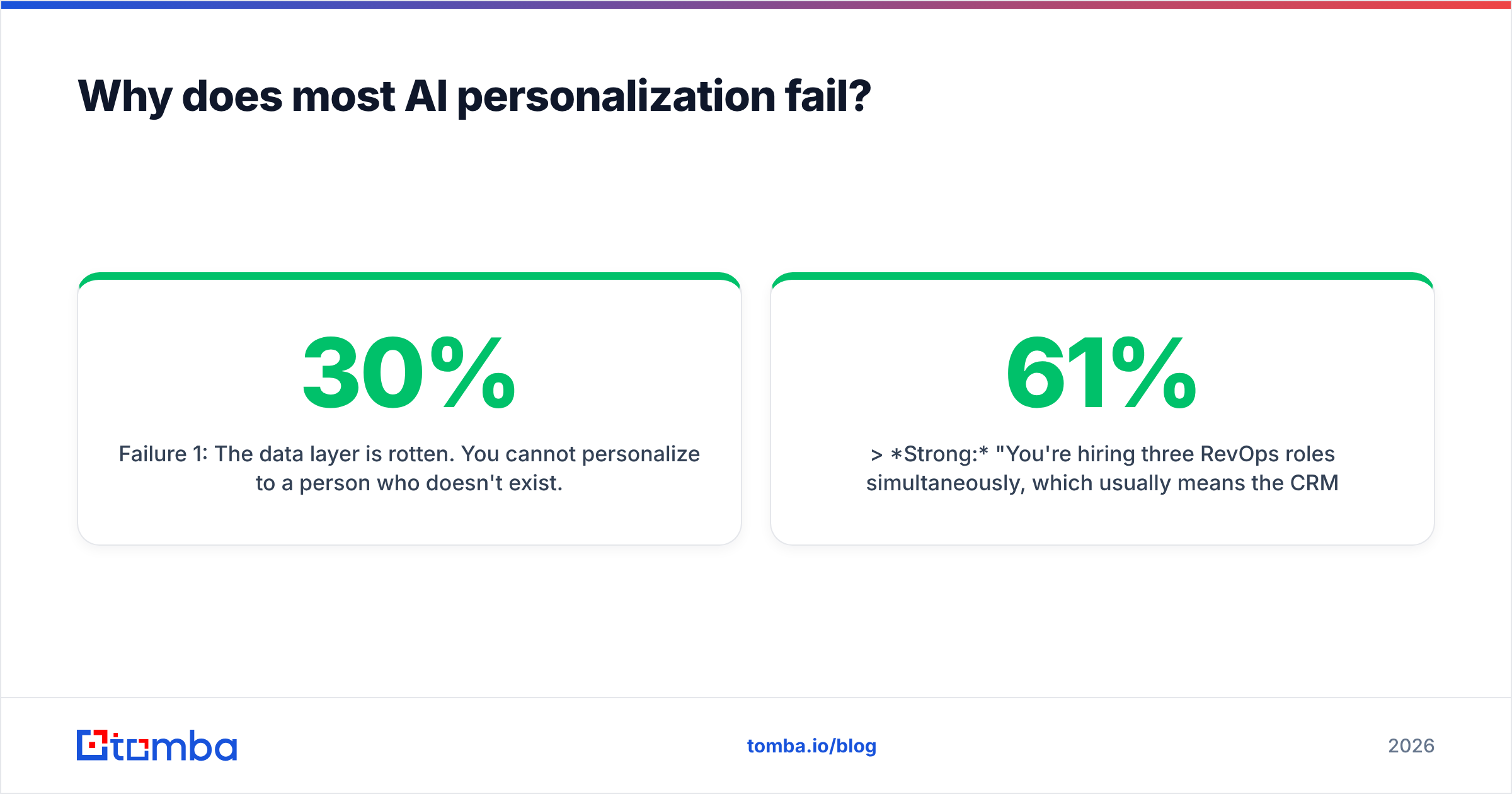
Failure 1: The data layer is rotten. You cannot personalize to a person who doesn't exist. Roughly 25–30% of B2B contact data decays annually as people change roles. If your list is 12 months stale, a quarter of your "personalized" sends are aimed at someone who left. Those become hard bounces, hard bounces damage sender reputation, and degraded sender reputation means your good emails land in Promotions. The AI writing layer never gets a chance to matter.
Failure 2: The personalization is about them, but not for them. "Congrats on the Series B!" tells the prospect you can read a TechCrunch headline. It contains zero information about why you're relevant to them. Compare:
Weak: "Congrats on the Series B — must be an exciting time!"
Strong: "You're hiring three RevOps roles simultaneously, which usually means the CRM data model is about to get rewritten. When that happened at [comparable company], enrichment coverage dropped to 61% for two quarters."
The second one is also personalized. It just personalizes to a consequence rather than to a fact. LLMs are excellent at the first and terrible at the second, unless you feed them the consequence in the prompt.
Failure 3: Volume replaces judgment. Once personalization is free, teams send more. More sends against a fixed reply rate means more spam complaints in absolute terms, which triggers filtering, which drops the reply rate. The tool that "10x'd your personalized output" quietly 0.4x'd your deliverability.
Which personalization signals actually move reply rates?#
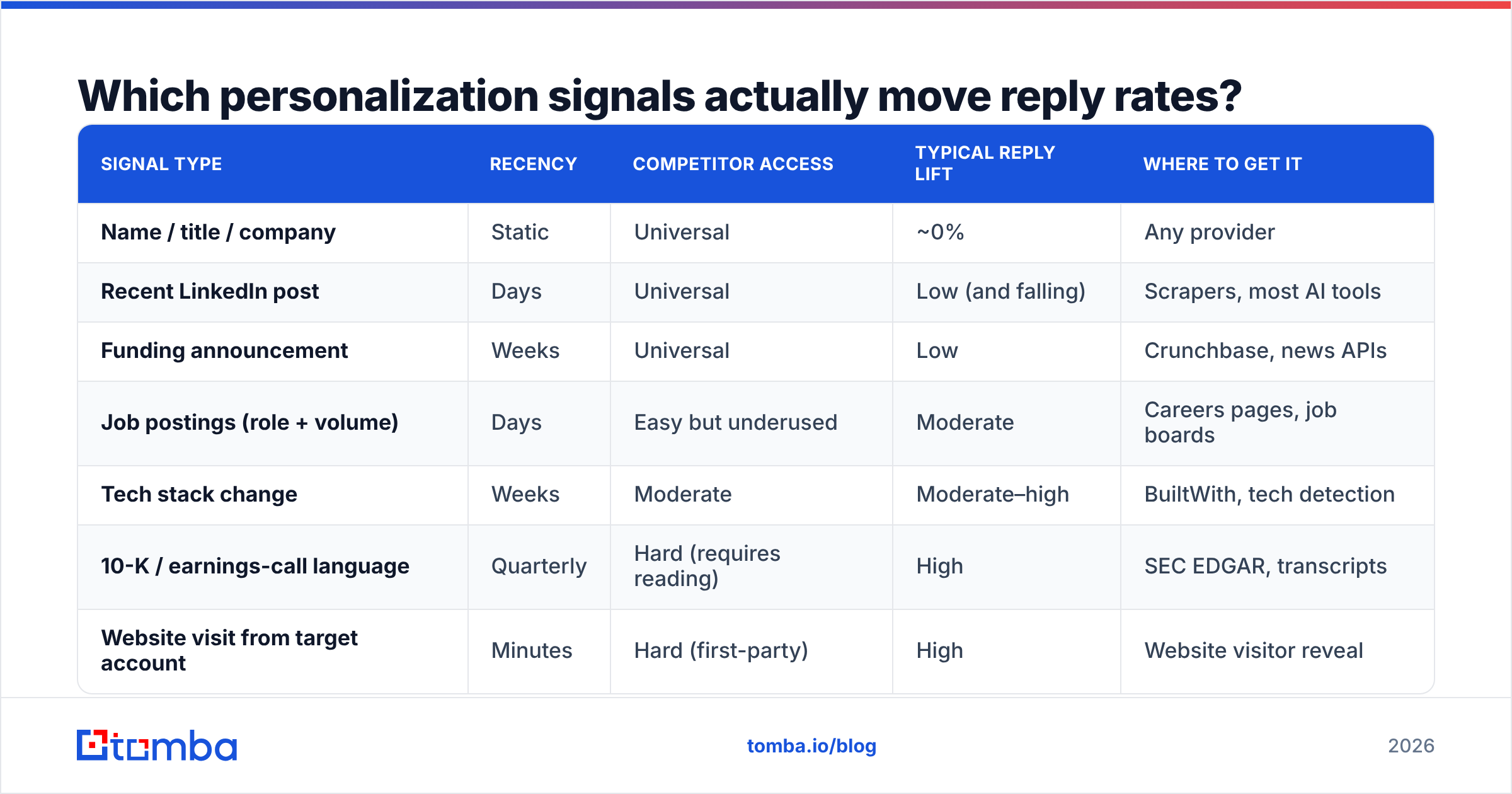
Not all data points are equal. Signals earn their keep based on two properties: how recent they are, and how hard they are for competitors to access. A LinkedIn headline scores zero on both. A product-usage event scores high on both.
| Signal type | Recency | Competitor access | Typical reply lift | Where to get it |
|---|---|---|---|---|
| Name / title / company | Static | Universal | ~0% | Any provider |
| Recent LinkedIn post | Days | Universal | Low (and falling) | Scrapers, most AI tools |
| Funding announcement | Weeks | Universal | Low | Crunchbase, news APIs |
| Job postings (role + volume) | Days | Easy but underused | Moderate | Careers pages, job boards |
| Tech stack change | Weeks | Moderate | Moderate–high | BuiltWith, tech detection |
| 10-K / earnings-call language | Quarterly | Hard (requires reading) | High | SEC EDGAR, transcripts |
| Website visit from target account | Minutes | Hard (first-party) | High | Website visitor reveal |
| Product usage / trial behavior | Minutes | Proprietary | Highest | Your own database |
The pattern is obvious once it's in a table: the signals AI tools default to are the ones with the lowest value. They default to those signals because those signals are the easiest to scrape, not because they work.
If you take one operational change from this post, make it this: rank your available signals by that middle column, and prompt your AI on the top three. Everything below "job postings" is table stakes that your prospect has already seen four times this week.
How do you build a cold email personalization AI stack that works?#
Order matters more than tool selection. Here is the sequence, with the failure each stage prevents:
- Source and verify the contact. Get a real, deliverable address before you spend a token on copy. An email finder that returns a confidence score, followed by an email verifier pass on anything below your threshold, keeps bounce rates under 2%. Catch-all domains need their own handling — a generic "valid" verdict on a catch-all is not the same as a deliverable inbox.
- Enrich with the signal, not the biography. Pull the job postings, the tech stack, the funding stage, the headcount delta. Contact enrichment at this stage should populate the variables your argument depends on, not fill a CRM with fields nobody reads.
- Segment before you generate. Ten segments of 200 people with one sharp thesis each beats 2,000 individually "personalized" emails with no thesis. AI is good at rewriting a strong thesis 200 ways. It is bad at inventing 2,000 theses.
- Generate with constrained prompts. Give the model the signal, the thesis, a length cap, and an explicit ban on the phrases you've seen a thousand times ("I hope this email finds you well," "I noticed," "Congrats on"). Tools like cold email AI can draft the variants; your prompt does the actual work.
- Spot-check 10% by hand. Read fifty at random before the send. If you can't tell which of two emails is for which company after swapping the company names, your personalization is decorative.
- Measure replies, not opens. Open rates have been unreliable since Apple Mail Privacy Protection began prefetching images. Positive reply rate and meetings booked are the only two metrics that survive contact with reality.
Which cold email personalization AI tools should you compare?#
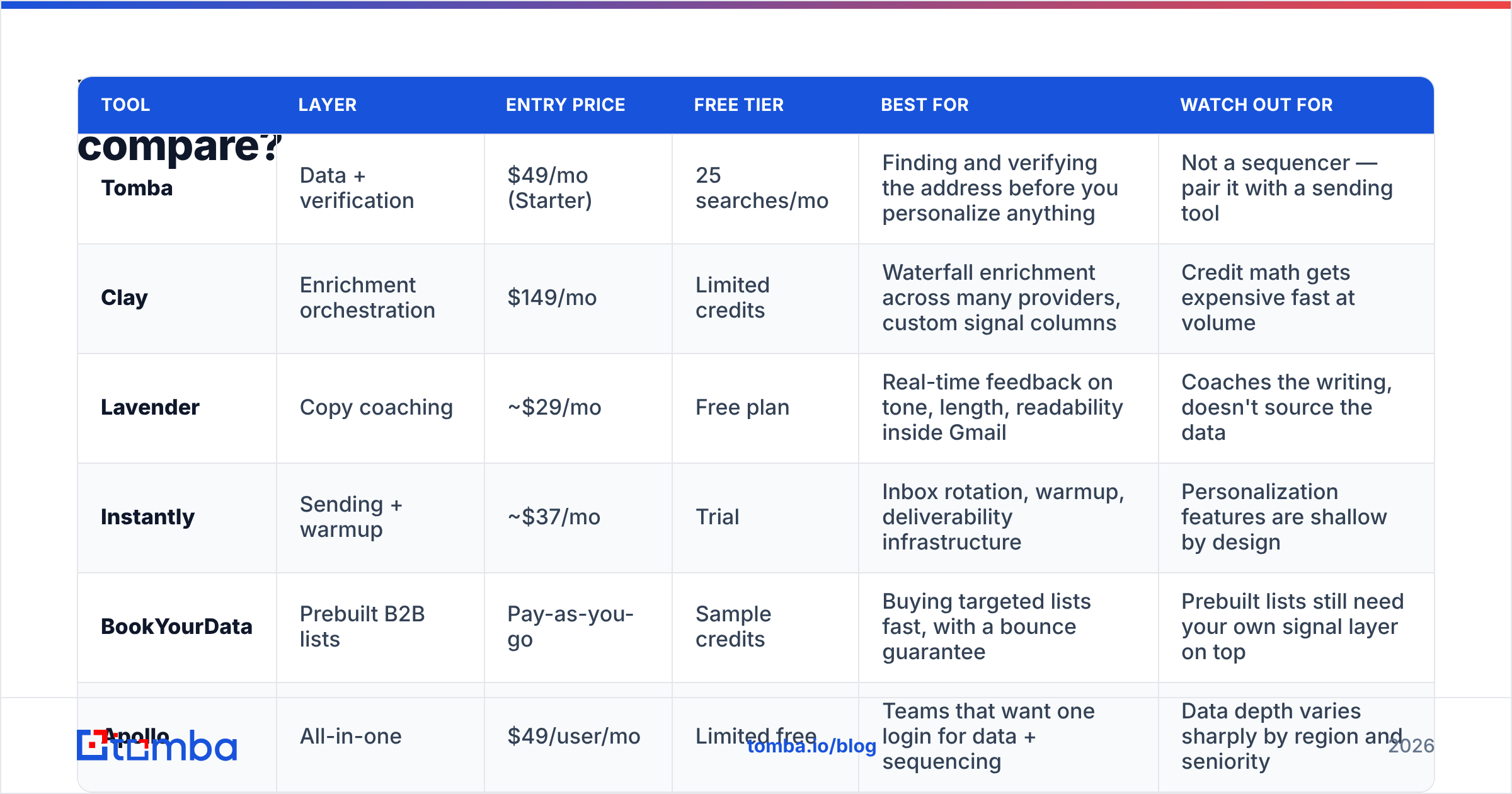
The market has three distinct layers, and buying two tools from the same layer is the most common procurement mistake. Prices below are list prices for entry paid tiers as of early 2026; verify current numbers on each vendor's own page before you commit.
| Tool | Layer | Entry price | Free tier | Best for | Watch out for |
|---|---|---|---|---|---|
| Tomba | Data + verification | $49/mo (Starter) | 25 searches/mo | Finding and verifying the address before you personalize anything | Not a sequencer — pair it with a sending tool |
| Clay | Enrichment orchestration | $149/mo | Limited credits | Waterfall enrichment across many providers, custom signal columns | Credit math gets expensive fast at volume |
| Lavender | Copy coaching | ~$29/mo | Free plan | Real-time feedback on tone, length, readability inside Gmail | Coaches the writing, doesn't source the data |
| Instantly | Sending + warmup | ~$37/mo | Trial | Inbox rotation, warmup, deliverability infrastructure | Personalization features are shallow by design |
| BookYourData | Prebuilt B2B lists | Pay-as-you-go | Sample credits | Buying targeted lists fast, with a bounce guarantee | Prebuilt lists still need your own signal layer on top |
| Apollo | All-in-one | $49/user/mo | Limited free | Teams that want one login for data + sequencing | Data depth varies sharply by region and seniority |
Read that table as a layer map, not a leaderboard. Tomba and BookYourData both sit at the data layer and solve it differently — Tomba finds and verifies on demand against a live index, BookYourData sells curated lists with a bounce guarantee. If you already know the exact accounts you're targeting, on-demand lookup wins on cost. If you need volume in a defined segment tomorrow morning, a prebuilt list is the faster path. Neither replaces the enrichment or sending layer.
The mistake to avoid: paying $149/mo for an orchestration tool to run enrichment waterfalls on a contact list that was never verified. You're paying premium credits to enrich addresses that will bounce. Fix the base layer first. Compare Tomba pricing against what you're currently spending on wasted enrichment credits and the math usually resolves itself.
For independent user sentiment rather than vendor claims, G2's outbound category reviews remain the least-worst public signal — filter to reviewers at your company size, because a 12-person agency and a 400-rep enterprise are describing different products.
Is AI personalization hurting your deliverability?#
Yes, in a specific and measurable way — and almost nobody attributes it correctly.
Mailbox providers score sending behavior, not sentiment. Three things about AI-personalized campaigns look bad to a filter:
- Structural sameness. Every email is 92 words, opens with a two-clause observation, pivots on "which usually means," and closes with an interest-based CTA. The words differ; the shape doesn't. Content fingerprinting notices shape.
- Volume ramps. Personalization tools make it trivial to jump from 200 sends/week to 2,000. A 10x volume increase on a domain with no corresponding engagement history is the single strongest spam signal there is.
- Engagement collapse. Generic-but-personalized emails get opened and deleted. Low reply rate plus low read-time plus high delete rate teaches the filter what to do with the next batch.
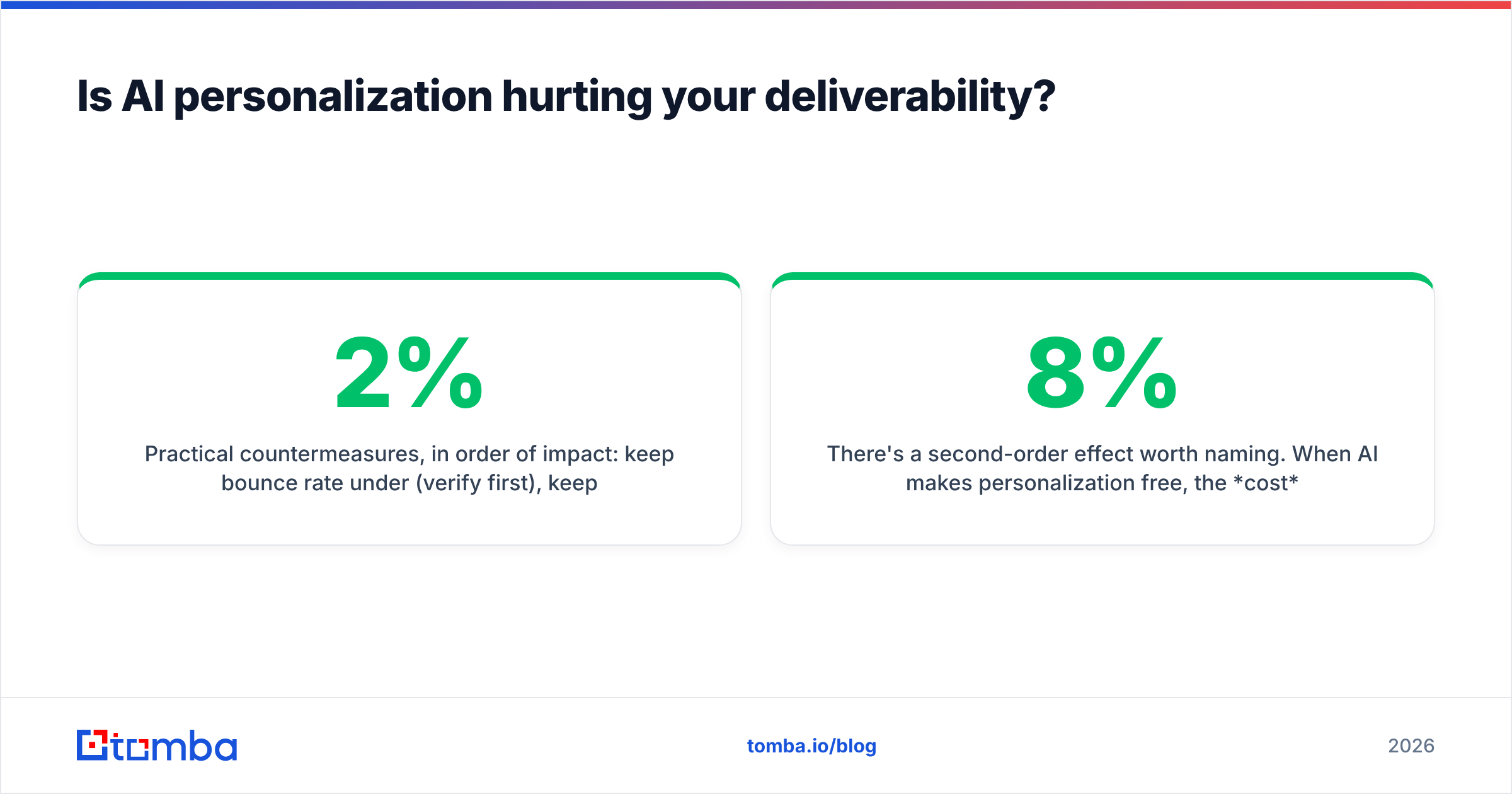
Practical countermeasures, in order of impact: keep bounce rate under 2% (verify first), keep spam complaints under 0.1%, ramp volume by no more than 30% week over week, and vary email structure — not just tokens — across segments. Google's own Postmaster Tools documentation publishes the thresholds; read them rather than guessing. And if your domain reputation has already slipped, no personalization strategy will out-run it. Fix reputation, then resume.
There's a second-order effect worth naming. When AI makes personalization free, the cost of a bad prospect drops to near zero — so teams stop qualifying. They email everyone with a title match. That's not a technology problem; it's a targeting problem that technology made cheap enough to ignore. The teams with 8% reply rates in 2026 aren't personalizing harder. They're sending to 300 people instead of 3,000.
What does a good AI-personalized cold email look like?#
Structure, not template. Here's the anatomy, with the AI's actual job marked:
- Line 1 — the signal. A specific, verifiable observation the prospect didn't publish for you. AI's job: phrase it in eight words without sounding like a stalker.
- Line 2 — the implication. What that signal usually means operationally. AI's job: nothing. You write this once per segment.
- Line 3 — the proof. A comparable company, a number, a mechanism. AI's job: pick the closest match from a library you supply.
- Line 4 — the ask. One question, answerable in one word. AI's job: vary phrasing so it doesn't fingerprint.
Total: 60–90 words. No pleasantries, no "hope you're well," no signature block with three social icons.
Notice how little of that the AI actually does. It handles phrasing and variation. The thesis, the proof library, and the segmentation are human work — and they're the parts that determine whether the campaign works. Every vendor that promises to automate the whole chain is selling you the automation of the easy 20%.
Test this the boring way: same list, same send window, split by message architecture rather than by subject line. Subject-line tests measure open rates, which no longer measure anything. Architecture tests measure replies.
Where should you start?#
Start at the bottom of the stack, because that's where the leverage is and where the cheapest wins live.
Pull a sample of 200 contacts from your current list. Run them through verification. If more than 5% come back invalid or risky, you've just found the reason your last three "personalized" campaigns underperformed — and no prompt engineering was ever going to fix it. Then layer one real signal (start with job postings; they're public, recent, and almost nobody uses them) and write one thesis per segment by hand. Let the AI vary the phrasing across the 200. Measure replies for two weeks.
That sequence costs a fraction of an enterprise "AI SDR" seat and outperforms it in most head-to-heads, because it fixes the layer everyone skips.
If you're doing that today, start where the data starts. Tomba's Email Finder returns verified professional addresses with confidence scores — by domain, by name, or across a whole company — so your personalization layer is aimed at inboxes that actually exist. The free tier gives you 25 searches a month to test it against your own list before you spend anything, and Starter runs $49/mo when you're ready to scale. Get the addresses right first. The AI can handle the adjectives.
Related guides#
// get started
Find, verify and enrich your first contacts today
Start on the free plan with 25 searches a month, then scale when your team is ready.
Free plan · No credit card required · GDPR & CCPA
// about the author