Cold Email Sequence Examples: 6 Templates That Get Replies
Six real cold email sequence examples with exact timing, subject lines, and follow-up copy — plus what each one is actually good for and where most sequences quietly fall apart.
TL;DR
- A cold email sequence is 3-6 messages spread over 12-21 days. Longer sequences do not linearly produce more replies; most of the lift lands in emails 1-4.
- The single biggest predictor of a sequence's performance is not the copy — it's whether the list is verified. A 20% bounce rate kills the domain before email 3 ever sends.
- Six sequence structures cover almost every B2B use case: problem-first, trigger-based, case-study, referral/intro, breakup-only, and multichannel.
- Follow-ups should add a new angle, not repeat the ask. "Just bumping this" is the lowest-performing follow-up pattern in every dataset worth reading.
- Copy the templates below verbatim as scaffolding, then replace every generic clause with something only you could have written about that specific account.
What is a cold email sequence?#
A cold email sequence is a scheduled series of emails sent to a prospect who has not opted in, where each message is timed relative to the previous one and stops automatically when the prospect replies.
Think of it like knocking on a door. One knock gets ignored because the person is in another room. Five knocks in ten seconds gets you reported. Three knocks spread across a few minutes, each slightly different, gets the door opened. The sequence is the knocking pattern.
Technically, a sequence has four moving parts:
- Trigger — what put this person on the list. A funding round, a job change, a tech-stack signal, an event attendance.
- Cadence — the day offsets between sends (day 0, day 3, day 7, day 14).
- Angle rotation — each email leads with a different reason to care. Same offer, different door.
- Exit conditions — reply, bounce, unsubscribe, or meeting booked all halt the sequence.
Most teams get 1, 2, and 4 right and completely ignore 3. That's why their sequences read like escalating politeness rather than escalating relevance.
Why do most cold email sequences fail before the copy matters?#
Because the data underneath them is wrong.
Run the math. You send a 5-email sequence to 1,000 contacts. If 18% of those addresses are dead, your first send produces 180 bounces. Google and Microsoft both treat bounce rate as a primary spam signal — Google's bulk sender guidelines put the practical ceiling well under 1%, and reputation damage from a single bad send takes weeks to unwind. By email 3, your inbox placement has collapsed and the remaining 820 valid contacts are landing in spam. Your "sequence didn't work." The copy was never tested.
Before you touch a template, three things need to be true:
- The address exists. Run the list through an email verifier and drop anything not marked deliverable.
- The catch-all is resolved. Catch-all domains accept everything and tell you nothing. A catch-all verifier is the only way to separate real mailboxes from black holes on those domains.
- The role is right. Sending a VP Eng pitch to
info@is not a copy problem.
Once those are true, copy is the lever. Until then, copy is theater.
What do the six core cold email sequence examples look like?#
Below are six structures that cover most B2B outbound. Each is written for a fictional seller — an API observability tool — so you can see the shape without getting distracted by the offer.
1. The problem-first sequence (default, 4 emails, 14 days)#
Best for: cold lists with a clear, painful, well-understood problem.
Day 0 — Subject: 3am pages
Hi {First},
Your engineering team ships to production ~9x a week (saw the changelog). Teams at that cadence usually find out about a broken endpoint from a customer, not a dashboard.
We cut mean-time-to-detection at Ramp from 41 minutes to under 4.
Worth 12 minutes to see how?
— {You}
Day 3 — Subject: re: 3am pages
One thing I should have led with: the setup is a single line in your middleware. No agent, no sidecar.
If MTTD isn't a problem you're actively solving, say so and I'll stop.
Day 7 — Subject: what {Competitor} customers usually ask
Three questions we get from teams already running Datadog:
- Does this replace it? No, it sits in front of it.
- What's the ingest cost? Flat, not per-GB.
- Can we trial without procurement? Yes, 14 days, no card.
Any of those the blocker?
Day 14 — Subject: closing the loop
I'll assume the timing is wrong and stop here. If observability spend comes up in Q4 planning, my line's open.
Why it works: each email introduces new information. Nothing repeats.
2. The trigger-based sequence (3 emails, 10 days)#
Best for: funding, hiring, or tech-change signals. The trigger is the personalization, so it can be short.
Day 0 leads with the trigger ("Congrats on the Series B — 40 engineers by Q2 usually means the on-call rotation breaks first"). Day 4 delivers a relevant asset. Day 10 breaks up. Trigger sequences earn the highest reply rates of any structure here because relevance is baked in, and they decay fastest — a funding announcement is stale within three weeks.
3. The case-study sequence (5 emails, 18 days)#
Best for: enterprise, long consideration cycles, buyers who need internal ammunition.
Each email is a different customer story matched to a different objection: cost, migration risk, security review, time-to-value. The final email offers the full write-up as a PDF. This is the only structure where five emails is defensible, because each one delivers standalone value.
4. The referral / intro sequence (3 emails, 9 days)#
Best for: when you can't reach the buyer directly.
Email 1 goes to a lateral contact asking who owns the problem. Email 2 (day 4) goes to the named owner citing the internal referral. Email 3 (day 9) closes the loop. The name-drop in email 2 is worth more than any subject-line optimization you will ever run.
5. The breakup-only sequence (2 emails, 7 days)#
Best for: high-volume, low-ACV motions where you need a fast yes/no.
Email 1 is the pitch. Email 2 (day 7) is a permission-to-close-the-file note. That's it. This structure exists because breakup emails routinely outperform every other message in the sequence, and some teams have concluded — reasonably — that they should skip straight to the part that works.
6. The multichannel sequence (4 emails + 3 touches, 21 days)#
Best for: named accounts, ABM, anything above $50k ACV.
Email on days 0, 5, 12, 21. LinkedIn view on day 1, connection request on day 6, a call on day 13. The email carries the argument; the other channels create familiarity so the email doesn't arrive cold. Research from Gong and other conversation-intelligence vendors consistently shows multichannel touches lift connect rates well above email-only — the mechanism is simply recognition. Route your dials through a phone finder so the call step isn't a dead number.
How do the six sequences compare?#
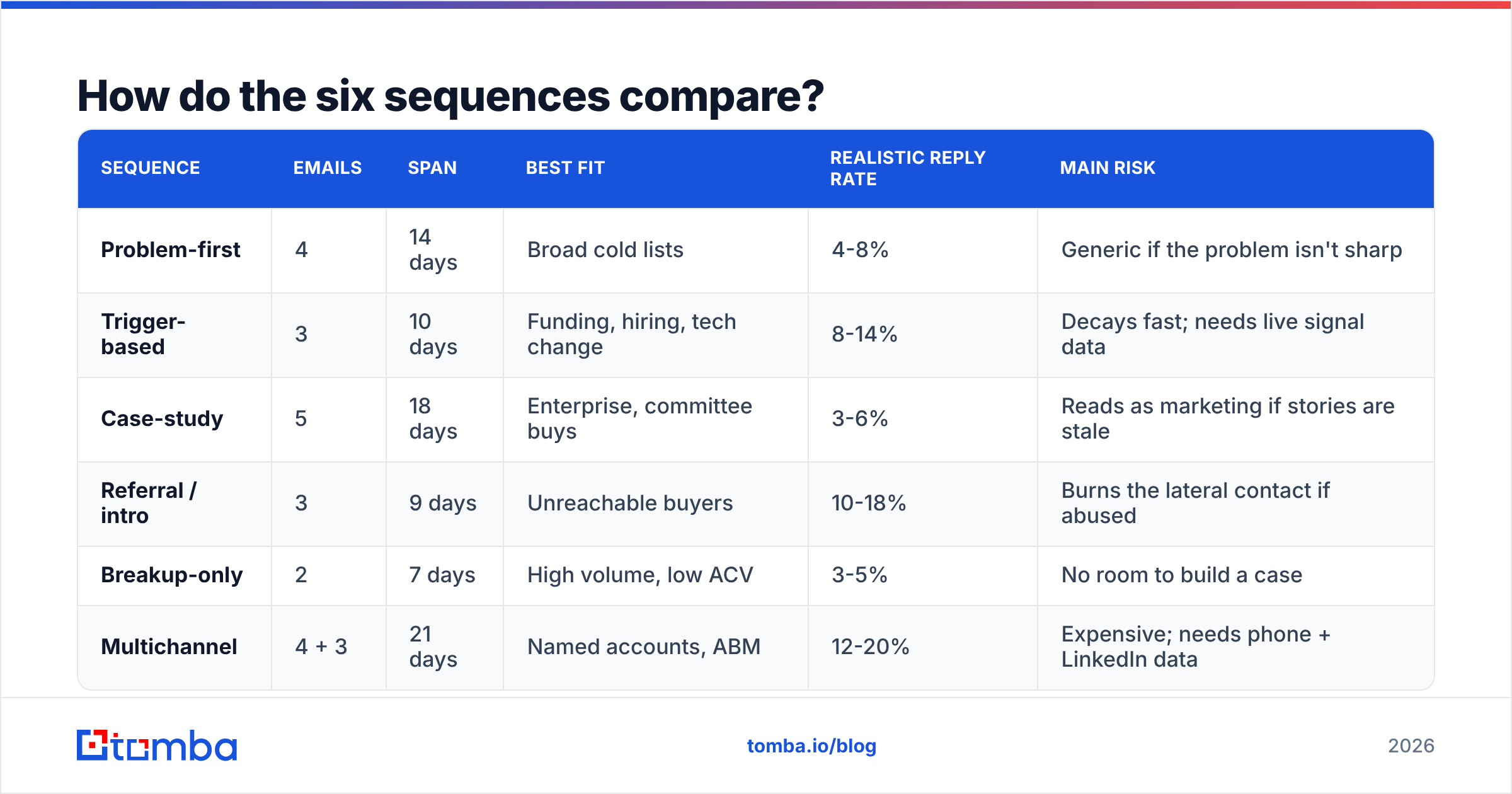
| Sequence | Emails | Span | Best fit | Realistic reply rate | Main risk |
|---|---|---|---|---|---|
| Problem-first | 4 | 14 days | Broad cold lists | 4-8% | Generic if the problem isn't sharp |
| Trigger-based | 3 | 10 days | Funding, hiring, tech change | 8-14% | Decays fast; needs live signal data |
| Case-study | 5 | 18 days | Enterprise, committee buys | 3-6% | Reads as marketing if stories are stale |
| Referral / intro | 3 | 9 days | Unreachable buyers | 10-18% | Burns the lateral contact if abused |
| Breakup-only | 2 | 7 days | High volume, low ACV | 3-5% | No room to build a case |
| Multichannel | 4 + 3 | 21 days | Named accounts, ABM | 12-20% | Expensive; needs phone + LinkedIn data |
Reply rates assume a verified list, a warmed domain, and sub-1% bounce. On an unverified list, halve every number in that column and add a deliverability cleanup project to your quarter.
How many emails should a cold email sequence have?#
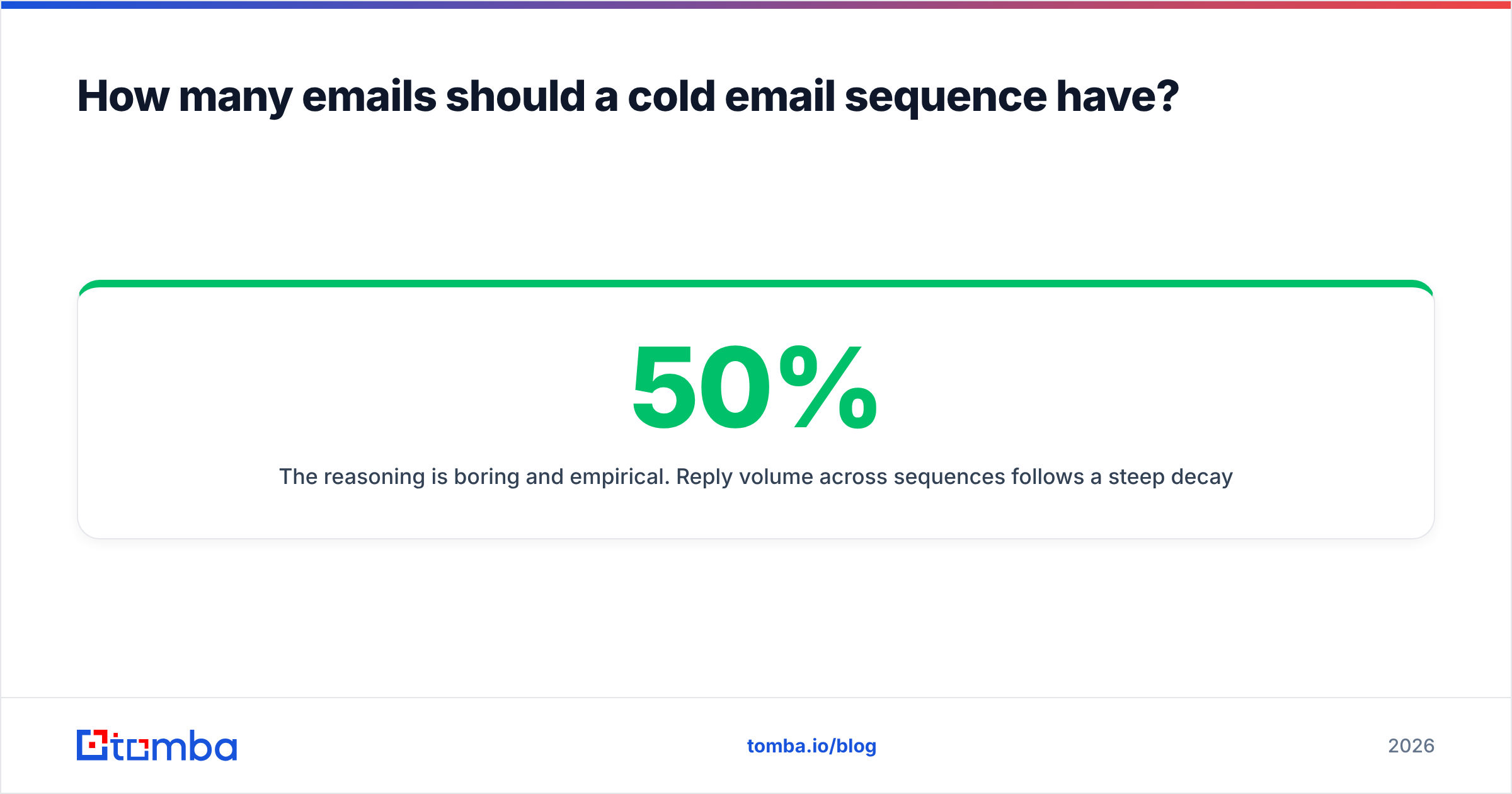
Four. Occasionally three, rarely five, almost never more.
The reasoning is boring and empirical. Reply volume across sequences follows a steep decay: email 1 carries roughly 40-50% of total replies, email 2 another 25%, email 3 about 15%, and everything after that splits the remainder. Meanwhile spam complaints and unsubscribes rise monotonically with each additional send. Somewhere around email 4-5, the marginal reply is worth less than the marginal reputation damage.
Two exceptions:
- Case-study sequences justify five because each email is a distinct artifact, not a nag.
- Multichannel sequences justify a longer span because the emails are spaced further apart and supported by other touches.
The failure mode is the eight-email sequence where emails 5 through 8 are variations on "following up on the below." Those emails do not generate replies. They generate the spam complaints that make emails 1 through 4 stop working next quarter.
What makes a follow-up email actually get read?#
New information. That's the whole rule.
Every follow-up in your sequence should pass this test: if the prospect had never received email 1, would this email still make sense and still be interesting? If the answer is no — if it depends on the reader remembering and feeling guilty about the previous message — rewrite it.
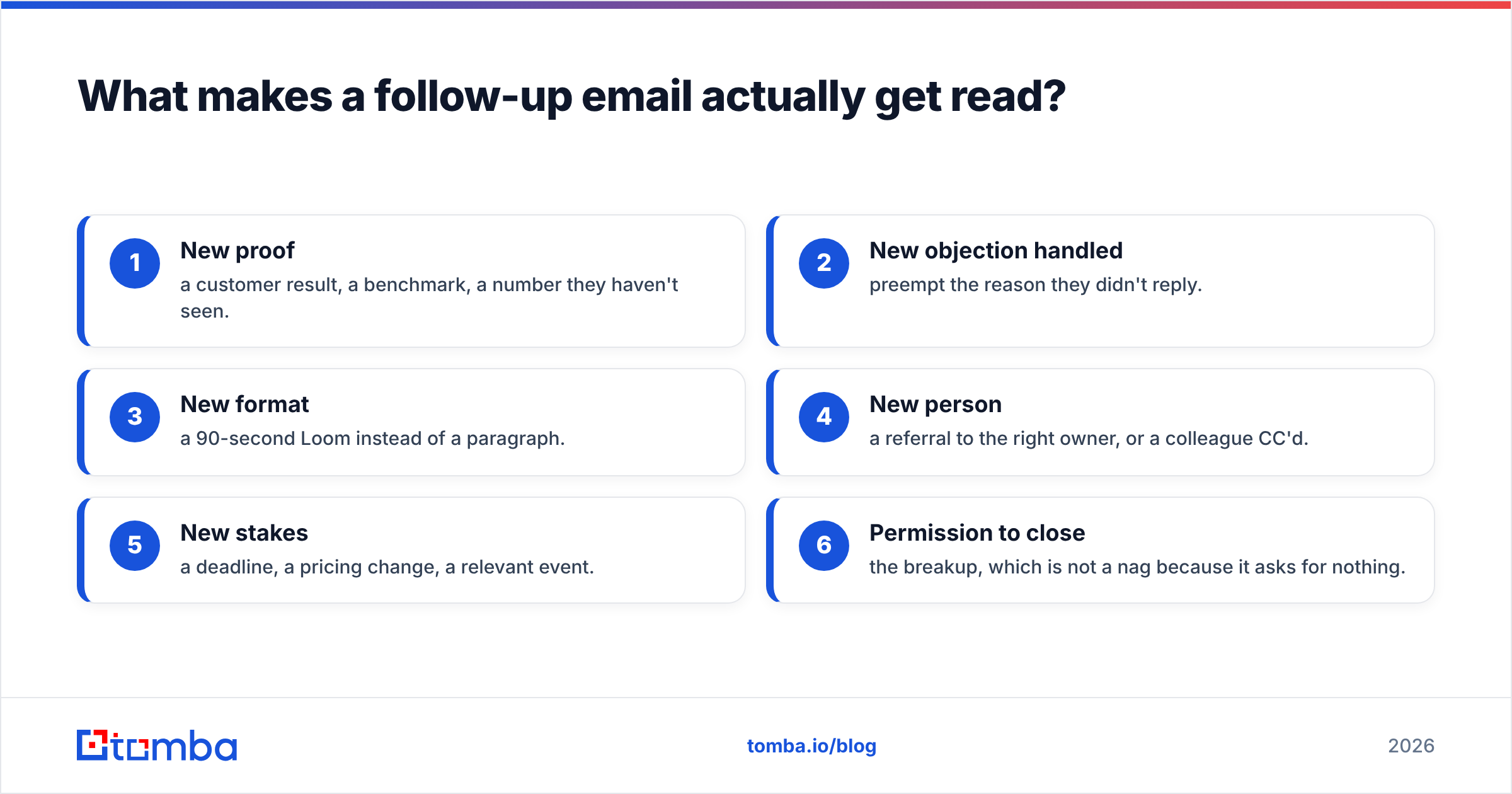
Concretely, rotate through these angles:
- New proof — a customer result, a benchmark, a number they haven't seen.
- New objection handled — preempt the reason they didn't reply.
- New format — a 90-second Loom instead of a paragraph.
- New person — a referral to the right owner, or a colleague CC'd.
- New stakes — a deadline, a pricing change, a relevant event.
- Permission to close — the breakup, which is not a nag because it asks for nothing.
Notice what's missing: "checking in," "circling back," "bumping this," "did you see my last email." Those are all requests for the reader's attention with nothing offered in return. HubSpot's sales research has been saying this for a decade, and it remains the most ignored advice in outbound.
Where does the contact data for these sequences come from?#
You need three fields for any of the six sequences to work: a verified work email, a role, and a trigger.
The email is the hard part. Most teams assemble lists from one of four sources:
- Scraped or exported lists — cheapest, worst quality, highest bounce.
- Static databases — vendors like BookYourData sell prebuilt B2B contact lists, which is a reasonable fit when you need volume in a defined segment and are willing to verify on ingest.
- Real-time finders — you supply a name plus a company domain, and the tool resolves the mailbox live. This is the highest-accuracy path because nothing is cached from a two-year-old export.
- Enrichment on existing records — you already have the company, you need the person.
For the third and fourth, an email finder resolves name plus domain to a deliverable address, and domain search pulls every published address at a company when you don't yet know who owns the problem. If you're building lists from LinkedIn Sales Navigator exports, a LinkedIn finder converts profiles into verified addresses without the manual pattern-guessing step.
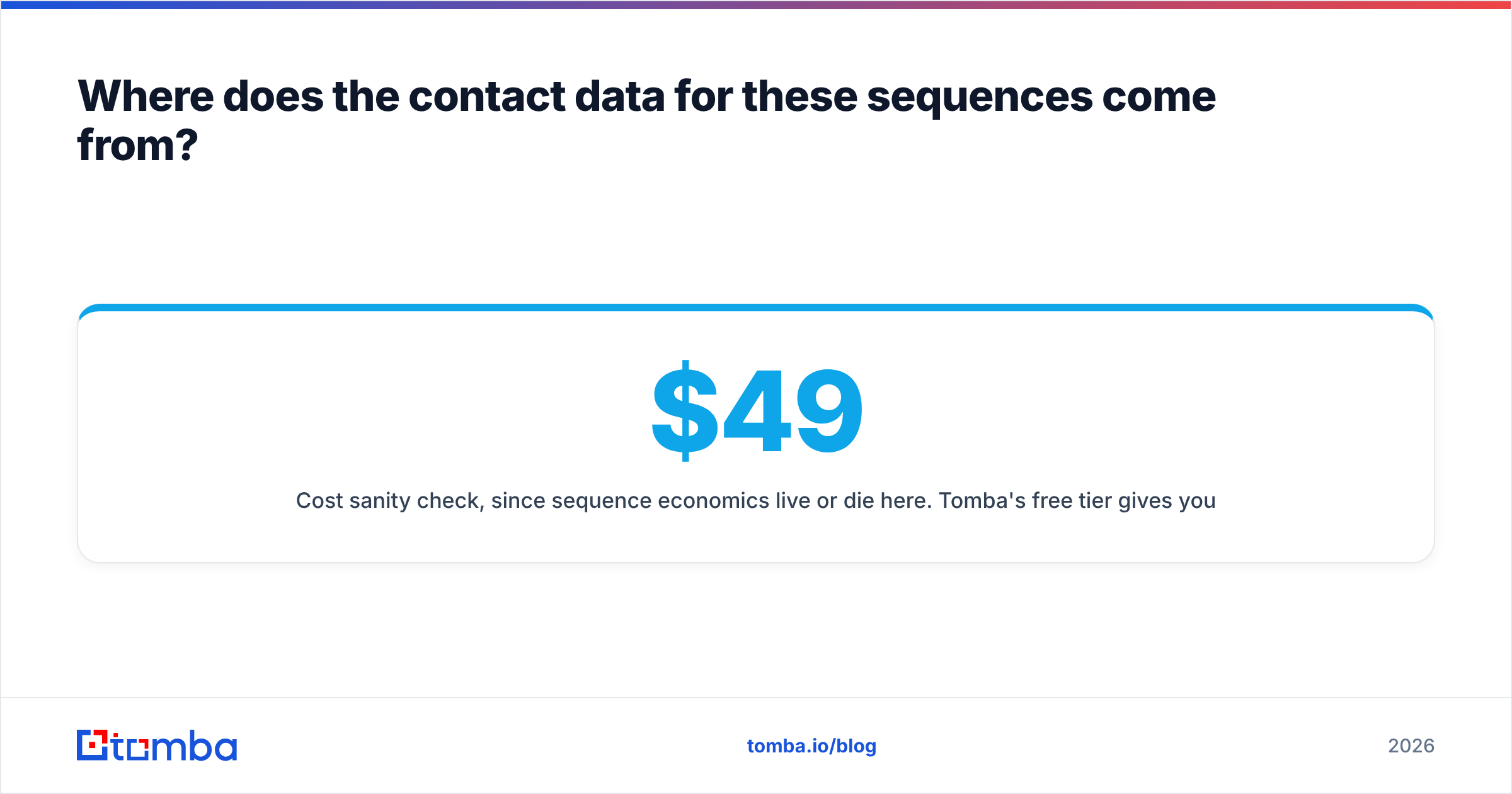
Cost sanity check, since sequence economics live or die here. Tomba's free tier gives you 25 searches a month, Starter is $49/mo, Growth $99/mo, and Pro $249/mo — see Tomba pricing for credit allocations. For a 4-email sequence to 500 verified contacts, your data cost per booked meeting is usually a rounding error next to the rep hours. Budget accordingly: nobody has ever regretted over-verifying a list.
What's the fastest way to ship your first sequence?#
Do this in order, and do not skip step two.
- Pick one trigger. Not a persona, a trigger. "Series A companies hiring their second backend engineer" beats "SaaS VPs of Engineering."
- Build and verify the list. 200 contacts, fully verified, catch-alls resolved. Kill anything ambiguous.
- Pick one structure. If you're new, start with problem-first, four emails, 14 days.
- Write email 1 and email 4 first. The opener and the breakup are the two that get read. The middle is easier once you know both ends.
- Send 50, read every reply, rewrite. Do not scale a sequence you have not read the replies to.
- Then scale. Only after step 5 produces a reply rate you'd be happy to multiply.
Most teams invert this — they write eight emails, buy 10,000 contacts, and send on Monday. Then they buy a new domain in March.
Ready to build the list your sequence deserves?#
The templates above are free. Anyone can copy them. What separates a 12% reply rate from a 2% one is whether the messages arrive in an inbox owned by a real person who actually has the problem you described.
Start with Tomba Email Finder. Give it a name and a company domain and it returns a verified, deliverable address with a confidence score and the sources behind it. Run your first 25 lookups free, verify the list before you send a single email, and let the copy do the job it was written to do.
Related guides#
// get started
Find, verify and enrich your first contacts today
Start on the free plan with 25 searches a month, then scale when your team is ready.
Free plan · No credit card required · GDPR & CCPA
// about the author