Cold Email Templates for SaaS That Actually Get Replies
Seven cold email templates for SaaS teams, with the structure behind each one, the variables you must edit, and the data hygiene that decides whether any of them land in the inbox at all.
TL;DR
- A template is a structure, not a script. The seven below give you the skeleton; the research line you write in 90 seconds is what earns the reply.
- SaaS cold email fails for two reasons and two reasons only: the list is wrong, or the first sentence is about you. Fix the list first — bad data is the cheapest problem to solve and the most expensive to ignore.
- Short beats clever. Emails under 100 words consistently outperform long pitches for cold SaaS outreach, and single-question CTAs beat calendar links in the first touch.
- Segment by trigger (funding, hiring, tech-stack change, competitor churn), not by job title. Trigger-based templates carry the personalization for you.
- Verify every address before you send. A 5% bounce rate is the difference between a warm domain and a burned one.
Cold email templates for SaaS get shared like recipes and used like microwave dinners. Someone copies a template that worked for a Series B security company selling to CISOs, drops it into a sequence aimed at bootstrapped agency owners, changes the {{first_name}} variable, and sends 2,000 of them. Then they conclude cold email is dead.
Cold email isn't dead. That specific email was dead on arrival, because a template can only carry structure. Relevance is the part you have to bring.
This guide gives you seven templates that hold up across SaaS categories, explains what each one is actually doing structurally, and then covers the unglamorous work — list quality, verification, sending volume — that determines whether any of it reaches an inbox.
What makes a SaaS cold email template work?#
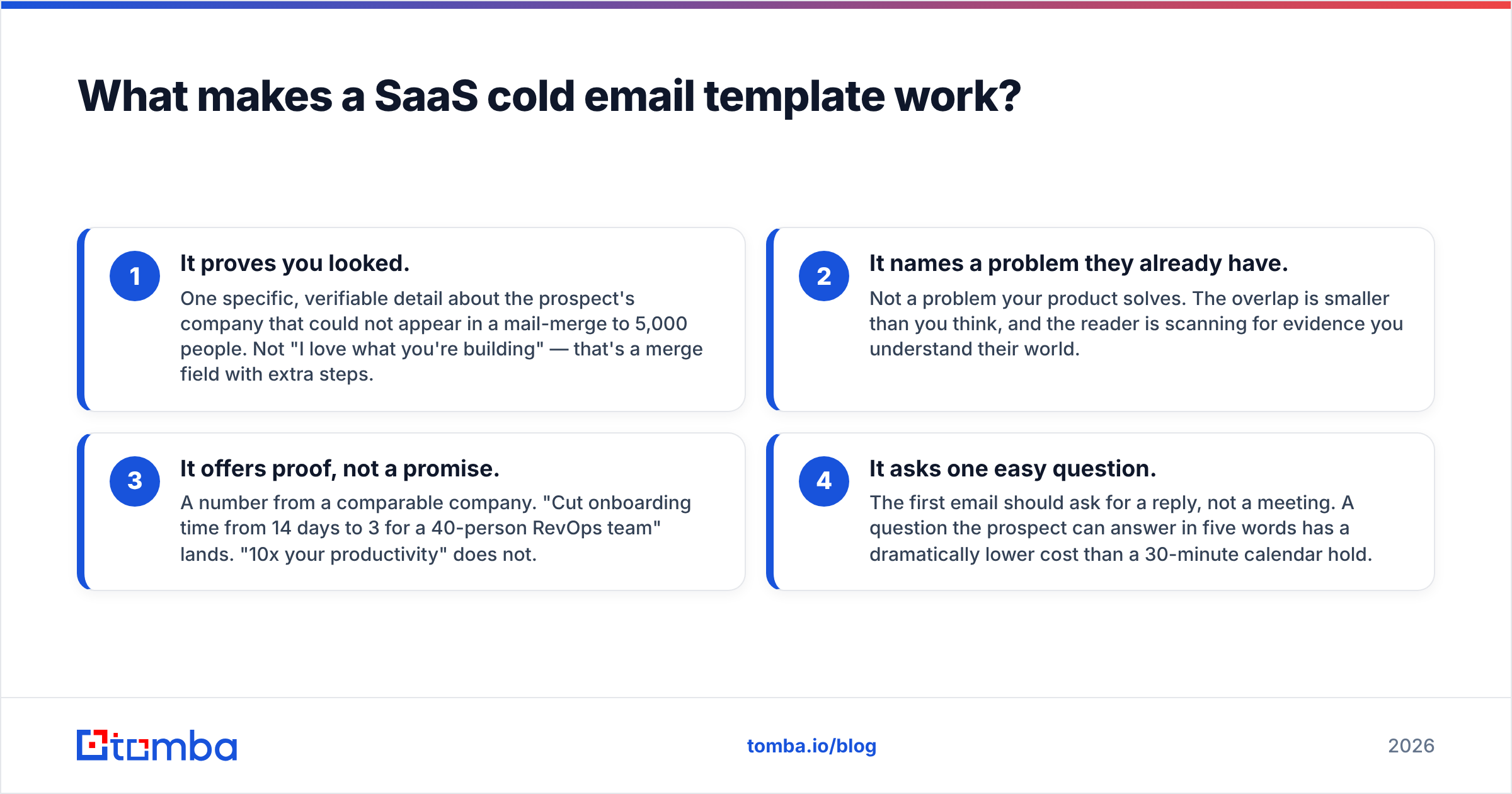
Every cold email that gets a reply does four things in order, usually in under 120 words:
- It proves you looked. One specific, verifiable detail about the prospect's company that could not appear in a mail-merge to 5,000 people. Not "I love what you're building" — that's a merge field with extra steps.
- It names a problem they already have. Not a problem your product solves. The overlap is smaller than you think, and the reader is scanning for evidence you understand their world.
- It offers proof, not a promise. A number from a comparable company. "Cut onboarding time from 14 days to 3 for a 40-person RevOps team" lands. "10x your productivity" does not.
- It asks one easy question. The first email should ask for a reply, not a meeting. A question the prospect can answer in five words has a dramatically lower cost than a 30-minute calendar hold.
That's the whole architecture. Everything below is a variation on those four beats, tuned to a different situation.
The failure mode nearly every SaaS team hits is inverting beats 1 and 2 — leading with the problem their product solves, then backfilling a personalization token. The reader's first three seconds decide whether the rest gets read, and those seconds are spent asking one question: is this about me, or about them?

Which cold email template should you use for each SaaS scenario?#
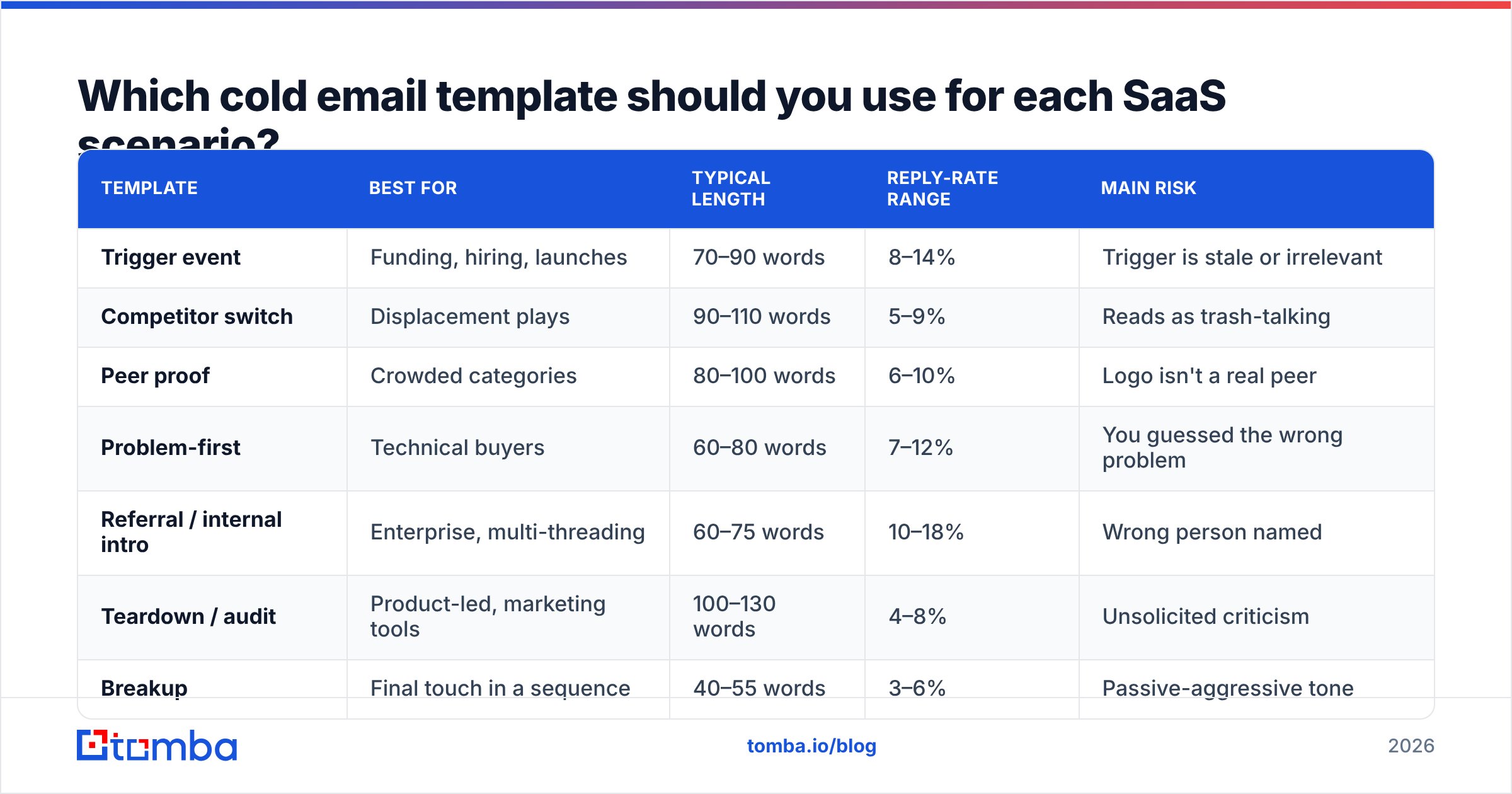
Here's the honest comparison. Reply rates are directional ranges from published B2B outbound benchmarks and vendor-reported cohorts — treat them as relative signal, not guarantees. Your ICP, offer, and list quality move these numbers more than the copy does.
| Template | Best for | Typical length | Reply-rate range | Main risk |
|---|---|---|---|---|
| Trigger event | Funding, hiring, launches | 70–90 words | 8–14% | Trigger is stale or irrelevant |
| Competitor switch | Displacement plays | 90–110 words | 5–9% | Reads as trash-talking |
| Peer proof | Crowded categories | 80–100 words | 6–10% | Logo isn't a real peer |
| Problem-first | Technical buyers | 60–80 words | 7–12% | You guessed the wrong problem |
| Referral / internal intro | Enterprise, multi-threading | 60–75 words | 10–18% | Wrong person named |
| Teardown / audit | Product-led, marketing tools | 100–130 words | 4–8% | Unsolicited criticism |
| Breakup | Final touch in a sequence | 40–55 words | 3–6% | Passive-aggressive tone |
Two patterns fall out of that table. First, the highest-performing templates (trigger, referral) are the ones where relevance is structural — the template forces you to have a real reason for writing. Second, the templates that lean on clever copy (teardown, breakup) sit at the bottom. Copy is a multiplier on relevance. Multiply zero by anything and you still have zero.
What are the seven templates?#
1. The trigger-event email#
Use when: the company raised, hired for a role your product touches, shipped a feature, or entered a new market in the last 45 days.
Subject: the new RevOps hire
Hi Dana — saw you're hiring a RevOps lead after the Series A. Usually that role's first 60 days go to untangling lead routing and dedupe rules that nobody documented.
We handled that for Verkada's team pre-hire, so the new person walked into clean pipeline data instead of a forensics project.
Worth a look before the role starts, or is routing already sorted?
— Ben
The trigger is the personalization. Note that the ask is a yes/no question with a face-saving out ("or is it already sorted?"), which is why this template outperforms almost everything else.
2. The competitor-switch email#
Use when: you have public evidence they use a competing tool — a job posting, a G2 review, a tech-stack signal on their site.
Subject: Segment → your data warehouse
Hi Marcus — your careers page lists Segment experience under the analytics eng role, which usually means someone's babysitting event schemas by hand.
Three teams moved off it to us last quarter for the same reason: schema drift caught at ingest, not two weeks later in a broken dashboard.
Not asking you to rip anything out. Would a 12-minute look at how the migration path works be useful, or is Segment locked in for the year?
Never disparage the incumbent. Describe the symptom of using it and let the reader draw the conclusion. Sales leaders at HubSpot and elsewhere have written about this for a decade and it remains the single most-ignored rule in displacement selling.
3. The peer-proof email#
Use when: you sell into a crowded category and your differentiation is thin on paper.
Subject: how Rippling's team handles this
Hi Amara — most 200-person eng orgs we talk to run incident review in a Notion doc that nobody opens after week two.
Rippling's platform team moved theirs into our workflow and cut mean-time-to-postmortem from 9 days to 2. Same team size as yours.
Is postmortem follow-through a live problem for you, or handled?
The proof point must be a peer — same size, same stage, same buyer. A Fortune 500 logo shown to a 30-person startup is anti-proof: it says "you cannot afford us."
4. The problem-first email#
Use when: you sell to technical buyers who resent being sold to.
Subject: p99 on the search endpoint
Hi Kenji — you wrote in the eng blog that search p99 sits around 800ms under load and that you're sharding to fix it.
Sharding fixes throughput but not tail latency from cold cache. That's the part that usually bites at 3x traffic.
Happy to send the two-page writeup on how we handled it at similar scale. Want it?
No pitch. No calendar link. The offer is information. Engineers reply to this because it costs them nothing and the sender demonstrably read something they wrote.
5. The internal-referral email#
Use when: you already have a conversation going somewhere in the org.
Subject: Priya suggested I reach out
Hi Tom — Priya on your ops team mentioned you own the security review for new vendors.
She's evaluating us for contact enrichment and asked how we handle SOC 2 and data residency. Rather than route it through her, thought I'd offer the docs directly.
Want me to send them over?
This is the highest-converting template in the set and the most under-used, because it requires you to have done real multi-threading first. Referral emails work because they borrow trust, and trust is the actual bottleneck in enterprise SaaS. Gartner's B2B buying research has consistently found buying groups of six to ten people — you are not going to win by emailing one of them.
6. The teardown email#
Use when: the flaw you found is real, specific, and fixable without you.
Subject: your pricing page, three things
Hi Sofia — ran your pricing page through a quick teardown since we do this for a lot of PLG teams.
Three things stood out: the free tier CTA sits below the fold on 1366px, the annual toggle doesn't persist to checkout, and the comparison table hides the feature most people search for.
Wrote it up with screenshots — 4 minutes to read. Want the doc?
Give the value away with no strings. If they implement your advice and never buy, you still built the relationship. If your "teardown" is a thinly disguised list of features they lack, you've sent an insult with a subject line.
7. The breakup email#
Use when: it's touch five or six and you're closing the loop.
Subject: closing the file
Hi Ravi — I'll stop here. Either onboarding time isn't a priority this quarter, or I picked the wrong person.
If it's the second, who should I be talking to?
Either way, good luck with the launch.
Forty-five words. No guilt, no "I've reached out three times." The final question does real work: a meaningful share of breakup replies are routing corrections, not rejections.
Why do good templates still fail?#
Because the email never arrived.
This is the part that gets skipped in every "10 cold email templates" listicle, and it's the part that decides your outcome. Three things happen before your copy matters:
- The address has to exist. Guessed patterns (
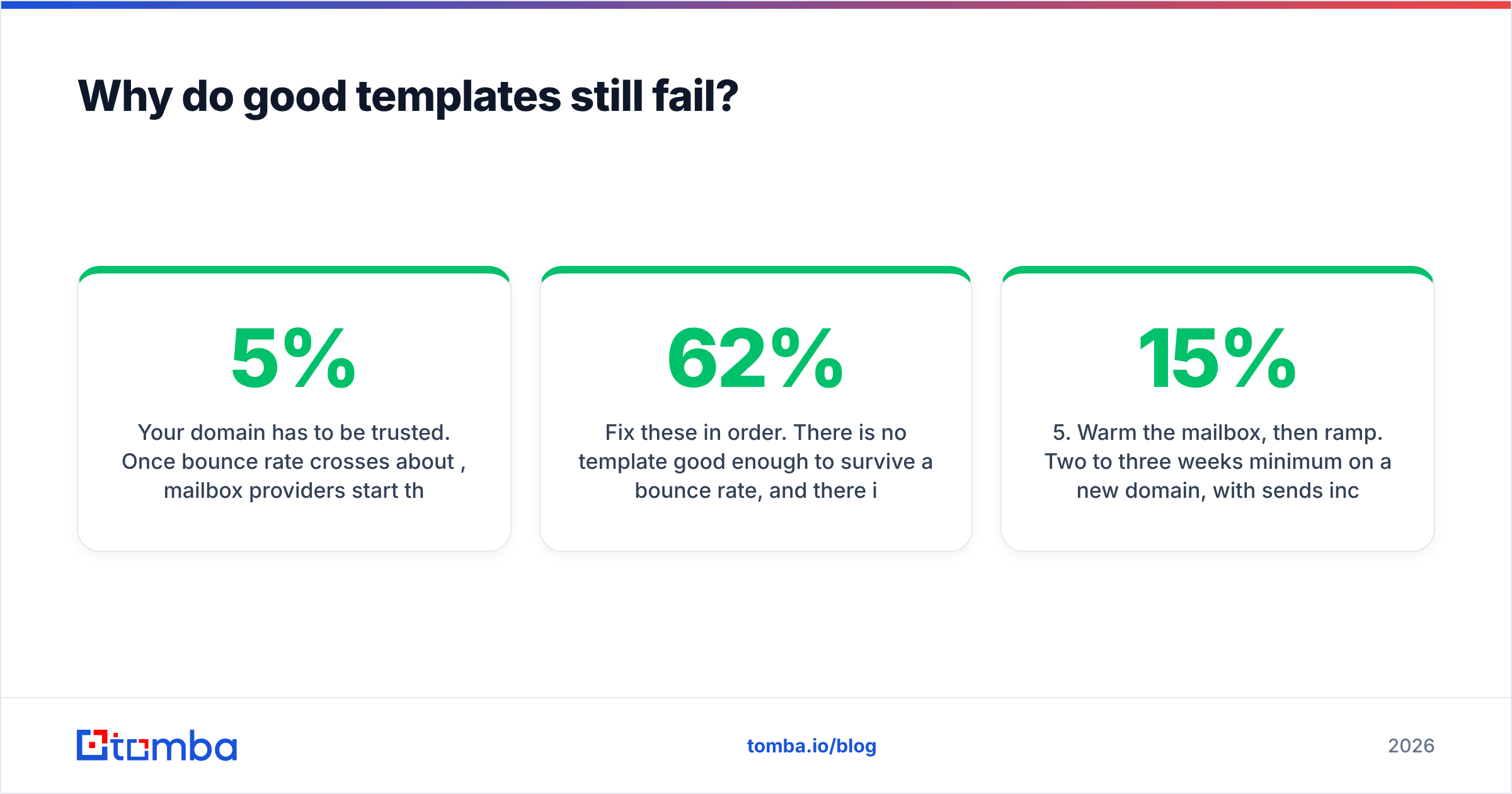
first.last@) are wrong roughly a third of the time at companies over 200 people, and every wrong guess is a hard bounce. - Your domain has to be trusted. Once bounce rate crosses about 5%, mailbox providers start throttling. Cross 10% and you are effectively shadow-banned, which looks exactly like "our templates stopped working."
- The send has to look human. Forty to sixty sends per mailbox per day, ramped over weeks, with real reply traffic. Not 500 from a fresh domain on Monday morning.
Fix these in order. There is no template good enough to survive a 62% bounce rate, and there is no bounce rate low enough to save a template that's about you.

Practically, that means your pre-send checklist looks like this:
- Build the list from a source of truth. Pull contacts by domain rather than scraping a stale export — a domain search returns the people at the company plus the pattern the company actually uses.
- Verify every address. Run the list through an email verifier and drop anything that isn't
valid. Catch-all domains get their own bucket and lower send priority. - Deduplicate across sequences. The fastest way to burn a prospect is to have two reps email them the same week from the same domain.
- Test the subject line before it ships. A subject line tester will flag the spam triggers and the 60-character truncation that no one notices until the campaign is out.
- Warm the mailbox, then ramp. Two to three weeks minimum on a new domain, with sends increasing 10–15% per day, not per hour.
- Measure reply rate, not open rate. Apple Mail Privacy Protection made opens fiction in 2021 and nobody updated their dashboards. Track response rate and positive-reply rate; those are the only two numbers that predict pipeline.
How should you personalize at scale without lying about it?#
There's a spectrum, and most SaaS teams pick the worst point on it.
Full manual research (5–10 minutes per prospect) works and doesn't scale past about 25 emails a day per rep. Pure merge-field templating ({{company}}, {{title}}) scales infinitely and converts near zero. The productive middle is segment-level personalization: build a list of 40 companies that share one trigger, write one email that's genuinely specific to that trigger, and send it to all 40 with only the name and one detail swapped.
You get 80% of the relevance for 10% of the effort, because the trigger did the work. This is why the trigger-event template sits at the top of the comparison table.
What to research, in priority order: the trigger event itself; something the prospect personally published; the company's own words about their problem (careers page, changelog, earnings call); the tech stack. Skip anything that requires you to compliment their LinkedIn post. Everyone knows what that is.
A note on AI-written personalization: a model that reads a company's homepage and generates a first line will produce something that is grammatically perfect, factually correct, and completely weightless. Prospects have learned to spot it. Use AI for the second draft, the compression pass, and the subject line variants — not for the sentence that proves you looked.
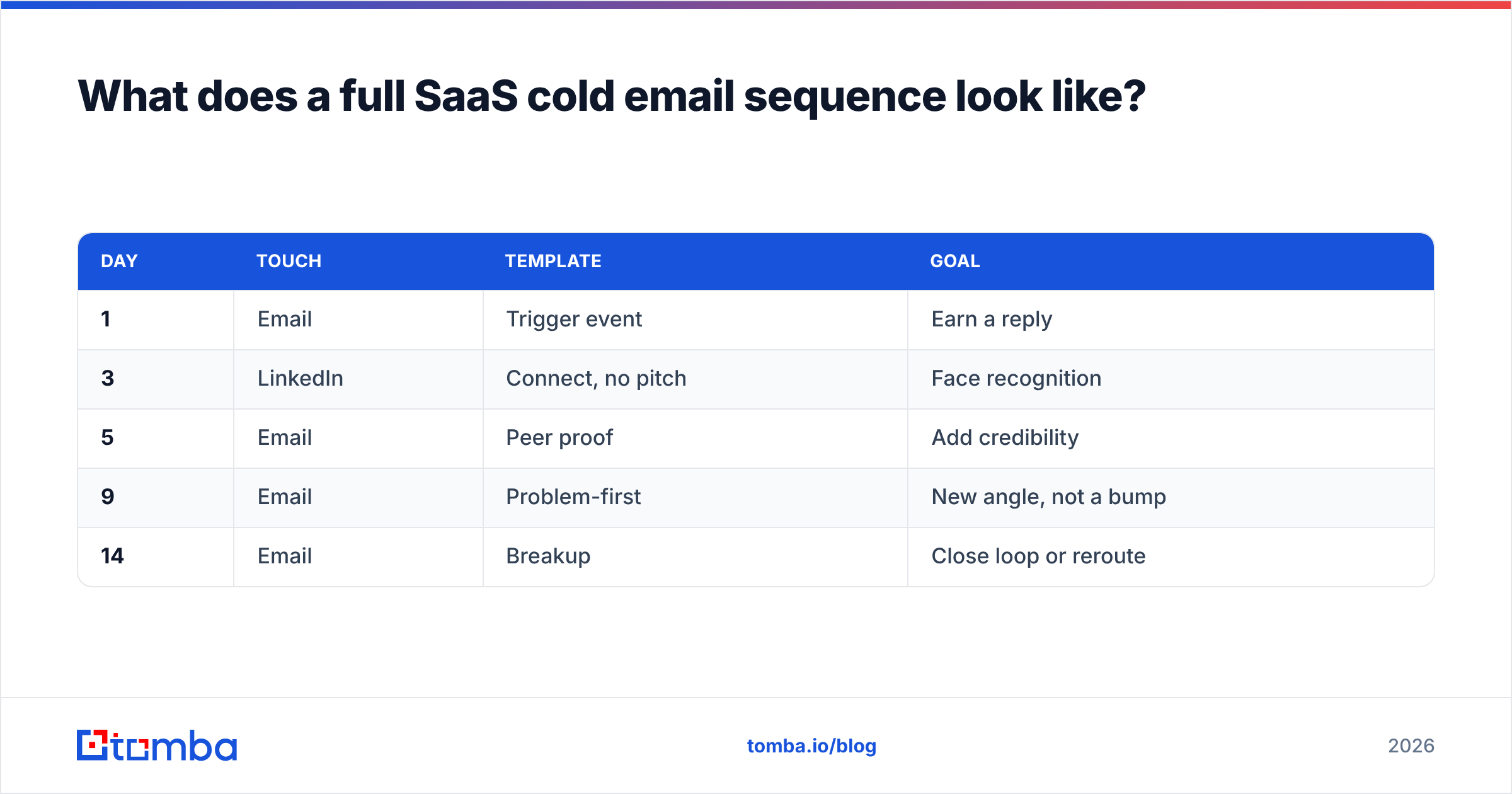
What does a full SaaS cold email sequence look like?#
Five touches over 14 days, one channel switch, no guilt:
| Day | Touch | Template | Goal |
|---|---|---|---|
| 1 | Trigger event | Earn a reply | |
| 3 | Connect, no pitch | Face recognition | |
| 5 | Peer proof | Add credibility | |
| 9 | Problem-first | New angle, not a bump | |
| 14 | Breakup | Close loop or reroute |
Two rules. First, never send a "just bumping this to the top of your inbox" email — it adds zero information and signals that your time is worth less than theirs. Every follow-up must contain something the previous one didn't. Second, if all five touches fail, the problem is upstream: wrong ICP, wrong trigger, wrong person. Rewriting the copy a sixth time won't find it.
Independent review sites like G2 are useful here for something other than picking software: they're a public record of what your prospects complain about, in their own words. Read the three-star reviews of your competitors. Those complaints are your problem-first templates, pre-written by the buyer.
Where should you start?#
Pick one trigger. Build a list of 40 companies that fired it in the last 30 days. Find and verify the right contact at each. Write one trigger-event email — the real one, with a specific detail — and send it to all 40 over four days. Measure replies, not opens.
Forty verified contacts and one honest email will teach you more in a week than a thousand-address blast will teach you in a quarter.
The bottleneck in that plan isn't the copy — you have seven templates now. It's getting 40 correct, deliverable addresses without guessing. That's what Tomba's Email Finder does: search by domain or by name, get the address with a confidence score and the sources behind it, and verify before it ever enters your sequence. The free tier covers 25 searches a month, which is enough to run exactly the 40-contact test above across two segments before you commit to anything. Paid plans start at $49/mo on Tomba pricing when the test works and you want to scale it.
Templates are cheap. Reaching the right inbox isn't. Start there.
Related guides#
Ready to find emails that actually work?
Join 150,000+ professionals who stopped guessing and started sending. Free credits on signup — no credit card required.
Get the Tomba newsletter
Practical outbound tactics and product updates — once every two weeks.
About the author