Cold Email Time Zone Strategy: Send Times That Convert
Sending at 9 AM only works if it's 9 AM for your prospect. Here's how to build a cold email time zone strategy that survives daylight saving, bad data, and a global list.
TL;DR
- Send time only matters relative to the recipient's local clock. A "9 AM send" fired from your own time zone is a coin flip on a global list.
- The single biggest lift is not finding the magic hour — it's stopping the 2 AM sends. Fixing obvious misfires beats micro-optimizing 9:00 vs 9:15.
- You cannot schedule by time zone if you don't know the time zone. Location inference from company HQ, domain TLD, and contact metadata is the actual bottleneck.
- Daylight saving, Ramadan/Friday-Sunday weekends, and holiday calendars silently break "set and forget" schedules twice a year.
- Volume caps per inbox mean you can't send everything at the local peak anyway. Build a rolling window, not a spike.
Why does cold email time zone strategy get talked about so much and executed so badly?#
Because it's the easiest thing to have an opinion about and the hardest thing to actually implement.
Every outbound team has read a "best time to send cold email" post. Tuesday, 9 AM, avoid Mondays, never Friday afternoon. Those posts describe aggregate patterns across millions of emails, and aggregates are useful. But aggregate advice assumes you can execute on it, and execution requires one thing most sequences don't have: a reliable local time zone for every single contact.
Here's what actually happens. You upload 3,000 contacts. Your sending tool has a "send between 9 AM and 5 PM" setting. The tool interprets that in your workspace time zone — say, Eastern. Your Berlin prospects get emails at 3 PM local. Your Sydney prospects get emails at 11 PM local, into a phone on a nightstand, and it's buried under 40 newer emails by morning. Your Los Angeles prospects get emails at 6 AM, which is actually fine.
Nobody notices because reply rate is reported as one blended number. The Sydney cohort quietly drags the average down and you conclude "cold email doesn't work in APAC."
The fix is unglamorous. It's a data problem before it's a timing problem.
What does the research actually say about the best send time?#
The honest answer: the effect size is real but modest, and it's smaller than people expect.
Large-scale analyses from HubSpot's marketing research and similar vendor datasets consistently cluster around mid-morning on Tuesday through Thursday, with a secondary bump in the early afternoon. Open rates for a well-timed send tend to land a few points above a badly timed send — meaningful at scale, not transformative.
What moves the needle far more:
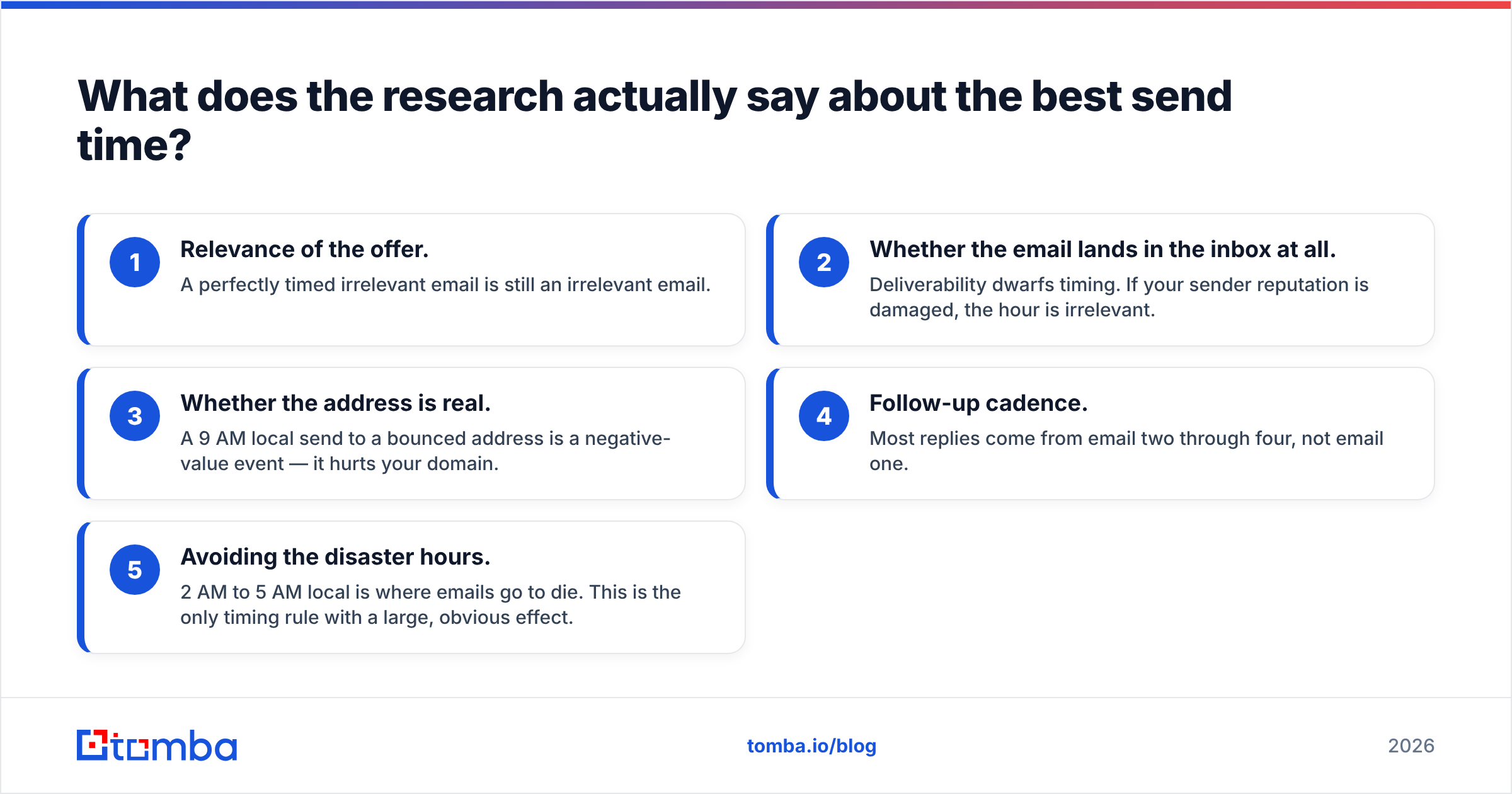
- Relevance of the offer. A perfectly timed irrelevant email is still an irrelevant email.
- Whether the email lands in the inbox at all. Deliverability dwarfs timing. If your sender reputation is damaged, the hour is irrelevant.
- Whether the address is real. A 9 AM local send to a bounced address is a negative-value event — it hurts your domain.
- Follow-up cadence. Most replies come from email two through four, not email one.
- Avoiding the disaster hours. 2 AM to 5 AM local is where emails go to die. This is the only timing rule with a large, obvious effect.
So the right framing isn't "what's the optimal minute." It's "how do I guarantee no contact gets an email at 3 AM their time, and how do I nudge the rest toward business hours."

How do you actually determine a prospect's time zone?#
This is where cold email time zone strategy lives or dies. You need a defensible guess for every contact. There is no single perfect signal, so you stack them in priority order.
Signal stack, strongest to weakest:
- Explicit contact location — city/state/country on the contact record from an enrichment provider. Highest confidence when it comes from a profile the person maintains themselves.
- Company headquarters — reliable for small companies where everyone sits in one building. Increasingly wrong for distributed orgs and useless for a 40,000-person enterprise.
- Office location tied to the role — a regional sales director for EMEA is almost certainly not in Denver, whatever the HQ field says.
- Country-code TLD or localized domain —
.de,.co.jp,.com.auare strong hints..comtells you nothing. - Phone number country/area code — good directional signal, and often present alongside email in enrichment data. A phone finder result can disambiguate a
.comcompany with offices on three continents. - Language of the website or email signature — weak, but it breaks ties.
The practical workflow: run data enrichment across your list, keep the location field, and map it to an IANA time zone identifier rather than a UTC offset. The tz database exists precisely because offsets are not stable — America/New_York is a durable fact, UTC-5 is true for part of the year.
Then bucket contacts by confidence:
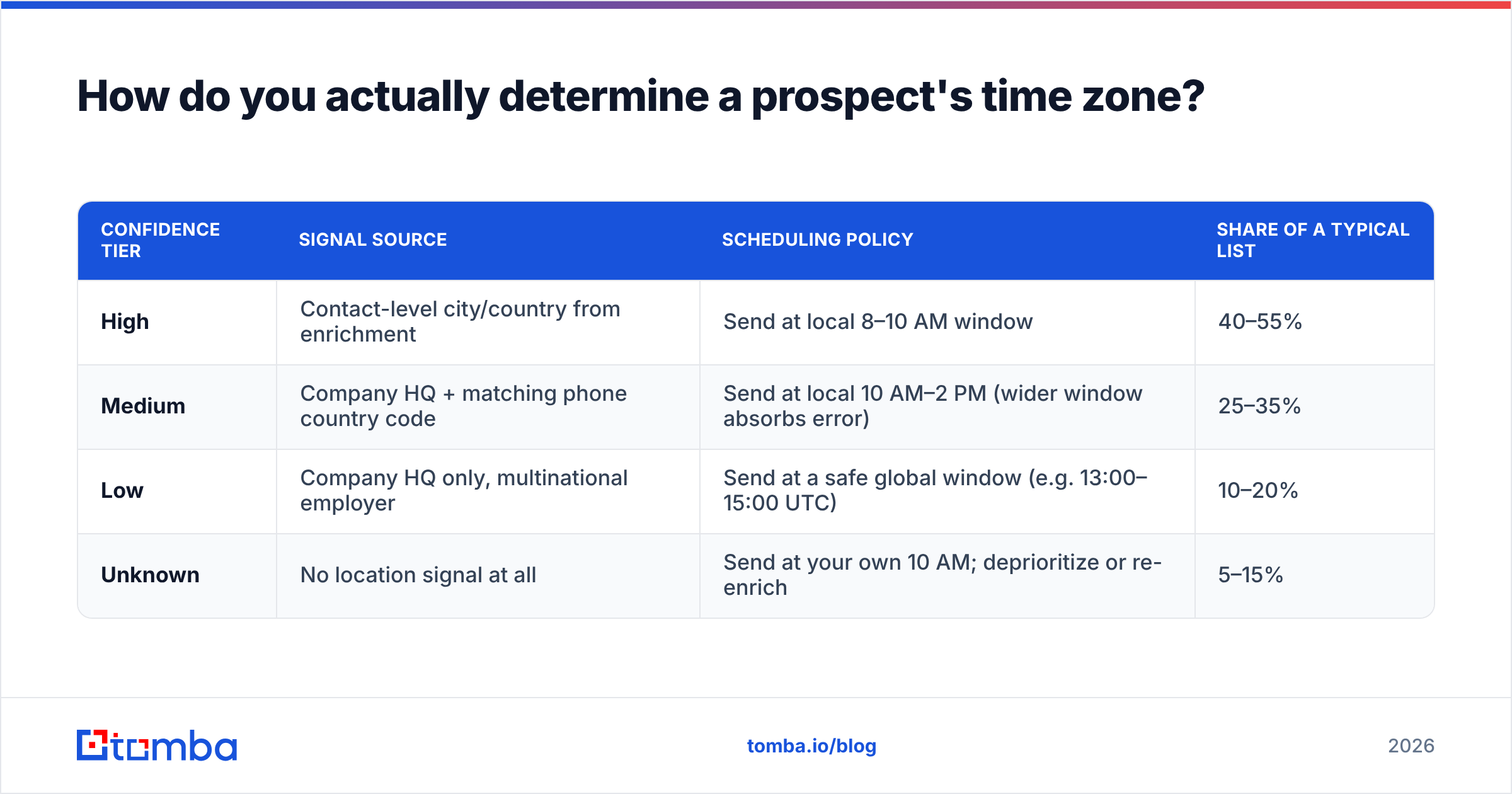
| Confidence tier | Signal source | Scheduling policy | Share of a typical list |
|---|---|---|---|
| High | Contact-level city/country from enrichment | Send at local 8–10 AM window | 40–55% |
| Medium | Company HQ + matching phone country code | Send at local 10 AM–2 PM (wider window absorbs error) | 25–35% |
| Low | Company HQ only, multinational employer | Send at a safe global window (e.g. 13:00–15:00 UTC) | 10–20% |
| Unknown | No location signal at all | Send at your own 10 AM; deprioritize or re-enrich | 5–15% |
The point of the tiers is not precision. It's that you stop pretending you know a Sydney prospect's schedule when all you have is "Acme Corp, San Francisco."
Is sending in the prospect's local morning always right?#
No, and this is where blanket advice falls apart.
Local 8 AM is when everyone else's automated sequences also arrive. If your prospect's inbox gets 18 cold emails between 8:00 and 8:30, being email number twelve is not a win. Several teams have found the opposite pattern works better — early afternoon, when the morning triage is done and the inbox is quiet.
Three cases where "local morning" is the wrong instinct:
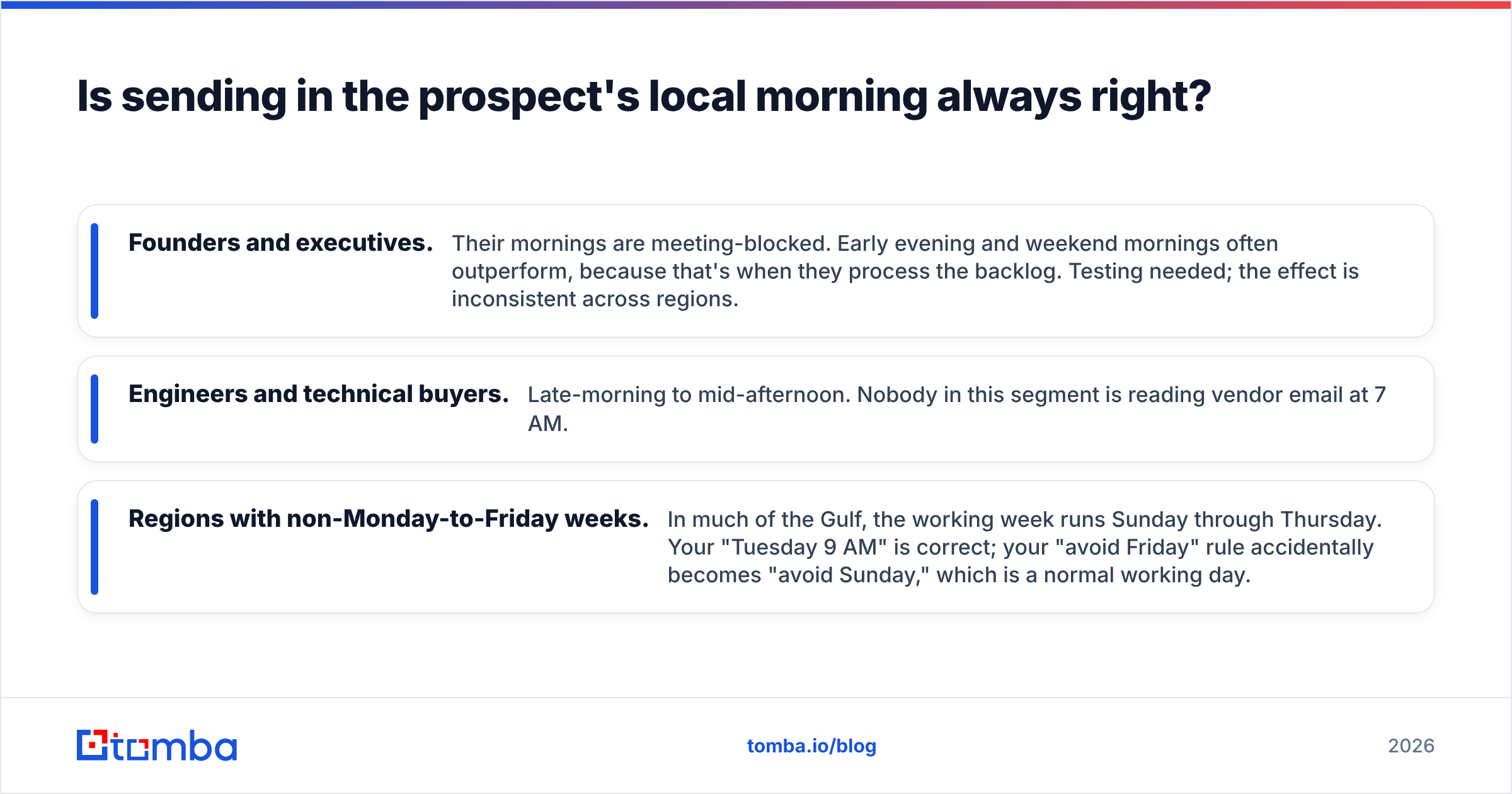
- Founders and executives. Their mornings are meeting-blocked. Early evening and weekend mornings often outperform, because that's when they process the backlog. Testing needed; the effect is inconsistent across regions.
- Engineers and technical buyers. Late-morning to mid-afternoon. Nobody in this segment is reading vendor email at 7 AM.
- Regions with non-Monday-to-Friday weeks. In much of the Gulf, the working week runs Sunday through Thursday. Your "Tuesday 9 AM" is correct; your "avoid Friday" rule accidentally becomes "avoid Sunday," which is a normal working day.
Also worth naming: some outbound teams deliberately send at unusual hours specifically to escape the 8 AM pileup. It's a legitimate strategy, and it only works if you know the local hour well enough to choose an unusual one on purpose.
What breaks a time zone schedule that used to work?#
Four things, all of which fail silently.
Daylight saving transitions. The US, EU, and Australia change clocks on different dates. For roughly three weeks a year, the offset between New York and London is not the usual five hours. If you scheduled by fixed UTC offset instead of by IANA zone, every send in that window is an hour off. The IANA time zone database publishes updates several times a year — governments change these rules with weeks of notice.
Southern hemisphere inversion. Australia's daylight saving runs October to April, opposite the northern hemisphere. Sydney is UTC+10 or UTC+11 depending on the month, and the gap between "Sydney business hours" and "New York business hours" swings by two hours across the year.
Holiday calendars. A perfectly timed Tuesday 9 AM send into a country observing a national holiday is a wasted touch. Regional holidays are worse than national ones because nobody suppresses for them.
Inbox volume caps. You want to send 900 emails at local 9 AM. Your warm inboxes safely support maybe 30–50 sends each per day, spread out. So "everyone at local peak" is arithmetically impossible past a certain list size. You're building a rolling send window, not a spike. Accept it and design for it.
How should you build the schedule in practice?#
Here's the sequence that works, in order.
Step 1 — Clean the list before you time anything. Timing optimization on a list with 12% invalid addresses is optimizing the wrong variable. Run an email verifier pass first. Bounces cost you more than a bad send hour ever will, because they compound into email deliverability damage that no send-time tweak repairs.
Step 2 — Resolve time zones and store them as IANA identifiers. Not offsets. Europe/Berlin, not +01:00.
Step 3 — Assign each contact a confidence tier using the table above. Confidence determines window width, not just window center.
Step 4 — Compute the send slot in UTC at dispatch time, not at schedule time. Convert local 9:00 AM in Europe/Berlin to UTC on the actual morning of the send. This is the single change that makes daylight saving a non-event.
Step 5 — Spread within the window. Randomize ±20 minutes. Uniform sends at exactly :00 look automated to filtering systems and to humans.
Step 6 — Suppress on local holidays and local weekends. Note the plural: local weekend, not your weekend.
Step 7 — Measure by cohort, not in aggregate. Reply rate by time zone bucket, by local send hour, by day-of-week. If you only look at the blended number, you will never see the Sydney problem.

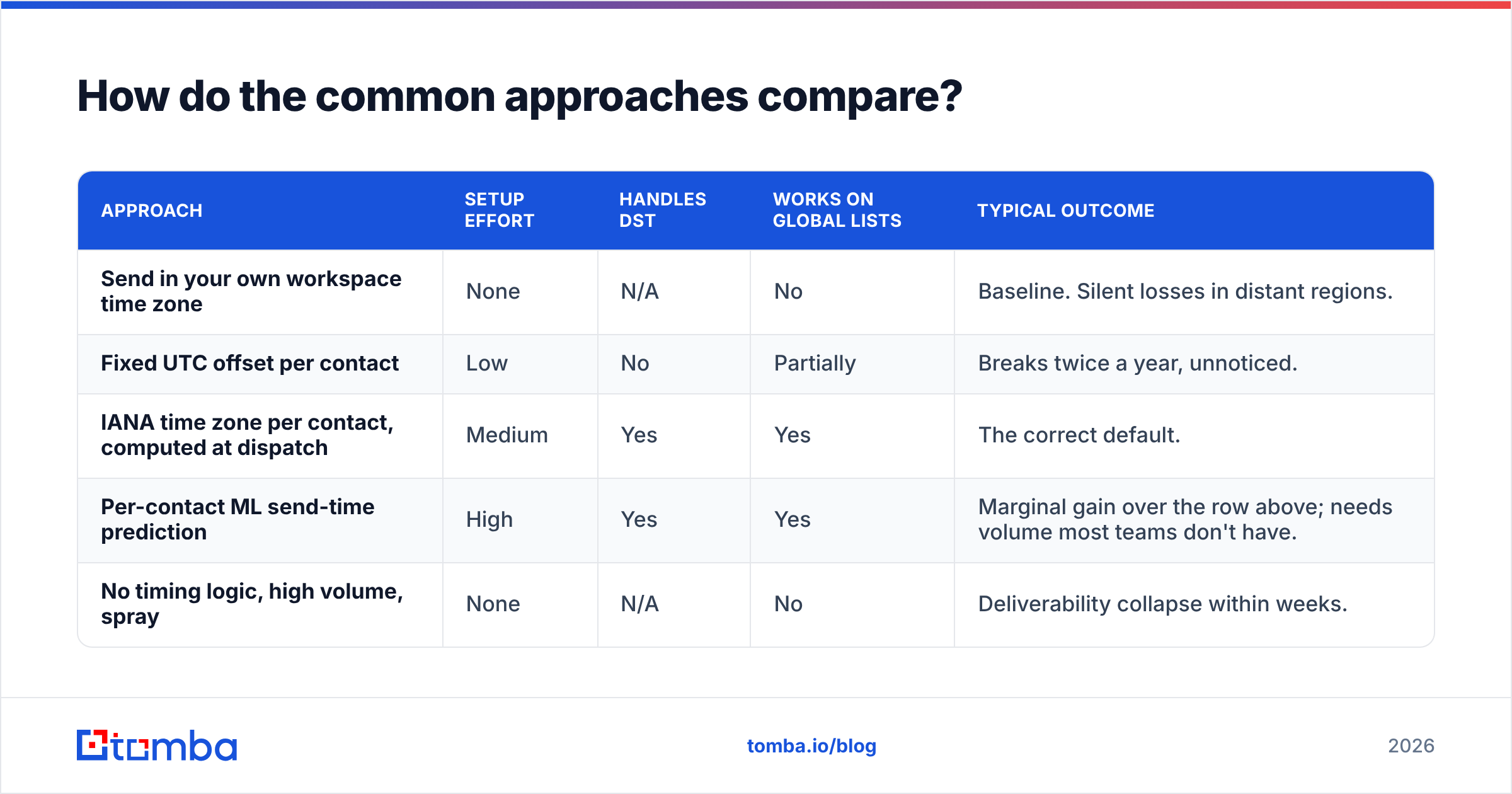
How do the common approaches compare?#
| Approach | Setup effort | Handles DST | Works on global lists | Typical outcome |
|---|---|---|---|---|
| Send in your own workspace time zone | None | N/A | No | Baseline. Silent losses in distant regions. |
| Fixed UTC offset per contact | Low | No | Partially | Breaks twice a year, unnoticed. |
| IANA time zone per contact, computed at dispatch | Medium | Yes | Yes | The correct default. |
| Per-contact ML send-time prediction | High | Yes | Yes | Marginal gain over the row above; needs volume most teams don't have. |
| No timing logic, high volume, spray | None | N/A | No | Deliverability collapse within weeks. |
Read that table honestly: rows three and four differ by very little. Most teams should implement row three, verify it works, and spend the remaining energy on offer quality and list accuracy. Chasing row four before you've done row three is a common and expensive mistake.
Does time zone strategy matter more than list quality?#
It does not. Not close.
Rank the levers by how much they move reply rate:
- List accuracy and fit — the largest lever by an order of magnitude. Right person, right company, address that resolves.
- Message relevance — second. Does the first line prove you know who they are?
- Deliverability hygiene — third. SPF, DKIM, DMARC, warmed domains, low bounce rate. Check yours with a free email checker before you scale.
- Follow-up cadence — fourth. Three to five touches, spaced.
- Send timing — fifth. Real, but a refinement on top of the four above.
Which means: if you're reading this because your outbound isn't working, and you haven't verified your list, time zones are not your problem yet. Fix the foundation. Then come back and shave the extra few points off with timing.
The teams that get real value from time zone scheduling are the ones already doing everything else well. For them, moving from "9 AM my time" to "9 AM their time" is a genuine, measurable, repeatable gain — because everything downstream of the open is already tuned.
What should you do this week?#
Three concrete actions, in order of return:
- Audit your last 30 days of sends. Bucket them by recipient local hour. Count how many landed between midnight and 6 AM local. That number is your free win.
- Enrich the location field on your top 500 accounts. Not the whole database — the accounts you actually care about. Map each to an IANA zone.
- Switch your scheduler from offsets to zones. If your tool can't do it, compute the UTC dispatch time yourself and push exact timestamps via API.
Then measure by cohort for a month and see whether the effect is real in your data. It might be smaller than the blog posts promise. It might be larger in one region and invisible in another. That's the finding, and it's yours.
Get the data layer right first. Time zone scheduling is a downstream optimization — it only pays off when the addresses underneath it are real and the contacts are the people you meant to reach. Tomba Email Finder verifies as it finds, returns confidence scores per address, and enriches contacts with the location and company signals you need to resolve a time zone in the first place. Start on the free tier (25 searches/month), then scale to Starter at $49/mo when you're ready to run the full list. Full Tomba pricing is public — no sales call required to see what a plan costs.
Related guides#
Ready to find emails that actually work?
Join 150,000+ professionals who stopped guessing and started sending. Free credits on signup — no credit card required.
Get the Tomba newsletter
Practical outbound tactics and product updates — once every two weeks.
About the author