Coldly Pricing Reviews Pros and Cons for 2026 Buyers
A neutral breakdown of Coldly pricing — what the credit model actually costs at scale, where reviewers praise it, where they push back, and which alternative fits your budget better.
Looking for Coldly pricing reviews pros and cons in one place? Here it is. What the credit model really costs, where the tool earns its keep, and when a plain email finder is the cheaper buy.
TL;DR
- Coldly sells B2B contact data on a credit model. The headline price is not the price you pay — the number that matters is cost per usable, verified contact after bounces.
- The strongest reviewer praise: fast onboarding, a usable UI, and decent coverage on mid-market SaaS and agency personas.
- The most common complaints: credits burn on results you can't use, catch-all domains eat budget, and annual-only discounts hide the real monthly cost.
- If you mainly need verified work emails rather than a full prospecting database, a dedicated email finder is usually 40–60% cheaper per usable contact.
- Do the math on your own list before committing. A 200-contact test on any tool tells you more than a hundred review-site stars.
What is Coldly, and who is it actually for?#
Coldly (coldly.ai) is a B2B lead-generation platform: you filter a contact database by role, industry, geography, and company size, then export contacts with email addresses attached. It sits in the same shelf as Apollo, Lusha, RocketReach, and BookYourData — tools that bundle a database, a filter UI, and enrichment into one subscription.
That bundling is the whole story when you weigh Coldly pricing reviews pros and cons. You are not buying one thing. You are buying at least four:
- Database access — the right to search and see records.
- Reveal credits — the right to unmask an email or phone number.
- Verification — the right to trust that the revealed email exists.
- Export and integration — the right to move that data into your CRM or sequencer.
Most pricing confusion comes from teams assuming they bought all four and discovering, at month three, that verification was shallow and exports were capped. That is not unique to Coldly. It's how the category prices itself.
Who gets the most from a database tool? A founder or SDR team doing broad, repeatable outbound into a well-defined ICP. For them the discovery of who to contact is genuinely hard, and that is what the money buys.
Who overpays? A team that already knows the exact companies and people it wants and only needs the email address. That team is buying a database to solve a lookup problem.

How does Coldly pricing actually work?#
Coldly, like nearly every tool in this bracket, prices on credits per month, tiered by plan, with an annual discount and per-seat multipliers on the higher tiers. Prices and credit allowances change. Check the vendor's page before you sign anything, and treat any number in any blog post (including this one) as a starting point for your own diligence, not a quote.
What is stable across the category, and what you should interrogate on a demo call:
- What consumes a credit? A revealed email? A revealed phone? A row exported? Some tools charge on reveal, some on export, some on both. This single answer changes your effective cost by 2–3x.
- Are credits refunded for bad data? If an exported email hard-bounces, do you get the credit back? Vendors that say yes usually cap the refund window at 7–30 days and require you to submit bounce evidence.
- Do credits roll over? Most don't, or roll over only on annual plans. Unused credits are pure margin for the vendor.
- What's the overage rate? The per-credit price outside your plan is almost always 2–4x the in-plan blended rate. Teams that spike in Q4 get hit here.
- Is verification included or extra? "Verified" in a database UI often means "this pattern matched" — not "we ran an SMTP check this week."
- What's gated behind Enterprise? API access, team seats, CRM sync, and bulk export are the four things routinely pulled up-tier.
Run those six questions against Coldly's plan page and against any alternative you're considering. The answers, not the sticker price, are the comparison.
Is Coldly worth it? The pros, honestly stated#
Speed to first list. Reviewers on G2 and Capterra consistently cite short onboarding for database tools in this class. You can go from signup to a filtered CSV in under an hour. For a founder testing three ICPs before hiring an SDR, that is worth real money.
Filter depth on the personas it covers. Where Coldly has coverage — mid-market SaaS, marketing agencies, e-commerce operators in North America and Western Europe — the filtering is granular enough to build a defensible segment rather than a spray list.
Predictable line item. A flat monthly credit bucket is easy to defend in a budget meeting. Usage-based Tomba pricing or per-lookup API billing can be cheaper, but it's harder to forecast if you've never measured your own volume.
Bundled workflow. Search, reveal, export, and light enrichment in one tab beats stitching three tools together — if, and only if, you use all four surfaces. Most teams use two.
What are the cons buyers report most often?#
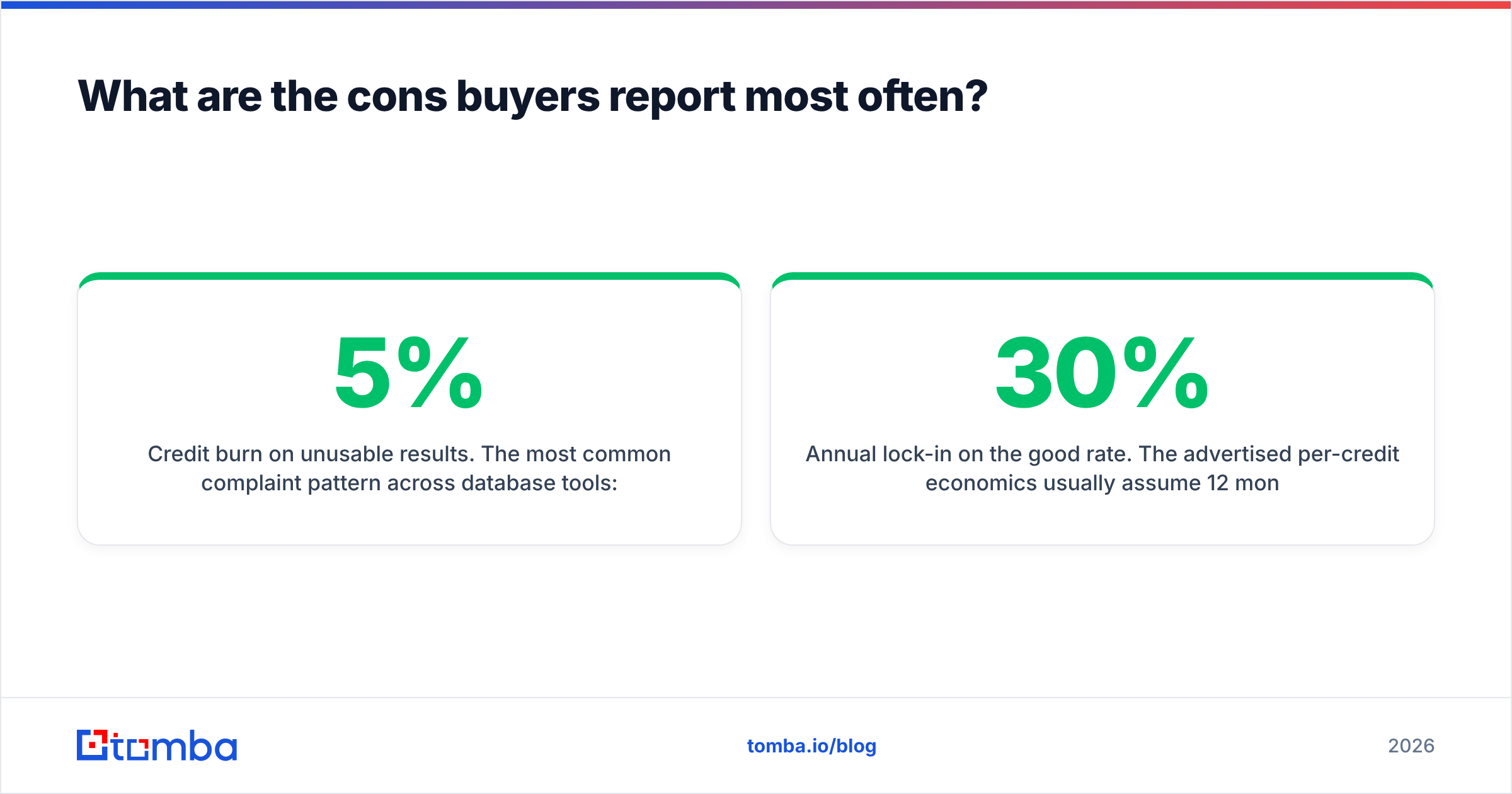
Credit burn on unusable results. The most common complaint pattern across database tools: you spend a credit, you get an email, the email bounces or lands on a catch-all domain that accepts everything and delivers nothing. You paid for a coin flip. If your bounce rate on exported contacts sits above 5%, your effective cost per usable contact is at least 1.05x your nominal rate — and if 15% of your exports are catch-alls of unknown status, it's meaningfully worse.
Catch-all ambiguity. Roughly one in five B2B domains is configured as catch-all. A database will happily hand you firstname.lastname@catchall-domain.com and mark it "valid" because the server accepts every address. It is not valid; it is unknowable without deeper testing. This is exactly why a standalone catch-all verifier exists as a separate product category.
Annual lock-in on the good rate. The advertised per-credit economics usually assume 12 months paid up front. Month-to-month buyers pay a 20–30% premium. That's standard SaaS practice, but it means the number you compared against a competitor's monthly plan was never apples to apples.
Coverage gaps outside core geos. APAC, LATAM, and non-English European markets are thinner across the whole category. If your ICP is a Japanese manufacturer or a Brazilian fintech, run a coverage test before you buy — not after.
Export caps and seat math. Two SDRs sharing one seat is a terms-of-service violation at most vendors. Budget for seats, not just credits.

How does Coldly compare to other options in 2026?#
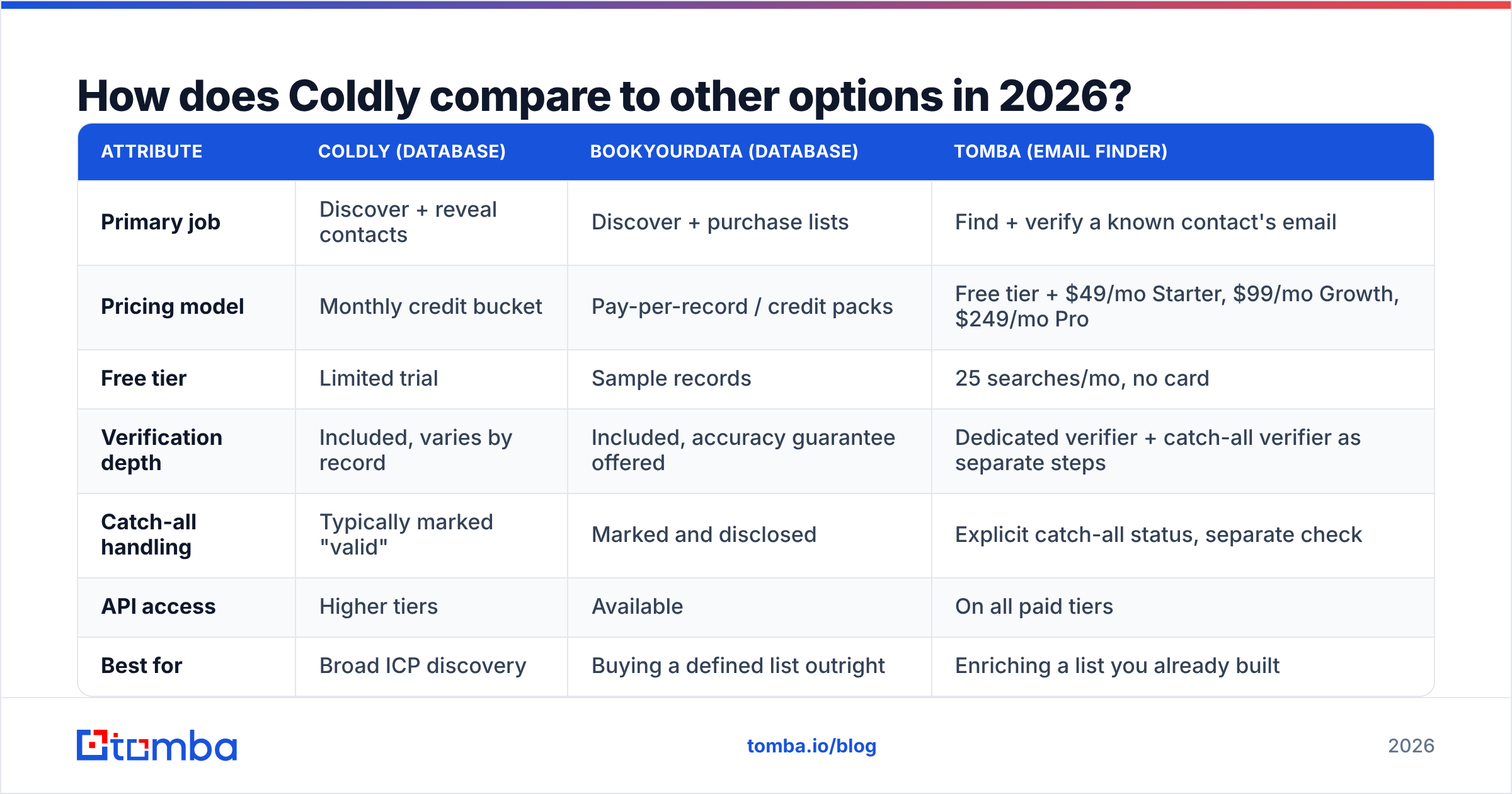
Here's the honest framing: database tools and email finders solve different problems, and buyers conflate them constantly. If you don't know who to contact, buy a database. If you know who and need the address, buy a finder. Paying database prices for a lookup problem is the single most common overspend in outbound tooling.

Accuracy is where the two categories diverge hardest. A database optimizes for coverage — having a row for everyone. A finder optimizes for confidence — being right about the rows it returns. A tool that returns an email for 95% of your inputs but is right 70% of the time will hurt your sender reputation faster than a tool that returns 65% at 97% accuracy.
Bounces are not a data problem. They are a sender reputation problem. The damage compounds across every campaign you run after it.

| Attribute | Coldly (database) | BookYourData (database) | Tomba (email finder) |
|---|---|---|---|
| Primary job | Discover + reveal contacts | Discover + purchase lists | Find + verify a known contact's email |
| Pricing model | Monthly credit bucket | Pay-per-record / credit packs | Free tier + $49/mo Starter, $99/mo Growth, $249/mo Pro |
| Free tier | Limited trial | Sample records | 25 searches/mo, no card |
| Verification depth | Included, varies by record | Included, accuracy guarantee offered | Dedicated verifier + catch-all verifier as separate steps |
| Catch-all handling | Typically marked "valid" | Marked and disclosed | Explicit catch-all status, separate check |
| API access | Higher tiers | Available | On all paid tiers |
| Best for | Broad ICP discovery | Buying a defined list outright | Enriching a list you already built |
| Worst for | Teams with a known target list | Iterative persona testing | Teams who don't yet know who to email |
BookYourData deserves a specific note: it's an honest, well-regarded operator in this space with a stated accuracy guarantee, and it prices closer to a purchase than a subscription. If your buying pattern is "one big list, twice a year," a purchase model often beats a monthly credit bucket you underuse for ten months.
What does Coldly actually cost per usable contact?#
This is the only number that matters, and no vendor prints it. Compute it yourself:
Effective cost per usable contact = (monthly spend ÷ credits used) ÷ (1 − bounce rate − unknown catch-all rate)
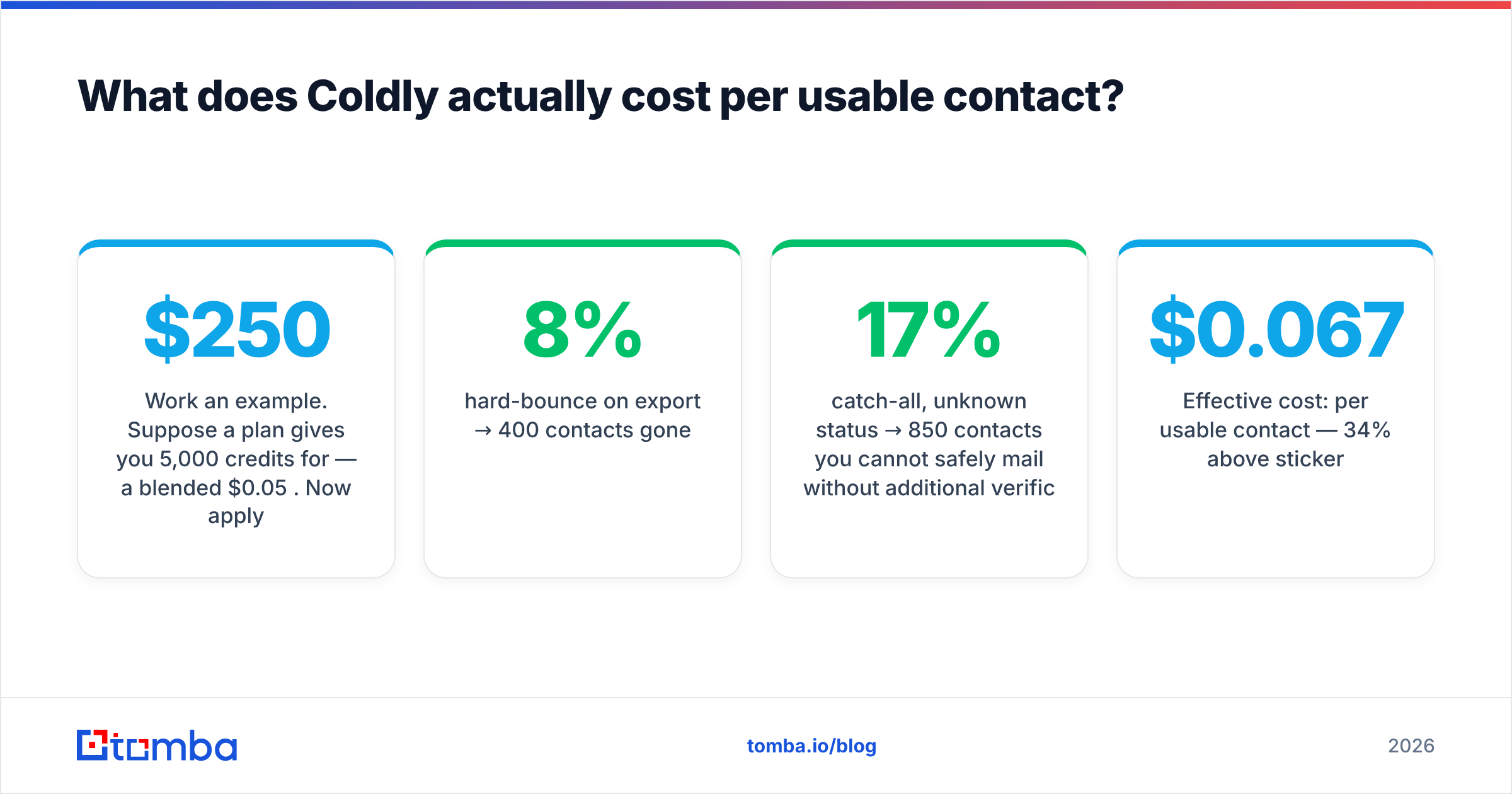
Work an example. Suppose a plan gives you 5,000 credits for $250/mo — a blended $0.05 per credit. Now apply reality:
- 8% hard-bounce on export → 400 contacts gone.
- 17% catch-all, unknown status → 850 contacts you cannot safely mail without additional verification.
- Usable: 3,750 contacts.
- Effective cost: $0.067 per usable contact — 34% above sticker.
Then add the cost of verifying those 850 catch-alls elsewhere, and the cost of the reputation hit from mailing the 400 you didn't catch. Suddenly the $0.05 line item is a $0.08 reality.
Now run the same math on a finder-first workflow. You already have 5,000 target companies and names from LinkedIn, a conference list, or your CRM. You run them through a bulk email finder, get a 70% find rate at 97%+ accuracy, and pay a flat subscription. Fewer contacts returned, far more of them mailable, no discovery premium.
Which is cheaper depends entirely on whether the discovery step has value to you. Be honest about that before you sign.
When should you skip Coldly entirely?#
Skip the database subscription if any of these are true:
- You have the names already. Conference lists, LinkedIn Sales Navigator exports, webinar registrants, inbound signups with only a company field. You need enrichment, not discovery. A data enrichment endpoint solves this at a fraction of the cost.
- Your volume is under ~500 contacts/month. The fixed subscription dominates. Use a free tier or pay-as-you-go until you outgrow it.
- You're an agency billing per client. Per-lookup API pricing maps cleanly to client invoices; a shared credit bucket does not.
- Deliverability is already shaky. Adding more unverified volume to a damaged domain is throwing good data after bad. Fix email deliverability first, then scale.
- Your ICP is outside the tool's coverage core. Test 50 records from your actual target segment before you pay for 5,000.
How should you run a fair 30-day test?#
Don't compare marketing pages. Compare outputs on the same input.
- Pick 200 real targets from your actual ICP — name plus company domain, no cherry-picking easy ones.
- Run the identical list through Coldly, one database competitor, and one dedicated finder. Use free tiers and trials where available.
- Record find rate — what percentage returned any address.
- Record verification status — valid, invalid, catch-all, unknown. Count "catch-all" as unknown, not valid.
- Send a real, small campaign to 100 addresses per tool from a warmed subdomain. Measure the actual bounce rate. This is the only ground truth.
- Divide. Total tool cost ÷ non-bouncing contacts delivered. Lowest number wins.
Most teams that run this test are surprised by two things: find rates are lower across the board than any vendor implies, and the cheapest tool per credit is rarely the cheapest tool per usable credit. Run the 100-address send. The email verifier step before that send will save you more money than any plan discount.
The verdict on Coldly pricing reviews pros and cons#
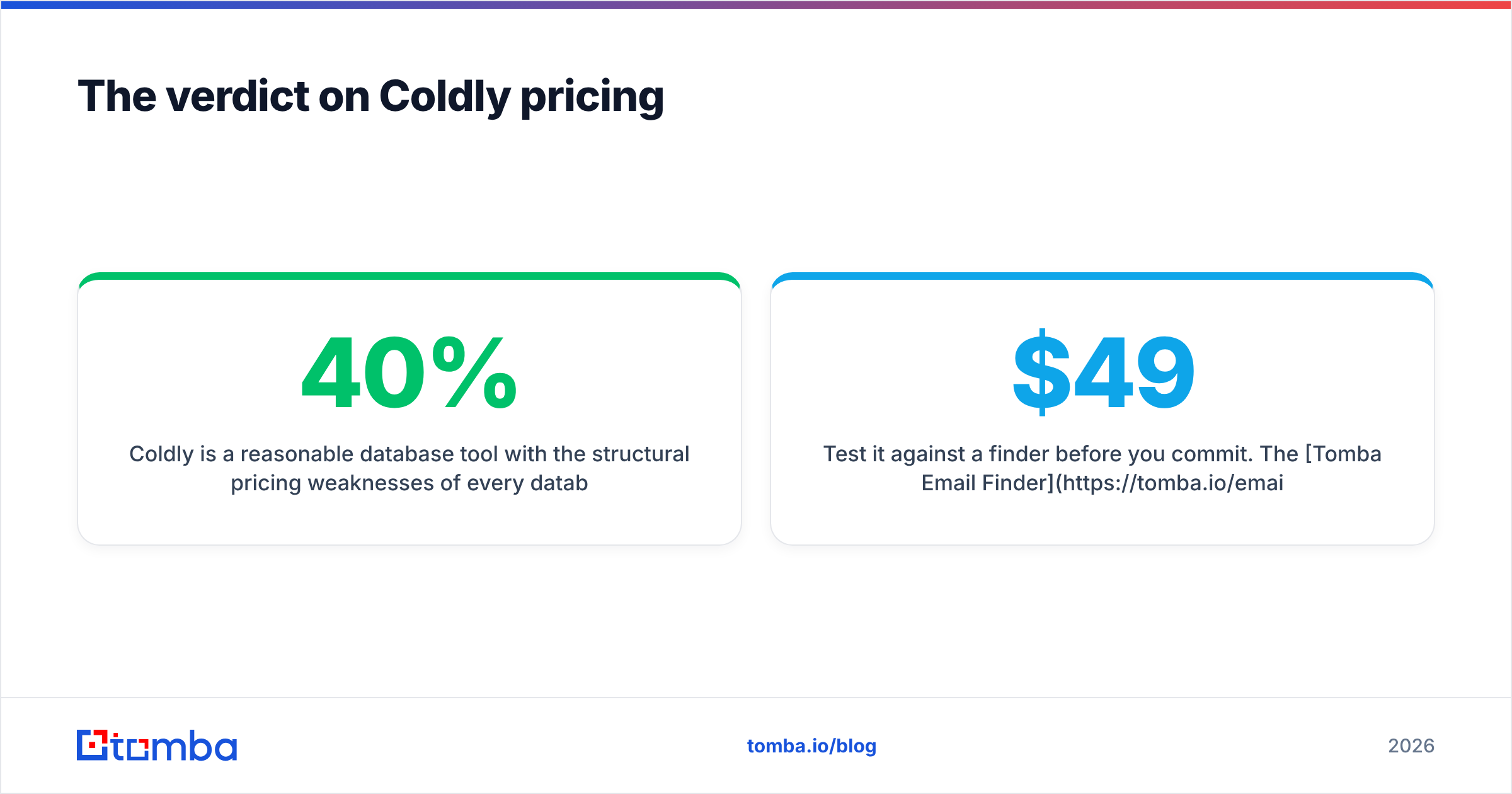
Coldly is a reasonable database tool with the structural pricing weaknesses of every database tool: credits that burn on ambiguous results, catch-alls counted as wins, and a real cost per usable contact that runs 30–40% above the sticker. None of that makes it a bad product. It makes it a product you should buy for discovery, and only for discovery.
Sum up the Coldly pricing reviews pros and cons in one line: it is worth the money when finding the right person is the hard part. If you already know who you want to reach — and most teams past their first year do — you're paying a discovery premium for a lookup.
Test it against a finder before you commit. The Tomba Email Finder has a free tier at 25 searches per month with no card required, Starter at $49/mo, and Growth at $99/mo. It also runs a separate verifier and catch-all check, so "valid" means valid, not "the server said yes to everything."
Run your 200-name list through it, run the same list through Coldly, and let the bounce rate pick the winner. If discovery turns out to be the thing you're actually paying for, keep the database. If it isn't, you just cut your data budget in half.
Related guides#
Ready to find emails that actually work?
Join 150,000+ professionals who stopped guessing and started sending. Free credits on signup — no credit card required.
Get the Tomba newsletter
Practical outbound tactics and product updates — once every two weeks.
About the author