Coldlytics Alternatives: 9 Better Lead List Tools in 2026
Coldlytics builds lead lists with human researchers. That buys accuracy and costs you speed. Here are 9 Coldlytics alternatives compared on turnaround, data accuracy, coverage, and real cost per verified contact.
TL;DR
- Coldlytics is a done-for-you list building service: you brief human researchers, they hand back a verified prospect list in a few days. It's accurate. It is not fast, and it does not scale linearly with your budget.
- If your bottleneck is turnaround time or API access, self-serve email finders (Tomba, Hunter, Findymail) replace Coldlytics outright at a fraction of the cost per contact.
- If your bottleneck is research complexity — "companies that just hired a RevOps lead and run HubSpot" — Clay or a research VA beats both.
- Pre-built databases (BookYourData, Apollo, ZoomInfo) win when your ICP is broad and standard; they lose when your ICP is defined by signals no database stores.
- The honest split: pay per hour of research only when the research is genuinely hard. Otherwise pay per verified contact and keep the money.
What is Coldlytics, and why do teams look for alternatives?#
Coldlytics sells a service, not software. You submit a brief describing your ideal customer profile, a team of human researchers builds the list manually — often pulling from LinkedIn, company sites, and niche directories — verify the emails, and deliver a CSV. Pricing is subscription-based and scoped by the volume of leads researched per month.
That model has real advantages. Humans can interpret a brief like "independent dental practices with 3–8 chairs, not part of a DSO, in Texas." No database has a "not part of a DSO" field. A researcher can check.
The model also has structural limits, and they're why people search for Coldlytics alternatives:
- Turnaround is measured in days, not seconds. A researcher-built list arrives on a queue. If your SDR needs 40 contacts at a company that entered your funnel this morning, a 3–5 day cycle is useless.
- There is no API. You cannot trigger enrichment from a webhook, a form fill, or a CRM record. Everything is a batch handoff.
- Cost per contact stays flat as you scale. Software gets cheaper per unit at volume. Human research does not — the tenth thousand lead costs roughly what the first thousand did.
- You can't self-serve a one-off. Need to find one CFO's email right now? You're opening a ticket.
- Reruns cost again. B2B contact data decays roughly 22–30% per year as people change jobs. Re-verifying a manually researched list means paying for research a second time.
None of that makes Coldlytics bad. It makes it a specific tool for a specific job. The question is whether your job is that job.

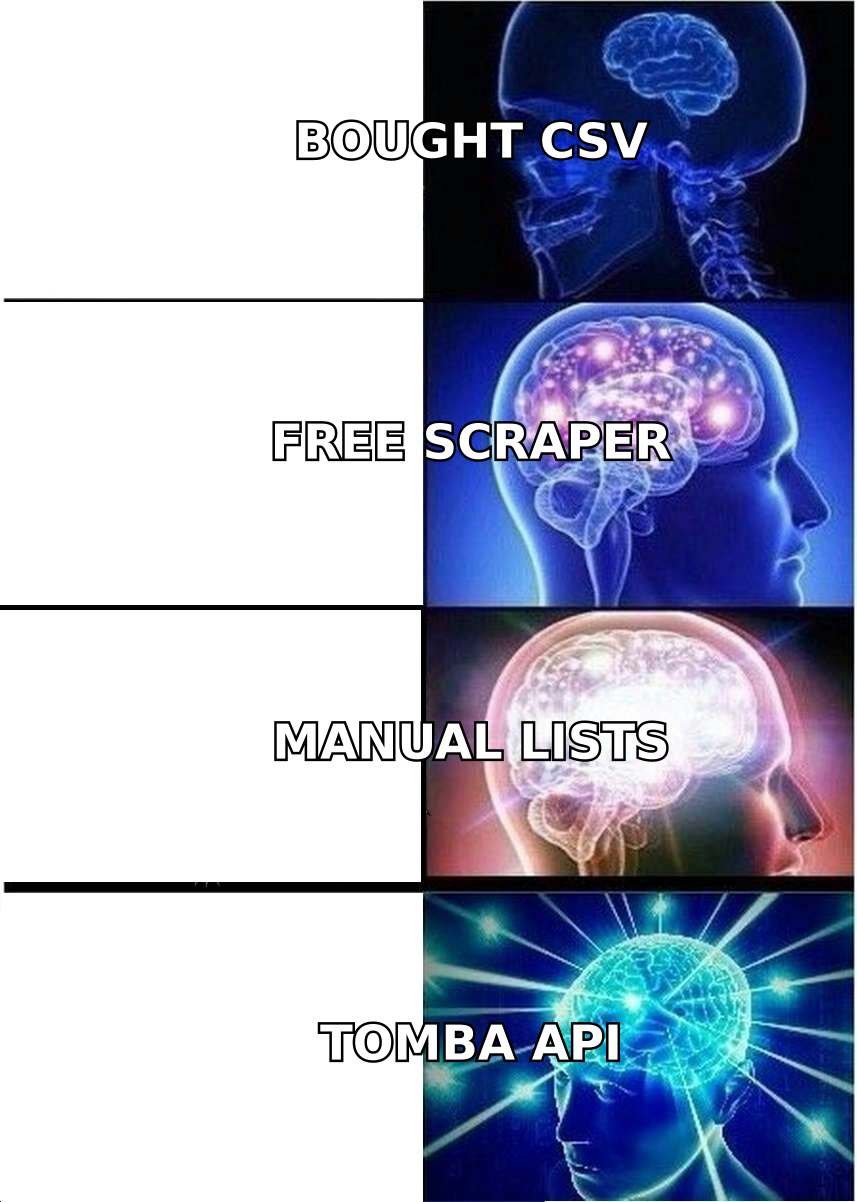
Wait — that's not the meme. Here it is:
What are the real categories of Coldlytics alternatives?#
Before comparing brands, understand that "Coldlytics alternative" spans four genuinely different product categories. Picking the wrong category is a more expensive mistake than picking the wrong brand inside it.
- Self-serve email finders — You supply a name and domain (or just a domain); the tool returns verified emails in under a second. Examples: Tomba, Hunter, Findymail. Best when you already know who you want to reach and just need contact data. Cheapest per contact by an order of magnitude.
- Pre-built B2B databases — A vendor maintains tens of millions of contact records with filters for title, industry, headcount, tech stack. Examples: BookYourData, Apollo, ZoomInfo, Lusha. Best when your ICP maps cleanly onto standard firmographic fields.
- Signal-based list builders — You compose a research workflow from data providers, scrapers, and LLM steps. Example: Clay. Best when your ICP is defined by behavior or context ("posted a job for a Salesforce admin in the last 30 days").
- Done-for-you research services — Humans build the list. Examples: Coldlytics, Belkins, LeadGenius, or a trained VA. Best when the qualifying criterion cannot be queried, only judged.
Most teams that leave Coldlytics discover they were paying category-4 prices for a category-1 or category-2 problem.
How do the top Coldlytics alternatives compare?#
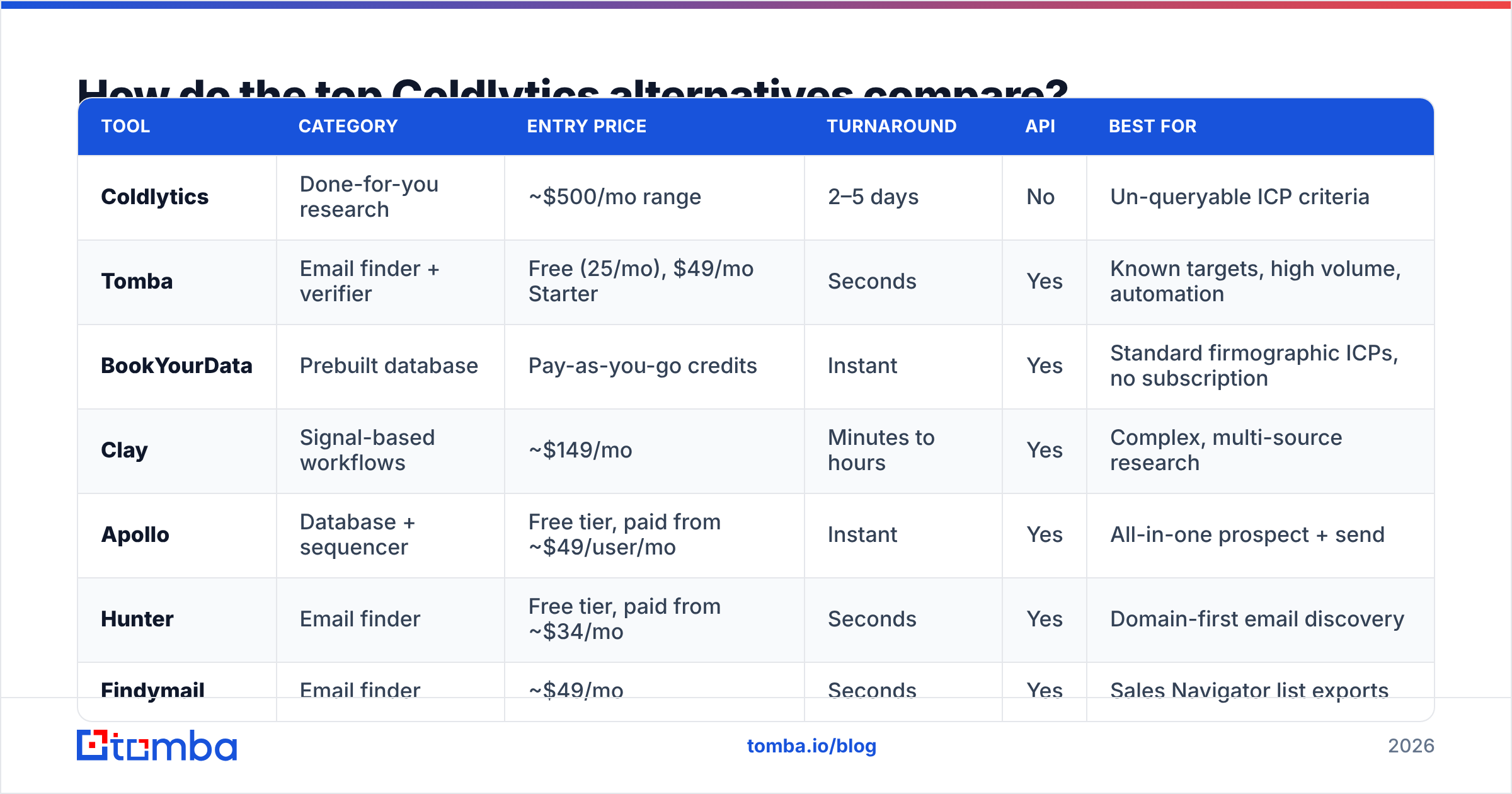
Here is the shape of the market as of 2026. Prices reflect published entry tiers and change frequently — verify on each vendor's page before you commit.
| Tool | Category | Entry price | Turnaround | API | Best for |
|---|---|---|---|---|---|
| Coldlytics | Done-for-you research | ~$500/mo range | 2–5 days | No | Un-queryable ICP criteria |
| Tomba | Email finder + verifier | Free (25/mo), $49/mo Starter | Seconds | Yes | Known targets, high volume, automation |
| BookYourData | Prebuilt database | Pay-as-you-go credits | Instant | Yes | Standard firmographic ICPs, no subscription |
| Clay | Signal-based workflows | ~$149/mo | Minutes to hours | Yes | Complex, multi-source research |
| Apollo | Database + sequencer | Free tier, paid from ~$49/user/mo | Instant | Yes | All-in-one prospect + send |
| Hunter | Email finder | Free tier, paid from ~$34/mo | Seconds | Yes | Domain-first email discovery |
| Findymail | Email finder | ~$49/mo | Seconds | Yes | Sales Navigator list exports |
| ZoomInfo | Enterprise database | Custom (5-figure) | Instant | Yes | Enterprise coverage + intent |
| LeadGenius | Managed research | Custom | Days | Limited | Enterprise custom data ops |
| Belkins | Full-service agency | Custom retainer | Weeks | No | Outsourced appointment setting |

Read that table with one question in mind: is my ICP queryable? If a database filter or a domain lookup can express it, you never needed a researcher.
Is a self-serve email finder actually enough to replace Coldlytics?#
For most outbound teams, yes — and the math is not close.
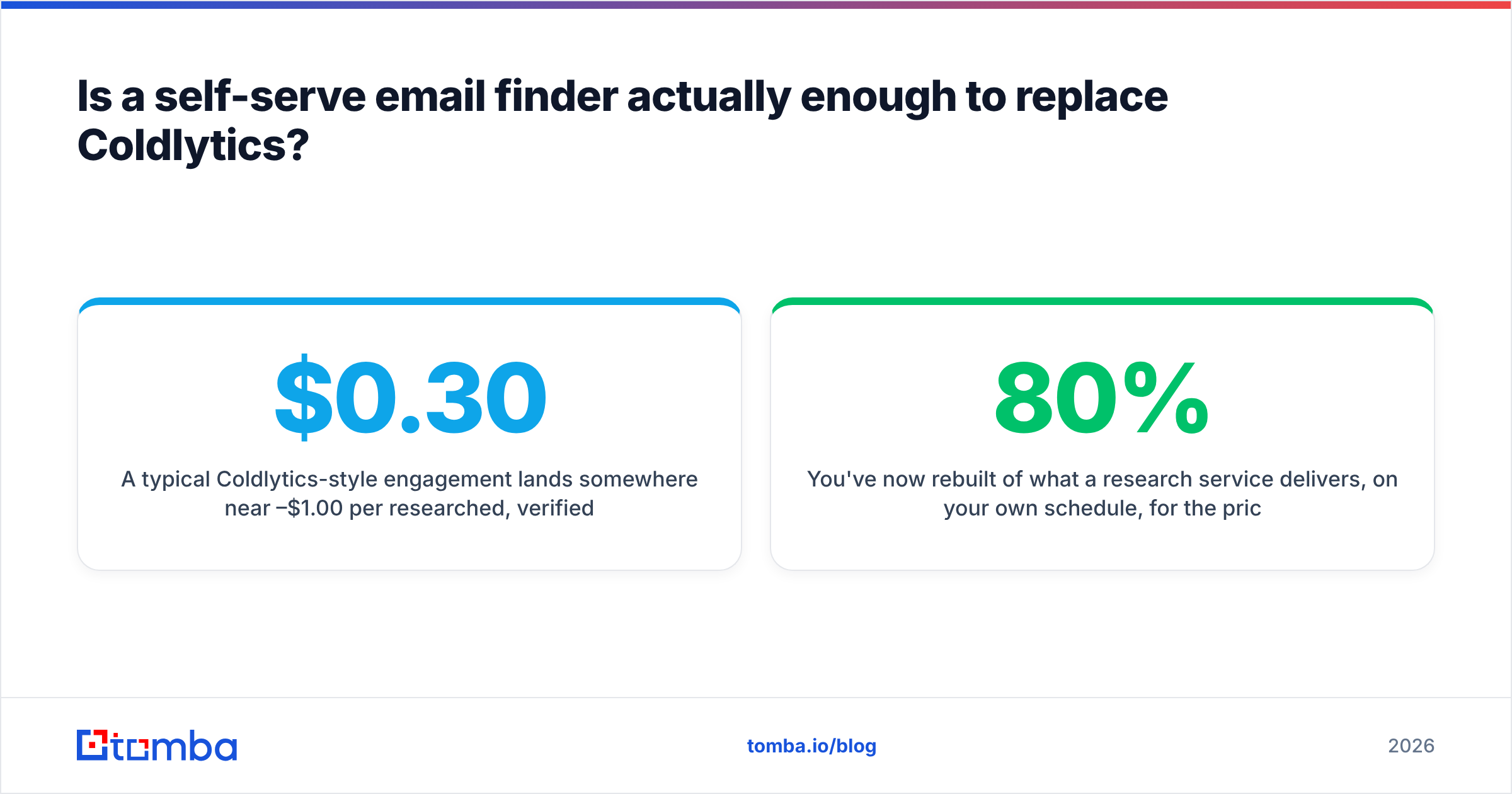
A typical Coldlytics-style engagement lands somewhere near $0.30–$1.00 per researched, verified contact once you divide the retainer by delivered volume. A self-serve email finder on a $49/mo plan delivers verified contacts at a small fraction of that, and delivers them the instant you ask.
The catch is that you have to supply the target list. That's the trade. Coldlytics answers "who should I contact?" and "what's their email?" in one bundle. An email finder only answers the second question — brilliantly, instantly, and cheaply.
So the replacement path looks like this:
- Source the company list yourself. Scrape a directory, export from a database, pull from a conference attendee page, or query LinkedIn.
- Run domain search to pull every discoverable contact at each domain, with role and seniority attached.
- Verify before you send. Run the output through an email verifier so bounces don't wreck your sender reputation.
- Batch it. A bulk email finder turns a 2,000-row company list into a contact list without a single manual lookup.
- Automate it. Wire the Tomba API into your CRM so new accounts enrich themselves on creation, not five days later.
You've now rebuilt 80% of what a research service delivers, on your own schedule, for the price of a team lunch.
How accurate is the data compared to human research?#
This is where the "humans are more accurate" argument gets tested, and the answer is more nuanced than either side admits.
Human researchers are excellent at qualification accuracy — confirming the company actually matches your brief. They are ordinary at contact accuracy, because a researcher verifying an email uses the same SMTP and pattern-inference techniques a good email finder automates. The human isn't reading the prospect's mind; they're guessing the pattern and checking it.
Modern email finders publish verification results with a confidence score and a status (valid, invalid, accepts-all, unknown). The measurable outcome you care about is bounce rate. Sub-2% is the operating target most deliverability guides converge on; anything above 5% starts damaging sender reputation.

Two accuracy failure modes deserve attention regardless of which vendor you pick:
- Catch-all domains. Roughly a quarter of B2B domains accept every address at the SMTP layer, so ordinary verification returns "unknown." A dedicated catch-all verifier uses secondary signals to resolve these instead of dumping them in your bounce pile — or worse, dropping them entirely and shrinking your TAM.
- Data decay. Every list, human-built or machine-built, is stale the day after delivery. The only defense is re-verification before each send, which is cheap with software and expensive with people.
If you evaluate vendors, ignore the marketing accuracy percentage. Take 100 known-good contacts you already have, run them through each tool, and count how many it returns correctly. That's your number. Third-party review aggregation on G2 is useful for support and billing complaints, less useful for accuracy — nobody benchmarks their own bounce rate honestly in a review.

When is Clay the better Coldlytics alternative?#
When your qualifying criterion is a signal, not a field.
Clay lets you chain data sources: pull companies from one provider, check their job postings with another, run an LLM prompt over the careers page to classify hiring intent, then find the hiring manager's email. It's a spreadsheet that thinks. This is the closest software gets to reproducing what a human researcher does, and unlike a researcher it runs at 3 a.m. and doesn't need a brief.
The trade-offs are real:
- Learning curve. Clay is a build-it-yourself tool. Budget a week before your first good table.
- Credit accounting. Each enrichment step consumes credits from each provider you call. Costs can surprise you.
- You still need email data. Clay orchestrates; it doesn't originate contact data. Many teams plug an email finder in as the final waterfall step and use Clay purely as the research layer.
If you're leaving Coldlytics because the research was the value, Clay is your destination. If you're leaving because the contact data was the value, an email finder is.
When should you stay with a database instead?#
Pre-built databases beat both research services and email finders on one axis: you don't need to know who you're looking for.
BookYourData is worth a serious look here — it's a credit-based, pay-as-you-go B2B database with no subscription lock-in, which suits teams doing episodic outbound rather than continuous. Apollo bundles the database with a sequencer, which is convenient until you want to switch sending tools; teams that outgrow that bundle often go looking for an Apollo alternative precisely because the data and the sending should be decoupled. ZoomInfo remains the enterprise default, priced accordingly.
The database failure mode is coverage skew. Every database over-indexes on US mid-market SaaS, because that's where the data exhaust is. If your ICP is European manufacturing, Japanese logistics, or independent healthcare practices, run a coverage test on 50 known accounts before signing anything. Ask each vendor about their data sources and how often records are re-verified — vague answers are the answer.
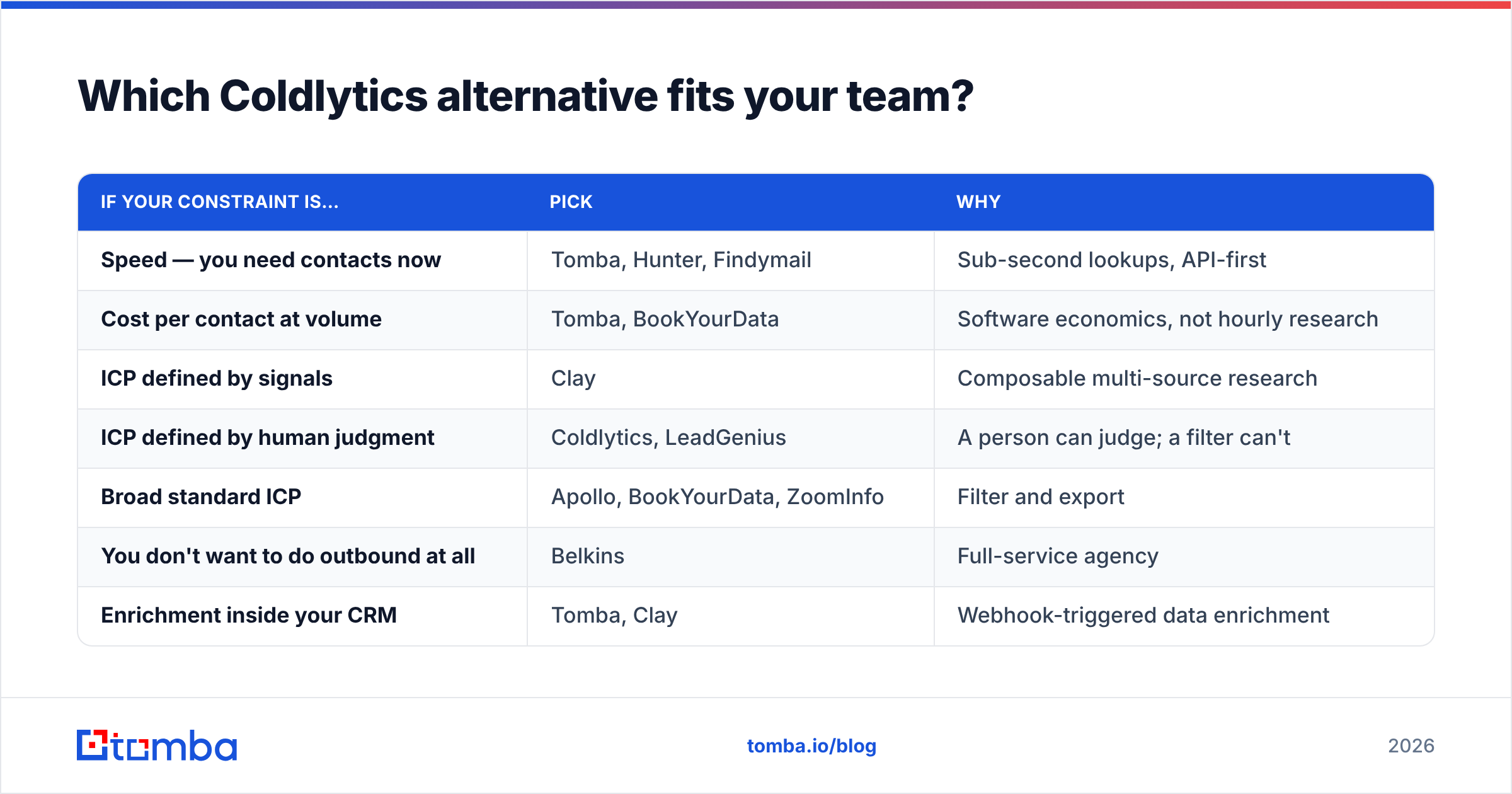
Which Coldlytics alternative fits your team?#
| If your constraint is… | Pick | Why |
|---|---|---|
| Speed — you need contacts now | Tomba, Hunter, Findymail | Sub-second lookups, API-first |
| Cost per contact at volume | Tomba, BookYourData | Software economics, not hourly research |
| ICP defined by signals | Clay | Composable multi-source research |
| ICP defined by human judgment | Coldlytics, LeadGenius | A person can judge; a filter can't |
| Broad standard ICP | Apollo, BookYourData, ZoomInfo | Filter and export |
| You don't want to do outbound at all | Belkins | Full-service agency |
| Enrichment inside your CRM | Tomba, Clay | Webhook-triggered data enrichment |
Most teams end up with two tools, not one: a source of companies, and a source of contacts. Coldlytics tried to be both, which is exactly why it costs what it costs.
What does the migration actually look like?#
If you're leaving a research service, run this sequence before you cancel:
- Export everything. Your historical lists are an asset. Deduplicate them and check which contacts are still valid — that tells you your real decay rate.
- Rebuild one campaign's list with software. Same ICP, same volume. Compare match rate and bounce rate against the human-built version. Don't argue about it in a meeting; measure it.
- Price both. Total cost, including the hours your team spent writing briefs and reviewing deliveries. Briefing is not free.
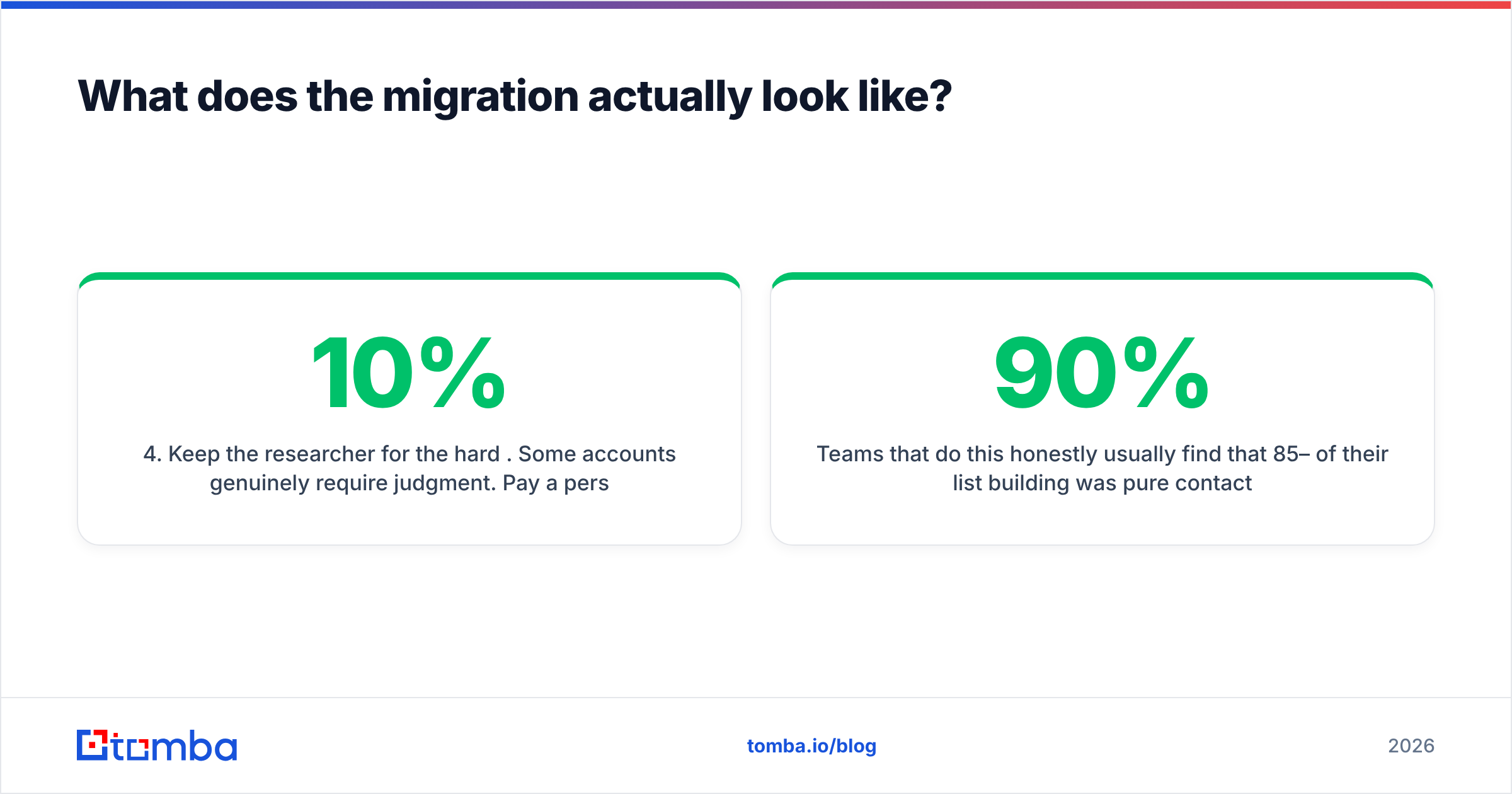
- Keep the researcher for the hard 10%. Some accounts genuinely require judgment. Pay a person for those and pay software for the rest.
Teams that do this honestly usually find that 85–90% of their list building was pure contact lookup dressed up as research — and that portion drops to near-zero cost the moment it moves to an API. Verify Tomba pricing against your monthly contact volume: the Free tier covers 25 searches a month for testing, Starter runs $49/mo, Growth $99/mo, and Pro $249/mo, with Enterprise custom.
The bottom line#
Coldlytics solves a real problem — un-queryable ICPs — with the only tool that works on them, which is a human being. If that's your problem, keep paying for it and don't feel bad.
If your problem is "I have a list of companies and I need the right person's verified email," you are paying a research premium for a lookup task. That's the single most common reason people search for Coldlytics alternatives, and the fix takes an afternoon.
Start with Tomba Email Finder. Test it against 100 contacts you already have and check the match rate yourself. The free tier gives you 25 searches a month — enough to see whether the human premium is buying you anything your API can't. Most teams find it isn't, then spend the difference on more sends.
Related guides#
// get started
Find, verify and enrich your first contacts today
Start on the free plan with 25 searches a month, then scale when your team is ready.
Free plan · No credit card required · GDPR & CCPA
// about the author