Coldlytics vs Salesbot: Which B2B Prospecting Tool Wins in 2026?
Coldlytics sells done-for-you prospect lists; Salesbot leans on automation and chat. We compare data quality, pricing, and workflow so you can pick the right fit — and where a dedicated email finder beats both.
TL;DR
- Coldlytics is built around done-for-you, human-researched prospect lists — you brief a target profile and a team returns verified contacts. Great when you value hands-off accuracy over speed.
- Salesbot leans on automation and chat-style workflows to source and route leads at volume — better when you want self-serve, always-on prospecting inside your existing stack.
- Neither is a universal winner: pick Coldlytics for niche, high-touch lists and Salesbot for high-volume, automated pipelines.
- Both add cost and lock-in you may not need if your real bottleneck is simply finding and verifying work emails.
- If accuracy-per-dollar is the goal, a focused email finder like Tomba often covers 80% of the job for a fraction of the price.
What are Coldlytics and Salesbot?#
Short version: they solve the same problem — filling your outbound pipeline — from opposite ends. Coldlytics is like hiring a research assistant who hand-builds your list; Salesbot is like installing a tireless intern who never stops scraping and routing leads.
Coldlytics positions itself as a done-for-you prospecting service. You define an ideal customer profile (ICP), and a mix of human researchers and tooling returns a list of matching contacts with verified emails. The pitch is accuracy and offloaded effort: you don't run the searches, you receive the output.
Salesbot sits on the automation side. The name is used by several products (including chatbot builders and prospecting automations), but the common thread is software-driven lead capture, enrichment, and routing — often chat-first, always self-serve. The pitch is scale and speed: set rules once, let the system run.
Understanding that split matters because it changes what you're actually buying. One is labor; the other is software. Your decision in Coldlytics vs Salesbot should follow whichever constraint hurts more — your time or your volume.
How do Coldlytics and Salesbot compare head-to-head?#
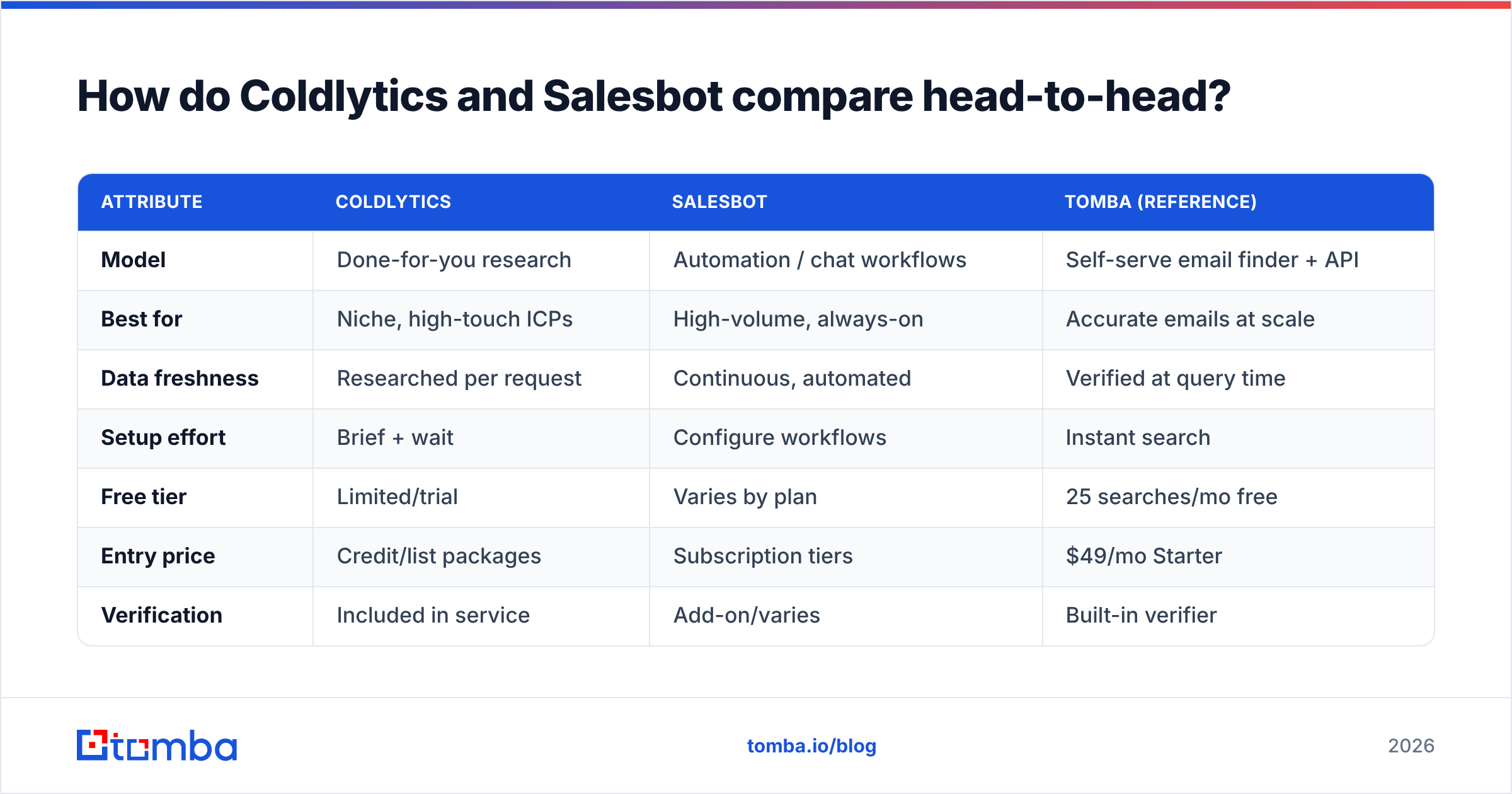
Here's the core matchup across the attributes that actually move outbound results. Treat pricing as directional — both vendors change tiers, so confirm current numbers on their sites before you commit.
| Attribute | Coldlytics | Salesbot | Tomba (reference) |
|---|---|---|---|
| Model | Done-for-you research | Automation / chat workflows | Self-serve email finder + API |
| Best for | Niche, high-touch ICPs | High-volume, always-on | Accurate emails at scale |
| Data freshness | Researched per request | Continuous, automated | Verified at query time |
| Setup effort | Brief + wait | Configure workflows | Instant search |
| Free tier | Limited/trial | Varies by plan | 25 searches/mo free |
| Entry price | Credit/list packages | Subscription tiers | $49/mo Starter |
| Verification | Included in service | Add-on/varies | Built-in verifier |
| Learning curve | Low (hands-off) | Medium-high | Low |
The pattern is clear: Coldlytics minimizes your effort but caps your speed and control. Salesbot maximizes throughput but asks you to build and babysit workflows. And a dedicated finder minimizes cost-per-verified-contact when you already know who you're targeting.
Is Coldlytics better than Salesbot for data quality?#
It depends on how niche your targets are. Human research wins on hard-to-find roles; automation wins on breadth.
Coldlytics' human-in-the-loop approach tends to shine for obscure titles, small companies, or industries where databases are thin. A researcher can read a website, cross-check LinkedIn, and infer a contact that a scraper would miss. That's real value when your ICP is "the operations lead at independent HVAC installers in three states."
Salesbot-style automation wins when your total addressable market is large and reasonably well-documented. If you're targeting "SaaS marketing managers in North America," software can surface thousands of matches faster and cheaper than any human team.
But both models inherit the same risk: stale or unverifiable data. A researched list is only as fresh as the day it was built, and an automated pipeline is only as clean as its verification step. This is why a standalone email verifier belongs in your stack regardless of which tool you pick — verify at send time, not at purchase time. For domains that accept everything, a dedicated catch-all verifier closes the gap that trips up most bulk lists.
According to HubSpot's research on data decay, B2B contact data degrades quickly as people change roles, which means any list — human or automated — needs re-verification before you rely on it.
Which is cheaper: Coldlytics or Salesbot?#
Cheaper depends on volume — and "list price" hides the real cost. Break it into three buckets.
- Direct cost — Coldlytics typically sells in list or credit packages priced by contact; Salesbot charges a recurring subscription, sometimes with usage add-ons. At low volume, pay-per-list can be cheaper; at high volume, a flat subscription usually wins.
- Time cost — Coldlytics saves your hours (you brief and wait). Salesbot spends your hours up front on setup, then saves them later. Value your team's time honestly here.
- Waste cost — every bounced email, every wrong contact, every duplicate. This is the silent budget killer, and it's identical across vendors unless you verify aggressively.
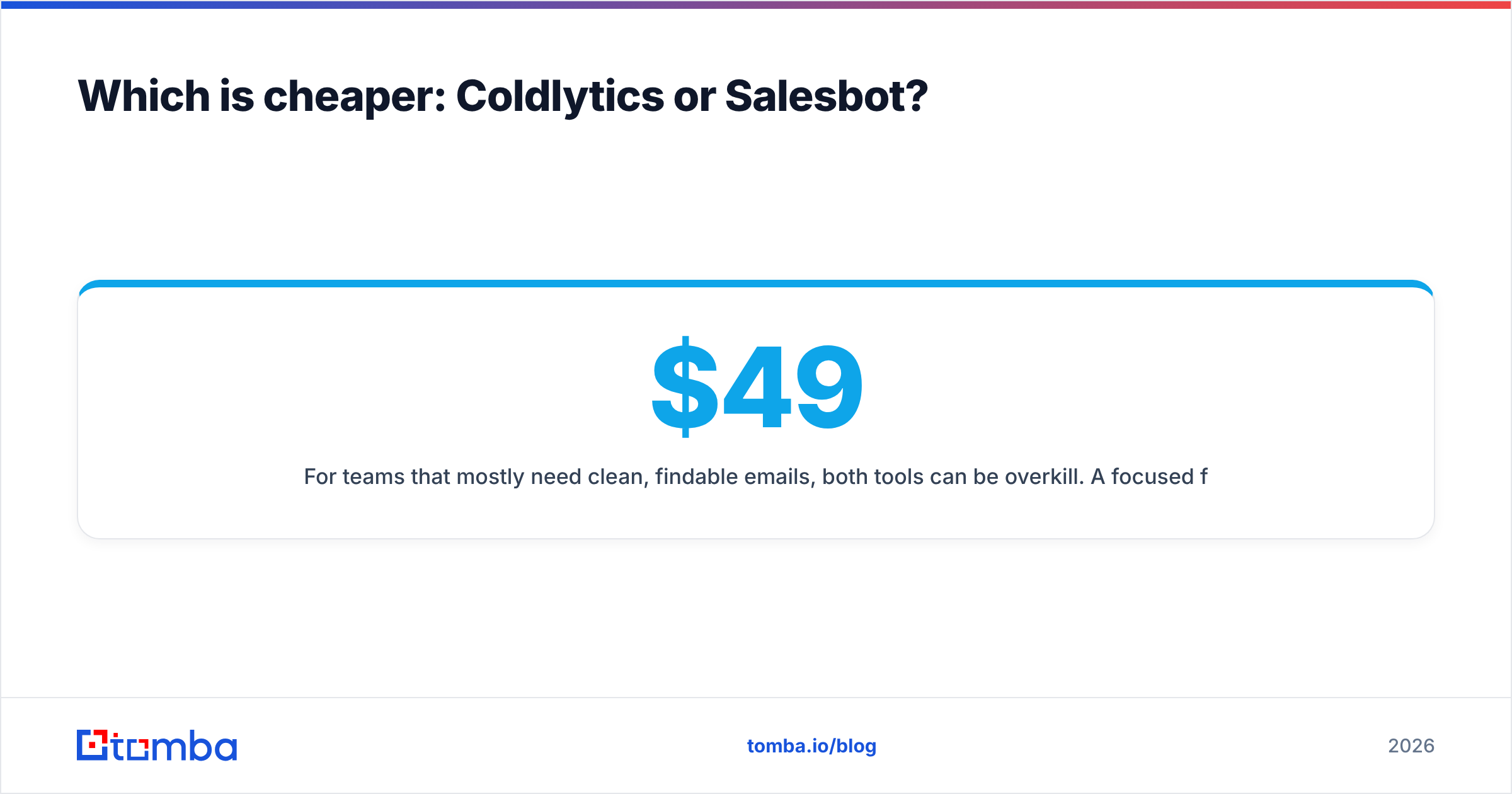
For teams that mostly need clean, findable emails, both tools can be overkill. A focused finder priced at a flat Tomba pricing tier — Free (25 searches), Starter $49/mo, Growth $99/mo, Pro $249/mo — often delivers a lower cost-per-verified-contact than either a per-list service or a broad automation suite, because you're paying for exactly one job done well. Run a quick side-by-side using the bulk email finder before you assume a full platform is required.
When should you choose Coldlytics vs Salesbot?#
Match the tool to the shape of your outbound motion, not to the flashier feature list.
Choose Coldlytics when:
- Your ICP is narrow, niche, or poorly covered by databases.
- You'd rather brief a team than run searches yourself.
- Quality-per-contact matters more than raw list size.
- You send low-to-medium volume and want each contact to count.
Choose Salesbot when:
- Your market is large and reasonably well-documented.
- You want always-on, self-serve lead capture inside your workflows.
- You have the time (or an ops person) to build and maintain automations.
- Volume and speed outrank hand-crafted precision.
Consider skipping both when:
- Your real bottleneck is just finding and verifying work emails.
- You already have a clear target list and need contacts, not a service.
- You want to keep tooling lean and costs predictable.
What do Coldlytics and Salesbot miss that a dedicated finder covers?#
Both tools optimize their own model — and both leave a gap around fast, verified, API-first contact discovery.
Coldlytics is excellent at handing you a finished list, but you're bound to its turnaround time and can't self-serve a quick lookup at 11pm before a demo. Salesbot is great at running automations, but stitching accurate contact data into every step still depends on the quality of the underlying lookup — garbage in, automated garbage out.
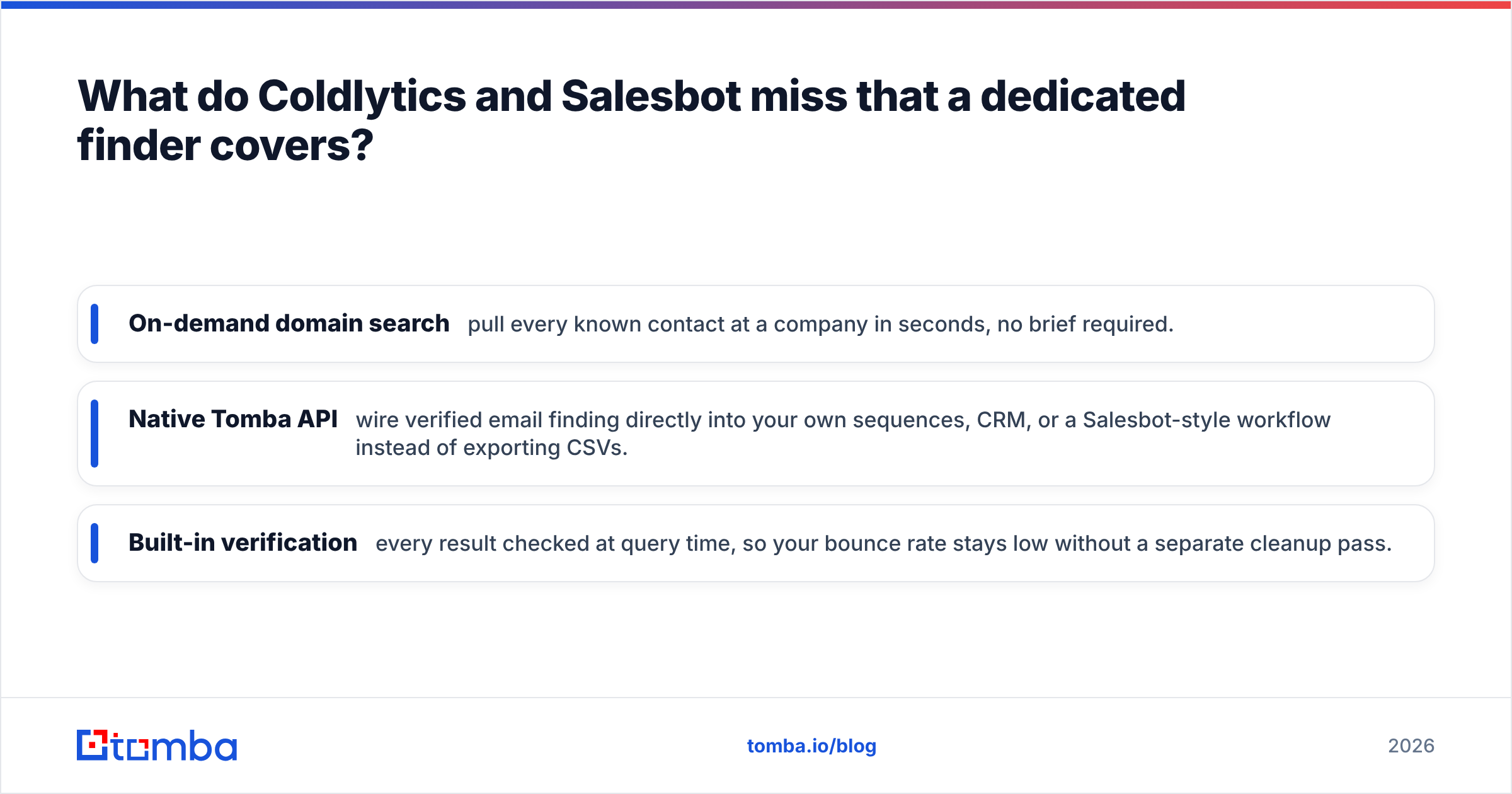
A dedicated finder fills three practical gaps:
- On-demand domain search — pull every known contact at a company in seconds, no brief required.
- Native Tomba API — wire verified email finding directly into your own sequences, CRM, or a Salesbot-style workflow instead of exporting CSVs.
- Built-in verification — every result checked at query time, so your bounce rate stays low without a separate cleanup pass.
That's the honest role of a finder in this comparison: not a replacement for a full research service or an automation suite in every case, but the accuracy engine both models quietly depend on. For teams comparing broader platforms, our roundup of an Apollo alternative covers where all-in-one tools help and where they add bloat.
How do the three approaches stack up on workflow fit?#
Think of it as three commutes to the same destination. One is a chauffeur (Coldlytics), one is a self-driving fleet you configure (Salesbot), and one is a fast car you drive yourself (a finder).
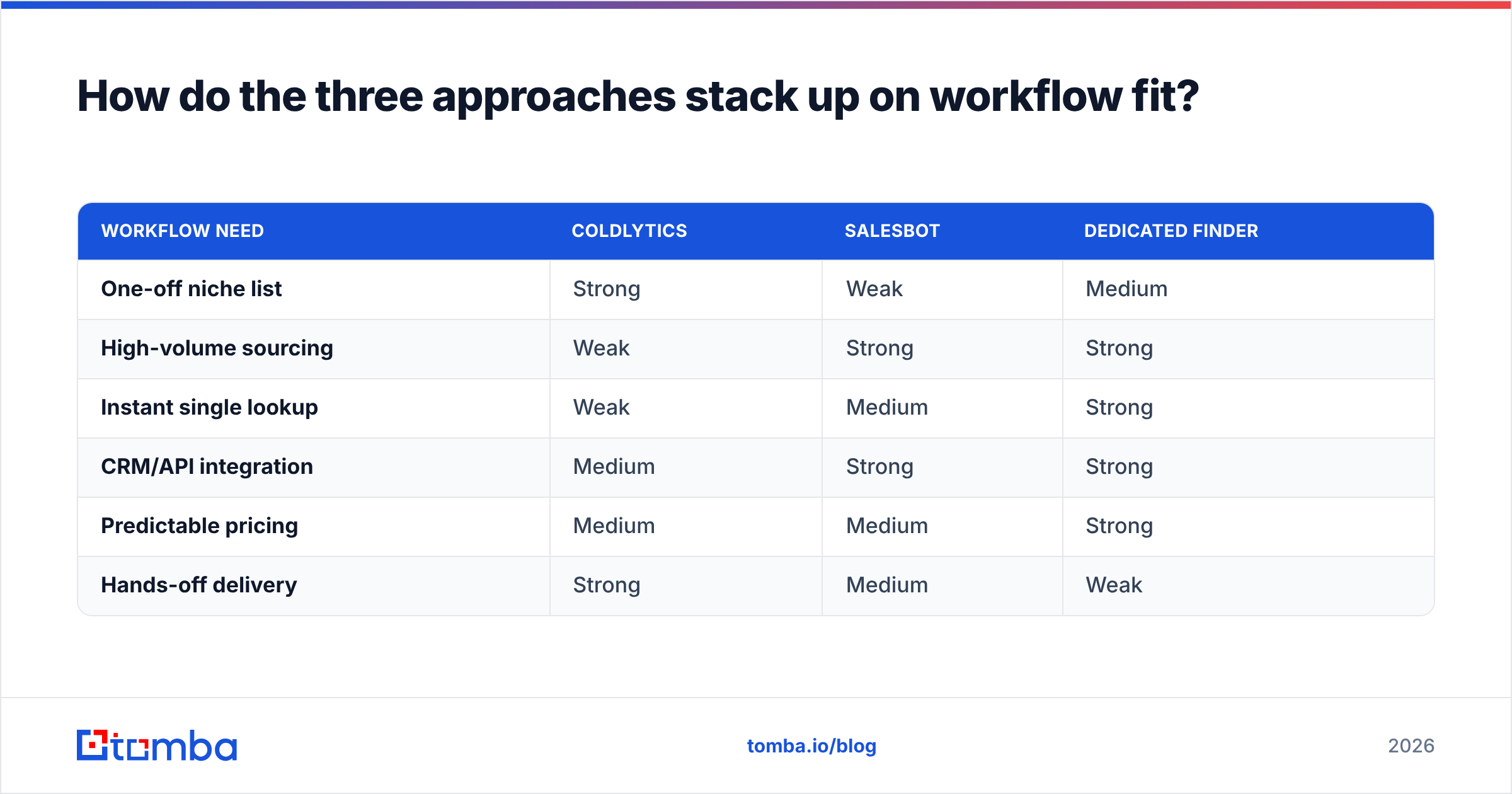
| Workflow need | Coldlytics | Salesbot | Dedicated finder |
|---|---|---|---|
| One-off niche list | Strong | Weak | Medium |
| High-volume sourcing | Weak | Strong | Strong |
| Instant single lookup | Weak | Medium | Strong |
| CRM/API integration | Medium | Strong | Strong |
| Predictable pricing | Medium | Medium | Strong |
| Hands-off delivery | Strong | Medium | Weak |
No single column is all "Strong," which is the real takeaway: your best setup is often a combination. Many teams pair automated or researched sourcing with a finder and verifier for the accuracy layer, then push everything into the CRM through native integrations. You can validate that stack against independent reviews on G2 before rolling it out company-wide.
Frequently asked questions#
Is Coldlytics or Salesbot better for a small team? Small teams with narrow ICPs usually get more from Coldlytics' done-for-you lists, since you save hours you don't have. Small teams chasing volume lean toward Salesbot's automation — but both are often heavier than a lean finder for early-stage outreach.
Do I still need an email verifier if I use Coldlytics or Salesbot? Yes. Any list decays, and automated pipelines can surface unverifiable addresses. Verifying at send time protects your sender reputation regardless of source.
Can I use a finder alongside Salesbot? Absolutely. A finder's API can feed accurate, verified contacts into automated workflows, which improves the output of any Salesbot-style system. Better inputs, better automation.
Which is the cheapest option overall? For teams that primarily need findable, verified emails, a flat-rate finder typically wins on cost-per-verified-contact. Full services and automation suites justify their price only when you need their broader capabilities.
The bottom line: Coldlytics vs Salesbot#
Pick by constraint, not by hype. If your bottleneck is time and your targets are niche, Coldlytics' hands-off lists earn their price. If your bottleneck is volume and you have the ops muscle to configure automations, Salesbot's always-on model scales further. Both are legitimate — just aimed at different problems.
But before you commit to either, test whether your real need is simpler than a platform. If you mostly need accurate work emails on demand, start lean: run a batch through Tomba's email finder, verify results in the same flow, and connect it to your CRM in minutes. You'll spend a fraction of a full service or automation suite, keep your bounce rate low, and only graduate to a heavier tool once you've proven you actually need it. Grab the free tier — 25 searches a month, no card — and benchmark it against your Coldlytics or Salesbot shortlist with your own ICP.
Related guides#
Ready to find emails that actually work?
Join 150,000+ professionals who stopped guessing and started sending. Free credits on signup — no credit card required.
Get the Tomba newsletter
Practical outbound tactics and product updates — once every two weeks.
About the author