Company Database API: The Complete 2026 Buyer's Guide
A company database API turns firmographic data into a live feed your product and sales stack can query on demand. Here's how they work, what to compare, and how to avoid paying for stale records.
You can buy a spreadsheet of company records once and watch it rot, or you can query a company database API and get the same fields back fresh every time you ask. This guide is about the second option: what a company database API actually does, how to judge one, and where the pricing traps hide.
TL;DR
- A company database API is an HTTP endpoint you query with a domain, name, or filter and get back structured firmographic data — industry, size, location, tech stack, contacts.
- The three things that matter most are coverage (how many companies), freshness (how recently each record was verified), and match rate (how often a lookup returns a usable answer).
- Pricing is almost never "per record" in a clean way — watch for credit expiry, enrichment vs. search pricing, and overage rates.
- APIs beat static exports because your CRM stays current automatically instead of decaying ~2-3% every month.
- Tomba fits the "developer-friendly, pay-for-what-you-use" slot with a free tier and a documented REST API; heavier intent-data platforms fit teams that need buying signals on top of firmographics.
What is a company database API?#
A company database API is a vending machine for business data. You put in a small token — a domain like stripe.com, a company name, or a set of filters — and the machine returns a structured record: legal name, industry, employee count, revenue band, headquarters, social profiles, and often the technologies the company runs and the people who work there.
Technically, it's a REST API that sits in front of a continuously updated dataset. Instead of downloading a 200,000-row CSV that's accurate the day you buy it and wrong three months later, you call the endpoint at the exact moment you need the data — when a lead signs up, when a deal enters your pipeline, or when a nightly job re-checks your accounts.
That timing difference is the whole point. B2B data decays fast: people change jobs, companies get acquired, headcounts swing, and tech stacks churn. A static file can't keep up. An API can, because the vendor does the maintenance and you just re-query.
What fields does a typical company database API return?#
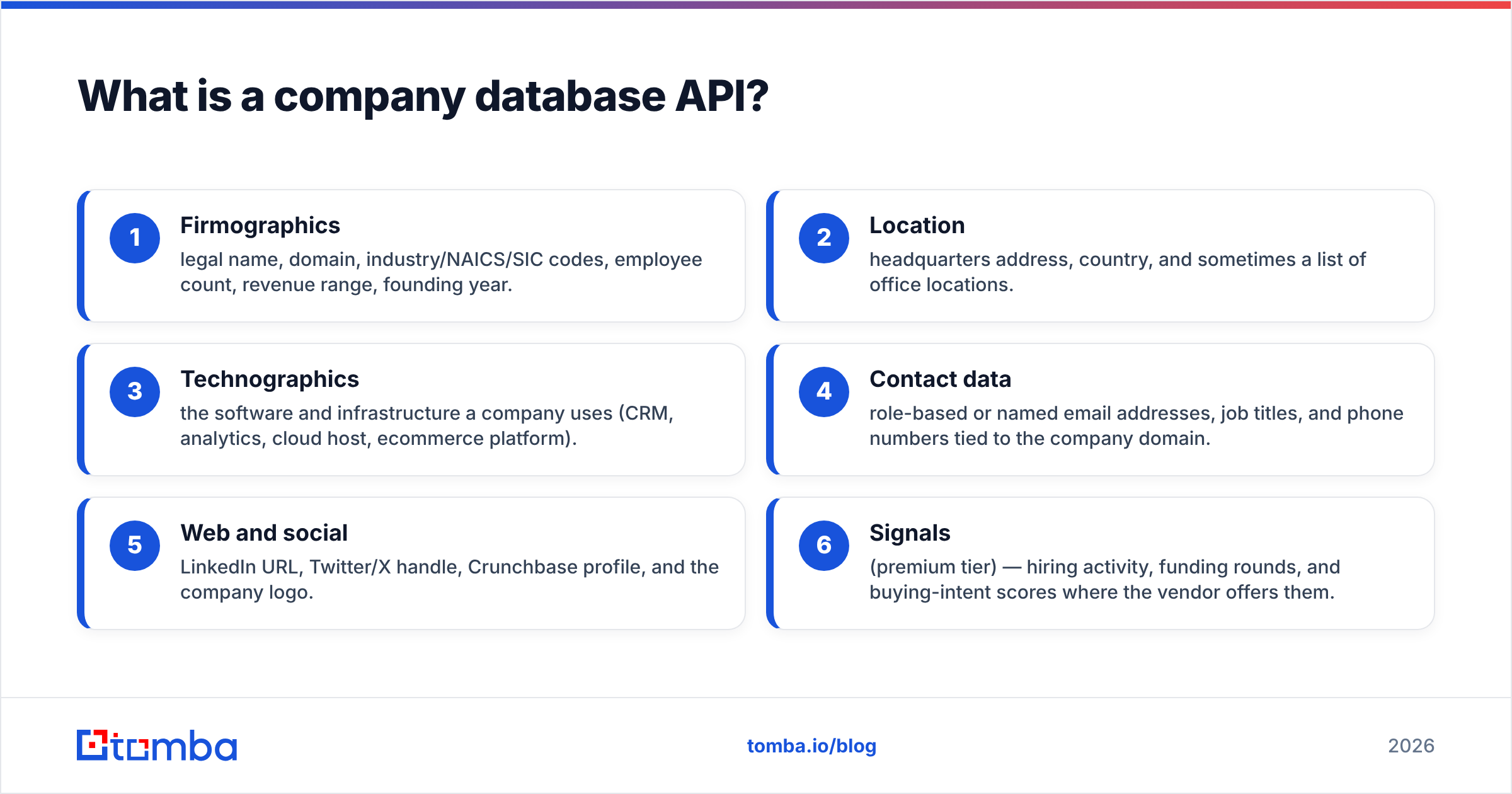
Most providers return some combination of the fields below. The exact schema varies, but the categories are consistent across the market:
- Firmographics — legal name, domain, industry/NAICS/SIC codes, employee count, revenue range, founding year.
- Location — headquarters address, country, and sometimes a list of office locations.
- Technographics — the software and infrastructure a company uses (CRM, analytics, cloud host, ecommerce platform).
- Contact data — role-based or named email addresses, job titles, and phone numbers tied to the company domain.
- Web and social — LinkedIn URL, Twitter/X handle, Crunchbase profile, and the company logo.
- Signals (premium tier) — hiring activity, funding rounds, and buying-intent scores where the vendor offers them.
If your use case is scoring inbound signups, firmographics plus location usually cover it. If you're building targeted outbound, you'll lean on contact data and technographics too. Tomba exposes these through its data enrichment and domain search endpoints rather than forcing you into one giant call.

Why not just buy a static list or scrape it yourself?#
Because both options quietly cost more than the API does. A purchased list is accurate for about a month, then decays. Scraping looks free until you count the engineering time, the proxy bills, the legal exposure, and the maintenance treadmill every time a source site changes its markup.
Here's the honest comparison:
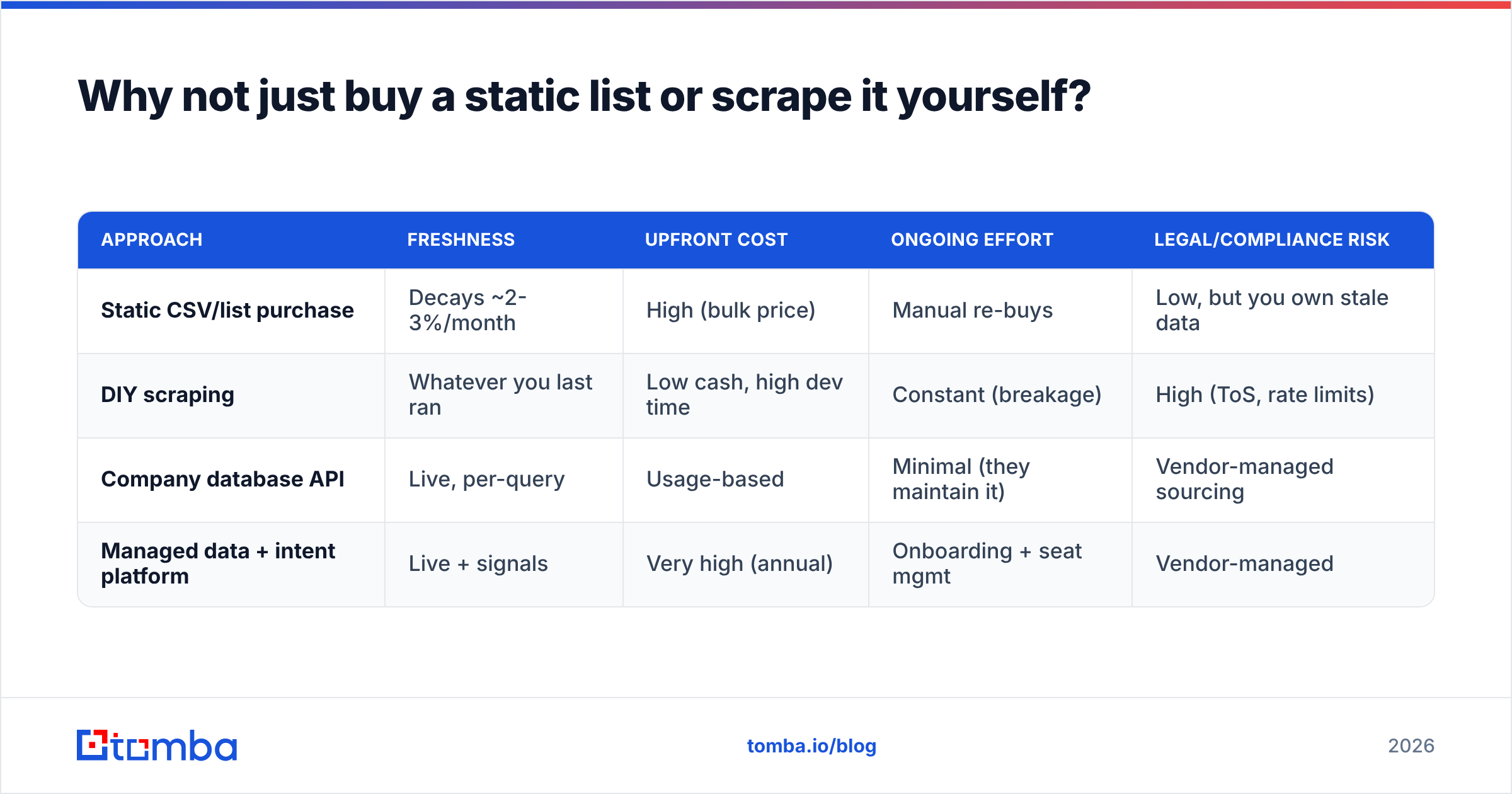
| Approach | Freshness | Upfront cost | Ongoing effort | Legal/compliance risk |
|---|---|---|---|---|
| Static CSV/list purchase | Decays ~2-3%/month | High (bulk price) | Manual re-buys | Low, but you own stale data |
| DIY scraping | Whatever you last ran | Low cash, high dev time | Constant (breakage) | High (ToS, rate limits) |
| Company database API | Live, per-query | Usage-based | Minimal (they maintain it) | Vendor-managed sourcing |
| Managed data + intent platform | Live + signals | Very high (annual) | Onboarding + seat mgmt | Vendor-managed |
The API row wins for most teams because it moves the maintenance burden to the vendor and bills you for what you actually use. You're not paying to store records you'll never touch, and you're not paying an engineer to babysit a scraper.
There's a compliance angle too. Reputable providers document where their data comes from, which matters under GDPR and CCPA. A scraper you built has no such paper trail, and "we scraped it ourselves" is not a defense you want to test.
How do you evaluate a company database API?#
Judge it on match rate first, freshness second, and price third — in that order. A cheap API that returns nothing on 40% of your lookups is more expensive than a pricier one that answers 90% of them, because you're paying for coverage you can act on, not raw record counts on a marketing page.
The metrics that actually matter#
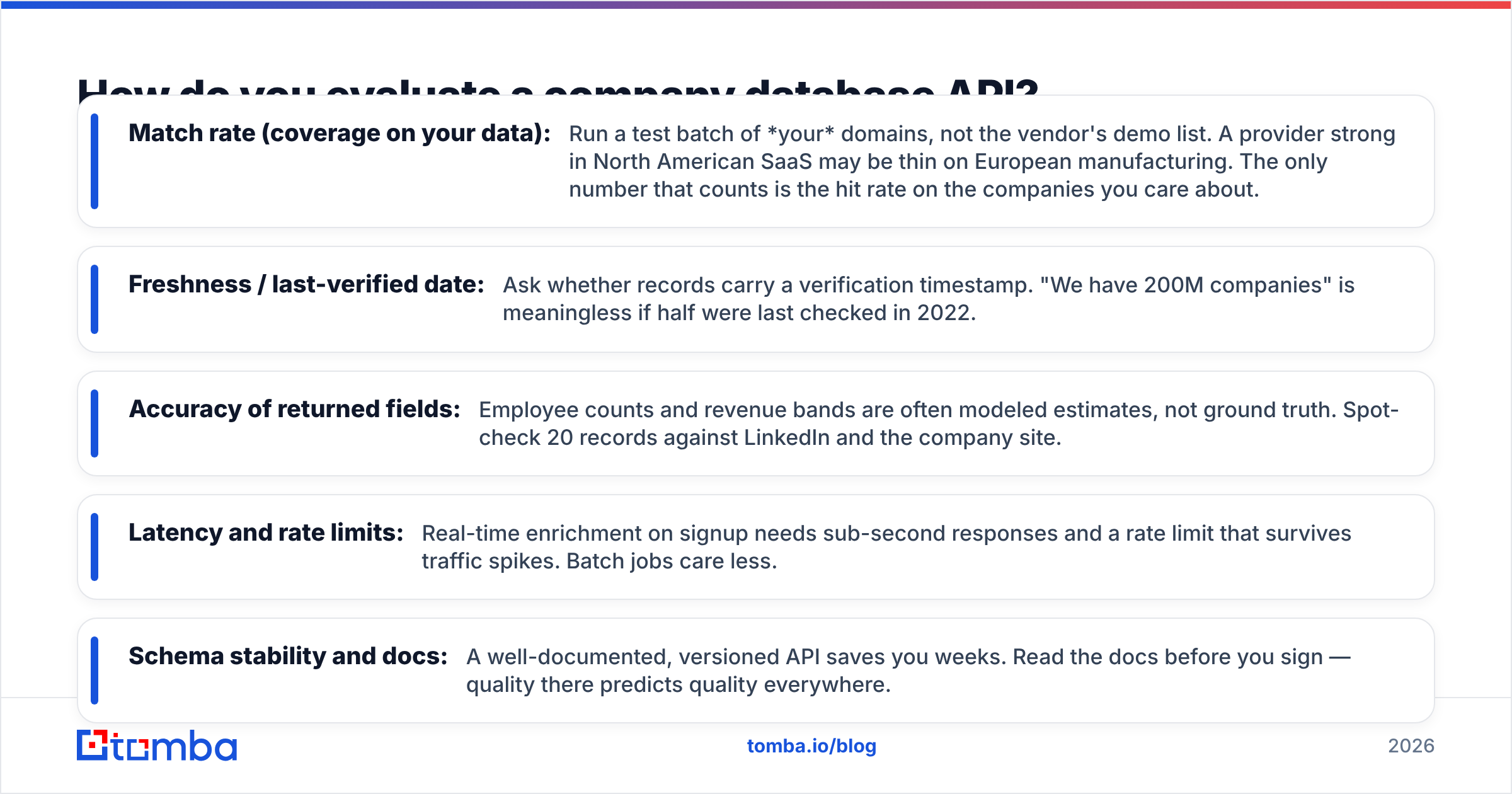
- Match rate (coverage on your data): Run a test batch of your domains, not the vendor's demo list. A provider strong in North American SaaS may be thin on European manufacturing. The only number that counts is the hit rate on the companies you care about.
- Freshness / last-verified date: Ask whether records carry a verification timestamp. "We have 200M companies" is meaningless if half were last checked in 2022.
- Accuracy of returned fields: Employee counts and revenue bands are often modeled estimates, not ground truth. Spot-check 20 records against LinkedIn and the company site.
- Latency and rate limits: Real-time enrichment on signup needs sub-second responses and a rate limit that survives traffic spikes. Batch jobs care less.
- Schema stability and docs: A well-documented, versioned API saves you weeks. Read the docs before you sign — quality there predicts quality everywhere.
Independent review sites like G2 and Capterra are useful for spotting patterns in complaints (billing surprises, support gaps), but never substitute a review score for your own match-rate test. Vendors optimize for the demo; you're optimizing for production.
Build the test before you talk to sales#
Take 100 real domains from your CRM, send them through each vendor's free tier or trial, and score three columns: did it return a record, were the key fields present, and were they correct on a spot-check. That single spreadsheet tells you more than any sales call. Tomba's free tier (25 searches/month) and its bulk tools make this kind of head-to-head cheap to run.
What does a company database API cost in 2026?#
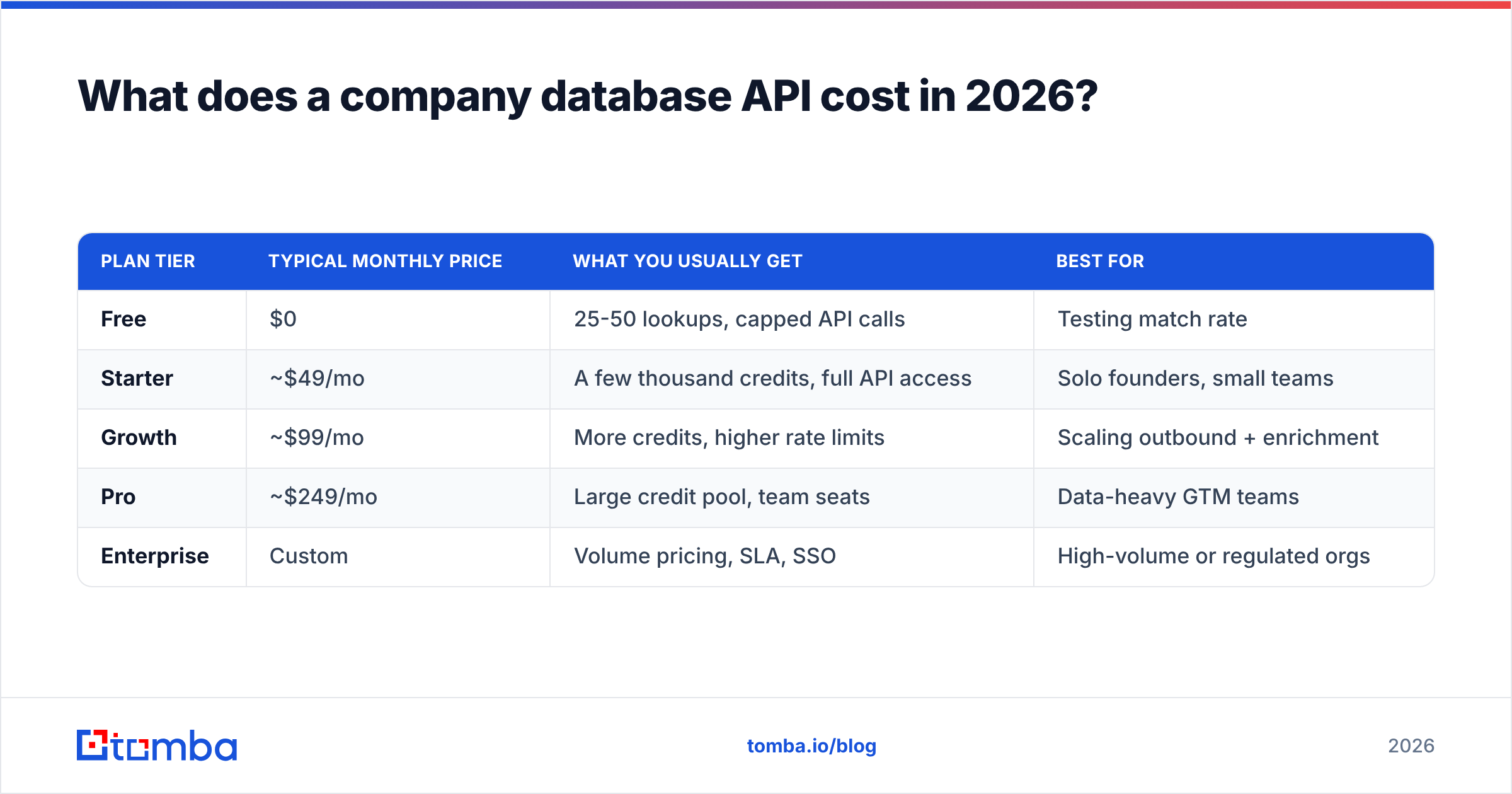
Pricing splits along two axes: search (find companies matching filters) and enrichment (hand me a domain, return the full record). Most vendors charge credits, and the trap is that a "credit" means different things per action. Below is a representative shape of the market — always confirm current numbers on each vendor's page.
| Plan tier | Typical monthly price | What you usually get | Best for |
|---|---|---|---|
| Free | $0 | 25-50 lookups, capped API calls | Testing match rate |
| Starter | ~$49/mo | A few thousand credits, full API access | Solo founders, small teams |
| Growth | ~$99/mo | More credits, higher rate limits | Scaling outbound + enrichment |
| Pro | ~$249/mo | Large credit pool, team seats | Data-heavy GTM teams |
| Enterprise | Custom | Volume pricing, SLA, SSO | High-volume or regulated orgs |
Tomba's published tiers follow this pattern: Free at 25 searches/month, Starter at $49/mo, Growth at $99/mo, Pro at $249/mo, and custom Enterprise. The Tomba pricing page has the live credit counts.
Three things to check before you commit:
- Do credits expire? Monthly reset means unused credits vanish. If your volume is spiky, that's a real cost.
- Is search priced the same as enrichment? Many vendors charge more for a filtered search than for a single domain lookup.
- What's the overage rate? Blowing past your plan mid-month can cost 2-3x the per-credit rate. Know the number in advance.

How do you actually integrate one?#
The happy path is three steps: authenticate, call the endpoint, cache the result. Almost every company database API uses an API key in the header, returns JSON, and documents its rate limits clearly. A minimal enrichment flow looks like this:
- Trigger — a new signup, a form fill, or a CRM record without firmographics.
- Call — send the domain (and optionally a name) to the enrichment endpoint.
- Map — write the returned fields into your CRM or data warehouse.
- Cache — store the record with its fetch date so you don't re-query on every page load.
- Refresh — run a scheduled job to re-enrich records older than, say, 90 days.
That refresh step is what keeps your database from decaying. Set it and your CRM stays current without anyone touching a spreadsheet. Tomba supports this through its REST API plus native connectors to HubSpot, Salesforce, and Zapier, so non-engineers can wire up enrichment without writing code.
If you want the enrichment logic to live where your revenue tooling already sits, the HubSpot developer platform and Salesforce APIs both accept enriched fields via standard object updates — the company database API becomes the source, your CRM stays the system of record.
Real-time vs. batch: pick per use case#
Not every workflow needs sub-second lookups. Score your use cases:
- Real-time (needs low latency): lead routing on signup, live form enrichment, in-app personalization.
- Batch (latency-tolerant): nightly CRM hygiene, list-building for campaigns, TAM analysis.
Mixing both is normal. You might enrich signups instantly and re-verify your whole account list weekly. A good API supports single-call and bulk endpoints so you don't bolt two vendors together.
Is a company database API right for your team?#
If you touch B2B company data more than a few times a week — for scoring, routing, prospecting, or hygiene — an API pays for itself against the hours you'd otherwise spend on manual lookups. If you need company data twice a quarter, a one-off list is fine.
Match the tool to the job:
- Just need firmographics and contact emails, developer-led: a focused, usage-priced API like Tomba. Query company email search by domain, enrich, done.
- Need firmographics plus deep buying-intent signals: a heavier intent-data platform, at a heavier annual price.
- Need pre-built B2B lists more than an API: a list vendor such as BookYourData is a solid neutral option to evaluate alongside an API for coverage in specific verticals.
Most teams end up combining an API for live enrichment with occasional list buys for net-new territory. There's no rule that says you pick exactly one.
The bottom line#
A company database API replaces the doomed cycle of buying data, watching it decay, and buying again. You query fresh records on demand, pay for what you use, and let the vendor carry the maintenance. Judge candidates on match rate against your own domains first, freshness second, and price third — and always read the overage terms before you sign.
If you want a developer-friendly starting point with a real free tier, spin up the Tomba Email Finder and pair it with the Tomba API for enrichment. Run 25 free searches against your own account list this week, score the match rate yourself, and you'll know within an afternoon whether a company database API belongs in your stack. It almost always does.
Related guides#
Ready to find emails that actually work?
Join 150,000+ professionals who stopped guessing and started sending. Free credits on signup — no credit card required.
Get the Tomba newsletter
Practical outbound tactics and product updates — once every two weeks.
About the author